
CV Slicer

Project description
CV Slicer - Python3 Package
Handling the slicing of enormously large image without compromising quality or information. Specially made for computer vision object detection.
Usage
To install this package:
pip install cvslicer
To import:
import cvslicer
To use:
- We need to have 2 parameters ( in pixels ),
- The maximum size of image after sliced.
- The maximum size of object for detection.
# 100, 100: Image CutOff Height and Width
# 40, 40: Object Maximum Height and Width
img_slicer = cvslicer.CVSlicer(img_path, 100, 100, 40, 40)

# Below function gives you a 2D array with the below elements
# [ image file path, [x-coordinate to shift, y-coordinate to shift]  ]
print(img_slicer.slice_img())
You may refer here for sample usage.
Overview
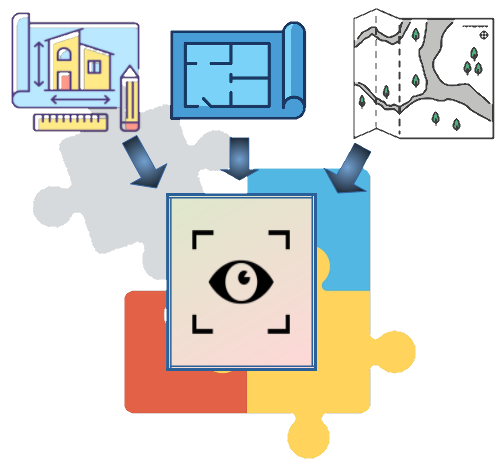
Say, you have extremely large dimension images like floor plans, maps, building layout, etc. You want to use them with your object detection model. Sometimes, it might have some compatibility issues with some models or some programs might not be taking images in such an enormous dimension.
There are some workarounds, ie.
(1) Downsize the image dimension by losing quality.
(2) Crop/Slice the image into smaller pieces.
Both the above methods will cause you to lose information. Particularly for (2), if your object gets sliced in half within the borders of cropped image, it will not be detected.
Thus, here comes the purpose of CV Slicer. It is a Python-3 package which is made to handle the issues mentioned in (1) and (2) above. It is made to be compatible with OpenCV.
On the other hand, CV Slicer may also help those who wish to load large image in OpenCV. OpenCV limits the size of image up to a certain constant ( you may refer here: https://github.com/opencv/opencv/blob/8eba3c1e7e8975ff1d263a41a5753efaa51d54fc/modules/imgcodecs/src/loadsave.cpp#L61).
To bypass that limit, you have to apply some hacks by changing the environment variable (for newer version only) or by redefining the constants and recompile the whole OpenCV package again. But if you wish to avoid or are unable to do that, you may use CV Slicer too.
Concepts & Documentations
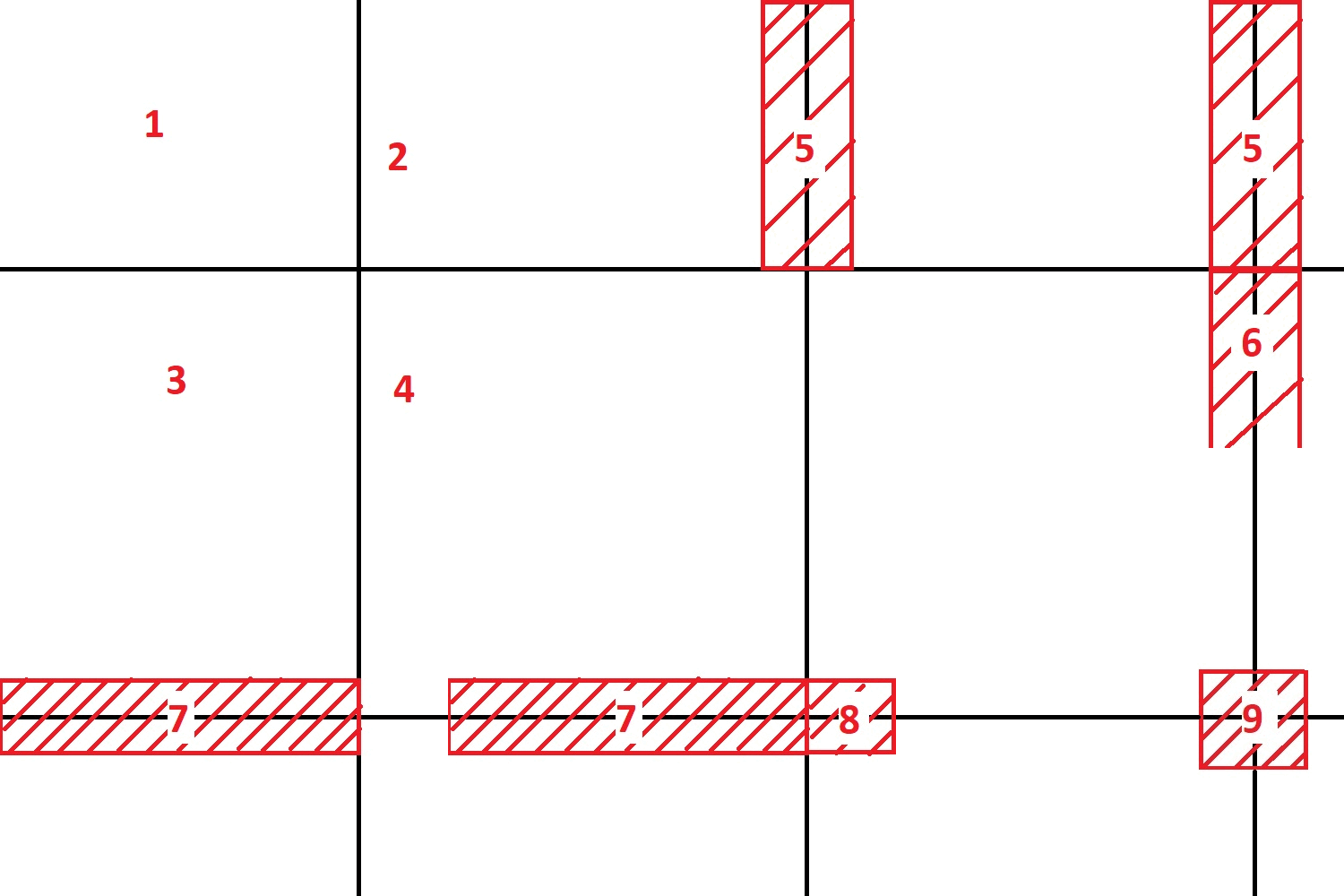
In brief, if we are to sliced the image below into smaller pieces, we are going to slice it into 9 smaller pieces. The 4 pieces are the main pieces. While for the 5th - 9th pieces, they are strips above the borders, their width and height are determined by the size of the object that you are detecting. Those strips are to prevent the case where your object gets sliced in half within the borders of the first 4 pieces that we sliced.
For more details please refer here
License
MIT License
Author
Quek JY
Release history Release notifications | RSS feed


Download files
Download the file for your platform. If you're not sure which to choose, learn more about installing packages.
Source Distribution
Built Distribution
Filter files by name, interpreter, ABI, and platform.
If you're not sure about the file name format, learn more about wheel file names.
Copy a direct link to the current filters
File details
Details for the file cvslicer-1.0.1.tar.gz.
File metadata
- Download URL: cvslicer-1.0.1.tar.gz
- Upload date:
- Size: 10.7 kB
- Tags: Source
- Uploaded using Trusted Publishing? No
- Uploaded via: twine/3.8.0 pkginfo/1.8.2 readme-renderer/34.0 requests/2.26.0 requests-toolbelt/0.9.1 urllib3/1.26.6 tqdm/4.62.3 importlib-metadata/4.11.3 keyring/23.5.0 rfc3986/2.0.0 colorama/0.4.4 CPython/3.9.4
File hashes
| Algorithm | Hash digest | |
|---|---|---|
| SHA256 |
39a9d5cedf905136340cd292aa2e0632418f1739ae640cb0f4e1cbe7216a449e
|
|
| MD5 |
e8688a3dd165f4169a028bdd32bac46d
|
|
| BLAKE2b-256 |
eadeae82ec6c7d043bd2ed3a538ec770ffb3bf3b41b345310c011f147ffc8deb
|
File details
Details for the file cvslicer-1.0.1-py3-none-any.whl.
File metadata
- Download URL: cvslicer-1.0.1-py3-none-any.whl
- Upload date:
- Size: 9.0 kB
- Tags: Python 3
- Uploaded using Trusted Publishing? No
- Uploaded via: twine/3.8.0 pkginfo/1.8.2 readme-renderer/34.0 requests/2.26.0 requests-toolbelt/0.9.1 urllib3/1.26.6 tqdm/4.62.3 importlib-metadata/4.11.3 keyring/23.5.0 rfc3986/2.0.0 colorama/0.4.4 CPython/3.9.4
File hashes
| Algorithm | Hash digest | |
|---|---|---|
| SHA256 |
b1ef8e93172e3333e3d7f6c03d5ba4c6fbb69ec0b5313893eecb50d7ba0d01cc
|
|
| MD5 |
b6716ac2d09eb231001ea2fe419aa42b
|
|
| BLAKE2b-256 |
11f739c316e9daf74732d61d015dabec8791e10b110741cdf0d55d3a59190a25
|






