
CWL2Nx
Lightweight python module to load, validate and visualize CWL (Common Workflow Language) files through networkx graphs. It uses cwl_utils for parsing and validation. It also contains a CLI app to quickly visualize cwl files.
Installation
pip install cwl2nx
Note : to use cwl2nx as a CLI app only, you may prefer to use pipx :
pip install pipx
pipx install cwl2nx
CLI app
Just run :
cwl2nx <path_to_cwl>
run
cwl2nx --helpto get full documentation
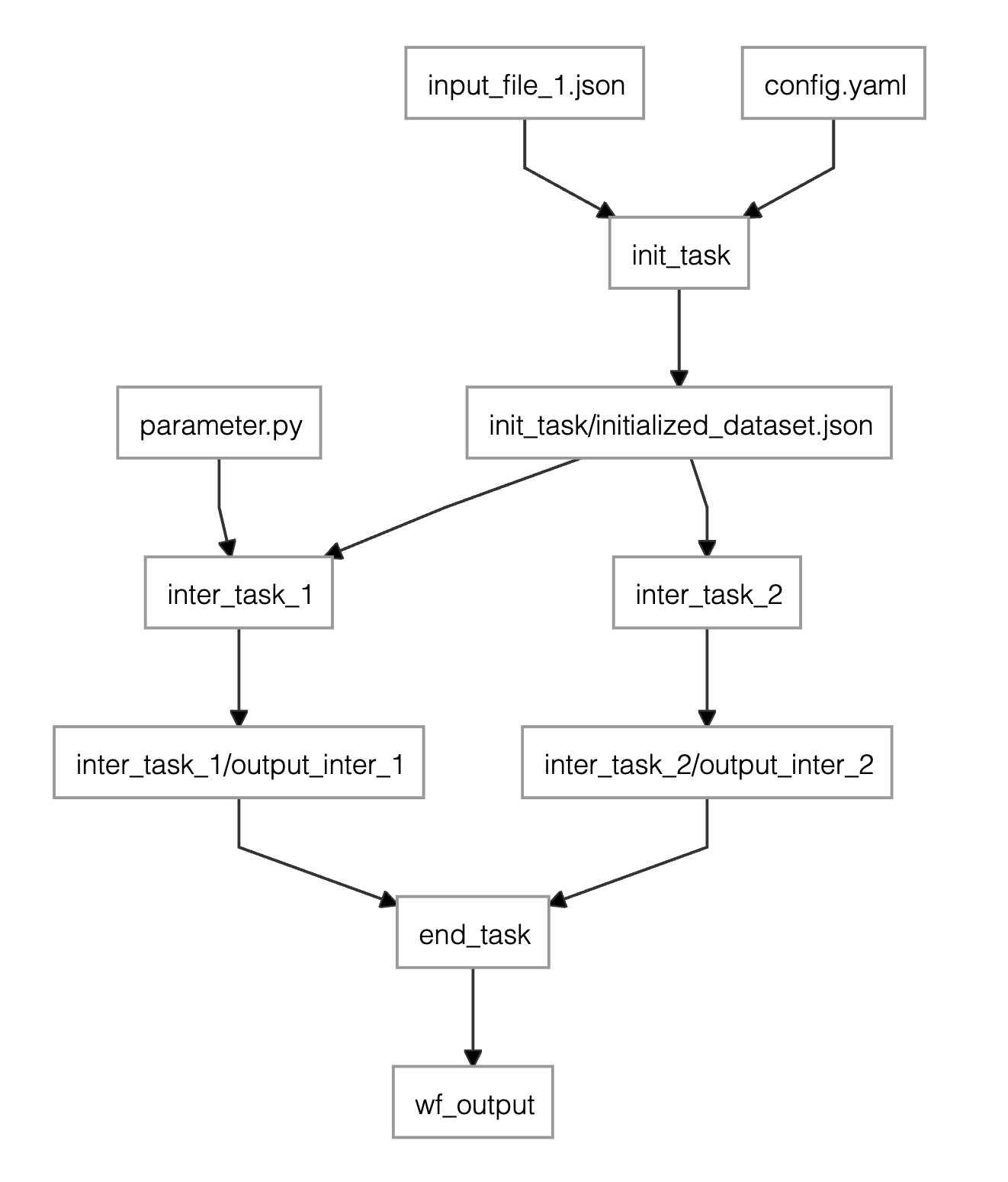
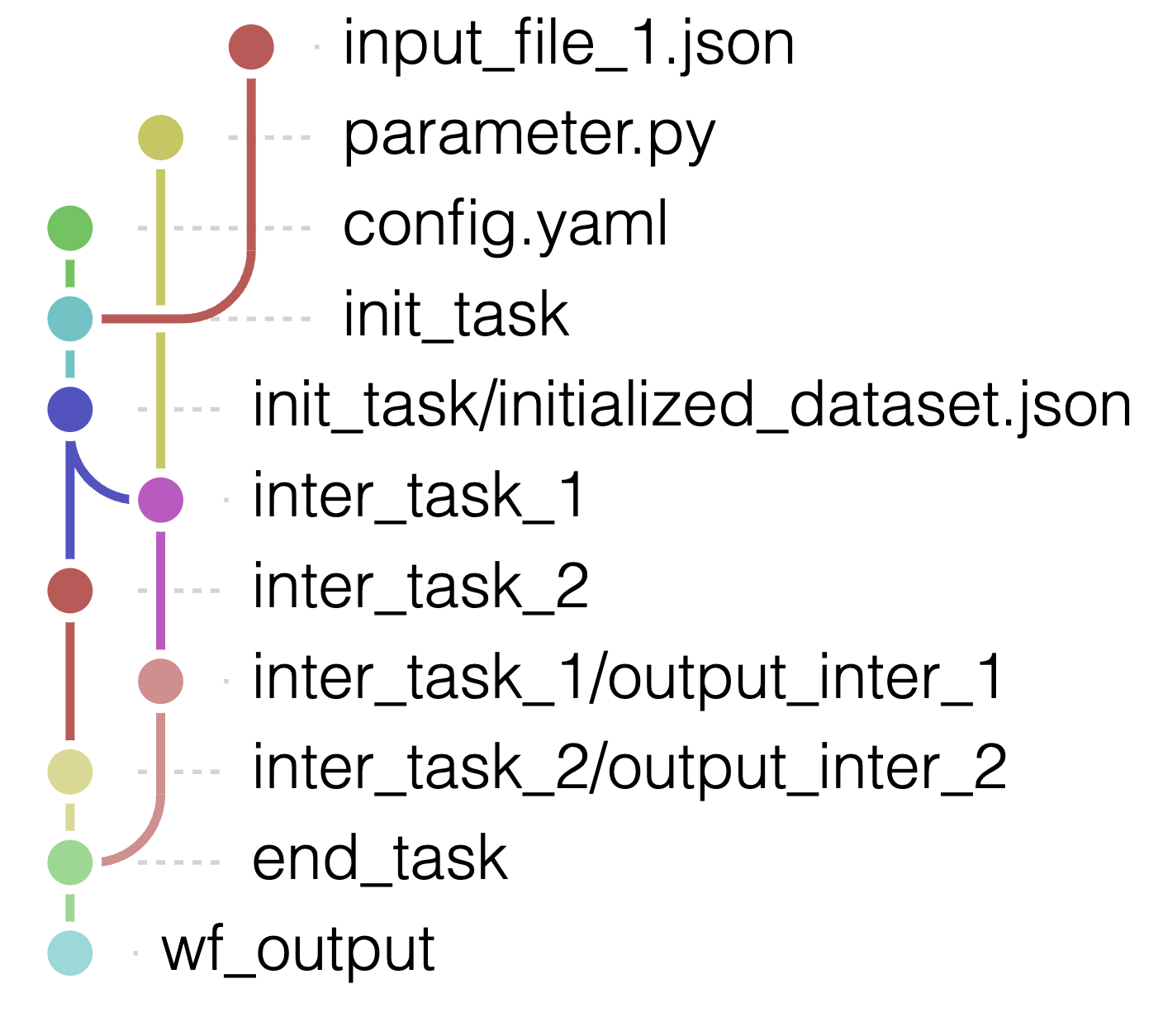
- green: WorkflowInputParameter
- yellow: WorkflowStep
- blue: WorkflowStepInput
- pink / magenta : WorkflowStepOutput which are not WorkflowStepInput
- red : WorkflowOutputParameter
Example Usage
You will find an example of workflow in the GitHub repository : workflow_example.cwl.yaml. Other examples can be found here : https://workflowhub.org
Straightforward conversion
from cwl2nx import CWLToNetworkxConnector

dir = "workflow_example.cwl.yaml"
dag = CWLToNetworkxConnector(dir).convert_to_networkx() # dag is networkx.DiGraph
print(dag.nodes, dag.edges)
Using dagviz
You'll need to install
dagvizbefore
/!\ you need to run the code below in a jupyter notebook
from cwl2nx import CWLToNetworkxConnector
import networkx as nx
import dagviz

dir = "workflow_example.cwl.yaml"
connector = CWLToNetworkxConnector(dir)
dag = connector.convert_to_networkx()


dagviz.Dagre(dag)

dagviz.Metro(dag) # github tree dag style
Visualization in the terminal
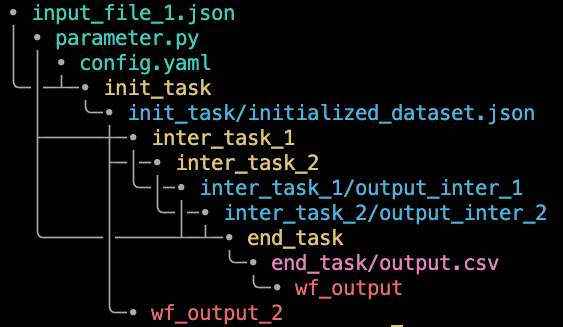
To get a string representing the graph (code from: https://github.com/ctongfei/py-dagviz):
from cwl2nx import cwl_to_str

dir = "workflow_example.cwl.yaml"
print(cwl_to_str(dir))
output :
• input_file_1.json
│ • parameter.py
│ │ • config.yaml
╰─│─┴─• init_task
  │   ╰─• init_task/initialized_dataset.json
  ├─────┼─• inter_task_1
  │     ├─│─• inter_task_2
  │     │ ╰─│─• inter_task_1/output_inter_1
  │     │   ╰─│─• inter_task_2/output_inter_2
  ╰─────│─────┴─┴─• end_task
        │         ╰─• end_task/output.csv
        │           ╰─• wf_output
        ╰─• wf_output_2
Link with cwl-utils
Each node of the parsed networkx graph object has an attribute cwl_utils_object containing the cwl_utils object, among the following :
- WorkflowStep
- WorkflowStepInput
- WorkflowStepOutput
- WorkflowInputParameter
- WorkflowOutputParameter
The type of the node (one of the above in string) is accessible through the parameter node_type of each node.
License


Release files for cwl2nx 0.0.15
For a detailed explanation of source distributions (sdists) and built distributions (wheels), please see the package formats documentation.
Source distribution (sdist)
| File | Size | Uploaded | |
|---|---|---|---|
| cwl2nx-0.0.15.tar.gz | 13.4 kB | Details |
Release files / cwl2nx-0.0.15.tar.gz
| Download URL | cwl2nx-0.0.15.tar.gz |
|---|---|
| Size | 13.4 kB |
| Tags | Source |
|
SHA-256 checksum How to use checksums |
cbda8fcbe57555dac48f5ee5099b22a2be946c9620bb05ff0b9485db0f1d6f45
|
|
BLAKE2b-256 checksum How to use checksums |
f4a632da178344692192e653244e063663917186f1ab45e94a84aa0209ef95e4
|
| Upload date | |
|
Uploaded using Trusted Publishing? What is trusted publishing? |
No |
| Uploaded via |
twine/6.2.0 CPython/3.12.12
|














