
Lightweight python module to load, validate and visualize CWL (Common Workflow Language) files through networkx graphs.


Project description
CWL2Nx
Lightweight python module to load, validate and visualize CWL (Common Workflow Language) files through networkx graphs. It uses cwl_utils for parsing and validation. It also contains a CLI app to quickly visualize cwl files.
Installation
pip install cwl2nx
Note : to use cwl2nx as a CLI app only, you may prefer to use pipx :
pip install pipx
pipx install cwl2nx
Example Usage
You will find an example of workflow in the GitHub repository : workflow_example.cwl.yaml. Other examples can be found here : https://workflowhub.org
Straightforward conversion
from cwl2nx import CWLToNetworkxConnector

dir = "workflow_example.cwl.yaml"
dag = CWLToNetworkxConnector(dir).convert_to_networkx() # dag is networkx.DiGraph
print(dag.nodes, dag.edges)
Using dagviz
You'll need to install
dagvizbefore
/!\ you need to run the code below in a jupyter notebook
from cwl2nx import CWLToNetworkxConnector
import networkx as nx
import dagviz

dir = "workflow_example.cwl.yaml"
connector = CWLToNetworkxConnector(dir)
dag = connector.convert_to_networkx()


dagviz.Dagre(dag)

dagviz.Metro(dag) # github tree dag style
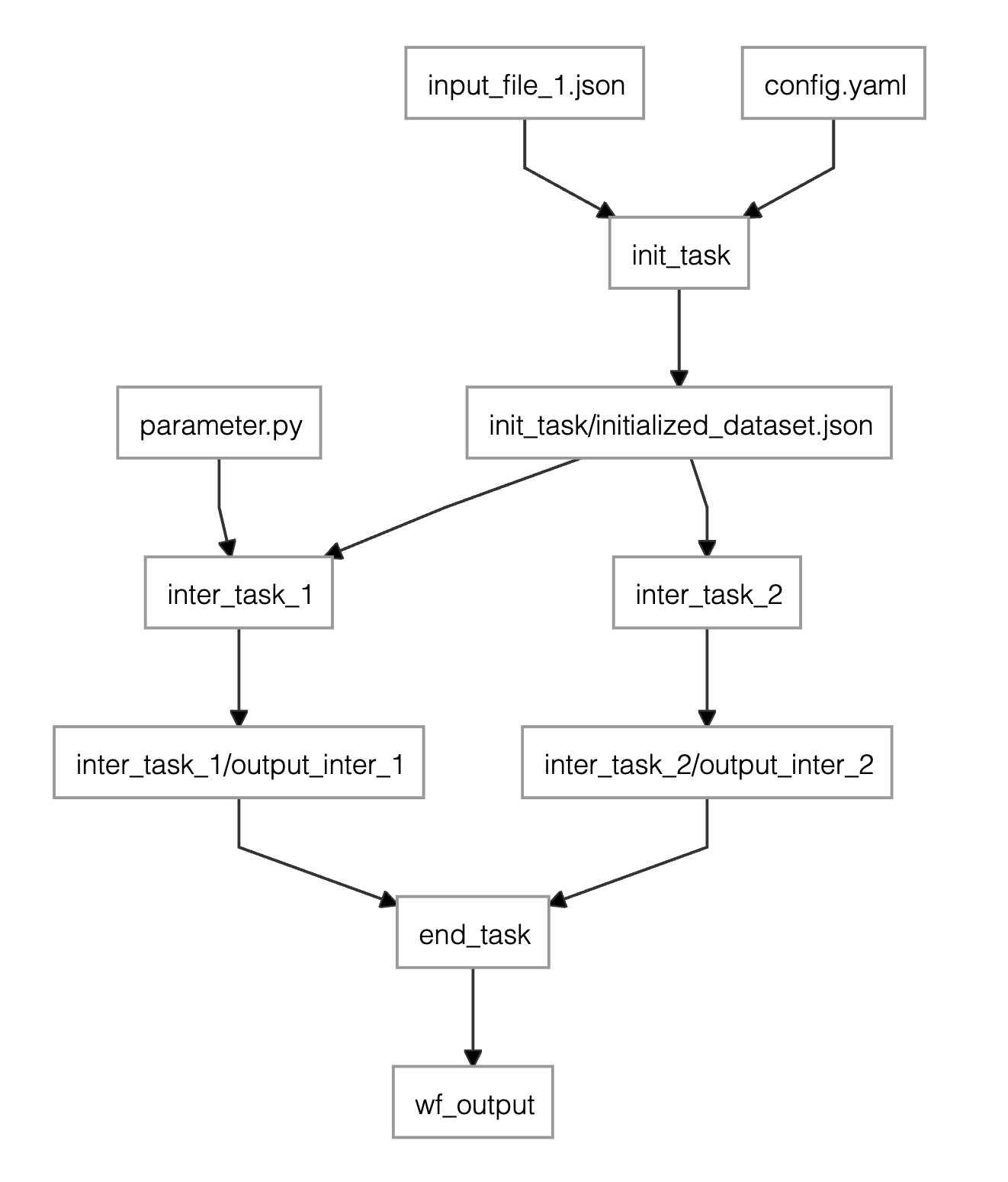
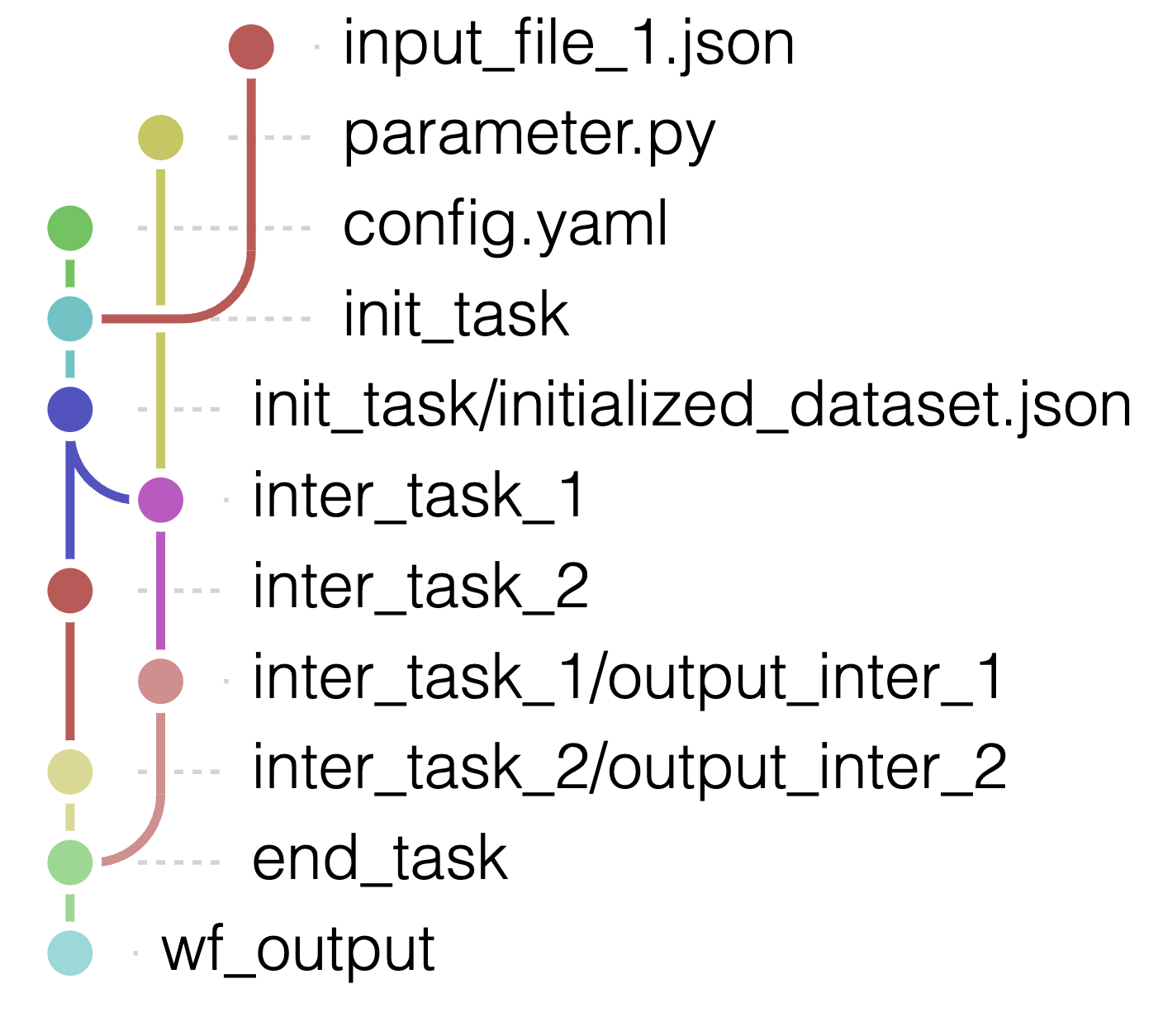
Visualization in the terminal
To get a string representing the graph (code from: https://github.com/ctongfei/py-dagviz):
from cwl2nx import cwl_to_str

dir = "workflow_example.cwl.yaml"
print(cwl_to_str(dir))
output :
• input_file_1.json
│ • parameter.py
│ │ • config.yaml
╰─│─┴─• init_task
  │   ╰─• init_task/initialized_dataset.json
  ├─────┼─• inter_task_1
  │     ├─│─• inter_task_2
  │     │ ╰─│─• inter_task_1/output_inter_1
  │     │   ╰─│─• inter_task_2/output_inter_2
  ╰─────│─────┴─┴─• end_task
        │         ╰─• end_task/output.csv
        │           ╰─• wf_output
        ╰─• wf_output_2
CLI app
Just run :
cwl2nx <path_to_cwl>
run
cwl2nx --helpto get full documentation
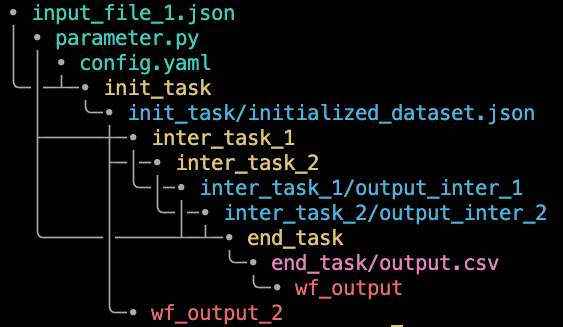
- green: WorkflowInputParameter
- yellow: WorkflowStep
- blue: WorkflowStepInput
- pink / magenta : WorkflowStepOutput which are not WorkflowStepInput
- red : WorkflowOutputParameter
Link with cwl-utils
Each node of the parsed networkx graph object has an attribute cwl_utils_object containing the cwl_utils object, among the following :
- WorkflowStep
- WorkflowStepInput
- WorkflowStepOutput
- WorkflowInputParameter
- WorkflowOutputParameter
The type of the node (one of the above in string) is accessible through the parameter node_type of each node.
License
Release history Release notifications | RSS feed


Download files
Download the file for your platform. If you're not sure which to choose, learn more about installing packages.
Source Distribution
File details
Details for the file cwl2nx-0.0.11.tar.gz.
File metadata
- Download URL: cwl2nx-0.0.11.tar.gz
- Upload date:
- Size: 13.6 kB
- Tags: Source
- Uploaded using Trusted Publishing? No
- Uploaded via: twine/6.2.0 CPython/3.12.11
File hashes
| Algorithm | Hash digest | |
|---|---|---|
| SHA256 |
471f1791fa94807e2b798907a896f9a8e803944d2204ab3303bb1f7de83543a9
|
|
| MD5 |
fe485e59bc21ddd164f28e749fe7744a
|
|
| BLAKE2b-256 |
e4f0bf34c5b0e44fbd18f79e74ccbdafe6be32ccd83c0f65a42a83c44c89c0f9
|






