
A Network Pentesting and Forensics Tool

Project description
CyberScan



CyberScan is an open source penetration testing tool that can analyse packets , decoding , scanning ports, pinging and geolocation of an IP including (latitude, longitude , region , country ...)
Screenshots
Operating Systems Supported
- Windows XP/7/8/8.1/10
- GNU/Linux
- MacOSX
Installation
You can install CyberScan with pip or download repository.
pip
$ pip install cyberscan
Download CyberScan repository
You can download CyberScan by cloning the Git repository:
git clone https://github.com/medbenali/CyberScan.git
cd CyberScan/
python CyberScan.py -v
CyberScan works out of the box with Python version 3.0.x.
The CyberScan Module Usage
CyberScan is able to send and capture packets of several protocols, forging and decoding them to be used to most network tasks such as scanning, pinging, probing, and attacks.
You can test the installation CyberScan in your machine:
$ cyberscan -h
Pinging The Network
We can perform ping operations with several protocols using CyberScan The fastest way to discover hosts on a local Ethernet network is to use ARP:
ARP Ping
$ cyberscan -s 192.168.1.0/24 -p arp
[*] Starting Ping ARP for 192.168.1.0/24
Begin emission:
Finished to send 256 packets.

Received 0 packets, got 0 answers, remaining 256 packets
ICMP Ping
In other cases we can use ICMP ping:
$ cyberscan -s 192.168.1.1-254 -p icmp
[*] Starting Ping ARP for 192.168.1.0/24
Begin emission:
Finished to send 256 packets.

Received 0 packets, got 0 answers, remaining 256 packets
TCP Ping
In case when ICMP echo requests are blocked, we can still use TCP:
$ cyberscan -s 192.168.1.1-254 -p tcp -d 80
UDP Ping
Or even UDP (which produces ICMP port unreachable errors from live hosts). We can pick any port which is most likely to be closed, such as port 0:
$ cyberscan -s 192.168.*.1-10 -p udp
Network Scanning
Port Scanner
In CyberSan Tool we can scan with or without specify start and end port
$ cyberscan -s 192.168.1.1 -p scan -d 1 -t 100
WARNING: No route found for IPv6 destination :: (no default route?)
[*] CyberScan Port Scanner
[*] Scanning 192.168.1.1 From Port 1 To 100:
[*] Starting CyberScan 1.01 at 2017-07-14 14:00 CEST
[*] Scan In Progress ...
[*] Connecting To Port :  100
[*] Scanning Completed at 2017-07-14 14:00 CEST
[*] CyberScan done: 1IP address (1host up) scanned in 0.32 seconds
[*] Open Ports:
	23 TELNET: Open
	53 DNS: Open
	80 HTTP: Open
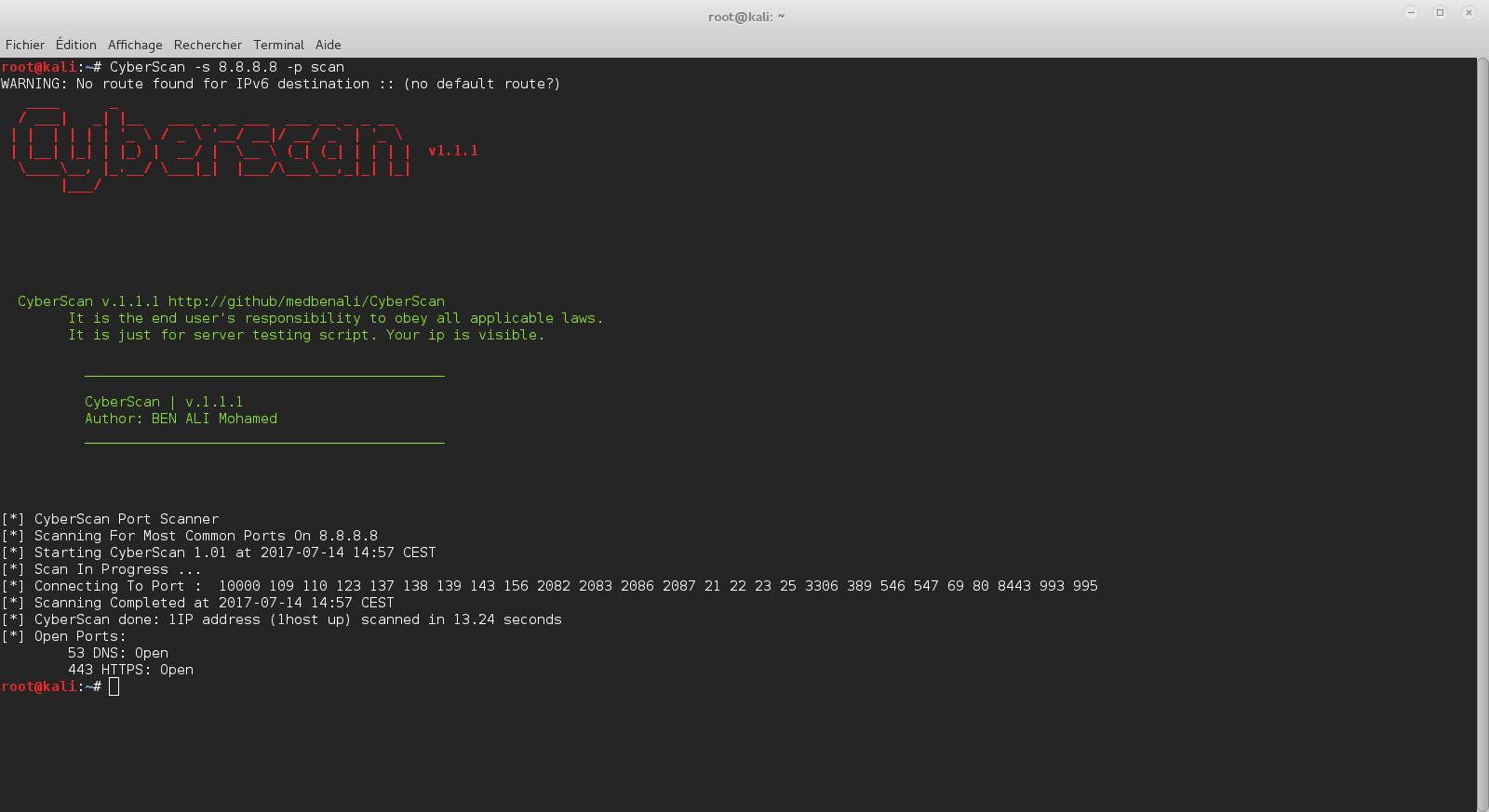
$ cyberscan -s 8.8.8.8 -p scan
WARNING: No route found for IPv6 destination :: (no default route?)
[*] CyberScan Port Scanner
[*] Scanning For Most Common Ports On 8.8.8.8
[*] Starting CyberScan 1.01 at 2017-07-14 14:03 CEST
[*] Scan In Progress ...
[*] Connecting To Port :  10000 109 110 123 137 138 139 143 156 2082 2083 2086 2087 21 22 23 25 3306 389 546 547 69 80 8443 993 995
[*] Scanning Completed at 2017-07-14 14:03 CEST
[*] CyberScan done: 1IP address (1host up) scanned in 13.11 seconds
[*] Open Ports:
	53 DNS: Open
	443 HTTPS: Open
Geolocalisation IP
$ cyberscan -s 72.229.28.185 -p geoip
WARNING: No route found for IPv6 destination :: (no default route?)
[*] IP Address:  72.229.28.185
[*] City:  New York
[*] Region Code:  NY
[*] Area Code:  212
[*] Time Zone:  America/New_York
[*] Dma Code:  501
[*] Metro Code:  New York, NY
[*] Latitude:  40.7605
[*] Longitude:  -73.9933
[*] Zip Code:  10036
[*] Country Name:  United States
[*] Country Code:  US
[*] Country Code3:  USA
[*] Continent:  NA
Analyzing and Decoding Packets
CyberScan can analyse pcap files in order to extract and decode ethernet, ip, tcp, icmp, udp headers.
Ethernet Headers
$ cyberscan -f test.pcap -p eth
WARNING: No route found for IPv6 destination :: (no default route?)
----------------------------------------
[*] Packet : 1
[+] ### [ Ethernet ] ###
[*] Mac Destination : 00:1f:f3:3c:e1:13
[*] Mac Source : f8:1e:df:e5:84:3a
[*] Ethernet Type : 2048
IP Headers
$ cyberscan -f test.pcap -p ip
WARNING: No route found for IPv6 destination :: (no default route?)
----------------------------------------
[*] Packet : 1
[+] ###[ IP ] ###
[*] IP Source : 172.16.11.12
[*] IP Destination : 74.125.19.17
[*] IP Version :  4
[*] IP Ihl :  5
[*] IP Tos :  0
[*] IP Len :  79
[*] IP Id :  56915
[*] IP Flags :  2
[*] IP Frag :  0
[*] IP Ttl :  64
[*] IP Protocol :  6
[*] IP Chksum :  18347
[*] IP Options :  []
[*] IP Dump :
0000   45 00 00 4F DE 53 40 00  40 06 47 AB AC 10 0B 0C   E..O.S@.@.G.....
0010   4A 7D 13 11 FC 35 01 BB  C6 D9 14 D0 C5 1E 2D BF   J}...5........-.
0020   80 18 FF FF CB 8C 00 00  01 01 08 0A 1A 7D 84 2C   .............}.,
0030   37 C5 58 B0 15 03 01 00  16 43 1A 88 1E FA 7A BC   7.X......C....z.
0040   22 6E E6 32 7A 53 47 00  A7 5D CC 64 EA 8E 92      "n.2zSG..].d...
TCP Headers
$ cyberscan -f test.pcap -p tcp
WARNING: No route found for IPv6 destination :: (no default route?)
----------------------------------------
[*] Packet : 1
[+] ###[ TCP ] ###
[*] TCP Source Port :  64565
[*] TCP Destination Port :  443
[*] TCP Seq :  3336115408
[*] TCP Ack :  3307089343
[*] TCP Dataofs :  8
[*] TCP Reserved :  0
[*] TCP Flags :  24
[*] TCP Window :  65535
[*] TCP Chksum :  52108
[*] TCP Urgptr :  0
[*] TCP Options :  [('NOP', None), ('NOP', None), ('Timestamp', (444433452, 935680176))]
[*] TCP Dump :
0000   FC 35 01 BB C6 D9 14 D0  C5 1E 2D BF 80 18 FF FF   .5........-.....
0010   CB 8C 00 00 01 01 08 0A  1A 7D 84 2C 37 C5 58 B0   .........}.,7.X.
UDP Headers
$ cyberscan -f test.pcap -p udp
WARNING: No route found for IPv6 destination :: (no default route?)
----------------------------------------
[*] Packet : 1
[+] ###[ UDP ] ###
[*] UDP Source Port :  54639
[*] UDP Destination Port :  53
[*] UDP Len :  47
[*] UDP Chksum :  30084
[*] UDP Dump :
0000   D5 6F 00 35 00 2F 75 84  13 A2 01 00 00 01 00 00   .o.5./u.........
0010   00 00 00 00 04 65 38 37  32 01 67 0A 61 6B 61 6D   .....e872.g.akam
0020   61 69 65 64 67 65 03 6E  65 74 00 00 01 00 01      aiedge.net.....
ICMP Headers
$ cyberscan -f test.pcap -p icmp
WARNING: No route found for IPv6 destination :: (no default route?)
----------------------------------------
[*] Packet : 1
[+] ###[ ICMP ] ###
[*] ICMP Type :  3
[*] ICMP Code :  3
[*] ICMP Chksum :  5296
[*] ICMP Id :  None
[*] ICMP Seq :  None
[*] ICMP Dump :
0000   03 03 14 B0 00 00 00 00  45 00 00 43 C1 80 00 00   ........E..C....
0010   40 11 4A FC AC 10 0B 01  AC 10 0B 0C 00 35 E7 E8   @.J..........5..
0020   00 2F 00 00                                        ./..
Contact
BEN ALI Mohamed


Email : mohamed.benali@esprit.tn
LinkedIn : https://linkedin.com/in/medbenali
Release history Release notifications | RSS feed


Download files
Download the file for your platform. If you're not sure which to choose, learn more about installing packages.
Source Distribution
Built Distribution
Filter files by name, interpreter, ABI, and platform.
If you're not sure about the file name format, learn more about wheel file names.
Copy a direct link to the current filters
File details
Details for the file cyberscan-1.2.1.tar.gz.
File metadata
- Download URL: cyberscan-1.2.1.tar.gz
- Upload date:
- Size: 11.6 MB
- Tags: Source
- Uploaded using Trusted Publishing? No
- Uploaded via: twine/6.2.0 CPython/3.12.3
File hashes
| Algorithm | Hash digest | |
|---|---|---|
| SHA256 |
e1f13d9ef64e3720a36e50fdca2046a76e06ded29a4a6da0653e27b189a453c5
|
|
| MD5 |
a2e5d70b6d8efc6ea56b19f0302039e7
|
|
| BLAKE2b-256 |
452d39bf17693f2389c6d9028f2aeed3d1f14f4b3708756562fca5fe98562d75
|
File details
Details for the file cyberscan-1.2.1-py3-none-any.whl.
File metadata
- Download URL: cyberscan-1.2.1-py3-none-any.whl
- Upload date:
- Size: 11.6 MB
- Tags: Python 3
- Uploaded using Trusted Publishing? No
- Uploaded via: twine/6.2.0 CPython/3.12.3
File hashes
| Algorithm | Hash digest | |
|---|---|---|
| SHA256 |
95b86485394722f7db70ac40e3601d2eddd6941b892216659b0cc6fe69c7238e
|
|
| MD5 |
73f4d4bb164e49038146b80f691106b1
|
|
| BLAKE2b-256 |
1e5bd9d94332d527300431ad9b4d5477b1734261981024f72d93146532cec606
|






