

Cyberwave Python SDK
Making the physical world programmable.
Connect, control, and simulate any robot. The same code runs in simulation and on real hardware.







Cyberwave is an all-in-one platform for building and deploying intelligent physical AI agents. Connect a physical robot or sensor, test it in simulation, and run AI models; all through one Python SDK. This package is the official client.
Installation
pip install cyberwave
Optional features install via extras, e.g. cyberwave[camera] (video streaming),
cyberwave[ml] (vision models), or cyberwave[zenoh] (edge data bus). See the
installation docs for the full list.
Quick Start
Get an API key from your Cyberwave instance (Profile → API Tokens) and export it:
export CYBERWAVE_API_KEY="your_api_key_here"
Then create and control your first digital twin:
from cyberwave import Cyberwave

cw = Cyberwave()  # reads CYBERWAVE_API_KEY from the environment

# Create a digital twin from a catalog asset.
# Pin it to a specific twin and environment by passing their IDs (UUID or slug).
# Omit both and Cyberwave creates a "Quickstart Environment" for you automatically.
arm = cw.twin(
    "the-robot-studio/so101",
    twin_id="your-twin-uuid",                 # e.g. "acme/twins/arm-station-1"
    environment_id="your-environment-uuid",   # e.g. "acme/envs/production-floor"
)

# Place it in the scene (editor layout)
arm.edit_position(x=1.0, y=0.0, z=0.5)
arm.edit_rotation(yaw=90)  # degrees

# Move a joint by name
joint_names = arm.joints.list()
if joint_names:
    arm.set_joints({joint_names[0]: -0.2})  # radians
    print(arm.get_joints())

# Drive a locomotion twin in simulation
cw.affect("simulation")          # or cw.affect("live") for the real robot
rover = cw.twin("unitree/go2")
rover.move_forward(0.3)

cw.disconnect()
The same script targets real hardware by switching cw.affect("live"), no other changes.
Core Concepts
- Twins — virtual representations of robots and sensors. You develop and test against a twin, then deploy to hardware with identical code. Instantiate any catalog asset with
cw.twin("vendor/slug"). - Environments — scenes your twins live in. Validate quickly in the browser-based Playground, or use MuJoCo for high-fidelity physics and RL.
- Simulation vs. live —
cw.affect("simulation")andcw.affect("live")switch where commands and state go. The same code drives both. - Edge & cloud — stream camera/sensor data and run AI models on the edge or in the cloud, without managing the infrastructure in between.
Demos
Watch the SDK in action with our demos.
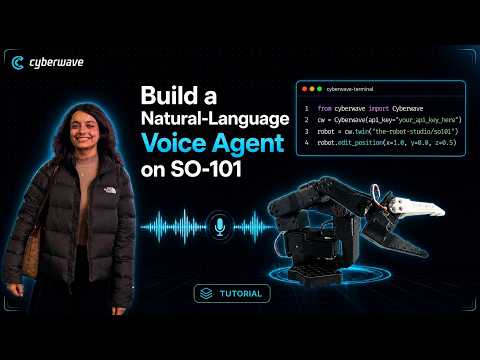
Build a natural language voice agent on SO101 |
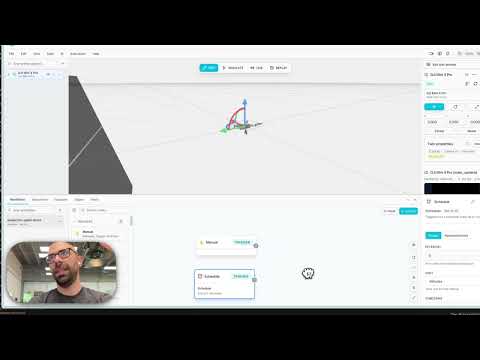
Controlling a DJI Mini 4 Pro with the Cyberwave Python SDK |
Examples
Runnable scripts live in examples/ and see the examples index for the full list.
| Example | Shows |
|---|---|
| quickstart.py | Create a twin, scene layout, joints, locomotion |
| joints.py | Read and write joint positions by name |
| locomotion.py | Velocity-style locomotion commands |
| capture_frame.py | Grab a single camera frame from a twin |
| camera_stream.py | Stream a camera feed over WebRTC |
| drone_hovering.py | Takeoff, hover, and land a flying twin |
| workflows.py | List, trigger, and monitor workflows |
| ai/yolo.ipynb | Run YOLO vision models (Colab) |
Documentation
Full guides and the complete API reference are at docs.cyberwave.com (overview · API reference).
Contributing
Contributions are welcome. Please open an issue or a pull request.
Support
- Documentation: docs.cyberwave.com
- Issues: GitHub Issues
- Community: Discord
License
Released under the MIT License.
2 maintainers


Download files
Download the file for your platform. If you're not sure which to choose, learn more about installing packages.
Source Distribution
Built Distribution
Filter files by name, interpreter, ABI, and platform.
If you're not sure about the file name format, learn more about wheel file names.
Copy a direct link to the current filters
File details
Details for the file cyberwave-0.6.0.tar.gz.
File metadata
- Download URL: cyberwave-0.6.0.tar.gz
- Upload date:
- Size: 1.0 MB
- Tags: Source
- Uploaded using Trusted Publishing? No
- Uploaded via:
poetry/2.4.1 CPython/3.10.20 Linux/6.17.0-1020-azure
File hashes
| Algorithm | Hash digest | |
|---|---|---|
| SHA256 |
7cbff27c93f8d06162c8bf70e78427ab085537e895f5844b3709a423166be6a3
|
|
| MD5 |
364d43c4d7787b10e1a2c0129bf45d08
|
|
| BLAKE2b-256 |
cf98895825826260cff8751f4f4e59b56e8432c81067f38a6f15b9e086e2926f
|
File details
Details for the file cyberwave-0.6.0-py3-none-any.whl.
File metadata
- Download URL: cyberwave-0.6.0-py3-none-any.whl
- Upload date:
- Size: 1.8 MB
- Tags: Python 3
- Uploaded using Trusted Publishing? No
- Uploaded via:
poetry/2.4.1 CPython/3.10.20 Linux/6.17.0-1020-azure
File hashes
| Algorithm | Hash digest | |
|---|---|---|
| SHA256 |
7af30512f81c9b58ad6821cd75b40050f66857dc4901d68205ce7d4dcce2cca5
|
|
| MD5 |
00f6f01960fc8230914a5db615ac7315
|
|
| BLAKE2b-256 |
87b62ab14e030120bb04b217d29a1e0b28b2e53add42e058ebbf61eddad3fa3a
|







