
Daftarche




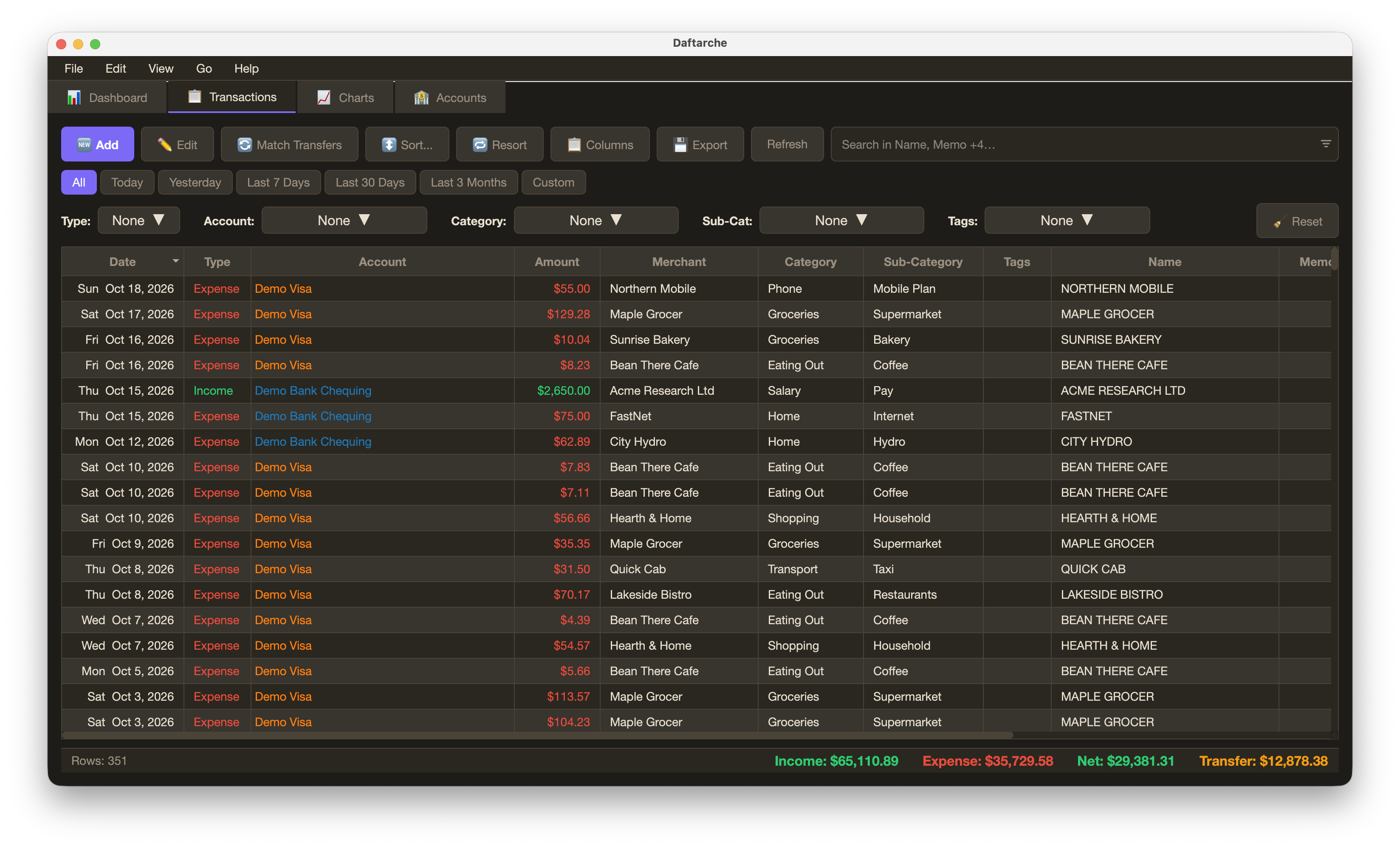
Daftarche (دفترچه, "little account book") is a desktop app for personal bookkeeping. It imports bank statements in QFX/OFX format, sorts every transaction into income, expense or transfer with categories, sub-categories and tags, matches transfers between your own accounts, and shows where the money went: a dashboard, monthly charts, account balances over time and a searchable transaction table that exports to Excel.
Everything stays on your computer, in one SQLite file. Statements have been tested with CIBC's QFX downloads; other banks' QFX/OFX files use the same format.
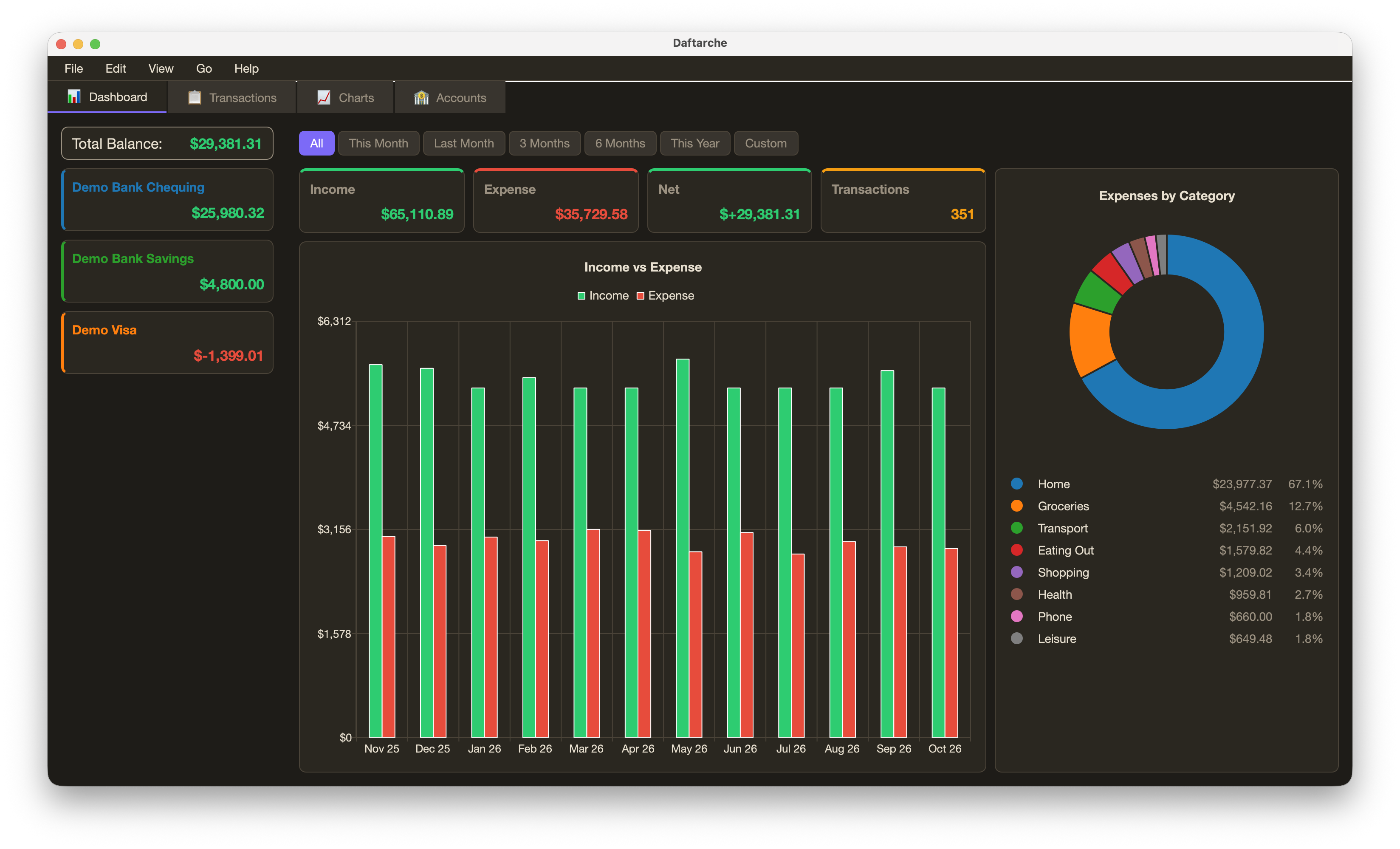
The screenshots show invented data (tools/make_demo_db.py).
Installation
Python 3.10 or newer. With pipx (its own environment, recommended):
pipx install daftarche
or with pip, in an environment of your choice:
pip install daftarche
To start it with a double-click, run once:
daftarche install-app
This adds Daftarche to your Applications folder (macOS), the Start menu (Windows) or the applications menu (Linux), with its own icon. It starts the daftarche of the Python you ran the command with, and keeps working after updates.
To update, use Help → Check for Updates… (⌘U) in the app (it also checks quietly at
start-up) or daftarche update in a terminal.
For development, install from a clone: git clone https://github.com/vahid-anari/daftarche.git,
then pip install -e ".[dev]" in the folder; such a copy is updated with git pull.
Use
daftarche                     open the app
daftarche update              update from PyPI (asks first; --check only looks)
daftarche install-app         add the app to Applications / Start menu (--remove to undo)
daftarche --version
File → Import Statement… (⌘I, or drag the file onto the window) reads a QFX statement downloaded from your bank's website; the account is recognised from the file, transactions already imported are skipped, and saved rules fill in the merchant and category. Edit what is left in the preview, then Import New; the new rows then show in Transactions, and those still without a category wait in To review (⇧⌘R). Match Transfers in the Transactions tab pairs the two sides of a transfer between your accounts. Edit → Manage… (⇧⌘M) edits the types, accounts, categories and tags; Edit → Settings… (⌘,) changes the font, colours and theme. View → To Review (⇧⌘R) and View → Unmatched Transfers… (⇧⌘U) show what is still left to sort, all time; double-click a line to see those transactions.
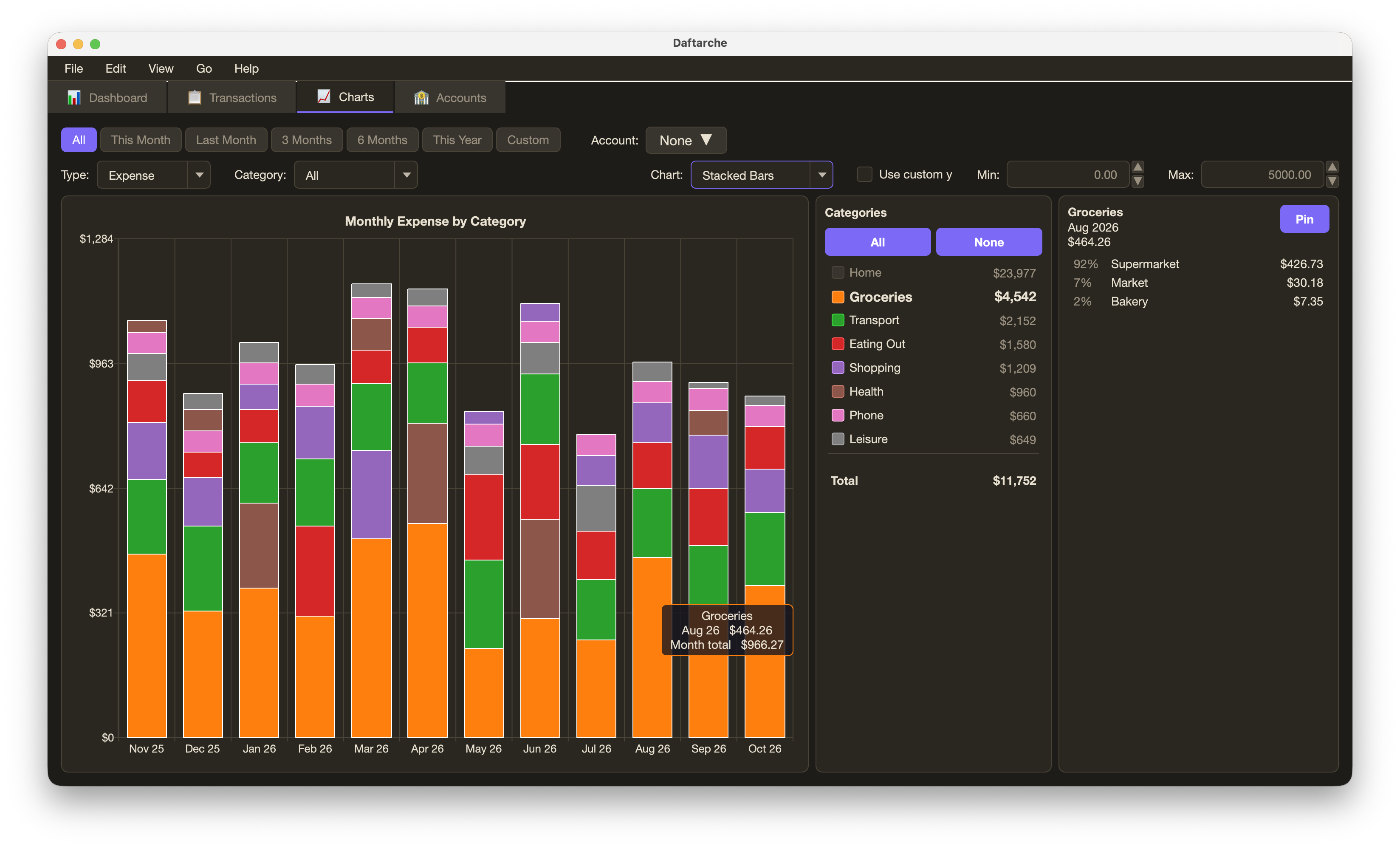
Charts shows each month by category (lines or bars); hover a category to see its sub-categories, click to keep them.
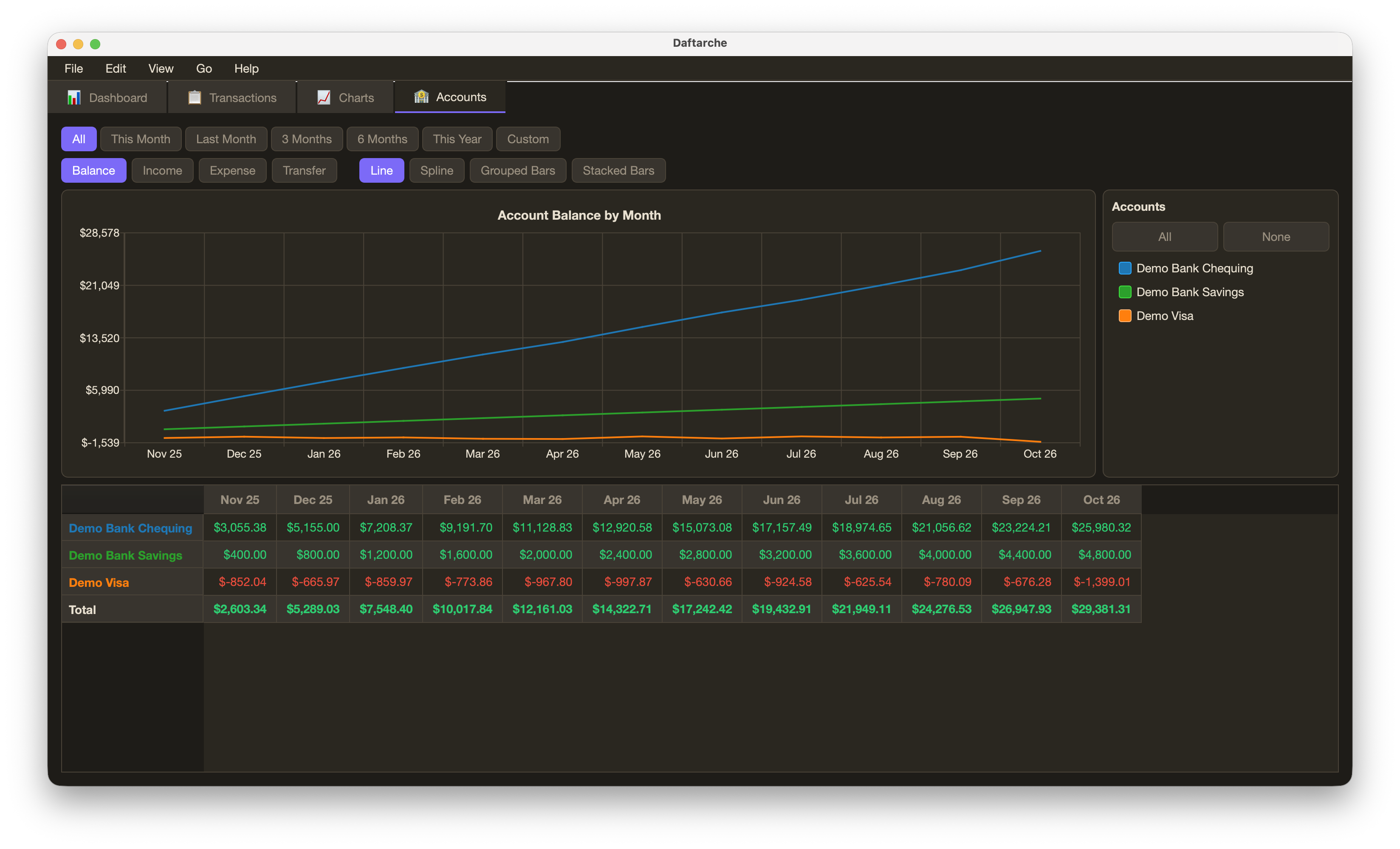
Accounts shows each account's balance (or income, expense, transfers) month by month.
User Guide
Help → User Guide (⌘?) opens the guide in the app: getting started, importing statements,
sorting, the four tabs, transfers, loans and splits, settings, backups, and the shortcuts. Its
sources are in docs/ (user_guide.tex with its own style, guide.sty); sh tools/build_docs.sh
builds it with XeLaTeX into src/daftarche/data/user_guide.pdf.
Your data
Nothing personal is stored in the program folder or in this repository. The app keeps its files in one folder:
~/Library/Application Support/Daftarche/      (macOS)
    daftarche.db                     all transactions, accounts, categories
    config.json                      theme and view settings
    backups/daftarche-last.db        written at every start
    backups/daftarche-YYYY-MM.db     first start of each month; the last 12 are kept
On Windows the folder is %APPDATA%\Daftarche, on Linux ~/.local/share/daftarche.
Set DAFTARCHE_HOME to use another folder, for example a test copy.
File → Back Up Database… and Restore Backup… save and load a copy of the database by hand;
File → Open Database… shows a backup (through a copy) without changing anything.
The monthly snapshots sit on the same disk as the database; Settings → Extra
backup folder also copies them to a folder of your choice (iCloud Drive, an
external disk), and Time Machine covers the data folder too. Help → Show Data
Folder opens it.
Development
pip install -e ".[dev]"
pytest
The tests use only invented data (tests/data/sample.qfx) and a temporary data
folder. python tools/make_icon.py redraws the icon and the splash image.
python tools/make_demo_db.py makes a demo database with a year of invented transactions in
its own folder (default ~/Desktop/daftarche-demo), for screenshots or trying the app without
your own data: DAFTARCHE_HOME=~/Desktop/daftarche-demo daftarche.
Two one-off tools fill in notes for past online purchases: python tools/export_shop_charges.py
writes the Amazon and AliExpress transactions (only those, and only the columns needed) to
shop_charges.csv; python tools/import_notes.py notes.csv shows the notes and categories a
filled-in copy would write, and --apply writes them after backing up the database.
python tools/list_categories.py prints every category and sub-category with its number of
transactions and rules (--totals adds amounts). python tools/remap_categories.py export
writes one line per sub-category to mapping.csv, to say where each goes (merchant, new
category, money back); apply mapping.csv shows the moves and --apply makes them after
backing up the database.
Pushing a tag vX.Y.Z publishes a GitHub Release with that version's section of
CHANGELOG.md; python -m build && twine upload dist/* puts it on PyPI.
License
MIT License. See LICENSE.
Author
Vahid Anari · GitHub · LinkedIn
Built with sciwidgets, the widget package shared with the author's scientific apps.
1 maintainer

Metadata
1 maintainer
Release files for daftarche 0.26.0
For a detailed explanation of source distributions (sdists) and built distributions (wheels), please see the package formats documentation.
Source distribution (sdist)
| File | Size | Uploaded | Provenance | |
|---|---|---|---|---|
| daftarche-0.26.0.tar.gz | 2.5 MB | Without provenance | Details |
Built distribution (wheel)
| File | Interpreter | ABI | Platform | Reset |
|---|---|---|---|---|
| daftarche-0.26.0-py3-none-any.whl | Python 3 | none | any | Details |
Total release size: 5.0 MB
Release files / daftarche-0.26.0.tar.gz
| Download URL | daftarche-0.26.0.tar.gz |
|---|---|
| Size | 2.5 MB |
| Tags | Source |
|
SHA-256 checksum How to use checksums |
395f6082749289753e36ab2c779464d95174aba2df5649c12f6d98e3d40d977e
|
|
BLAKE2b-256 checksum How to use checksums |
347b876f86f722471de6563041203b8a46210ccb7ceb6b9cd9659ca26ae89526
|
| Upload date | |
|
Uploaded using Trusted Publishing? What is trusted publishing? |
No |
| Uploaded via |
twine/7.0.0 CPython/3.13.16
|
Release files / daftarche-0.26.0-py3-none-any.whl
| Download URL | daftarche-0.26.0-py3-none-any.whl |
|---|---|
| Size | 2.5 MB |
| Tags | Python 3 |
|
SHA-256 checksum How to use checksums |
f9af58310fb9d122169c6ce49552ffe588eec6d75068198f85460a7231456b90
|
|
BLAKE2b-256 checksum How to use checksums |
5c7b9bf3ba963566bb51b0f3801f175a0b2e70e3788973413cee5478027082de
|
| Upload date | |
|
Uploaded using Trusted Publishing? What is trusted publishing? |
No |
| Uploaded via |
twine/7.0.0 CPython/3.13.16
|
Security for daftarche 0.26.0
Provenance
Provenance describes where a file came from. On PyPI, provenance is shared via attestations, which provide a verifiable record of the build or publishing details. View details, limitations and caveats.
No provenance found
None of the files in this release were uploaded with provenance metadata.
A note on package security
PyPI is a repository for distributing packages, not a service for auditing them. While third-party security researchers and our staff do their best to detect and remove malicious packages, PyPI cannot guarantee the quality, security or suitability of any given package.














