
A Component Library for Dash aimed at facilitating network visualization in Python, wrapped around Cytoscape.js


Project description
Dash Cytoscape 


A Dash component library for creating interactive and customizable networks in Python, wrapped around Cytoscape.js.
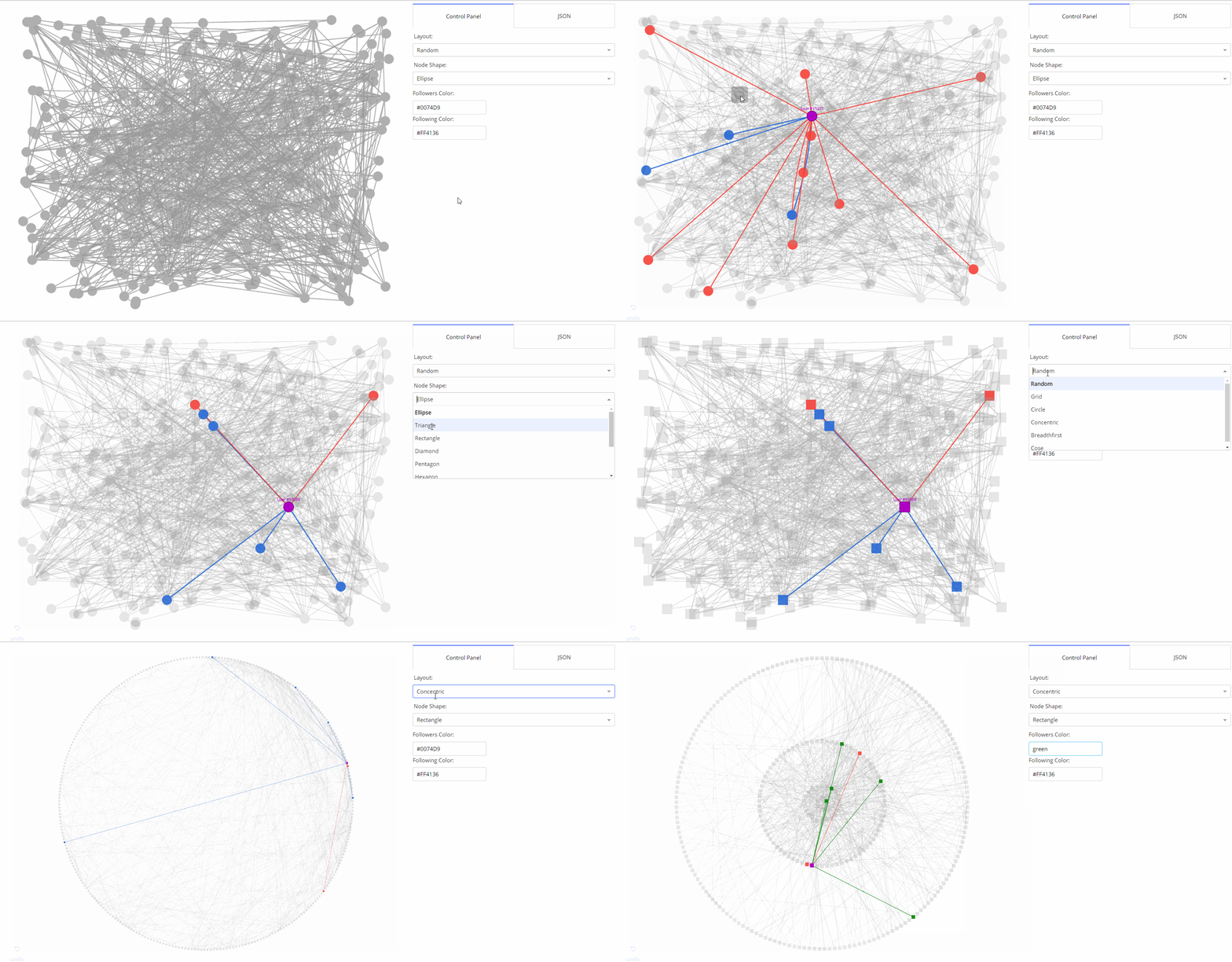
- 🌟 Medium Article
- 📣 Community Announcement
- 💻 Github Repository
- 📚 User Guide
- 🗺 Component Reference
- 📺 Webinar Recording
Getting Started in Python
Prerequisites
Make sure that dash and its dependent libraries are correctly installed:
pip install dash
If you want to install the latest versions, check out the Dash docs on installation.
Usage
Install the library using pip:
pip install dash-cytoscape
Create the following example inside an app.py file:
import dash
import dash_cytoscape as cyto
import dash_html_components as html

app = dash.Dash(__name__)
app.layout = html.Div([
    cyto.Cytoscape(
        id='cytoscape',
        elements=[
            {'data': {'id': 'one', 'label': 'Node 1'}, 'position': {'x': 50, 'y': 50}},
            {'data': {'id': 'two', 'label': 'Node 2'}, 'position': {'x': 200, 'y': 200}},
            {'data': {'source': 'one', 'target': 'two','label': 'Node 1 to 2'}}
        ],
        layout={'name': 'preset'}
    )
])

if __name__ == '__main__':
    app.run_server(debug=True)
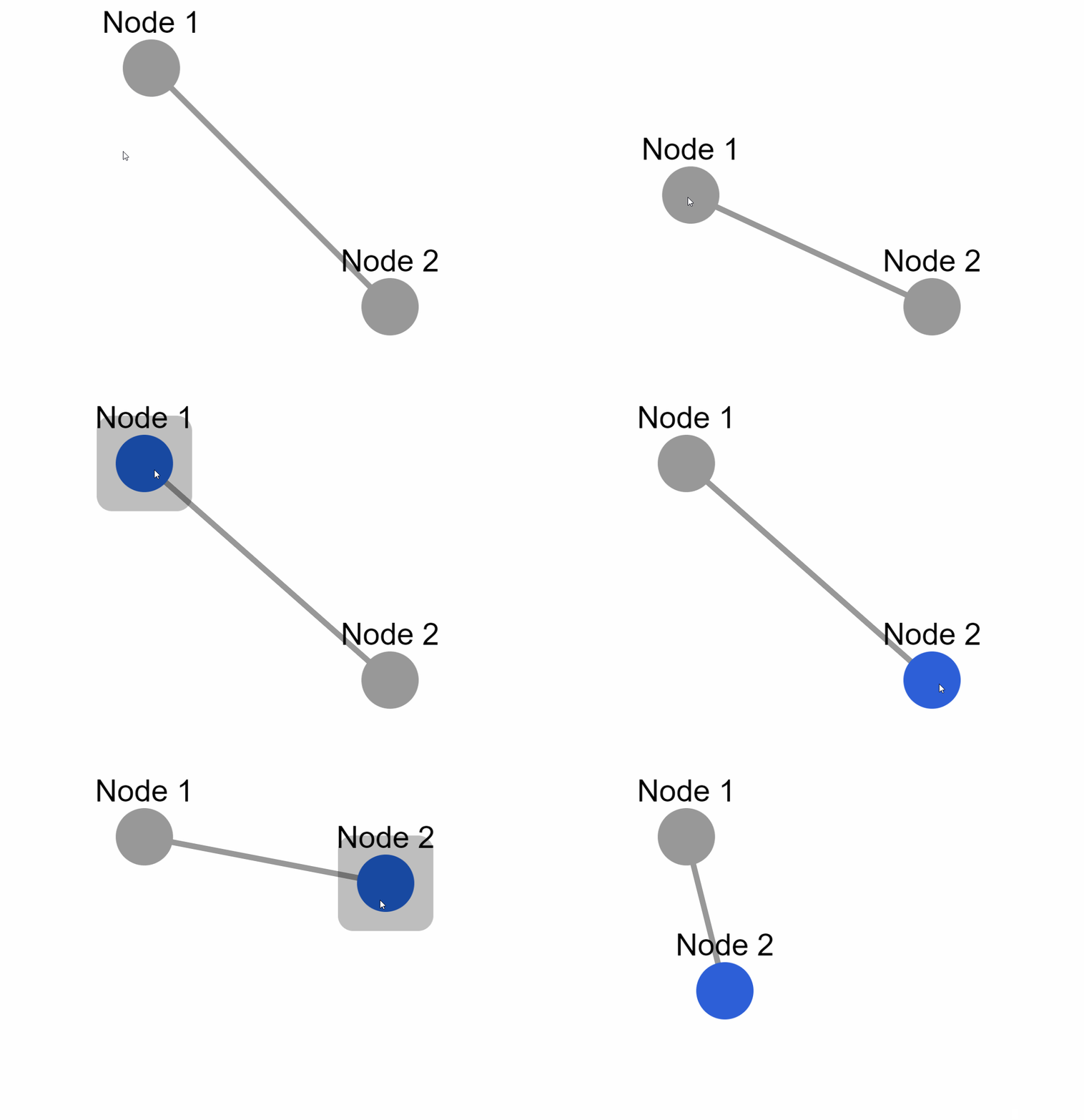
External layouts
You can also add external layouts. Use the cyto.load_extra_layouts() function to get started:
import dash
import dash_cytoscape as cyto
import dash_html_components as html

cyto.load_extra_layouts()

app = dash.Dash(__name__)
app.layout = html.Div([
    cyto.Cytoscape(...)
])
Calling cyto.load_extra_layouts() also enables generating SVG images.
Getting Started in R
Prerequisites
install.packages(c("devtools", "dash"))
Usage
Install the library using devtools:
devtools::install_github("plotly/dash-cytoscape")
Create the following example inside an app.R file:
library(dash)
library(dashHtmlComponents)
library(dashCytoscape)

app <- Dash$new()

app$layout(
  htmlDiv(
    list(
      cytoCytoscape(
        id = 'cytoscape-two-nodes',
        layout = list('name' = 'preset'),
        style = list('width' = '100%', 'height' = '400px'),
        elements = list(
          list('data' = list('id' = 'one', 'label' = 'Node 1'), 'position' = list('x' = 75, 'y' = 75)),
          list('data' = list('id' = 'two', 'label' = 'Node 2'), 'position' = list('x' = 200, 'y' = 200)),
          list('data' = list('source' = 'one', 'target' = 'two'))
        )
      )
    )
  )
)

app$run_server()
Documentation
The Dash Cytoscape User Guide contains everything you need to know about the library. It contains useful examples, functioning code, and is fully interactive. You can also use the component reference for a complete and concise specification of the API.
To learn more about the core Dash components and how to use callbacks, view the Dash documentation.
For supplementary information about the underlying Javascript API, view the Cytoscape.js documentation.
Contributing
Make sure that you have read and understood our code of conduct, then head over to CONTRIBUTING to get started.
Testing
Instructions on how to run tests are given in CONTRIBUTING.md.
License
Dash, Cytoscape.js and Dash Cytoscape are licensed under MIT. Please view LICENSE for more details.
Contact and Support
See https://plotly.com/dash/support for ways to get in touch.
Acknowledgments
Huge thanks to the Cytoscape Consortium and the Cytoscape.js team for their contribution in making such a complete API for creating interactive networks. This library would not have been possible without their massive work!
The Pull Request and Issue Templates were inspired from the scikit-learn project.
Gallery
Dynamically expand elements

Interactively update stylesheet

Automatically generate interactive phylogeny trees

Create your own stylesheet

Use event callbacks

Use external layouts

Use export graph as image

Make graph responsive

For an extended gallery, visit the demos' readme.
Release history Release notifications | RSS feed


Download files
Download the file for your platform. If you're not sure which to choose, learn more about installing packages.
Source Distribution
Built Distribution
Filter files by name, interpreter, ABI, and platform.
If you're not sure about the file name format, learn more about wheel file names.
Copy a direct link to the current filters
File details
Details for the file dash_cytoscape-0.3.0.tar.gz.
File metadata
- Download URL: dash_cytoscape-0.3.0.tar.gz
- Upload date:
- Size: 3.6 MB
- Tags: Source
- Uploaded using Trusted Publishing? No
- Uploaded via: twine/3.3.0 pkginfo/1.7.0 requests/2.25.1 setuptools/46.4.0.post20200518 requests-toolbelt/0.9.1 tqdm/4.57.0 CPython/3.8.3
File hashes
| Algorithm | Hash digest | |
|---|---|---|
| SHA256 |
a71ad4fe095570b71d4ad7c0d29199e9780c2e6796173d3b25fccc2cc58c855f
|
|
| MD5 |
401b957a956c78e4b23f92023f3e928a
|
|
| BLAKE2b-256 |
4745dd3752058d5a7f853c17d7b292db1311be884e32e4d90bbbebf3b4944e05
|
File details
Details for the file dash_cytoscape-0.3.0-py3-none-any.whl.
File metadata
- Download URL: dash_cytoscape-0.3.0-py3-none-any.whl
- Upload date:
- Size: 3.6 MB
- Tags: Python 3
- Uploaded using Trusted Publishing? No
- Uploaded via: twine/3.3.0 pkginfo/1.7.0 requests/2.25.1 setuptools/46.4.0.post20200518 requests-toolbelt/0.9.1 tqdm/4.57.0 CPython/3.8.3
File hashes
| Algorithm | Hash digest | |
|---|---|---|
| SHA256 |
718dc1568b9e7bfe7f64376aa903c64a1a1fe6daed4e559b254456f18dd3135f
|
|
| MD5 |
b735ab9b0bc06f54fa7162c35b5c5853
|
|
| BLAKE2b-256 |
34be21ee645cb7943ab71b08e32c90c26c71d3d03f08e5a52c50e6e76568f0a0
|






