
Dracula dark/light theme for Plotly Dash applications

Project description
Dracula for Dash
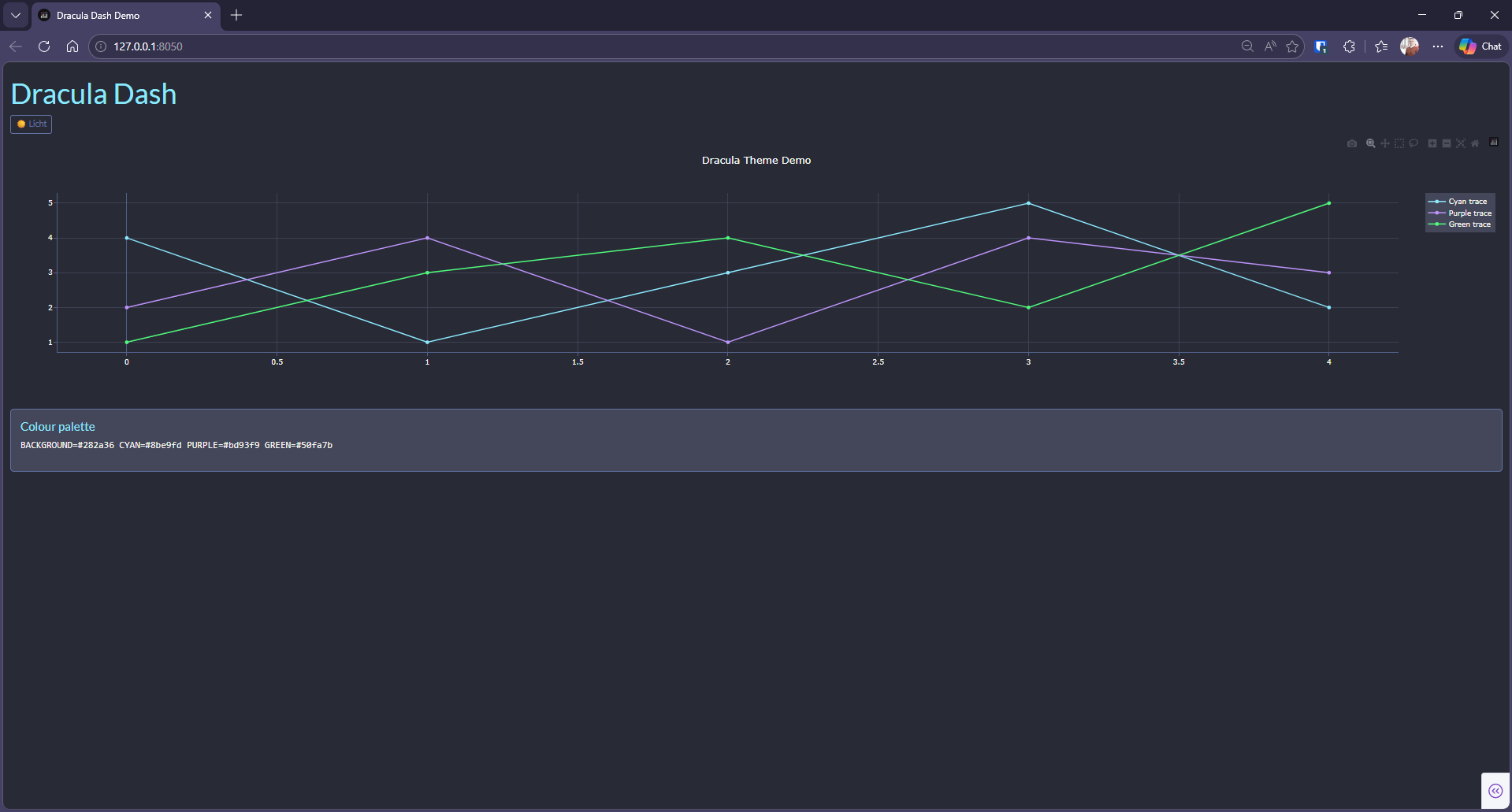
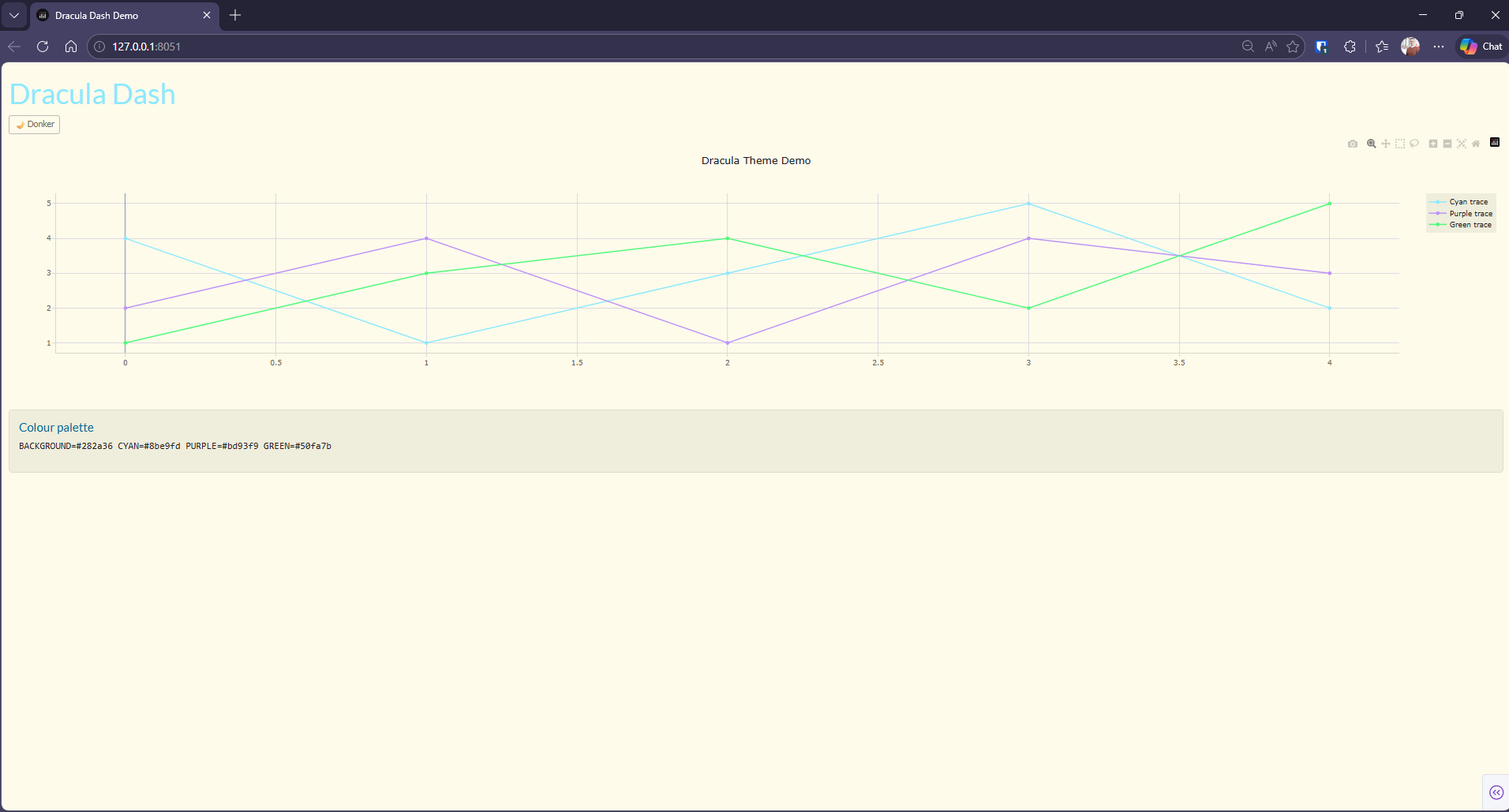
A dark theme for Plotly Dash — pip-installable Python package that gives any Dash application the full Dracula colour experience, including a light-mode toggle and always-light PDF export.
| Dark mode | Light mode |
|---|---|
 |
 |
Install
All instructions can be found at INSTALL.md.
Features
- Dark mode — full Dracula palette applied via CSS variables and a custom Plotly template
- Light mode toggle — single button switches the entire dashboard; all Plotly graphs re-colour automatically via a clientside callback
- PDF export —
fig_to_print_image()always produces print-ready figures on a white background, regardless of the current dashboard theme - Official palette — all 11 Dracula colours exposed as named Python constants
(
BACKGROUND,CYAN,PURPLE, …)
Quick start
import dash
import dash_bootstrap_components as dbc
import dash_dracula as dr

# 1. Create the app with Bootstrap DARKLY as base
app = dash.Dash(__name__, external_stylesheets=[dbc.themes.DARKLY])

# 2. Wire the Dracula theme (copies CSS, registers clientside toggle)
theme_store = dr.apply_theme(app)          # returns dcc.Store for the layout

# 3. Use Dracula colours and template in your figures
fig = go.Figure(layout=dict(template="dracula"))
fig.add_scatter(y=[1, 2, 3], line_color=dr.CYAN)

# 4. Export a figure to a print-ready ReportLab Image (always light)
from dash_dracula.pdf import fig_to_print_image
img = fig_to_print_image(fig, w_mm=170, h_mm=100)
See sample/app.py for a complete minimal example.
Team
This theme is maintained by the following person(s) and a bunch of awesome contributors.
| hjeverts |
|---|
Community
- GitHub — Best for asking questions and discussing issues.
- Discord — Best for hanging out with the community.
License
Release history Release notifications | RSS feed


Download files
Download the file for your platform. If you're not sure which to choose, learn more about installing packages.
Source Distribution
Built Distribution
Filter files by name, interpreter, ABI, and platform.
If you're not sure about the file name format, learn more about wheel file names.
Copy a direct link to the current filters
File details
Details for the file dash_dracula_theme-0.1.2.tar.gz.
File metadata
- Download URL: dash_dracula_theme-0.1.2.tar.gz
- Upload date:
- Size: 162.1 kB
- Tags: Source
- Uploaded using Trusted Publishing? No
- Uploaded via: twine/6.2.0 CPython/3.14.2
File hashes
| Algorithm | Hash digest | |
|---|---|---|
| SHA256 |
b5dc9633cf68fa10bd427b79b5362430c8412b9145292a00ef95d80d0875738b
|
|
| MD5 |
4a525599e229dfe5ec65b0ef7a9838fc
|
|
| BLAKE2b-256 |
3583594d93a189d93850d34d0496d26d5da60be4c5f2fd44ecc6f41b45017d1e
|
File details
Details for the file dash_dracula_theme-0.1.2-py3-none-any.whl.
File metadata
- Download URL: dash_dracula_theme-0.1.2-py3-none-any.whl
- Upload date:
- Size: 16.6 kB
- Tags: Python 3
- Uploaded using Trusted Publishing? No
- Uploaded via: twine/6.2.0 CPython/3.14.2
File hashes
| Algorithm | Hash digest | |
|---|---|---|
| SHA256 |
f4bf28f35fb344049e5cbc391beff0055092be56faf2eb2ac9f1e6372fe585f9
|
|
| MD5 |
8acef31196b7372fe278dc74a853d86e
|
|
| BLAKE2b-256 |
2552413fc1a511f58a7c7e43e88f999dec551c12096292f9556c8c4308c3e781
|






