
dash-pannellum — 360° panoramas for Dash
Interactive 360° panoramas, virtual tours, multi-resolution tiles and 360° video for Plotly Dash 4.
Built on Pannellum — the plug-in-free WebGL panorama viewer — wrapped as a single Dash component with a real-time imperative API.



Documentation · PyPI · Changelog · Discord
This repository is two things at once: the component package (dash_pannellum,
published to PyPI) and its documentation site — a markdown-driven Dash app where
every example is live, deployed at pannellum.2plot.dev
as a 2plot network satellite. The site doubles as the
component's test bed.
Install
pip install dash-pannellum
Python 3.9+ and Dash 4.2+. The component's own bundle ships inside the package; the Pannellum 2.5 viewer (and video.js, for 360° video) load from their CDNs at runtime, with one shared load no matter how many viewers are on the page.
Quick start
import dash
from dash import html
from dash_pannellum import DashPannellum

app = dash.Dash(__name__)

app.layout = html.Div(
    DashPannellum(
        id="panorama",
        tour={
            "default": {"firstScene": "alma"},
            "scenes": {
                "alma": {
                    "type": "equirectangular",
                    "panorama": "https://pannellum.org/images/alma.jpg",
                }
            },
        },
        autoLoad=True,
        width="100%",
        height="500px",
    )
)

if __name__ == "__main__":
    app.run(debug=True)
Viewer modes
Pass exactly one of:
| Prop | Mode |
|---|---|
tour |
Equirectangular panoramas & multi-scene virtual tours |
multiRes |
Tiled multi-resolution (gigapixel) panoramas |
video |
360° video via video.js (optional HLS/DASH with useHttpStreaming) |
Reading the viewer
pitch, yaw, hfov, currentScene, loaded and lastClickedHotspot update
from the viewer — use them as Inputs. View-state updates are throttled to 4/s and
change-detected, so idle viewers don't fire callbacks.
Driving the viewer in real time
The camera and the scene are imperative — no teardown, no rebuild, no flash:
| Prop | What it does |
|---|---|
lookAt |
Write {pitch, yaw, hfov, animated} to pan/zoom the live viewer — smooth enough for joystick steering via set_props |
loadScene |
Switch tour scenes in place |
callbackHotspots |
Clickable hotspots that report their name back to Dash; prop changes diff per-name, so markers can drift in real time and stay clickable mid-flight |
panoramaCanvasId |
Point a tour scene at a <canvas> and redraw it to update the sphere's texture in place (dynamicUpdate keeps it live every frame) |
orientation |
Gyroscope look-around — the device is the camera; orientationSupported / orientationActive report back |
Changing the configuration props (tour, multiRes, video, compass,
northOffset, …) re-initializes the viewer cleanly, so panoramas can be swapped
from a callback.
Documentation
Every page at pannellum.2plot.dev runs its examples live:
| Page | What it shows |
|---|---|
/getting-started |
Install + first panorama |
/components/tours |
Multi-scene tours, scene-switch hotspots, live camera state |
/components/scenes |
Scene config playground + the lookAt fly-to pattern |
/components/hotspots |
Callback hotspots + coordinate-authoring workflow |
/components/multires |
Tiled gigapixel panoramas |
/components/video |
360° video + HTTP streaming |
/components/arena |
Joystick-driven 360° arena — tilesets composed into data-URI panoramas |
/components/emotes |
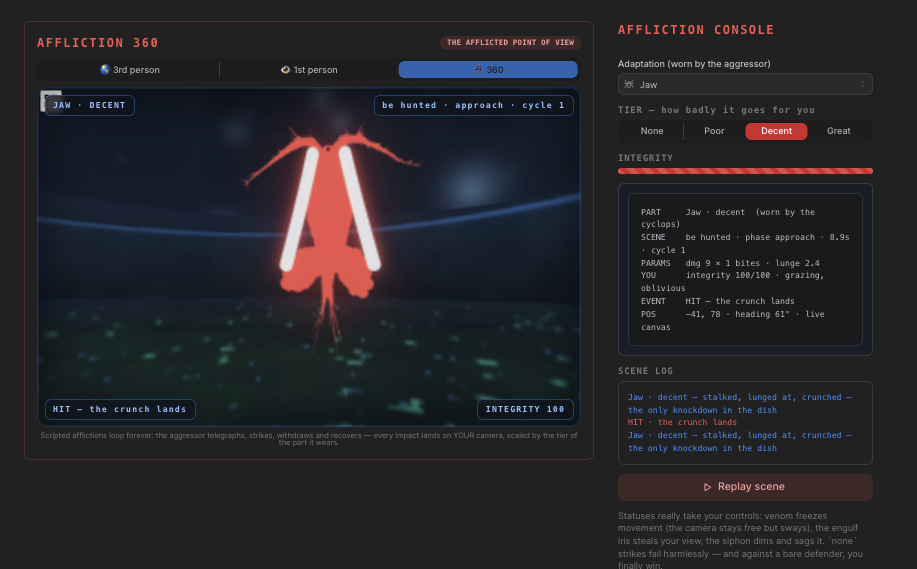
Directed camera motions — shake, knockdown, lunge |
/components/gyro |
Gyroscope steering + a desktop tilt simulator |
/api |
Full prop reference, generated from component metadata |
Each page also serves an LLM-ready version at /<page>/llms.txt (its prose plus
complete example source), and the site exposes /llms.txt, /sitemap.xml and
/robots.txt. SKILLS.md is a skills guide to the package — modes,
callback patterns, prop reference and gotchas — written for AI coding assistants
(and humans in a hurry).
Development
git clone https://github.com/pip-install-python/dash_pannellum
cd dash_pannellum

python -m venv .venv && source .venv/bin/activate
pip install -r requirements.txt      # the docs site's dependencies

# markdown2dash pins gunicorn<22, against the CVE-driven gunicorn>=23 floor in
# requirements.txt. pip cannot resolve both, so it installs without its
# dependency set — everything it actually needs is already in the line above.
pip install --no-deps markdown2dash==0.1.2

pip install -e .                     # the component itself, editable

npm install
npm run build                        # webpack bundle + generated Python classes

python run.py                        # the docs site at http://127.0.0.1:8561
npm run build writes into dash_pannellum/ — both the bundle and the generated
DashPannellum.py. Both are committed: that is what lets pip install work
without Node. After a build, restart run.py — the docs site imports the package
you just built, so it is the integration test.
The docs app's backend is pluggable (Dash 4.4+). Select it in .env or the
environment:
DASH_BACKEND=fastapi python run.py   # ASGI — what production runs
DASH_BACKEND=flask   python run.py   # WSGI default
Or with Docker: docker compose up (serves on port 8561).
Before opening a PR, run the test suite — it boots the real run.py with zero
secrets and checks every registered page, exactly as CI's container job does:
pytest
Repository layout
├── src/lib/                  # React component source
│   ├── components/DashPannellum.react.js
│   └── assets/videojs-pannellum-plugin.js
├── dash_pannellum/           # generated Python package (committed)
├── pyproject.toml            # package metadata (dash>=4.2.0)
├── package.json              # JS build toolchain (webpack 5, babel, react 18)
│
├── run.py                    # documentation app entry point
├── docs/                     # markdown docs + live examples (one folder per page)
├── pages/                    # home + markdown loader
├── components/               # appshell, header, navbar (dash-mantine-components)
├── lib/                      # backend resolver, network wiring, analytics
├── assets/ templates/        # css/js, index.html with SEO/LLM meta
├── scripts/                  # social-card generator, link audit, smoke tests
├── tests/                    # secretless pytest suite (flask/fastapi/quart)
└── vendor/                   # dash-clerk-auth tarball (docs-site auth, not on PyPI)
Adding a docs page means adding a folder under docs/ — a markdown file plus the
example.py files it references — with no Python wiring anywhere else.
Publish
npm run build
python -m build              # sdist + wheel from pyproject.toml
twine upload dist/*
Upgrading from 0.0.6
dash-pannellum 0.1.0+ is the modernized revival of the original 0.0.6 component:
Dash 4.2+ / React 18, coherent customControls semantics, throttled +
change-detected view-state updates, callback hotspots wired through real Pannellum
click handlers, deduplicated CDN script loading, pyproject.toml packaging. See
CHANGELOG.md for the full history, including everything the
real-time releases (0.2.0–0.4.0) added.
Credits
- Pannellum by Matthew Petroff — the underlying viewer (MIT)
- video.js — 360° video playback
- Documentation shell from the dash-documentation-boilerplate
License
MIT — see LICENSE. Built by Pip Install Python.
1 maintainer

Release files for dash-pannellum 2.0.0
For a detailed explanation of source distributions (sdists) and built distributions (wheels), please see the package formats documentation.
Source distribution (sdist)
| File | Size | Uploaded | |
|---|---|---|---|
| dash_pannellum-2.0.0.tar.gz | 68.8 kB | Details |
Built distribution (wheel)
| File | Interpreter | ABI | Platform | Reset |
|---|---|---|---|---|
| dash_pannellum-2.0.0-py3-none-any.whl | Python 3 | none | any | Details |
Total release size: 101.8 kB
Release files / dash_pannellum-2.0.0.tar.gz
| Download URL | dash_pannellum-2.0.0.tar.gz |
|---|---|
| Size | 68.8 kB |
| Tags | Source |
|
SHA-256 checksum How to use checksums |
5731f061255259c467b04a93133b3a9d587ef4daf9ebff02b8af5318a872f6ea
|
|
BLAKE2b-256 checksum How to use checksums |
d0307498add1c67d9cbf0013632983abe4fd2f1d9a18a896170d1c47f8c4c1f5
|
| Upload date | |
|
Uploaded using Trusted Publishing? What is trusted publishing? |
Yes |
| Uploaded via |
twine/7.0.0 CPython/3.13.14
|
Provenance
Provenance describes where a file came from. On PyPI, provenance is shared via attestations, which provide a verifiable record of the build or publishing details. View details, limitations and caveats.


PyPI Publish Attestation
PyPI verified that this artifact, at this checksum, originated from the publisher listed below.
Signed by GitHub Actions, verified by PyPI on Aug 2, 2026.
Transparency logRelease files / dash_pannellum-2.0.0-py3-none-any.whl
| Download URL | dash_pannellum-2.0.0-py3-none-any.whl |
|---|---|
| Size | 33.0 kB |
| Tags | Python 3 |
|
SHA-256 checksum How to use checksums |
f1ba0e8c5282fe72debc2bdd2026c02576324ccb36fd9b8374fd0b9d8962316e
|
|
BLAKE2b-256 checksum How to use checksums |
5a909d32694b1c51b2ac946030fea595932c0610c6a0b8132e96365845c24d23
|
| Upload date | |
|
Uploaded using Trusted Publishing? What is trusted publishing? |
Yes |
| Uploaded via |
twine/7.0.0 CPython/3.13.14
|
Provenance
Provenance describes where a file came from. On PyPI, provenance is shared via attestations, which provide a verifiable record of the build or publishing details. View details, limitations and caveats.
PyPI Publish Attestation
PyPI verified that this artifact, at this checksum, originated from the publisher listed below.
Signed by GitHub Actions, verified by PyPI on Aug 2, 2026.
Transparency log













