
dask-databricks
Cluster tools for running Dask on Databricks multi-node clusters.
Quickstart
To launch a Dask cluster on Databricks you need to create an init script with the following contents and configure your multi-node cluster to use it.
#!/bin/bash

# Install Dask + Dask Databricks
/databricks/python/bin/pip install --upgrade dask[complete] dask-databricks

# Start Dask cluster components
dask databricks run
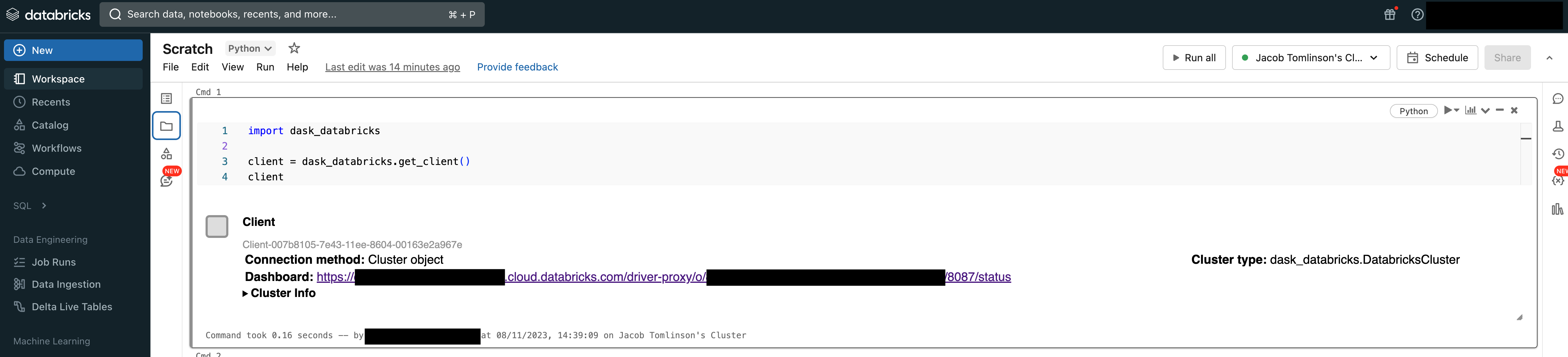
Then from your Databricks Notebook you can quickly connect a Dask Client to the scheduler running on the Spark Driver Node.
import dask_databricks

client = dask_databricks.get_client()
Now you can submit work from your notebook to the multi-node Dask cluster.
def inc(x):
    return x + 1

x = client.submit(inc, 10)
x.result()
Dashboard
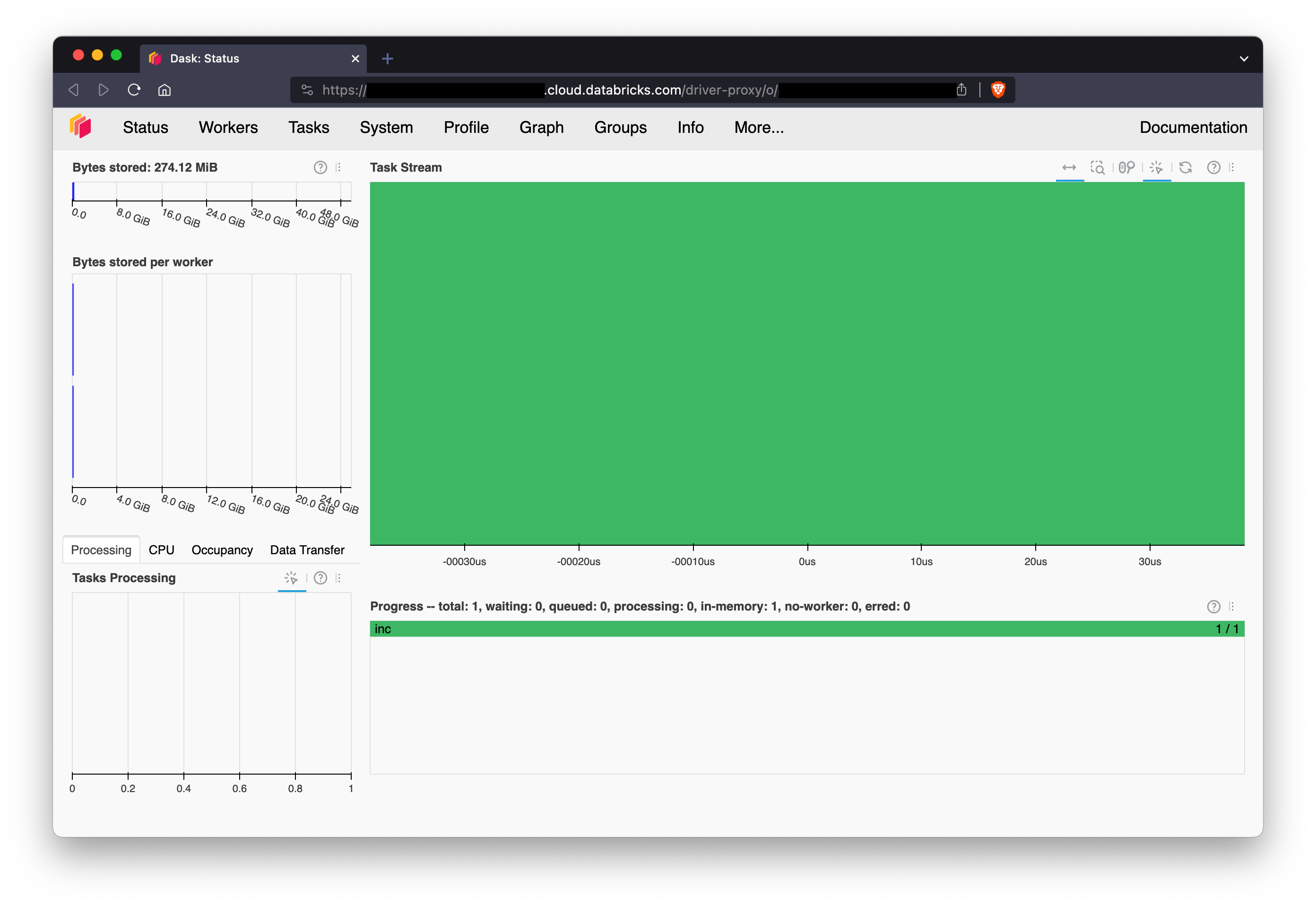
You can access the Dask dashboard via the Databricks driver-node proxy. The link can be found in Client or DatabricksCluster repr or via client.dashboard_link.
>>> print(client.dashboard_link)
https://dbc-dp-xxxx.cloud.databricks.com/driver-proxy/o/xxxx/xx-xxx-xxxx/8087/status
Releasing
Releases of this project are automated using GitHub Actions and the pypa/gh-action-pypi-publish action.
To create a new release push a tag to the upstream repo in the format x.x.x. The package will be built and pushed to PyPI automatically and then later picked up by conda-forge.
# Make sure you have an upstream remote
git remote add upstream git@github.com:dask-contrib/dask-databricks.git

# Create a tag and push it upstream
git tag x.x.x && git push upstream main --tags
1 maintainer

Metadata
1 maintainer
Release files for dask-databricks 0.3.2
For a detailed explanation of source distributions (sdists) and built distributions (wheels), please see the package formats documentation.
Source distribution (sdist)
| File | Size | Uploaded | Provenance | Actions |
|---|---|---|---|---|
| dask_databricks-0.3.2.tar.gz | 8.9 kB | Without provenance | Details for dask_databricks-0.3.2.tar.gz |
Built distribution (wheel)
| File | Interpreter | ABI | Platform | Actions Reset |
|---|---|---|---|---|
| dask_databricks-0.3.2-py3-none-any.whl | Python 3 | none | any | Details for dask_databricks-0.3.2-py3-none-any.whl |
Total release size: 16.6 kB
Release files / dask_databricks-0.3.2.tar.gz
| Download URL | dask_databricks-0.3.2.tar.gz |
|---|---|
| Size | 8.9 kB |
| Tags | Source |
|
SHA-256 checksum How to use checksums |
09dc89dbb472270ab5491891f65199a4a258d9e6214e7bfb8243077aa71515bc
|
|
BLAKE2b-256 checksum How to use checksums |
269352bed2f5a9f5c32abef821af49984d919e8a6b094d9562c91c99ab88baa2
|
| Upload date | |
|
Uploaded using Trusted Publishing? What is trusted publishing? |
Yes |
| Uploaded via |
twine/5.0.0 CPython/3.12.3
|
Release files / dask_databricks-0.3.2-py3-none-any.whl
| Download URL | dask_databricks-0.3.2-py3-none-any.whl |
|---|---|
| Size | 7.7 kB |
| Tags | Python 3 |
|
SHA-256 checksum How to use checksums |
37c3102917c9bd2da22204e66f9d8bec9ef3b79052e9e91f86d6e6d35bee3a9d
|
|
BLAKE2b-256 checksum How to use checksums |
11c338bd87b8451545e29bec360678dbf280ebbb4cc9685323688d48085eaf5a
|
| Upload date | |
|
Uploaded using Trusted Publishing? What is trusted publishing? |
Yes |
| Uploaded via |
twine/5.0.0 CPython/3.12.3
|
Security for dask-databricks 0.3.2
Provenance
Provenance describes where a file came from. On PyPI, provenance is shared via attestations, which provide a verifiable record of the build or publishing details. View details, limitations and caveats.
No provenance found
None of the files in this release were uploaded with provenance metadata.
A note on package security
PyPI is a repository for distributing packages, not a service for auditing them. While third-party security researchers and our staff do their best to detect and remove malicious packages, PyPI cannot guarantee the quality, security or suitability of any given package.
To learn more about protecting yourself from malicious actors, visit our package security documentation.














