
databao-agent: NL queries for data
Verified details
These details have been verified by PyPIProject links
Owner
GitHub Statistics
Maintainers

Project description





Databao Agent
Talk to your data in plain English.
Ask questions → Get answers (Text, SQL, and interactive visual insights).
Website • Quickstart • Local models • Contributing • Discord
🏆 Ranked #1 in the DBT track of the Spider 2.0 Text2SQL benchmark
What is Databao Agent?
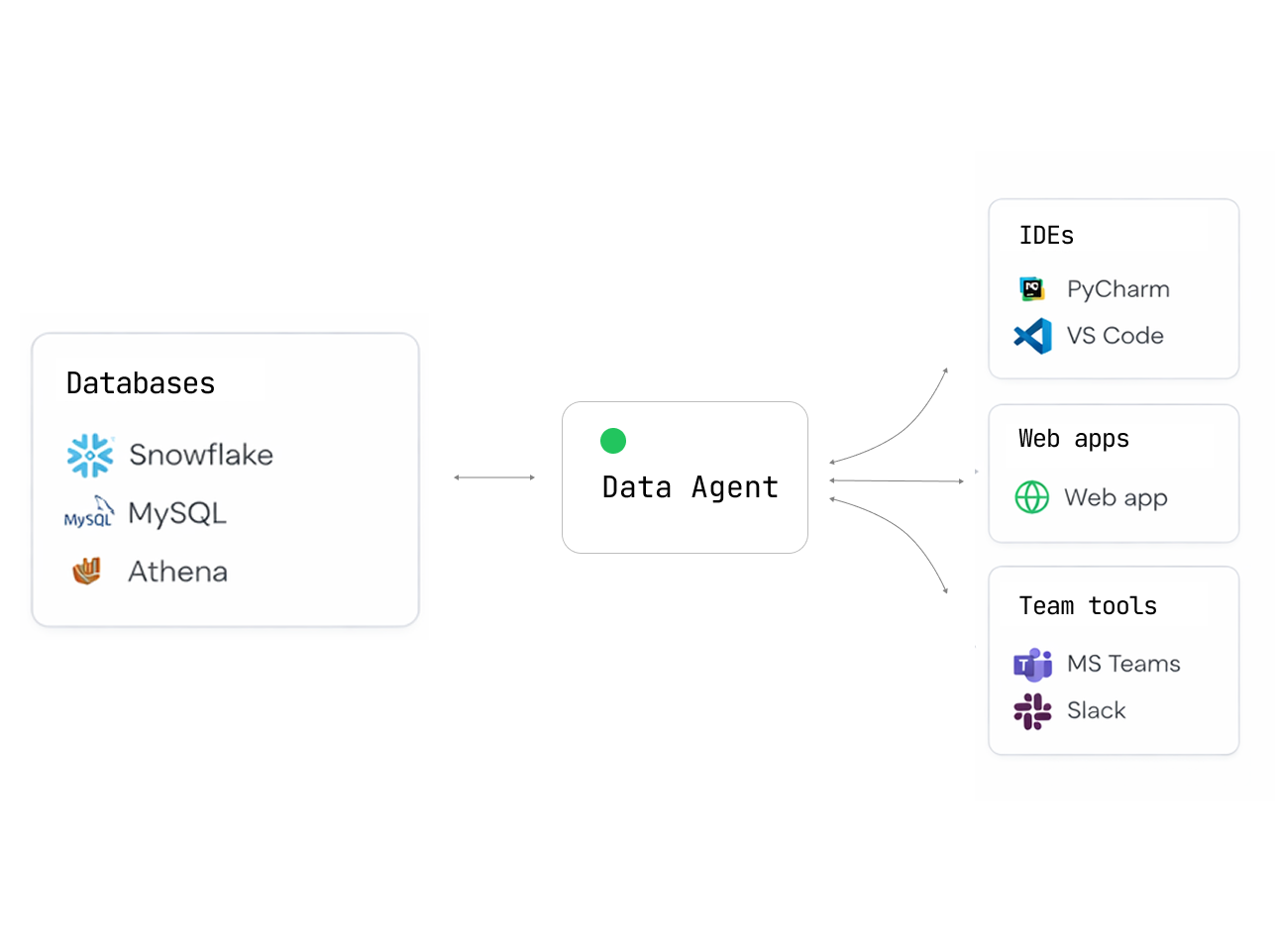
Databao Agent is an open-source AI agent that lets you query your data sources using natural language.
Simply ask:
- "Show me all German shows"
- "Plot revenue by month"
- "Which customers churned last quarter?"
Get back tables, charts, and explanations — no SQL or code needed.
Why choose Databao Agent?
| Feature | What it means for you |
|---|---|
| Interactive outputs | Tables you can sort/filter and charts you can zoom/hover (Vega-Lite) |
| Simple, Pythonic API | thread.ask("question").df()just works |
| Python-native | Fits perfectly into existing data science and exploratory workflows |
| Natural language | Ask questions about your data just like asking a colleague |
| Broad DB support | PostgreSQL, MySQL, SQLite, DuckDB... anything SQLAlchemy supports |
| Auto-generated charts | Get Vega-Lite visualizations without writing plotting code |
| Local first | Use Ollama or LM Studio — your data never leaves your machine |
| Cloud LLM ready | Built-in support for OpenAI, Anthropic, and OpenAI-compatible APIs |
| Conversational | Maintains context for follow-up questions and iterative analysis |
Installation
pip install databao-agent
Supported data sources
Pandas DataFrame
PostgreSQL
MySQL
SQLite
DuckDB
For PostgreSQL, MySQL, and SQLite, pass a SQLAlchemy Engine to add_db(). For DuckDB, pass DuckDBPyConnection.
Quickstart
1. Create a database connection (SQLAlchemy)
import os
from sqlalchemy import create_engine

user = os.environ.get("DATABASE_USER")
password = os.environ.get("DATABASE_PASSWORD")
host = os.environ.get("DATABASE_HOST")
database = os.environ.get("DATABASE_NAME")

engine = create_engine(
   f"postgresql://{user}:{password}@{host}/{database}"
)
2. Create a Databao agent and register sources
import databao
from databao import LLMConfig

# Option A - Local: install and run any compatible local LLM
# For list of compatible models, see "Local Models" below
# llm_config = LLMConfig(name="ollama:gpt-oss:20b", temperature=0)

# Option B - Cloud (requires an API key, e.g. OPENAI_API_KEY)
llm_config = LLMConfig(name="gpt-4o-mini", temperature=0)
agent = databao.new_agent(name="demo", llm_config=llm_config)

# Add your database to the agent
agent.add_db(engine)
3. Ask questions and materialize results
# Start a conversational thread
thread = agent.thread()

# Ask a question and get a DataFrame
df = thread.ask("list all german shows").df()
print(df.head())

# Get a textual answer
print(thread.text())

# Generate a visualization (Vega-Lite under the hood)
plot = thread.plot("bar chart of shows by country")
print(plot.code)  # access generated plot code if needed
Environment variables
Specify your API keys in the environment variables:
| Variable | Description |
|---|---|
OPENAI_API_KEY |
Required for OpenAI models or OpenAI-compatible APIs |
ANTHROPIC_API_KEY |
Required for Anthropic models |
Optional for local/OpenAI-compatible servers:
| Variable | Description |
|---|---|
OPENAI_BASE_URL |
Custom endpoint (aka api_base_url in code) |
OLLAMA_HOST |
Ollama server address (e.g., 127.0.0.1:11434) |
Optional for tracing:
| Variable | Description |
|---|---|
LANGSMITH_TRACING |
Set to true to enable LangSmith tracing (default: false) |
LANGCHAIN_PROJECT |
LangSmith project name for organizing traces |
LANGCHAIN_API_KEY |
API key from smith.langchain.com |
Local Models
Databao agent works great with local LLMs — your data never leaves your machine.
Ollama
-
Install Ollama for your OS and make sure it’s running
-
Use an
LLMConfigwithnameof the form"ollama:<model_name>":llm_config = LLMConfig(name="ollama:gpt-oss:20b", temperature=0)
The model will be downloaded automatically if it doesn't exist. Or run
ollama pull <model_name>to download manually.
OpenAI-compatible servers
You can use any OpenAI-compatible server by setting api_base_url in the LLMConfig.
For an example, see examples/configs/qwen3-8b-oai.yaml.
Compatible servers:
- LM Studio: macOS-friendly, supports OpenAI Responses API
- Ollama:
OLLAMA_HOST=127.0.0.1:8080 ollama serve - llama.cpp:
llama-server - vLLM
Alternatives
How does Databao agent compare to other agentic data tools?
| Tool | Open source | Local LLMs | SQL + DataFrames | Multiple sources | Interactive output |
|---|---|---|---|---|---|
| Databao | ✅ | ✅ Native Ollama | ✅ Both | ✅ Multiple sources | ✅ Tables + charts |
| PandasAI | ✅ | ✅ Ollama/LM Studio | ✅ Both | ❌ One source | ❌ Static |
| Chat2DB | ✅ | ✅ Custom LLM, SQL only | ❌ One DB | ✅ Dashboards | |
| Vanna | ✅ | ✅ Ollama | SQL only | ❌ One DB | ✅ Plotly |
Development
Installation (using uv)
Clone this repo and run:
# Install dependencies
uv sync

# Optionally include example extras (notebooks, dotenv)
uv sync --extra examples
We recommend using the same version of uv as GitHub Actions:
uv self update 0.9.5
Makefile targets
# Lint and static checks (pre-commit on all files)
make check

# Run tests (loads .env if present)
make test
Direct commands
uv run pytest -v
uv run pre-commit run --all-files
Tests
The test suite uses pytest. Some tests require API keys and are marked with @pytest.mark.apikey.
# Run all tests
uv run pytest -v

# Run only tests that do NOT require API keys
uv run pytest -v -m "not apikey"
Contributing
We love contributions! Here’s how you can help:
- ⭐ Star this repo — it helps others find us!
- 🐛 Found a bug? Open an issue
- 💡 Have an idea? We’re all ears — create a feature request
- 👍 Upvote issues you care about — helps us prioritize
- 🔧 Submit a PR
- 📝 Improve docs — typos, examples, tutorials — everything helps!
New to open source? No worries! We’re friendly and happy to help you get started.
License
Apache 2.0 — use it however you want. See the LICENSE file for details.
Like Databao? Give us a ⭐! It will help to distribute the technology.
Project details
Verified details
These details have been verified by PyPIProject links
Owner
GitHub Statistics
Maintainers
Release history Release notifications | RSS feed


Download files
Download the file for your platform. If you're not sure which to choose, learn more about installing packages.
Source Distribution
Built Distribution
Filter files by name, interpreter, ABI, and platform.
If you're not sure about the file name format, learn more about wheel file names.
Copy a direct link to the current filters
File details
Details for the file databao_agent-0.1.4.dev4.tar.gz.
File metadata
- Download URL: databao_agent-0.1.4.dev4.tar.gz
- Upload date:
- Size: 1.0 MB
- Tags: Source
- Uploaded using Trusted Publishing? Yes
- Uploaded via: uv/0.9.5
File hashes
| Algorithm | Hash digest | |
|---|---|---|
| SHA256 |
a6fe7c44657dee4427a60a322bef903a679b28a2570c2958a44d3cf0d974fe85
|
|
| MD5 |
1e35e1c22bf4cfcf5dea0f5031ffd7db
|
|
| BLAKE2b-256 |
5d69f2c3cd8d77705d54ebc78a463695404b40e1a764e83684a7fa255d92696e
|
File details
Details for the file databao_agent-0.1.4.dev4-py3-none-any.whl.
File metadata
- Download URL: databao_agent-0.1.4.dev4-py3-none-any.whl
- Upload date:
- Size: 1.1 MB
- Tags: Python 3
- Uploaded using Trusted Publishing? Yes
- Uploaded via: uv/0.9.5
File hashes
| Algorithm | Hash digest | |
|---|---|---|
| SHA256 |
04c4f5c7d86bb90442129f96cf5f49ef1f6dc32c8ae197549bd65d889612c82e
|
|
| MD5 |
6d488c51c96d40db8bc1aba8ec1eb644
|
|
| BLAKE2b-256 |
357d3dee13d3f004ea8e7f3fcbaaa6f252685b5da30c9e2d9aab45f590da1a67
|






