
Quick tool to browse and view data files (json,csv,parquet,more) on local disk and s3
Verified details
These details have been verified by PyPIProject links
GitHub Statistics
Maintainers

Project description
databrowser


A terminal file browser for quickly viewing data files, from local disk or S3.
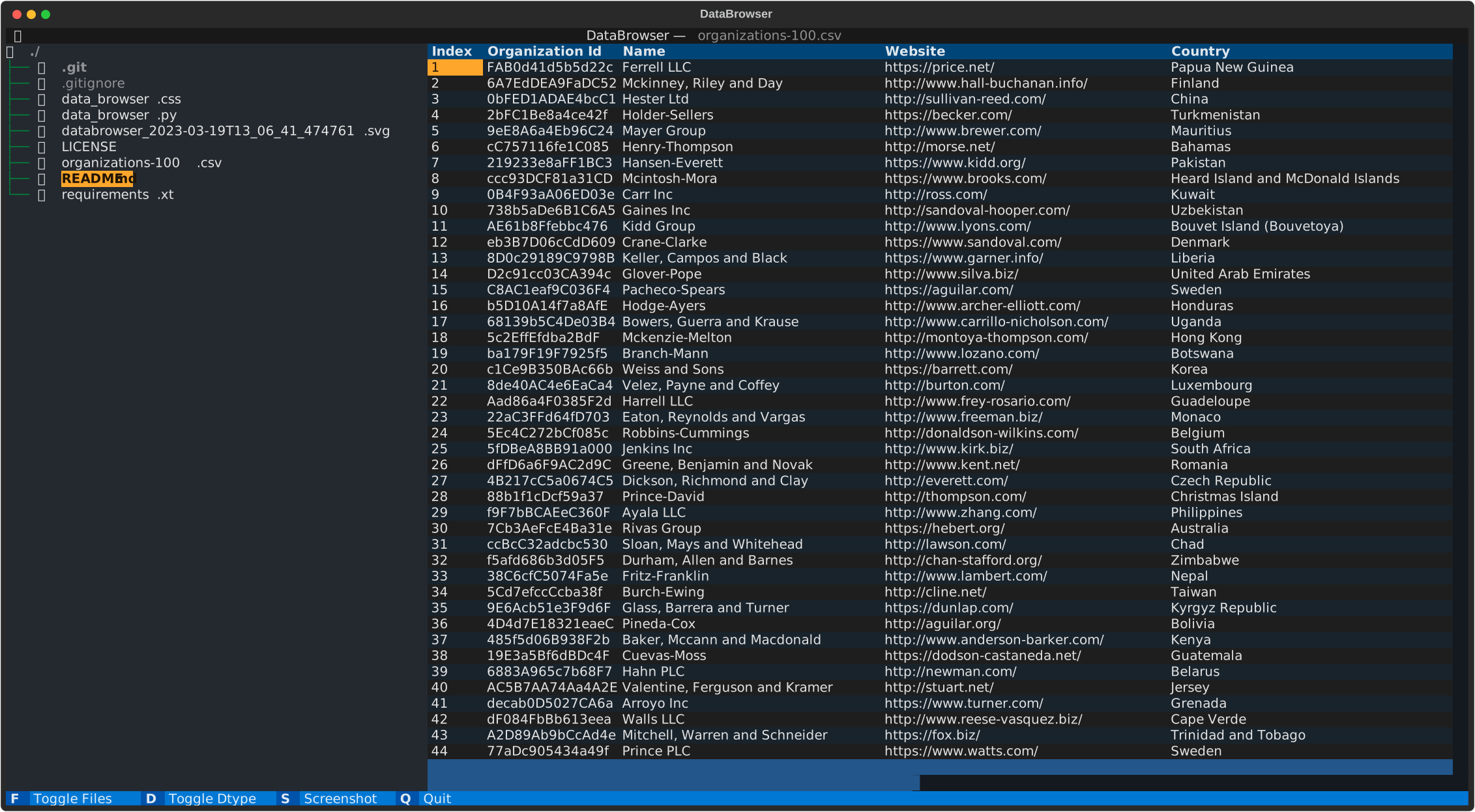
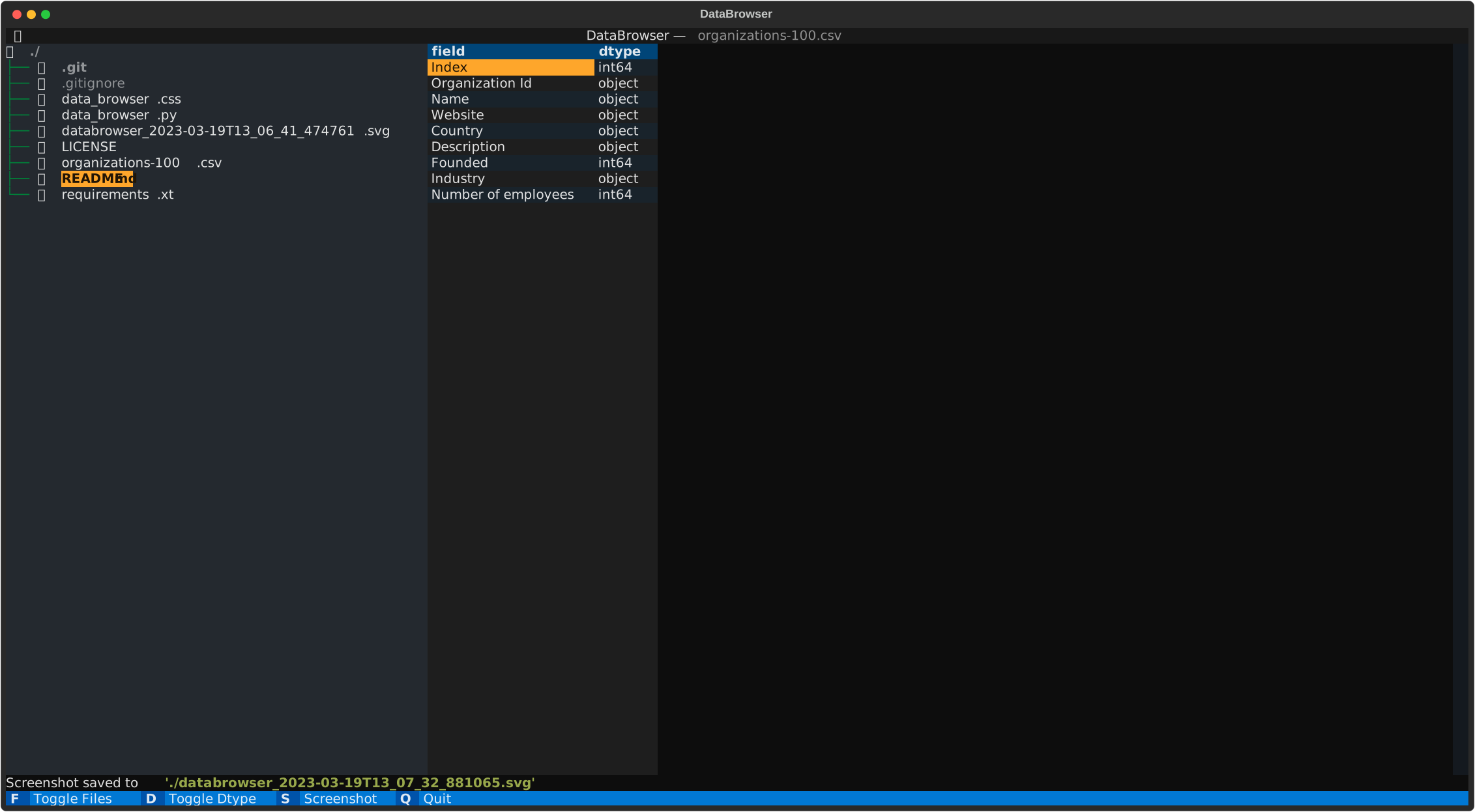
Supports csv, parquet, json, xlsx, xls, xml and html — read into pandas DataFrames and shown in a scrollable table (with a dtype view). Built on Textual.
Originally based on the example code_browser from Textual.
install
The package is published on pypi https://pypi.org/project/databrowser/
run pip install databrowser (pip install databrowser --upgrade to get latest version)
Then just execute databrowser
Build
This project uses uv (Python >= 3.13).
Execute uv sync to create the virtual env and install the package and its dependencies.
Run uv run databrowser to execute in the virtual env
(or uv run python src/databrowser/data_browser.py).
Usage
databrowser [optional path] (defaults to the current directory)
S3 Support
with the help of S3Path and S3fs the browser now supports s3.
use databrowser s3:// to start browsing buckets
or databrowser s3://bucket/path/subdir/ to browse a specific directory.
it uses the default aws credentials in the environment
Select a data file to view
-
press F to hide the filebrowser
-
press D to show the dtypes
-
press S to save a screenshot in svg
-
press Q to quit
By default the preview shows the first 100 rows. Set DATABROWSER_ROWS to change it,
e.g. DATABROWSER_ROWS=500 databrowser data/.
examples
Project details
Verified details
These details have been verified by PyPIProject links
GitHub Statistics
Maintainers
Release history Release notifications | RSS feed


Download files
Download the file for your platform. If you're not sure which to choose, learn more about installing packages.
Source Distribution
Built Distribution
Filter files by name, interpreter, ABI, and platform.
If you're not sure about the file name format, learn more about wheel file names.
Copy a direct link to the current filters
File details
Details for the file databrowser-1.0.1.tar.gz.
File metadata
- Download URL: databrowser-1.0.1.tar.gz
- Upload date:
- Size: 101.3 kB
- Tags: Source
- Uploaded using Trusted Publishing? Yes
- Uploaded via: uv/0.11.19 {"installer":{"name":"uv","version":"0.11.19","subcommand":["publish"]},"python":null,"implementation":{"name":null,"version":null},"distro":{"name":"Ubuntu","version":"24.04","id":"noble","libc":null},"system":{"name":null,"release":null},"cpu":null,"openssl_version":null,"setuptools_version":null,"rustc_version":null,"ci":true}
File hashes
| Algorithm | Hash digest | |
|---|---|---|
| SHA256 |
7080eca5c126faad3085c0bade8e3497d1908f5cc66d8c21b69bf8b10977ccc3
|
|
| MD5 |
c09a0893e7f268445bb3ceb3ebda4266
|
|
| BLAKE2b-256 |
3338b5f400e59c1c802f4170f3f538d794ee62cbf1adae12e2d6694f5a30d44f
|
File details
Details for the file databrowser-1.0.1-py3-none-any.whl.
File metadata
- Download URL: databrowser-1.0.1-py3-none-any.whl
- Upload date:
- Size: 8.8 kB
- Tags: Python 3
- Uploaded using Trusted Publishing? Yes
- Uploaded via: uv/0.11.19 {"installer":{"name":"uv","version":"0.11.19","subcommand":["publish"]},"python":null,"implementation":{"name":null,"version":null},"distro":{"name":"Ubuntu","version":"24.04","id":"noble","libc":null},"system":{"name":null,"release":null},"cpu":null,"openssl_version":null,"setuptools_version":null,"rustc_version":null,"ci":true}
File hashes
| Algorithm | Hash digest | |
|---|---|---|
| SHA256 |
bcf303b8027073db7088159e06ac4440c68f1fe50639a2bc678791efd3c3a02c
|
|
| MD5 |
f81faf40705f2a6a7fbad0730a1d2f2c
|
|
| BLAKE2b-256 |
ab6a280989f52ae42c32197918e7c7a15a4baff123276aac62deaf1f40603fd8
|






