
Data clock charts using matplotlib.

Project description
Data Clock Visualisation Library





Introduction
This library allows the user to create data clock graphs, using the matplotlib Python library.
Data clocks visually summarise temporal data in two dimensions, revealing seasonal or cyclical patterns and trends over time. A data clock is a circular chart that divides a larger unit of time into rings and subdivides it by a smaller unit of time into wedges, creating a set of temporal bins.
These temporal bins are symbolised using graduated colors that correspond to a count or aggregated value taking place in each time period.
The table below details the currently supported chart modes and the corresponding rings and wedges:
| Mode | Rings | Wedges | Description |
|---|---|---|---|
| YEAR_MONTH | Years | Months | Years / January - December. |
| YEAR_WEEK | Years | Weeks | Years / weeks 1 - 52. |
| WEEK_DAY | Weeks | Days of the week | Weeks 1 - 52 / Monday - Sunday. |
| DOW_HOUR | Days of the week | Hour of day | Monday - Sunday / 24 hours. |
| DAY_HOUR | Days | Hour of day | Days 1 - 356 / 24 hours. |
The full documentation can be viewed on the project GitHub Page.
Example charts
Chart examples have been generated using UK Department for Transport data 2010 - 2015.
import pandas as pd
from dataclocklib.charts import dataclock

data = pd.read_parquet(
    "https://raw.githubusercontent.com/andyrids/dataclocklib/main/tests/data/traffic_data.parquet.gzip"
)

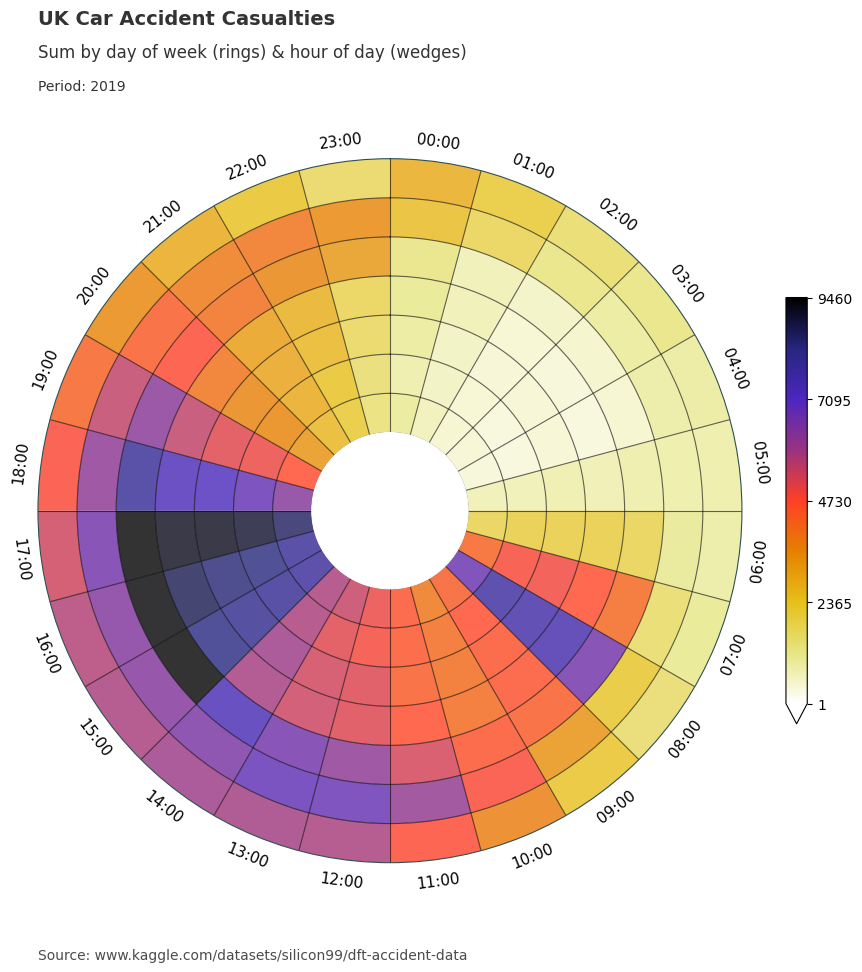
graph_data, fig, ax = dataclock(
    data=data.query("Date_Time.dt.year.eq(2015)"),
    date_column="Date_Time",
    agg_column="Number_of_Casualties",
    agg="sum",
    mode="DOW_HOUR",
    cmap_name="CMRmap_r",
    chart_title="UK Traffic Accident Casualties",
    chart_subtitle=None,
    chart_period="Period: 2015",
    chart_source="www.kaggle.com/datasets/silicon99/dft-accident-data",
    default_text=True,
)
import pandas as pd
from dataclocklib.charts import dataclock

data = pd.read_parquet(
    "https://raw.githubusercontent.com/andyrids/dataclocklib/main/tests/data/traffic_data.parquet.gzip"
)

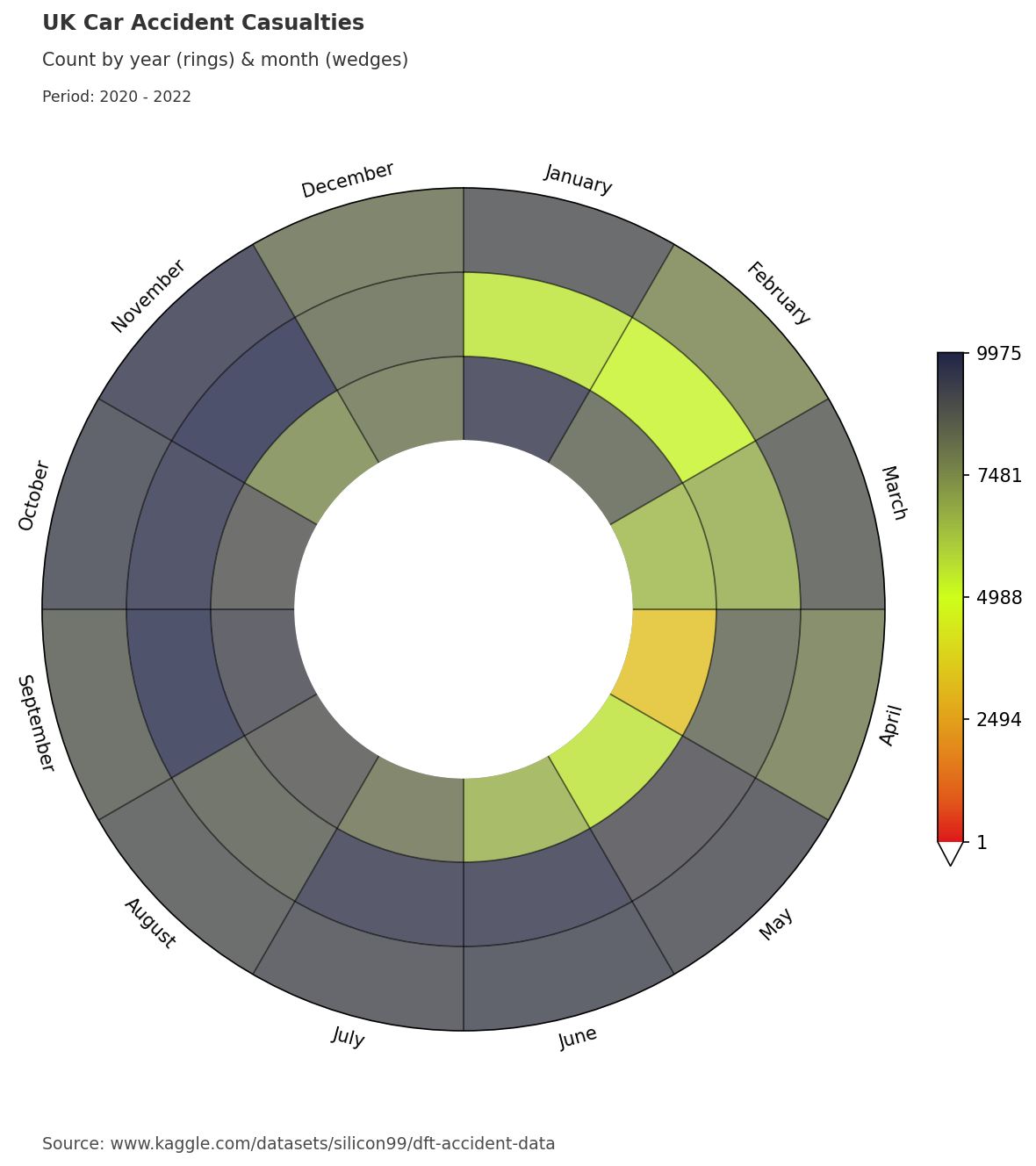
graph_data, fig, ax = dataclock(
    data=data.query("Date_Time.dt.year.eq(2010)"),
    date_column="Date_Time",
    agg_column=None,
    agg="count",
    mode="DOW_HOUR",
    cmap_name="RdYlGn_r",
    chart_title="UK Traffic Accidents",
    chart_subtitle=None,
    chart_period="Period: 2010",
    chart_source="www.kaggle.com/datasets/silicon99/dft-accident-data",
    default_text=True,
)
Installation
You can install using pip:
python -m pip install dataclocklib
To install from GitHub use:
python -m pip install git+https://github.com/andyrids/dataclocklib.git
Development Installation
Astral uv is used as the Python package manager. To install uv see the installation guide @ uv documentation.
Clone the repository:
git clone git@github.com:andyrids/dataclocklib.git
cd dataclocklib
Sync the dependencies, including the dev dependency group and optional dependencies with uv:
uv sync --all-extras
Activate the virtual environment:
. .venv/bin/activate
Sphinx documentation
cd docs
make html


Download files
Download the file for your platform. If you're not sure which to choose, learn more about installing packages.
Source Distribution
Built Distribution
Filter files by name, interpreter, ABI, and platform.
If you're not sure about the file name format, learn more about wheel file names.
Copy a direct link to the current filters
File details
Details for the file dataclocklib-0.1.8.tar.gz.
File metadata
- Download URL: dataclocklib-0.1.8.tar.gz
- Upload date:
- Size: 25.3 MB
- Tags: Source
- Uploaded using Trusted Publishing? No
- Uploaded via: uv/0.5.11
File hashes
| Algorithm | Hash digest | |
|---|---|---|
| SHA256 |
49d0e7bb0da7c13c453fde6c6fd387c185e67516aa93b01f9fd5d9e048c3d758
|
|
| MD5 |
0de87185ca513177e83bf6005c9021ce
|
|
| BLAKE2b-256 |
6dbb682f1772005fe47d353fbd33f92580f25f07ac77be1138d979f3b609e2d8
|
File details
Details for the file dataclocklib-0.1.8-py3-none-any.whl.
File metadata
- Download URL: dataclocklib-0.1.8-py3-none-any.whl
- Upload date:
- Size: 27.4 kB
- Tags: Python 3
- Uploaded using Trusted Publishing? No
- Uploaded via: uv/0.5.11
File hashes
| Algorithm | Hash digest | |
|---|---|---|
| SHA256 |
9724e38576dcf67eaf1d5853225b9a083b3e6af5145b6408eaf2ae74ee9d3461
|
|
| MD5 |
cb71066a871819f8db8078945d6888e5
|
|
| BLAKE2b-256 |
8725d79f2a57d0dc57cfa1b45a26f94d56ce1c5b7f1fb2248e2c9fae0c4fc4f0
|






