
DataForgeML

DataForgeML is an automated, end-to-end pipeline for turning raw tabular datasets into ML-ready data — without hand-writing schema logic, imputation rules, or splitting code for every new dataset.
The library is built as a one-stop solution: the goal is that a user should not need to manually assemble fragmented libraries steps or write custom glue code around it. Every phase — profiling, imputation, splitting — is designed to compose directly, driven by configuration objects rather than bespoke per-dataset scripts.
Supported input formats: CSV, TSV, Parquet, JSON, NDJSON, JSONL, XLSX, XLS, Arrow, and Feather, with automatic encoding and delimiter detection.
Installation
Requires Python 3.11+.
uv add dataforge-ml
or, from PyPI with pip:
pip install dataforge-ml
Quick start — profile a dataset
Structurally profile a raw dataset: inferred semantic types, per-column stats, missingness, correlations, and nonlinearity signals — all driven by config.
from dataforge_ml import (
    PipelineConfig,
    ProfileConfig,
    SemanticType,
    StructuralProfiler,
)

pipeline_config = PipelineConfig(
    profiling=ProfileConfig(
        compute_correlation=True,
        compute_nonlinearity=True,
    ),
    random_seed=42,
)

# Nudge the profiler where you know better than the type detector.
pipeline_config.set_column_type(column="Year", semantic_type=SemanticType.Categorical)

profiler = StructuralProfiler(config=pipeline_config)
result = profiler.profile(data=df)          # df is a polars.DataFrame

# The lossless Profile Report — every to_dict() field rendered as Markdown.
# On a wide dataset (~82 columns) this is roughly a megabyte of text; for a
# bounded view, read result.to_dict() and select the fields you care about.
print(result.to_markdown())
Examples
To see how to use DataForgeML end to end, browse the full set of runnable, self-contained example scripts — each with bundled datasets and step-by-step walkthroughs — in the dedicated examples repository:
https://github.com/DEVunderdog/dataforgeml-examples
Video
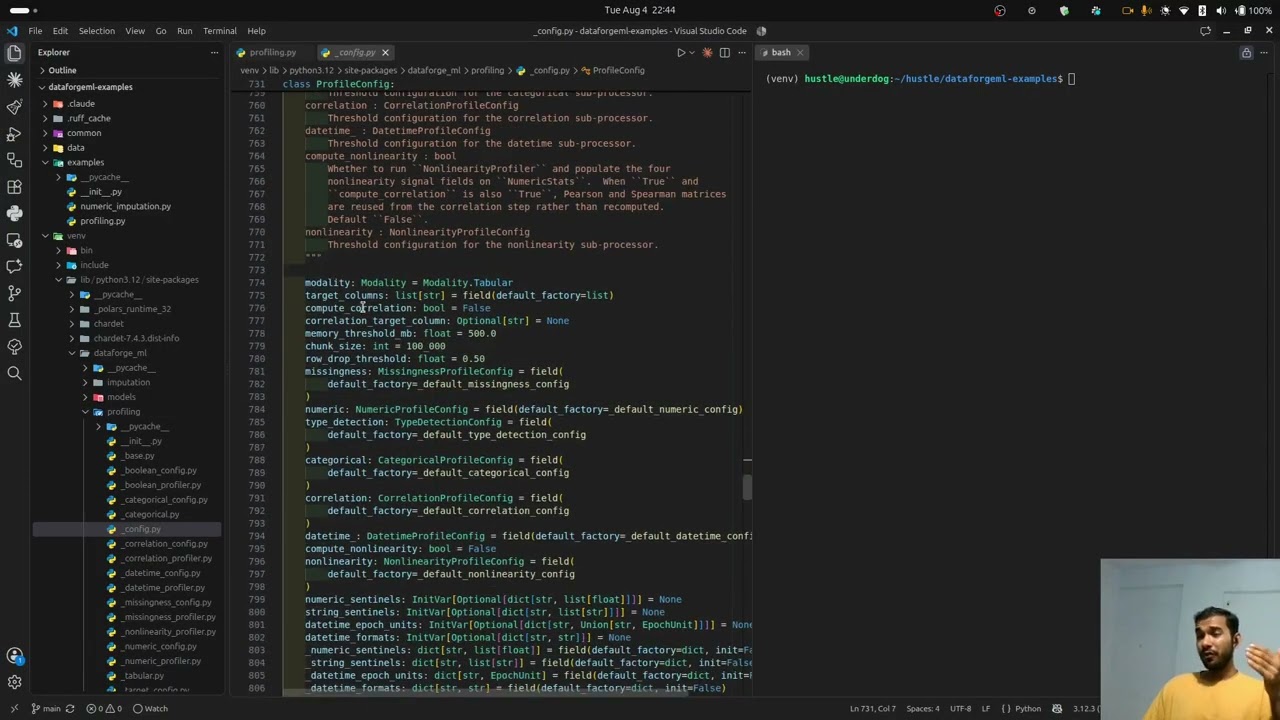
Documentation
Full documentation — including the complete API reference, configuration guide, and the domain concepts behind profiling, imputation, and splitting — is available at:
https://devunderdog.github.io/DataForgeML/
License
MIT
1 maintainer

Metadata
1 maintainer
Release files for dataforge-ml 3.2.0
For a detailed explanation of source distributions (sdists) and built distributions (wheels), please see the package formats documentation.
Source distribution (sdist)
| File | Size | Uploaded | |
|---|---|---|---|
| dataforge_ml-3.2.0.tar.gz | 203.3 kB | Details |
Built distribution (wheel)
| File | Interpreter | ABI | Platform | Reset |
|---|---|---|---|---|
| dataforge_ml-3.2.0-py3-none-any.whl | Python 3 | none | any | Details |
Total release size: 444.5 kB
Release files / dataforge_ml-3.2.0.tar.gz
| Download URL | dataforge_ml-3.2.0.tar.gz |
|---|---|
| Size | 203.3 kB |
| Tags | Source |
|
SHA-256 checksum How to use checksums |
13d4d52cd9b569c08d2c1a1324e3479c1f3726dfcf20c4826f03dae63dbf07d2
|
|
BLAKE2b-256 checksum How to use checksums |
deb2bd79360f9e5c8b7d0dbd5b4a7e95458fd8510159112654ad1bab47f7ad84
|
| Upload date | |
|
Uploaded using Trusted Publishing? What is trusted publishing? |
Yes |
| Uploaded via |
uv/0.12.10 {"installer":{"name":"uv","version":"0.12.10","subcommand":["publish"]},"python":null,"implementation":{"name":null,"version":null},"distro":{"name":"Ubuntu","version":"24.04","id":"noble","libc":null},"system":{"name":null,"release":null},"cpu":null,"openssl_version":null,"setuptools_version":null,"rustc_version":null,"ci":true}
|
Release files / dataforge_ml-3.2.0-py3-none-any.whl
| Download URL | dataforge_ml-3.2.0-py3-none-any.whl |
|---|---|
| Size | 241.2 kB |
| Tags | Python 3 |
|
SHA-256 checksum How to use checksums |
ba647bdf2813ed1f7f160e20e1d935b17bfd629ebd0b81134ed80b96ca9f3496
|
|
BLAKE2b-256 checksum How to use checksums |
b20cb26b300d84cd6066e5a70444e093ff70c341130f2394f8e62200efc3ce80
|
| Upload date | |
|
Uploaded using Trusted Publishing? What is trusted publishing? |
Yes |
| Uploaded via |
uv/0.12.10 {"installer":{"name":"uv","version":"0.12.10","subcommand":["publish"]},"python":null,"implementation":{"name":null,"version":null},"distro":{"name":"Ubuntu","version":"24.04","id":"noble","libc":null},"system":{"name":null,"release":null},"cpu":null,"openssl_version":null,"setuptools_version":null,"rustc_version":null,"ci":true}
|














