
DataReadr GUI Interface simplifies the process of adding Pandas code into Python scripts. Through a user-friendly GUI, users can easily select and insert Pandas functions, automating repetitive tasks and enhancing productivity in data analysis projects.

Project description
DataReadr
DataReadr with GUI Interface simplifies the process of adding Pandas code into Python scripts. Through a user-friendly GUI, users can easily select and insert Pandas functions, automating repetitive tasks and enhancing productivity in data analysis projects.
Examples of How To Use (Beta Version Not Fully Completed)
Loading UI
import datareadr as dr # pip install datareadr
import sys # preinstalled in python

#loading the ui
dr.load_ui(sys.argv[0]) #sys.argv[0] (takes the current file location and insert it in the program)
Delete the 'load_ui' code line when dataframe is imported.
How To Use The UI!
Step 1
Selecting any file you want to import.
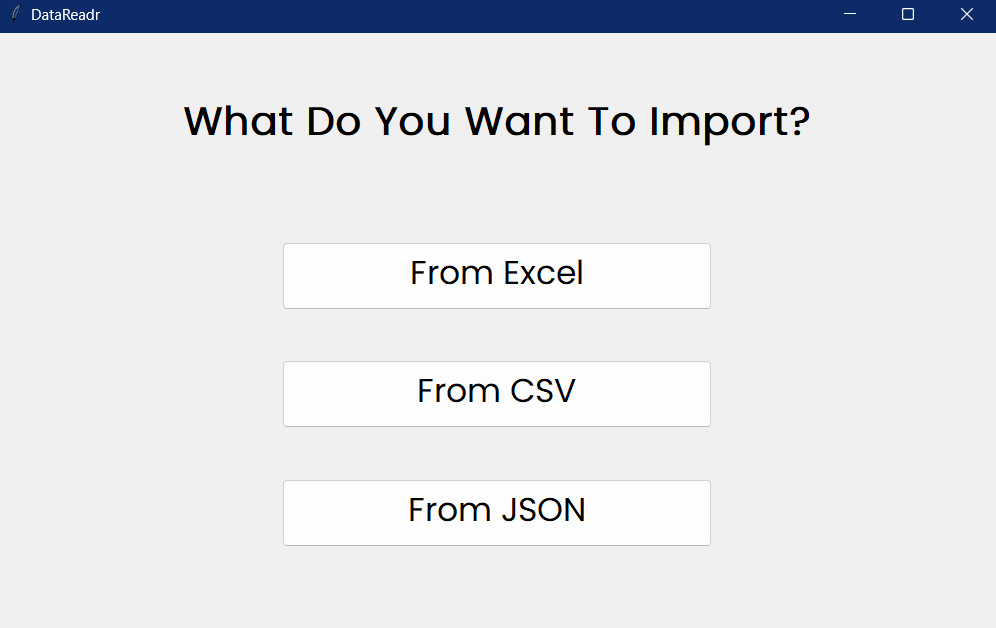
Step 2
Click on browse file and then select the file you want to import.
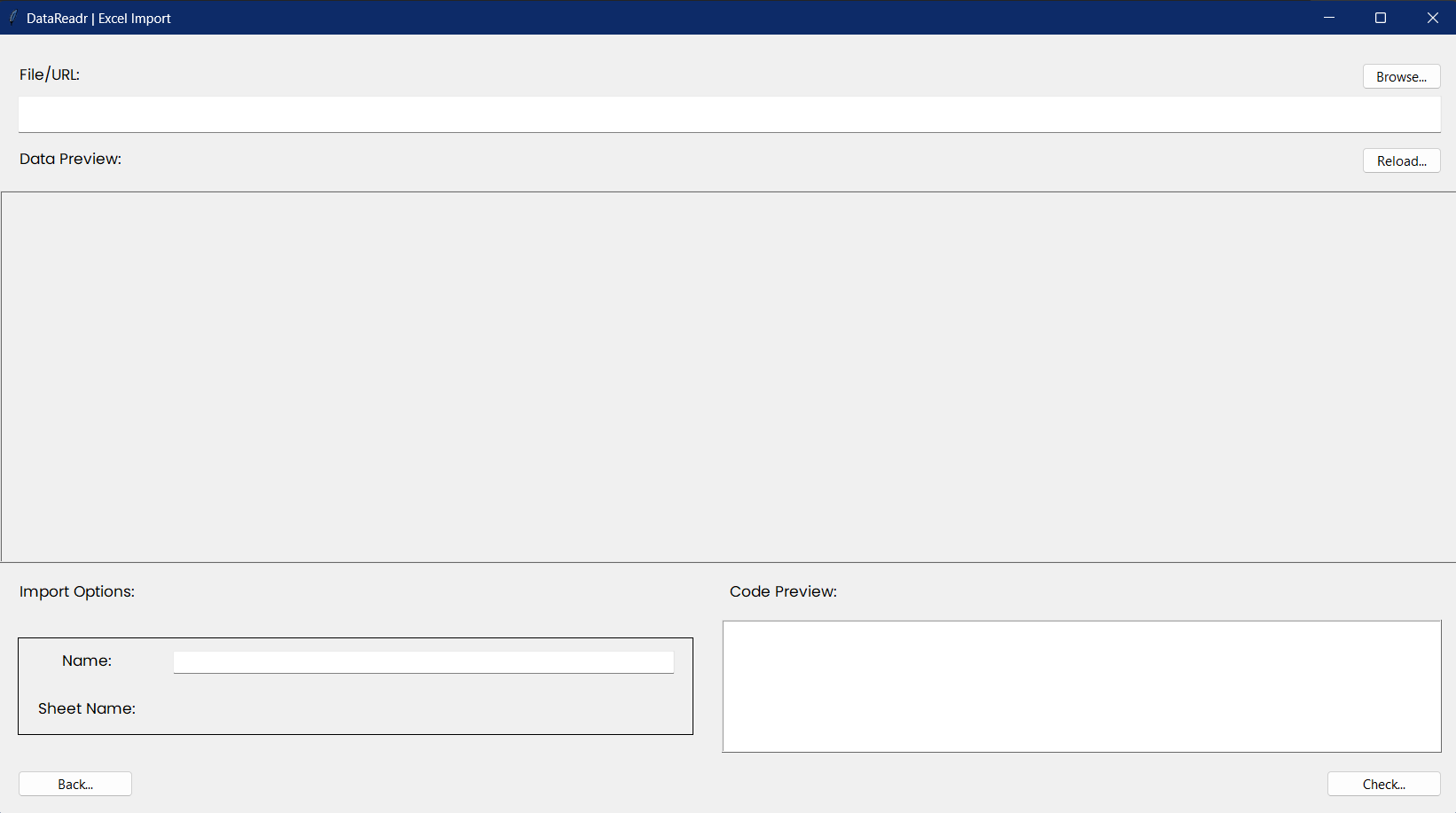
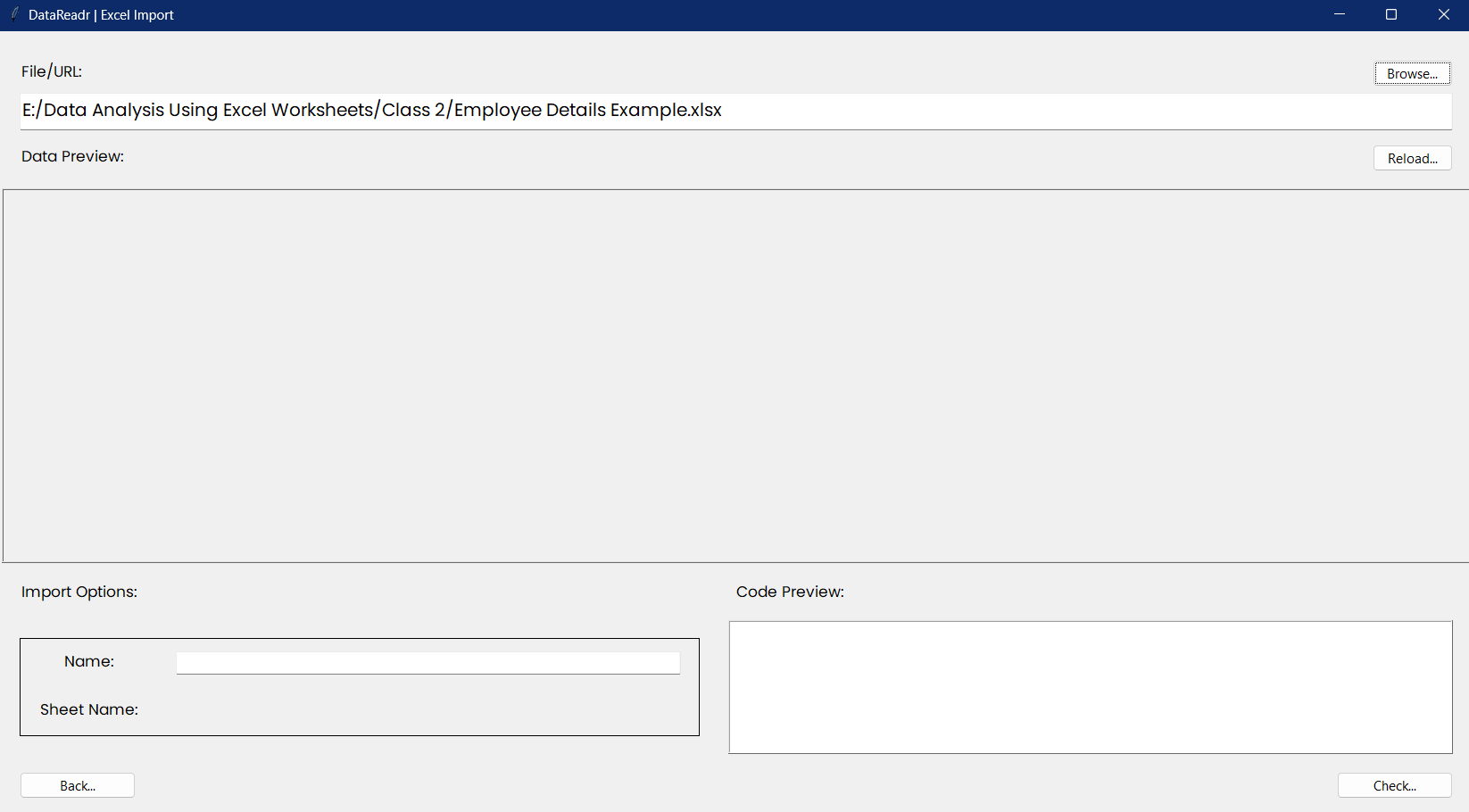
Step 3
Then Click on check, Then the program will check your file and show the data.
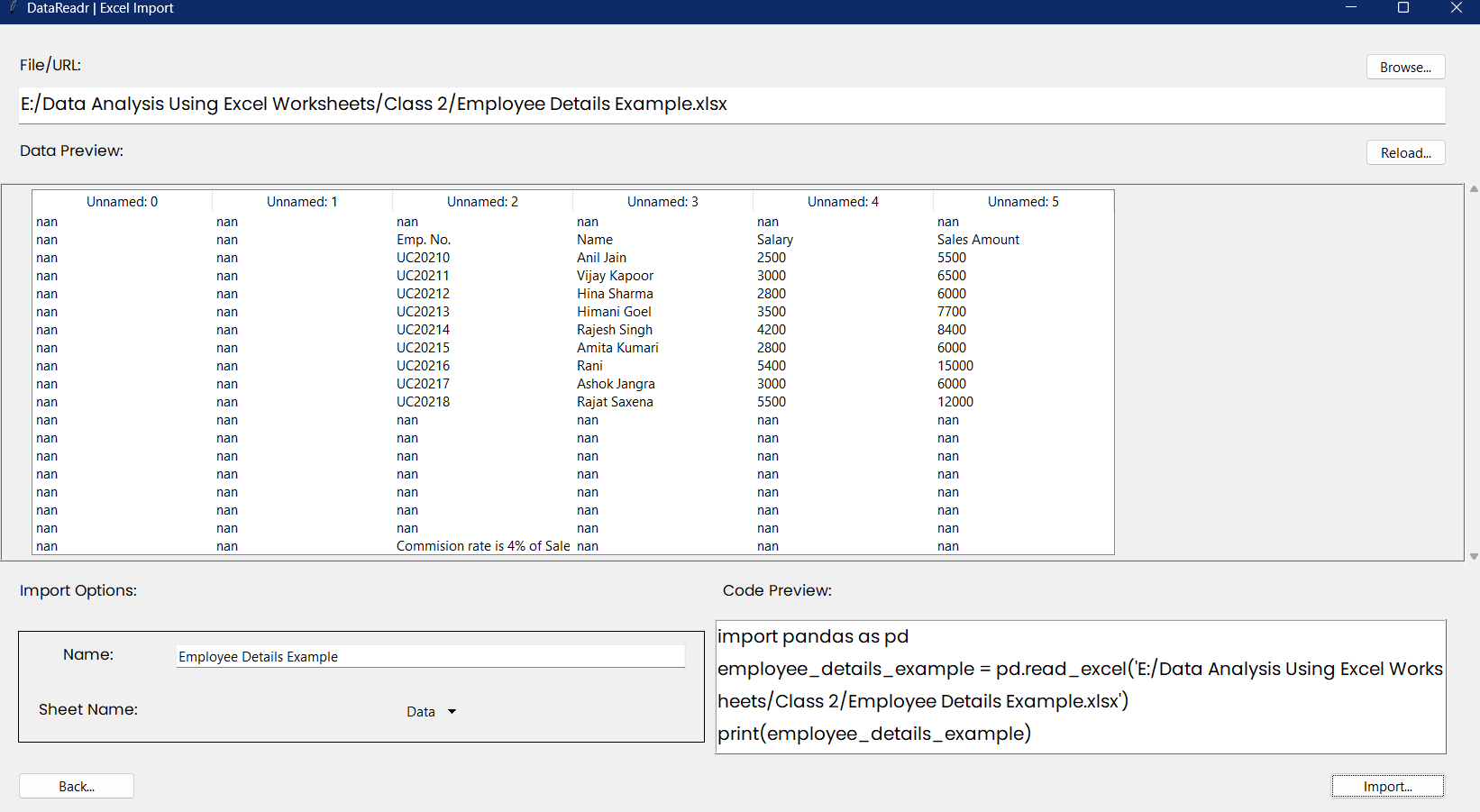
Step 4
Now Click on import and your file will we imported.
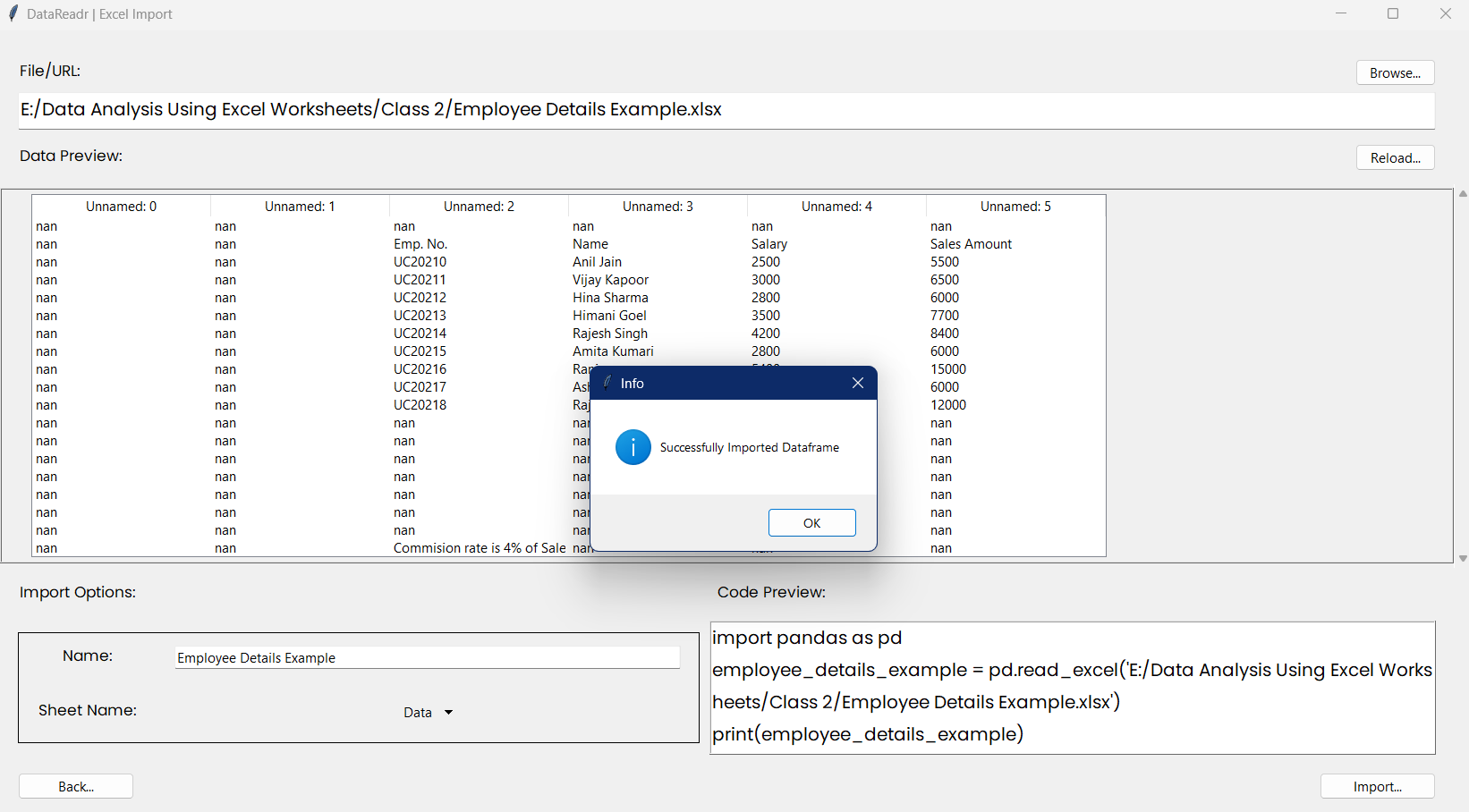
Step 5
This message show's that you're file is successfully imported. Enjoy!


Download files
Download the file for your platform. If you're not sure which to choose, learn more about installing packages.
Source Distribution
Built Distribution
Filter files by name, interpreter, ABI, and platform.
If you're not sure about the file name format, learn more about wheel file names.
Copy a direct link to the current filters
File details
Details for the file datareadr-0.11.5.tar.gz.
File metadata
- Download URL: datareadr-0.11.5.tar.gz
- Upload date:
- Size: 8.3 kB
- Tags: Source
- Uploaded using Trusted Publishing? No
- Uploaded via: twine/5.1.1 CPython/3.9.20
File hashes
| Algorithm | Hash digest | |
|---|---|---|
| SHA256 |
96ae4661692bb646abb29d502337195c55af1e9ac8be59c99aaad820322f9a76
|
|
| MD5 |
8e4106e3f58361b6c23a9f9d64240d7c
|
|
| BLAKE2b-256 |
15ab9159a7530f6cea098c50cc27b8eedffe0da94f1a113111ba748430c97797
|
File details
Details for the file datareadr-0.11.5-py3-none-any.whl.
File metadata
- Download URL: datareadr-0.11.5-py3-none-any.whl
- Upload date:
- Size: 7.6 kB
- Tags: Python 3
- Uploaded using Trusted Publishing? No
- Uploaded via: twine/5.1.1 CPython/3.9.20
File hashes
| Algorithm | Hash digest | |
|---|---|---|
| SHA256 |
c3dc6287784838d03896c8723ea7143f7504b8a8660ee8e2bec6f895160e6dc4
|
|
| MD5 |
a3ef361f54d05c44b0a8a9cdd5e3ce65
|
|
| BLAKE2b-256 |
ceeb1132d60f21b70e8d9085dc965e5c55a65e8ce4fc20be0b6c45aa28b5cf8f
|






