
datasette-edit-schema




Datasette plugin for modifying table schemas
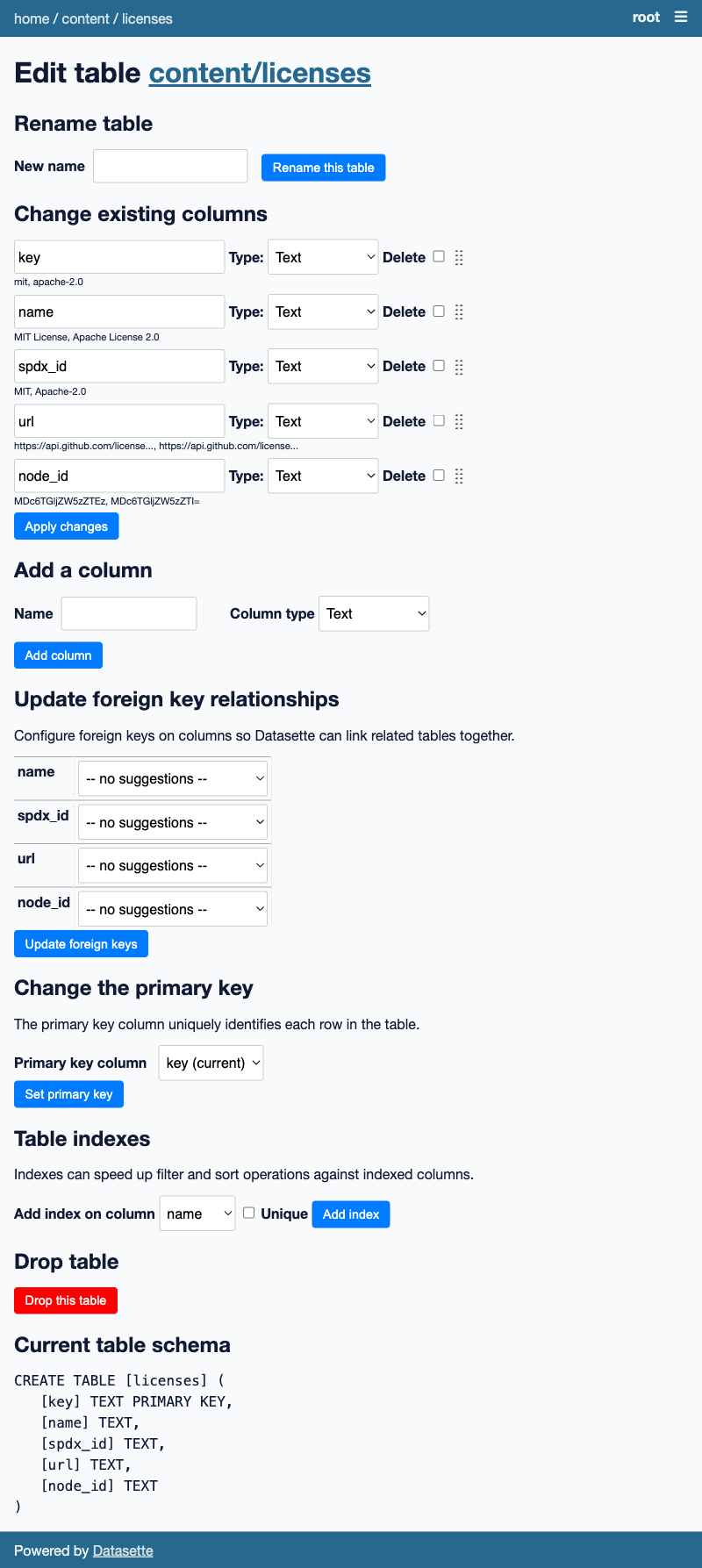
Features
- Add new columns to a table
- Rename columns in a table
- Modify the type of columns in a table
- Re-order the columns in a table
- Rename a table
- Delete a table
- Change the primary key of a table to another column containing unique values
- Update the foreign key constraints on a table
- Add an index (or unique index) to a column on a table
- Drop an index from a table
Installation
Install this plugin in the same environment as Datasette.
pip install datasette-edit-schema
Usage
Navigate to /-/edit-schema/dbname/tablename on your Datasette instance to edit a specific table.
Use /-/edit-schema/dbname to create a new table in a specific database.
By default only the root actor can access the page - so you'll need to run Datasette with the --root option and click on the link shown in the terminal to sign in and access the page.
Permissions
The edit-schema permission governs access. You can use permission plugins such as datasette-permissions-sql to grant additional access to the write interface.
These permission checks will call the permission_allowed() plugin hook with three arguments:
actionwill be the string"edit-schema"actorwill be the currently authenticated actor - usually a dictionaryresourcewill be the string name of the database
Screenshot
Development
To set up this plugin locally, first checkout the code. Then create a new virtual environment:
cd datasette-edit-schema
python3 -mvenv venv
source venv/bin/activate
Or if you are using pipenv:
pipenv shell
Now install the dependencies and tests:
pip install -e '.[test]'
To run the tests:
pytest
1 maintainer

Metadata
1 maintainer
Release files for datasette-edit-schema 0.7.1
For a detailed explanation of source distributions (sdists) and built distributions (wheels), please see the package formats documentation.
Source distribution (sdist)
| File | Size | Uploaded | |
|---|---|---|---|
| datasette-edit-schema-0.7.1.tar.gz | 67.8 kB | Details |
Built distribution (wheel)
| File | Interpreter | ABI | Platform | Reset |
|---|---|---|---|---|
| datasette_edit_schema-0.7.1-py3-none-any.whl | Python 3 | none | any | Details |
Total release size: 133.2 kB
Release files / datasette-edit-schema-0.7.1.tar.gz
| Download URL | datasette-edit-schema-0.7.1.tar.gz |
|---|---|
| Size | 67.8 kB |
| Tags | Source |
|
SHA-256 checksum How to use checksums |
e7de83533bbb441ed0f392b2cae9a2871931be917f69cbad1d60c79cac1dbe08
|
|
BLAKE2b-256 checksum How to use checksums |
5cb5d1398bf4f856585bddebeae6f3439d46d477e062e6db146095b74d89178f
|
| Upload date | |
|
Uploaded using Trusted Publishing? What is trusted publishing? |
No |
| Uploaded via |
twine/4.0.2 CPython/3.11.6
|
Release files / datasette_edit_schema-0.7.1-py3-none-any.whl
| Download URL | datasette_edit_schema-0.7.1-py3-none-any.whl |
|---|---|
| Size | 65.5 kB |
| Tags | Python 3 |
|
SHA-256 checksum How to use checksums |
060dbd8d0c96038aafd7d8efcb5efdf98f785edd4603eca555678e47f5efcbf1
|
|
BLAKE2b-256 checksum How to use checksums |
f9e64301d73526617ca1f7b90b7e275fd0547d8c297228b68ebdbf7c9c45fa0b
|
| Upload date | |
|
Uploaded using Trusted Publishing? What is trusted publishing? |
No |
| Uploaded via |
twine/4.0.2 CPython/3.11.6
|














