
Datoviz: high-performance rendering for scientific data visualization

Project description
Datoviz




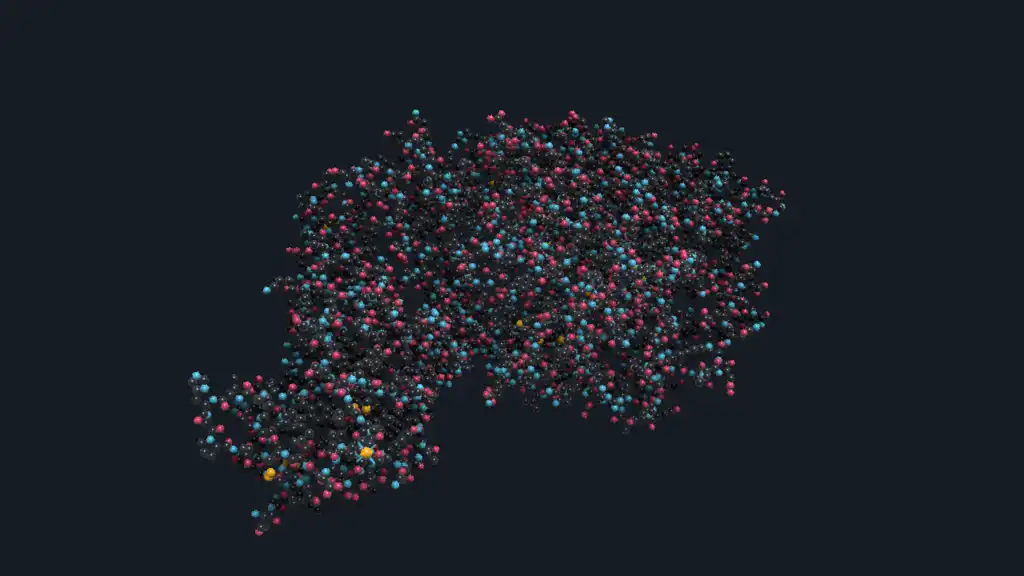
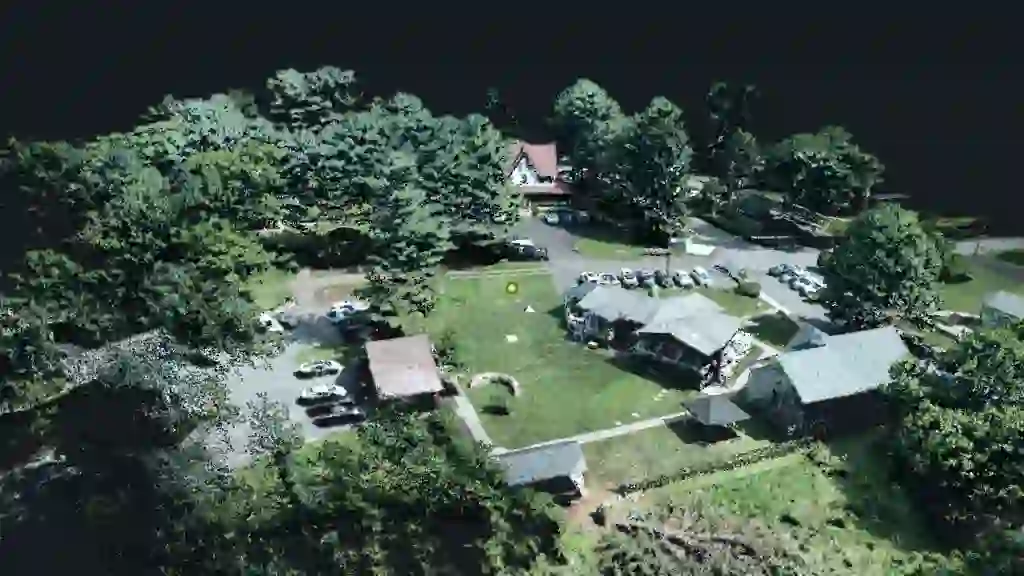
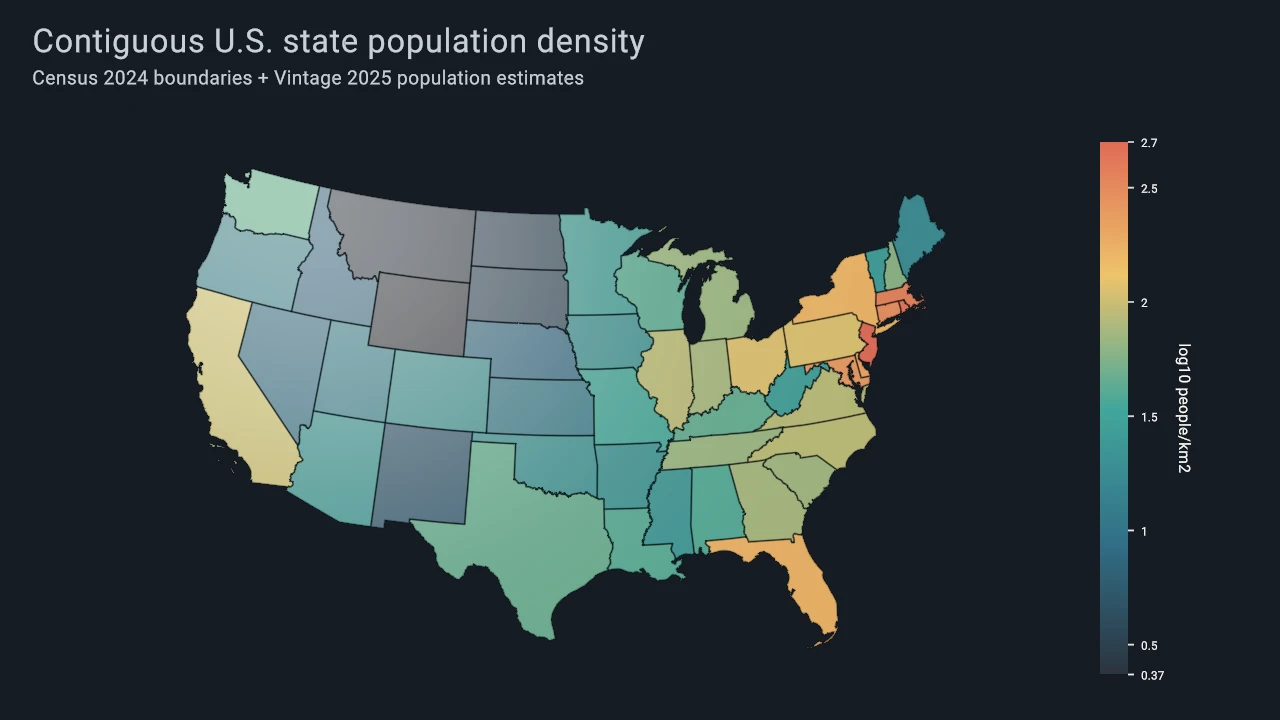
Datoviz is a GPU-powered visualization engine for interactive scientific data. Use it when dense points, images, meshes, volumes, annotations, linked panels, or custom scientific scenes need more control and performance than an ordinary plotting library provides.
 |
 |
 |
|---|---|---|
| Allen mouse brain | Point cloud | U.S. state choropleth |
Datoviz v0.4 provides a retained scene model, native Vulkan rendering, desktop and offscreen
presentation, reproducible capture, and direct use from C or Python. Python users call the generated
binding with import datoviz as dvz and pass NumPy arrays directly to supported data-upload APIs.
Install
Datoviz v0.4.0rc2 is the active release candidate. Its replacement wheels are being validated; after publication, install the exact package with:
python -m pip install --pre datoviz==0.4.0rc2
Until RC2 is published, v0.4.0rc1 remains the package available from PyPI. Its macOS wheel has a
known native-window Vulkan-loader defect; build v0.4-dev from source when testing native windows.
After the final v0.4 release, the normal command will be:
python -m pip install datoviz
Use the source build below for development or platforms without a published wheel. The full installation guide covers macOS, Linux, Windows, Python, and C/C++ integration.
Minimal Python Example
This deterministic example creates the scatter plot shown in the documentation: 10,000 random points with random colors and sizes.
import numpy as np
import datoviz as dvz

# Create deterministic NumPy arrays for one point per row.
n = 10_000
rng = np.random.default_rng(12345)
positions = rng.uniform(-1, 1, (n, 3)).astype(np.float32)
positions[:, 2] = 0
colors = rng.integers(0, 256, (n, 4), dtype=np.uint8)
colors[:, 3] = 200
diameters = rng.uniform(4, 12, n).astype(np.float32)

# Create the retained scene, its output figure, and one full-size panel.
scene = dvz.dvz_scene()
figure = dvz.dvz_figure(scene, 1280, 720, 0)
panel = dvz.dvz_panel_full(figure)

# Attach the arrays to a point visual, then add it to the panel.
points = dvz.dvz_point(scene, 0)
dvz.dvz_visual_set_data_many(
    points,
    {"position": positions, "color": colors, "diameter_px": diameters},
)
dvz.dvz_panel_add_visual(panel, points, None)

# Bind 2D pan and zoom interaction, then open the native window.
panzoom = dvz.dvz_panzoom(scene, None)
dvz.dvz_panel_bind_controller(panel, panzoom, dvz.DVZ_DIM_MASK_XY)

dvz.run(scene, figure, title="Datoviz Quickstart")
Continue with the annotated Quickstart or browse the example gallery.
v0.4 Release Status
The v0.4-dev branch is the active v0.4 release-candidate line. The native C and Python/NumPy
paths are release-facing; experimental and deferred surfaces remain explicitly labeled throughout
the documentation.
| Surface | v0.4 status |
|---|---|
| Native C scene/app API | supported, with feature-specific gaps |
| Python API with NumPy adaptation and exact raw calls | supported |
| Offscreen rendering and capture | supported |
| Qt/PyQt hosted rendering | supported, optional provider |
| Retained visual families | supported/experimental by family |
| WebGPU/WASM browser path | experimental |
| Scene compute-to-render integration | experimental |
| DRP2 command streams and runtime internals | advanced/unstable |
| High-level plotting API | external/GSP |
See the detailed feature status, platform support, and v0.3 capability disposition before relying on an experimental or backend-specific feature.
C And C++
Datoviz is a native C library. Installed packages expose headers and a CMake package for C and C++ applications:
find_package(datoviz CONFIG REQUIRED)
target_link_libraries(my_app PRIVATE datoviz::datoviz)
The public API uses C linkage and can be called directly from C++. See C/C++ integration and the generated C API reference.
Build From Source
Source builds require Git, CMake 3.21+, Ninja, just, Python 3.10+, a supported C/C++ compiler,
shader tools, and a Vulkan-capable runtime. Clone the active branch with its submodules, then build
and test:
git clone --branch v0.4-dev --recursive https://github.com/datoviz/datoviz.git
cd datoviz
just build
just test
python -m pip install -e .
Platform packages, compiler versions, Vulkan/MoltenVK requirements, and native Windows guidance are maintained in the installation guide. Contributors should also read CONTRIBUTING.md and BUILD.md.
Which Layer Should I Use?
| Need | Use |
|---|---|
| Python with Datoviz visuals and NumPy arrays | import datoviz as dvz |
| Native application or C/C++ integration | C scene/app API |
| Exact pointer/count form of the Python binding | datoviz.raw |
| Browser rendering for promoted examples | experimental WebGPU/WASM subset |
High-level functions such as scatter() or imshow() |
Not in v0.4 — use the scene API today; GSP/VisPy2 later |
Datoviz v0.4 is the explicit engine layer: scenes, visuals, data uploads, controllers, windows, captures, and integration surfaces. The old high-level Datoviz Python plotting API is not part of v0.4; that role belongs to the developing GSP/VisPy2 layer. See Choose Your Layer for the complete comparison.
Documentation
- Get Started
- Examples and Gallery
- How-To Guides
- Feature Status
- Platform Support
- Python API
- C API Reference
- WebGPU/WASM Subset
- Changelog
- Citation
License And Credits
Datoviz is released under the MIT license. It is developed by Cyrille Rossant at the International Brain Laboratory, with support from the Wellcome Trust, Simons Foundation, and Chan Zuckerberg Initiative.
If you use Datoviz in research, follow the current citation guidance and repository metadata in CITATION.cff. The final v0.4.0 release is planned for archival with Zenodo and a version-specific DOI.
Datoviz builds on earlier open-source GPU visualization work including VisPy, Glumpy, Galry, and the Vulkan-based Datoviz releases. Development of v0.4 was assisted by OpenAI Codex for implementation, review, testing, documentation, and release preparation. All changes were directed, reviewed, and validated by the project maintainer.
Release history Release notifications | RSS feed


Download files
Download the file for your platform. If you're not sure which to choose, learn more about installing packages.
Source Distributions
Built Distributions
Filter files by name, interpreter, ABI, and platform.
If you're not sure about the file name format, learn more about wheel file names.
Copy a direct link to the current filters
File details
Details for the file datoviz-0.4.0rc2-py3-none-win_arm64.whl.
File metadata
- Download URL: datoviz-0.4.0rc2-py3-none-win_arm64.whl
- Upload date:
- Size: 10.2 MB
- Tags: Python 3, Windows ARM64
- Uploaded using Trusted Publishing? No
- Uploaded via: twine/6.1.0 CPython/3.12.13
File hashes
| Algorithm | Hash digest | |
|---|---|---|
| SHA256 |
2e0b0d22234b0e0449e8ddbd60d328357fc2eb94b6c1012a159ce1db5e523471
|
|
| MD5 |
34348a8ebdeb3e06fde8877395096e8e
|
|
| BLAKE2b-256 |
e00d0a4f8452566576ab3b700c07d0d17655774a3fa30687edc8d929a2f34aa0
|
File details
Details for the file datoviz-0.4.0rc2-py3-none-win_amd64.whl.
File metadata
- Download URL: datoviz-0.4.0rc2-py3-none-win_amd64.whl
- Upload date:
- Size: 10.7 MB
- Tags: Python 3, Windows x86-64
- Uploaded using Trusted Publishing? No
- Uploaded via: twine/6.1.0 CPython/3.12.13
File hashes
| Algorithm | Hash digest | |
|---|---|---|
| SHA256 |
5ad18a1165fe8ffc0857ccd7d40d19ffa3528aaa230568975122a9d1b1aab951
|
|
| MD5 |
d400d65a646c2bfaa983f8a82f6ba1d2
|
|
| BLAKE2b-256 |
6af9cb3e24c94fba637e59d72889c88f1ed1fdfe06ef0335099d2f605c7ad34b
|
File details
Details for the file datoviz-0.4.0rc2-py3-none-manylinux_2_34_x86_64.whl.
File metadata
- Download URL: datoviz-0.4.0rc2-py3-none-manylinux_2_34_x86_64.whl
- Upload date:
- Size: 19.1 MB
- Tags: Python 3, manylinux: glibc 2.34+ x86-64
- Uploaded using Trusted Publishing? No
- Uploaded via: twine/6.1.0 CPython/3.12.13
File hashes
| Algorithm | Hash digest | |
|---|---|---|
| SHA256 |
ba0824db1d47fa55676193839a635aee79bca4cb0ebcf5c462b42a4411403595
|
|
| MD5 |
003f736684f2e7b1c0928ed058b062d3
|
|
| BLAKE2b-256 |
e4e7fc73ec987bfbce42947ce88d51f03b8247c307f18788212147b0da6c9ee2
|
File details
Details for the file datoviz-0.4.0rc2-py3-none-manylinux_2_34_aarch64.whl.
File metadata
- Download URL: datoviz-0.4.0rc2-py3-none-manylinux_2_34_aarch64.whl
- Upload date:
- Size: 18.8 MB
- Tags: Python 3, manylinux: glibc 2.34+ ARM64
- Uploaded using Trusted Publishing? No
- Uploaded via: twine/6.1.0 CPython/3.12.13
File hashes
| Algorithm | Hash digest | |
|---|---|---|
| SHA256 |
46d220a5c56510433d6937da1b1003185a7439c95666df45b6f2307bf77b4da0
|
|
| MD5 |
b72eb0bdbede3d9515789cba70f0f1bf
|
|
| BLAKE2b-256 |
164f103a4dd0db9288ec61130b6fdee10c94d4cb0c8ef154e6f57b9d335031da
|
File details
Details for the file datoviz-0.4.0rc2-py3-none-macosx_15_0_x86_64.whl.
File metadata
- Download URL: datoviz-0.4.0rc2-py3-none-macosx_15_0_x86_64.whl
- Upload date:
- Size: 9.4 MB
- Tags: Python 3, macOS 15.0+ x86-64
- Uploaded using Trusted Publishing? No
- Uploaded via: twine/6.1.0 CPython/3.12.13
File hashes
| Algorithm | Hash digest | |
|---|---|---|
| SHA256 |
d3e10bea002d26d245e9f6f5b89c37a0ee3ec7a1c6e19136d93bbca390a96849
|
|
| MD5 |
7754dcf09efdc7753f042e8b38e758f0
|
|
| BLAKE2b-256 |
beee6b4b97a30a2dd419413db88a306d0e1d9afa921bd4ac316d530c8d442958
|
File details
Details for the file datoviz-0.4.0rc2-py3-none-macosx_15_0_arm64.whl.
File metadata
- Download URL: datoviz-0.4.0rc2-py3-none-macosx_15_0_arm64.whl
- Upload date:
- Size: 8.8 MB
- Tags: Python 3, macOS 15.0+ ARM64
- Uploaded using Trusted Publishing? No
- Uploaded via: twine/6.1.0 CPython/3.12.13
File hashes
| Algorithm | Hash digest | |
|---|---|---|
| SHA256 |
1277afcf1d017b9c421e8d149ede6deabc82d859e3a67eb85c6ecbf82a8a8f59
|
|
| MD5 |
1cf91632269357be82aba06de9626f62
|
|
| BLAKE2b-256 |
092b0a93491cd7e86978237b895f3fa4ee23da848758f7c4276fd554b7320746
|






