
A CLI for DaVinci Resolve 18+ — project, media, render, and timeline control for humans and AI agents.
Verified details
These details have been verified by PyPIProject links
GitHub Statistics
Maintainers

Project description
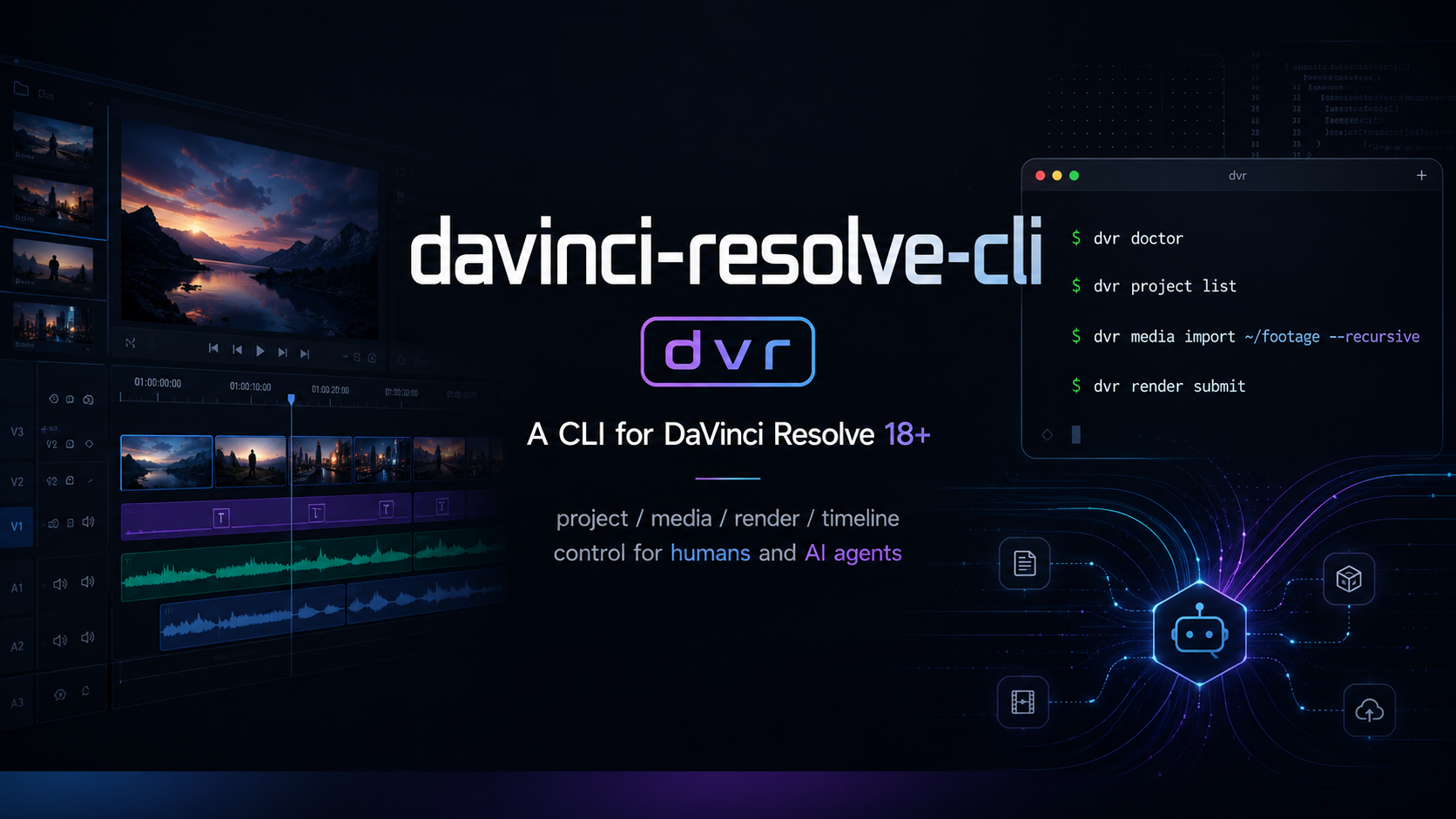
davinci-resolve-cli (dvr)






A CLI for DaVinci Resolve 18+ — project / media / render / timeline control for humans and AI agents.
Demo

What the commands above output (text snapshot)
$ dvr doctor --format json | jq '{version, edition, bridgeStatus}'
{
  "version": "19.1.4.11",
  "edition": "Studio",
  "bridgeStatus": "ok"
}

$ dvr project current --format json
{
  "name": "Untitled Project",
  "timelineCount": 1,
  "framerate": 24.0,
  "resolution": { "width": 3840, "height": 2160 }
}

$ dvr render presets --format json | head -3
[
  "H.264 Master",
  "ProRes 422 HQ"

$ dvr timeline marker add --at 00:00:01:00 --note "review" --color Green --format json
{ "ok": true, "frame": 24, "timecode": "00:00:01:00" }

$ dvr mcp   # ← then any MCP client (stdio) can call 20 tools
The GIF above is generated from
docs/demo.tapewith vhs (brew install vhs && vhs docs/demo.tape). Re-run after major UX changes.
Install
pipx install davinci-resolve-cli
Requires DaVinci Resolve 18+ already installed (Studio recommended). macOS first; Windows/Linux follow.
Quickstart
# Health check
dvr doctor

# Project ops
dvr project list
dvr project current

# Media batch
dvr media import ~/footage --recursive --bin "Day1"

# Render (async)
JOB=$(dvr render submit --preset "H.264 Master" --timeline cur --output ~/out.mp4 --format json | jq -r .jobId)
dvr render wait "$JOB"

# Timeline scripted edits
dvr timeline marker add --at 01:00:05:00 --note "review"
Capabilities at a glance
| Domain | Subcommands | What it does |
|---|---|---|
doctor |
— | Diagnose the Resolve bridge environment (version, Studio / Free, API path, issues) |
project |
list / current / open / new / close / save / export / import |
Project library CRUD |
media |
import / list / tag |
Media-pool batch ops — recursive import, per-bin lookup, 16 named flag colors, partial-failure reporting |
render |
presets / submit / status / list / wait / cancel |
Async render queue. submit returns a jobId immediately; wait blocks until terminal (completed / failed / cancelled) |
timeline |
list / current / open / new / delete / clips / cut / movemarker add / delete / list |
Timeline CRUD + marker ops + WI-bridged razor cut and clip move |
mcp |
— | Start a stdio MCP server exposing 20 tools (one per CLI verb), each with a JSON-Schema'd inputSchema |
install-wi |
--uninstall / --force |
Deploy / remove the Workflow Integration plugin used by timeline cut and timeline move |
Conventions across every command:
--format json|yaml|table— JSON by default in non-TTY,table(rich) in TTY, override viaDVR_OUTPUT- Structured errors on stderr —
{"errorCode", "message", "hint"}, stable codes (resolve_not_running,validation_error,not_found,api_call_failed,wi_unavailable, …) --dry-runon every mutating command — prints theplannedactions without touching Resolve- Exit codes:
0ok,1user error,2Resolve unavailable,3API call failed
Output formats
| context | default |
|---|---|
| TTY | table (rich) |
| pipe / non-TTY | json |
Override with --format json|yaml|table or DVR_OUTPUT=yaml.
AI Agent
dvr ships two complementary AI-agent integration paths.
1. Skill file (SKILL.md)
A SKILL.md packaged with the wheel; auto-discovered by skill systems that scan installed packages. Five worked example prompts:
- "Render the current timeline as 1080p mp4"
- "List clips imported today and tag them green"
- "Wait for render job X and tell me when it finishes"
- "Check if Resolve is ready"
- "Tag all clips in Day1 bin as Green for review"
2. MCP server (dvr mcp)
Standard stdio MCP server exposing 20 tools across doctor / project.* / media.* / render.* / timeline.* namespaces. Any MCP-aware AI client can wire it up:
// .mcp.json or your client's MCP server config
{
  "mcpServers": {
    "davinci-resolve": {
      "command": "dvr",
      "args": ["mcp"]
    }
  }
}
Tool errors are returned as structured JSON {"errorCode", "message", "hint"} matching the CLI's stderr contract — same error codes (resolve_not_running, validation_error, not_found, etc.) so an agent can branch on them deterministically.
Verify the server is reachable:
dvr mcp # blocks, reads stdin/writes stdout per MCP spec
Compatibility
| OS | Status |
|---|---|
| macOS (Apple Silicon / Intel) | ✅ primary, end-to-end verified |
| Windows | ✅ unit + CI tested (real-Resolve smoke pending community feedback) |
| Linux | ✅ unit + CI tested (Resolve Studio Linux only) |
| Resolve | Status |
|---|---|
| 18.x Studio | ✅ |
| 18.x Free | ⚠️ partial (render encoders limited) |
| 17.x or older | ❌ unsupported |
Cookbook
Five end-to-end recipes covering the most common workflows. Each is a copy-paste shell snippet that assumes DaVinci Resolve 18+ Studio is running and a project is open.
1. Render the current timeline as 1080p H.264 mp4
# Preflight: make sure the bridge is healthy
dvr doctor --format json | jq -e '.bridgeStatus == "ok"' >/dev/null || { echo "Resolve not ready"; exit 2; }

# Pick the first preset whose name contains "H.264"
PRESET=$(dvr render presets --format json | jq -r '.[] | select(test("H\\.264"; "i"))' | head -1)

# Submit (async — returns immediately), then block until done
JOB=$(dvr render submit --preset "$PRESET" --timeline cur --output ~/Renders/out.mp4 --start --format json | jq -r .jobId)
dvr render wait "$JOB"   # progress to stderr, terminal status to stdout
2. Import a SD card's footage into per-date bins
# Assumes ~/footage/<YYYY-MM-DD>/ structure
for day_dir in ~/footage/*/; do
  day=$(basename "$day_dir")
  dvr media import "$day_dir" --bin "$day" --recursive --format json | jq '.imported | length' \
    | xargs -I{} echo "imported {} clips into '$day'"
done
3. Tag every clip in a bin as "Green" for review (skipping ones already tagged)
BIN="Day1"
IDS=$(dvr media list --bin "$BIN" --format json \
  | jq -r '.[] | select(.flags | index("Green") | not) | .id')
[ -n "$IDS" ] && dvr media tag $IDS --color Green --format json
4. Drop chapter markers from a CSV file (timecode, label)
# chapters.csv:
#   00:00:00:00,intro
#   00:01:30:00,demo
#   00:04:15:00,outro
while IFS=, read -r tc label; do
  dvr timeline marker add --at "$tc" --name "$label" --color Sky --format json >/dev/null
done < chapters.csv

dvr timeline marker list --format json | jq '.[] | "\(.timecode) → \(.name)"'
5. AI agent: render via MCP server
Wire dvr mcp into any MCP-aware client (most desktop AI assistants now support MCP — check your client's docs for the right config file path):
// ~/.config/<client>/mcp.json
{ "mcpServers": { "davinci-resolve": { "command": "dvr", "args": ["mcp"] } } }
Then ask the agent:
"Render the currently open timeline as 1080p H.264, save it to ~/out.mp4, and tell me when it's done."
The agent will call doctor → render.presets → render.submit(start=true) → render.wait automatically. Tool errors come back as structured {errorCode, message, hint} so the agent can branch on resolve_not_running / validation_error / etc. deterministically.
Development
pip install -e ".[dev]"
pytest                              # unit only
pytest -m integration               # requires Resolve running
License
MIT
Project details
Verified details
These details have been verified by PyPIProject links
GitHub Statistics
Maintainers
Release history Release notifications | RSS feed


Download files
Download the file for your platform. If you're not sure which to choose, learn more about installing packages.
Source Distribution
Built Distribution
Filter files by name, interpreter, ABI, and platform.
If you're not sure about the file name format, learn more about wheel file names.
Copy a direct link to the current filters
File details
Details for the file davinci_resolve_cli-0.2.5.tar.gz.
File metadata
- Download URL: davinci_resolve_cli-0.2.5.tar.gz
- Upload date:
- Size: 58.7 kB
- Tags: Source
- Uploaded using Trusted Publishing? Yes
- Uploaded via: twine/6.1.0 CPython/3.13.12
File hashes
| Algorithm | Hash digest | |
|---|---|---|
| SHA256 |
73d91f89dca41c93f32d28d5024fc8797fef5d8c1fd5f997b4468b9eeb7e2f80
|
|
| MD5 |
5a205a020c10111dc609fa54cad599d7
|
|
| BLAKE2b-256 |
273b17f2799094e4cfb74a3929fdd9a18375668a267ad3b70a653e91b7654c42
|
Provenance
The following attestation bundles were made for davinci_resolve_cli-0.2.5.tar.gz:
Publisher:
publish.yml on Poechant/davinci-resolve-cli
-
Statement:
-
Statement type:
https://in-toto.io/Statement/v1 -
Predicate type:
https://docs.pypi.org/attestations/publish/v1 -
Subject name:
davinci_resolve_cli-0.2.5.tar.gz -
Subject digest:
73d91f89dca41c93f32d28d5024fc8797fef5d8c1fd5f997b4468b9eeb7e2f80 - Sigstore transparency entry: 1552946576
- Sigstore integration time:
-
Permalink:
Poechant/davinci-resolve-cli@24998f090f24cd8527ea6e50e15a3ccc2305328f -
Branch / Tag:
refs/tags/v0.2.5 - Owner: https://github.com/Poechant
-
Access:
public
-
Token Issuer:
https://token.actions.githubusercontent.com -
Runner Environment:
github-hosted -
Publication workflow:
publish.yml@24998f090f24cd8527ea6e50e15a3ccc2305328f -
Trigger Event:
push
-
Statement type:
File details
Details for the file davinci_resolve_cli-0.2.5-py3-none-any.whl.
File metadata
- Download URL: davinci_resolve_cli-0.2.5-py3-none-any.whl
- Upload date:
- Size: 43.8 kB
- Tags: Python 3
- Uploaded using Trusted Publishing? Yes
- Uploaded via: twine/6.1.0 CPython/3.13.12
File hashes
| Algorithm | Hash digest | |
|---|---|---|
| SHA256 |
cf63931a3ec35366fb1a59f445506128b441b0818a0ddfa4e1453ab382d1cd57
|
|
| MD5 |
82cecf2ae471cae6d9dcd796c58931ee
|
|
| BLAKE2b-256 |
b5555b1cdfb9f37ab0d88f4786f56b1ec8127e97f5d1845e773b6cfd9467655c
|
Provenance
The following attestation bundles were made for davinci_resolve_cli-0.2.5-py3-none-any.whl:
Publisher:
publish.yml on Poechant/davinci-resolve-cli
-
Statement:
-
Statement type:
https://in-toto.io/Statement/v1 -
Predicate type:
https://docs.pypi.org/attestations/publish/v1 -
Subject name:
davinci_resolve_cli-0.2.5-py3-none-any.whl -
Subject digest:
cf63931a3ec35366fb1a59f445506128b441b0818a0ddfa4e1453ab382d1cd57 - Sigstore transparency entry: 1552946588
- Sigstore integration time:
-
Permalink:
Poechant/davinci-resolve-cli@24998f090f24cd8527ea6e50e15a3ccc2305328f -
Branch / Tag:
refs/tags/v0.2.5 - Owner: https://github.com/Poechant
-
Access:
public
-
Token Issuer:
https://token.actions.githubusercontent.com -
Runner Environment:
github-hosted -
Publication workflow:
publish.yml@24998f090f24cd8527ea6e50e15a3ccc2305328f -
Trigger Event:
push
-
Statement type:






