
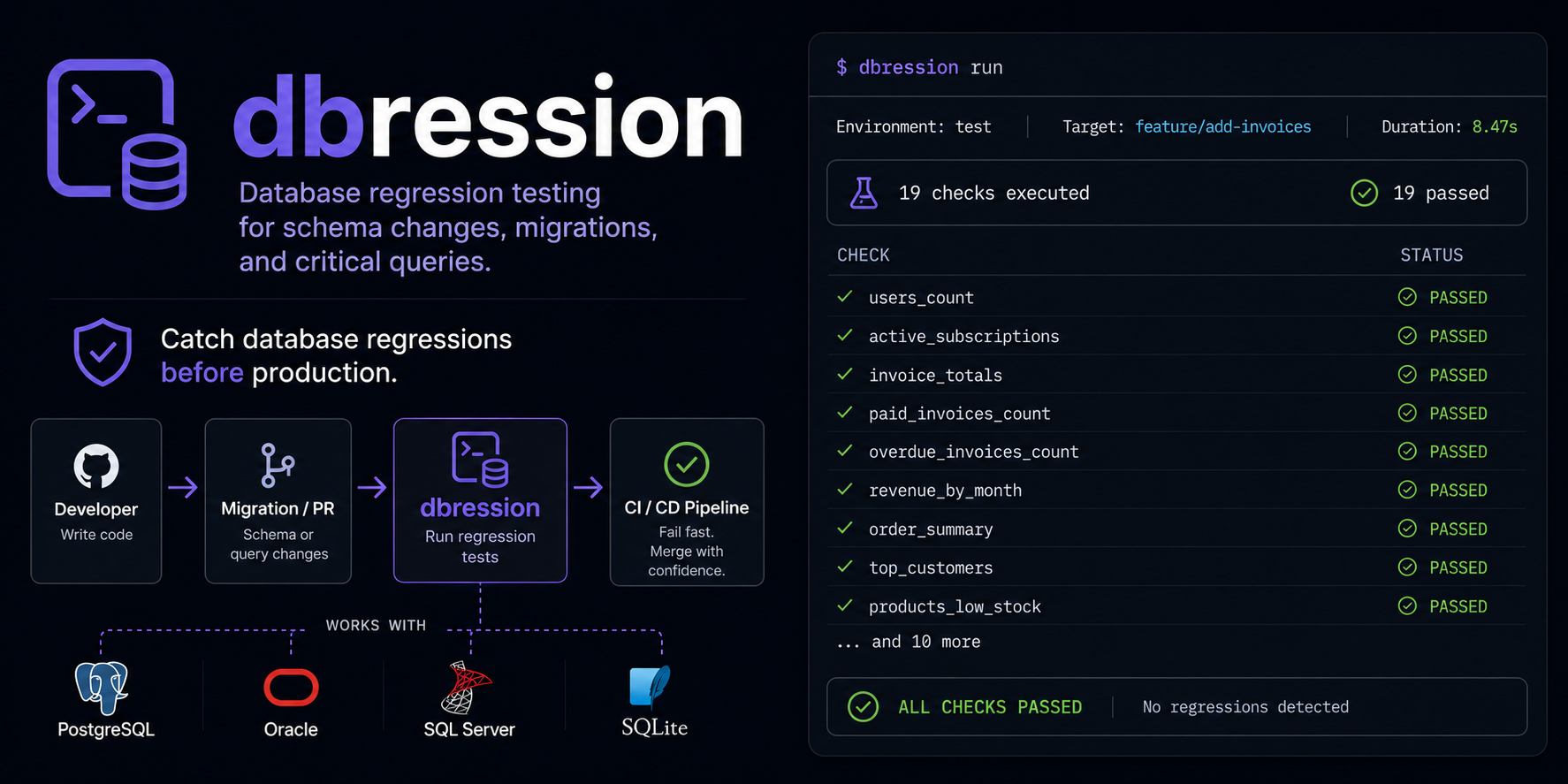
dbression
Rage-quit your flaky DB regressions.


Modern, lightweight database regression testing — read your existing DBFit wikis, run them
anywhere. dbression is a Python re-implementation in the spirit of the fantastic DBFit Framework:
your .wiki suites stay, the Java runtime, the bulky FitNesse server, and the Browser based Wiki pages are gone. Multi-DB, pytest-style CLI, JUnit XML and JSON for CI as well as a developer and agentic friendly STDOUT.
$ dbression run tests/
dbression 0.3.1 — Suite: tests @ postgresql+psycopg://foo:***@db01/bar

✓ HelloSql                                  0.004s
  CommonSuite/
    ChangelistSuite/
      ✓ AAddBasicTest                       0.027s
      ✓ BAddNormalizationTest               0.029s
      ✓ CAddWhitelistTest                   0.025s
      ✓ DAddInvalidArgsTest                 0.014s
      ✓ ERemTest                            0.052s
      ✓ FViewTest                           1.236s
  EventsSuite/
    FireSuite/
      ✓ LookupTest                          0.157s
      ✗ SchemaTest                          0.013s

══════════════════════ FAILURES ══════════════════════
EventsSuite/FloodingSuite/SchemaTest :: Query Row-Mismatch
  SQL:    SELECT column_name, data_type FROM information_schema.columns WHERE ...
  Expected:  | id | integer | … |
  Actual:    | id | integer | … | catastrophic | boolean |
                                  ^^^^^^^^^^^^

══════════════════════ SUMMARY ══════════════════════
8 passed, 1 failed in 1.56s
Why dbression?
| Pain with DBFit | dbression's answer |
|---|---|
| Java runtime + FitNesse server + 80 MB InstantClient | One pip install, pure Python, ~30 MB |
| CLI shows only pass/fail counts; failures only visible in web UI | Full exception, SQL, bind values, row diff in stdout |
| Stagnant, no recent releases | Active development, modern toolchain (uv, SQLAlchemy 2.0, Typer, Rich) |
| One driver per DB, Oracle thick-mode only | Postgres (psycopg), SQL Server (pymssql), Oracle (oracledb thin) — no native libs needed |
| No CI integration | JUnit XML + JSON out of the box |
LLM-friendly by design. Failures land as text — paste them into Claude/ChatGPT/Copilot and the model gets every detail it needs to suggest a fix, no screenshots, no context-switching.
Quickstart
# install (we use uv, but pip works too)
uv tool install dbression          # or: pipx install dbression
                                   # or: pip install dbression

# run
dbression run tests/
There's also an examples/ folder with three runnable demo suites
(hello-SQL, stored-procedure-with-capture, schema-drift via Inspect Table) — each
file is browsable Markdown and an executable test.
Your first test
Drop a .wiki file in a folder with a _root.wiki and a connection.properties:
tests/
├── _root.wiki
├── connection.properties
└── HelloSql.wiki
_root.wiki:
!|DatabaseEnvironment|postgres|
|ConnectUsingFile|connection.properties|
connection.properties:
service=localhost
username=postgres
password=${POSTGRES_PASSWORD}    # env-var expansion supported
database=mydb
HelloSql.wiki:
!|Query|select 'OK' as connection|
|connection|
|OK|
$ dbression run tests/
✓ HelloSql   0.004s
1 passed in 0.04s
What dbression understands
The full DBFit fixture subset that real-world suites actually use:
| Fixture | What it does |
|---|---|
Query |
SELECT with expected rows; >>name captures values, <<name reads them back |
Execute / Execute Ddl |
Run arbitrary SQL/PL-SQL/DDL |
Execute Procedure |
Call a stored procedure (dialect-aware: SELECT/CALL PG, EXEC MSSQL, BEGIN…END Oracle) |
Execute Procedure Expect Exception |
Assert a procedure raises a specific SQLSTATE or ORA code |
Insert / Delete |
DML with column-header + value-rows, <<sym substitution, >>id capture via RETURNING |
Set Parameter |
Set a symbol/bind variable; in .test.md a Definition List: Set Parameter name / : value |
Inspect Table / Inspect View / Inspect Procedure |
Schema introspection with optional diff against expected |
Store Query / Compare Stored Queries |
Snapshot a query result, compare snapshots later |
Plus the DBFit-isms you already rely on:
!- ... -!escape blocks for multi-line SQL with pipes- Oracle
q'~ ... ~'custom quoting :name(bind),<<name(cell read),_:name(text substitution before compile)- Nested sub-suites with
_root.wikiper directory SuiteSetUp/SuiteTearDownper suite, with one transaction wrapping everything- YAML-style front-matter for tags:
--- Suites: critical NotOnCI ---
Executable Markdown: .test.md
If you'd rather never see FitNesse wiki syntax again, write your tests in plain Markdown — the same file is a readable document and a runnable test:
# Example test

<!-- dbression:env=postgres -->
<!-- dbression:connection=conn.properties -->

### Query

```sql
select count(*) as cnt from wlk.app_selectset where oid = 999900001
```

| cnt |
|-----|
| 0   |

### Execute Procedure pr_foo_bar

| p_oid     | p_order           |
|-----------|-------------------|
| 999900001 | ASCENDING         |

<a id="param-order_count"></a>Set Parameter order_count
: 1

### Query

```sql
select count(*) as cnt from wlk.app_selectset where oid = 999900001
```

| cnt |
|-----|
| [«order_count»](#param-order_count) |
Renders in GitHub, GitLab, Obsidian, Typora, VS Code out of the box — tables look clean, SQL is syntax-highlighted, directives are invisible (HTML comments). Conventions:
### <FixtureName> [args…]starts a fixture table (longest-prefix match against the registry)- A fenced
```sql … ```block directly below becomes the SQL argument forQuery/Execute/Store Query - The next Markdown table → column headers + data rows, with full DBFit idiom support (
>>capture,<<read,:bind) Set Parameter nameas a Definition List term, with the value as its: definition(optional type hint:Set Parameter name (int)), is the canonical formdbression convertanddbression fmtwrite in place of### Set Parameter name value. The old heading form is still read without warning — runningfmtis a convenience, not a prerequisite.- Writes are visible guillemets with a generated anchor (
<a id="param-name"></a>»name«); reads link back to that anchor ([«name»](#param-name)). ASCII<<name/>>namestill works as input too — only whatdbression convertanddbression fmtwrite has changed. <!-- dbression:env=… -->,<!-- dbression:connection=… -->,<!-- dbression:tags critical, NotOnCI -->carry suite directives
Built-in migration and normalization tools:
dbression convert path/to/wiki-suite/    # mirrors the directory, generates a .test.md next to each .wiki
dbression convert one-file.wiki -o out.test.md
dbression fmt path/to/suite/             # rewrites Set Parameter headings and <</>> cells to canonical form; leaves unchanged cells (including hand-aligned padding) byte-identical
dbression fmt path/to/suite/ --check     # exit non-zero if any file would change (CI-friendly)
dbression fmt path/to/suite/ --diff      # preview the normalization without writing
.wiki and .test.md may coexist — the Markdown file wins at runtime (newer format).
That lets you migrate one suite at a time.
CI Integration
dbression writes JUnit-XML (the universal CI lingua franca) and JSON (rich, for tooling) side
by side. Pick one or both.
Bitbucket Pipelines
pipelines:
  default:
    - step:
        name: dbression
        image: python:3.12
        script:
          - pip install uv
          - uv sync
          - uv run dbression run tests/ \
              --junit-xml test-reports/dbression-junit.xml \
              --json test-reports/dbression.json
        artifacts:
          - test-reports/**
Bitbucket scans test-reports/*.xml automatically and renders test results in the pipeline UI.
No plugin needed.
Jenkins (declarative)
pipeline {
  agent any
  stages {
    stage('dbression') {
      steps {
        sh 'uv run dbression run tests/ --junit-xml test-reports/dbression-junit.xml --json test-reports/dbression.json'
      }
    }
  }
  post {
    always {
      junit 'test-reports/dbression-junit.xml'
      archiveArtifacts 'test-reports/dbression.json'
    }
  }
}
GitLab CI
dbression:
  script:
    - uv run dbression run tests/ --junit-xml test-reports/dbression-junit.xml
  artifacts:
    reports:
      junit: test-reports/dbression-junit.xml
CLI cheat sheet
dbression run <suite-path>                   # run an entire (sub-)suite (a directory)
dbression run <path>/MyTest.test.md          # run a single test file (its SuiteSetUp/_root come along)
dbression run <path>/MyTest.test.md -r       # --render: live DBFit-style page, cards light up green/red
dbression run <path> -d                      # --details: print each fixture green/red as it runs
dbression run <path> --no-progress           # disable the live spinner / x-of-y counter
dbression run <path> -v                      # show every fixture table, not just the page line
dbression run <path> --tag critical          # only run pages tagged `critical`
dbression run <path> --skip-tag NotOnCI      # skip pages tagged `NotOnCI`
dbression run <path> --commit-mode page      # DBFit-style: commit per page (default: rollback per test)
dbression run <path> --junit-xml report.xml  # CI report
dbression run <path> --json report.json      # programmatic / LLM consumption
dbression convert path/to/wiki/              # converts .wiki → .test.md (in-place)
dbression convert file.wiki -o out.test.md   # single file with explicit output path
dbression fmt path/to/suite/                 # normalizes existing .test.md files (--check, --diff)
dbression version
A run shows a live spinner with an x/y fixtures counter and the currently-executing
query (auto-disabled when piped or in CI). Add -d/--details to stream a colored
pass/fail line per fixture — handy next to a .test.md you're previewing in glow.
For a single .test.md, -r/--render goes further: it renders the whole page in the
terminal (prose, SQL, expected tables) and lights each fixture card up green or red in
place as it runs — the terminal answer to watching a DBFit wiki page execute in the
browser. You see exactly where a page breaks, in document context.
Status
dbression is WIP but already useful — running production-scale DBFit suites today across
Postgres, Oracle and SQL Server. Honest state of the parts:
| Component | Status |
|---|---|
| Wiki parser (DBFit subset) | ✅ verified |
| Fixtures (Query, Execute, Insert, Delete, Set Parameter, Execute Procedure, Inspect *, Store/Compare Query, Update) | ✅ |
| PostgreSQL | ✅ verified against a real-world suite |
| Oracle | ✅ verified against a real-world 19c suite via oracledb (thin) |
| SQL Server | ✅ verified against a real-world suite via pymssql |
| SQLite | ✅ via stdlib sqlite3 — no procedures (the DB has none) |
| JUnit XML + JSON output | ✅ |
.test.md native Markdown format + dbression convert |
✅ |
| Plugin entry-points for custom fixtures | ✅ |
Don't expect perfect compatibility with every obscure DBFit feature. We promise the subset real teams actually use, with a sharper UX and a tenth of the footprint.
Contributing
dbression is small enough to read end-to-end in an afternoon. The whole thing is roughly:
src/dbression/
├── cli.py           # typer entrypoint
├── parser/          # wiki → AST
├── fixtures/        # one file per fixture family
├── db/              # connection.properties + SQLAlchemy engine factory
├── report/          # console + junit + json
├── runner.py        # transactions, savepoints, tag filtering
└── symbols.py       # capture / read / substitution
Adding a fixture is one decorator and a run() method:
from dbression.fixtures.base import Fixture, FixtureContext, FixtureResult, register

@register("My Custom Fixture")
class MyFixture(Fixture):
    def run(self, table, ctx: FixtureContext) -> FixtureResult:
        # ... use ctx.conn (SQLAlchemy Connection) and ctx.symbols
        return FixtureResult(passed=True, message="OK")
Distributing your own fixtures as a plugin
You don't have to fork dbression to add fixtures. Ship them in your own pip-installable package via an entry-point:
# your-plugin-pkg/pyproject.toml
[project.entry-points."dbression.fixtures"]
my-fixtures = "my_plugin.fixtures"
dbression discovers the entry-point at startup and imports the module — your @register
decorators do the rest. For quick ad-hoc plugins without packaging:
PYTHONPATH=/path/to/plugin DBRESSION_PLUGINS=my_plugin dbression run tests/
Plugin import failures emit a warning and don't crash the run.
PRs welcome — please add a test that exercises the new behavior (we use pytest).
License
MIT — see LICENSE.
1 maintainer

Metadata
1 maintainer
Release files for dbression 0.4.0
For a detailed explanation of source distributions (sdists) and built distributions (wheels), please see the package formats documentation.
Source distribution (sdist)
| File | Size | Uploaded | |
|---|---|---|---|
| dbression-0.4.0.tar.gz | 1.4 MB | Details |
Built distribution (wheel)
| File | Interpreter | ABI | Platform | Reset |
|---|---|---|---|---|
| dbression-0.4.0-py3-none-any.whl | Python 3 | none | any | Details |
Total release size: 1.5 MB
Release files / dbression-0.4.0.tar.gz
| Download URL | dbression-0.4.0.tar.gz |
|---|---|
| Size | 1.4 MB |
| Tags | Source |
|
SHA-256 checksum How to use checksums |
ad55779eef25c32245b000d28426c6f0f74f2241ef7271e8b97c56fcbbf64c25
|
|
BLAKE2b-256 checksum How to use checksums |
2cfece1a269f3cc8c0ea594c352ffa4e8116804db17845e9134f33141d360e5d
|
| Upload date | |
|
Uploaded using Trusted Publishing? What is trusted publishing? |
Yes |
| Uploaded via |
twine/7.0.0 CPython/3.13.14
|
Provenance
Provenance describes where a file came from. On PyPI, provenance is shared via attestations, which provide a verifiable record of the build or publishing details. View details, limitations and caveats.


PyPI Publish Attestation
PyPI verified that this artifact, at this checksum, originated from the publisher listed below.
Signed by GitHub Actions, verified by PyPI on Aug 7, 2026.
Transparency logRelease files / dbression-0.4.0-py3-none-any.whl
| Download URL | dbression-0.4.0-py3-none-any.whl |
|---|---|
| Size | 72.1 kB |
| Tags | Python 3 |
|
SHA-256 checksum How to use checksums |
748357f64877cebf38899ed67b3ed55a0e4f3ab964546cb5dd7fe46337b4f006
|
|
BLAKE2b-256 checksum How to use checksums |
662b8d0d13fa621455341be58f27150e96e7f86200e9d017801669ef1327e111
|
| Upload date | |
|
Uploaded using Trusted Publishing? What is trusted publishing? |
Yes |
| Uploaded via |
twine/7.0.0 CPython/3.13.14
|
Provenance
Provenance describes where a file came from. On PyPI, provenance is shared via attestations, which provide a verifiable record of the build or publishing details. View details, limitations and caveats.
PyPI Publish Attestation
PyPI verified that this artifact, at this checksum, originated from the publisher listed below.
Signed by GitHub Actions, verified by PyPI on Aug 7, 2026.
Transparency log













