
Project:

Package:



Development:





Contents
Overview
dbrownell_ResumeTools separates a resume's content from its presentation.
Content is written once as JSON Resume data (json or yaml). Presentation is a css or less stylesheet applied to the html generated from that content. Updating a resume is then a matter of editing data rather than editing a document, and restyling one is a matter of changing a stylesheet rather than reformatting every entry by hand.
Text values within the content may be written as markdown, so emphasis, links, and lists live alongside the data that they decorate.
The generated html names what each value is rather than how it is displayed, and references no stylesheet other than the one provided. Layout, icons, fonts, and the resources that provide them are all decided by that stylesheet, so the same content can be presented in completely different ways without the generator being involved.
How to use dbrownell_ResumeTools
Generate html from resume content and a stylesheet:
uv run dbrownell_ResumeTools <content_filename> <style_filename> [<output_directory>]
| Argument | Description |
|---|---|
<content_filename> |
json or yaml content that conforms to the JSON Resume schema. |
<style_filename> |
A .css or .less stylesheet, provided as a filename or as an http/https url that references one; less content is compiled to css. |
<output_directory> |
Directory populated with the generated index.html and the stylesheet that it references; a temporary directory that is removed once the process exits is used when this argument is not provided. |
Sample content and themes are included with the package; this command generates and displays the sample resume when it is run from the directory that contains them:
uv run dbrownell_ResumeTools resume.json standard.less --serve --browser
--serve serves the generated content over http and --browser displays it in a browser, which is served until that browser is closed. Run uv run dbrownell_ResumeTools --help for all available options.
A stylesheet may also be referenced by url, which applies a stylesheet that is not installed locally; the content that is downloaded is written to the output directory alongside the html that references it:
uv run dbrownell_ResumeTools resume.json https://raw.githubusercontent.com/davidbrownell/dbrownell_ResumeTools/main/src/dbrownell_ResumeTools/themes/standard.less --serve --browser
Creating a pdf
Print the displayed content to a pdf from the browser itself (Ctrl+P / Cmd+P, then "Save as PDF"). The bundled stylesheets define @media print rules that compact the content for a printed page, so no separate command is involved. The pdf produced by each bundled stylesheet is linked in the table below.
Writing a stylesheet
The generated html assigns a class to every value that names what the value is: the section that contains it (work, education, skills, ...), its role within that section (section-header, entry, entry-body, detail, ...), and the schema field that produced it (position, startDate, score, keyword, ...). Icons are empty icon elements that a stylesheet fills in through ::before. That contract is documented in full at the top of standard.less, and a stylesheet is free to lay those classes out however it likes.
Six stylesheets are bundled to demonstrate the range. All of them are applied to the same resume.json and to the same generated html:
| Stylesheet | Presentation | Sample |
|---|---|---|
standard.less (and the standard.css it compiles to) |
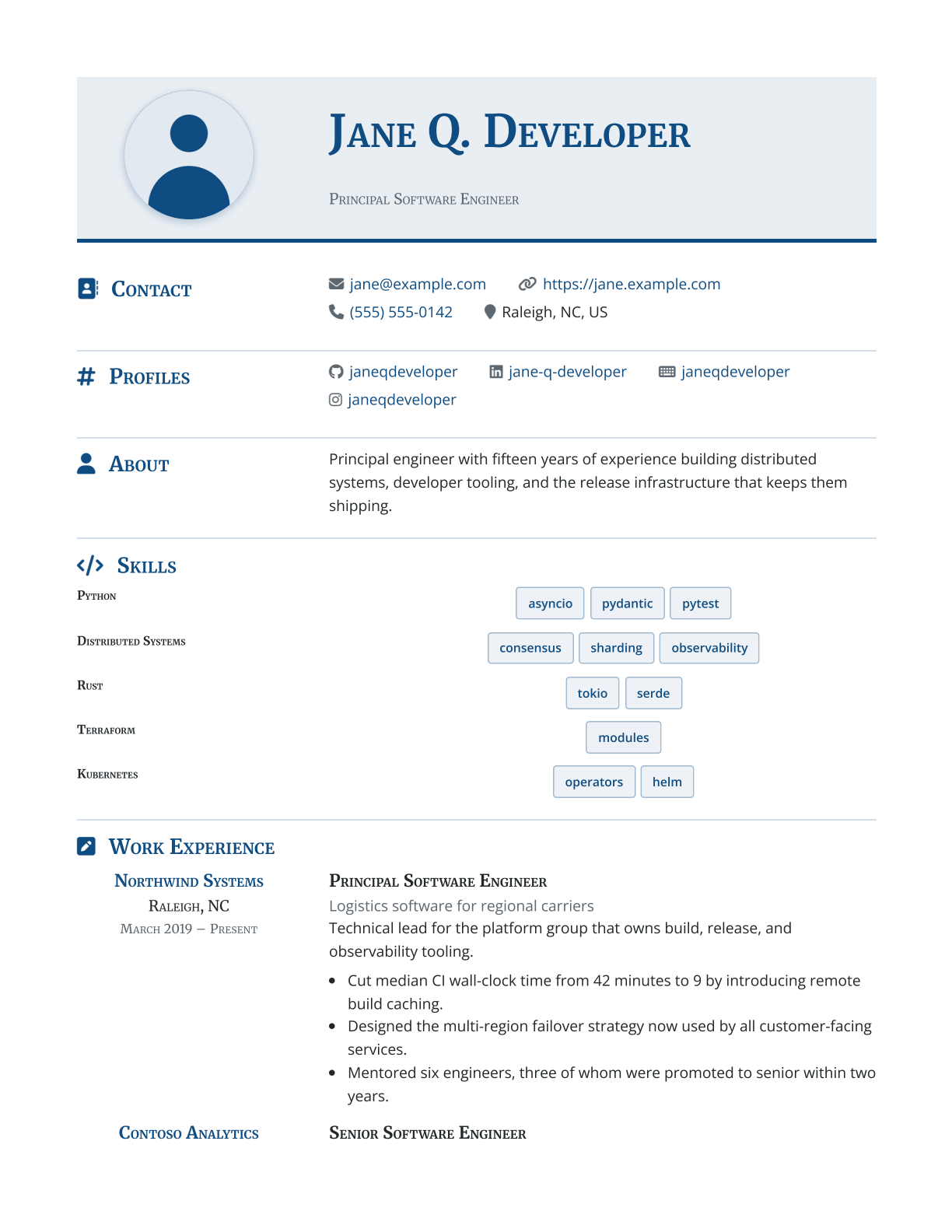
A single column with a serif display face, a tinted title, and keywords as badges. | |
brutalist.less |
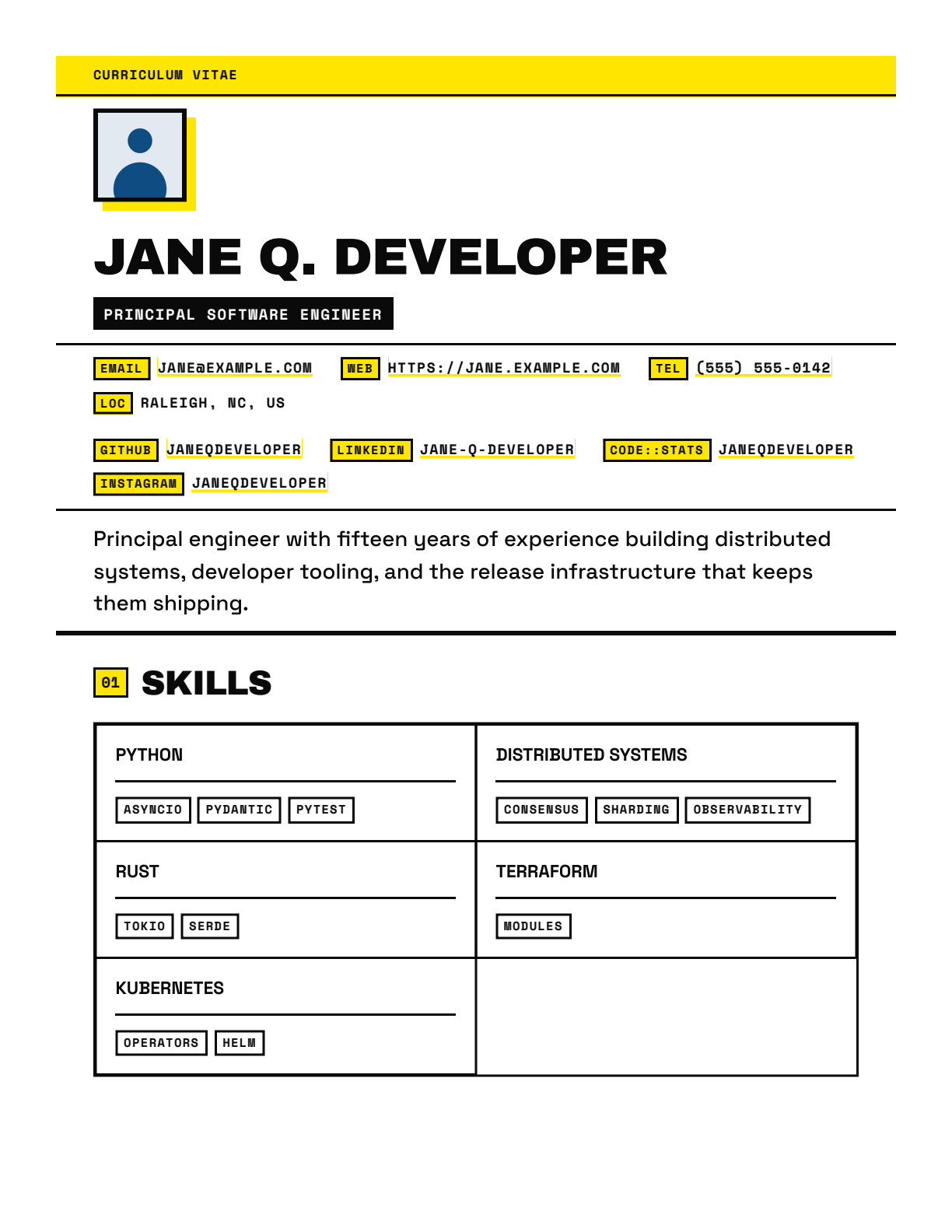
Heavy black rules, hard edges, and offset block shadows in one safety-yellow accent, with numbered sections and chips in place of icons. | |
minimal.less |
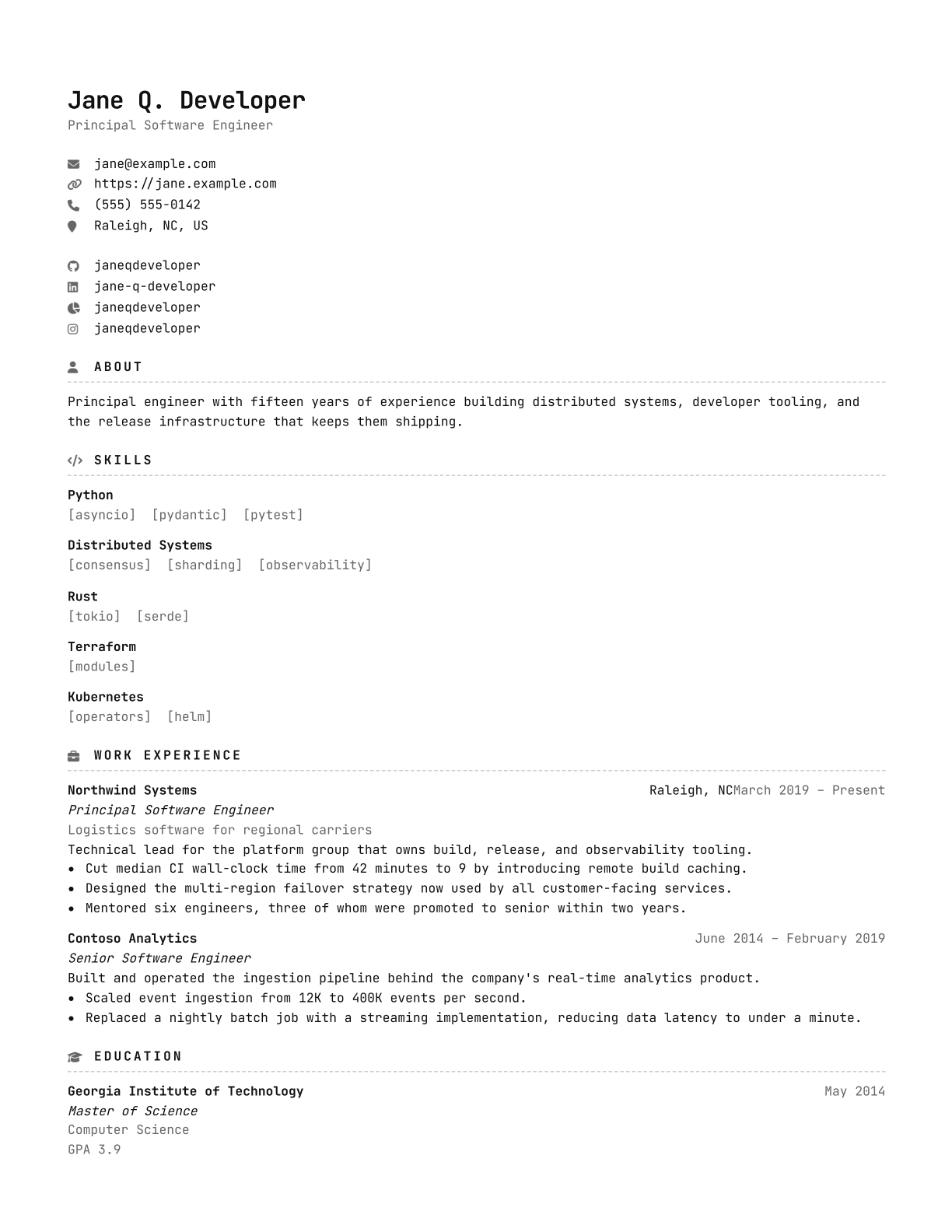
Monochrome and monospaced, set in a nerd font whose glyphs replace the labels that would otherwise introduce a value. | |
modernist.less |
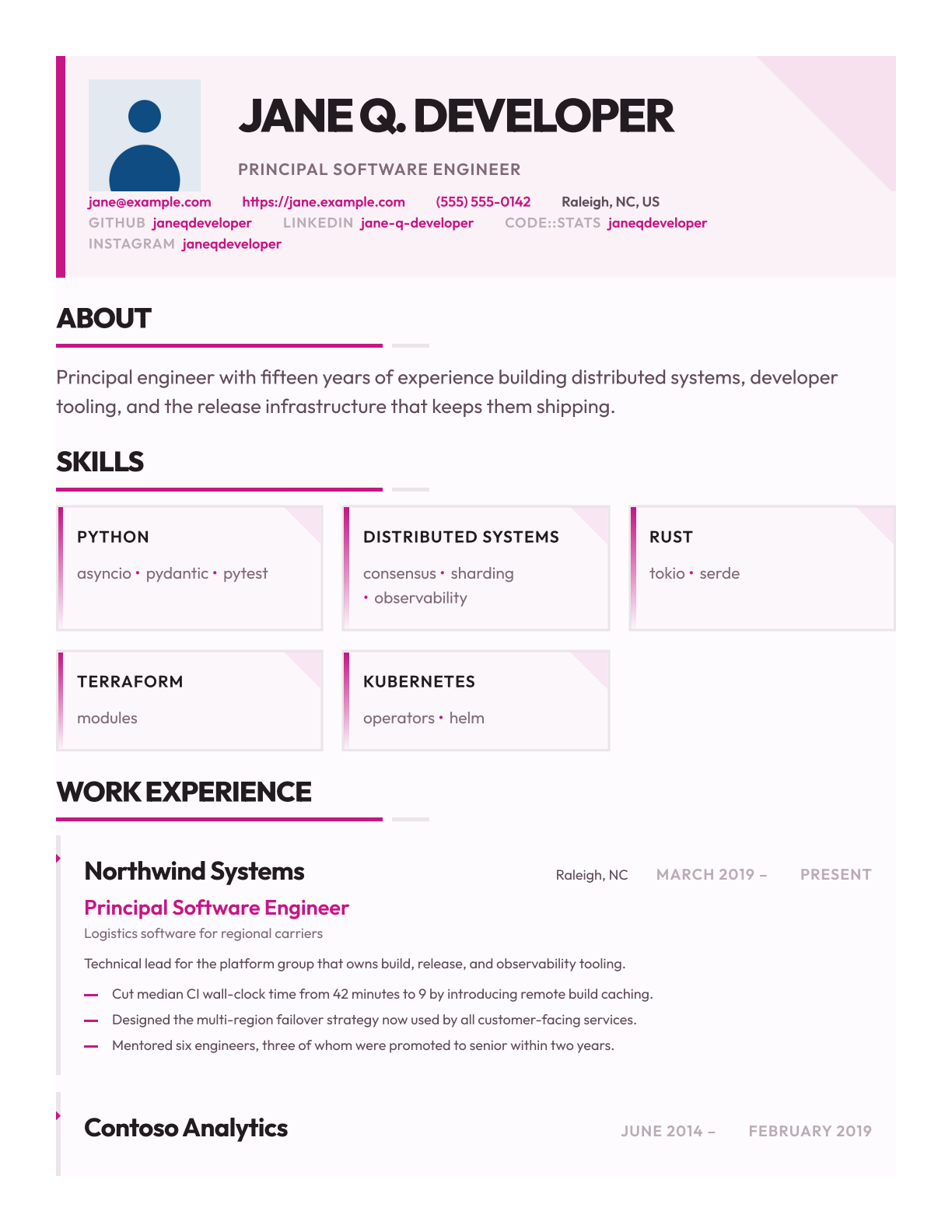
A geometric sans face, a tinted block attached to the margin by a heavy bar, entries as cards, and no icon anywhere. | |
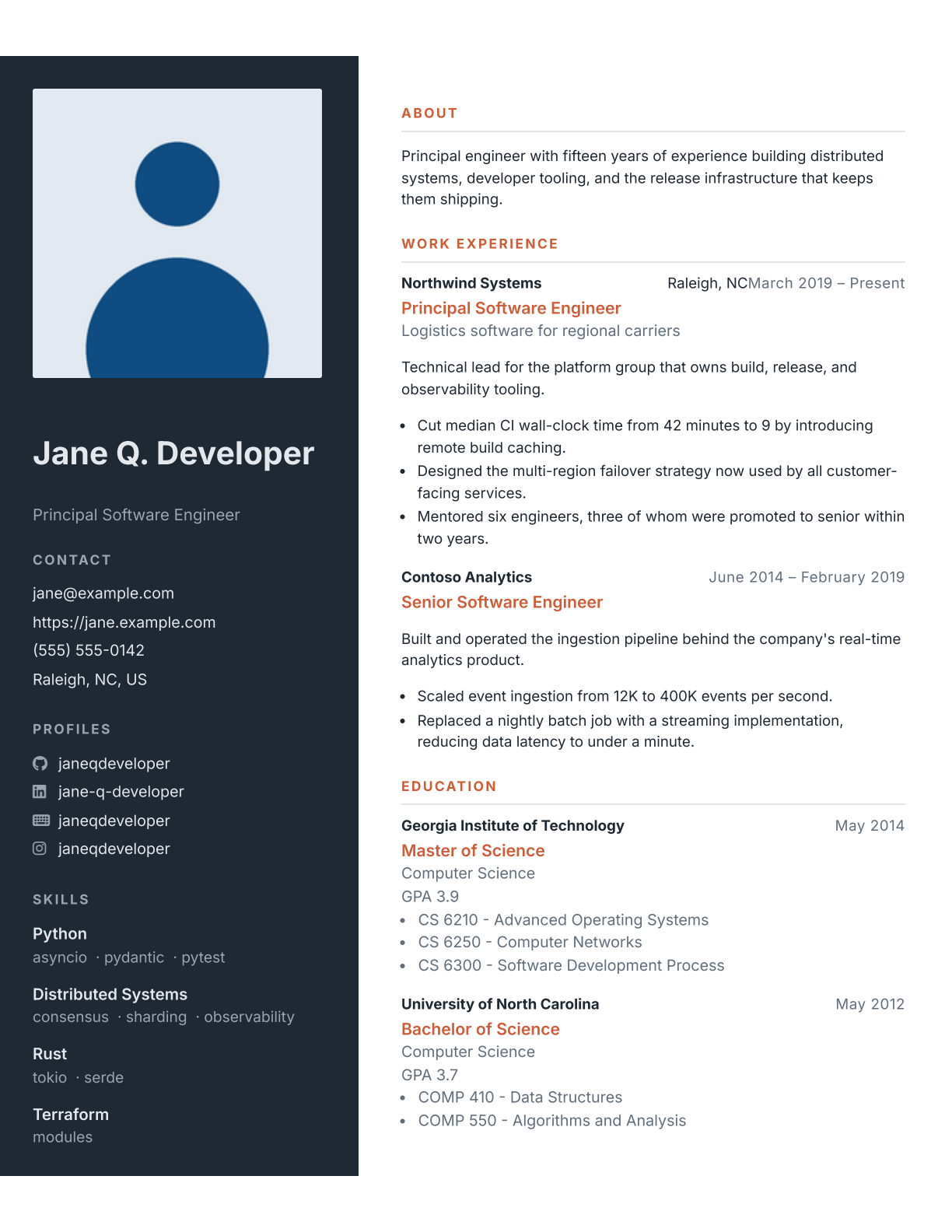
sidebar.less |
Two columns with a dark sidebar, icons on the profiles alone, right-aligned dates, and keywords as a run of text. | |
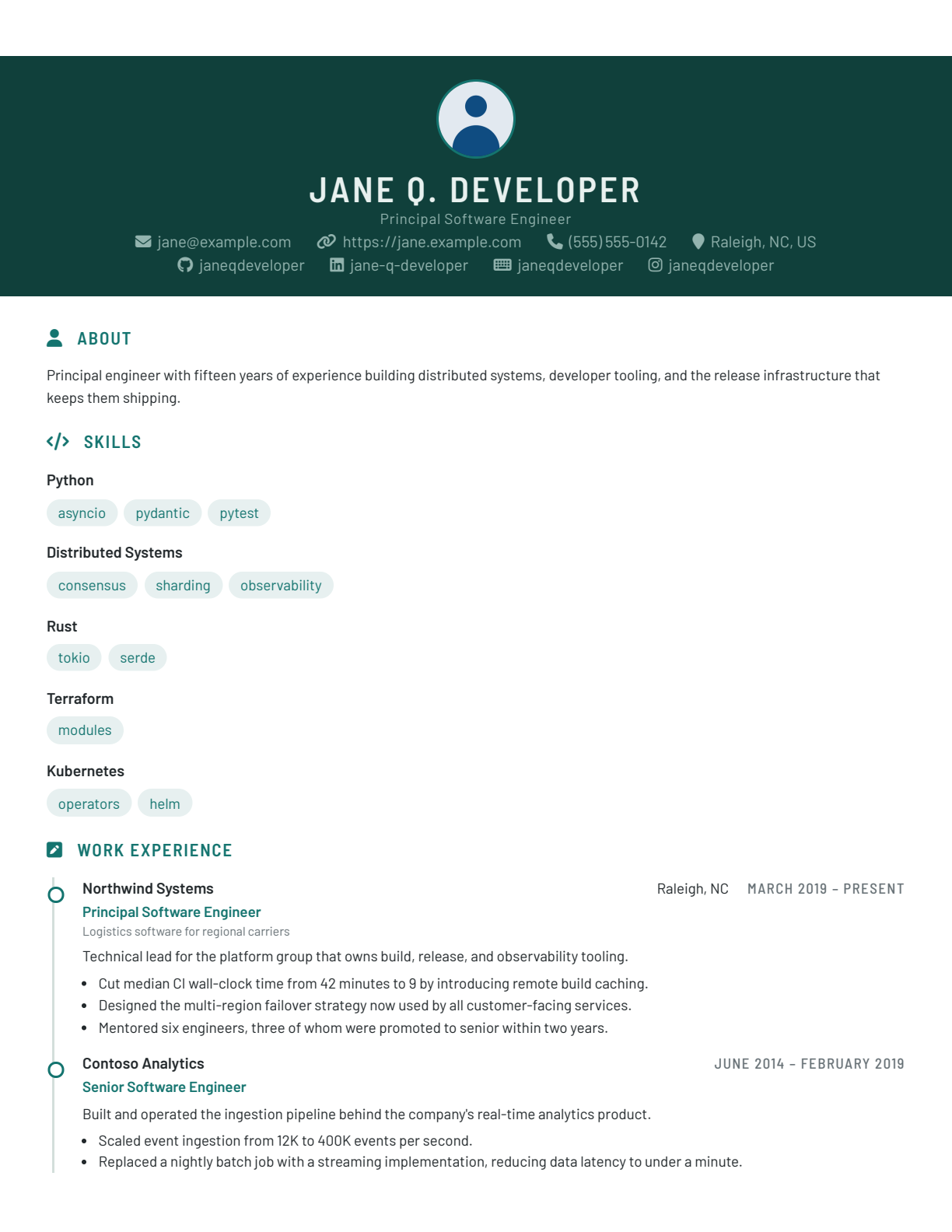
timeline.less |
A full-width banner, dated entries hung off a vertical rail, and keywords as tags. |
 |
 |
standard.less |
brutalist.less |
 |
 |
minimal.less |
modernist.less |
 |
 |
sidebar.less |
timeline.less |
Installation
Note that these steps are not required when invoking dbrownell_ResumeTools via uvx.
| Installation Method | Command |
|---|---|
| Via uv | uv add dbrownell_ResumeTools |
| Via pip | pip install dbrownell_ResumeTools |
Verifying Signed Artifacts
Artifacts are signed and verified using py-minisign and the public key in the file ./minisign_key.pub.
To verify that an artifact is valid, visit the latest release and download the .minisign signature file that corresponds to the artifact, then run the following command, replacing <filename> with the name of the artifact to be verified:
uv run --with py-minisign python -c "import minisign; minisign.PublicKey.from_file('minisign_key.pub').verify_file('<filename>'); print('The file has been verified.')"
Development
Please visit Contributing and Development for information on contributing to this project.
Additional Information
Additional information can be found at these locations.
| Title | Document | Description |
|---|---|---|
| Code of Conduct | CODE_OF_CONDUCT.md | Information about the norms, rules, and responsibilities we adhere to when participating in this open source community. |
| Contributing | CONTRIBUTING.md | Information about contributing to this project. |
| Development | DEVELOPMENT.md | Information about development activities involved in making changes to this project. |
| Governance | GOVERNANCE.md | Information about how this project is governed. |
| Maintainers | MAINTAINERS.md | Information about individuals who maintain this project. |
| Security | SECURITY.md | Information about how to privately report security issues associated with this project. |
License
dbrownell_ResumeTools is licensed under the MIT license.
1 maintainer

Metadata
1 maintainer
Release files for dbrownell-resumetools 0.14.0
For a detailed explanation of source distributions (sdists) and built distributions (wheels), please see the package formats documentation.
Source distribution (sdist)
| File | Size | Uploaded | |
|---|---|---|---|
| dbrownell_resumetools-0.14.0.tar.gz | 51.8 kB | Details |
Built distribution (wheel)
| File | Interpreter | ABI | Platform | Reset |
|---|---|---|---|---|
| dbrownell_resumetools-0.14.0-py3-none-any.whl | Python 3 | none | any | Details |
Total release size: 118.8 kB
Release files / dbrownell_resumetools-0.14.0.tar.gz
| Download URL | dbrownell_resumetools-0.14.0.tar.gz |
|---|---|
| Size | 51.8 kB |
| Tags | Source |
|
SHA-256 checksum How to use checksums |
a23080df6f634c8b8cf280fa9de13a5854b629b7cdf93da4cc61102bc61a08e5
|
|
BLAKE2b-256 checksum How to use checksums |
6c9397c6dce5f745760bbfdc6185fda6e5b9cf596f14a2f35db268d8c1eb54df
|
| Upload date | |
|
Uploaded using Trusted Publishing? What is trusted publishing? |
No |
| Uploaded via |
uv/0.12.10 {"installer":{"name":"uv","version":"0.12.10","subcommand":["publish"]},"python":null,"implementation":{"name":null,"version":null},"distro":{"name":"Ubuntu","version":"24.04","id":"noble","libc":null},"system":{"name":null,"release":null},"cpu":null,"openssl_version":null,"setuptools_version":null,"rustc_version":null,"ci":true}
|
Release files / dbrownell_resumetools-0.14.0-py3-none-any.whl
| Download URL | dbrownell_resumetools-0.14.0-py3-none-any.whl |
|---|---|
| Size | 67.0 kB |
| Tags | Python 3 |
|
SHA-256 checksum How to use checksums |
777d3adb5ea70bc87078ace2b471c6b55f5574314b6e74ee29930816749da29d
|
|
BLAKE2b-256 checksum How to use checksums |
bacdc4f205f2374645c64ed5d4a91b4302cb2deb73fef768b8b48be3359ef452
|
| Upload date | |
|
Uploaded using Trusted Publishing? What is trusted publishing? |
No |
| Uploaded via |
uv/0.12.10 {"installer":{"name":"uv","version":"0.12.10","subcommand":["publish"]},"python":null,"implementation":{"name":null,"version":null},"distro":{"name":"Ubuntu","version":"24.04","id":"noble","libc":null},"system":{"name":null,"release":null},"cpu":null,"openssl_version":null,"setuptools_version":null,"rustc_version":null,"ci":true}
|














