
Console app for sending commands to get live information on the DC Metro

Project description
DC Metro Command Line Tool
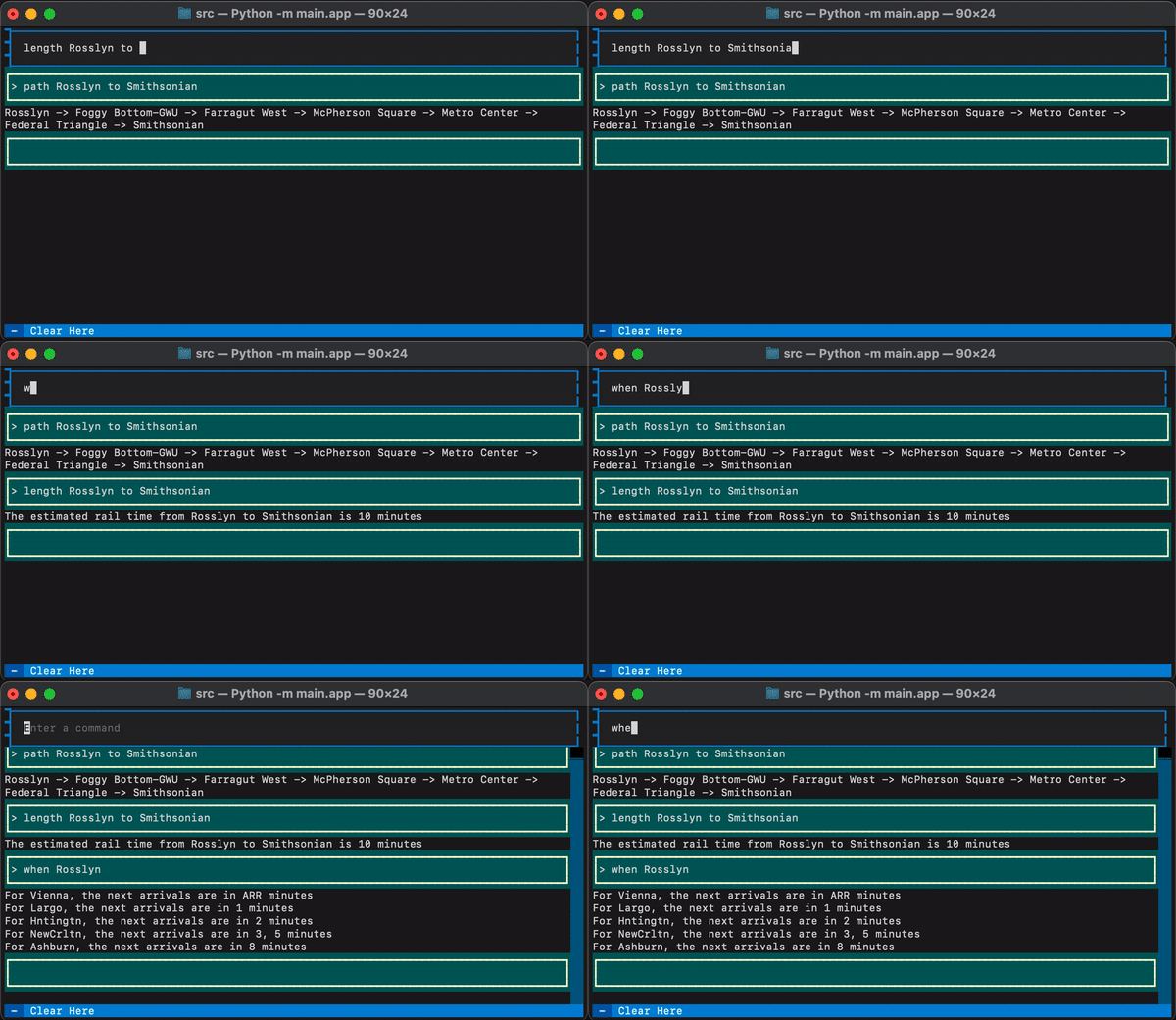
What is it

A command line app for sending commands to get live information on the DC Metro. You can find the shortest path between two stations, an estimation of the rail time between two stations, and the current arrival times for your metro station. PyPi page here
Setup
- Setup a python virtual environment.
python3 -m venv venv - Activate your python virtual environment.
source venv/bin/activate - Install with
pip install dcmetro. - (OPTIONAL, BUT RECOMMENDED) Skipping this step means you will be using a community API key. Creating your own API token will be more reliable. Setup a WMATA API token here. Run
echo 'API_KEY = "<YOUR TOKEN HERE>"' > .env - Run
dcmetroto start.
Useful commands include:
when <location>to view incoming trains.length <from_location> to <to_location>to get an estimated length of rail time (not including stops, which will vary)path <from_location> to <to_location>to get the shortest path from one location to the other.
How it works
The DC Metro has an API! This API includes some useful endpoints with the information needed to build out commands, such as the ones above.
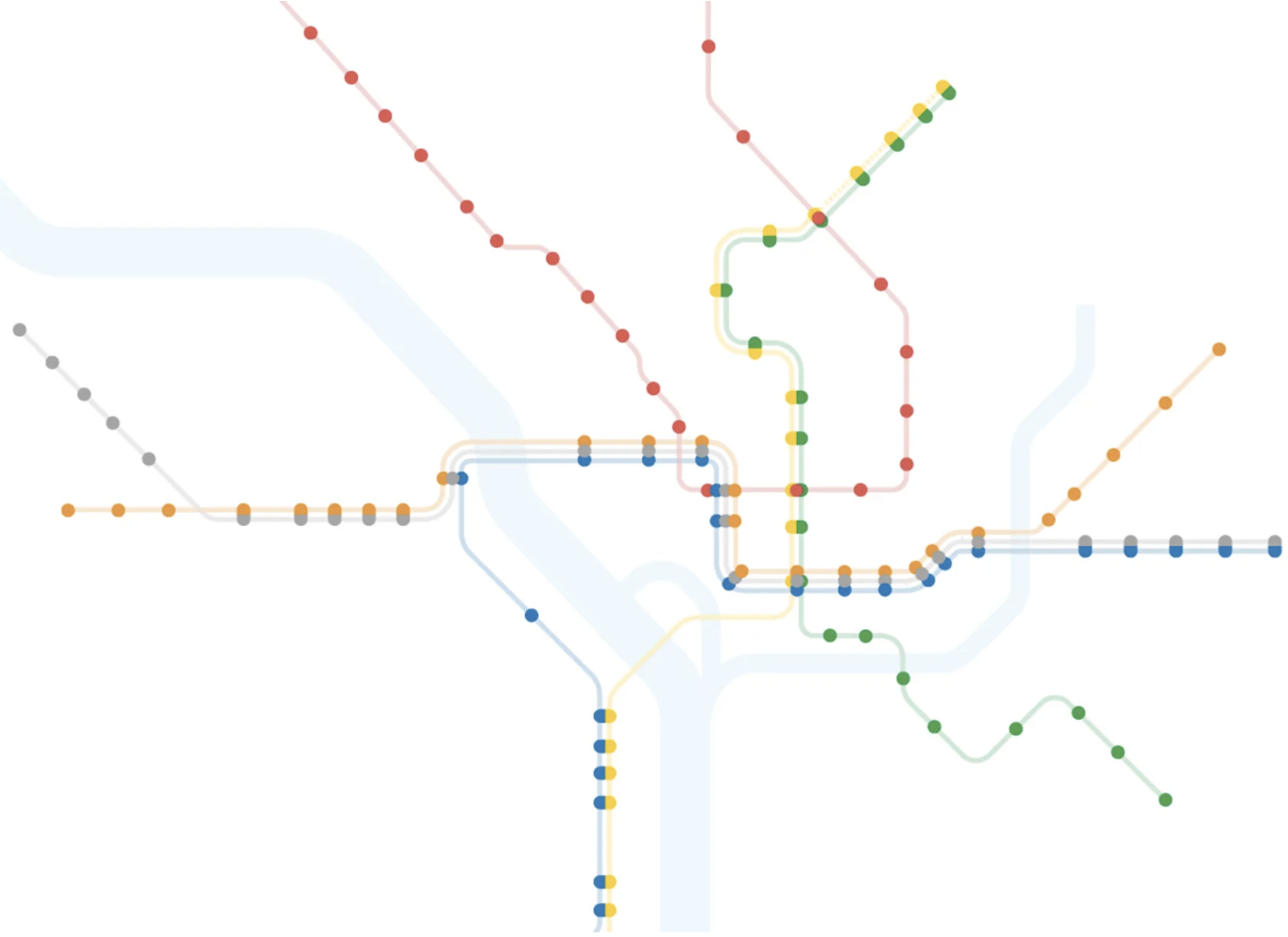
The command path <from_location> to <to_location> uses a graph respresentation of the DC Metro. Because it is fully connected, it should be possible to get the path from any spot to another. Additionally, if the distance between two nodes was provided, then the shortest path can even be calculated. Luckily, the API has some endpoints that provide enough information to build this. One endpoint provides all the stations on a specific train colors route, from one of its ends to the other. The distance to the previous station was also provided.
So, having the stations, in order, of a specific route color, and with distances to the previous station, you are able to create a graph with weighted edges, by iterating through all route colors' list of stations and distances between stations.
This was enough to complete a fully connected graph with weighted edges. From here, Dijkstra's algorithm is utilized to find the shortest path between any two nodes in the graph.
Finally, the Textual Python library is used for the terminal user interface.


Download files
Download the file for your platform. If you're not sure which to choose, learn more about installing packages.
Source Distribution
File details
Details for the file dcmetro-0.1.4.tar.gz.
File metadata
- Download URL: dcmetro-0.1.4.tar.gz
- Upload date:
- Size: 10.9 kB
- Tags: Source
- Uploaded using Trusted Publishing? No
- Uploaded via: twine/4.0.2 CPython/3.11.1
File hashes
| Algorithm | Hash digest | |
|---|---|---|
| SHA256 |
812d060400e1c26275b422175ea103787d424d7240f7a6a83273e23e1aff65db
|
|
| MD5 |
b1fb5c5d8a38e403aa529965afa5470e
|
|
| BLAKE2b-256 |
b129b020edf046a7eaee13d1073e48042fb01245fb63ce5ac22acb8638ae97fe
|






