
A python toolbox for dynamic contrast MRI


Project description





A python toolbox for dynamic contrast MRI
Documentation: https://dcmri.org
Source code: https://github.com/dcmri/dcmri
Installation
pip install dcmriTypical usage: ROI-based analysis
import dcmri as dc

# Generate some test data
time, aif, roi, _ = dc.fake_tissue(CNR=50)

# Construct a tissue
tissue = dc.Tissue(aif=aif, t=time)

# Train the tissue on the data
tissue.train(time, roi)

# Check the fit to the data
tissue.plot(time, roi)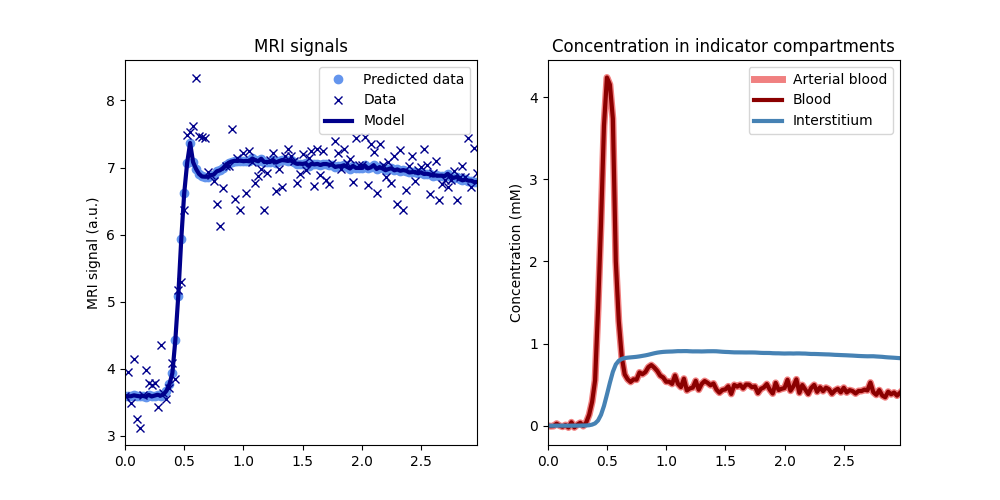
# Print the fitted parameters
tissue.print_params(round_to=3)
--------------------------------
Free parameters with their stdev
--------------------------------
Blood volume (vb): 0.018 (0.002) mL/cm3
Interstitial volume (vi): 0.174 (0.004) mL/cm3
Permeability-surface area product (PS): 0.002 (0.0) mL/sec/cm3
----------------------------
Fixed and derived parameters
----------------------------
Plasma volume (vp): 0.01 mL/cm3
Interstitial mean transit time (Ti): 74.614 secTypical usage: pixel-based analysis
# Generate some test data
n = 128
time, signal, aif, _ = dc.fake_brain(n)

# Construct a tissue array
image = dc.TissueArray(
    (n,n),
    aif=aif,
    t=time,
    kinetics='2CU',
    verbose=1,
)

# Train the tissue array on the data
image.train(time, signal)

# Plot the parameter maps
image.plot(time, signal)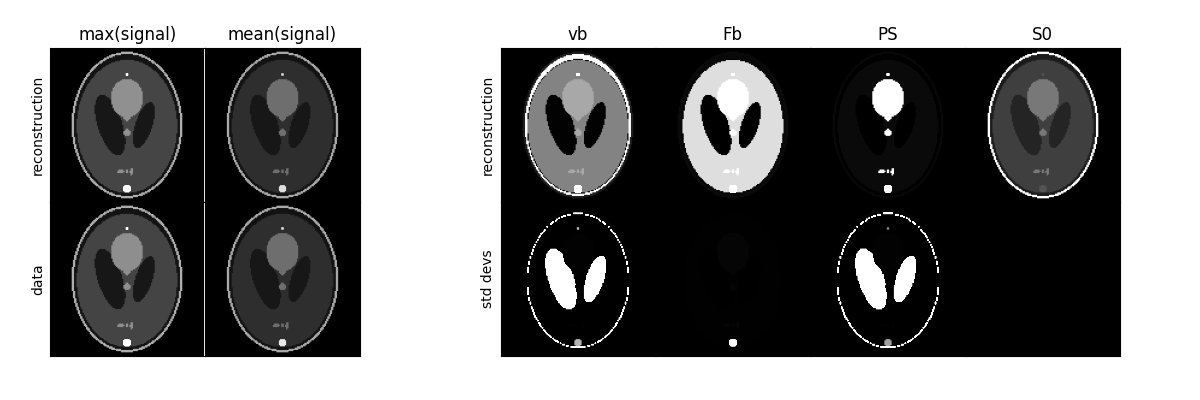
License
Released under the Apache 2.0 license:
Copyright (C) 2023-2024 dcmri developers
Release history Release notifications | RSS feed


Download files
Download the file for your platform. If you're not sure which to choose, learn more about installing packages.
Source Distribution
dcmri-0.6.20.tar.gz
(157.0 kB
view details)
Built Distribution
Filter files by name, interpreter, ABI, and platform.
If you're not sure about the file name format, learn more about wheel file names.
Copy a direct link to the current filters
dcmri-0.6.20-py3-none-any.whl
(155.5 kB
view details)
File details
Details for the file dcmri-0.6.20.tar.gz.
File metadata
- Download URL: dcmri-0.6.20.tar.gz
- Upload date:
- Size: 157.0 kB
- Tags: Source
- Uploaded using Trusted Publishing? No
- Uploaded via: twine/6.2.0 CPython/3.13.9
File hashes
| Algorithm | Hash digest | |
|---|---|---|
| SHA256 |
bd5ba47655d26148606d90c5c66a9283b9fc99b2f83b41a2adcd4176932f155e
|
|
| MD5 |
b1258c3a3dd0105fa9f2b35471747e31
|
|
| BLAKE2b-256 |
7f0637d94414153a8f59dc2a86829be69fc563ae4f62a9c9eed40d7c53061b28
|
File details
Details for the file dcmri-0.6.20-py3-none-any.whl.
File metadata
- Download URL: dcmri-0.6.20-py3-none-any.whl
- Upload date:
- Size: 155.5 kB
- Tags: Python 3
- Uploaded using Trusted Publishing? No
- Uploaded via: twine/6.2.0 CPython/3.13.9
File hashes
| Algorithm | Hash digest | |
|---|---|---|
| SHA256 |
0171ace9a4e8c0fe43d05bf5cb200b44f4f681c19d948d580958445ac5063723
|
|
| MD5 |
7d11455ca4fb1e920a4fb875ee19a8bf
|
|
| BLAKE2b-256 |
756fd245f47e5fb48c2b023866c1534c9397d96fffab3968396c302b023774dc
|






