
Debloat is an tool to remove excess garbage from bloated executables.

Project description

Debloat
Debloat is a GUI and CLI tool to remove excess garbage from bloated executables.
By excess garbage, I mean 100 - 800 MB of junk bytes added to a binary to keep it from going into a sandbox. This method of adding junk is called "inflating" or "pumping" a binary. Debloat currently handles the 10 most common inflation tactics.
Being built with Python, the application can easily be leveraged in other workflows. Currently, debloat is used by CCCS's AssemblyLine and CERT Polska's MWDB.
The program can be compiled for Windows, MacOS, Linux. The GUI and CLI have minimal options: it is intended to be as simple as possible and the logic within the program handles the different use cases automatically.
Compiled binaries have already been included in the Releases.
The debloat can installed using pip install debloat. Use debloat to launch the CLI and debloat-gui to launch the GUI.
For advanced users, Debloat can also be imported into other scripts and the processing functions can be called individually.
How to use the GUI?
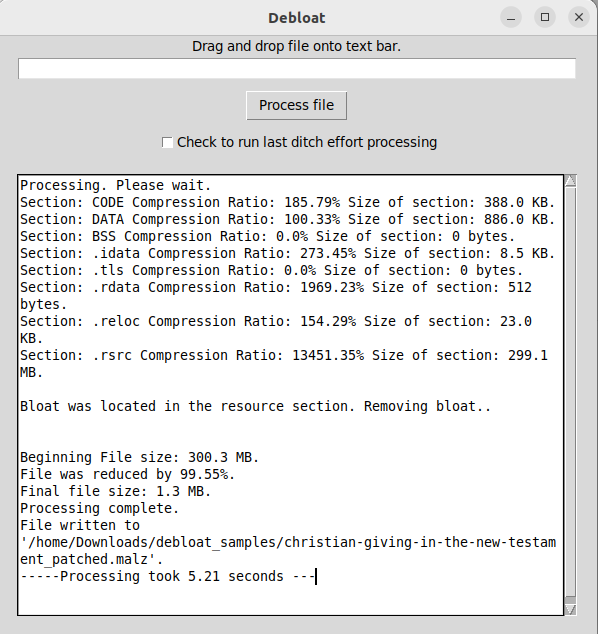
The GUI of Debloat intends to be as intuitive as possible. When launched, you can drag and drop bloated file onto the text bar and press the "Process file" button. Some technical information will be printed to the scrolling textbox and the file without bloat will be written to the directory the file was pulled from. Sound easy? It is!
Processing files will take a few seconds.
How to use the CLI?
After installing using pip install debloat use the command debloat.
debloat can take two arguments. The first argument is required: the file to debloat. The second argument is optional: the output location. When no output is provided, it will be written to the same directory as the original file.
The gui can also be launched from the CLI using the command debloat-gui.
Does it always work?
Not yet. Based on my recent analysis, debloat is able to remove junk from bloated files 97.8% of the time.
In previous versions, debloat could accidentally remove too much of the binary. That is no longer the case unless you use the "--last-ditch" switch. If you ever need this switch, consider sharing the sample for additional analysis. This option has now been added to the GUI. Functionally, what the function does is it will remove the whole overlay, if there is one. In some cases this is necessary as no pattern for the junk was found---this is most commonly the case in samples that do not compress well.
Use Cases (Images from Malcat)
Full support
-
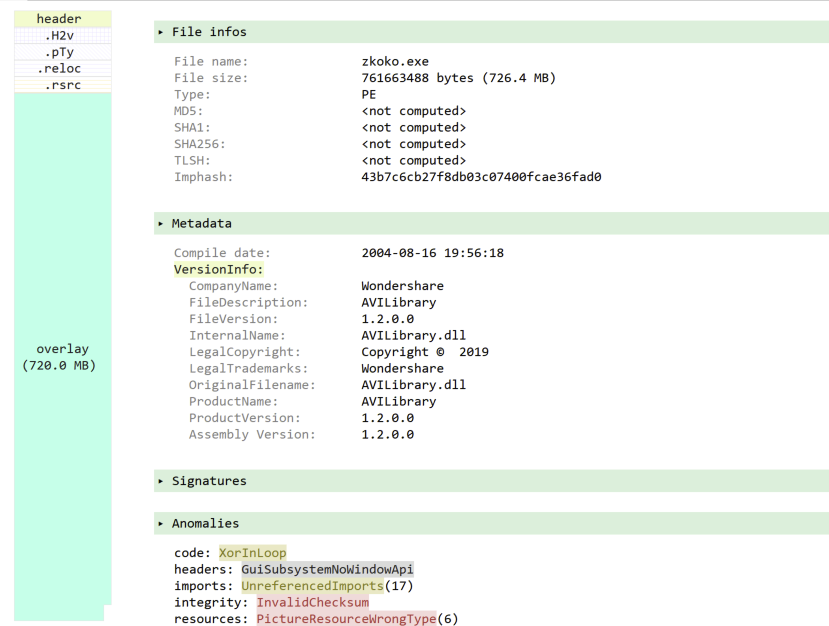
Bloat appended to the end of a Signed PE.
In the image below, the bloat has been appended to the end of the executable.
-
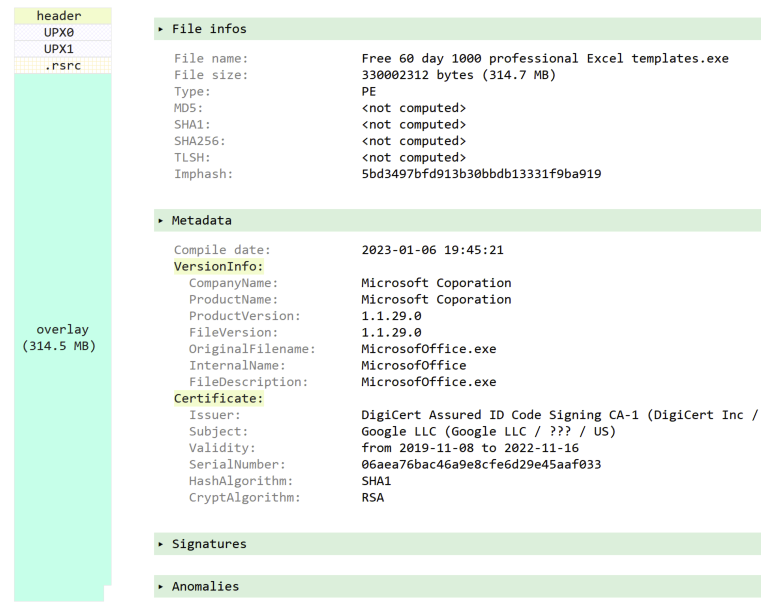
Signed or Unsigned Packed executable.
In the image below, the bloat has been appended to the executable after packing.
-
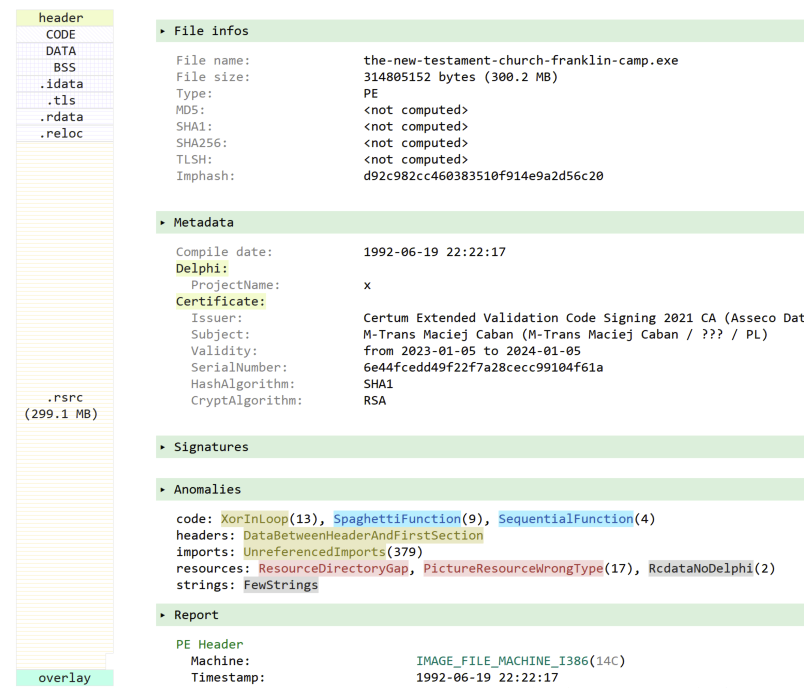
Signed executable includes bloat in the .rsrc section of the PE.
In the image below, the bloat is identified as in the .rsrc section and is removed from the PE.
-
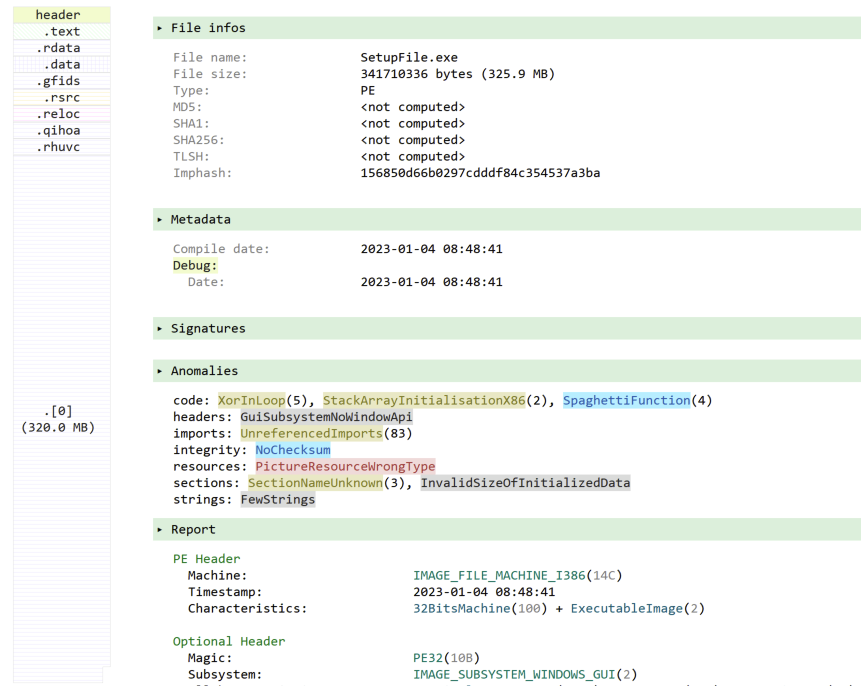
Cases where bloat is added inside a PE Section.
In the image below, the bloat has been included in a PE section named [0].
-
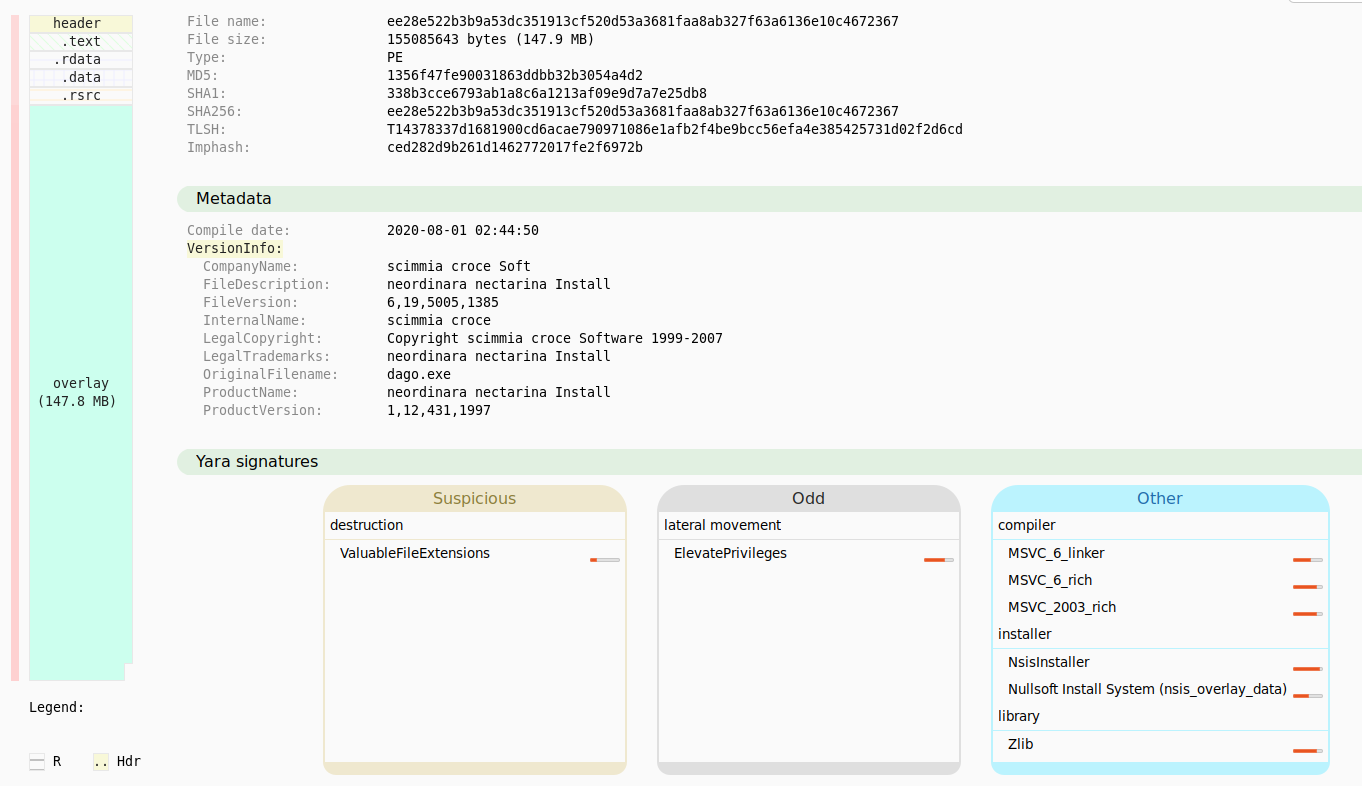
Cases where the executable is a Nullsoft Scriptable Installer System executable (NSIS aka Nullsoft) These exe are installers that may contain one or more files. The files contained may or may not be malicious. (Sometimes actors will add files simply for increasing the file size.) All files within the installer are extracted to a new directory. The directory also contains the script for the installer which can be consulted to determine which files may be malicious. In the image below, Malcat has identified the executable as a NSIS installer.
Partial Support
- Cases where the junk is too random and the entropy is too high. In these cases, a switch/option called "--last-ditch"
Other use cases
There are use cases where the tool does not work. However, I plan to solve for them before publishing too much about them.
Why?
There appear to be a limited number of tools to easily process bloated executables. The two tools I have seen the most are “foremost” which is intended for recovering binaries from a disk image and “pecheck”.
Foremost works best in instances where the junk bytes are null (0x00) and it struggles when the binary has a fake or real signature. Its use in removing bloat from files is not its original purpose.
Pecheck has been developed over 14+ years and has some confusing commandline options. The option to remove bloated content is not the primary function of the script. Pecheck has to be combined with another tool (disitool) in order to handle signed executables. In my experience, there are other times where pecheck can get confused and return an executable twice the size of the original bloated executable. All these factors seem OK if you are handling a small number of binaries, but as the number of binaries and methods increase, a tool specific to removing bloat is needed.
Binary Refinery is an amazing tool. It was written with the intention of being a CyberChef of the commandline. While both tools are amazing, they both have a shortcoming that requires the user to know what formulas should be applied.
There are good solid manual methods to remove bloat from binaries, but these methods can be tedious and not all analysts have the skills to do this. This tool removes the burden of needing to know how to manually remove bloat. Additionally, it allows for better scale. The principles used in the script allow allow for better scale if automation is desired.
How to build?
Follow the build commands appropriate to your platform. The main difference between build commands is the format of the icon.
MacOS
pyinstaller --onefile --noconsole --additional-hooks-dir=./hook --icon=debloat.icns gui.py
Windows
pyinstaller --onefile --noconsole --additional-hooks-dir=./hook --icon=debloat.ico gui.py
Linux
pyinstaller --onefile --noconsole --icon=debloat.ico --collect-all tkinterdnd2 gui.py
Want to discuss?
Consider joining the debloat Discord.
Credits
Big shoutout to Jesko Hüttenhain creator of Binary Refinery. The NSIS extraction is based on his reverse engineering of the NSIS file format. Check out Binary Refinery if you have not.
Where is this project going next?
Batch processing: process all files in a directory and produce a report.
Better support for using processing methods outside of debloat.
Support for debloating without unzipping.
Release history Release notifications | RSS feed


Download files
Download the file for your platform. If you're not sure which to choose, learn more about installing packages.
Source Distribution
Built Distribution
Filter files by name, interpreter, ABI, and platform.
If you're not sure about the file name format, learn more about wheel file names.
Copy a direct link to the current filters
File details
Details for the file debloat-1.6.6.tar.gz.
File metadata
- Download URL: debloat-1.6.6.tar.gz
- Upload date:
- Size: 47.0 kB
- Tags: Source
- Uploaded using Trusted Publishing? No
- Uploaded via: twine/6.1.0 CPython/3.12.3
File hashes
| Algorithm | Hash digest | |
|---|---|---|
| SHA256 |
a0b77697a7a0d3c5a74f26518196a4641fbedebdacd370f9b7af71cc4e875480
|
|
| MD5 |
394b9b3831b6085c6ed868b6a32312f6
|
|
| BLAKE2b-256 |
26e170309df016a7914ca8bca61795ca242efd4438a3b21ebc8cc0e949cfb37a
|
File details
Details for the file debloat-1.6.6-py3-none-any.whl.
File metadata
- Download URL: debloat-1.6.6-py3-none-any.whl
- Upload date:
- Size: 48.4 kB
- Tags: Python 3
- Uploaded using Trusted Publishing? No
- Uploaded via: twine/6.1.0 CPython/3.12.3
File hashes
| Algorithm | Hash digest | |
|---|---|---|
| SHA256 |
318b5c842da4f5cd9aaccd2ad326b5b770abf6dee81f7aa125666e8dabb07081
|
|
| MD5 |
ff1ca7d64265f2e7d32f02b8120b0c29
|
|
| BLAKE2b-256 |
5d3fc065721e34c9ff38d173db6432ca17a499deecc3ece0f0002f7373bfe378
|






