
deep-transcribe
High-quality transcription, formatting, and analysis of videos and podcasts.
Deep Transcribe accepts YouTube and other media URLs or local audio and video files. It uses Deepgram Nova-3 with the current batch diarizer, then can identify speakers, format paragraphs and timestamps, add sections, write a brief synopsis and structural outline, research key passages, capture video frames, and export browser-ready HTML.
Speech-to-text goes through Deepgram, chosen for its speaker diarization. Speaker correction, sections, outline, and synopsis all read speaker-labeled text.
LLM processing uses configurable kash model roles. New workspaces use the current Anthropic profile by default, and an equivalent OpenAI profile is included.
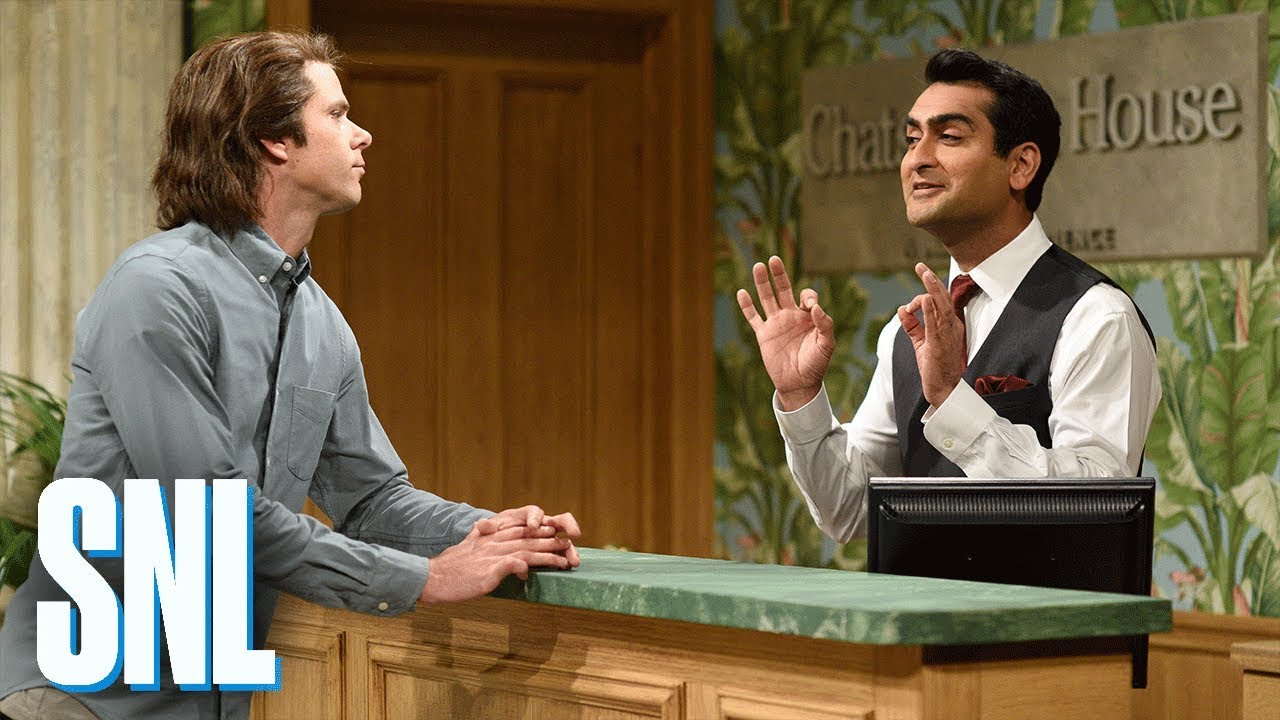
Example: Hotel Check In — SNL
The public example uses the official Saturday Night Live sketch. Its five speaking roles, short interjections, repeated hotel terminology, running joke, and scene changes exercise speaker correction, key terms, summaries, outlines, timestamps, and frame captures in just over four minutes.
| Source Video | Formatted Transcript |
|---|---|
 |
 |
| Watch the video | View the PDF |
A URL is enough to start:
uvx "deep-transcribe[youtube]" --annotated "https://www.youtube.com/watch?v=kq9Q9-U0vrc"
Deep Transcribe fetches the source metadata through the media extractor and gives the models a bounded version of the title, description, canonical URL, channel, categories, and tags. For this sketch that already names four of the five performers. What the metadata cannot say is which performer plays which role, so the two guests who speak once each are absorbed into other speakers.
Add --web-search and the roster step researches the source before labeling anyone:
uvx "deep-transcribe[youtube]" --annotated --web-search \
    "https://www.youtube.com/watch?v=kq9Q9-U0vrc"
That recovers all five speakers, including both Room 904 guests and the agent the metadata never mentions, with no context of your own. Search is off by default because it can mislead. With or without it, the models may state only what your context, the fetched metadata, or a corroborated search result supports; they are told where each piece of evidence came from and are not permitted to add anything else.
You can also just say what you know, which is faster and free:
uvx "deep-transcribe[youtube]" --annotated \
    --context "Saturday Night Live sketch. Five speakers: Mr. Adams (Mikey Day), the Front Desk Employee (Kumail Nanjiani), a Government Representative (Beck Bennett), and two Room 904 Guests (Chris Redd and Leslie Jones)." \
    "https://www.youtube.com/watch?v=kq9Q9-U0vrc"
That labels all five roles too, and picks up “Chatsworth House, a Marriott experience,” the Stargazer Lounge, and the Indulge spa without being told about them.
Steering the Output
Add flags when you want a specific shape rather than a good default. This is the command behind the PDF above: it fixes the labels for the two unnamed guests, pins spellings that matter, and asks for a particular synopsis and outline.
uvx "deep-transcribe[youtube]" \
    --workspace ./snl-hotel-output \
    --annotated \
    --title "Hotel Check In — SNL" \
    --context "This is the Saturday Night Live sketch Hotel Check In. The five speaking roles are Mr. Adams (Mikey Day), the Front Desk Employee (Kumail Nanjiani), the Government Representative (Beck Bennett), and two unnamed Room 904 Guests (Chris Redd and Leslie Jones). Label the unnamed roles Room 904 Guest (Chris Redd) and Room 904 Guest (Leslie Jones)." \
    --instructions "Write two short synopsis paragraphs. In the first, identify the SNL sketch and name all five performers with their roles. In the second, explain how the escalating hotel sales pitches drive the joke. Give every outline section exactly two concise bullets." \
    --key-term "Mr. Adams" \
    --key-term "Chatsworth Marriott Experience" \
    --key-term "Stargazer Lounge" \
    --key-term "North Korea" \
    "https://www.youtube.com/watch?v=kq9Q9-U0vrc"
Local Files and Sources Without Metadata
A local recording, or a podcast whose publisher says little, has no useful metadata to fetch and nothing for search to corroborate. Your own context is the only evidence, so say who is speaking:
uvx deep-transcribe --annotated \
    --context "Board meeting recording. Three speakers: Dana Ortiz chairing, Sam Weber presenting the budget, and one board member asking questions." \
    ./board-meeting.m4a
Local files need no JavaScript runtime, so the plain deep-transcribe install is enough.
Without context the transcript still comes out correct; the speakers are just labeled
generically.
The command produces cached media and intermediate results, a processed Markdown
transcript, and browser-ready HTML. Review the result, revise the prose, and run the
same command again to correct context or request a different synopsis or outline.
Use --context-file notes.txt when the context is long or will be edited repeatedly.
Deep Transcribe reuses the raw transcript and resumes at the first affected stage.
Context is saved with the source, so a later run that omits --context keeps the text
you supplied before.
A cached URL resource created without extractor metadata is enriched on the next run
without repeating speech-to-text.
The static HTML is also the source for the PDF above. Open it in Chrome or Chromium, choose Print → Save as PDF, disable the browser’s own headers and footers, and keep background graphics enabled. For an automated, reproducible print on macOS, substitute the absolute HTML path that Deep Transcribe reports:
"/Applications/Google Chrome.app/Contents/MacOS/Google Chrome" \
    --headless=new \
    --disable-background-networking \
    --no-pdf-header-footer \
    --print-to-pdf=transcript.pdf \
    "file:///absolute/path/to/transcript.html"
Use google-chrome or chromium as the executable on other platforms.
Deep Transcribe does not require or use a separate PDF renderer.
Run deep-transcribe --docs for speaker rosters, cache behavior, custom stages, model
profiles, and deliberate full reruns.
Getting Started
Deep Transcribe runs through uv, which fetches Python and Deep Transcribe itself. Install uv and ffmpeg yourself. Nothing else needs a manual install.
Speech-to-text always goes through Deepgram, so a Deepgram API key is required. New accounts start with $200 of credit and no credit card. Add one LLM provider key for the formatting and analysis stages:
DEEPGRAM_API_KEYfor speech-to-text and diarization (required)ANTHROPIC_API_KEYfor the default Anthropic profileOPENAI_API_KEYfor the OpenAI profile
Set them in the process environment, a .env or .env.local file in the current
directory or one of its parents, or ~/.env.local.
Do not commit API keys.
Then run it without installing anything:
uvx "deep-transcribe[youtube]" --help
The youtube extra supplies Deno, which yt-dlp needs to solve the JavaScript challenges
YouTube applies to media URLs.
Plain uvx deep-transcribe is enough for local audio and video files.
For repeated use, install it as a persistent tool:
uv tool install "deep-transcribe[youtube]"
deep-transcribe --help
Cross-Agent Skill
Install the public discovery skill through the cross-agent skills installer:
npx skills add jlevy/deep-transcribe@deep-transcribe
The skill uses the source checkout or installed CLI when available and reads the guide packaged with that executable.
If the CLI is already available, install its complete skill bundle directly from a project root:
deep-transcribe --install-skill
This writes the portable .agents/skills/deep-transcribe/ bundle, the
.claude/skills/deep-transcribe/ mirror, and a marker-bounded project instruction block
in AGENTS.md. The install is idempotent.
Run deep-transcribe --docs for surface selection and explicit global-install options.
Self-Documenting CLI
Start with the single help page:
deep-transcribe --help
deep-transcribe --docs
deep-transcribe --skill
deep-transcribe --models
The help page documents all presets, individual processing stages, Deepgram language and
model selection, natural-language context and exact speaker overrides, caching and rerun
behavior, JSON output, model profiles, and examples.
--docs prints the complete guide packaged with the installed release, including the
review-and-rerun workflow and skill installation.
The transcription interface is deep-transcribe OPTIONS INPUT.
Model Provider
Inspect the exact current Anthropic and OpenAI role mappings before selecting one:
deep-transcribe --models
deep-transcribe --models anthropic
deep-transcribe --models openai
The selection is saved in the chosen workspace.
Pass --workspace when using a location other than ./transcriptions. Add an input to
the selection command to save the profile and transcribe in one run:
deep-transcribe --models openai INPUT.
Output
Each run reports:
- the workspace containing cached media and intermediate results
- the transcript source
- browser-ready HTML
Use --json when another tool or agent needs stable artifact paths.
You can also open the workspace with kash to inspect cached and intermediate items.
Built-in Guide
Run deep-transcribe --docs for the complete operational guide.
It includes environment setup, natural-language context, speaker correction, incremental
reruns, cache verification, model-profile comparisons, output review, privacy,
troubleshooting, and agent-skill installation.
Because the guide ships inside the package, agents can read documentation that matches
the executable they are about to use.
Project Docs
For environment setup, see installation.md.
For development workflows, see development.md.
For the manual, agent-reviewed release test, see e2e-test.runbook.md.
For publishing, see publishing.md.
This project was built from simple-modern-uv.
1 maintainer

Download files
Download the file for your platform. If you're not sure which to choose, learn more about installing packages.
Source Distribution
Built Distribution
Filter files by name, interpreter, ABI, and platform.
If you're not sure about the file name format, learn more about wheel file names.
Copy a direct link to the current filters
File details
Details for the file deep_transcribe-0.1.14.tar.gz.
File metadata
- Download URL: deep_transcribe-0.1.14.tar.gz
- Upload date:
- Size: 6.1 MB
- Tags: Source
- Uploaded using Trusted Publishing? Yes
- Uploaded via:
uv/0.12.3 {"installer":{"name":"uv","version":"0.12.3","subcommand":["publish"]},"python":null,"implementation":{"name":null,"version":null},"distro":{"name":"Ubuntu","version":"24.04","id":"noble","libc":null},"system":{"name":null,"release":null},"cpu":null,"openssl_version":null,"setuptools_version":null,"rustc_version":null,"ci":true}
File hashes
| Algorithm | Hash digest | |
|---|---|---|
| SHA256 |
9909aad0f829ed46660bb948838908ca905323d95ba36470bfa24a0ec7f5f736
|
|
| MD5 |
ec422c5ed38822a543ccfae848eb3111
|
|
| BLAKE2b-256 |
2184cd0ebee290b7fa6e781588bb449a8c221671008a29f413a384c8e8f3c739
|
File details
Details for the file deep_transcribe-0.1.14-py3-none-any.whl.
File metadata
- Download URL: deep_transcribe-0.1.14-py3-none-any.whl
- Upload date:
- Size: 65.3 kB
- Tags: Python 3
- Uploaded using Trusted Publishing? Yes
- Uploaded via:
uv/0.12.3 {"installer":{"name":"uv","version":"0.12.3","subcommand":["publish"]},"python":null,"implementation":{"name":null,"version":null},"distro":{"name":"Ubuntu","version":"24.04","id":"noble","libc":null},"system":{"name":null,"release":null},"cpu":null,"openssl_version":null,"setuptools_version":null,"rustc_version":null,"ci":true}
File hashes
| Algorithm | Hash digest | |
|---|---|---|
| SHA256 |
3d634c0f1dfa70d7764623388d1a231bafbbad7accf8950c0970ef86c0d8d2e8
|
|
| MD5 |
a926cfbd60da43b5ca3b5a32c3fa046d
|
|
| BLAKE2b-256 |
b12c9d3cc4523120fc70620491592611c98562736de18b715c205cf02a2da13f
|














