
deepagents-graph-memory
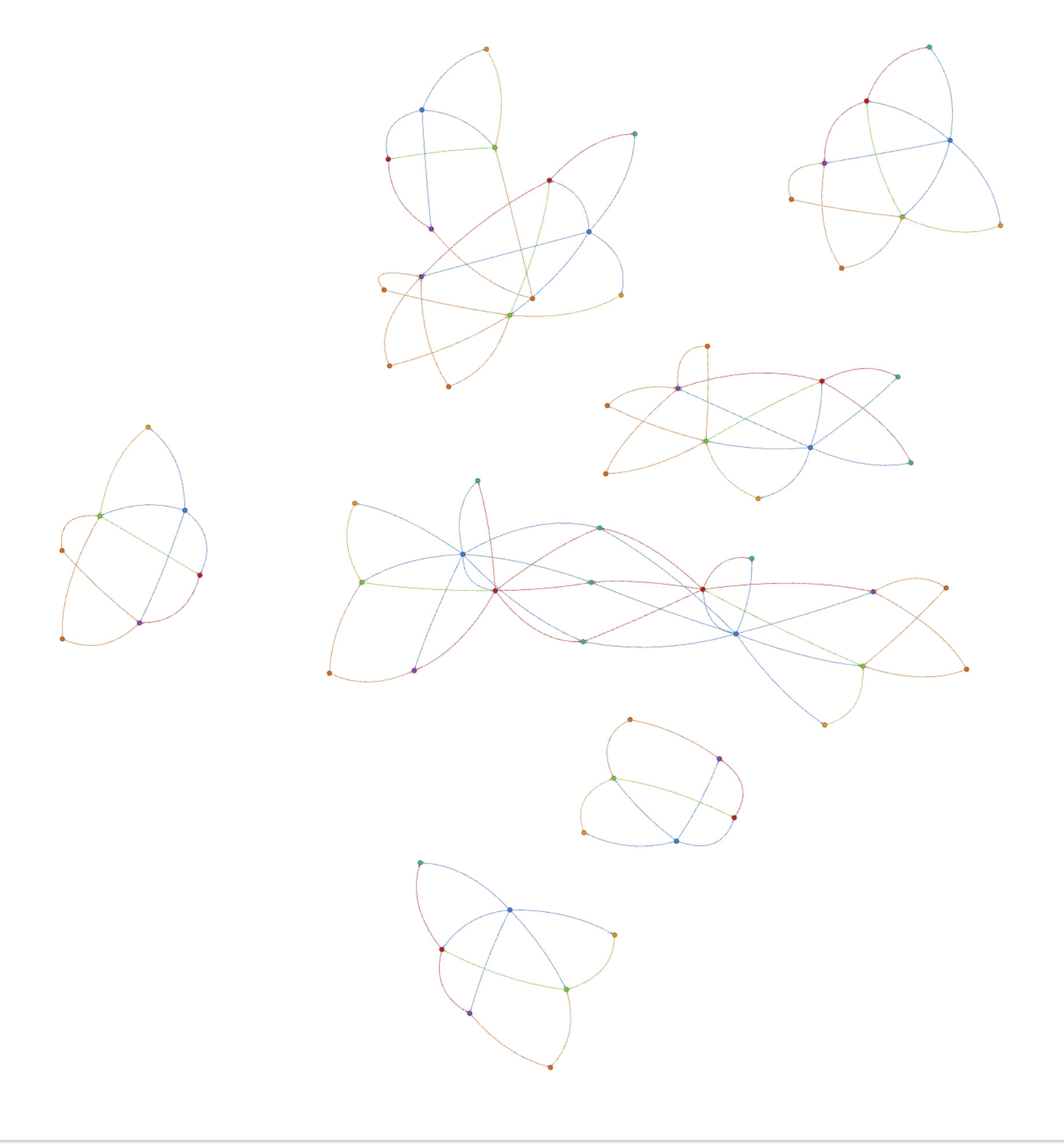
An experimental graph-backed workflow and trace store for LangChain Deep Agents. It records linked project context in LadybugDB, supports keyword search and bounded traversal, and exposes read-only Markdown views for inspection.
Created by Pranav Bedi and Taha Khan.
The workflow evaluation runs twelve offline integration scenarios and offers an opt-in, bounded graph-versus-notes model comparison. Offline passes verify retrieval mechanics, not improved model decisions.
Debugging a missing graph fact? See Inspecting the graph for a copyable Python example that needs no model or provider key.





Motivation
Neo4j's context graph article inspired this project. The package records supplied situations, rationales, actions, outcomes, artifacts, and links so agents can retrieve connected work context. It does not verify causal claims, infer new relationships, transfer knowledge automatically, or unlearn outdated facts. A rationale or causal label is an assertion supplied by the caller.
What It Does
| Structured Traces | Graph Recall | Virtual Graph Views |
|---|---|---|
| Situation → Rationale → Action → Outcome | Keyword search + bounded traversal | Read-only /graph/... markdown projections |
| Caller-supplied links and metadata | Anchor-based seed expansion | Schema, index, node, search |
| Workflow and project context | Approximate output sizing plus depth, node, and edge limits | Inspectable through backend methods |
This is not ordinary user memory. Don't use it for facts like "the user likes ice cream." Use it for connected work state like "this failing test led to this hypothesis, this edit, this result, and this final decision."
The namespace option scopes graph data; it is not an authorization boundary, and schema inspection remains database-wide. GraphMemoryBackend.create() uses in-memory LadybugDB by default. Its data remains available while the backend/store is open and disappears when it closes or the process exits; there is no automatic cleanup after each agent invocation. Supply a filesystem path for persistent storage.
Sharing one graph between agents
Create one store and pass it to each backend. Use the same project namespace so both writers can inspect the same graph. Agent and subagent IDs are supplied by the caller; they are not inferred from the agent runtime.
from deepagents_graph_memory import GraphMemoryBackend, graph_memory_tools, make_graph_subject
from deepagents_graph_memory.ladybug_store import LadybugGraphStore

store = LadybugGraphStore.memory()
parent = GraphMemoryBackend(store, namespace=("project", "demo"))
subagent = GraphMemoryBackend(store, namespace=("project", "demo"))
subject = make_graph_subject("src/parser.py", "empty-field parsing", "linux")
# Give the same subject to each worker when creating its tools.
worker_record = next(tool for tool in graph_memory_tools(subagent, bound_subject=subject) if tool.name == "record_graph_trace")

parent.record_graph_trace(
    situation="test failed at revision a1", rationale="the parser missed an empty field",
    action="asked a subagent to inspect the parser", outcome="cause identified",
    run_id="run-1", agent_id="parent", subject=subject,
)
worker_record.invoke({
    "situation": "parser skipped an empty field at revision a1", "rationale": "split removed the field",
    "action": "patched the parser", "outcome": "test passed at revision b2",
    "artifacts": ["src/parser.py"], "run_id": "run-1", "agent_id": "parent", "subagent_id": "parser-debugger",
})  # The binding supplies subject even though this call omits it.
print(parent.ls("/graph/nodes/Trace/").entries)
print(parent.read("/graph/search/parser.md").file_data["content"])
Writes through one store are serialized and each trace or document batch commits atomically. Existing node and edge properties survive updates that omit them; the last successful writer wins when writers set the same property. Shared Artifact and Evidence values retain links to every trace, with per-trace IDs on the links. Distinct in-memory stores do not share data. For a persistent graph, create one backend with path=... and pass its .store to other backends in the same process. Close the shared store only after all agents finish using it.
Quick Start
Install the package:
pip install deepagents-graph-memory
Complete the one-time full-text search setup before running graph search or recall.
from deepagents import create_deep_agent
from deepagents.backends import CompositeBackend, StateBackend
from deepagents_graph_memory import (
    GraphMemoryBackend,
    graph_context_middleware,
    graph_memory_tools,
)

MODEL = "google_genai:gemini-3.5-flash"

# In-memory LadybugDB graph; no database path required
graph_backend = GraphMemoryBackend.create()
graph_tools = graph_memory_tools(graph_backend)

agent = create_deep_agent(
    model=MODEL,
    tools=graph_tools,
    middleware=[graph_context_middleware()],
    memory=["/graph/index.md", "/graph/schema.md"],
    backend=CompositeBackend(
        default=StateBackend(),  # Working files and offloaded tool results.
        routes={"/graph/": graph_backend},  # Read-only graph inspection.
    ),
    subagents=[{
        # Configure the default worker explicitly so it also gets graph guidance.
        "name": "general-purpose",
        "description": "Investigate a focused task and return findings with evidence.",
        "system_prompt": "Complete the assigned task and report findings with source paths.",
        "tools": graph_tools,
        "middleware": [graph_context_middleware()],
    }],
)
Configure the selected model provider integration and credentials separately. The no-provider-key example below only exercises backend inspection.
Using VGS and VFS Together
Keep filesystem tools available for files, scratch work, and full tool output. Use the graph to connect meaningful findings, failed attempts, decisions, and outcomes to their evidence. A test log belongs in VFS; a trace can record what failed, what changed, and which test run supports the result.
graph_context_middleware() adds this guidance to one agent without changing
model-wide profiles or removing filesystem instructions. Pass graph tools
explicitly. Add the middleware and graph tools to each subagent that needs them;
parent middleware does not automatically propagate to every subagent. The quick
start overrides the built-in general-purpose worker for this reason. Precompiled
or remote agents need their own setup and access to the evidence they cite.
The first lookup depends on the task: read a known file directly for a file edit, or recall earlier attempts and dependencies when resuming work. Verify current files or tool results before relying on historical findings. Record selective outcomes rather than mirroring every read, file, or log line into the graph.
Deep Agents' existing filesystem middleware can offload large tool responses
under /large_tool_results/. Keep that location on a writable VFS backend so the
agent can use read_file and grep to inspect the dump. This package does not
change the offload threshold or copy the full dump into LadybugDB. When recording a
finding, use evidence_refs to cite the actual saved location and source identity,
including the revision or observation time when known.
Save captured evidence before recording a claim about it. File and graph writes are separate operations: if trace recording fails after an action succeeded, retry the recording with its operation ID rather than repeating the action. Missing, inaccessible, or changed evidence cannot verify the original finding. The middleware provides agent guidance; it does not fetch sources or enforce atomic writes across VFS and LadybugDB.
You can keep your existing filesystem backend and add only the graph tools and
middleware. Mounting /graph/ through the native CompositeBackend is optional;
it enables read-only file inspection of graph views. write_file, edit_file,
and uploads cannot mutate those views. Keep the physical LadybugDB database outside
the agent's writable file workspace. Ordinary preferences, instructions, and
notes remain in VFS or /memories/.
Storage lifetimes are separate. StateBackend uses thread state; retaining
those files across process restarts requires a durable checkpointer. Saving LadybugDB
with path=... does not persist VFS files. For evidence that must survive across
threads or deployments, configure a suitable persistent file/store backend and
give readers access to it. Do not assume a saved graph makes an old dump available.
Persistent Storage
Persistence works through the Python library API in scripts, notebooks, agent runners, background workers, or web applications. It does not depend on a web framework or cloud provider. The application opens one store, passes it to its agents, and closes it after they finish.
Pass a str or pathlib.Path to create or reopen a LadybugDB database file. The parent
directory must already exist; the package does not create directories or mount
storage. Examples use .lbdb; the path accepts any extension. Omitting path,
or passing None, keeps the default in-memory behavior.
This example writes a trace, closes the database, and reopens it without an LLM:
from pathlib import Path
from tempfile import TemporaryDirectory

from deepagents_graph_memory import GraphMemoryBackend

with TemporaryDirectory() as directory:  # Use a durable directory in your app.
    path = Path(directory) / "project.lbdb"
    graph = GraphMemoryBackend.create(path=path, namespace=("project", "demo"))
    try:
        trace_id = graph.record_graph_trace(
            situation="parser test failed", rationale="empty field was dropped",
            action="fixed the parser", outcome="test passed",
        )
    finally:
        graph.close()

    reopened = GraphMemoryBackend.create(path=path, namespace=("project", "demo"))
    try:
        print(reopened.read(f"/graph/nodes/Trace/{trace_id}.md").file_data["content"])
    finally:
        reopened.close()
Successful writes commit during execution. close() releases the connection and
database lock; it does not delete a disk database. Calling it again is safe.
Backends sharing one store share its lifetime, so closing any of them closes that
store for all of them. Keep the database open across requests and close it during
application shutdown. Do not close it inside an active transaction.
Invalid paths and open failures raise errors instead of falling back to memory.
The path names a database file, not a directory or a URL such as s3://....
Keep its containing directory on durable storage, including LadybugDB's associated
files. Reuse the same namespace when resuming the same project.
FastAPI and containers
FastAPI is one lifecycle example; other applications use the same create(path=...)
and close() calls in their own startup and shutdown code.
Configure your deployment to mount durable storage at /data, then open the
database once in FastAPI's lifespan. FastAPI is an application dependency; this
package does not install it.
from contextlib import asynccontextmanager

from fastapi import FastAPI
from deepagents_graph_memory import GraphMemoryBackend


@asynccontextmanager
async def lifespan(app: FastAPI):
    graph = GraphMemoryBackend.create(
        path="/data/project.lbdb", namespace=("project", "demo"),
    )
    app.state.graph = graph
    try:
        yield
    finally:
        graph.close()


app = FastAPI(lifespan=lifespan)
# Use app.state.graph when constructing agents in your request handlers.
Use one worker process per writable database, for example
uvicorn app:app --workers 1. Parent and subagents in that process reuse the
store. A replacement container must open the same mounted database after the old
process releases it; rolling deployments must not overlap database owners. A
single replica setting alone does not prevent overlap during replacement.
The developer configures the volume, permissions, and retention across container replacement. An ordinary container filesystem is not durable. The package accepts a filesystem path and has no cloud SDKs, blob uploads, or automatic LangSmith storage integration. It cannot detect whether your mount survives redeployment.
Azure Container Apps storage mounts and AWS ECS EFS volumes describe provider setup. These links are not a claim of tested LadybugDB compatibility: network filesystems must support LadybugDB's locking and file operations, and need deployment-specific recovery tests. Local filesystem persistence is covered by this package's tests; Azure Files and EFS have not been integration-tested here.
How It Works
Graph Traces
record_graph_trace records the core reasoning shape:
Situation -> Rationale -> Action -> Outcome
For example:
Situation: "sheep saw lion"
Rationale: "lion is dangerous"
Action:    "sheep ran away"
Outcome:   "sheep survived"
The graph stores edges like:
sheep saw lion --LED_TO--> lion is dangerous
lion is dangerous --JUSTIFIED--> sheep ran away
sheep ran away --PRODUCED--> sheep survived
Related findings can share a narrow subject within a namespace. Create it once
with make_graph_subject(entity, aspect, environment) and pass it to workers with
graph_memory_tools(backend, bound_subject=subject). A worker may omit subject
when recording a trace; a different explicit subject is rejected. Keep changing
revisions in the trace context or evidence, and use separate subjects for environments
whose states should not be compared as one question. observed_at is
the time of the observation, while server-generated recorded_at is when the trace
was saved. A caller may explicitly supersede an earlier state finding only
with evidence and a strictly newer observation. The old trace and parallel newer
findings remain in the graph; explanations are never superseded by this rule.
For a reviewed disagreement between two or more same-subject traces, an evidenced
resolution trace can use resolves=[...]. Recall places that resolution ahead of
the reviewed originals and links them; this records a caller judgment, not a
database check of its truth.
from deepagents_graph_memory import GraphMemoryBackend
from deepagents_graph_memory.errors import GraphMemoryValidationError

graph = GraphMemoryBackend.create()
common = dict(subject="tests/test_parser.py::test_empty@linux", finding_type="state")
graph.record_graph_trace(
    trace_id="failed", situation="parser test at revision a1", rationale="pytest exit 1",
    action="ran pytest", outcome="failed", evidence=["pytest output at a1: failed"],
    observed_at="2026-09-19T10:00:00Z", **common,
)
graph.record_graph_trace(
    trace_id="passed", situation="parser test at revision b2", rationale="pytest exit 0",
    action="reran pytest", outcome="passed", evidence=["pytest output at b2: passed"],
    observed_at="2026-09-19T11:00:00Z", supersedes=["failed"], **common,
)
try:
    graph.record_graph_trace(
        trace_id="delayed", situation="late report from revision a1", rationale="old output",
        action="reported result", outcome="failed", evidence=["pytest output at a1: failed"],
        observed_at="2026-09-19T09:30:00Z", supersedes=["passed"], **common,
    )
except GraphMemoryValidationError:
    pass  # An older observation cannot supersede the newer one.
print(graph.recall_graph_memory("failed", anchors=["/graph/nodes/Trace/failed.md"], max_nodes=2))
The caller supplies the subject and supersession assertion. Graph storage does not detect contradictions, verify the evidence, or gate external actions. Recall brings same-subject findings together when budgets permit and flags incomplete context; the reading agent must compare and verify material disagreements before deciding. It ranks a single subject's terminal findings and resolutions before applying the node limit, using observation time for order when present. Competing branches stay visible when the budget fits them. A partial history is labeled incomplete, and an omitted anchor gets a direct path to inspect. This currently scans one subject's traces during recall, so very large subjects may cost more to read.
Structured evidence_refs identify captured sources across reports. The caller
assigns a distinct source_id to each actual execution or snapshot at collection;
locator points to its log, file, or document. Reusing that ID cites the same
source, while changing its locator, revision, or observation time raises an error.
Optional summary describes a reporter's reading and belongs to that citation.
Plain evidence strings still work, but are unstructured caller reports. Neither
kind of evidence is fetched or verified by the graph. Distinct cited sources are
not necessarily independent experiments, and partial recall cannot establish a
complete source count.
from deepagents_graph_memory import GraphMemoryBackend

graph = GraphMemoryBackend.create()
ref = {
    "source_id": "pytest-run-17", "locator": "logs/pytest-run-17.txt",
    "revision": "commit-a1", "observed_at": "2026-09-19T10:00:00Z",
}
for agent, summary in [("worker-a", "empty input failed"), ("worker-b", "parser failed")]:
    graph.record_graph_trace(
        situation="parser check", rationale="read pytest output", action="reported result",
        outcome="failed", subject="parser@linux", agent_id=agent,
        evidence_refs=[{**ref, "summary": summary}],
    )
print(graph.recall_graph_memory("parser@linux", max_nodes=3))
Conclusions can cite prior Trace IDs with depends_on. The targets must already
exist in the same namespace. Recall follows these links within its node, edge,
and depth budgets. If a cited finding is explicitly superseded or reviewed in a
resolution, recall marks the dependent conclusion needs recheck and shows the
changed premise's update path. This also applies through a chain of dependencies.
It flags review; it does not prove the decision false or change the original trace.
Missing evidence, cycles, or an incomplete dependency traversal produce an
unknown-status warning. A fresh conclusion should cite the current findings it
actually used.
from deepagents_graph_memory import GraphMemoryBackend

graph = GraphMemoryBackend.create()
graph.record_graph_trace(
    trace_id="probe-failed", situation="checkout probe", rationale="run 1",
    action="tested checkout", outcome="failed", subject="checkout@staging",
    finding_type="state", observed_at="2026-09-19T10:00:00Z", evidence=["run 1 log"],
)
graph.record_graph_trace(
    trace_id="mitigation", situation="checkout failed", rationale="probe-failed",
    action="chose temporary mitigation", outcome="disable checkout",
    depends_on=["probe-failed"],
)
graph.record_graph_trace(
    trace_id="probe-passed", situation="checkout probe", rationale="run 2",
    action="tested checkout", outcome="passed", subject="checkout@staging",
    finding_type="state", observed_at="2026-09-19T11:00:00Z", evidence=["run 2 log"],
    supersedes=["probe-failed"],
)
context = graph.recall_graph_memory("mitigation", anchors=["/graph/nodes/Trace/mitigation.md"])
assert "needs recheck" in context
Use operation_id when retrying the same trace write. Replaying the same request
returns its original trace ID without changing the graph; changing the normalized
request under that ID raises GraphMemoryValidationError. A new execution needs a
new ID, even if its text is identical. The identity is scoped to the backend
namespace, and operation_id cannot be combined with trace_id.
from deepagents_graph_memory import GraphMemoryBackend

graph = GraphMemoryBackend.create()
payload = dict(situation="network timeout", rationale="probe failed", action="checked network", outcome="unavailable")
first = graph.record_graph_trace(operation_id="network-probe-7", **payload)
assert graph.record_graph_trace(operation_id="network-probe-7", **payload) == first
assert graph.record_graph_trace(operation_id="network-probe-8", **payload) != first
The record_graph_trace tool uses its injected tool-call ID and runtime thread ID
for retries when no explicit operation_id is supplied. Direct calls without
either ID continue to append traces.
Writes are issued as LadybugDB Cypher MERGE statements (no raw Cypher is exposed to the agent).
Graph Recall
recall_graph_memory searches for seed facts, expands through useful edges, and returns compact markdown with source /graph/... paths. Pass anchors (file paths, run IDs, task IDs) to give recall a concrete starting point.
Matching generated trace components and paths are summarized once in recall. Explicit component anchors, custom nodes with different content, and direct /graph/... debug views remain available.
Recall uses LadybugDB keyword search to find seed nodes, then bounded Cypher MATCH traversal to expand connected context. The token budget estimates output size; it is not an exact token cap. No vector/embedding search is used.
graph_backend.recall_graph_memory("what services did incident 123 affect and what do they depend on?")
Graph Tools
graph_memory_tools(graph_backend)
| Tool | Purpose |
|---|---|
recall_graph_memory |
Primary read path -- search, expand, return context |
record_graph_trace |
High-level write -- Situation → Rationale → Action → Outcome |
Low-level write tools are available for application builders but not exposed by default, since unconstrained agents can create drifting labels and relationship types:
graph_memory_tools(graph_backend, include_low_level_writes=True)
| Tool | Purpose |
|---|---|
add_graph_node |
Create or update entities |
add_graph_edge |
Create or update relationships |
add_graph_documents |
Ingest LangChain documents |
For production use, prefer domain-specific tools that call graph_backend.add_graph_node(...) and graph_backend.add_graph_edge(...) with your application's approved labels and relationships.
Virtual Graph Views
The backend projects graph state into read-only markdown paths:
| Path | Description |
|---|---|
/graph/schema.md |
Current graph schema |
/graph/index.md |
Graph memory landing page |
/graph/nodes/{label}/{id}.md |
Single node with properties and relationships |
/graph/search/{query}.md |
Search results with preview text |
These are generated virtual paths, not files on disk or browser links. Node pages include stored properties, provenance when present, and bounded one-hop relationships. Writes go through graph tools, not file operations.
Inspecting the graph
Use backend methods to check a recorded fact directly, even when recall does not select it. This example runs locally without an LLM or provider key:
from deepagents_graph_memory import GraphMemoryBackend

backend = GraphMemoryBackend.create()
trace_id = backend.record_graph_trace(
    trace_id="debug-trace-1",
    situation="scope test failed",
    rationale="a graph read might use the wrong scope",
    action="checked the read path",
    outcome="scope test passed",
    source="tests/test_scope.py",
)

print(trace_id)
print([entry["path"] for entry in backend.ls("/graph/nodes/Trace/").entries])
node_path = f"/graph/nodes/Trace/{trace_id}.md"
node = backend.read(node_path)
if node.error:
    raise RuntimeError(node.error)
print(node.file_data["content"])
print(backend.read("/graph/schema.md").file_data["content"])
print(backend.read("/graph/search/scope.md").file_data["content"])
For a missing answer, read the exact known node path first. A "not found" error means that node is absent from the active scope; a returned page lets you inspect its text, provenance, and relationships. Then try backend.recall_graph_memory("scope test", anchors=[node_path]) to start recall at that node. ls() helps discover paths. If a directory exceeds max_nodes, listing and recursive file discovery return an error instead of silently omitting files; increase max_nodes or use a known node path. Inspection bypasses recall's relevance selection, while node relationships still obey max_nodes and max_edges. read() also accepts line offset and limit.
grep() searches the rendered Markdown for case-sensitive literal text and returns
matching lines with their line numbers. Use /graph/search/{query}.md or
recall_graph_memory() for ranked keyword search. glob() matches relative to its
path: *.md matches filenames at any depth, /*.md matches only the root, and
nodes/**/*.md matches paths under nodes/. Directory paths work with or without
a trailing slash. Reads preserve newlines and provide pagination metadata when
the installed Deep Agents version supports it. On current Deep Agents,
grep(..., max_count=10) reports truncated=True when more matching lines exist;
older versions without truncation metadata return an error if the cap is exceeded.
Async variants follow the installed Deep Agents protocol, including its supported
arguments.
Optional Graph-Only Mode
For applications that deliberately omit filesystem tools, the existing
register_vgs_harness_profile(model) helper enables graph-only behavior:
- Deep Agents default VFS tools are hidden:
ls,read_file,write_file,edit_file,delete,glob,grep(where available) - VGS prompt guidance is added
- The caller passes
graph_memory_tools(graph_backend)explicitly; the profile does not install them
With file tools hidden, agents use recall_graph_memory, which queries the graph store directly. memory=["/graph/index.md", "/graph/schema.md"] loads those two views into agent context; it does not enable interactive graph browsing. Developers can still inspect through GraphMemoryBackend.ls(), read(), glob(), and grep().
Use the combined setup above when the agent needs files or offloaded tool output.
The graph-only helper changes the profile for a model key throughout the process;
do not register it for a model used by combined-mode agents. Adding
graph_context_middleware() does not undo an existing tool exclusion. Graph tools
remain opt-in for ordinary Deep Agents applications.
Application-supplied instructions are preserved. Older Deep Agents releases'
automatically added filesystem guidance is removed in graph-only mode. Tool
exclusion controls model exposure; it is not an authorization boundary.
Architecture
System Overview
graph TB
    Agent["LangChain Deep Agent"]

    subgraph VGS ["Virtual Graph System"]
        Tools["Graph Tools<br/><i>tools.py</i>"]
        Backend["GraphMemoryBackend<br/><i>backend.py</i>"]
        Recall["Recall Engine<br/><i>recall.py</i>"]
        Renderers["Markdown Renderers<br/><i>renderers.py</i>"]
        Paths["Path Parser<br/><i>paths.py</i>"]
        VGSProfile["Graph Context Guidance<br/><i>vgs.py</i>"]
    end

    subgraph Store ["Storage"]
        LadybugDB["LadybugDB Graph: Memory or Disk<br/><i>ladybug_store.py</i>"]
    end

    Agent -->|"record_graph_trace<br/>recall_graph_memory"| Tools
    Agent -->|"file tools"| VFS["VFS: Files and Tool Dumps"]
    Tools --> Backend
    Backend --> Recall
    Backend --> Renderers
    Backend --> Paths
    Recall --> LadybugDB
    Renderers --> LadybugDB
    VGSProfile -.->|"guides graph and file use"| Agent

    style VGS fill:#1e293b,stroke:#334155,color:#e2e8f0
    style Store fill:#1e293b,stroke:#334155,color:#e2e8f0
Combined and Graph-Only Setups
graph LR
    subgraph Combined ["Combined Setup"]
        VFS["VFS Tools<br/>ls, read_file, write_file,<br/>edit_file, glob, grep"]
        GraphTools["Graph Tools<br/>recall_graph_memory<br/>record_graph_trace"]
        GraphTools -->|"evidence references"| VFS
    end

    subgraph VGSMode ["Optional Graph-Only Profile"]
        VFSHidden["VFS Tools<br/><s>hidden</s>"]
        OnlyGraph["Graph Tools"]
    end

    VFSHidden ~~~ OnlyGraph

    style VFSHidden fill:#991b1b,stroke:#7f1d1d,color:#fecaca
    style GraphTools fill:#065f46,stroke:#064e3b,color:#a7f3d0
Recall Pipeline
graph LR
    Q["Query or Anchors"] --> Seed["Seed Search<br/><i>full-text + relationship labels</i>"]
    Seed --> Expand["Graph Expansion<br/><i>bounded traversal</i>"]
    Expand --> Budget["Budget Enforcement<br/><i>tokens, depth, nodes, edges</i>"]
    Budget --> MD["Markdown Output<br/><i>with /graph/... source paths</i>"]
Trace Data Model
graph LR
    S["Situation"] -->|LED_TO| R["Rationale"]
    R -->|JUSTIFIED| A["Action"]
    A -->|PRODUCED| O["Outcome"]

    style S fill:#7c3aed,stroke:#6d28d9,color:#ede9fe
    style R fill:#2563eb,stroke:#1d4ed8,color:#dbeafe
    style A fill:#d97706,stroke:#b45309,color:#fef3c7
    style O fill:#059669,stroke:#047857,color:#d1fae5
Module Reference
| Component | Module | Description |
|---|---|---|
| Backend | backend.py |
BackendProtocol implementation for Deep Agents |
| Graph Store | ladybug_store.py |
LadybugDB adapter with FTS indexing and scoped queries |
| Recall Engine | recall.py |
Seed search → expansion → budget enforcement → markdown output |
| Tools | tools.py |
LangChain tools with error boundaries |
| Renderers | renderers.py |
Graph data → markdown view projections |
| Paths | paths.py |
Virtual path parsing and validation |
| Graph Guidance | vgs.py |
Agent-local combined guidance and optional graph-only profiles |
| Errors | errors.py |
GraphMemoryError, GraphMemoryConfigurationError, GraphMemoryPathError, GraphMemoryValidationError |
Example Domain: SRE
VGS is domain-agnostic; here is one example of how a project might shape its labels and relationships:
Langfuse DEPENDS_ON Redis
Langfuse DEPENDS_ON Postgres
SRE Team OWNS Langfuse
Incident 123 AFFECTED Langfuse
Incident 123 RESOLVED_BY "Restart Ingestion Workers" Runbook
Recall query:
graph_backend.recall_graph_memory("what services did incident 123 affect and what do they depend on?")
Installation
pip install deepagents-graph-memory
# Optional test tools:
pip install "deepagents-graph-memory[test]"
Full-text search setup
LadybugDB 0.20.3 requires a separately installed fts extension for graph search
and recall. A fresh pip install does not provide it. Satisfy the native runtime
requirements first, then run this once during
development setup or your image build with network access, following the
official extension installation:
import ladybug

with ladybug.Database(":memory:", buffer_pool_size=64 * 1024 * 1024) as database:
    with ladybug.Connection(database) as connection:
        connection.execute("INSTALL fts;").close()
        connection.execute("LOAD fts;").close()
Provision for the same LadybugDB version, OS, architecture, and runtime user. Keep the installed extension cache available in the runtime image or volume; building as a different user does not make that user's cache available to your application. After provisioning, runtime search loads the local extension. The adapter does not download extensions or fall back to another search method; a missing extension raises a configuration error.
Requirements
- Python 3.11–3.14 (
>=3.11,<3.15) - Deep Agents 0.6.10 or later (
>=0.6.10) - LadybugDB via
ladybug==0.20.3 - An OpenSSL 3 runtime available to LadybugDB's native library;
pipdoes not install it.
Fresh installations can resolve the newest Deep Agents release; applications can also lock an older supported version. CI tests the latest release across the platform matrix and runs separate compatibility checks with 0.6.10, 0.6.12, and 0.7.1. The current tested latest release is 0.7.15. Future releases still need those checks to pass; an open dependency range is not a compatibility guarantee. Versions before 0.6.10 are outside the supported range; the former 0.5.2 minimum lacks the harness-profile API this package uses.
Use your platform's maintained OpenSSL 3 runtime. On Windows, install the matching
architecture from a maintained distribution such as
Shining Light Productions.
The native library needs libssl-3-x64.dll and libcrypto-3-x64.dll on x64;
select the installer's option to copy DLLs to the Windows system directory.
If your application keeps them elsewhere, register that directory with
os.add_dll_directory
before importing Ladybug and keep the returned handle alive; each worker process
needs the same setup. PATH alone and importing Python's ssl module do not satisfy
this requirement. See Ladybug's Windows dependency guidance.
The exact pin excludes the Windows FTS ABI regression in 0.20.4 reported in upstream issue #971.
The Ladybug 0.20.3 wheels include macOS 15+ (Intel and Apple Silicon), Linux, and Windows builds for x86-64 and ARM64. Check the available wheel for your Python version, architecture, and OS; wheel availability does not establish that this package passed tests on every combination.
Development
git clone https://github.com/TahaK29/deepagents-graph-memory.git
cd deepagents-graph-memory
pip install -e ".[test]"
python3 -m pytest -q                          # Run all tests
python3 -m ruff check .                       # Lint
Design
GraphMemoryBackend.create() creates a LadybugDB in-memory graph via ladybug.Database(":memory:"). Supply path=... to create or reopen a disk database. Persistence depends on retaining that filesystem across restarts; each writable database has one owning process. Both modes use the same graph tools and namespace rules.
Recall uses full-text search to find seed nodes, relationship-label search for relationship-oriented questions, and bounded graph traversal to recover connected context. Vector search and graph algorithms are intentionally not part of the default recall path.
Raw Cypher is not exposed as an agent-facing read or write path. Generated graph views are read-only projections.
For the full design rationale, see DESIGN.md.
License
MIT
deepagents-graph-memory is experimental. GitHub Issues
1 maintainer

Metadata
1 maintainer
Release files for deepagents-graph-memory 0.1.0
For a detailed explanation of source distributions (sdists) and built distributions (wheels), please see the package formats documentation.
Source distribution (sdist)
| File | Size | Uploaded | |
|---|---|---|---|
| deepagents_graph_memory-0.1.0.tar.gz | 121.0 kB | Details |
Built distribution (wheel)
| File | Interpreter | ABI | Platform | Reset |
|---|---|---|---|---|
| deepagents_graph_memory-0.1.0-py3-none-any.whl | Python 3 | none | any | Details |
Total release size: 181.0 kB
Release files / deepagents_graph_memory-0.1.0.tar.gz
| Download URL | deepagents_graph_memory-0.1.0.tar.gz |
|---|---|
| Size | 121.0 kB |
| Tags | Source |
|
SHA-256 checksum How to use checksums |
f904b81d642b7df84455c787fc0a4b243a51744bc7fbb821ae89638a79022d3a
|
|
BLAKE2b-256 checksum How to use checksums |
1f8f7a6ccfef430e0d392fcc252d42c23ddd4cfc473ce8fe29e6fd9da5a99d28
|
| Upload date | |
|
Uploaded using Trusted Publishing? What is trusted publishing? |
Yes |
| Uploaded via |
twine/7.0.0 CPython/3.13.14
|
Provenance
Provenance describes where a file came from. On PyPI, provenance is shared via attestations, which provide a verifiable record of the build or publishing details. View details, limitations and caveats.


PyPI Publish Attestation
PyPI verified that this artifact, at this checksum, originated from the publisher listed below.
Signed by GitHub Actions, verified by PyPI on Sep 20, 2026.
Transparency logRelease files / deepagents_graph_memory-0.1.0-py3-none-any.whl
| Download URL | deepagents_graph_memory-0.1.0-py3-none-any.whl |
|---|---|
| Size | 60.0 kB |
| Tags | Python 3 |
|
SHA-256 checksum How to use checksums |
606865453d6f3cb1e6e1ee4309c75cfd8d6776f2664e045ee1b08f4b12f1fdd3
|
|
BLAKE2b-256 checksum How to use checksums |
0770300d9e615a0eabe0d785c77a0c490da02a2270ac916e6bb328e631ebe6d7
|
| Upload date | |
|
Uploaded using Trusted Publishing? What is trusted publishing? |
Yes |
| Uploaded via |
twine/7.0.0 CPython/3.13.14
|
Provenance
Provenance describes where a file came from. On PyPI, provenance is shared via attestations, which provide a verifiable record of the build or publishing details. View details, limitations and caveats.
PyPI Publish Attestation
PyPI verified that this artifact, at this checksum, originated from the publisher listed below.
Signed by GitHub Actions, verified by PyPI on Sep 20, 2026.
Transparency log













