
Deepboard
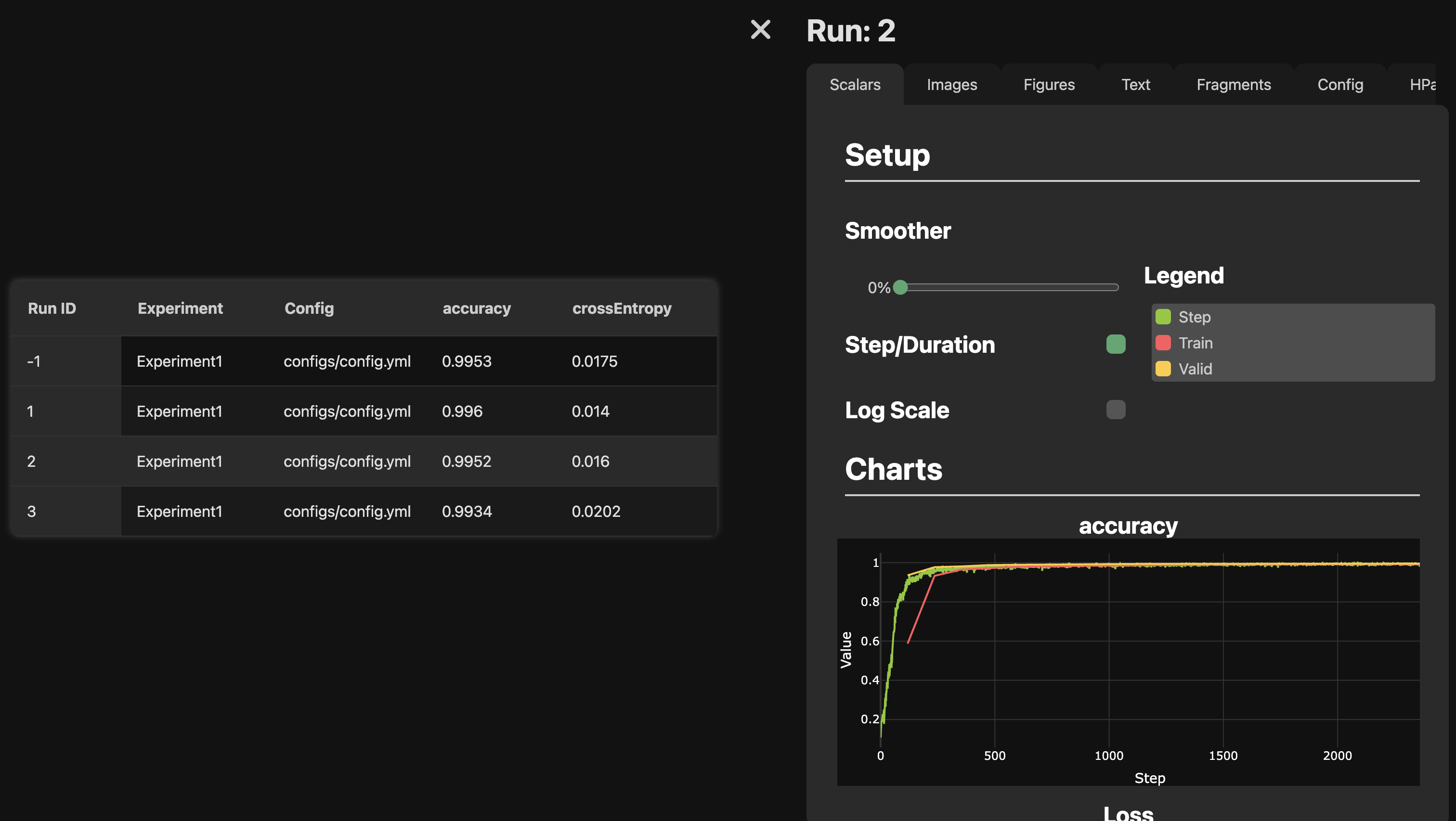
This package include two modules that are work together:
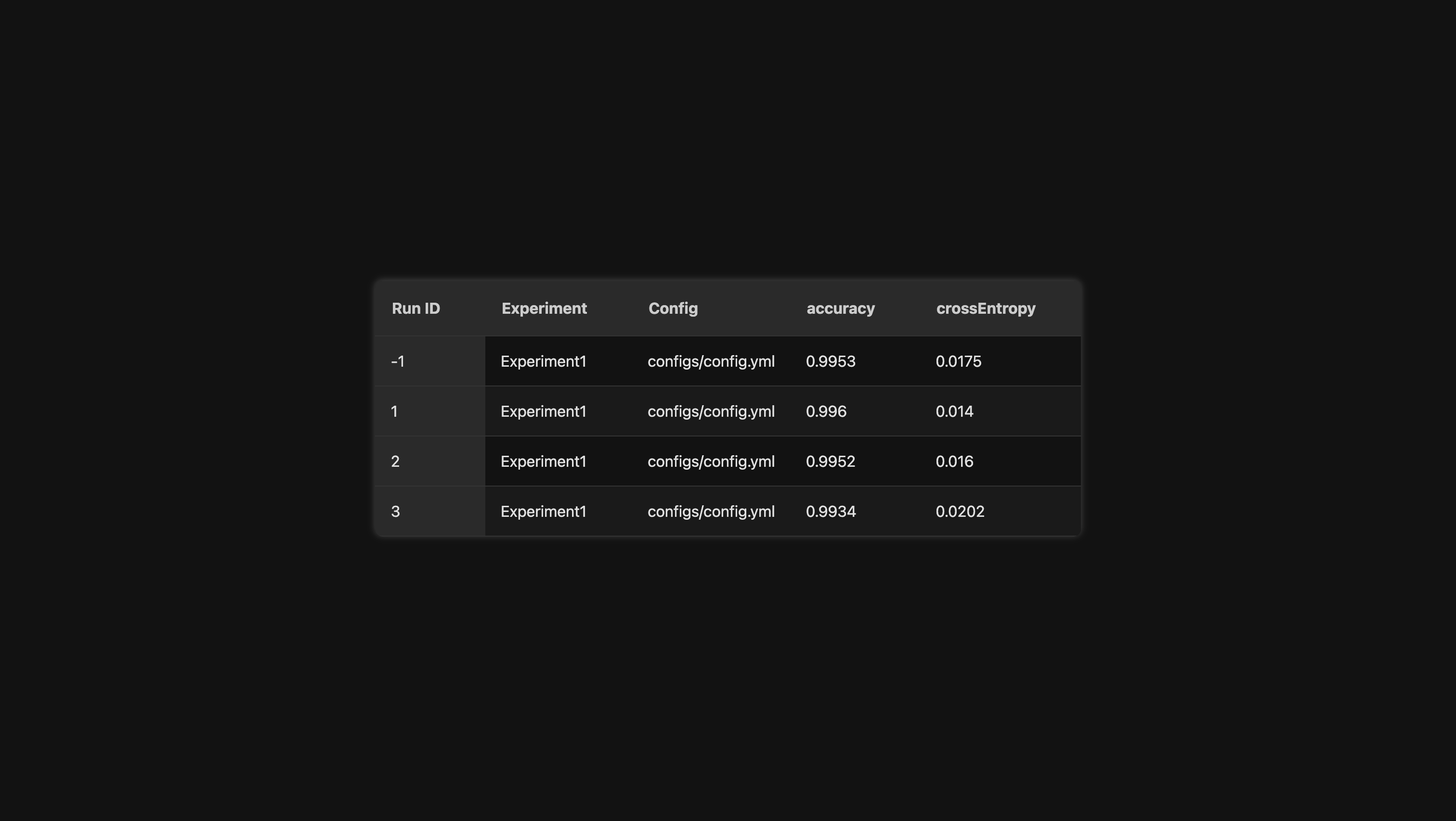
deepboard gui and resultTable. The resultTable module
keeps track of all of your experiment and helps you organize
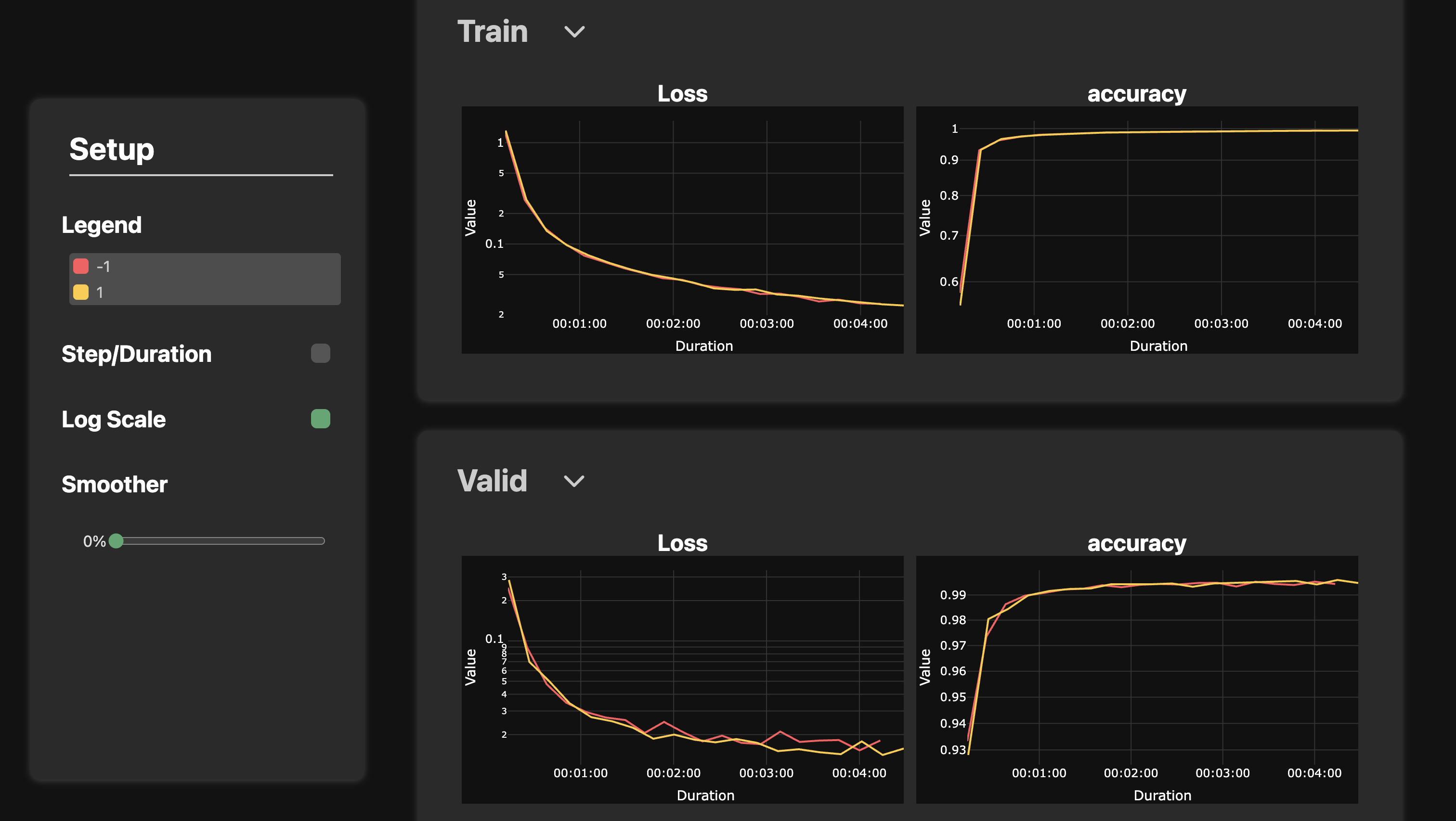
your code to make results reproducible. The deepboard gui module
implement a webUI to visualize the training details and training
curves of any runs. In addition, it lets you commpare training curves
between runs. You can even download the charts that you have generated:)
🔥 Screenshots 🔥
🌟 Project Philosophy
Before diving in, it’s important to understand the philosophy behind this project. In deep learning, it’s easy to get swept up in the excitement — experimenting with countless configurations in search of the perfect setup. 🔬✨ Eventually, we stumble upon something that works well... only to keep tweaking and lose track of what actually worked best. This package is built to help you stay focused, organized, and efficient — so you never lose track of that perfect combination again. 🧠✅
The idea is simple: always make your code reproducible! Sure, easier said than done... 😅 My recommended approach is to use a multi-level configuration system. Let me explain how it works! 👇
Before jumping into experiments, we usually know the minimal set of parameters required for a project to run. For instance, if you're training a Transformer model, you already know you'll need to specify things like the number of layers, number of attention heads, learning rate, and so on. All these known parameters can (and should) be stored in a configuration file — I personally prefer using YAML for its readability. 📄 When running the experiment, we simply load this config file and use it to parameterize each part of the code. Usually, the parameters stored in the config gives us the baseline.
Once we’ve established a baseline, it’s natural to want to improve it — whether it's by testing out a new technique from
a paper or an idea that came to us in a dream. 🚀 But here's the challenge: how do we add new functionality to our code
without breaking compatibility with earlier runs? In other words, if we use the same config file and script parameters,
we should still get the exact same results as before. My solution? Add new parameters to functions with sensible
default values — specifically, defaults that reflect the original behavior. You can then include these parameters in
your configuration file and toggle them on or off to test their effect. For example, say you’re building an image
classifier and want to try MixUp. Your training function might look like this:
def train_model(..., use_mixup: bool = False):
    ...
By setting the default to False, your baseline run remains intact. Only when use_mixup is explicitly set to True will
the new logic kick in. This approach ensures clean, reproducible experimentation with minimal disruption. ✅
Sometimes, we don’t want to modify the configuration file directly — for example, when we've decided that a particular config represents a fixed setup for a specific model or training strategy. In these cases, it's often more convenient to override a few parameters via the command line. 🧪 To do this, I use Python’s built-in argparse module. It adds an extra layer of configuration that’s ideal for quick experiments — without changing the original YAML file. And just like before, the same principle applies: always use default values that reproduce the results of previous runs. This ensures your experiments stay flexible and reproducible. 🔁
This project promotes a simple but powerful principle: make your deep learning experiments reproducible — without slowing down iteration or innovation. To achieve that, it recommends a multi-level configuration system:
- YAML Configuration Files – Store all known parameters for a clean, reproducible baseline. 📄
- Function Defaults – Add new features with default values that preserve past behavior. This ensures that re-running with the same config and cli parameters always gives the same result. ✅
- CLI Overrides – For quick tweaks, use cli parameters to add new functionalities or to override config's parameters without editing the base config. Perfect for fast experimentation. 🧪
This layered setup keeps your workflow organized, traceable, and easy to extend, so you can explore new ideas without losing sight of what actually works. 🔁
If you're feeling a bit overwhelmed or would like a project example, the torchbuilder app can generate various project templates. The default template implements this philosophy, including the resultTable, making it a great starting point! 🚀
🛠️ Installation
To install only the resultTable module, which allows you to log your results inside a single file, you can run:
pip install deepboard
To also install the GUI module, which allows you to visualize your results in a web UI, you can run:
pip install deepboard[full]
🚀 How to Use
For your project, you will only need the resultTable module, as the deepboard module is primarily for the UI.
ResultTable
First, import the ResultTable class from deepboard.resultTable, then create a new run. You can also create a debug run.
A debug run will be logged in the result table like any other run, but all results will be overwritten by the next
debug run. This helps keep the result table clean by containing only the runs you intend to test, rather than those
meant solely for verifying if the code executed correctly.
Note: Debug runs always have a runID of -1. 🔧
from deepboard.resultTable import ResultTable

rtable = ResultTable("results/resultTable.db")
if DEBUG:
    resultSocket = rtable.new_debug_run("Experiment1", "path/to/config", cli=vars(args).copy())
else:
    resultSocket = rtable.new_run("Experiment1", "path/to/config", cli=vars(args).copy())
Next, you can specify hyperparameters that will appear in the table
resultSocket.add_hparams(
        lr=config["training"]["learning_rate"],
        wd=...,
        min_lr=...,
        dropout2d=...,
        dropout=...
    )
During training, we can log scalars associated to the run with:
resultSocket.add_scalar(f'Train/Accuracy', 0.99, step)
Finally, you can log the final evaluation results that will be included into the table with:
resultSocket.write_result(accuracy=final_accuracy, crossEntropy=final_loss)
Note: If you want to do multiple training iterations of the same run (to test variance for example), you can call the
resultSocket.new_repetition method after each repetition.
for rep in range(number_of_repetitions):
    for epoch in range(n_epochs):
        ... # Train here
    resultSocket.new_repetition()

# Finally, write the final results once:
resultSocket.write_result(accuracy=accuracies.mean(), crossEntropy=losses.mean())
Deepboard UI
To launch deepboard Web UI, simply run the command deepboard in your terminal with the path to your resultTable db:
deepboard /path/to/resultTable.db
1 maintainer

Metadata
1 maintainer
Release files for deepboard 0.3.0
For a detailed explanation of source distributions (sdists) and built distributions (wheels), please see the package formats documentation.
Source distribution (sdist)
| File | Size | Uploaded | Provenance | |
|---|---|---|---|---|
| deepboard-0.3.0.tar.gz | 60.2 kB | Without provenance | Details |
Built distribution (wheel)
| File | Interpreter | ABI | Platform | Reset |
|---|---|---|---|---|
| deepboard-0.3.0-py3-none-any.whl | Python 3 | none | any | Details |
Total release size: 144.7 kB
Release files / deepboard-0.3.0.tar.gz
| Download URL | deepboard-0.3.0.tar.gz |
|---|---|
| Size | 60.2 kB |
| Tags | Source |
|
SHA-256 checksum How to use checksums |
c4ee0acc9bbf5db2f5db90087a34ab563aaf0b2d86c315eb80ff4de93480cef1
|
|
BLAKE2b-256 checksum How to use checksums |
1e93041bee333dee638917f0f20a3302609e5170838d7692512d0aa2f15bcdda
|
| Upload date | |
|
Uploaded using Trusted Publishing? What is trusted publishing? |
No |
| Uploaded via |
uv/0.8.22
|
Release files / deepboard-0.3.0-py3-none-any.whl
| Download URL | deepboard-0.3.0-py3-none-any.whl |
|---|---|
| Size | 84.6 kB |
| Tags | Python 3 |
|
SHA-256 checksum How to use checksums |
a1cee6926e9e418f380ad510634d97ca2a9a001492eac780ffc54608b4242f42
|
|
BLAKE2b-256 checksum How to use checksums |
96729236b46f6ae16df682b3be7d2ee727eaf40eb03e10a9321852fb58ff9200
|
| Upload date | |
|
Uploaded using Trusted Publishing? What is trusted publishing? |
No |
| Uploaded via |
uv/0.8.22
|
Security for deepboard 0.3.0
Provenance
Provenance describes where a file came from. On PyPI, provenance is shared via attestations, which provide a verifiable record of the build or publishing details. View details, limitations and caveats.
No provenance found
None of the files in this release were uploaded with provenance metadata.
A note on package security
PyPI is a repository for distributing packages, not a service for auditing them. While third-party security researchers and our staff do their best to detect and remove malicious packages, PyPI cannot guarantee the quality, security or suitability of any given package.














