
Deepfakes Detection


















🇰🇷 한국어 버전 | 🇯🇵 日本語版 | 📈 Model Evaluation | 🤗 Try Demo | 🤗 Hugging Face
📌 Contents
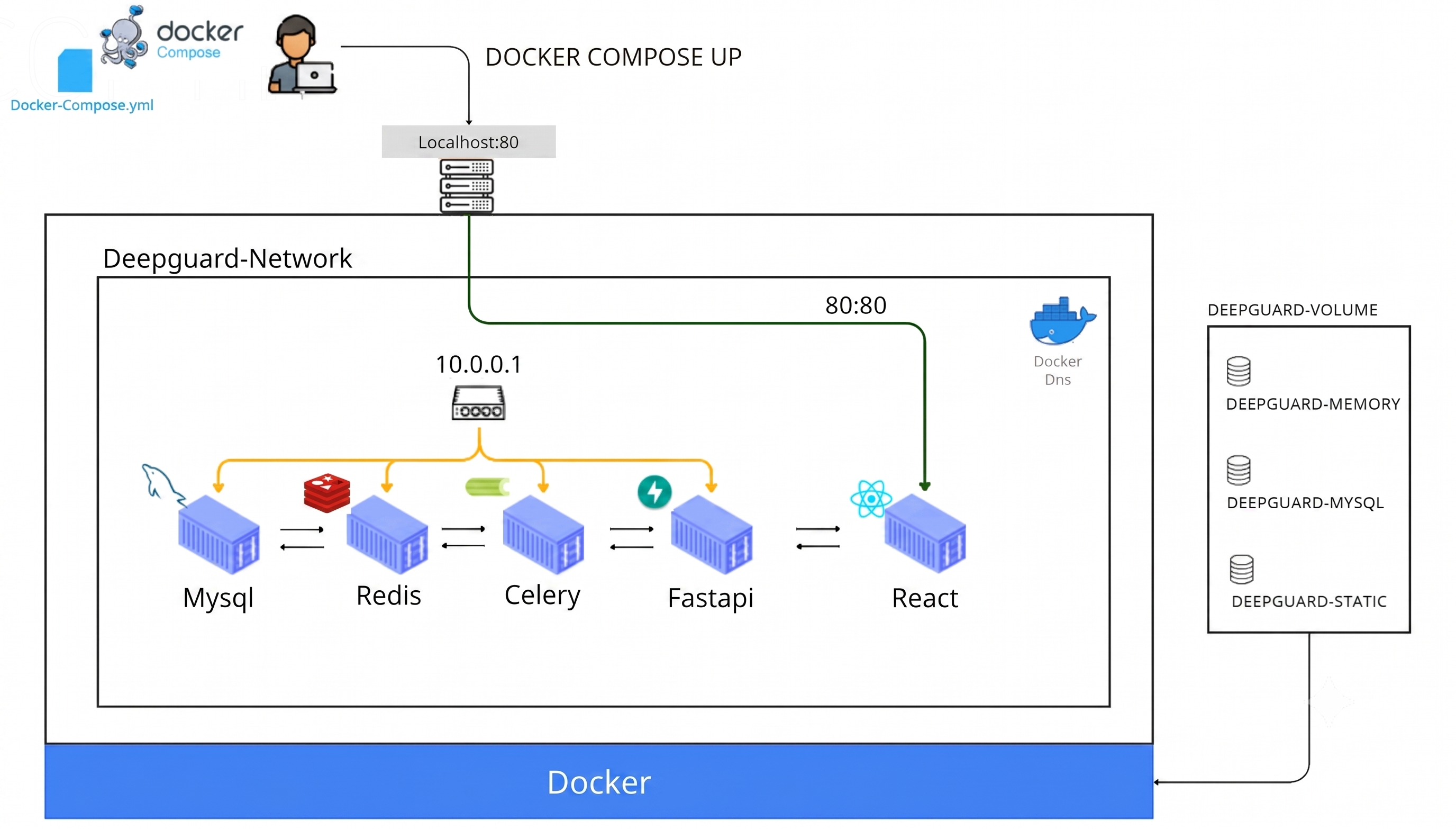
- 🐳 Docker Quick Start - Run the full stack (MySQL, Redis, FastAPI, Celery, React) with Docker Compose
- 🤗 Try It Live: Hugging Face Spaces - No-install browser demos for image, video, and XAI deepfake detection
- 📚 DeepFake Video BenchMark Datasets — Overview of Celeb-DF-v2, FF++, and KoDF datasets used for training.
- ⚙️ Data Preparation — Efficient face detection and landmark extraction pipeline using YOLOv8
- 🏗 Model Architecture — Detailed look into our hybrid CNN-ViT (MS-EffViT & MS-EffGCViT) designs.
- 🧬 Model Zoo — Comparison of model variants, parameter counts, and computational complexity (FLOPs).
- 🚀 Training - Step-by-step training scrips with Goolge Colab and W&B experiment tracking
- 📈 Model Evaluation - Benchmarking results
- 💻 Model Usage - Load pretrained models via
pip install deepguardor straight from the Hugging Face Hub - 🔮 Predict Image & Video - Simple Inference examples for detecting deepfakes in image and video
- 🎨 DeepFake AI Explainability - Visualizing model focus using Grad-CAM and attention maps
- 📓 Tutorials - Hands-on Colab notebooks for inference and dual-branch XAI visualization
- 📬 Authors - Team behind this senior graduation project at Chungbuk National University
- 📝 Reference - Libraries, datasets, and prior work this project builds on
- ⚖️ License - MIT license
🐳 Docker Quick Start
Run the full stack (MySQL + Redis + FastAPI + Celery + React) with Docker Compose — no local Python/Node setup required.
| FastAPI | Celery | Redis | MySQL | React |
|---|---|---|---|---|
REST API backend — routes, inference/explain services, DB accessseoyunje/deepguard-fastapi |
Background worker for async inference, explainability, and cleanup tasksseoyunje/deepguard-celery |
Celery broker/result backend and session storeseoyunje/deepguard-redis |
Primary relational database (users, analyses, etc.)seoyunje/deepguard-mysql |
Web frontend, served on port 80seoyunje/deepguard-react |
Prerequisites: Docker with Compose v2
git clone https://github.com/HanMoonSub/DeepGuard.git
cd DeepGuard
docker compose up -d
Once all containers are up, open http://localhost:80 in your browser. Images are also mirrored to GitHub Packages.
🤗 Try It Live: Hugging Face Spaces
No install, no GPU, no docker compose up — just click and try DeepGuard straight from your browser.
|
🖼️
Image Detection
Upload an image → real / fake probability
|
🎬
Video Detection
Upload a video → frame-aggregated probability
|
🎨
Detection XAI
See why — dual-branch Grad-CAM heatmaps
|

💛 Enjoying the demos? Please leave a ❤️ like on the Space — it means a lot to us!
Looking for the underlying checkpoints instead of the demo UI? Jump to 🤗 Model Usage → Hugging Face Hub.
📚 DeepFake Video BenchMark Datasets
To evaluate the generalization and robustness of our deepfake detection model, we utilize three large-scale, widely recognized benchmark datasets. Each dataset presents unique challenges and covers different types of forgery methods.
| Dataset | Real Videos | Fake Videos | Year | Participants | Description (Paper Title) | Details |
|---|---|---|---|---|---|---|
| Celeb-DF-v2 | 890 | 5,639 | 2019 | 59 | A Large-scale Challenging Dataset for DeepFake Forensics | 🔗 Readme |
| FaceForensics++ | 1,000 | 6,000 | 2019 | 1,000 | Learning to Detect Manipulated Facial Images | 🔗 Readme |
| KoDF | 62,166 | 175,776 | 2020 | 400 | Large-Scale Korean Deepfake Detection Dataset | 🔗 Readme |
⚙️ Data Preparation
Our preprocessing pipeline is designed to efficiently extract facial features from videos and prepare them for high-accuracy deepfake detection.
Detect Original Face
To maximize preprocessing efficiency, face detection is performed only on original (real) videos. Since mnipulated videos in DeepFake Video BenchMark Datasets share the same spatial coordinates as their sources, these bounding boxes are reused for the corresponding deepfake versions.
🚀 Efficiency Optimizations
-
Lightweight Model: Uses yolov8n-face for high-speed inference without sacrificing accuracy.
-
Targeted Processing: By detecting faces only in original videos, the total detection workload is reduced by approximately 80%.
-
Dynamic Rescaling: To maintain consistent inference speed across different resolutions, frames are automatically resized based on their dimensions:
| Frame Size(Longest Side) | Scale Factor | Action |
|---|---|---|
| < 300px | 2.0 |  |
| 300px - 700px | 1.0 |  |
| 700px - 1500px | 0.5 |  |
| > 1500px | 0.33 | |
Face Cropping & Landmark Extraction
This module extracts face crops from both original and deepfake videos using the bounding boxes generated in the previous step. It also performs landmark detection to facilitate advanced augmentations like Landmark-based Cutout
🛠 Key Features
-
Dynamic Margin with Jitter: Adds a configurable margin around the face. The margin_jitter parameter introduces random variance to the crop size, making the model more robust to different face scales.
-
Landmark Localization:
Detects 5 primary facial landmarks(eyes, nose, mouth corners) and saves them as .npy files.
DATA_ROOT/
├── crops/
│   └── {video_id}/
│       ├── 12.png
│       └── ...
├── landmarks/
│   └── {video_id}/
│       ├── 12.npy
│       └── ...
└── train_frame_metadata.csv
Dataset-Specific Pipelines
Click the links below to view the specific preprocessing details for each dataset:
🏗 Model Architecture
Multi Scale Efficient Global Context Vision Transformer is an optimized multi-scale hybrid architecture that integrates CNN-driven spatial inductive bias with hierarchical attention mechanisms to effectively identify subtle(local) artifacts and macro(global) artifacts for robust deepfake forensics."
Explore More Details
-
Model Architecture: MS-EffViT - Multi Scale Efficient Vision Transformer
-
Advanced Architecture: MS-EFFGCViT - Multi Scale Efficient Global Context Vision Transformer
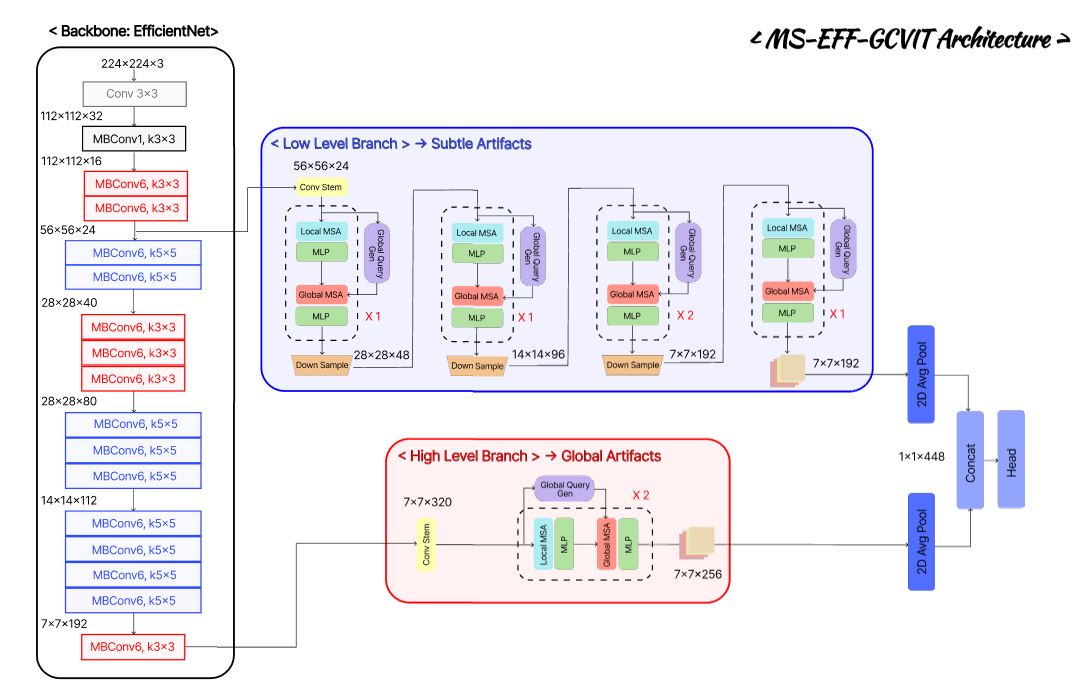
We utilizes two distinct types of self-attention to capture both long-range and short-range information across feature maps.
-
Local Window Attention: this model efficiently captures local textures and precise spatial details while maintaining linear computational complexity relative to the image size.
-
Global Window Attention: Unlike Swin Transformer, this module utilizes global-queries that interact with local window keys and values. This allows each local region to incorporate global context, effectively capturing long-range dependencies and providing a comprehensive understanding of the entire spatial structure

🧬 Model Zoo
| Model | Resolution | # Total Params(M) | # Backbone(M) | # L-ViT(M) | # H-ViT(M) | FLOPs (G) | Model Config |
|---|---|---|---|---|---|---|---|
| ⚡ ms_eff_gcvit_b0 | 224 X 224 | 8.7 | 3.6(41.4%) | 1.7(19.5%) | 3.3(37.9%) | 0.87 | spec |
| 🔥 ms_eff_gcvit_b5 | 384 X 384 | 50.3 | 27.3(54.3%) | 6.6(13.1%) | 16.1(32.0%) | 13.64 | spec |
🚀 Training
These training scripts run against the full repo, not the pip install deepguard package. Clone it and install the full dev environment first:
git clone https://github.com/HanMoonSub/DeepGuard.git
cd DeepGuard
pip install -r requirements.txt
We provide training scripts for both ms_eff_vit and ms_eff_gcvit. We recommend using Google Colab for free GPU access and Weightes & Biases(W&B) for experiment tracking
📊 Weight & Biases Experiments
- ms_eff_vit_b0: Celeb-DF-v2 🚀 | FaceForensics++ 🚀 | KoDF 🚀
- ms_eff_vit_b5: Celeb-DF-v2 🚀 | FaceForensics++ 🚀 | KoDF 🚀
- ms_eff_gcvit_b0: Celeb-DF-v2 🚀 | FaceForensics++ 🚀 | KoDF 🚀
- ms_eff_gcvit_b5: Celeb-DF-v2 🚀 | FaceForensics++ 🚀 | KoDF 🚀
!python -m train_eff_vit \ # train_eff_gcvit
    --root-dir DATA_ROOT \
    --model-ver "ms_eff_vit_b5" \ # ms_eff_vit_b0, ms_eff_vit_b5, ms_eff_gcvit_b0, ms_eff_gcvit_b5
    --dataset "ff++" \ # ff++, celeb_df_v2, kodf
    --seed 2025 \ # for reproducibility
    --wandb-api-key "your-api-key" # Write your own api key
📈 Model Evaluation
!python -m inference.predict_video \
    --root-dir DATA_ROOT \
    --margin-ratio 0.2 \
    --conf-thres 0.5 \
    --min-face-ratio 0.01 \
    --model-name "ms_eff_gcvit_b0" \ # ms_eff_vit_b0, ms_eff_vit_b5, ms_eff_gcvit_b0, ms_eff_gcvit_b5
    --model-dataset "kodf" \ # ff++, celeb_df_v2, kodf
    --num-frames 20 \
    --tta-hflip 0.0 \
    --agg-mode "conf" \
Celeb DF(v2) Pretrained Models
| Model Variant | Test@Acc | Test@Auc | Test@log_loss | Download | Train Config |
|---|---|---|---|---|---|
| ms_eff_gcvit_b0 | 0.9842 | 0.9965 | 0.0283 | model | recipe |
| ms_eff_gcvit_b5 | 0.9981 | 0.9984 | 0.0089 | model | recipe |
FaceForensics++ Pretrained Models
| Model Variant | Test@Acc | Test@Auc | Test@log_loss | Download | Train Config |
|---|---|---|---|---|---|
| ms_eff_gcvit_b0 | 0.9808 | 0.9969 | 0.0637 | model | recipe |
| ms_eff_gcvit_b5 | 0.9850 | 0.9974 | 0.0492 | model | recipe |
KoDF Pretrained Models
| Model Variant | Test@Acc | Test@Auc | Test@log_loss | Download | Train Config |
|---|---|---|---|---|---|
| ms_eff_gcvit_b0 | 0.9655 | 0.9792 | 0.1237 | model | recipe |
| ms_eff_gcvit_b5 | 0.9850 | 0.9974 | 0.0492 | model | recipe |
💻 Model Usage
Both options load the raw model only — no face detection/cropping is applied. For end-to-end inference on a real image/video file, see 🔮 Predict Image & Video below.
Available Datasets: celeb_df_v2, ff++, kodf
📦 Via pip (deepguard / timm)
pip install deepguard
Direct Import (via DeepGuard)
from deepguard import ms_eff_gcvit_b0, ms_eff_gcvit_b5

model = ms_eff_gcvit_b0(pretrained=True, dataset="celeb_df_v2")
model = ms_eff_gcvit_b5(pretrained=True, dataset="ff++")
Using timm Interface
import timm
import deepguard

model = timm.create_model("ms_eff_gcvit_b0", pretrained=True, dataset="ff++")
model = timm.create_model("ms_eff_gcvit_b5", pretrained=True, dataset="kodf")
🤗 Via Hugging Face Hub
Every checkpoint is also mirrored to the Hugging Face Hub under KoreaPeter as its own transformers-compatible repo (config + custom modeling code + safetensors weights) — usable directly via the transformers pipeline API with trust_remote_code=True, no deepguard install required.
💛 Find a checkpoint useful? Please leave a ❤️ like on its model card — it means a lot to us!
| Model | Celeb-DF-v2 | FaceForensics++ | KoDF |
|---|---|---|---|
| ⚡ ms_eff_gcvit_b0 |  |
 |
 |
| 🔥 ms_eff_gcvit_b5 |  |
 |
 |
from transformers import pipeline

# 🖼️ Image classification
clf = pipeline(
    "image-classification",
    model="KoreaPeter/ms-eff-gcvit-deepfake-b0-kodf",  # swap for any model card above
    trust_remote_code=True,
)
result = clf("face.jpg")
# [{'label': 'fake', 'score': 0.9712}, {'label': 'real', 'score': 0.0288}]

# 🎬 Video classification
clf = pipeline(
    "video-classification",
    model="KoreaPeter/ms-eff-gcvit-deepfake-b0-kodf",
    trust_remote_code=True,
)
result = clf("video.mp4", num_frames=20, agg_mode="conf")
# [{'label': 'fake', 'score': 0.9634}, {'label': 'real', 'score': 0.0366}]
🔮 Predict Image & Video
Predict DeepFake Image
from inference.image_predictor import ImagePredictor

# Initialize the predictor
predictor = ImagePredictor(
            margin_ratio = 0.2, #  Margin ratio around the detected face crop
            conf_thres = 0.5, # Confidence threshold for face detection
            min_face_ratio = 0.01, # Minimum face-toframe size ratio to process
            model_name = "ms_eff_vit_b0", #  ms_eff_vit_b5, ms_eff_gcvit_b0, ms_eff_gcvit_b5
            dataset = "celeb_df_v2" # ff++, kodf
            )

# Run Inference
result = predictor.predict_img(
            img_path="path/to/image.jpg",
            tta_hflip=0.0 # Horizontal Flip for Test-Time Augmentation
            )

print(f"Deepfake Probability: {result:.4f}")
Predict DeepFake Video
from inference.video_predictor import VideoPredictor

# Initialize the predictor
predictor = VideoPredictor(
            margin_ratio = 0.2, #  Margin ratio around the detected face crop
            conf_thres = 0.5, # Confidence threshold for face detection
            min_face_ratio = 0.01, # Minimum face-toframe size ratio to process
            model_name = "ms_eff_vit_b0", #  ms_eff_vit_b5, ms_eff_gcvit_b0, ms_eff_gcvit_b5
            dataset = "celeb_df_v2" # ff++, kodf
            )

# Run Inference
result = predictor.predict_video(
            video_path = "path/to/video.mp4",
            num_frames = 20, # Number of frames to sample per video
            agg_mode = "conf", # Aggregation Method: 'conf', 'mean', 'vote'
            tta_hflip=0.0 # Horizontal Flip for Test-Time Augmentation
            )

print(f"Deepfake Probability: {result:.4f}")
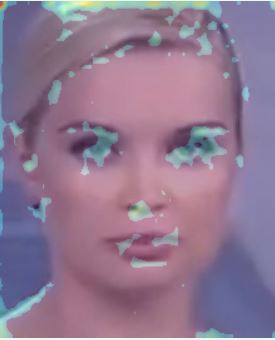
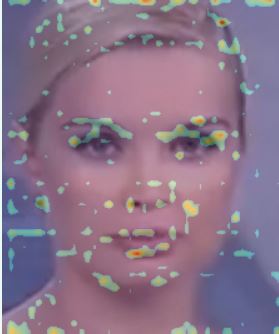
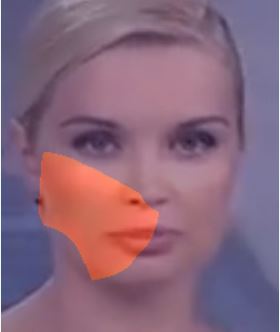
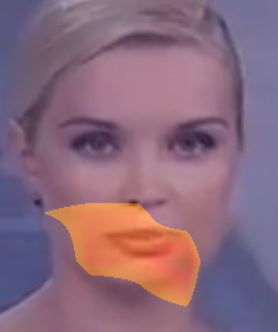
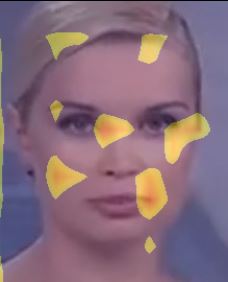
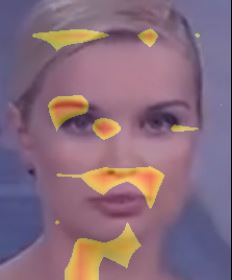
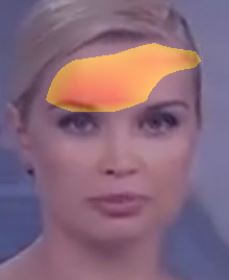
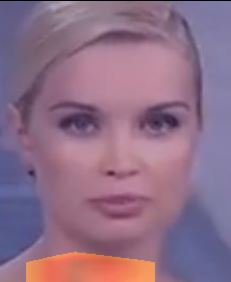
🎨 DeepFake AI Explainability
Deepfake detection is only as trustworthy as its explanations. DeepGuard integrates a production-ready XAI Toolkit that visualizes where and why the model flags a face as manipulated — turning a black-box score into actionable forensic evidence.
⭐ Validated on hybrid CNN-ViT architectures, specifically MS-EffViT and MS-EffGCViT.
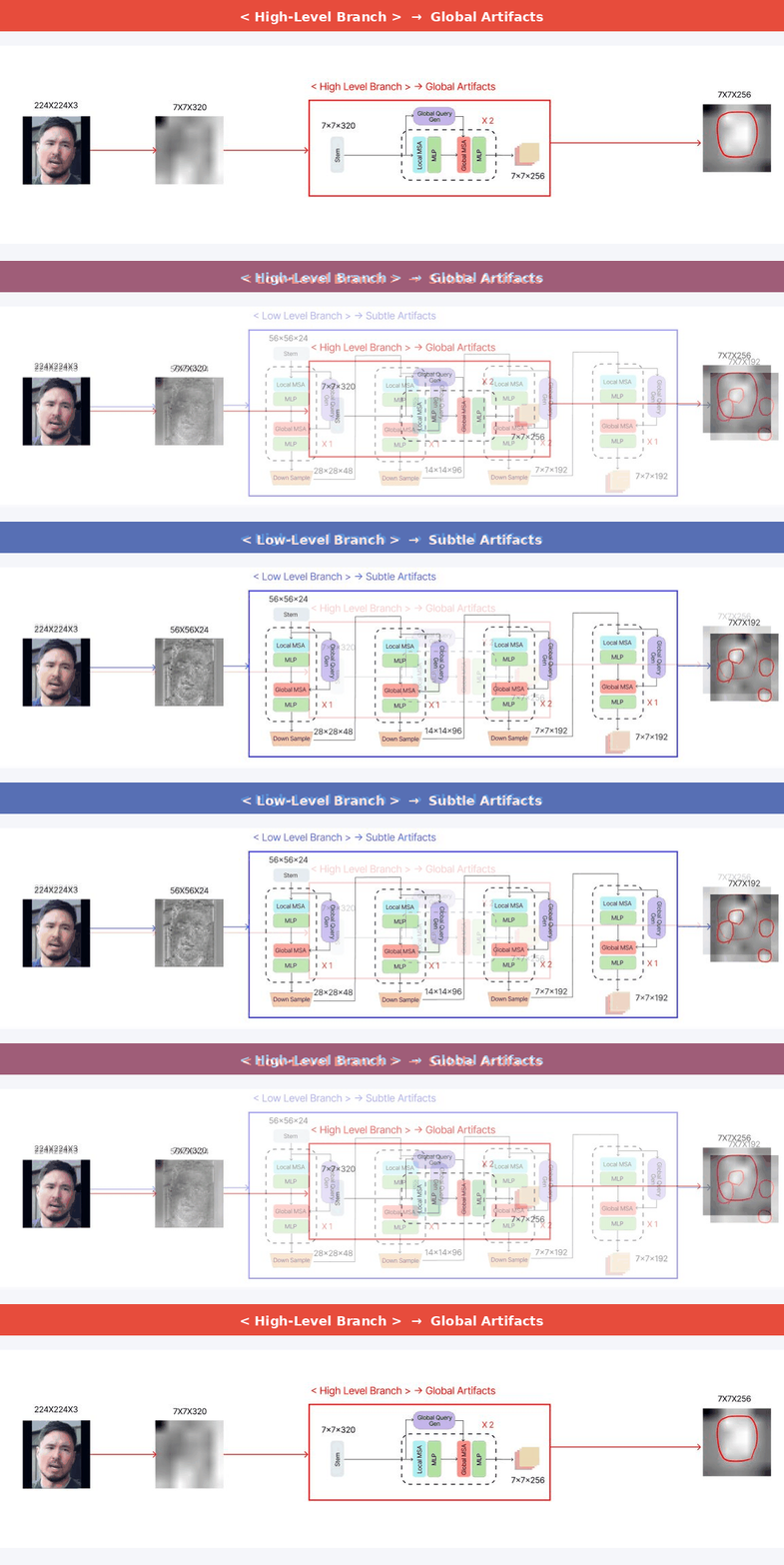
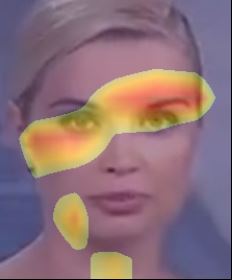
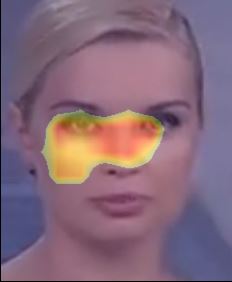
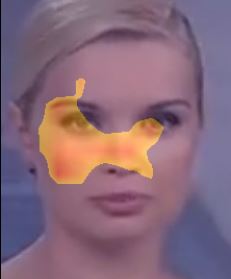
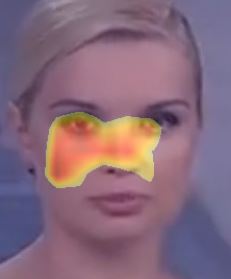
⭐ Dual-Branch Analysis: Dual-branch design mirrors the model's own multi-scale reasoning
🧠 How Dual-Branch XAI Works
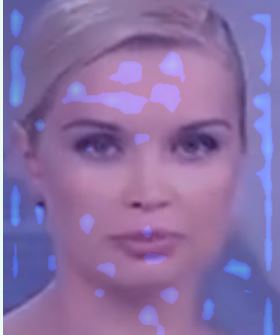
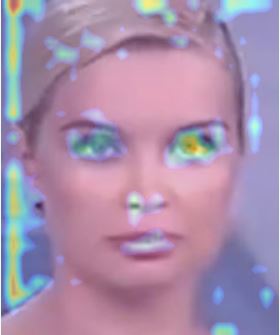
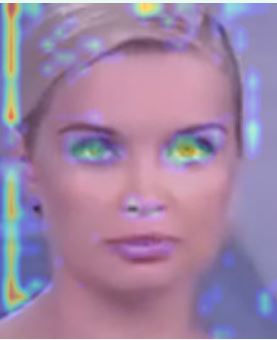
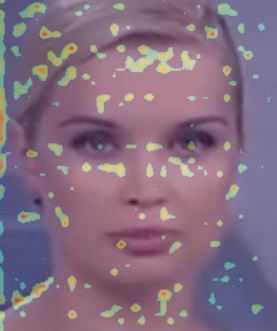
| Branch | Feature Map | Focus | Best For |
|---|---|---|---|
 |
High Resolution | Local Forgery artifacts | Skin texture, boundary blending, compression traces |
 |
Low Resolution | Global Semantic Structure | Lighting inconsistency, facial geometry, Shadow artifacts |
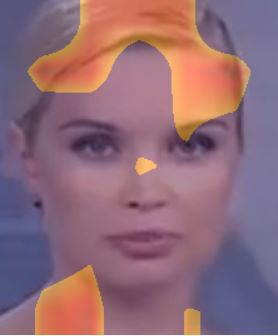
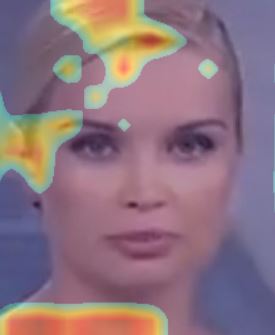
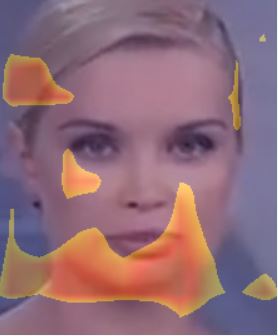
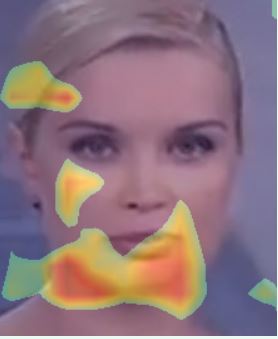
📐 XAI Methods
Each method is assigned to the branch where it performs best empirically.
| Branch | Method | 🎯 Core Idea |
|---|---|---|
low level |
HiResCAM | Like GradCAM but element-wise multiply the activations with the gradients; provably guaranteed faithfulness for certain models |
low level |
GradCAMElementWise | Like GradCAM but element-wise multiply the activations with the gradients then apply a ReLU operation before summing |
low level |
LayerCAM | Spatially weight the activations by positive gradients. Works better especially in lower layers |
| --- | --- | --- |
high level |
EigenGradCAM | Like EigenCAM but with class discrimination: First principle component of Activations*Grad. Looks like GradCAM, but cleaner |
high level |
GradCAM++ | Like GradCAM but uses second order gradients |
high level |
XGradCAM | Like GradCAM but scale the gradients by the normalized activations |
aug_smoothapplies TTA (horizontal flips) before averaging CAMs → smoother, more object-aligned mapseigen_smoothapplies PCA noise reduction → retains dominant forgery pattern only
💡 DeepFake XAI Usage
pip install deepguard
Low-Level Branch — Local Artifact Detection
from explainability import HiResCAMExplainer, GradCAMElementWiseExplainer, LayerCAMExplainer

explainer = HiResCAMExplainer(
    model_name   = "ms_eff_gcvit_b0",  # or ms_eff_vit_b0, ms_eff_gcvit_b5, ms_eff_vit_b5
    dataset      = "celeb_df_v2",       # or ff++, kodf
    branch_level = "low",
)
High-Level Branch — Global Semantic Detection
from explainability import EigenGradCAMExplainer, GradCAMPlusPlusExplainer, XGradCAMExplainer

explainer = EigenGradCAMExplainer(
    model_name   = "ms_eff_gcvit_b0",
    dataset      = "celeb_df_v2",
    branch_level = "high",
)
🎨 Visualization Modes
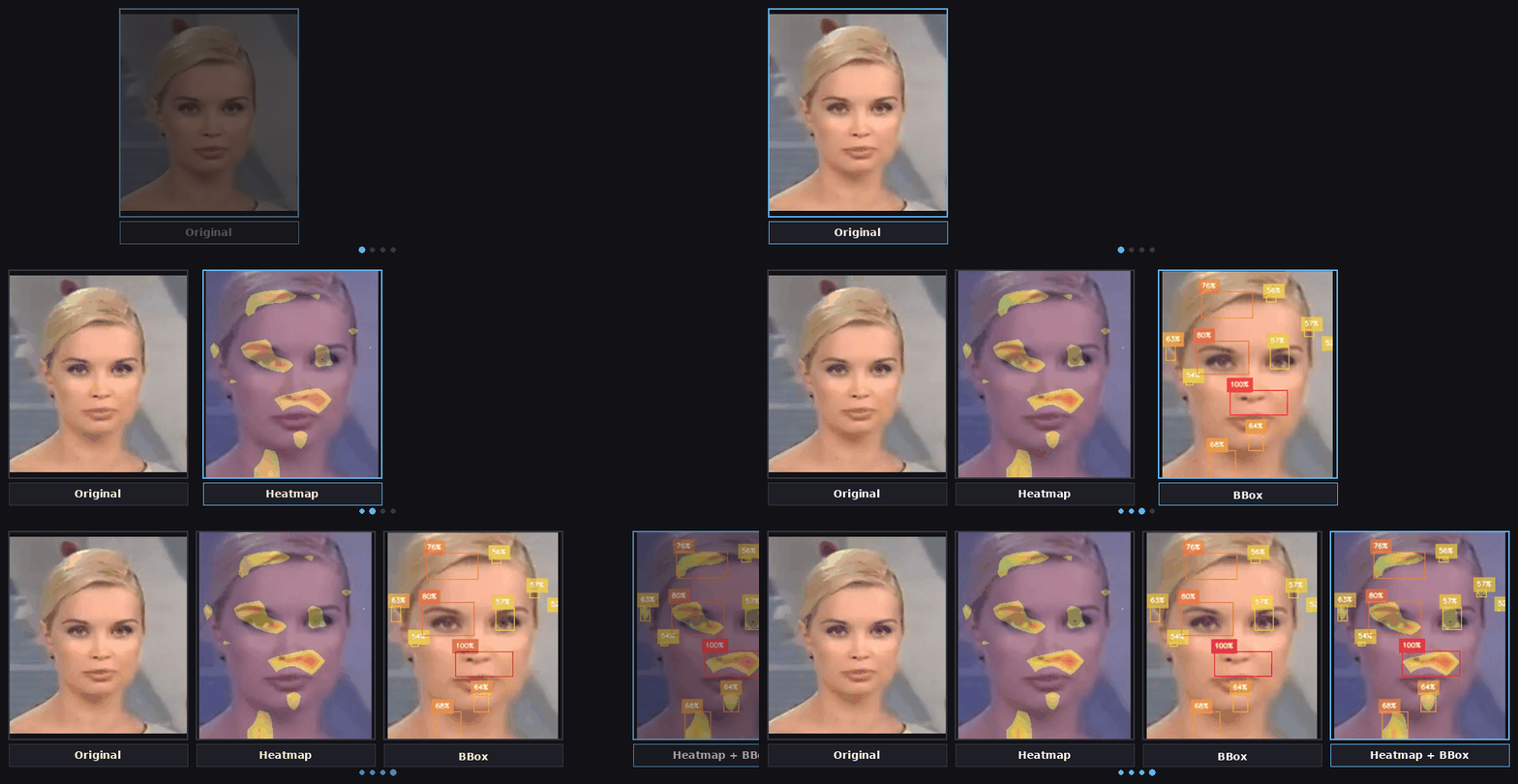
1. Heatmap — Continuous activation distribution
result = explainer.display_heatmap_on_image(
    img_path     = "path/to/image.jpg",
    category     = 1,      # 0: Real, 1: Fake
    threshold    = 0.5,    # binarization cutoff (0.5~1.0), or "auto" for Otsu
    image_weight = 0.5,    # 0.0: heatmap only ← → 1.0: original only
    aug_smooth   = False,  # TTA smoothing (not supported on 'pro' models)
    eigen_smooth = False,  # PCA noise reduction
)
2. Bounding Box — Discrete forgery region localization
result = explainer.display_bbox_on_image(
    img_path     = "path/to/image.jpg",
    category     = 1,
    threshold    = 0.5,
    thickness    = 1,
    aug_smooth   = False,
    eigen_smooth = False,
)
3. Heatmap + BBox — Full overlay (recommended for reporting)
result = explainer.display_heatmap_bbox_on_image(
    img_path     = "path/to/image.jpg",
    category     = 1,
    threshold    = 0.5,
    image_weight = 0.5,
    aug_smooth   = False,
    eigen_smooth = False,
)
📊 Visual Results
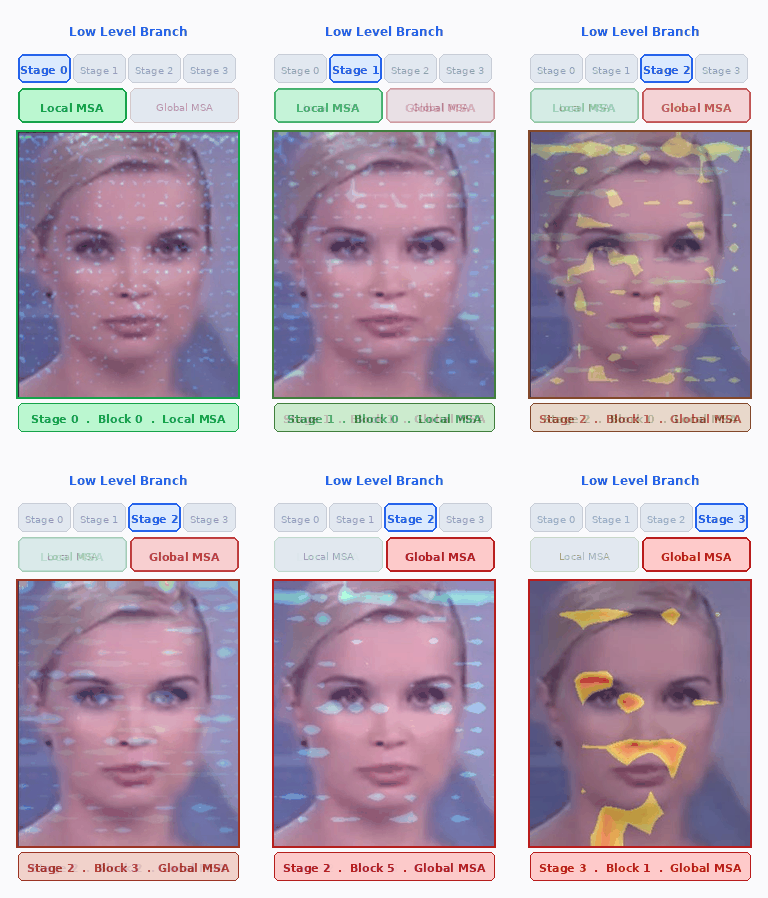 |
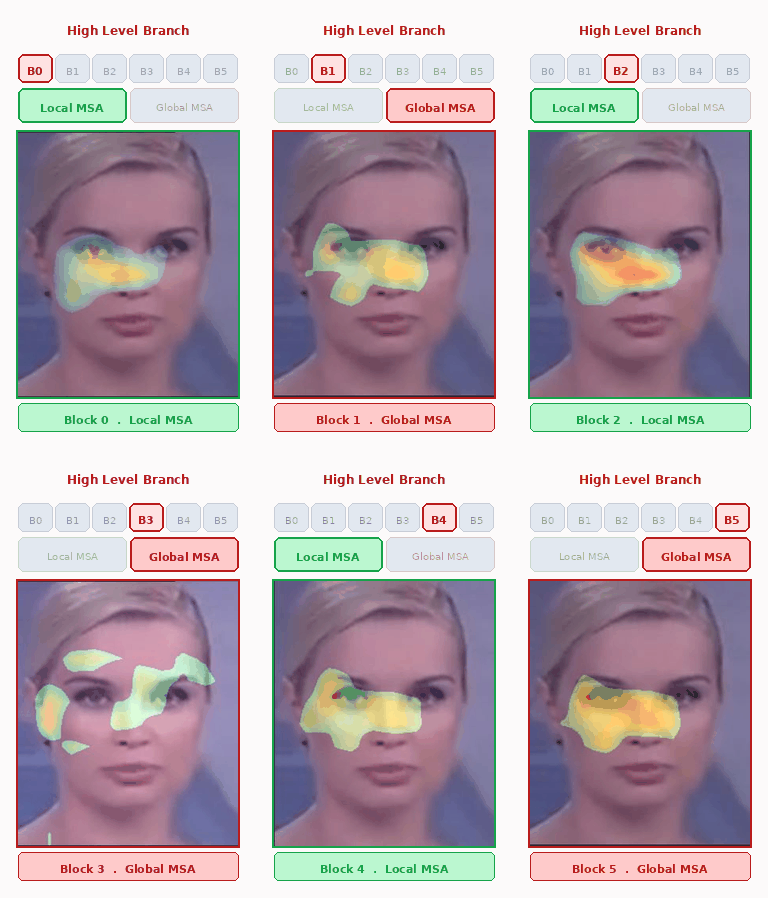 |
MS-EFF-VIT — Low-Level Branch
| Model | Branch-Level | Image | HiresCam | GradCamElementwise | LayerCam |
|---|---|---|---|---|---|
| ⚡ ms-eff-vit-b0 |  |
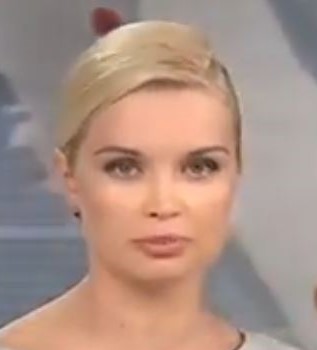 |
 |
 |
 |
| 🔥 ms-eff-vit-b5 | |
|
 |
 |
 |
MS-Eff-ViT — High-Level Branch
| Model | Branch-Level | Image | EigenGradCam | GradCamPlusPlus | XGradCam |
|---|---|---|---|---|---|
| ⚡ ms-eff-vit-b0 |  |
|
 |
 |
 |
| 🔥 ms-eff-vit-b5 | |
|
 |
 |
 |
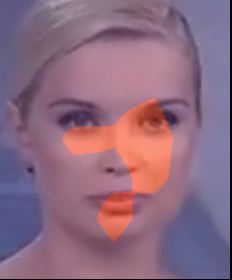
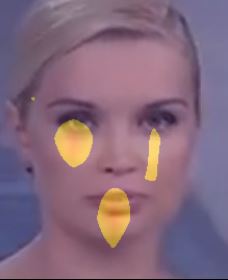
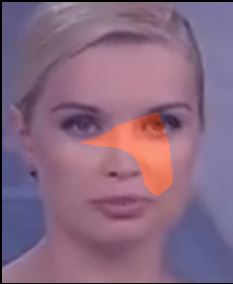
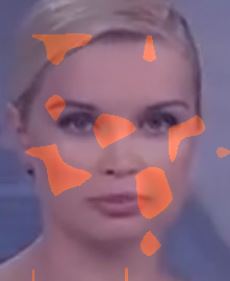
MS-EFF-GCVIT — Low-Level Branch
| Model | Branch-Level | Image | HiresCam | GradCamElementwise | LayerCam |
|---|---|---|---|---|---|
| ⚡ ms-eff-gcvit-b0 | |
|
 |
 |
 |
| 🔥 ms-eff-gcvit-b5 | |
|
 |
 |
 |
MS-Eff-GCViT — High-Level Branch
| Model | Branch-Level | Image | EigenGradCam | GradCamPlusPlus | XGradCam |
|---|---|---|---|---|---|
| ⚡ ms-eff-gcvit-b0 | |
|
 |
 |
 |
| 🔥 ms-eff-gcvit-b5 | |
|
 |
 |
 |
📓 Tutorials
The jupyter notebooks themselves can be found under the tutorials folder in the git repository.
- Notebook tutorial: Predict DeepFake Image with ImagePredictor
- Notebook tutorial: Predict DeepFake Video with VideoPredictor
- Notebook tutorial: Low-Level Branch XAI Visualization (HiResCAM, GradCAMElementWise, LayerCAM)
- Notebook tutorial: High-Level Branch XAI Visualization (EigenGradCAM, GradCAM++, XGradCAM)
- Notebook tutorial: MS-EffViT Low-Level Branch Explainability
- Notebook tutorial: MS-EffViT High-Level Branch Explainability
- Notebook tutorial: MS-EffGCViT Low-Level Branch Explainability
- Notebook tutorial: MS-EffGCViT High-Level Branch Explainability
📬 Authors
Senior Graduation Project — Department of Software, Chungbuk National University (CBNU), Republic of Korea
| Member | Role | Focus | Contact |
|---|---|---|---|
| 한문섭 | Data & Backend Engineering | Data Preprocessing Pipeline, DB Schema Design | ✉️ |
| 이예솔 | UI/UX & Frontend Engineering | UI/UX Design, User Dashboard, Model Visualization | ✉️ |
| 서윤제 | AI Engineering | AI Model Architecture, Inference API Design, Model Serving | ✉️ |
📝 Reference
| # | Project | Description |
|---|---|---|
| 1 | facenet-pytorch |
Pretrained Face Detection (MTCNN) and Recognition (InceptionResNet) Models by Tim Esler |
| 2 | face-cutout |
Face Cutout Library by Sowmen |
| 3 | Celeb-DF++ |
Celeb-DF++ Dataset by OUC-VAS Group |
| 4 | DeeperForensics-1.0 |
DeeperForensics-1.0 Dataset by Endless Sora |
| 5 | Deepfake Detection |
Detection of Video Deepfake using ResNext and LSTM by Abhijith Jadhav |
| 6 | deepfake-detection-project-v4 |
Multiple Deep Learning Models by Ameen Caslam |
| 7 | Awesome-Deepfake-Detection |
A curated list of tools, papers and code by Daisy Zhang |
| 8 | Pytorch-Grad-Cam |
Advanced Visual Explanations for PyTorch Models |
⚖️ License
This project is licensed under the terms of the MIT license.
1 maintainer

Metadata
1 maintainer
Release files for deepguard 1.1.0
For a detailed explanation of source distributions (sdists) and built distributions (wheels), please see the package formats documentation.
Source distribution (sdist)
| File | Size | Uploaded | |
|---|---|---|---|
| deepguard-1.1.0.tar.gz | 5.9 MB | Details |
Built distribution (wheel)
| File | Interpreter | ABI | Platform | Reset |
|---|---|---|---|---|
| deepguard-1.1.0-py3-none-any.whl | Python 3 | none | any | Details |
Total release size: 11.8 MB
Release files / deepguard-1.1.0.tar.gz
| Download URL | deepguard-1.1.0.tar.gz |
|---|---|
| Size | 5.9 MB |
| Tags | Source |
|
SHA-256 checksum How to use checksums |
376d2eef09530955ebf384d82ed8de001384a7d712255e691cea1a33725b54f9
|
|
BLAKE2b-256 checksum How to use checksums |
1ed22b818311a0504ec2448668bd33b29f052e30c07bc2228f15afd0bef700b9
|
| Upload date | |
|
Uploaded using Trusted Publishing? What is trusted publishing? |
Yes |
| Uploaded via |
twine/7.0.0 CPython/3.13.14
|
Provenance
Provenance describes where a file came from. On PyPI, provenance is shared via attestations, which provide a verifiable record of the build or publishing details. View details, limitations and caveats.


PyPI Publish Attestation
PyPI verified that this artifact, at this checksum, originated from the publisher listed below.
Signed by GitHub Actions, verified by PyPI on Sep 4, 2026.
Transparency logRelease files / deepguard-1.1.0-py3-none-any.whl
| Download URL | deepguard-1.1.0-py3-none-any.whl |
|---|---|
| Size | 5.9 MB |
| Tags | Python 3 |
|
SHA-256 checksum How to use checksums |
7270397ca004572bed85240c0f083aa9e4ced0dd28d4f61f3caf9b103b6c1358
|
|
BLAKE2b-256 checksum How to use checksums |
af70b0b79dede452a4ad6d6fcbd1461d0860aaf9bf30468c303b7bcd70649a23
|
| Upload date | |
|
Uploaded using Trusted Publishing? What is trusted publishing? |
Yes |
| Uploaded via |
twine/7.0.0 CPython/3.13.14
|
Provenance
Provenance describes where a file came from. On PyPI, provenance is shared via attestations, which provide a verifiable record of the build or publishing details. View details, limitations and caveats.
PyPI Publish Attestation
PyPI verified that this artifact, at this checksum, originated from the publisher listed below.
Signed by GitHub Actions, verified by PyPI on Sep 4, 2026.
Transparency log













