
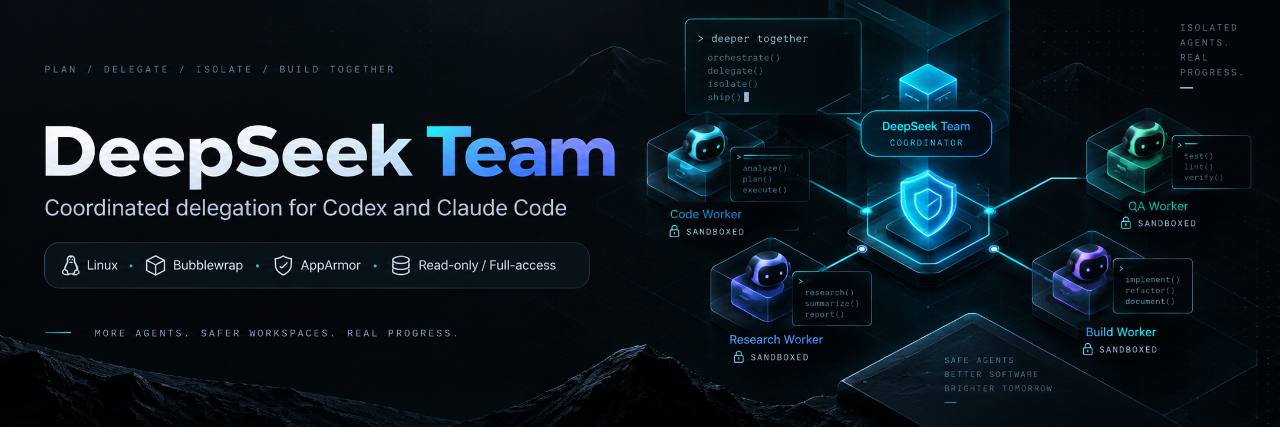
DeepSeek Team
English | Русский


DeepSeek Flash subagents inside your Codex or Claude Code session.
Your coordinator plans the work, delegates bounded tasks to isolated workers, then reviews and integrates the results.
pipx install deepseek-team
Requires Linux, Python 3.11+ and pipx. Then set up your API key, hooks and project.
Install · Quick start · How delegation works · Docs · PyPI
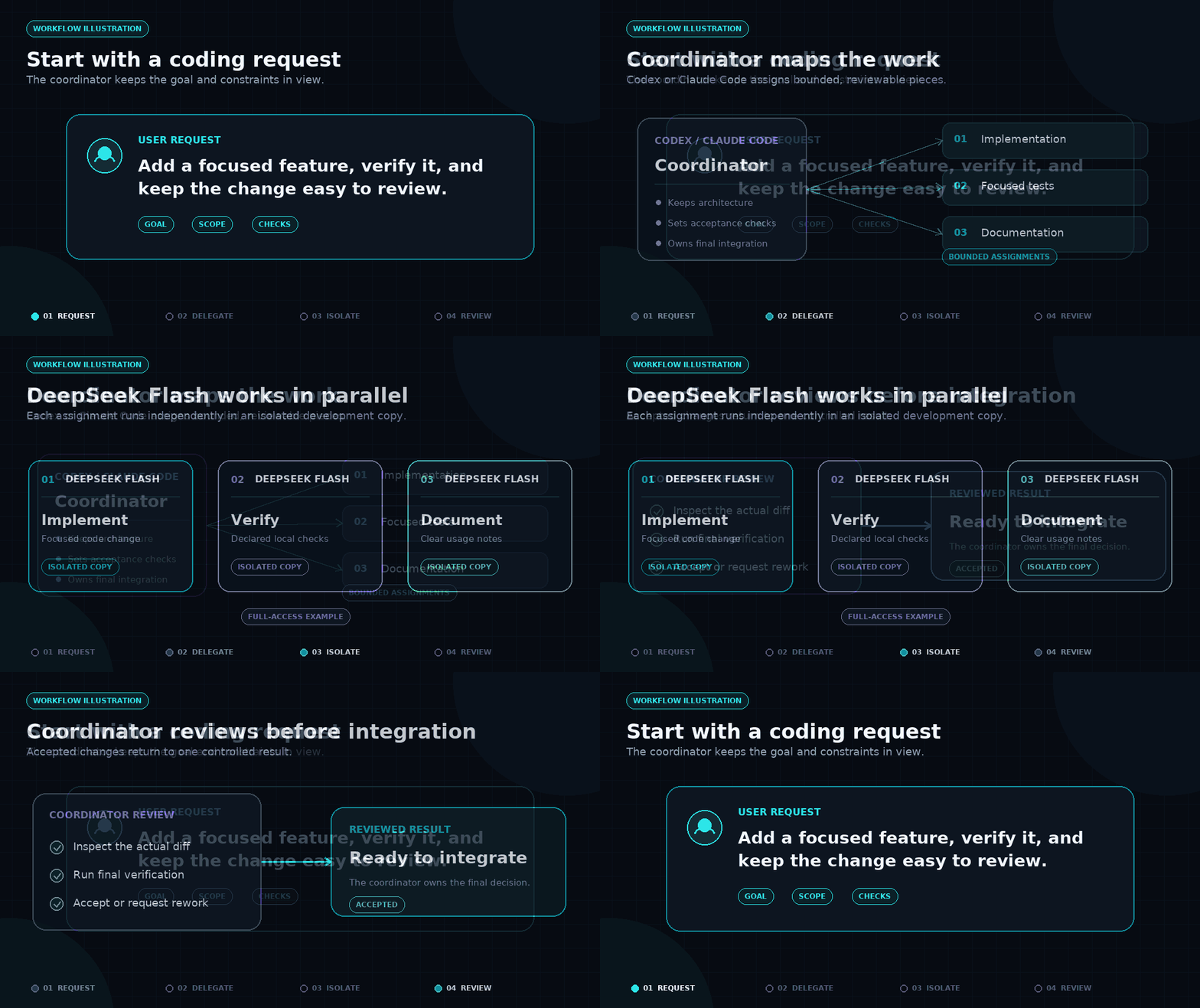
Workflow illustration with full-access enabled.
This README describes version 0.8.2 of the deepseek-team package, which installs the single deepseek-team executable.
Workers use the deepseek-flash model and a separate DeepSeek API key. By default, the coordinator chooses the reasoning effort (low, high or max) for each assignment; you can also save a fixed level. low suits bounded or mechanical work, high is the normal case, and max covers difficult debugging, cross-file reasoning and adversarial review. Under auto the coordinator selects the level per assignment; if no level is selected, the worker runs with high. The levels map to the provider's reasoning levels, and thinking stays enabled as before. The legacy value medium is still accepted as an alias of high, so old settings and commands keep working. See the DeepSeek thinking mode guide when reasoning depth matters.
Fresh installations use read-only access: workers inspect the project and report their findings. To let them make changes in isolated development copies, explicitly enable full-access.
Prerequisites
- Linux. Native Windows and macOS are not supported.
- Python 3.11 or newer and Git on
PATH. - Codex CLI and/or Claude Code CLI on
PATH, normally configured. Install whichever coordinator you intend to use;bothcovers both. - Bubblewrap (
bwrap) and a working Linux OS sandbox. Every worker needs it before any credential is read, and it cannot be turned off.
On Ubuntu, setup --with-sandbox can install the required system components (see below). On other distributions, install Bubblewrap and any AppArmor prerequisites with your own package manager first, then check deepseek-team sandbox status.
Install
The package is published on PyPI, so install the released package by name. pipx keeps the CLI in its own environment and is the recommended route:
sudo apt-get install pipx      # Ubuntu, once
pipx ensurepath
# Open a new terminal so PATH is refreshed.
pipx install deepseek-team
Compact alternatives, if you already prefer another manager:
# uv
uv tool install deepseek-team

# pip inside a virtual environment only
python3 -m venv ~/venvs/deepseek-team
. ~/venvs/deepseek-team/bin/activate
python -m pip install deepseek-team
To install from a local checkout instead:
git clone https://github.com/kirill31337/deepseek-team.git
cd deepseek-team
pipx install .
Quick start
setup prepares your user-level integration. init then attaches the Git project where you want to use delegation.
# 1. Prepare the user-level integration for Codex. --no-key defers the credential.
deepseek-team setup --runtime codex --no-key

# 2. Store the DeepSeek API key. The prompt is hidden; the key is never echoed.
deepseek-team auth set

# 3. Attach a project so its coordinator reads the delegation instructions.
cd /path/to/project
deepseek-team init --coordinator codex .

# 4. Optional: allow implementation inside an isolated development copy.
deepseek-team config set --project --access full-access

# 5. Confirm local readiness. This stays offline: no key is read and no request is sent.
deepseek-team doctor --runtime codex --offline
A few notes:
--no-keydeliberately defers authentication sosetupnever prompts for or reads a secret. Store the key separately withdeepseek-team auth set, or omit--no-keyon a terminal when you are ready.- Fresh access defaults are read-only. Step 4 lets Auto delegate implementation by explicitly granting write access. Full-access means a private, owned development copy, not the host system.
- On Ubuntu, the very first setup may need to install the sandbox package and a named AppArmor profile. Use
deepseek-team setup --runtime codex --with-sandbox --no-keyfor that explicit, administrator-authorized step. Ordinary setup never invokessudo; on other distributions install the system prerequisites yourself. - For Claude Code, substitute
claudeforcodexin--runtimeand--coordinator, or passbothto prepare both coordinators. - Codex owns native hook trust: review and trust the installed hook once with
/hooks. In Claude Code, start a fresh session and check/hooksthere.
What gets delegated
Auto delegation admits suitable work immediately; it does not wait for prior history to accumulate. A task is a good candidate when it is:
- small or medium, with low or medium risk;
- localized to a known or partially known place, with local or component-level coupling;
- clear about acceptance, with a way to check the result.
Implementation needs an executable check - tests, a build or a reproducer. Review, research and documentation tasks may use manual acceptance criteria instead. Unknown costs never block eligible work, and the coordinator keeps anything whose measured economics do not justify delegation.
Every delegated subtask - even a small read-only history, search or review request - is planned and routed before another agent is assigned; in Auto a resolved worker decision means DeepSeek. The coordinator's own native subagents are an explicit exception: they need a delegation_reason and a native_exception (an explicit user request, or a native capability a DeepSeek worker cannot reach), the coordinator attests that evidence, and the native prompt carries [deepseek-team:TASK_ID:DELIVERABLE_ID] binding the registered scope.
The coordinator records what actually happened after reviewing the real diff and the declared checks. One rework is recorded without pausing anything; a rejection, or three distinct recent reworks, pauses only that task family for 300 seconds. Failed implementation is never retried automatically.
Access is independent of effort and history:
- Read-only (fresh default): workers inspect and report, and cannot modify the project.
- Full-access (explicit): workers implement, run local checks and write documentation inside an isolated copy owned by the job.
Workers never commit, push, publish, deploy, touch production services or spawn further agents. Those remain coordinator actions.
Asking for help in a session
Once setup and attachment are done, you do not run workers by hand. Ask in your normal coordinator session, in plain language:
Implement the new cache layer under
src/cache/. Delegate the independent implementation and its tests to DeepSeek workers, run the test suite inside the worker copies, and integrate only what you have verified. Keep the public API stable and show me the final diff before you commit.
The coordinator splits that into bounded assignments, runs them through the worker queue and reports the accepted work.
Final-summary guidance ships with the package for both Codex and Claude Code. While DeepSeek Team is enabled, summaries of performed work include short bullets separating the coordinator's personal work from accepted DeepSeek results, including any rework or failed attempts. They cover the reported task across turns; native subagents are credited separately, and no delegation is stated explicitly.
After the list comes an approximate coordinator/DeepSeek split in whole-number percentages totaling 100, labelled “subjective estimate, not measured.” It reflects accepted scope, complexity, review and rework, never counts of calls, tasks, files, lines, tokens, time or bullets, and never the configured 25/50/75 target or claimed savings. Without accepted worker work the split is 100/0; if evidence is insufficient, the estimate is unavailable. Status-only and no-work replies need no report, and off disables the requirement. Updating the package refreshes hook guidance; refresh existing project instructions with deepseek-team init --coordinator both /path/to/project (use codex or claude for a single coordinator).
Current defaults
| Setting | Current default | Notes |
|---|---|---|
| Delegation | auto |
Chooses the executor per task; no fixed quota. |
| Access | auto -> read-only in Auto |
Full-access enables isolated implementation. |
| Model | deepseek-flash |
Fixed for all workers. |
| Effort | auto |
Coordinator picks low/high/max per assignment; medium is a legacy alias of high. |
| Workers | 8 |
Configurable 1-64; further jobs queue FIFO. |
| Total timeout | unlimited | An explicit timeout also includes queue time. |
Inspect or change the settings per project:
deepseek-team config show --effective
deepseek-team config set --project --max-workers 8
deepseek-team on      # enable delegation for this project
deepseek-team off     # disable it without deleting settings
deepseek-team status  # show the saved and effective state
The optional manual 25/50/75 profiles are target distributions, not measured quotas. With access=auto, profile 25 uses read-only and profiles 50/75 use full-access. An explicitly saved read-only setting always takes priority. See the routing guide for how admission, evidence and feedback work.
Isolation
Workers require the Linux OS sandbox. Full-access work runs in an owned development copy with restricted filesystem and network access. The coordinator retains architecture, security decisions, final verification and integration.
Read-only and full-access workers have different isolation boundaries; see Hardening for the exact filesystem, credential and network rules.
Workspace and branch hygiene
Each write-capable worker runs in a fully independent Git repository created under the private
state directory (workspace.create). Its internal deepseek/<id> ref exists only inside that
private copy, so it is never a branch or worktree of your project and never clutters your
source history. Reuse that existing isolation instead of building isolation in the project.
The coordinator creates no synthetic branch just to invoke DeepSeek. When it genuinely needs
separate isolation, it prefers a detached worktree (git worktree add --detach) over a named
task branch, records which temporary branch or worktree it created, and after accepted
integration verifies a clean status and commit reachability before removing only its own
temporary worktree and fully merged branch. It preserves active, failed, unaccepted and foreign
work: it never bulk-prunes or force-deletes work it does not own. This is coordinator process
guidance, not worker OS enforcement, and there is no automatic cleanup engine. Worker copies
stay outside the project for review and recovery and are never deleted automatically.
Diagnostics
deepseek-team doctor --runtime codex --offline   # local readiness; no key read
deepseek-team hooks status --runtime codex      # whether managed hooks are installed
deepseek-team sandbox status                    # Bubblewrap and AppArmor backend
deepseek-team auth status                       # whether a saved key exists
These checks make no provider requests. Local readiness does not validate the key with DeepSeek; live worker requests use your DeepSeek API account.
Update and uninstall
Upgrade the released package through the same manager, then re-run the local setup steps:
pipx upgrade deepseek-team
deepseek-team setup --runtime codex --no-key
cd /path/to/project
deepseek-team init --coordinator codex .
deepseek-team doctor --runtime codex --offline
Run init for each attached project to refresh its managed instructions; your own instruction text and saved preferences are preserved. With uv, use uv tool upgrade deepseek-team. In a virtual environment, use its python -m pip install --upgrade deepseek-team. Keep one install channel per machine; a local-clone pipx installation is refreshed with pipx install --force . from the updated clone.
To remove DeepSeek Team, detach each project before uninstalling. If you also want to delete the saved DeepSeek key, run deepseek-team auth remove while the command is still installed.
deepseek-team detach --coordinator codex /path/to/project   # for each attached project
deepseek-team reset --runtime codex                         # remove managed integration
pipx uninstall deepseek-team
detach preserves your own instruction content, and reset removes only the package-owned provider block and hooks; your primary authentication and unrelated configuration are kept. Saved keys are not deleted by uninstall. For uv use uv tool uninstall deepseek-team; for a venv use its python -m pip uninstall deepseek-team. Substitute claude or both for codex wherever your runtime differs.
Further reading
- Routing guide - admission, evidence and feedback.
- Hardening - coordinator and worker boundaries.
- Publishing - release-maintainer details.
- 0.8.2 release notes
- Russian README: README.ru.md
License
MIT, copyright 2026 kirill31337.
1 maintainer

Release files for deepseek-team 0.8.4
For a detailed explanation of source distributions (sdists) and built distributions (wheels), please see the package formats documentation.
Source distribution (sdist)
| File | Size | Uploaded | |
|---|---|---|---|
| deepseek_team-0.8.4.tar.gz | 312.0 kB | Details |
Built distribution (wheel)
| File | Interpreter | ABI | Platform | Reset |
|---|---|---|---|---|
| deepseek_team-0.8.4-py3-none-any.whl | Python 3 | none | any | Details |
Total release size: 464.2 kB
Release files / deepseek_team-0.8.4.tar.gz
| Download URL | deepseek_team-0.8.4.tar.gz |
|---|---|
| Size | 312.0 kB |
| Tags | Source |
|
SHA-256 checksum How to use checksums |
4d6a8be37ab5c587027b460cd6b98b0b950d7790fa631222112bf3e29975e8ce
|
|
BLAKE2b-256 checksum How to use checksums |
2a4ecb6320c08a13bbd28a3adc8c0f44075e37d592a5200b729d0b37daf0560c
|
| Upload date | |
|
Uploaded using Trusted Publishing? What is trusted publishing? |
No |
| Uploaded via |
twine/7.0.0 CPython/3.12.3
|
Release files / deepseek_team-0.8.4-py3-none-any.whl
| Download URL | deepseek_team-0.8.4-py3-none-any.whl |
|---|---|
| Size | 152.2 kB |
| Tags | Python 3 |
|
SHA-256 checksum How to use checksums |
50fbce5d1e0cb14947a5038371ef5201ef6e081e33d13593d1ef3205366d3037
|
|
BLAKE2b-256 checksum How to use checksums |
c02b41d09594097cb30117369ac2478cd2f903a8fc772dadb472d3064b9eacc7
|
| Upload date | |
|
Uploaded using Trusted Publishing? What is trusted publishing? |
No |
| Uploaded via |
twine/7.0.0 CPython/3.12.3
|














