
Object Detection Data Analysis Toolbox

Project description
Deeva 🚀
Your Smart Analytics Companion for Object Detection Datasets
🎯 Overview
Deeva is a powerful yet easy-to-use analytics toolkit that makes exploring Object Detection datasets a breeze, whether you're just starting out or a seasoned pro.
Built with Streamlit, it offers an intuitive interface packed with features that let you dive into your data quickly or take a deeper look when you need it. Deeva is designed to simplify data exploration and reporting, so you can get meaningful insights without the hassle.
Key Features
- 💻 Run locally: Launch effortlessly on your local machine for seamless, offline use.
- 🚀 Instant Setup: Quickly start visualizing data by pointing Deeva to a specific dataset folder.
- 📊 Rich Interactive Dashboards: Build insightful, interactive dashboards for rich data exploration with minimal effort.
- 🎨 Customizable CLI: Use simple command-line commands to launch Deeva with flexible paths and configurations.
- 💾 Smart Caching: Efficient processing with intelligent data caching for large datasets
- 🎲 Built-in Toy Datasets: Quickly get started with the included
coco128dataset, perfect for initial experimentation.
🛠 Installation
install with pip:
$ pip install deeva
Alternatively, use a virtual environment (recommended):
$ python3 -m venv myenv
$ source myenv/bin/activate

$ pip install deeva
⚡ Quickstart
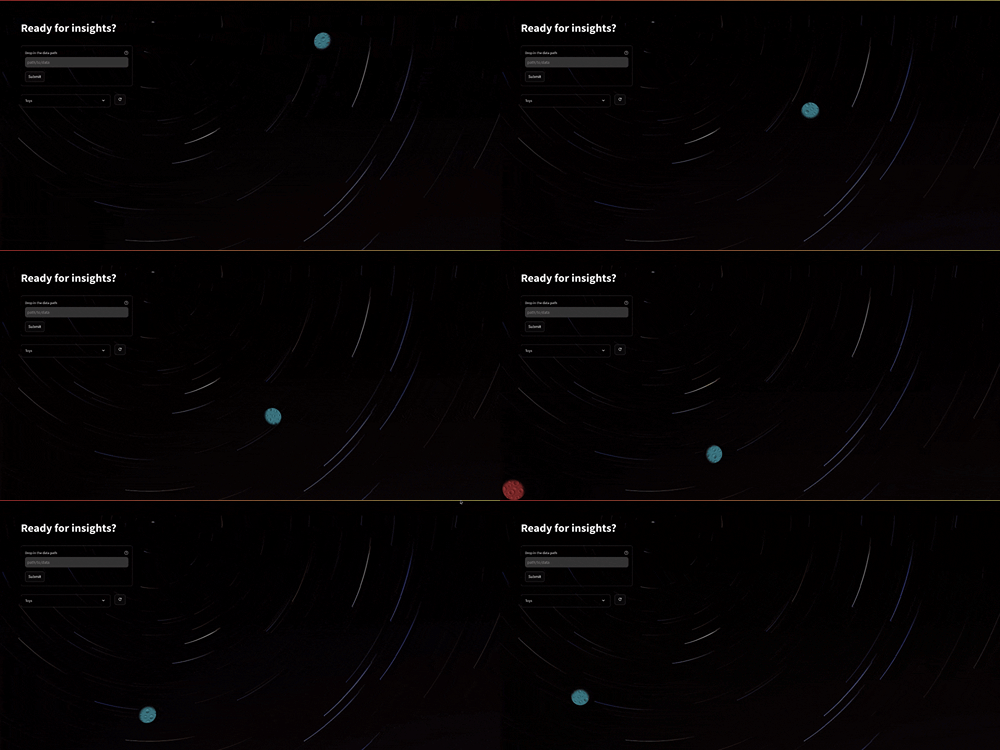
After installation, launch Deeva by running:
$ deeva start
This will open the input page where you can specify the data path.
Data structure
Your dataset folder should look like this:
data-path/
├── images/        # Folder containing image files (e.g., .jpg, .png)
├── labels/        # Folder containing label files (e.g., .txt, .xml)
└── labelmap.txt   # A file mapping class IDs to class labels (optional)
💡 Insights & Analytics
Deeva offers a powerful set of statistical insights to give you a detailed understanding of your dataset, including:
1. File Matching and Integrity
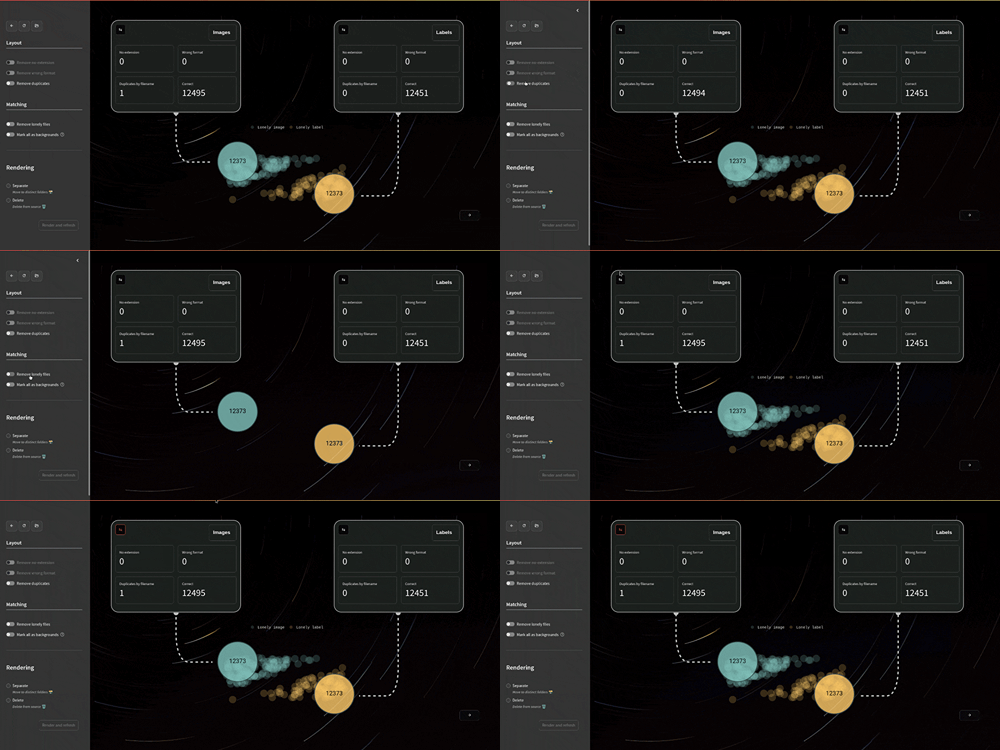
- Image-Label Matching: Calculates how many images have corresponding labels (and vice versa).
- Filename Consistency: Identifies misaligned or corrupted files in images and labels.
- Data Cleaning: Provides tools to identify and isolate mismatched or corrupted files.
2. Dataset Overview

- File Formats & Backgrounds: View format distribution (
yolovs.voc,jpegvs.png). - Class Distribution: Displays instance counts and images per class, highlighting any class imbalances.
- Class Co-occurrence: Shows how frequently different classes appear together.
3. Annotation Insights
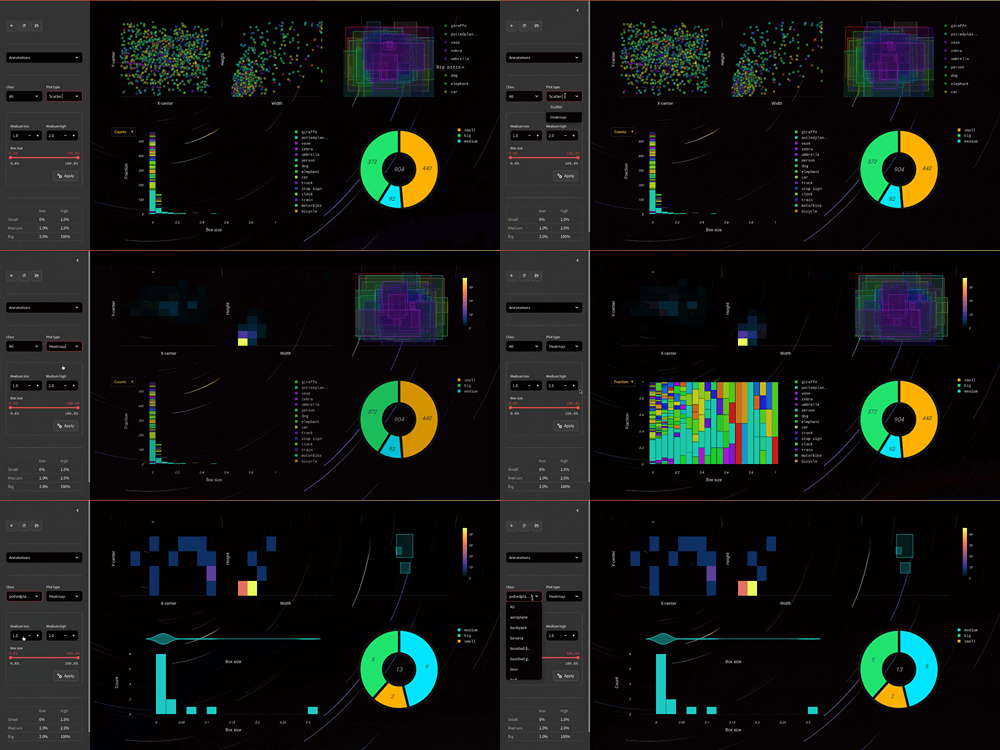
- Bounding Box Analysis: Provides insights into box center, width/height, and median box sizes.
- Box Size Distribution: Analyzes box size categories with adjustable thresholds for small, medium, and large sizes.
4. Image Statistics

- Color Analysis: Displays dominant colors and their tones extracted from images.
- Image Dimensions: Examines height, width, and aspect ratios across your dataset.
- CBS (Contrast, Brightness, Saturation): Shows contrast, brightness, and saturation distributions across the dataset.
5. Overlap Statistics

- Cases: Classify and cluster overlapping instances from two specific classes into
npredefined cases. Display representative example images for each case to help visualize typical overlap patterns. - Ratios: Calculate and visualize the overlap ratio distributions for each class
- With/without overlaps: Present a side-by-side comparison of images and co-occurrences with and without overlaps
🔖 Caching & Version control
Deeva employs efficient caching to streamline your data processing workflow. For large datasets, users have the option to sample a subset of the data—allowing for quicker initial exploration.
Data extracted during time-consuming operations can be saved as a dataframe on disk for effortless access in future sessions, enabling a faster, more efficient experience by skipping redundant processing steps.
To track different versions of your dataset you need to simply put them into different folders and Deeva will do the rest
🌟 Contributing
Deeva welcomes contributions! If you have ideas or want to add new features, please feel free to open a pull request or start a discussion on GitHub.
License
Deeva is completely free and open-source and licensed under the Apache 2.0 license.


Download files
Download the file for your platform. If you're not sure which to choose, learn more about installing packages.
Source Distribution
Built Distribution
Filter files by name, interpreter, ABI, and platform.
If you're not sure about the file name format, learn more about wheel file names.
Copy a direct link to the current filters
File details
Details for the file deeva-1.0.1.tar.gz.
File metadata
- Download URL: deeva-1.0.1.tar.gz
- Upload date:
- Size: 10.4 MB
- Tags: Source
- Uploaded using Trusted Publishing? No
- Uploaded via: twine/5.1.1 CPython/3.11.10
File hashes
| Algorithm | Hash digest | |
|---|---|---|
| SHA256 |
1a4538059c2ba28e935b1a0c685890b57bb31dcda5857b511165891db74d828f
|
|
| MD5 |
e82b1831cdf41e2706046ead9ed7af62
|
|
| BLAKE2b-256 |
23964c238ccb0250202a319467ad351865c77c62b13103a18cb3e339004bb494
|
File details
Details for the file deeva-1.0.1-py3-none-any.whl.
File metadata
- Download URL: deeva-1.0.1-py3-none-any.whl
- Upload date:
- Size: 10.5 MB
- Tags: Python 3
- Uploaded using Trusted Publishing? No
- Uploaded via: twine/5.1.1 CPython/3.11.10
File hashes
| Algorithm | Hash digest | |
|---|---|---|
| SHA256 |
21345b72f087c435aa13c499701bea6f25ba2bccdc2475d5d4e0b5ea3a55303b
|
|
| MD5 |
79d4ed4ac185a659fd4928feff0456c0
|
|
| BLAKE2b-256 |
01b912371514f7365b4f1f510824f1091cc3d6278fea8ff6ce022e2264864165
|






