
DEGIRO portfolio tracking and visualization application

Project description
DEGIRO Portfolio Tracker
A desktop application that helps you track and visualize your DEGIRO investment portfolio with beautiful charts and performance metrics.
What Does This Do?
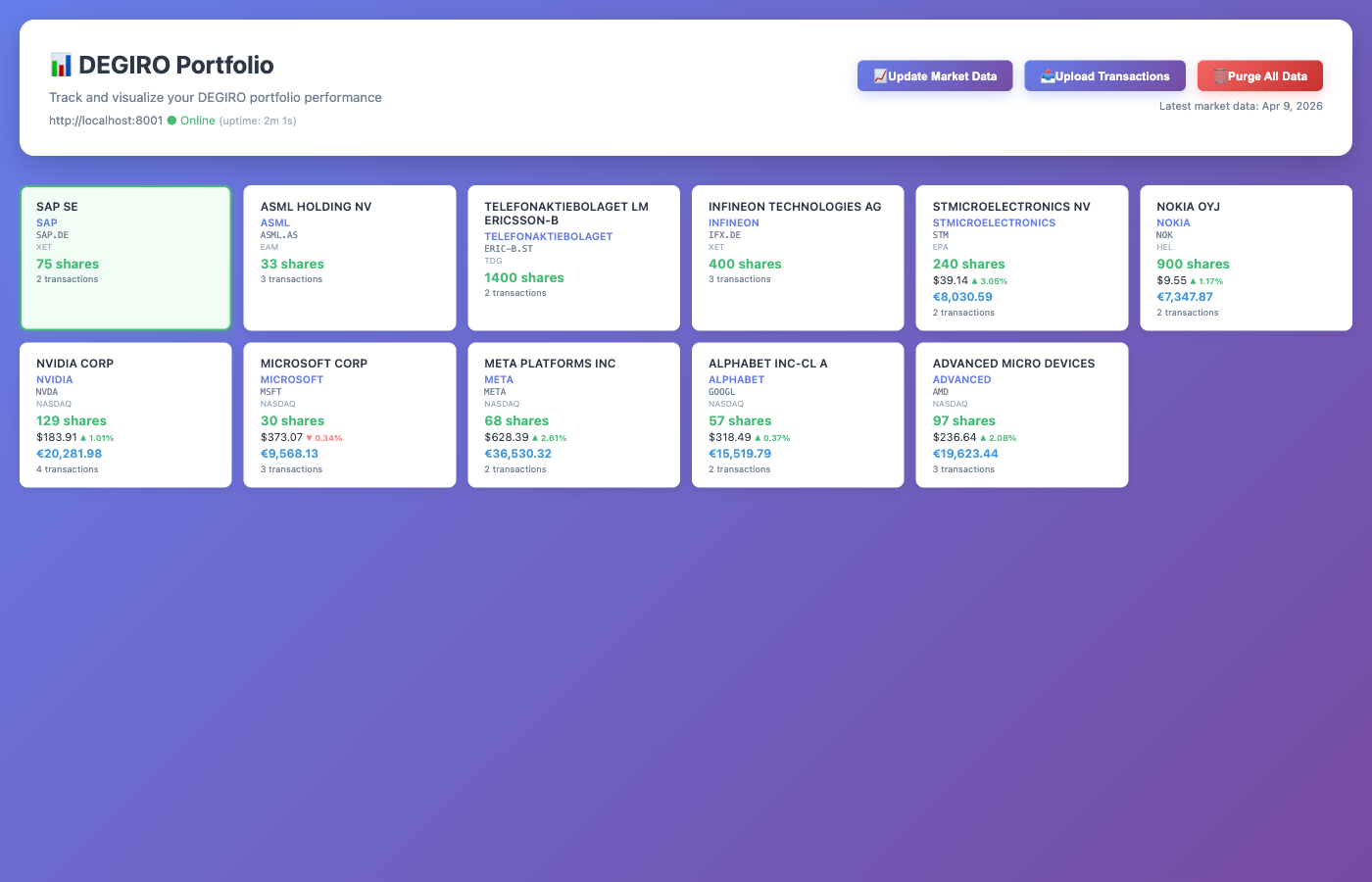
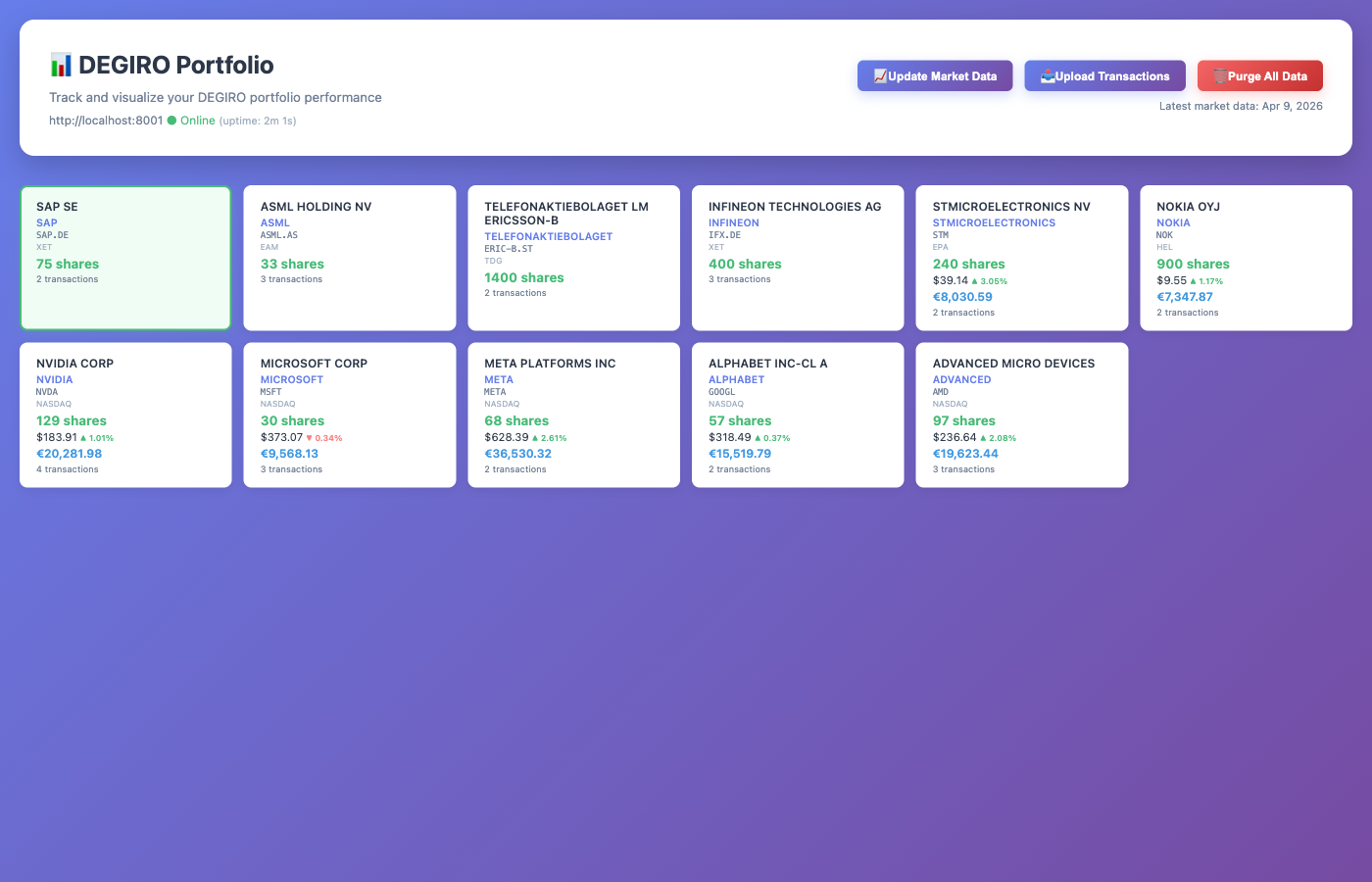
This application takes your DEGIRO transaction exports (the Excel files you download from DEGIRO) and creates an interactive dashboard where you can:
- See all your stocks in one place - View your current holdings with live prices
- Track your gains and losses - See how much money you've made or lost on each stock
- View beautiful charts - Interactive price charts showing your buy/sell transactions
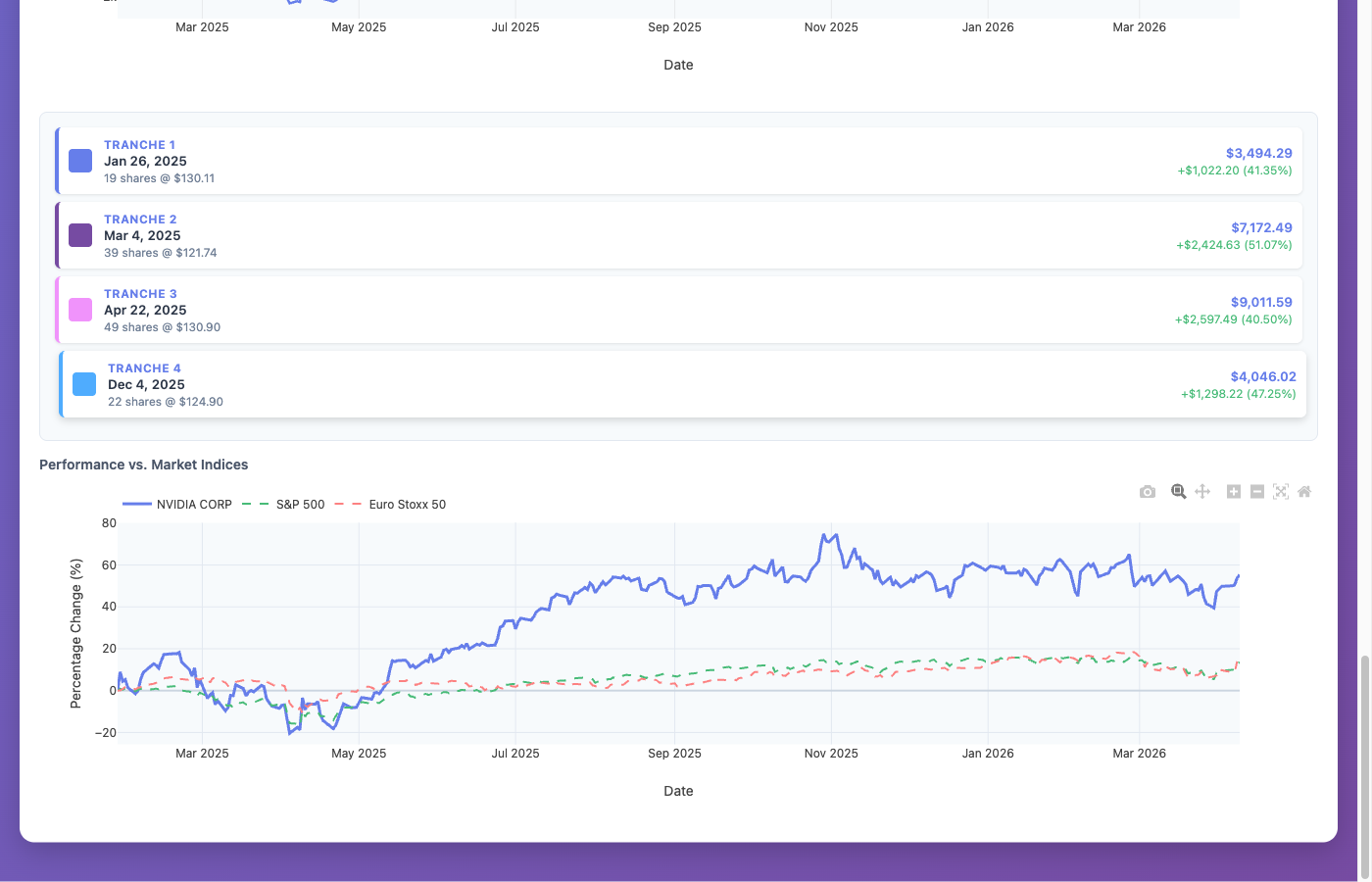
- Compare against market indices - See how your stocks perform vs S&P 500 and Euro Stoxx 50
- Monitor multiple currencies - Automatic conversion to EUR for stocks in USD, SEK, GBP
- Upload new transactions easily - Just click and upload your Excel file
All data is stored securely on your own computer - nothing is sent to external servers.
Screenshots
Portfolio Dashboard
Individual Stock View
Quick Start
1. Install
pip install degiro_portfolio
You need Python 3.10 or newer (download here).
2. Launch
python -m degiro_portfolio --desktop
The application opens in a native window. No browser needed - the server starts and stops automatically with the window.
3. Upload Your Transactions
- Export your transactions from DEGIRO (Activity -> Transactions -> Export as Excel)
- Click Upload Transactions in the app
- Select your Excel file
The app automatically downloads stock prices and displays your portfolio.
Alternative: Web Server Mode
If you prefer to use a browser, you can run the application as a web server:
pip install degiro_portfolio
python -m degiro_portfolio
Then open http://localhost:8000 in your browser.
Mac/Linux also supports the CLI:
degiro_portfolio start    # Start the server
degiro_portfolio stop     # Stop the server
degiro_portfolio status   # Check if running
Windows: Use python -m degiro_portfolio for all commands.
Using the Application
Uploading Transactions
-
Export from DEGIRO:
- Log in to your DEGIRO account
- Go to Activity -> Transactions
- Export as Excel (.xlsx)
- Both English and Dutch exports are supported
-
Upload to the Application:
- Click the Upload Transactions button
- Select your DEGIRO Excel file
- Wait for the upload to complete
Updating Stock Prices
Click the Update Market Data button to refresh all stock prices. Prices are fetched from Yahoo Finance (free, no API key needed).
Clearing All Data
Click Purge All Data to start fresh. This permanently deletes all stored data.
Understanding Your Portfolio
Stock Cards
Each stock shows:
- Company name - Click to search for investor relations info
- Number of shares you own
- Current price with daily change
- Position value in EUR
- Ticker symbol - Click to view on Google Finance
Charts
Click any stock card to see:
- Price Chart - Historical prices with your buy/sell transactions marked
- Position Value % - Shows if you're profitable (above 100% = profit)
- Investment Tranches - Performance of each individual purchase
- Market Comparison - How your stock compares to S&P 500 and Euro Stoxx 50
Features
- Native desktop app with embedded web view (Mac, Windows, Linux)
- Import DEGIRO transaction exports (English and Dutch)
- Automatic historical price downloads via Yahoo Finance
- Live exchange rate conversion (EUR, USD, SEK, GBP)
- Interactive candlestick charts with transaction markers
- Portfolio performance tracking
- Market index comparison (S&P 500, Euro Stoxx 50)
- Multi-currency support with automatic conversion
- One-click market data updates
Data Privacy
All your financial data stays on your computer:
- Data stored locally in
degiro_portfolio.db - Only connects to internet for stock prices
- Does NOT send your transaction data anywhere
- Does NOT require creating an account
Troubleshooting
The app won't start
- Make sure Python 3.10+ is installed:
python --version - On Windows: use
python -m degiro_portfolio --desktop - If port 8000 is busy:
python -m degiro_portfolio --desktop --port 8001
My stocks don't show prices
- Click "Update Market Data"
- Check your internet connection
The upload fails
- Make sure you're uploading a DEGIRO transaction export (.xlsx)
- Both English and Dutch exports are supported
Getting Help
If you encounter issues:
- Check the Troubleshooting section above
- Visit the GitHub Issues page
License
See LICENSE file for details.
Release history Release notifications | RSS feed


Download files
Download the file for your platform. If you're not sure which to choose, learn more about installing packages.
Source Distribution
Built Distribution
Filter files by name, interpreter, ABI, and platform.
If you're not sure about the file name format, learn more about wheel file names.
Copy a direct link to the current filters
File details
Details for the file degiro_portfolio-0.5.0.tar.gz.
File metadata
- Download URL: degiro_portfolio-0.5.0.tar.gz
- Upload date:
- Size: 1.1 MB
- Tags: Source
- Uploaded using Trusted Publishing? Yes
- Uploaded via: twine/6.1.0 CPython/3.13.12
File hashes
| Algorithm | Hash digest | |
|---|---|---|
| SHA256 |
aad2286de4789cfc9f94dfc8927e3642daaf5a292879c58b78eb600c4f365d8f
|
|
| MD5 |
365b817af0e1c3ecaac1b1ebcda10e55
|
|
| BLAKE2b-256 |
777cc6db73b024139160d14d09185b739f20521f658feb89f8af9986e68c3c08
|
Provenance
The following attestation bundles were made for degiro_portfolio-0.5.0.tar.gz:
Publisher:
publish.yml on jdrumgoole/degiro_portfolio
-
Statement:
-
Statement type:
https://in-toto.io/Statement/v1 -
Predicate type:
https://docs.pypi.org/attestations/publish/v1 -
Subject name:
degiro_portfolio-0.5.0.tar.gz -
Subject digest:
aad2286de4789cfc9f94dfc8927e3642daaf5a292879c58b78eb600c4f365d8f - Sigstore transparency entry: 1270875333
- Sigstore integration time:
-
Permalink:
jdrumgoole/degiro_portfolio@cbd130ce620a350510626e59093885ec7b8015a8 -
Branch / Tag:
refs/tags/v0.5.0 - Owner: https://github.com/jdrumgoole
-
Access:
public
-
Token Issuer:
https://token.actions.githubusercontent.com -
Runner Environment:
github-hosted -
Publication workflow:
publish.yml@cbd130ce620a350510626e59093885ec7b8015a8 -
Trigger Event:
push
-
Statement type:
File details
Details for the file degiro_portfolio-0.5.0-py3-none-any.whl.
File metadata
- Download URL: degiro_portfolio-0.5.0-py3-none-any.whl
- Upload date:
- Size: 61.5 kB
- Tags: Python 3
- Uploaded using Trusted Publishing? Yes
- Uploaded via: twine/6.1.0 CPython/3.13.12
File hashes
| Algorithm | Hash digest | |
|---|---|---|
| SHA256 |
5019886bea295489c818056a142e5d36f7ffd5e012c87fecf455f61a738e5b59
|
|
| MD5 |
c0aabd9179fb4079de5c53cb54375b4a
|
|
| BLAKE2b-256 |
5b0d3ee59340fe678cd8cc72c2433fde6352df02f166a5c5c0e3d1167e810e8e
|
Provenance
The following attestation bundles were made for degiro_portfolio-0.5.0-py3-none-any.whl:
Publisher:
publish.yml on jdrumgoole/degiro_portfolio
-
Statement:
-
Statement type:
https://in-toto.io/Statement/v1 -
Predicate type:
https://docs.pypi.org/attestations/publish/v1 -
Subject name:
degiro_portfolio-0.5.0-py3-none-any.whl -
Subject digest:
5019886bea295489c818056a142e5d36f7ffd5e012c87fecf455f61a738e5b59 - Sigstore transparency entry: 1270875339
- Sigstore integration time:
-
Permalink:
jdrumgoole/degiro_portfolio@cbd130ce620a350510626e59093885ec7b8015a8 -
Branch / Tag:
refs/tags/v0.5.0 - Owner: https://github.com/jdrumgoole
-
Access:
public
-
Token Issuer:
https://token.actions.githubusercontent.com -
Runner Environment:
github-hosted -
Publication workflow:
publish.yml@cbd130ce620a350510626e59093885ec7b8015a8 -
Trigger Event:
push
-
Statement type:






