
DSL-driven automated product demo video generator
Verified details
These details have been verified by PyPIProject links
GitHub Statistics
Maintainers

Project description
DemoDSL





DSL-driven automated product demo video generator.
Define your product demos in YAML or JSON — DemoDSL handles browser automation, voice narration, visual effects, video editing, and final export.
Demo
This video was generated automatically by DemoDSL — running
demodsl run demo_site.yamlagainst its own documentation site.
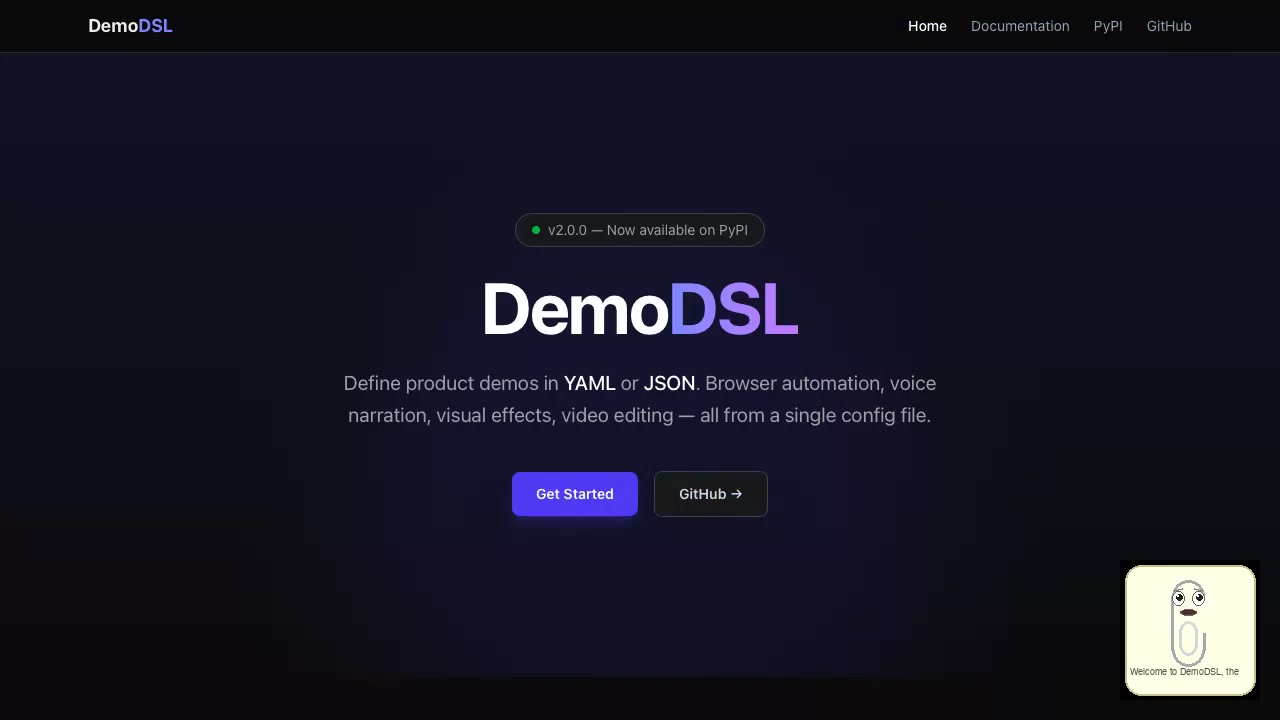
▶ Click the image to watch the full demo video
YAML config used
metadata:
  title: "DemoDSL Documentation Site Tour"

voice:
  engine: "gtts"
  voice_id: "en"

subtitle:
  enabled: true
  style: "classic"

scenarios:
  - name: "Landing Page Tour"
    url: "https://fran-cois.github.io/demodsl/"
    browser: "webkit"
    viewport: { width: 1280, height: 720 }
    avatar:
      enabled: true
      provider: "animated"
      style: "clippy"
    steps:
      - action: "navigate"
        url: "https://fran-cois.github.io/demodsl/"
        narration: "Welcome to DemoDSL..."
      - action: "scroll"
        direction: "down"
        pixels: 600
        narration: "Discover the Quick Start section..."

pipeline:
  - generate_narration: {}
  - edit_video: {}
  - mix_audio: {}
  - burn_subtitles: {}
  - composite_avatar: {}
  - optimize: { format: "mp4" }
Features
- YAML & JSON DSL — Declarative scenario definitions with steps, effects, and narration
- Browser Automation — Playwright-powered capture (Chrome, Firefox, WebKit)
- 12 Voice Providers — ElevenLabs, OpenAI, Azure, Google, AWS Polly, CosyVoice, Coqui, Piper, eSpeak, gTTS, local OpenAI-compatible, custom
- 63 Visual Effects — 33 browser JS effects + 30 post-processing effects (camera, cinematic, retro, transitions, overlays)
- Animated Avatars — 61 built-in styles with 4 providers (animated, D-ID, HeyGen, SadTalker)
- Subtitles — 6 styles (classic, TikTok, color, word-by-word, typewriter, karaoke) with Word-level timing
- Cursor Overlay — Smooth animated cursor with click effects (ripple, pulse)
- Popup Cards — Glass/dark/light/gradient cards with progressive item reveal
- Video Composition — Intro/outro, transitions, watermarks via Remotion (React/Node)
- Audio Mixing — Background music with smart ducking during narration
- 11 Pipeline Stages — Chain of Responsibility with critical/optional error handling
- MoviePy Renderer — Legacy Python renderer (deprecated, will be removed in a future release)
- Cloud Deploy — S3, GCS, Azure Blob, Cloudflare R2, custom S3-compatible
- Multi-format Export — MP4, WebM, GIF + social media presets (YouTube, Instagram, Twitter)
Installation
pip install demodsl
Then install Playwright browsers:
playwright install chromium
Quick Start
1. Generate a template:
demodsl init
2. Edit demo.yaml:
metadata:
  title: "My Product Demo"

scenarios:
  - name: "Main Demo"
    url: "https://myapp.com"
    steps:
      - action: "navigate"
        url: "https://myapp.com"
        narration: "Welcome to our product!"
        effects:
          - type: "spotlight"
            duration: 2.0

pipeline:
  - generate_narration: {}
  - edit_video: {}
  - mix_audio: {}
  - optimize:
      format: "mp4"
3. Run:
demodsl run demo.yaml
4. Validate without executing:
demodsl validate demo.yaml
CLI Commands
| Command | Description |
|---|---|
demodsl run <config> |
Execute the full pipeline |
demodsl validate <config> |
Validate config without executing |
demodsl init |
Generate a minimal template |
demodsl init -o demo.json |
Generate a JSON template |
Options
--output-dir, -o— Output directory (default:output/)--dry-run— Log all steps without executing--skip-voice— Skip TTS generation (dev mode)--turbo— Fast preview: minimal waits, skip heavy post-processing (avatars, 3D, subtitles)--verbose, -v— Debug logging
Effect Library & Anchors
demodsl ships with 27+ reusable presets (callouts, intros, CTAs, dataviz, social
proof, transitions…) in library/. Use them with $use + $params:
timeline:
  layers:
    - $use: callouts/circle_highlight
      $params:
        x: 880
        y: 530
        radius: 90
Selector-driven layout with anchors:
Instead of hard-coding pixel coordinates, declare anchors at the top of your
config and let demodsl probe the live page (via Playwright) to extract bounding
boxes once. Anchors expose x, y, w, h, cx, cy, left, top, right, bottom:
anchors:
  signup_btn:
    selector: "#signup"      # ← probed at load time
  hero:
    x: 100                   # ← or supply coords manually
    y: 200
    w: 400
    h: 80

scenarios:
  - name: demo
    url: https://app.example.com
    timeline:
      layers:
        # Style 1 — explicit template expressions
        - $use: callouts/circle_highlight
          $params:
            x: "{{ anchors.signup_btn.cx }}"
            y: "{{ anchors.signup_btn.cy }}"
            radius: "{{ anchors.signup_btn.w / 2 + 20 }}"

        # Style 2 — the `anchor:` shortcut auto-fills declared x/y/w/h
        - $use: callouts/tooltip
          $params:
            anchor: signup_btn
            number: "1"
            text: "Click here to start"
If a selector can't be resolved (network error, missing element, no Playwright), demodsl logs a warning and falls back to viewport center so the demo still renders.
See examples/demo_anchors_selectors.yaml
for a complete demo.
Architecture
DemoDSL uses a modular architecture with 5 design patterns:
| Component | Pattern | Purpose |
|---|---|---|
| Providers | Abstract Factory | Voice, Browser, Render provider instantiation |
| Browser Actions | Command | Navigate, Click, Type, Scroll, WaitFor, Screenshot |
| Pipeline | Chain of Responsibility | 11 stages with critical/optional error handling |
| Visual Effects | Registry + Strategy | 63 effects in 2 registries (browser JS + post-processing) |
| Video Composition | Builder | Progressive intro → segments → watermark → outro assembly |
Pipeline Stages
| Stage | Critical | Description |
|---|---|---|
restore_audio |
Optional | Denoise (afftdn) + normalize (loudnorm) audio via ffmpeg |
restore_video |
Optional | Stabilize (vidstab) + sharpen (unsharp) video via ffmpeg |
apply_effects |
Optional | Post-processing visual effects (ordering stage) |
generate_narration |
Critical | TTS generation + video sync (ordering stage) |
render_device_mockup |
Optional | Device frame overlay via ffmpeg composite |
edit_video |
Critical | Intro, outro, transitions, watermark (ordering stage) |
mix_audio |
Critical | Voice + background music ducking |
optimize |
Critical | Final encoding with CRF or target bitrate |
composite_avatar |
Optional | Avatar overlay compositing (ordering stage) |
burn_subtitles |
Optional | Subtitle rendering (ordering stage) |
deploy |
Optional | Cloud deployment (ordering stage) |
Environment Variables
| Variable | Description |
|---|---|
ELEVENLABS_API_KEY |
ElevenLabs TTS API key |
OPENAI_API_KEY |
OpenAI API key (tts-1-hd) |
ANTHROPIC_API_KEY |
Anthropic API key (discovery harness --policy llm --llm anthropic) |
OPENROUTER_API_KEY |
OpenRouter API key (discovery harness --policy llm --llm openrouter) |
OPENROUTER_BASE_URL |
OpenRouter base URL (default: https://openrouter.ai/api/v1) |
OPENROUTER_SITE_URL |
Optional HTTP-Referer sent to OpenRouter for app ranking |
OPENROUTER_APP_NAME |
Optional X-Title sent to OpenRouter (default: demodsl) |
DEMODSL_LLM_PRICE_INPUT |
Override input price (USD per 1M tokens) for discovery cost estimates |
DEMODSL_LLM_PRICE_OUTPUT |
Override output price (USD per 1M tokens) for discovery cost estimates |
DEMODSL_OPENROUTER_PRICING |
Set truthy to fetch live model prices from the OpenRouter /models API (same as --live-pricing) |
GOOGLE_APPLICATION_CREDENTIALS |
Path to Google Cloud service account JSON |
AZURE_SPEECH_KEY |
Azure Cognitive Services Speech key |
AZURE_SPEECH_REGION |
Azure region (default: eastus) |
AWS_ACCESS_KEY_ID |
AWS access key for Polly |
AWS_SECRET_ACCESS_KEY |
AWS secret key for Polly |
AWS_DEFAULT_REGION |
AWS region (default: us-east-1) |
COSYVOICE_API_URL |
CosyVoice API server URL (default: http://localhost:50000) |
COQUI_MODEL |
Coqui TTS model name (default: xtts_v2) |
COQUI_LANGUAGE |
Language code for Coqui TTS (default: en) |
PIPER_BIN |
Path to piper binary (default: piper) |
PIPER_MODEL |
Path to Piper .onnx voice model (required for piper engine) |
LOCAL_TTS_URL |
OpenAI-compatible local TTS server URL (default: http://localhost:8000) |
LOCAL_TTS_API_KEY |
API key for local TTS server (default: not-needed) |
LOCAL_TTS_MODEL |
Model name for local TTS server (default: tts-1) |
ESPEAK_BIN |
Path to eSpeak-NG binary (default: espeak-ng) |
Without the required credentials, DemoDSL falls back to a silent dummy provider for development.
Vintage / debug providers:
espeakandgttsneed no API key — ideal pour le prototypage rapide.espeakdonne un son robotique rétro,gttsutilise Google Translate (nécessite internet +pip install gtts).
Plugins
DemoDSL supports external plugins discovered via Python entry-points. Plugins can provide new pipeline stages, hook callbacks, and providers.
| Plugin | Description | Install |
|---|---|---|
| demodsl-blender | 3D device rendering via Blender (phone/tablet/laptop mockups) | pip install demodsl-blender |
| demodsl_webinar | Live webinar simulation overlay (crowd, Q&A, reactions) | Included in plugins/ |
Writing a plugin
A plugin registers itself via pyproject.toml entry-points:
[project.entry-points."demodsl.stages"]
render_device_3d = "my_plugin.stage:RenderDevice3DStage"

[project.entry-points."demodsl.providers.blender"]
headless = "my_plugin.provider:HeadlessBlenderProvider"

[project.entry-points."demodsl.hooks"]
my_hook = "my_plugin.hooks:MyHookPlugin"
License
DemoDSL Community License — free to use, modify, and redistribute. Selling DemoDSL as a commercial API or Model Context Protocol (MCP) offering is reserved exclusively to demobro.com. See LICENSE.
Contributing
See CONTRIBUTING.md for development setup, testing, and contribution guidelines. 🇫🇷 Version française
Project details
Verified details
These details have been verified by PyPIProject links
GitHub Statistics
Maintainers


Download files
Download the file for your platform. If you're not sure which to choose, learn more about installing packages.
Source Distribution
Built Distribution
Filter files by name, interpreter, ABI, and platform.
If you're not sure about the file name format, learn more about wheel file names.
Copy a direct link to the current filters
File details
Details for the file demodsl-3.6.0.tar.gz.
File metadata
- Download URL: demodsl-3.6.0.tar.gz
- Upload date:
- Size: 45.2 MB
- Tags: Source
- Uploaded using Trusted Publishing? Yes
- Uploaded via: twine/6.1.0 CPython/3.13.12
File hashes
| Algorithm | Hash digest | |
|---|---|---|
| SHA256 |
7665e5025a81299e059b947c3053e662b11e800ebe194d8e770648cd5ff44ab6
|
|
| MD5 |
491acd467d40899eaa8d9c29dd3c1891
|
|
| BLAKE2b-256 |
1fbd260042ec98fc3ece24f269767e5e7332450632398b563c82d5b8cdff8bf9
|
Provenance
The following attestation bundles were made for demodsl-3.6.0.tar.gz:
Publisher:
publish.yml on Fran-cois/demodsl
-
Statement:
-
Statement type:
https://in-toto.io/Statement/v1 -
Predicate type:
https://docs.pypi.org/attestations/publish/v1 -
Subject name:
demodsl-3.6.0.tar.gz -
Subject digest:
7665e5025a81299e059b947c3053e662b11e800ebe194d8e770648cd5ff44ab6 - Sigstore transparency entry: 2019653410
- Sigstore integration time:
-
Permalink:
Fran-cois/demodsl@f4d527c5024dbd5f56c14355da3fbf6f93a03a15 -
Branch / Tag:
refs/tags/v3.6.0 - Owner: https://github.com/Fran-cois
-
Access:
public
-
Token Issuer:
https://token.actions.githubusercontent.com -
Runner Environment:
github-hosted -
Publication workflow:
publish.yml@f4d527c5024dbd5f56c14355da3fbf6f93a03a15 -
Trigger Event:
release
-
Statement type:
File details
Details for the file demodsl-3.6.0-py3-none-any.whl.
File metadata
- Download URL: demodsl-3.6.0-py3-none-any.whl
- Upload date:
- Size: 596.9 kB
- Tags: Python 3
- Uploaded using Trusted Publishing? Yes
- Uploaded via: twine/6.1.0 CPython/3.13.12
File hashes
| Algorithm | Hash digest | |
|---|---|---|
| SHA256 |
c4b89c593030f0a997a8a7a4c4212fecea5ed1eaecf80c246f33a6b4ae4558d4
|
|
| MD5 |
8f942739c24042f5ecea564f1b291537
|
|
| BLAKE2b-256 |
abc7f1319dec27e3001f3f71543161aa03a940c452f5667a3baa7fbf55cb4905
|
Provenance
The following attestation bundles were made for demodsl-3.6.0-py3-none-any.whl:
Publisher:
publish.yml on Fran-cois/demodsl
-
Statement:
-
Statement type:
https://in-toto.io/Statement/v1 -
Predicate type:
https://docs.pypi.org/attestations/publish/v1 -
Subject name:
demodsl-3.6.0-py3-none-any.whl -
Subject digest:
c4b89c593030f0a997a8a7a4c4212fecea5ed1eaecf80c246f33a6b4ae4558d4 - Sigstore transparency entry: 2019653494
- Sigstore integration time:
-
Permalink:
Fran-cois/demodsl@f4d527c5024dbd5f56c14355da3fbf6f93a03a15 -
Branch / Tag:
refs/tags/v3.6.0 - Owner: https://github.com/Fran-cois
-
Access:
public
-
Token Issuer:
https://token.actions.githubusercontent.com -
Runner Environment:
github-hosted -
Publication workflow:
publish.yml@f4d527c5024dbd5f56c14355da3fbf6f93a03a15 -
Trigger Event:
release
-
Statement type:






