
desktop4mistral
A powerful desktop client for interacting with Mistral Large Language Models (LLMs)





Overview
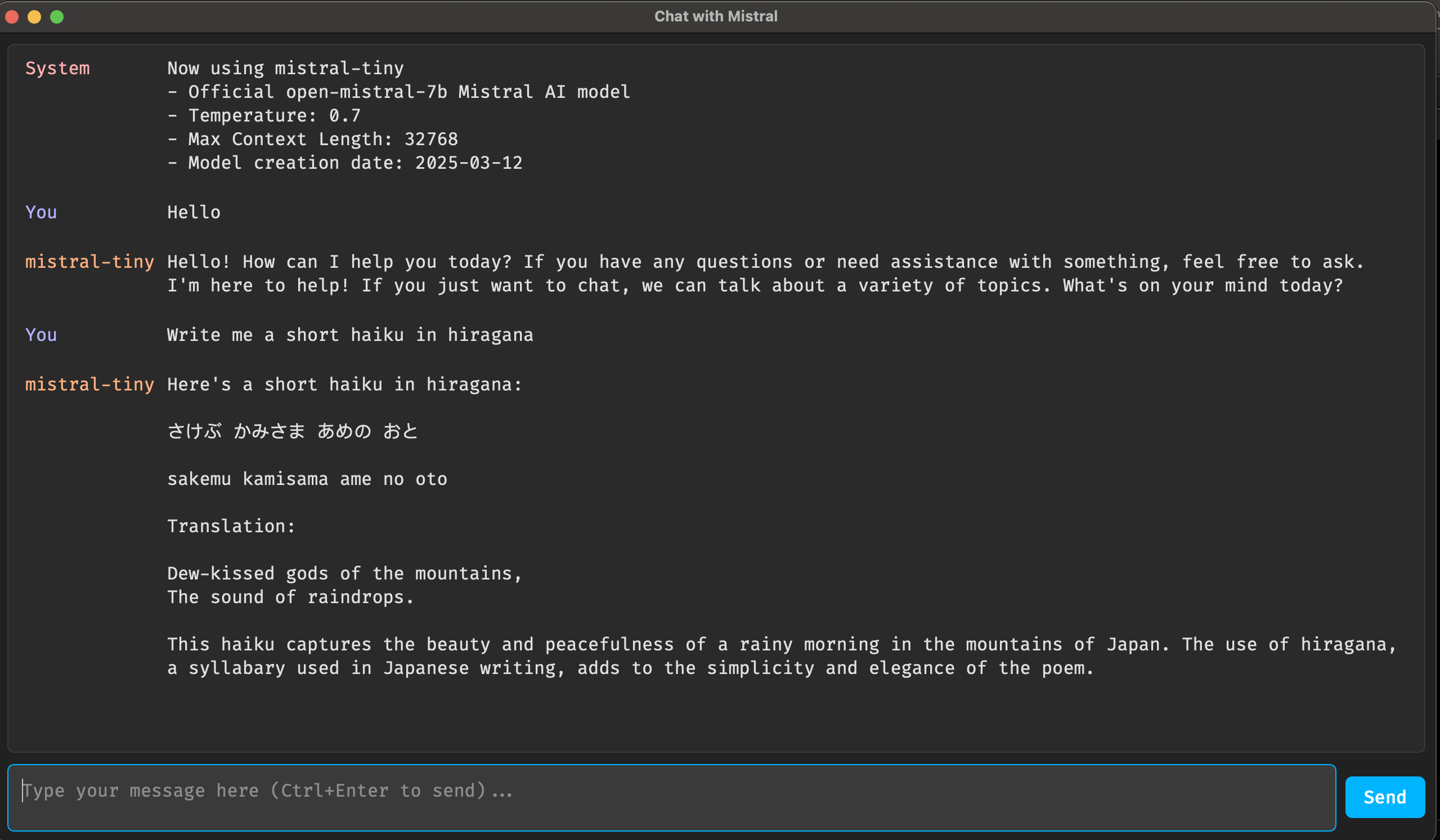
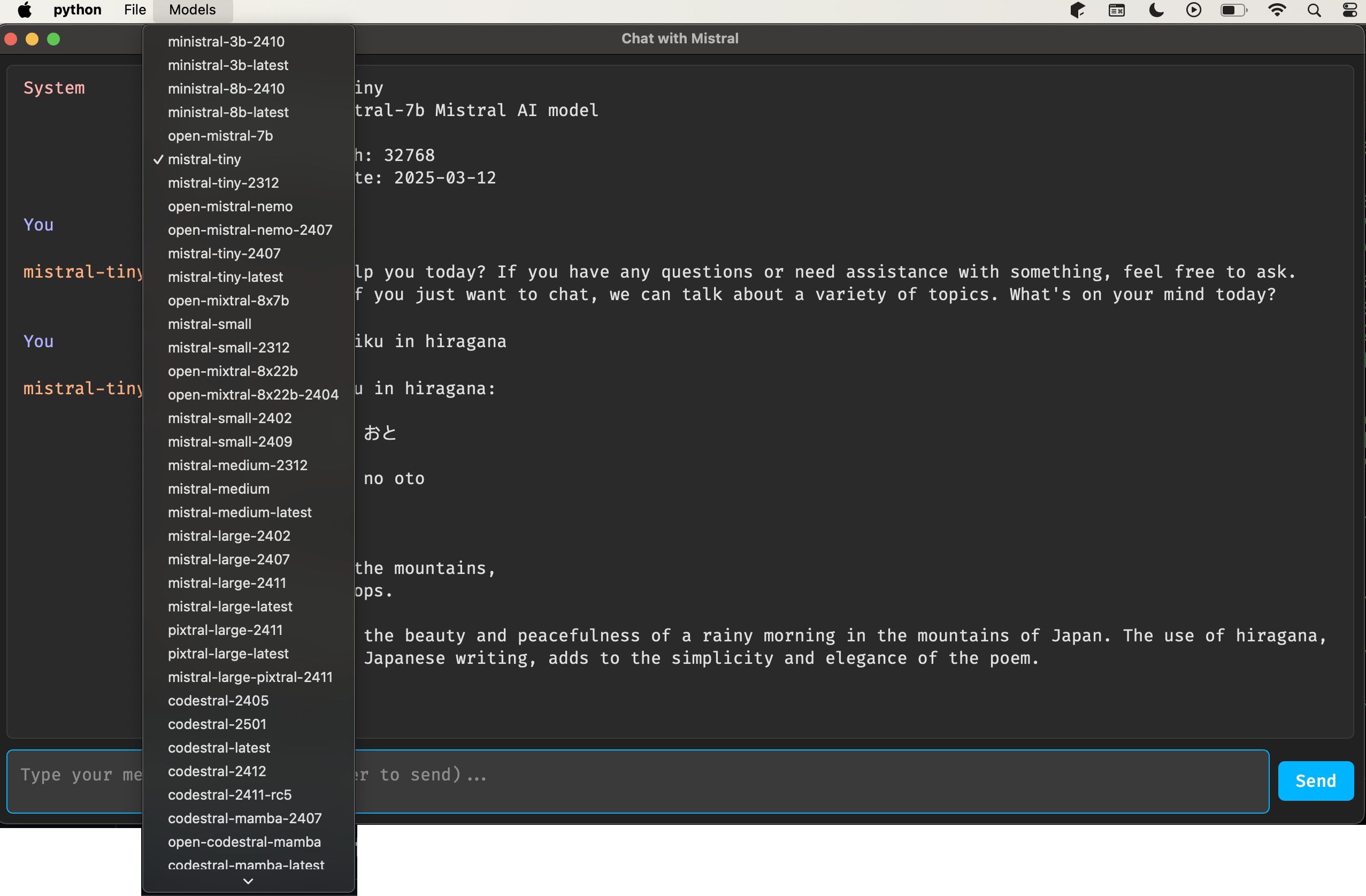
desktop4mistral is a Python-based desktop application that provides a user-friendly interface for chatting with Mistral AI models. Built with PySide6, it offers a modern GUI with features like model selection, chat history, and command support.
Features
- Interactive chat interface with Mistral LLMs
- Support for multiple Mistral models with easy switching
- Full Markdown support.
- Command system (e.g.,
/readto fetch any local file or webpage,wiki_searchto search Wikipedia, etc). - Some commands also support a more natural language syntax. You can, for instance, say "read the contents of /tmp/myfile.txt".
- Use
/save_markdownto save your entire chat as a markdown file, which you could use in other tools, like Obsidian. - Supports Python code execution. Ideally, you should first ask it to write some Python code. In the next prompt you can just say something like "run it". This way you can be sure what the model's doing.
Commands
Desktop4Mistral supports several commands.
/readto read a local or remote file. Can also be used to reload a previous chat session./gitto read a github repository/wiki_searchto search Wikipedia/wiki_idto look up the contents of a Wikipedia page/saveto save the entire chat session as a JSON file/save_markdownto save the entire chat session as a markdown file/talkto turn talkingonoroff. Uses Kokoro as the TTS model. You can expect reasonable performance on most hardware.
Screenshots
Installation
Prerequisites
- Python 3.11 or 3.12
- Mistral API key (get it from Mistral AI)
Quickstart
Install using pip.
pip install desktop4mistral
And run...
export MISTRAL_API_KEY='your-api-key-here'
desktop4mistral
or
python3 -m desktop4mistral.main
Setup for development
- Clone the repository:
git clone https://github.com/hathibelagal-dev/desktop4mistral.git
cd desktop4mistral
- Install the app and its dependencies:
pip3 install .
Usage
- Launch the application
- Select a Mistral model from the "Models" menu
- Type your message in the input field
- Press Ctrl+Enter or click "Send" to submit
- View responses in the chat window
Support
For issues and feature requests, please use the GitHub Issues page.
License
This project is licensed under the GNU General Public License v3 (GPLv3) - see the LICENSE file for details.
1 maintainer

Metadata
1 maintainer
Release files for desktop4mistral 0.1.2
For a detailed explanation of source distributions (sdists) and built distributions (wheels), please see the package formats documentation.
Source distribution (sdist)
| File | Size | Uploaded | |
|---|---|---|---|
| desktop4mistral-0.1.2.tar.gz | 164.0 kB | Details |
Built distribution (wheel)
| File | Interpreter | ABI | Platform | Reset |
|---|---|---|---|---|
| desktop4mistral-0.1.2-py3-none-any.whl | Python 3 | none | any | Details |
Total release size: 327.5 kB
Release files / desktop4mistral-0.1.2.tar.gz
| Download URL | desktop4mistral-0.1.2.tar.gz |
|---|---|
| Size | 164.0 kB |
| Tags | Source |
|
SHA-256 checksum How to use checksums |
a3907ac4b30cbb631ec0a2ec5ee904119b82708e5f96d81f51aaaebd841e3799
|
|
BLAKE2b-256 checksum How to use checksums |
80c728977b4040d8fdba07bf1d042bdbc9638edbf8e010f81415bf64b1de103b
|
| Upload date | |
|
Uploaded using Trusted Publishing? What is trusted publishing? |
No |
| Uploaded via |
twine/6.1.0 CPython/3.11.11
|
Release files / desktop4mistral-0.1.2-py3-none-any.whl
| Download URL | desktop4mistral-0.1.2-py3-none-any.whl |
|---|---|
| Size | 163.4 kB |
| Tags | Python 3 |
|
SHA-256 checksum How to use checksums |
50edae8d64588c8adc7a34d13c5b341c1ff2629aef02250f5d30683be0e31b28
|
|
BLAKE2b-256 checksum How to use checksums |
eaf227c35decd3a56e432389964303f1fcf3d76813bf92c55d8eb20e018560d1
|
| Upload date | |
|
Uploaded using Trusted Publishing? What is trusted publishing? |
No |
| Uploaded via |
twine/6.1.0 CPython/3.11.11
|














