





Documentation: https://blinjrm.github.io/detection-datasets/
Source Code: https://github.com/blinjrm/detection-datasets
Datasets on Hugging Face Hub: https://huggingface.co/detection-datasets
detection_datasets aims to make it easier to work with detection datasets.
This library works alongside the Detection dataset organisation on the 🤗 Hub, where some detection datasets have been uploaded in the format expected by the library, and are ready to use.
The main features are:
- Read the dataset :
- From disk if it has already been downloaded.
- Directly from the Hugging Face Hub if it already exist.
- Transform the dataset:
- Select a subset of data.
- Remap categories.
- Create new train-val-test splits.
- Visualize the annotations and images.
- Write the dataset:
- To disk, selecting the target detection format:
COCO,YOLOand more to come. - To the Hugging Face Hub for easy reuse in a different environment and share with the community.
- To disk, selecting the target detection format:
Read the quick start bellow, or directly jump to the tutorials:
| Goal | Tutorial | Colab |
|---|---|---|
| Load from disk and upload to the Hub | Open in the docs |  |
| Load from the Hub and transform | Open in the docs | |
Getting started
0. Setup
Requirements
Python 3.8.1+
detection_datasets is upon the great work of:
- Pandas for manipulating data.
- Hugging Face Datasets to store and load datasets from the Hub.
Installation
$ pip install detection_datasets
Import
from detection_datasets import DetectionDataset
1. Read
From local filesystem
config = {
    'dataset_format': 'coco',                   # the format of the dataset on disk
    'path': 'path/do/data/on/disk',             # where the dataset is located
    'splits': {                                 # how to read the files
        'train': ('train.json', 'train'),       # name of the split (annotation file, images directory)
        'test': ('test.json', 'test'),
    },
}

dd = DetectionDataset()
dd.from_disk(**config)

# note that you can use method cascading as well:
# dd = DetectionDataset().from_disk(**config)
From the Hugging Face Hub
The detection_dataset library works alongside the Detection dataset organisation on the Hugging Face Hub, where some detection datasets have been uploaded in the format expected by the library, and are ready to use.
dd = DetectionDataset().from_hub(name='fashionpedia')
Currently supported format for reading datasets are:
- COCO
- more to come
The list of datasets available from the Hub is given by:
# Search in the "detection-datasets" repository on the Hub.
DetectionDataset().available_in_hub()

# Search in another repository on the Hub.
DetectionDataset().available_in_hub(repo_name=MY_REPO_OR_ORGANISATION)
2. Transform
The supported transformations are:
# Select a subset of images, perserving the splits and their proportions
dd.select(n_images=1000)

# Shuffle the dataset, perserving the splits and their proportions
dd.shuffle(seed=42)

# Create new train-val-test splits, overwritting the splits from the original dataset
dd.split(splits=[0.8, 0.1, 0.1])

# Map existing categories to new categories.
# The annotations with a category absent from the mapping are dropped.
dd.map_categories(mapping={'existing_category': 'new_category'})
These transformations can be chained; for example here we select a subset of 10.000 images and create new train-val-test splits:
dd = DetectionDataset()\
    .from_hub(name='fashionpedia')\
    .select(n_images=10000)\
    .split(splits=[0.8, 0.1, 0.1])
3. Visualize
The DetectionDataset objects contains several properties to analyze your data:
dd.data                     # This is equivlent to calling `dd.get_data('image')`,
                            # and returns a DataFrame with 1 row per image

dd.get_data('bbox')         # Returns a DataFrame with 1 row per annotation

dd.n_images                 # Number of images

dd.n_bbox                   # Number of annotations

dd.splits                   # List of split names

dd.split_proportions        # DataFrame with the % of iamges in each split

dd.categories               # DataFrame with the categories and thei ids

dd.category_names           # List of categories

dd.n_categories             # Number of categories
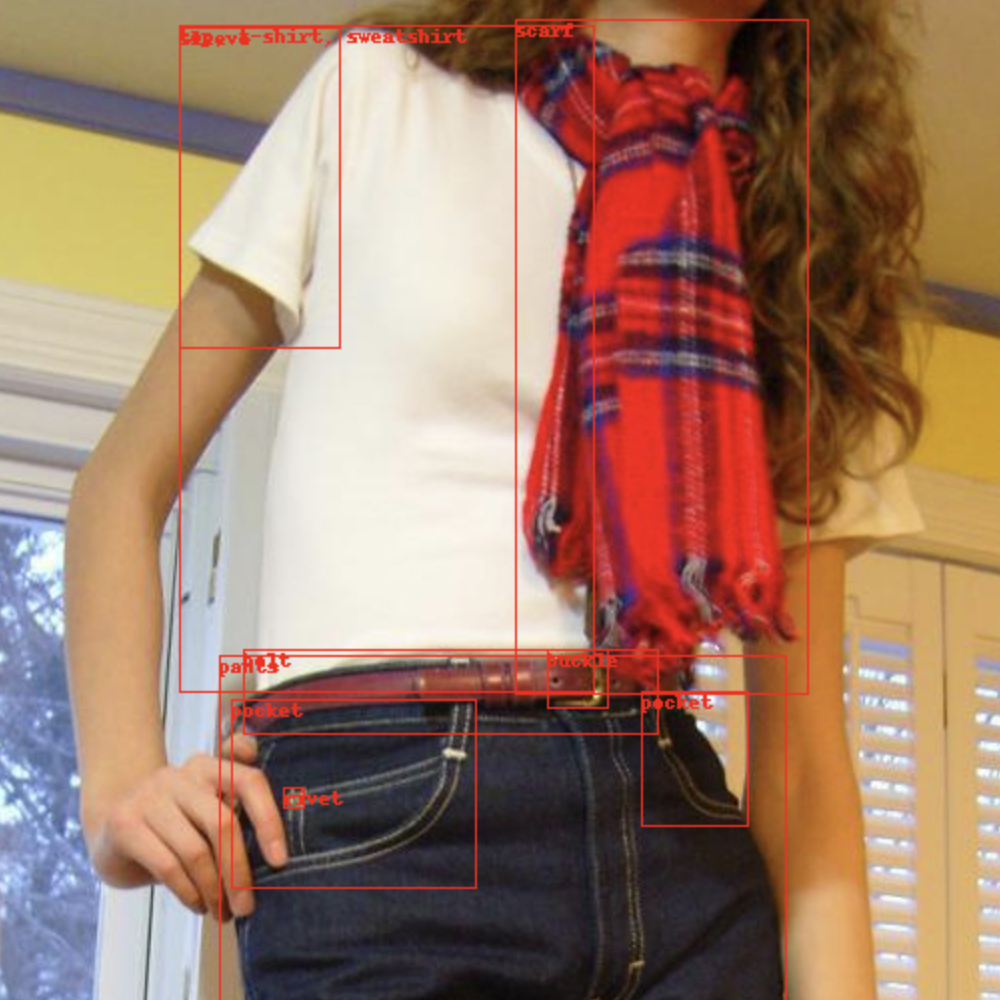
You can also visualize a image with its annotations in a notebook:
dd.show()                   # Shows a random image from the dataset
dd.show(image_id=42)        # Shows the select image based on image_id
4. Write
To local filesystem
Once the dataset is ready, you can write it to the local filesystem in a given format:
dd.to_disk(
    dataset_format='yolo',
    name='MY_DATASET_NAME',
    path='DIRECTORY_TO_WRITE_TO',
)
Currently supported format for writing datasets are:
- YOLO
- COCO
- MMDET
- more to come
To the Hugging Face Hub
The dataset can also be easily uploaded to the Hugging Face Hub, for reuse later on or in a different environment:
dd.to_hub(
    dataset_name='MY_DATASET_NAME',
    repo_name='MY_REPO_OR_ORGANISATION'
)
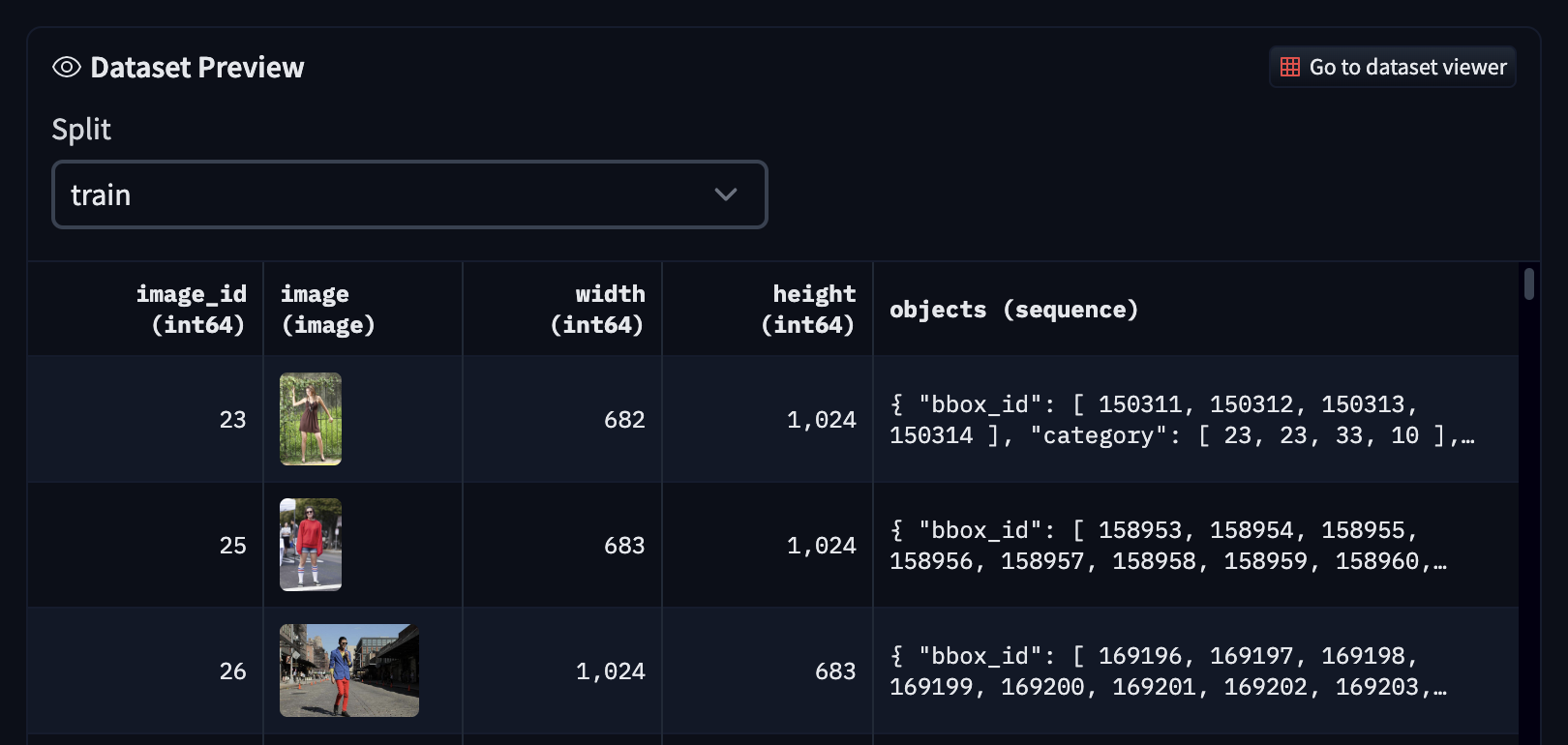
The dataset viewer on the Hub will work out of the box, and we encourage you to update the README in your new repo to make it easier for the comminuty to use the dataset.
1 maintainer

Metadata
1 maintainer
Release files for detection_datasets 0.3.8
For a detailed explanation of source distributions (sdists) and built distributions (wheels), please see the package formats documentation.
Source distribution (sdist)
| File | Size | Uploaded | Provenance | |
|---|---|---|---|---|
| detection_datasets-0.3.8.tar.gz | 17.1 kB | Without provenance | Details |
Built distribution (wheel)
| File | Interpreter | ABI | Platform | Reset |
|---|---|---|---|---|
| detection_datasets-0.3.8-py3-none-any.whl | Python 3 | none | any | Details |
Total release size: 37.3 kB
Release files / detection_datasets-0.3.8.tar.gz
| Download URL | detection_datasets-0.3.8.tar.gz |
|---|---|
| Size | 17.1 kB |
| Tags | Source |
|
SHA-256 checksum How to use checksums |
e5847f31d9e11a5c8bce3741398b3c60f31b8f6667ed4702f1729b1982509b83
|
|
BLAKE2b-256 checksum How to use checksums |
55367c0f9a6f1af2eaab87ac99f3fa9fddfda47d5333d4df3e856502486358fe
|
| Upload date | |
|
Uploaded using Trusted Publishing? What is trusted publishing? |
No |
| Uploaded via |
poetry/1.7.1 CPython/3.10.2 Linux/6.2.0-1016-azure
|
Release files / detection_datasets-0.3.8-py3-none-any.whl
| Download URL | detection_datasets-0.3.8-py3-none-any.whl |
|---|---|
| Size | 20.2 kB |
| Tags | Python 3 |
|
SHA-256 checksum How to use checksums |
2df798a7e31fad822e75ad9f0c36803cc6d33799f456b87e8a02f951c2719b1b
|
|
BLAKE2b-256 checksum How to use checksums |
58767c162c5b7bd2adf9559e2f82d208b7e6563d127947bd7635954d697f982c
|
| Upload date | |
|
Uploaded using Trusted Publishing? What is trusted publishing? |
No |
| Uploaded via |
poetry/1.7.1 CPython/3.10.2 Linux/6.2.0-1016-azure
|
Security for detection_datasets 0.3.8
Provenance
Provenance describes where a file came from. On PyPI, provenance is shared via attestations, which provide a verifiable record of the build or publishing details. View details, limitations and caveats.
No provenance found
None of the files in this release were uploaded with provenance metadata.
A note on package security
PyPI is a repository for distributing packages, not a service for auditing them. While third-party security researchers and our staff do their best to detect and remove malicious packages, PyPI cannot guarantee the quality, security or suitability of any given package.
To learn more about protecting yourself from malicious actors, visit our package security documentation.














