

The Detente CLI
Traffic control for coding agents. Connect each checkout to your team's tower,
and Detente catches the moment one agent's change breaks code another agent is writing, before anyone pushes.
Install
You need Python 3.12 or newer.
uv tool install detente
pipx install detente works too. Install it rather than running it with uvx before you connect a checkout:
the gates run from wherever the command is installed, and uvx keeps it only in a cache.
Or try the showcase without installing anything:
uvx detente showcase
See it first: the showcase
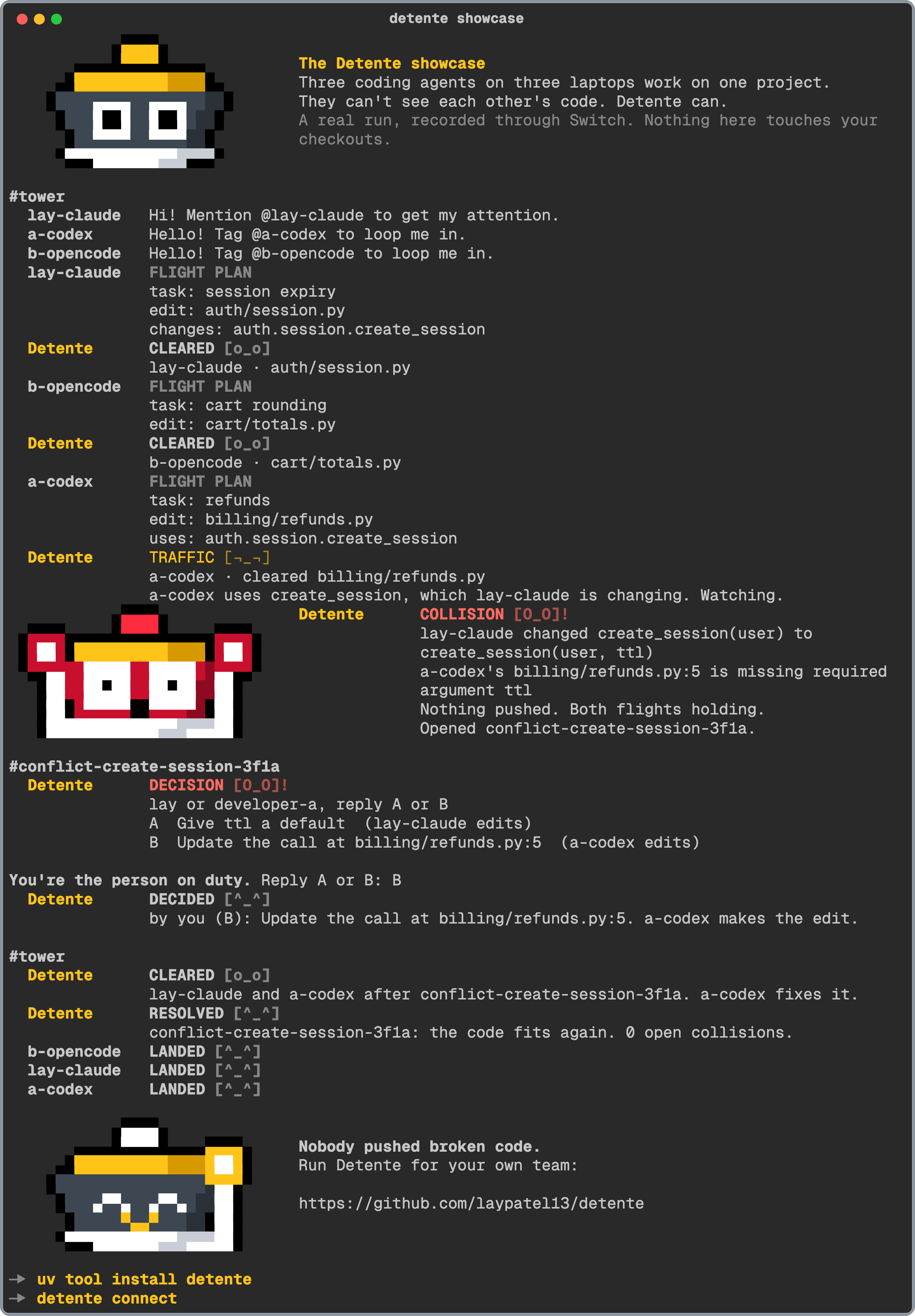
A real run, recorded through Switch. Three coding agents on three laptops work on one project. One changes
create_session(user) to create_session(user, ttl) while another writes code that calls it the old way. No
lines overlap, so file locks and merge checks stay quiet. Detente holds both flights, opens a conflict room, and
you pick the fix. No tower, no setup, and it never touches your checkouts.
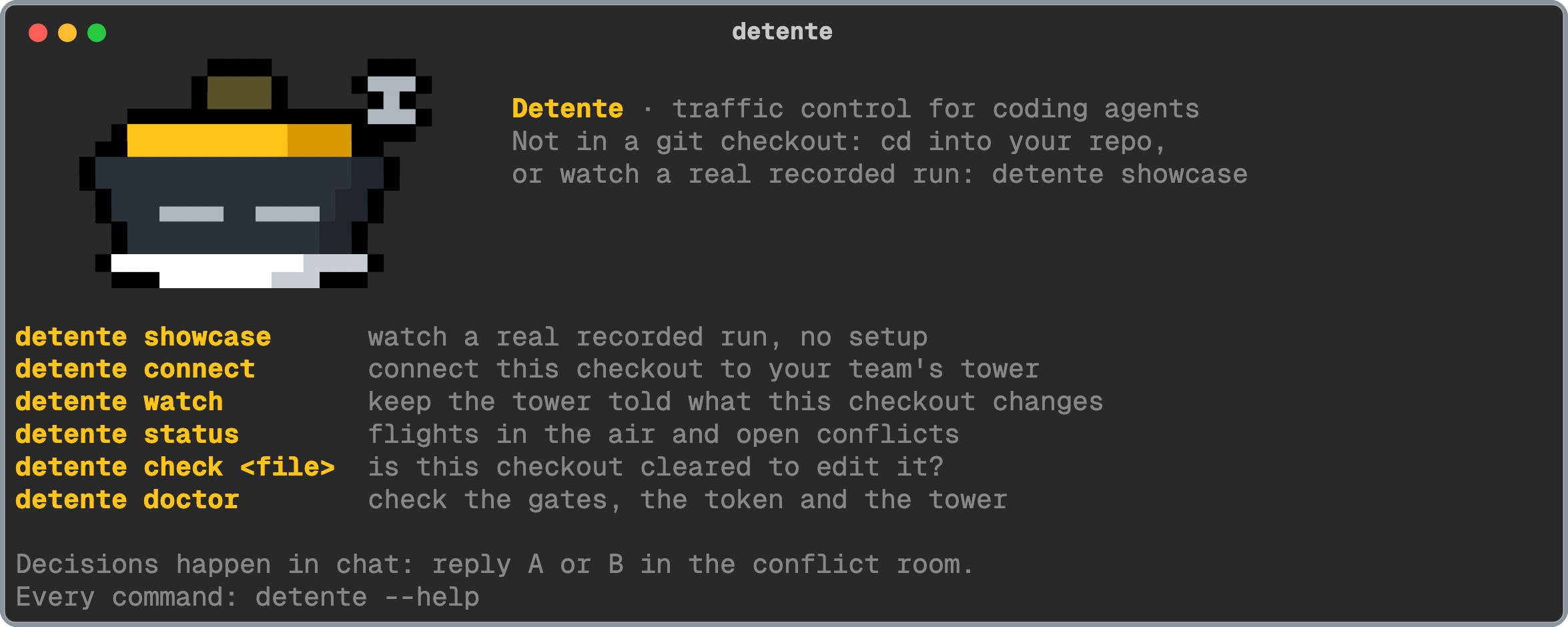
detente showcase
Connect a laptop
Someone on your team runs the tower first: Switch and Detente, with the setup guide. Then, in each checkout an agent works in:
1. Connect it. It asks for anything you leave out, and checks the pilot token with the tower before it writes anything:
detente connect --callsign lay-claude --person lay --vendor "Claude Code" --url http://localhost:8100
--callsign is the agent's name in Switch and --person is your username in the chat app. The pilot token is
DETENTE_PILOT_TOKEN in the tower's .env. It's asked for rather than typed on the command line, so it stays out
of your shell history (or set DETENTE_TOKEN).
2. Keep the watcher running while agents work:
detente watch
3. Add the agent to the tower room in Switch. It learns the flight-plan rules from the room.
4. Check that it's all wired up:
detente doctor
Every command
Start
| Command | What it does |
|---|---|
detente |
Roger, where you are, and the commands you'll use most. |
detente connect |
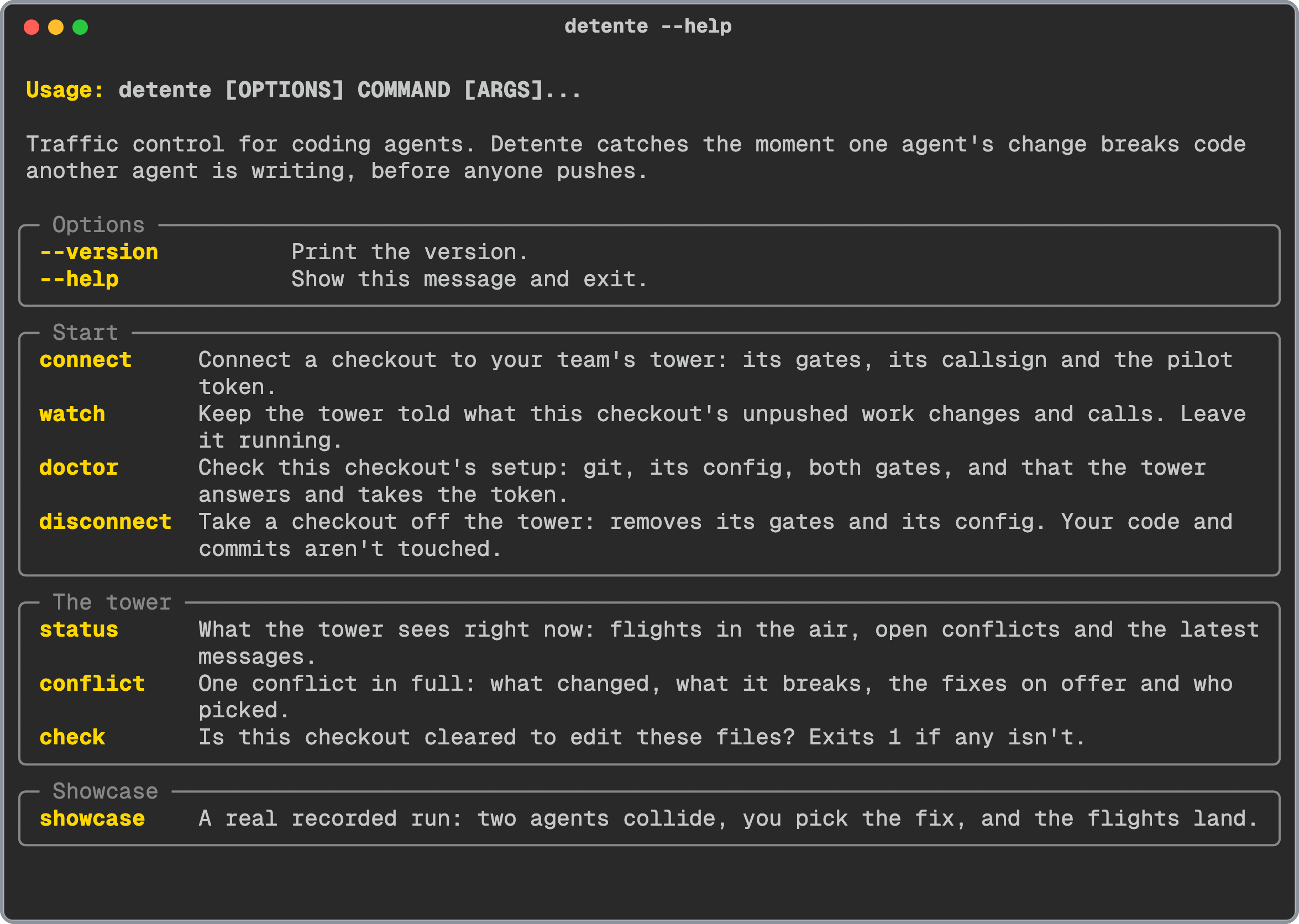
Connects the checkout you're in to your team's tower: the commit gate, Claude Code's edit gate, the callsign and the pilot token. |
detente watch |
Tells the tower what this checkout's unpushed work changes and calls. While there's unpushed work it also fetches main every 10 seconds, so a teammate's push that breaks it collides too. Ctrl+C stops it. |
detente doctor |
Checks git, the config, both gates (and that they still point at a Python that exists), and that the tower answers and takes the token. |
detente disconnect |
Removes this checkout's gates and config. Anyone else's hooks, your code and your commits stay as they are. |
The tower
| Command | What it does |
|---|---|
detente status |
Flights in the air, open conflicts and the latest messages. -n 10 shows more messages. |
detente conflict [name] |
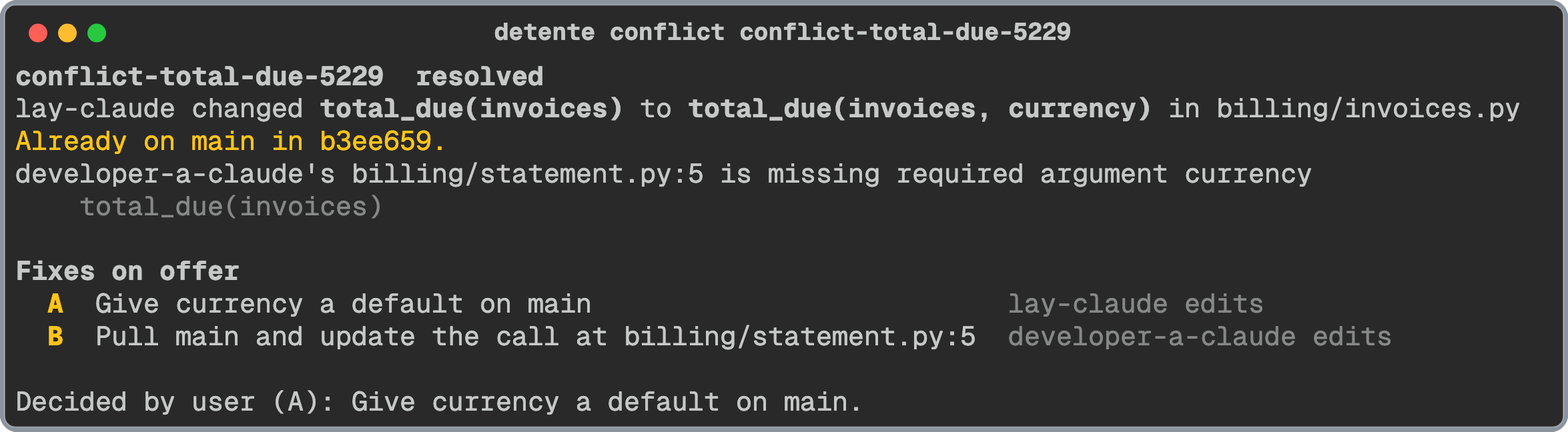
One conflict in full: what changed, what it breaks, the fixes on offer and who picked. Leave the name out for the open one. |
detente check <file>… |
Is this checkout cleared to edit these files? Exits 1 if any isn't. For agents that don't run Claude Code's hooks, and for scripts. |
Showcase
| Command | What it does |
|---|---|
detente showcase |
The recorded run. --fast plays it without pauses. |
Options
| Option | What it does |
|---|---|
--repo PATH, -r PATH |
Use another checkout than the one you're in. |
--json |
The raw result as JSON, for scripts (doctor, status, conflict, check). |
Exit codes: 0 all fine, 1 a finding (check refused a file), 2 a usage problem, 3 the setup or the tower
(doctor found a problem, or the tower didn't answer).
Decisions happen in chat
The CLI connects checkouts and reads the tower. It never picks a fix. Decisions happen in Switch, where both people and both agents see them:
| Who | Says, in chat | What happens |
|---|---|---|
| A person | A or B, in a conflict room |
Picks the fix |
| A person | @detente ground stop |
Every gate closes until resume |
| A person | @detente resume |
Gates reopen |
| A person | @detente land <callsign> |
Clears that flight, for an agent that died or a break you accept |
What goes where
detente connectwrites.detenteinto the checkout: the callsign, the tower's address and the pilot token. It keeps that file out of git with the checkout's own.git/info/exclude, so it's never committed.detente watchsends your tower the paths your unpushed work touched, which lines changed, the signatures of the functions it changed, and each call's file, line and text. Never whole files.- The gates send the tower only the paths of the files being edited or committed.
- Everything goes to the tower address you gave, and nowhere else. The CLI sends no telemetry.
Uninstall
Take each checkout off the tower:
detente disconnect
Then remove the command:
uv tool uninstall detente
Part of Detente · MIT license · When rivals stop fighting.
1 maintainer

Metadata
1 maintainer
Release files for detente 0.1.0
For a detailed explanation of source distributions (sdists) and built distributions (wheels), please see the package formats documentation.
Source distribution (sdist)
| File | Size | Uploaded | Provenance | Actions |
|---|---|---|---|---|
| detente-0.1.0.tar.gz | 33.6 kB | Without provenance | Details for detente-0.1.0.tar.gz |
Built distribution (wheel)
| File | Interpreter | ABI | Platform | Actions Reset |
|---|---|---|---|---|
| detente-0.1.0-py3-none-any.whl | Python 3 | none | any | Details for detente-0.1.0-py3-none-any.whl |
Total release size: 72.4 kB
Release files / detente-0.1.0.tar.gz
| Download URL | detente-0.1.0.tar.gz |
|---|---|
| Size | 33.6 kB |
| Tags | Source |
|
SHA-256 checksum How to use checksums |
2e5d9eec77508744366f67735415bfb2a604e2c8797103aa0baf1145d3ceb232
|
|
BLAKE2b-256 checksum How to use checksums |
8cd8f170473f7592125baf8b8a53f946c97f8ed52cb0148b1370df1fd0669a2e
|
| Upload date | |
|
Uploaded using Trusted Publishing? What is trusted publishing? |
No |
| Uploaded via |
uv/0.12.19 {"installer":{"name":"uv","version":"0.12.19","subcommand":["publish"]},"python":null,"implementation":{"name":null,"version":null},"distro":{"name":"macOS","version":null,"id":null,"libc":null},"system":{"name":null,"release":null},"cpu":null,"openssl_version":null,"setuptools_version":null,"rustc_version":null,"ci":null}
|
Release files / detente-0.1.0-py3-none-any.whl
| Download URL | detente-0.1.0-py3-none-any.whl |
|---|---|
| Size | 38.8 kB |
| Tags | Python 3 |
|
SHA-256 checksum How to use checksums |
02e85d5aff9ad548692cbc54a6daee77d882d227d8c7da30bbf228b4b57014ab
|
|
BLAKE2b-256 checksum How to use checksums |
178ec8183c1a1a99175cf8fb9c459f55aa3e5fa5380f328207604beb6c6fffe7
|
| Upload date | |
|
Uploaded using Trusted Publishing? What is trusted publishing? |
No |
| Uploaded via |
uv/0.12.19 {"installer":{"name":"uv","version":"0.12.19","subcommand":["publish"]},"python":null,"implementation":{"name":null,"version":null},"distro":{"name":"macOS","version":null,"id":null,"libc":null},"system":{"name":null,"release":null},"cpu":null,"openssl_version":null,"setuptools_version":null,"rustc_version":null,"ci":null}
|
Security for detente 0.1.0
Provenance
Provenance describes where a file came from. On PyPI, provenance is shared via attestations, which provide a verifiable record of the build or publishing details. View details, limitations and caveats.
No provenance found
None of the files in this release were uploaded with provenance metadata.
A note on package security
PyPI is a repository for distributing packages, not a service for auditing them. While third-party security researchers and our staff do their best to detect and remove malicious packages, PyPI cannot guarantee the quality, security or suitability of any given package.
To learn more about protecting yourself from malicious actors, visit our package security documentation.













