
dev-prune
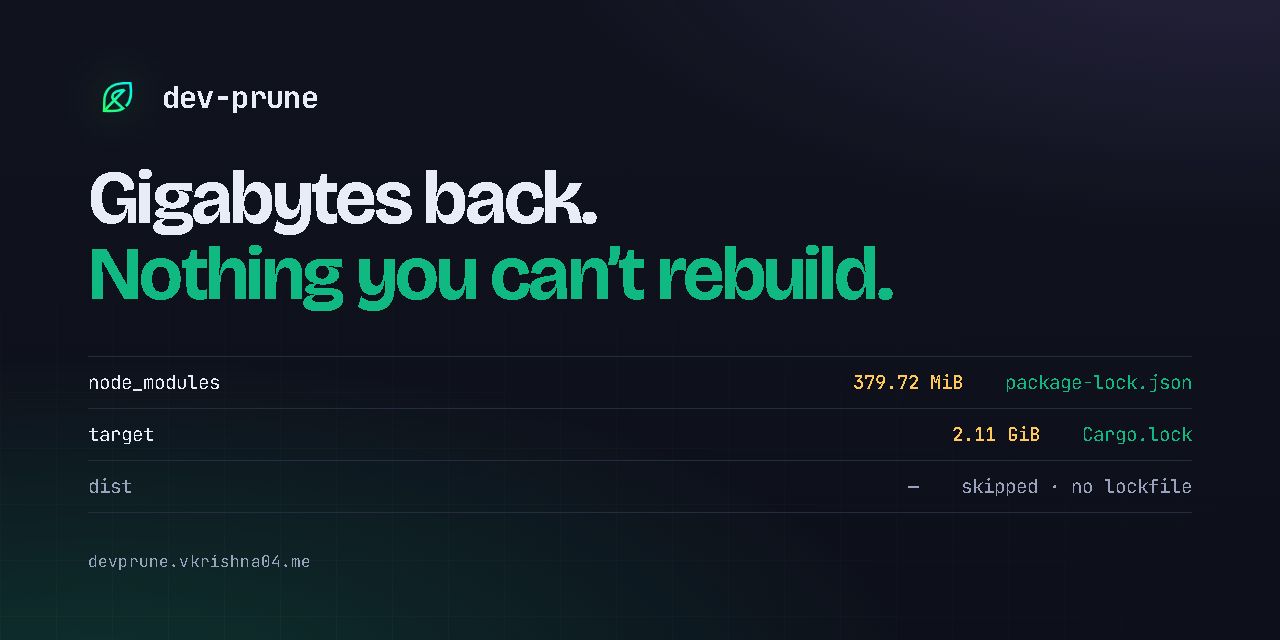
Gigabytes back. Nothing you can't rebuild.
Reclaim the disk space your idle repositories are sitting on — without ever deleting something a lockfile cannot put back.








Website · Documentation · CLI reference · Safety invariants · Changelog
devp is the same binary under a shorter name · Windows, macOS and Linux · Apache-2.0 · by VKrishna04
node_modules, .venv, target and vendor are the largest directories on most
developers' machines, and the least valuable: every byte in them is described by a
lockfile that is already committed. A project you have not opened since March is holding
gigabytes hostage for a build you are not running.
dev-prune finds those directories across every Git repository you register, and deletes
them — but only after proving the exact command that puts them back would succeed. It
knows thirty-six package managers, not just the obvious four: Composer, Bundler, Mix,
CocoaPods and Terraform are as first-class as npm and pip. It is one Rust program,
installs its own background schedule, and answers to two names you type — dev-prune and
devp — alongside a third, windowless build, devpw, that exists only so the Windows
scheduled task runs without flashing up a console.
Deleting is only half of it. The same binary puts everything back (devp restore --last-run), sizes and clears the caches those package managers keep outside your
projects (devp caches), reports what Docker is holding (devp caches docker), and shows
where the disk actually went, drive by drive (devp status, devp stats). One tool for
every dependency directory on the machine, instead of one command per ecosystem and a
mental note about which ones are safe.
Contents
Start here Install · Where it is published · Editors · 60-second tour · What it looks like
How it thinks Why it is safe · Features · Commands · Ecosystems · Monorepos · JavaScript · Python
Running it Configuration · Automation · Comparison · Architecture · Docs
Install
One-liner
Pick the line for the shell you are actually typing into. Pasting the first one into a
Command Prompt is the most common install failure there is — it answers
'sh' is not recognized as an internal or external command, because sh is a Unix shell
and Windows does not ship one.
Linux, macOS, or a Unix shell on Windows — Git Bash, MSYS2, Cygwin, WSL:
curl -fsSL https://devprune.vkrishna04.me/install.sh | sh
Windows PowerShell — the blue or black PS> prompt, and Windows Terminal's default:
iwr -useb https://devprune.vkrishna04.me/install.ps1 | iex
Windows Command Prompt — the C:\> prompt, which has no iwr of its own:
powershell -NoProfile -ExecutionPolicy Bypass -Command "iwr -useb https://devprune.vkrishna04.me/install.ps1 | iex"
All three download the prebuilt binary for your platform, verify its published SHA-256,
put it on PATH, and run dev-prune setup. Pass --no-auto-setup / -NoAutoSetup to
skip that last step.
A binary you download and run by hand asks first instead: the first attended run opens
the settings walkthrough before anything is installed, finishing it is the yes, and
quitting it means nothing is installed — durably, until you say otherwise with
devp setup.
Re-run any of them whenever you like. An install that is already current, complete and on
PATH is left exactly as it is and exits 0 without downloading; an older one is updated
in place; a newer one is not downgraded. --force / -Force writes it again regardless.
The Command Prompt form installs identically to the PowerShell one, but cmd cannot
inherit the PATH the installer sets in its own process, so devp resolves in the next
Command Prompt you open rather than the current one. PowerShell does not have that
problem.
From a package manager
npm install -g dev-prune@latest    # or: npx dev-prune status
bun add -g dev-prune@latest        # same package, through bun
pnpm add -g dev-prune@latest
yarn global add dev-prune@latest   # Yarn 1.x
uv tool install dev-prune@latest   # or: uvx dev-prune status
pipx install --force dev-prune
pip install --upgrade dev-prune
cargo binstall dev-prune           # fetches the prebuilt release archive
cargo install dev-prune            # builds from source, needs Rust 1.88+
Each command installs the latest version and updates an existing copy — the same
line works for both. That is what the @latest, --force and --upgrade spellings
are for: the bare forms report "already installed" and change nothing, which looks
like an update and isn't. (cargo install rebuilds on its own whenever a newer
version exists.)
The npm and
PyPI packages contain the binary — there is no
download step at install time, so they work under npm ci --ignore-scripts, behind a
registry mirror and offline. Everything but cargo install ships a prebuilt executable.
npm delivers it the way esbuild and Biome do: one small dev-prune package that lists
seven platform packages as optional dependencies, of which npm installs exactly the one
matching your machine. That is why there is no download step to block. Windows works from
1.8.0 onwards — earlier versions installed and then reported no binary to run, so a
machine still holding dev-prune@1.7.0 needs npm install -g dev-prune@latest.
bun, pnpm and Yarn install that same package, and dev-prune treats each as a channel of
its own rather than as npm: a copy bun add -g put there is upgraded and removed with
bun. Running npm against it would install a second copy under npm's prefix and leave
bun's, still on PATH, at the old version. devp update --channels prints every
channel's upgrade command if you want to see the whole table.
crates.io stores source and nothing else, so
cargo install has no binary to fetch and always compiles. cargo binstall is the
one that downloads: Cargo.toml tells it where this project's release archives live, so
it unpacks the same executable the installers use, with no toolchain involved.
Homebrew and Scoop each have a one-file tap and bucket, which exist so that upgrades keep arriving:
brew tap Life-Experimentalist/tap
brew install dev-prune
scoop bucket add life-experimentalist https://github.com/Life-Experimentalist/scoop-bucket
scoop install dev-prune
Both also install straight from a URL with nothing tapped or added, because the file
carries the SHA-256 of the archive it installs — but a formula that belongs to no tap is
one brew upgrade will never look at again:
brew install https://raw.githubusercontent.com/Life-Experimentalist/dev-prune/main/packaging/homebrew/dev-prune.rb
scoop install https://raw.githubusercontent.com/Life-Experimentalist/dev-prune/main/packaging/scoop/dev-prune.json
dev-prune is not in WinGet yet — winget install VKrishna04.dev-prune does not
resolve. On Windows, use Scoop or the install script instead.
The two Python entry points differ in where they land. pip install follows whichever
environment is active, so inside a virtualenv devp lives in that venv's Scripts/bin
and disappears with it; pip install --user, pipx and uv tool install are the
machine-wide forms. Where each one puts the executables.
Direct download
Seven checksummed archives per release on
GitHub Releases — Windows,
macOS and Linux on x64 and arm64, plus a 32-bit windows-x86 build for machines with no
64-bit mode. The Linux binaries are statically linked against musl, so one file per
architecture runs on every distribution including Alpine.
Manual install and build-from-source: docs/RELEASES_AND_MANUAL_INSTALL.md.
In your editor
There is a companion extension. It validates .devprune.json as you type — every key,
every adapter name, every enum, from the schema bundled inside it rather than fetched — and
puts the workspace's reclaimable size in the status bar, so you can see what a repository
is holding without leaving the window.


code --install-extension VKrishna04.dev-prune
Open VSX is the same extension for the editors that cannot reach Microsoft's marketplace —
VSCodium, Cursor, Windsurf, Positron, Kiro. You do not have to pick: devp setup offers
to install it once, at a terminal, into whichever of those it finds, each from its own
registry.
JetBrains IDEs need no extension at all. The config schema is registered with
SchemaStore, so IntelliJ, PyCharm, WebStorm, GoLand,
RubyMine and Rider validate .devprune.json out of the box — as do Visual Studio, Neovim
and Zed.
And your coding agent gets the same treatment. devp skill --agent <editor> writes the
rules file that editor actually reads — .github/copilot-instructions.md, .cursor/rules/,
CLAUDE.md, .junie/guidelines.md and the rest — so an agent working in the repository
knows what dev-prune will and will not delete before it suggests anything.
Claude Code can go first, before devp exists on the machine at all — this
repository is also a Claude Code plugin marketplace:
/plugin marketplace add Life-Experimentalist/dev-prune
/plugin install dev-prune@dev-prune
One skill, no hooks and no MCP server, and it is the same SKILL.md the binary embeds.
That is the useful order for an agent: read what dev-prune does and refuses to do, then
install it.
Everything about editors, in one place: docs/IDE_INTEGRATION.md.
Let an AI assistant do it
Copy the prompt below and paste it to Claude Code, Cursor, GitHub Copilot, Windsurf, or any terminal-capable agent — it installs, verifies, and registers your projects for you. More detail and per-tool notes.
Install and set up `dev-prune` (binary name `devp`), a lockfile-safe workspace cleaner,
on this machine. Follow these steps exactly and do not improvise beyond them.

1. Detect the OS and run the matching official installer, nothing else:
   - macOS or Linux:
       curl -fsSL https://devprune.vkrishna04.me/install.sh | sh
   - Windows (PowerShell):
       iwr -useb https://devprune.vkrishna04.me/install.ps1 | iex
   - If a Rust toolchain is already present and you cannot reach the network, you may
     instead run:  cargo install dev-prune
   Do NOT download binaries from anywhere other than devprune.vkrishna04.me or the
   project's GitHub releases, and do NOT edit PATH, the registry, or any OS scheduler by
   hand — the installer and `devp setup` do all of that themselves.

2. Open a NEW terminal (so the updated PATH is in effect) and verify:
       devp --version
       devp doctor
   `devp doctor` must exit 0. If it prints warnings, read them out to me; do not try to
   "fix" the scheduler or hooks yourself — they are self-installing.

3. Ask me which project directories to keep clean, then register each one:
       devp init <path>
   If I do not have a list, run `devp init --auto --dry-run`, read me what it found, and
   register it with `devp init --auto` once I say yes. Do not register directories I did
   not name or approve. `devp init` only records a directory; it never deletes anything
   on its own.

4. Show me the result and stop:
       devp status

Notes you should rely on, not work around:
- Installation already registered a background pass (every 2 days) and, on Windows, a
  windowless task that never flashes a console window. You do not need to configure any
  of this.
- Nothing is ever deleted unless a lockfile can rebuild it, the repo has been idle past
  the threshold, and (interactively) I confirm. Run `devp run --dry-run` if I want a
  preview.
- To undo the whole thing later: `devp uninstall`.
Every install channel in detail: docs/DISTRIBUTION.md.
Every place it is published
Nine channels, one project. The middle column is the exact string each registry answers to — names this close together are how a typo becomes somebody else's package, so they are worth copying rather than typing.
| Where | Published as | What you get |
|---|---|---|
| crates.io | dev-prune |
Source. cargo install compiles it; cargo binstall fetches the release archive instead. |
| PyPI | dev-prune |
Seven wheels, each containing the binary. pip, pipx, uv tool. |
| npm | dev-prune |
A dispatcher plus seven platform packages; npm installs the one matching your machine. |
| GitHub Releases | dev-prune-v<ver>-<platform> |
Seven checksummed, provenance-attested archives. What the install scripts fetch. |
| Homebrew | Life-Experimentalist/tap |
A one-formula tap, so brew upgrade keeps finding new versions. |
| Scoop | life-experimentalist |
A one-manifest bucket, for the same reason. |
| VS Code Marketplace | VKrishna04.dev-prune |
The editor extension. VS Code and the forks on Microsoft's gallery. |
| Open VSX | VKrishna04.dev-prune |
The same extension, for VSCodium, Cursor, Windsurf, Positron and Kiro. |
| SchemaStore | .devprune.json |
The config schema, by filename. No extension and no $schema key needed. |
WinGet is not in the table because dev-prune is not in winget-pkgs yet, so
winget install VKrishna04.dev-prune does not resolve.
Two of those rows are not installs of dev-prune at all. SchemaStore is why JetBrains
IDEs, Visual Studio, Neovim and Zed validate .devprune.json with nothing installed —
the catalog entry points at a schema this repository hosts. And the editor extension is
a separate product with a separate version number, released on its own vscode-v* tags,
which is why the release marked latest on GitHub is always the CLI.
Anything calling itself dev-prune from anywhere other than these was not published by
its author. devp doctor names the channel the running copy came from, and every
release archive carries GitHub build provenance that
gh attestation verify checks against this repository — a checksum only proves a file
arrived intact, which a substituted pair also does.
60-second tour
devp init ~/Projects        # register every Git repository under a tree
devp init --auto            # …or let it work out where your code lives, and register that
devp status                 # dashboard: what is tracked, what is reclaimable
devp run --dry-run          # what a pass would delete — changes nothing
devp run                    # do it, after confirming
devp restore --last-run     # put back exactly what that pass deleted
A few more worth knowing on day one:
devp stats                  # how much has been reclaimed so far, by repository and by package manager
devp history                # which pass reclaimed it, and what started that pass
devp history --pass 1       # the exact command line, and every directory it took
devp caches                 # every package manager cache, sized. The report deletes nothing
devp caches docker          # what Docker holds, and the prune commands
devp caches clear docker    # run the narrow ones — no volume unless you name it, never on a schedule
devp status --drift         # anything installed that the lockfiles don't record?
devp doctor .               # why is this repository not being pruned?
devp doctor --fix           # repair a broken integration — never a first-time install
devp -V                     # version, OS, architecture, config path, PATH audit
What it looks like
devp run --dry-run — the plan, before anything is touched
--dry-run scans every registered repository and prints the pass it would make, then
stops without touching anything. Each candidate is one line: the repository, the
directory as a path relative to that repository's root, the directory's size, and in
brackets the adapter that claimed it — [pnpm], [uv], [cargo], [go]. A repository
that is being skipped says so on its own line, with the reason it was skipped.
The summary at the end is the total those lines add up to and the number of directories
behind it.
There is no figure this README can put in that summary for you. It is the size of your
node_modules, and this repository holds no measurement that would make a number here
mean anything about your disk — so run it and read your own.
devp status — the dashboard, or a plain table with no TTY
The header states the facts about the installation itself: where the registry file lives, whether the OS daemon and the Git hooks are installed, the global command timeout, how many repositories are tracked, and the lifetime total already reclaimed together with the number of prune passes that produced it.
Below it, one row per repository — an index, its name, its status and, when it is being skipped, the reason for that; the adapters that detected it; the size of the bloat it is holding; the date of its last activity; and when it was last pruned. The footer totals the repositories, how many of them are candidates, and how much is reclaimable right now.
With a TTY the table is interactive: ↑/↓ move, p pre-selects every candidate,
Space deselects the one you are keeping, Enter prunes the rest, i asks and then
toggles ignore for a repository, q exits. On a terminal at least 110 columns wide an
inspector pane sits beside the table (below it on a narrower one with the rows to spare):
the selected repository's per-directory sizes, root-commit identity, idle window, lifetime
space saved, a sparkline of its commits over the last 26 weeks and the largest entries
inside its bloat. Tab hides and shows it. Without a TTY, the same table is printed and
the command exits.
devp caches — where the rest of the disk went
One row per package-manager cache and store found on the machine, largest first. Each carries the manager's name, the size, the path it was found at, the exact command that clears it, and — for the managers that are also adapter names — how many of your registered repositories use it and what the cache works out to per repository. A total closes the table, and the report ends by saying out loud that nothing in it was deleted.
Container engines are listed after that total rather than inside it, each on one line with
what the engine itself calls reclaimable and the devp caches docker that breaks it down.
They are kept out of the package-manager total deliberately: images, volumes and build
cache are a different kind of thing, and dev-prune never deletes any of them.
A cache lives outside every repository and is shared by all of them, so no single
lockfile can prove it recoverable — and it is what makes devp restore fast. devp caches reports and prints the clear command; running it is your decision.
pnpm gets a row per filesystem rather than a single row. It hardlinks its store into
every node_modules it fills, and a hardlink cannot cross a filesystem, so projects
kept off the system disk have a store of their own at the root of that filesystem —
V:\.pnpm-store on a second Windows drive, /mnt/data/.pnpm-store on Linux,
/Volumes/Work/.pnpm-store on macOS. pnpm store path only ever answers for the
filesystem it is run on, so dev-prune looks at the root of every filesystem that holds
a registered repository, and each such row names its store in the command it prints.
devp caches docker — the engine that is usually bigger than all of them
Four rows — Images, Containers, Local Volumes, Build Cache — each with its size, how much of that size the engine itself calls reclaimable, and how many items it holds against how many are in use. A total closes them.
Under the table, the prune commands, narrowest first, each paired with what it takes with
it: docker builder prune (the build cache; costs a slower next build), docker image prune (dangling images no tag points at any more), docker container prune (stopped
containers and each writable layer), docker system prune (the three at once, volumes
untouched) and docker system prune --volumes, the one that deletes data.
Nothing in that report is deleted, and nothing dev-prune runs on a schedule ever will. An image has no lockfile to prove it can be rebuilt, and a named volume is the one thing here that cannot be rebuilt at all — so this command measures, prints the commands, and leaves the decision with you.
Clearing the npm cache while a Docker install nobody has looked at in a year sits on many
times more is the mistake this exists to prevent. devp caches podman is the same report
for Podman; devp caches containers nerdctl, devp caches containers finch and devp caches containers container — Apple's engine, on Apple silicon — are the same report for
those, the engine being an argument to containers rather than a subcommand of its own;
and devp caches containers on its own runs every engine it finds and lists any local
Kubernetes clusters (kind, k3d, minikube) by name.
The report deletes nothing, and nothing on a schedule ever will — no daemon, no Git
hook and no devp run path reaches container disk, with or without --yes. What used to
end there now has a second half: devp caches clear docker runs the narrow commands for
you — builder prune -a -f, image prune -a -f, container prune -f — after printing
them and asking, and counts what came back on its own line in devp stats. Printing four
commands and asking you to go and type one in another window meant whatever you reclaimed
on its advice was yours to have remembered, and dev-prune could not account for it.
It will not bulk-delete volumes, and no flag makes it. No argument in the reclaim
table contains the word volume, a unit test fails the build if one appears, and dev-prune
never runs volume prune or system prune --volumes. That is a different promise from
the lockfile rule: an image can be pulled again and a build cache rebuilt, so those are a
question of consent and the prompt is the consent. What is inside a volume is the only
copy, so a volume goes only when someone names it. That naming has a spelling now:
devp caches clear docker --include-volumes (docker and podman) lists the unused
volumes by name after the narrow steps run and you type the numbers of the ones to
delete, each pick one unforced volume rm. It refuses --yes, --json and a piped
stdin, so no script or scheduler can reach it. The one unattended spelling is
--include-volumes --dry-run, which deletes nothing: it lists the unused volumes by
name with the command to paste, so an agent can prepare everything and a person runs
the final command at a terminal, and what the picks free is then counted on
devp stats, which a volume rm typed straight at the engine would not be. The pick
list arms only within ten minutes of a completed dry run for that engine: typed cold,
the real command runs the dry run instead and says so, and the same line typed again
within ten minutes reaches the picking. Without
the flag, the estimate still
says how much unused-volume space is being left alone rather than folding it into a
number these commands cannot deliver.
The figures come from the engine's own system df, not a walk of the disk. On Docker
Desktop and Podman the store lives inside a VM disk image the host filesystem cannot see,
so a size taken off the disk would be wrong by orders of magnitude in the reassuring
direction — and asking is the only way to learn what is reclaimable, which is the
figure that decides anything. A store that is almost entirely dangling images is a
different situation from one the same size with almost nothing reclaimable in it.
An engine that is installed with its daemon stopped is reported as exactly that, quoting the engine's own first line, and contributes no figures: a blank, not a zero. An engine that is not installed is absent from the report rather than listed as missing. Local Kubernetes clusters are named and deliberately not sized — their nodes are containers belonging to an engine already in the table, so a figure beside the cluster name would be the same gigabytes counted twice.
devp doctor . — the one reason a repository is being skipped
Three sections and a verdict. Repository answers whether the path is a Git repository,
whether it is registered and since when, whether a .devprune.json was found and what it
sets, whether an opt-out applies, the last activity date against the idle threshold in
force, the size floor, and the scan depth.
Projects lists every project found below the root by its repository-relative path with the adapter that claimed it, and under each one whether the lockfile is present and which bloat directories that adapter owns, sized.
Verdict is a single line — would devp run prune this, yes or no — and when the answer
is no, the one check that said so and the exact command that overrides that check and
nothing else.
It runs no package manager and repairs nothing, so it is safe to run twice — once to see
the problem, once to confirm the fix. Without a path it audits the installation instead:
binary location and PATH, the registry and every setting in it, the integrations, which
package managers are reachable, and the release-check state.
Why it is safe
Seven invariants, enforced in code rather than by convention, none of which has a bypass flag. Full detail and the reasoning behind each in docs/SAFETY_INVARIANTS.md.
| # | Invariant | What it prevents |
|---|---|---|
| 1 | .git boundary — only ever operates inside a directory holding a .git root |
Deleting a node_modules that belongs to no repository and has no lockfile behind it |
| 2 | Lockfile pre-verification — the ecosystem's own read-only check must pass first | Deleting a tree whose lockfile has drifted, leaving a reinstall that fails |
| 3 | Hybrid activity solver — the later of the last commit and the newest source mtime |
Pruning a project with a week of uncommitted work in it |
| 4 | Atomic state writes — write to a temp file, then rename | A registry corrupted by a crash or a power cut mid-write |
| 5 | 0ms ignore fast path — ignore.devprune.json short-circuits before any parsing |
A repository you opted out of being scanned at all |
| 6 | Symlink and junction refusal | Following a link out of the repository and deleting storage it does not own |
| 7 | Nested repository boundary | A submodule being deleted as part of its parent instead of on its own terms |
Verification is read-only by default: npm ci --dry-run, uv lock --locked, cargo metadata --locked, go mod download. Each resolves the dependency graph against the
lockfile on disk and fails when the two disagree, instead of quietly rewriting the
lockfile and continuing. The writing form runs in exactly two cases — when no lockfile
exists at all, and when you have asked with devp config set allow_manifest_rewrite true
— because a pass can be started by the OS scheduler while you are away, and a background
process that leaves a dirty working tree is a surprise.
Features
| What you get | What it means in practice |
|---|---|
| 🔒 Lockfile-gated deletion | Nothing goes without a passing read-only verification against package-lock.json, pnpm-lock.yaml, yarn.lock, bun.lock, uv.lock, requirements.txt, Cargo.lock or go.sum |
| 🧩 Any number of ecosystems per repository | uv, npm and cargo in one root, or spread across frontend/, services/api/ and tools/cli/ — each discovered, verified and pruned on its own terms |
| ↩️ One-command restore | devp restore . reinstalls a tree; devp restore --last-run puts back exactly what the most recent pass deleted, across every repository it touched |
| 🕒 Activity-aware | Combines git log timestamps with source-file mtime, so uncommitted work protects a repository just as a commit does |
| 🐳 Container report | devp caches docker (also devp caches podman, and devp caches containers <engine> for nerdctl, finch or Apple's container — the engine name is an argument to containers, never a subcommand of its own — or devp caches containers on its own for every engine it finds plus local Kubernetes clusters) breaks a container engine's disk into images, containers, local volumes and build cache, each with what the engine itself calls reclaimable, and prints the prune commands narrowest first with what each takes with it. devp caches clear docker then runs the narrow ones for you, after asking, and counts them in devp stats — no volume unless you pick it by name (--include-volumes, a terminal-only list you choose from, one unforced volume rm per pick, never volume prune), and never from a scheduler or a hook. devp caches carries a one-line summary per engine, outside its own total |
| 📊 Cache report | devp caches sizes every package manager cache and store on the machine — npm to cargo to conda, Maven, Gradle, NuGet, vcpkg, Conan, Composer, CocoaPods, Hex, Bundler, pub, SwiftPM, Terraform, Poetry, PDM and Deno — and prints the command that clears each. It also finds the stores that belong to no package manager at all and are routinely the largest things in the list: the Playwright and Puppeteer browser bundles, the Cypress binary cache, the Electron and electron-builder download caches, and the HuggingFace hub — a whole browser or model per version, and nothing ever removes the old one. The report is read-only; devp caches clear <manager> runs that command for you, after asking. devp config set cache_max_gb default=10 says how big is too big — for every manager at once, or per manager with default=10,npm=4 — and marks the ones past it — devp caches clear --over-cap all then empties exactly those, still only when you type it. Each manager also says how many of your registered repositories use it and what that works out to per repository, and devp caches clear --unused all empties the ones nothing uses at all. pnpm is reported once per filesystem, because a store it hardlinks into node_modules cannot cross one and projects kept off the system disk get a store of their own. Nothing on a schedule ever touches a cache, and Maven's ~/.m2/repository is never cleared at all — it holds artifacts mvn install:install-file put there that no remote can hand back |
🩺 devp doctor |
One read-only pass that ends by naming the single reason a repository would or would not be pruned. Runs no package manager, repairs nothing, safe to run twice. devp doctor --fix then mends what it found — installed-but-broken only |
| 🤖 Self-installing automation | OS-native scheduler (Task Scheduler, LaunchAgent, systemd user timer) and non-blocking Git hooks, installed once the first run’s walkthrough is accepted (quitting it installs nothing) and restored after an upgrade. auto_setup, auto_hooks, auto_daemon or DEV_PRUNE_NO_AUTO_SETUP=1 turn it off |
| ⚡ 0ms opt-out | An ignore.devprune.json in a repository root is honoured by file presence alone — no read, no parse. It applies at registration as well: a bulk scan (devp init, and the scheduled pass's own discovery) will not register a repository that holds it, so a repository can decline before it ever reaches devp status. devp link <path> still registers one, because naming a single repository is not a bulk scan |
🔌 --json on every reporting command |
run, status, stats, history, trust and caches each emit one versioned document on stdout, diagnostics on stderr. Built for scripts and agents |
| 🧠 AI agent skill | A token-lean SKILL.md embedded in the binary; devp skill exports it and prints onboarding prompts for Claude Code, Gemini Antigravity, Cursor, Windsurf, Copilot and OpenClaw, and the repository doubles as a Claude Code plugin marketplace |
| 🧰 Editor extension | Validates .devprune.json as you type and shows the workspace's reclaimable size in the status bar. devp setup offers to install it — once, only at a terminal — into VS Code, VSCodium, Cursor, Windsurf, Positron or Kiro, each from its own registry, falling back to the .vsix from the extension's own release. docs/IDE_INTEGRATION.md |
| 🖼️ File manager icons | devp icon registers *.devprune.json with the OS file manager — a real shared-mime-info type plus hicolor icons on Linux, a folder icon on Windows. It never edits your editor settings, PATH or shell startup files |
| 🌏 Unicode-safe paths | A repository at ワークスペース/项目目录名称测试/프론트엔드 scans, verifies, prunes and restores exactly like an ASCII one, on all three platforms. Terminal tables are padded by display column, not by character, so full-width CJK names keep devp status and devp doctor aligned. Accented Latin, Cyrillic, Arabic and emoji directory names too |
| 🚫 No telemetry | One optional unauthenticated GET to GitHub's public releases endpoint, at most weekly, no body and no identifier. Nothing else leaves the machine |
Commands
| Command | Also | What it does |
|---|---|---|
devp init [PATHS] |
scan, onboard, --auto |
Crawls directory trees for Git repositories and registers them, then runs the setup integration pass. --auto works the roots out instead of being told them — the parent of every repository already registered, the workspace you are standing in, and the conventional code directories under your home — and ignores PATHS. A bulk scan never registers a repository holding an ignore.devprune.json |
devp link [PATH] |
:------------------------------------------------------------------ | Registers one repository |
devp unlink [PATH] |
--missing |
Unregisters one; --missing drops every entry whose directory is gone, in one pass |
devp undo |
:------------------------------------------------------------------ | Reverts the most recent init or link |
devp run [PATH] |
--dry-run, --only, --skip, --except, --min-size, --json |
Prunes every registered repository, or one target |
devp status |
--top N, --drift, --json |
Interactive dashboard; a plain table when there is no TTY. --top N shows only the N biggest repositories; --drift lists every environment holding packages its lockfile never recorded |
devp stats |
--json |
What has already been reclaimed: lifetime total from pruning, a separate lifetime total from devp caches clear, prune passes, the last pass, the biggest contributors, which package managers the space came from, and how many passes you typed rather than scheduled |
devp history |
--pass N, --limit N, --all, --scores, --json, --export [PATH] |
Which pass deleted what, and what asked it to — one line per pass, --pass N for full details, and --scores for all-time records. --export writes the lot to your documents folder |
devp scores |
devp history --scores, --json |
High scores leaderboard: Gold, Silver and Bronze badges for largest single-repository cleanups and single-pass record totals |
devp completions |
bash, zsh, fish, powershell, elvish |
Prints a shell completion script to stdout, generated from the same argument definitions the binary parses with |
devp caches |
clear <manager|all>, --json |
Sizes every package manager cache on the machine and prints the command that clears each. The report deletes nothing and nothing on a schedule ever will; clear empties one when you type it, after asking |
devp caches docker |
podman, containers [ENGINE] (nerdctl, finch, container), --json |
What a container engine holds — images, containers, volumes, build cache — each sized, with what the engine calls reclaimable, then the prune commands. The report deletes nothing; devp caches clear <engine> runs the narrow ones when you name it — a volume only through --include-volumes, picked by name at a terminal |
devp trust |
--json |
What dev-prune may do on this machine: the guarantees the code enforces, then the scheduler, hooks and settings read live, then every copy of dev-prune on the machine with the manager that installed it and its SHA-256. Read-only |
devp restore [PATH] |
--last-run |
Reinstalls dependencies for every project in a tree; --last-run undoes the last prune pass |
devp doctor [PATH] |
--fix |
Diagnoses the installation, or one repository — ending with the single reason a pass would or would not touch it. --fix repairs what the checks found; it never performs a first-time install |
devp config [ACTION] |
get, set, show, wizard, project, daemon, hook, icon |
Global settings, per-repository .devprune.json, scheduler, Git hooks, file manager icons |
devp setup |
--status |
Installs any missing integration; --status only reports |
devp update |
--offline, -y, --install |
Prints the installed version, checks GitHub for a newer release, shows the upgrade command for your install channel, then asks [y/N] before installing when there is one; -y answers yes, --install skips the report and installs straight away |
devp skill |
--agent <editor> |
Exports SKILL.md and prints AI agent onboarding prompts; --agent writes per-repository rules for 16 editors — Cursor, Windsurf, Antigravity, Cline, Roo, Kilo Code, Continue, Amazon Q, Kiro, Trae, Junie, Gemini CLI, Zed, Copilot, Aider or AGENTS.md |
devp man |
--dir <dir> |
The manual as man pages, generated from the same argument definitions --help prints; alone it emits devp(1) to stdout, --dir writes the full set |
devp uninstall |
--deep |
Removes the scheduler, hooks, both binaries and every other installed copy it can find on the machine; --deep also clears configuration |
devp -V |
:------------------------------------------------------------------ | Version plus an environment audit: OS, architecture, config path, PATH activation |
devp hook, devp daemon and devp icon are shorthands for the config subcommands of
the same name, and install / uninstall / on / off work wherever enable /
disable do — so devp hook install and devp config hook enable are the same command.
A misspelled action is rejected rather than quietly reported as status.
--help is the manual: every command and every config subcommand carries long-form
help with worked examples — devp run --help, devp config hook --help, and so on at
every level — while -h keeps the short version.
Exit codes are a contract: 0 success, 1 failure, 2 unusable arguments. Full flag
list, every setting and the --json schema: docs/CLI_REFERENCE.md.
Supported ecosystems
Adapters detect the project, verify the lockfile, and own the bloat directories:
| Ecosystem | Detected by | Bloat | Verification (read-only) | Restore |
|---|---|---|---|---|
| npm | package-lock.json |
node_modules |
npm ci --dry-run --ignore-scripts |
npm ci |
| pnpm | pnpm-lock.yaml |
node_modules |
pnpm install --lockfile-only --frozen-lockfile |
pnpm install --frozen-lockfile |
| Yarn | yarn.lock |
node_modules |
yarn install --immutable --mode update-lockfile (Berry); on Classic an existing yarn.lock is itself the proof |
yarn install --immutable |
| Bun | bun.lockb, bun.lock |
node_modules |
bun install --frozen-lockfile --dry-run --ignore-scripts |
bun install --frozen-lockfile |
| Deno | deno.lock |
node_modules, vendor (when the config asked for one) |
deno.lock parses and carries its version, and is no older than the config it came from |
deno install |
| uv (Python) | uv.lock, [tool.uv] in pyproject.toml |
.venv |
uv lock --locked |
uv sync |
| Poetry (Python) | poetry.lock, [tool.poetry] in pyproject.toml |
.venv |
poetry check --lock, plus no installed package the lockfile never recorded |
poetry install |
| PDM (Python) | pdm.lock, [tool.pdm] or pdm.backend in pyproject.toml |
.venv, __pypackages__ |
pdm lock --check |
pdm install |
| Pipenv (Python) | Pipfile |
.venv (in-project installs only) |
pipenv verify |
pipenv install --deploy |
| venv (Python) | requirements.txt + a directory containing pyvenv.cfg |
every directory containing pyvenv.cfg |
requirements.txt must exist and list at least one package |
python -m venv .venv && pip install -r requirements.txt |
| pixi (Python/conda) | pixi.toml, pixi.lock, [tool.pixi] in pyproject.toml |
.pixi |
pixi.lock carries its version: and records at least one conda or PyPI package |
pixi install |
| Cargo (Rust) (opt-in) | Cargo.toml |
target |
cargo metadata --locked |
(rebuilt by the next cargo build) |
| Go | go.mod |
vendor |
go mod download |
go mod vendor |
| Composer (PHP) | composer.json |
vendor |
composer validate --no-check-publish --no-check-all |
composer install |
| Bundler (Ruby) | Gemfile |
vendor/bundle (vendored installs only) |
bundle lock --check |
bundle install |
| CocoaPods (Apple) | Podfile |
Pods |
Podfile.lock carries its SPEC CHECKSUMS section and is no older than the Podfile |
pod install |
| Mix (Elixir) | mix.exs |
deps |
mix.lock is a complete Elixir map and no older than mix.exs |
mix deps.get |
| Terraform | any *.tf / *.tf.json |
.terraform/providers |
.terraform.lock.hcl records at least one provider |
terraform init -backend=false |
| Gradle (opt-in) | build.gradle[.kts], settings.gradle[.kts] |
build, .gradle |
manifest present and readable — the rebuild-from-source proof | (rebuilt by the next ./gradlew build) |
| Maven (opt-in) | pom.xml |
target |
pom.xml parses as a Maven manifest |
(rebuilt by the next mvn package) |
| SwiftPM (opt-in) | Package.swift |
.build |
Package.swift declares a Package( — the rebuild-from-source proof |
(rebuilt by the next swift build) |
| Dart / Flutter (opt-in) | pubspec.yaml |
.dart_tool |
pubspec.lock has a packages: section and is no older than pubspec.yaml |
dart pub get / flutter pub get |
Mix _build/ (opt-in) |
mix.exs |
_build |
mix.exs and mix.lock both present — the rebuild-from-source proof |
(rebuilt by the next mix compile) |
| vcpkg (C/C++) (opt-in) | vcpkg.json |
vcpkg_installed |
vcpkg.json declares a non-empty dependencies list |
(rebuilt by the next vcpkg install) |
| CMake (C/C++) (opt-in) | CMakeLists.txt |
any tree holding a CMakeCache.txt |
the tree's own CMakeCache.txt names a source directory inside this repository |
(rebuilt by the next cmake --build) |
| .NET build (opt-in) | *.csproj, *.fsproj, *.vbproj |
obj, and bin beside it (only while bin holds nothing but Debug/Release) |
obj/project.assets.json names a project file still sitting in this directory, and every project file here has a <Project root |
(rebuilt by the next dotnet build) |
| Zig (opt-in) | build.zig |
.zig-cache, zig-cache, zig-out |
build.zig declares a pub fn build — the rebuild-from-source proof |
(rebuilt by the next zig build) |
| Stack (Haskell) (opt-in) | stack.yaml |
.stack-work |
stack.yaml names its resolver: (or snapshot:) |
(rebuilt by the next stack build) |
| Cabal (Haskell) (opt-in) | cabal.project |
dist-newstyle |
cabal.project declares its packages — a lone *.cabal file is never claimed |
(rebuilt by the next cabal build) |
| sbt (Scala) (opt-in) | build.sbt |
target, project/target |
build.sbt carries a setting, or project/build.properties pins sbt.version |
(rebuilt by the next sbt compile) |
| pycache (Python) | Python files (*.py, pyproject.toml) |
__pycache__, .pytest_cache, .mypy_cache, .ruff_cache |
Source Python files present — safe bytecode/linter caches | (regenerated automatically on next test/execution run) |
| Godot (opt-in) | project.godot |
.godot, .import |
project.godot present with engine configuration |
(re-imported automatically on next editor launch) |
| Unity (opt-in) | ProjectSettings/ProjectVersion.txt |
Library |
Project version file present and readable | (re-imported automatically on next editor launch) |
| Unreal Engine (opt-in) | *.uproject |
DerivedDataCache, Intermediate |
Valid .uproject JSON manifest present |
(re-compiled on next project build / editor launch) |
| Defold (opt-in) | game.project |
build |
game.project configuration file present |
(rebuilt by next Defold build) |
| Cocos Creator (opt-in) | project.json |
library, temp |
Cocos project.json configuration present |
(re-imported on next Cocos editor launch) |
A required binary that is missing is a reason to skip, never a reason to delete: if npm
is not on PATH, the node_modules it owns is left exactly where it is.
The eighteen build-tool adapters ship disabled, because a build tree is regenerated
by recompiling, not downloading — it costs more to get back. devp config set enable_cargo true / enable_gradle true / enable_maven true / enable_swift true /
enable_dart true / enable_mix_build true / enable_vcpkg true /
enable_cmake_build true / enable_dotnet_build true / enable_godot true /
enable_unity true / enable_unreal true / enable_defold true /
enable_cocos true / enable_zig true / enable_stack true /
enable_cabal true / enable_sbt true switches them on, and their candidates wait for
build_idle_days (45 by default), applied as the maximum of it and idle_days — the
build-tool gate only ever makes pruning later, never earlier.
Any one adapter can be made to wait longer than the rest: devp config set adapter_idle_days cargo=90,npm=30 sets a per-adapter floor, applied as
max(idle_days, build_idle_days, adapter_idle_days[name]). devp config wizard edits
it beside the adapter checklist, grouped by language, where one heading sets the same
window for every adapter under it.
A download cache is a bet that re-downloading costs less than the disk it occupies,
and somewhere the bet stops paying. devp config set cache_max_gb default=10 is
where you say where: a ceiling in gibibytes — GiB, the unit the report prints —
for every manager at once, measured against each
manager's whole footprint. default=10,npm=4 gives one of them a figure of its own,
and a manager named outright is held to that rather than to both. The first run
suggests default=10, and any ceiling you have already set counts as the suggestion
taken — devp config recommended never overwrites a number you chose. A manager over its cap is marked in devp caches —
setting one deletes nothing — and devp caches clear --over-cap all empties exactly
what is marked, when you type it. It is keyed by the names devp caches clear takes
(npm, pnpm, uv, pip, cargo, go, nuget, …) rather than by adapter name,
because the two lists overlap without either containing the other. Empty by default:
no cache is too big until you say what too big is. The wizard sets caps as a third
column on the same checklist.
The report answers one more question the disk cannot: who still needs this. Beside each
manager it says how many of your registered repositories use it, and what its cache works
out to per repository — two repositories sharing a cache carry half of it each, which is
worth a look; forty sharing that same cache carry a fortieth each, and that is the cache
doing its job. A manager no registered repository uses is the one case where a count
is enough to act on: everything in it was downloaded for projects that are not on this
disk any more, so
devp caches clear --unused all costs no re-download for anything you still have. The
count ignores whether an adapter is switched on, because the question is which managers
your projects use, not which ones a prune pass would touch, and it is shown only for the
managers that are also adapter names — pip, conda, nuget, conan and hex get
no number rather than a guess. With nothing registered, nothing is counted and
--unused refuses to run.
Bundler and Pipenv claim only the install that lives inside the repository: the
vendor/bundle a project gets from bundle config set path vendor/bundle, and the
.venv that appears when PIPENV_VENV_IN_PROJECT is set. Both tools default to a
shared store under your home directory instead, and dev-prune does not go near those at
all: a shared gem home or virtualenv directory is where other projects' dependencies are
installed, not a cache, and no single lockfile could prove its contents recoverable.
For the same reason Composer leaves vendor/ alone entirely when a vendor/bundle is
sitting inside it: no composer install puts those gems back.
Any adapter can be switched off outright with devp config set disabled_adapters <names> — a disabled adapter is not detected, not counted by stats, not probed
for by doctor and never pruned, exactly as if that ecosystem were not installed.
Repositories with more than one ecosystem
A repository is not assumed to be one project. dev-prune walks the root and up to
scan_depth levels below it — six by default, devp config set scan_depth N to change
it, or "scan_depth" in a repository's .devprune.json for just that tree. Every
directory a package manager recognises is verified and pruned on its own terms. All three
of these work:
monorepo/                          monorepo/                     monorepo/
├── package-lock.json              ├── frontend/                 ├── Cargo.toml
├── uv.lock                        │   └── pnpm-lock.yaml        ├── web/
└── Cargo.toml                     ├── services/api/             │   └── package-lock.json
                                   │   └── uv.lock               └── scripts/
   three managers, one root        └── tools/cli/                    └── requirements.txt
                                       └── Cargo.toml
                                                                  root + nested, mixed
                                    one manager per subtree
Results are reported by repository-relative path, so a monorepo reads unambiguously:
  • MyMonorepo → frontend/node_modules [pnpm]
  • MyMonorepo → services/api/.venv [uv]
  • MyMonorepo → tools/cli/target [cargo]
The walk never descends into node_modules, target, vendor, virtual environments,
hidden directories, or nested repositories — a submodule is pruned as itself, never as
part of its parent.
When npm, pnpm, yarn and bun all claim the same node_modules, exactly one is chosen,
strongest signal first:
- the
packageManagerfield inpackage.json, - the bookkeeping files inside the installed tree (
node_modules/.pnpm,.yarn-state.yml,.package-lock.json) — whoever built what is actually on disk, - the most recently written lockfile.
For Python, uv or Poetry takes the environment whenever it recognises the project —
between the two, whichever one's lockfile is actually on disk wins — and the
requirements.txt adapter handles everything else.
If you write JavaScript
node_modules is usually the largest directory in a JavaScript repository, and every
project you have stopped touching still has one. dev-prune proves the lockfile can put
it back before deleting it (npm ci --dry-run, pnpm install --frozen-lockfile --lockfile-only and the rest, all read-only), and only once the repository has been
idle for idle_days:
devp run --dry-run      # which node_modules would go, and how much each frees
devp run -y             # delete them
devp restore .          # back in this project: npm ci, pnpm install, yarn or bun
devp restore --last-run reinstalls everything the last pass deleted, across every
repository it touched. A node_modules holding a package installed with npm install --no-save is refused rather than pruned, because the lockfile cannot bring it back;
devp status --drift lists those ahead of time with the npm install <pkg> that
records them. Build output such as dist/ or .next is never touched.
If you write Python
A .venv holds its own copy of every package the project installed, and a few old
projects with machine-learning dependencies can hold several gigabytes each. dev-prune
verifies each environment against the tool that built it (uv, Poetry, PDM, Pipenv,
pixi, or a plain venv beside a requirements.txt) and refuses one holding a package
that was pip installed by hand and never recorded; devp status --drift names those
and the uv add or pip freeze > requirements.txt that fixes it.
devp restore . rebuilds the environment with the same tool (uv sync, poetry install, pdm install, and so on). devp restore --last-run rebuilds each one on the
Python version it was first built with, read from its pyvenv.cfg, because a 3.12
environment rebuilt on 3.14 can resolve different wheels. If that version is no longer
installed, it asks once and prints the uv python install line that fixes it.
__pycache__, .pytest_cache, .mypy_cache and .ruff_cache go too. They refill on
the next import or test run, so there is nothing to restore.
Configuration
Global settings live in %APPDATA%\dev-prune (Windows),
~/Library/Application Support/dev-prune (macOS) and $XDG_CONFIG_HOME/dev-prune
(Linux). devp config wizard opens all of them in a full-screen configurator, and runs itself
once on a first install — so the defaults are something you agreed to rather than
inherited — and again after an upgrade adds a setting you have never been shown.
If you already know what you want, devp config recommended is the one-command version:
it turns on the eighteen adapters and build trees that are off by default because they are
not universally wanted, and leaves allow_manifest_rewrite — the one recommendation
that edits files Git tracks — named, explained and off unless you add
--with-cautious. devp config show lists whatever you have not taken yet.
Forty-one settings, in the seven groups the configurator asks them in — the order the decisions actually arrive in. Every key, with its full description and range, is in the CLI reference.
The language this is all in — what dev-prune prints its own headings in.
| Key | Default | Meaning |
|---|---|---|
language |
en |
One of twelve catalogues — en, zh, hi, te, ta, kn, ml, bn, mr, gu, pa, sa. Only dev-prune's own headings and summary lines move; --json, exit codes, flag names, config keys and adapter names are English in every one, so nothing a script reads changes. DEV_PRUNE_LANG overrides it for one command. See TRANSLATIONS.md |
What gets pruned — the size and age of what a pass considers at all.
| Key | Default | Meaning |
|---|---|---|
idle_days |
15 |
How long a repository must be untouched to become a candidate |
min_size_mb |
0 |
Smallest bloat directory worth deleting; 0 disables the floor |
scan_depth |
6 |
Levels below a repository root that discovery descends |
disabled_adapters |
(none) | Adapters to leave alone entirely, by name — as if that ecosystem were not installed |
adapter_idle_days |
(none) | Per-adapter idle floors, as cargo=90,npm=30 — each raises only its own window |
Before anything is deleted — what stands between a candidate and a deletion.
| Key | Default | Meaning |
|---|---|---|
require_confirmation |
true |
Whether a pass asks before deleting |
allow_manifest_rewrite |
false |
Whether verification may repair a drifted lockfile instead of refusing |
command_timeout_secs |
600 |
Ceiling on one package manager command; nothing compiles under it |
Build trees — off by default, because everything here comes back by recompiling rather than downloading. That is the whole reason each one is a switch.
| Key | Default | Meaning |
|---|---|---|
enable_cargo … enable_sbt |
false |
Turn on an opt-in build-tool adapter; build_idle_days (45) gates all eighteen |
Shared download caches — one key, because the cap only ever marks.
| Key | Default | Meaning |
|---|---|---|
cache_max_gb |
(none) | Per-manager cache caps in GiB, as default=10,npm=4 — default covers every manager not named separately, and the cap itself deletes nothing |
Running without being asked — what dev-prune may install here, and how often it may act on its own.
| Key | Default | Meaning |
|---|---|---|
auto_setup · auto_daemon · auto_hooks |
true |
Whether the integration pass may run unattended, and what it may install |
auto_config |
false |
Whether devp init / devp link write a .devprune.json into newly registered repositories |
auto_discover |
true |
Whether the scheduled background pass finds unregistered repositories itself, from the same roots as devp init --auto. A manual devp run never does. Registering is not pruning — an idle window and a lockfile still stand in the way — and a repository holding an ignore.devprune.json is never registered |
auto_hooks_chain |
false |
Whether it may take a core.hooksPath another tool holds — off, it is not yours |
check_interval_days |
2 |
How often the OS scheduler runs a pass |
Keeping dev-prune current — whether this copy looks for a newer one, and may install it.
| Key | Default | Meaning |
|---|---|---|
update_check |
true |
Whether the periodic release check runs |
update_check_interval_days · update_check_timeout_secs |
7 · 5 |
Minimum gap between checks, and how long one may hang |
auto_update |
true |
Install a newer release at the end of a pass. Stands aside on WinGet, Scoop and Homebrew, where the manager owns the upgrade |
version_lock |
false |
Pin this copy to the version it is. Nothing dev-prune does then replaces the binary, and there is no flag that bypasses it |
Per-repository settings
Three of them — idle_days (as override_idle_days), min_size_mb and scan_depth —
also take a per-repository form, where they win for that tree only. The rest are
deliberately global: a repository you have never read should not be able to grant itself
permission to have its manifests rewritten during an unattended pass.
A repository can hold two config files, and the difference is who they are for.
| File | Committed? | For |
|---|---|---|
.devprune.json |
No — added to .git/info/exclude when written |
Your copy of this one repository, on this one machine |
project.devprune.json |
Yes — devp config project . --team writes it to be staged |
What the project decided, reaching a fresh clone by itself |
Where both exist, every key the project file names wins, and the personal file
answers everything it does not. That is the inverse of the usual "local overrides
global", and deliberately: a colleague's stale local answer should not quietly overrule
what the project decided, while a personal override still works on every setting the team
left open. "Names a key" means the key is literally in the file — a project file that
never mentions ignore does not un-ignore your repository, which is why it is created
holding nothing but its $schema line.
flowchart TD
    Key["One setting, in one repository"] --> Shared{"Named in<br/>project.devprune.json?"}
    Shared -->|Yes| WinShared["The team's value.<br/>Committed, so a fresh clone starts here."]
    Shared -->|No| Personal{"Named in<br/>.devprune.json?"}
    Personal -->|Yes| WinPersonal["Your value.<br/>Never committed, never in git status."]
    Personal -->|No| Global["The global setting on this machine,<br/>or its default."]
Nothing dev-prune writes on its own touches the shared file. devp link,
devp doctor --fix, devp config project . --update and [i] in the dashboard all
write .devprune.json, so no routine action of yours turns into a change on a branch
your colleagues share; --team is the only way to write the other file, and you
have to type it. Run devp config project . in a repository that has both and it
prints which file each effective value came from.
Directories only the project knows about
Every adapter earns its right to delete the same way: it finds a lockfile, verifies the
lockfile can rebuild what is about to go, and only then deletes. Some trees have no
lockfile and are still rebuildable — a generated fixture set, a vendored toolchain, a
cache with a make target behind it. A repository can name those itself, in either
config file:
{
  "prunable": {
    "directories": [
      {
        "path": "tools/vendor",
        "rebuild": "make vendor",
        "why": "regenerated from tools/manifest.toml"
      }
    ]
  }
}
rebuild is required, and required is the point: an optional one would make "delete
this, I have no idea how to get it back" the easiest thing to write in a file that gets
committed and cloned. If a directory genuinely needs nothing to bring it back, say so
— "rebuild": "echo not needed" is a legal answer and works on every platform.
dev-prune shows the command; it never runs it.
Declared directories go through the ordinary pass under the adapter name declared, so
they are listed by devp status, obey --dry-run, --min-size and --only, and are
deleted by the scheduled run alongside everything else.
A declaration is a claim, not an instruction. project.devprune.json is committed, so a
repository you cloned can declare whatever it likes, and devp run may be running from a
scheduler with nobody watching. Before deleting one, dev-prune requires that:
- the path is relative, has no
.., and is neither.gitnor the repository root; - it resolves to somewhere inside the repository, even through a symlinked parent;
- Git is tracking nothing inside it — a lockfile cannot rebuild a file that is in the repository itself;
- the first word of
rebuildis a program this machine actually has; - and the target that program was given is one it could actually find, wherever a
manifest already in the tree can answer for it — an
npm,pnpmoryarnscript inpackage.json(honouring--prefix), amaketarget, auv runentry point in[project.scripts], acargosubcommand.npm run buildagainst apackage.jsonwith nobuildscript is refused, because installing node proves nothing about whether that command would put the directory back.
Every one of those is a read of a file. The rebuild command is printed, never run —
not even a dry run of it. A command shape no manifest can resolve, such as a shell
pipeline or a target held in a variable, is allowed through on the checks above rather
than guessed at: a false refusal blocks a prune that was safe.
A claim that fails any of those is printed with the reason, and nothing is deleted.
This section is the one part of either file that does not follow the precedence above: the two lists add up. A list is not a decision, so a team declaration never discards one you wrote yourself, and naming the same path in both leaves one directory, rebuilt by the committed command.
And because the committed file is the whole team's, one declaration can be right for
everybody but you — the directory the project regenerates is the one your copy happens
to be holding something in. prunable.exclude is how you say so without editing a file
your colleagues share:
{ "prunable": { "exclude": ["tools/vendor"] } }
Spelled the way a path is, so tools/vendor, tools/vendor/, ./tools/vendor and
tools\vendor are one path; an exclusion that missed on a trailing slash would delete
the exact directory it was written to keep. It is honoured from whichever file names it,
because a veto only ever deletes less, and the entry it names leaves the pass entirely —
not deleted, and not reported as a refusal on every run either. Naming the same path in
both lists of one file is a typo rather than a decision, since the exclusion wins and the
declaration then never runs; devp doctor points that out. Delete the exclusion and
the declaration is back in force.
An out-of-range value is rejected with the range in the message rather than silently
clamped. scan_depth included: config set accepts 1–32 and refuses anything else
outright — the clamp to that range survives only as the backstop for a hand-edited
config file.
Background automation
Installation registers an OS-native scheduler — Windows Task Scheduler, a macOS
LaunchAgent, or a systemd user timer — that runs a pass every check_interval_days, plus
non-blocking post-commit, post-checkout and post-merge Git hooks that register new
repositories as you visit them. Both are reinstated after an upgrade if anything went
missing.
None of it arrives unasked. A machine that has never agreed opens the settings
walkthrough on its first attended run, before anything is installed: finishing the
walkthrough is the yes, quitting it is a durable no, and devp setup changes the
answer whenever you like.
devp setup --status              # what is installed, what is not, and why
devp config set auto_setup false # stop the unattended pass entirely
devp uninstall                   # remove the scheduler, hooks and the devp link
Git allows exactly one global core.hooksPath, so a tool holding it shuts every other one
out machine-wide. devp hook install --chain takes the slot and forwards each hook on to
the tool it displaced — husky, pre-commit and lefthook keep firing, in order, with their
own exit codes. It is opt-in, because rewiring another tool's Git configuration unasked is
not something an install should do.
Full decision flow: docs/BACKGROUND_AUTOMATION.md.
How it compares
dev-prune |
kondo |
npkill |
cargo-clean-all |
pyclean |
git clean |
dust / ncdu |
BleachBit | |
|---|---|---|---|---|---|---|---|---|
| Package managers | 36 | ~20 project types | Node | Rust | Python | untracked files | — | OS caches |
| Many projects per repository | ✓ | ✓ | ✗ | ✗ | ✗ | n/a | n/a | ✗ |
.git boundary enforced |
✓ | ✗ | ✗ | ✓ | ✗ | ✓ | ✗ | ✗ |
| Lockfile verified before deleting | ✓ | ✗ | ✗ | ✗ | ✗ | ✗ | ✗ | ✗ |
Commit log and mtime activity check |
✓ | mtime only |
✗ | mtime only |
✗ | ✗ | ✗ | ✗ |
| One-command restore | ✓ | ✗ | ✗ | ✗ | ✗ | ✗ | ✗ | ✗ |
| Undo the last pass | ✓ | ✗ | ✗ | ✗ | ✗ | ✗ | ✗ | ✗ |
| Background scheduler | ✓ | ✗ | ✗ | ✗ | ✗ | ✗ | ✗ | ✗ |
| Git hook auto-registration | ✓ | ✗ | ✗ | ✗ | ✗ | ✗ | ✗ | ✗ |
| Per-repository config + 0ms opt-out | ✓ | --ignored-dirs |
✗ | ✗ | ✗ | ✗ | ✗ | ✗ |
Machine-readable --json |
✓ | ✗ | ✗ | ✗ | ✗ | ✗ | partial | ✗ |
| AI agent skill | ✓ | ✗ | ✗ | ✗ | ✗ | ✗ | ✗ | ✗ |
| Runtime required | none (static binary) | none | Node.js | none | Python | none | none | Python |
Longer analysis: docs/MARKET_ANALYSIS.md.
Architecture
flowchart TD
    UserCLI["CLI / TUI Interface<br/>(devp / dev-prune)"] --> Registry["Global Registry<br/>(~/.config/dev-prune/registry.json)"]
    UserCLI --> Engine["Prune Engine"]

    Engine --> FastIgnore{ignore.devprune.json?}
    FastIgnore -->|Exists| Skip["Skip Repo O(1) 0ms"]
    FastIgnore -->|Missing| PerRepoConfig["Read project.devprune.json,<br/>then .devprune.json"]

    PerRepoConfig --> GitScanner["Git Scanner & Activity Solver<br/>(.git commits + mtime fallback)"]
    Engine --> PreCheck["Required Ecosystem Binary Pre-Checker"]
    Engine --> Adapters["Multi-Ecosystem Adapters"]

    Adapters --> NPM["npm (package-lock.json -> node_modules)"]
    Adapters --> PNPM["pnpm (pnpm-lock.yaml -> node_modules)"]
    Adapters --> Yarn["yarn (yarn.lock -> node_modules)"]
    Adapters --> Bun["bun (bun.lock -> node_modules)"]
    Adapters --> UV["uv (uv.lock -> .venv)"]
    Adapters --> Venv["venv (requirements.txt -> venv)"]
    Adapters --> Cargo["cargo (Cargo.lock -> target)"]
    Adapters --> Go["go (go.sum -> vendor)"]

    Adapters --> LockfileCheck{"Lockfile Verification<br/>& Two-Tier Sync"}
    LockfileCheck -->|Success / Present| Prune["Safe Deletion of Bloat Dirs"]
    LockfileCheck -->|Failed & Missing| Abort["Abort Deletion & Log Fix Snippet"]

    Daemon["OS Background Daemon Scheduler<br/>(Task Scheduler / LaunchAgent / systemd)"] -->|Every 2 Days| Engine
    GitHooks["Git Auto-Registration Hooks<br/>(post-commit / post-checkout / post-merge)"] -->|On Git Activity| Registry
- Registry — Serde-backed, written atomically, holding registered paths and settings.
- Engine — coordinates activity discovery, verification and space calculation.
- FastIgnore — presence check for
ignore.devprune.json; no read, no parse. - GitScanner —
git logtimestamps plus source-filemtime. - PreCheck — confirms the package manager binaries a pass will actually need.
- Adapters — one per ecosystem, each owning detection, verification and restore.
- LockfileCheck — the gate; failure aborts the deletion and prints the exact fix command.
- Daemon / GitHooks — the unattended pass, and registration as you work.
Deeper: docs/ARCHITECTURE.md · HLD · LLD.
Documentation
| Documentation hub | Index of everything below |
| CLI reference | Every command, flag, setting, exit code and --json document |
| Safety invariants | The seven guarantees, and why each exists |
| Why it refuses | The argument the whole design came from |
| Architecture · HLD · LLD | How it is built |
| Background automation | Schedulers, hooks, chaining, and turning it all off |
| IDE & editor integration | The extension, schema IntelliSense, and every editor it works in |
| Adding an adapter | End-to-end tutorial for a new ecosystem |
| Releases & manual install · Distribution | Every install channel, and building from source |
| Troubleshooting | Symptom-first, with the fix for each |
| Privacy | The one network request, in full |
| Market analysis | Where this sits among the alternatives |
| Contributing · Security policy · Changelog |
License & privacy
Copyright 2026 VKrishna04. Licensed under the Apache License, Version 2.0 — see LICENSE.md. Every source file carries an SPDX identifier, so automated licence scanners see the same answer the file header does.
1 maintainer

Metadata
1 maintainer
Release files for dev-prune 1.23.0
For a detailed explanation of source distributions (sdists) and built distributions (wheels), please see the package formats documentation.
Built distributions (wheels)
| File | Reset | |||
|---|---|---|---|---|
| dev_prune-1.23.0-py3-none-win_arm64.whl | Python 3 | none | Windows ARM64 | Details |
| dev_prune-1.23.0-py3-none-win_amd64.whl | Python 3 | none | Windows x86-64 | Details |
| dev_prune-1.23.0-py3-none-win32.whl | Python 3 | none | Windows x86-32 | Details |
| dev_prune-1.23.0-py3-none-manylinux_2_17_x86_64.manylinux2014_x86_64.musllinux_1_2_x86_64.whl | Python 3 | none | Linux glibc 2.17+ x86-64, Linux musl 1.2+ x86-64 | Details |
| dev_prune-1.23.0-py3-none-manylinux_2_17_aarch64.manylinux2014_aarch64.musllinux_1_2_aarch64.whl | Python 3 | none | Linux musl 1.2+ ARM64, Linux glibc 2.17+ ARM64 | Details |
| dev_prune-1.23.0-py3-none-macosx_11_0_arm64.whl | Python 3 | none | macOS 11.0+ ARM64 | Details |
| dev_prune-1.23.0-py3-none-macosx_10_12_x86_64.whl | Python 3 | none | macOS 10.12+ x86-64 | Details |
Total release size: 49.9 MB
Release files / dev_prune-1.23.0-py3-none-win_arm64.whl
| Download URL | dev_prune-1.23.0-py3-none-win_arm64.whl |
|---|---|
| Size | 8.8 MB |
| Tags | Python 3 Windows ARM64 |
|
SHA-256 checksum How to use checksums |
7edfcddcf9fb4310b341abf6af5cad5a8939d394ba1161b63aef0956b9729070
|
|
BLAKE2b-256 checksum How to use checksums |
51c9cbfc1d37c1be7a64b355415f678dce79993f72886c85f01c2adc84836466
|
| Upload date | |
|
Uploaded using Trusted Publishing? What is trusted publishing? |
Yes |
| Uploaded via |
twine/7.0.0 CPython/3.13.14
|
Provenance
Provenance describes where a file came from. On PyPI, provenance is shared via attestations, which provide a verifiable record of the build or publishing details. View details, limitations and caveats.


PyPI Publish Attestation
PyPI verified that this artifact, at this checksum, originated from the publisher listed below.
Signed by GitHub Actions, verified by PyPI on Oct 9, 2026.
Transparency logRelease files / dev_prune-1.23.0-py3-none-win_amd64.whl
| Download URL | dev_prune-1.23.0-py3-none-win_amd64.whl |
|---|---|
| Size | 9.7 MB |
| Tags | Python 3 Windows x86-64 |
|
SHA-256 checksum How to use checksums |
c3ec8153bce19f5c28a27ec58b3702dfb36c0c40fc67ed3e643fa35f6271b5aa
|
|
BLAKE2b-256 checksum How to use checksums |
5295d69a43d5a6ba96eddc2fda6492a2ceccd17fa6d67ca9171e1a1b3ef762bc
|
| Upload date | |
|
Uploaded using Trusted Publishing? What is trusted publishing? |
Yes |
| Uploaded via |
twine/7.0.0 CPython/3.13.14
|
Provenance
Provenance describes where a file came from. On PyPI, provenance is shared via attestations, which provide a verifiable record of the build or publishing details. View details, limitations and caveats.
PyPI Publish Attestation
PyPI verified that this artifact, at this checksum, originated from the publisher listed below.
Signed by GitHub Actions, verified by PyPI on Oct 9, 2026.
Transparency logRelease files / dev_prune-1.23.0-py3-none-win32.whl
| Download URL | dev_prune-1.23.0-py3-none-win32.whl |
|---|---|
| Size | 8.4 MB |
| Tags | Python 3 Windows x86-32 |
|
SHA-256 checksum How to use checksums |
5468a42c690600da2fc39f0b737e7555a354325f1be8ab4732b39bc93cf68914
|
|
BLAKE2b-256 checksum How to use checksums |
d2aa7a4d26a907af4a4fb30dc969d4fdb109ca88dda97340b003b172694aea0c
|
| Upload date | |
|
Uploaded using Trusted Publishing? What is trusted publishing? |
Yes |
| Uploaded via |
twine/7.0.0 CPython/3.13.14
|
Provenance
Provenance describes where a file came from. On PyPI, provenance is shared via attestations, which provide a verifiable record of the build or publishing details. View details, limitations and caveats.
PyPI Publish Attestation
PyPI verified that this artifact, at this checksum, originated from the publisher listed below.
Signed by GitHub Actions, verified by PyPI on Oct 9, 2026.
Transparency logRelease files / dev_prune-1.23.0-py3-none-manylinux_2_17_x86_64.manylinux2014_x86_64.musllinux_1_2_x86_64.whl
| Download URL | dev_prune-1.23.0-py3-none-manylinux_2_17_x86_64.manylinux2014_x86_64.musllinux_1_2_x86_64.whl |
|---|---|
| Size | 6.2 MB |
| Tags | Linux glibc 2.17+ x86-64 Linux musl 1.2+ x86-64 Python 3 |
|
SHA-256 checksum How to use checksums |
16b244b8ea08b15578fd6fc877e39208d3b00b8dd0f7c3797daee10a7f8580ec
|
|
BLAKE2b-256 checksum How to use checksums |
cf7402985ce5549093cdfe961d4cf265691c30ab321306db347f4d293b26a7c9
|
| Upload date | |
|
Uploaded using Trusted Publishing? What is trusted publishing? |
Yes |
| Uploaded via |
twine/7.0.0 CPython/3.13.14
|
Provenance
Provenance describes where a file came from. On PyPI, provenance is shared via attestations, which provide a verifiable record of the build or publishing details. View details, limitations and caveats.
PyPI Publish Attestation
PyPI verified that this artifact, at this checksum, originated from the publisher listed below.
Signed by GitHub Actions, verified by PyPI on Oct 9, 2026.
Transparency logRelease files / dev_prune-1.23.0-py3-none-manylinux_2_17_aarch64.manylinux2014_aarch64.musllinux_1_2_aarch64.whl
| Download URL | dev_prune-1.23.0-py3-none-manylinux_2_17_aarch64.manylinux2014_aarch64.musllinux_1_2_aarch64.whl |
|---|---|
| Size | 5.7 MB |
| Tags | Linux glibc 2.17+ ARM64 Linux musl 1.2+ ARM64 Python 3 |
|
SHA-256 checksum How to use checksums |
80eee2682c81095364686628b4c21d4390ac2a18441d3dcda5a6d1f034e1ec16
|
|
BLAKE2b-256 checksum How to use checksums |
c00d7fa1af440b193fd7fd3271cebc02b80088497acabbdab7c0450813a07014
|
| Upload date | |
|
Uploaded using Trusted Publishing? What is trusted publishing? |
Yes |
| Uploaded via |
twine/7.0.0 CPython/3.13.14
|
Provenance
Provenance describes where a file came from. On PyPI, provenance is shared via attestations, which provide a verifiable record of the build or publishing details. View details, limitations and caveats.
PyPI Publish Attestation
PyPI verified that this artifact, at this checksum, originated from the publisher listed below.
Signed by GitHub Actions, verified by PyPI on Oct 9, 2026.
Transparency logRelease files / dev_prune-1.23.0-py3-none-macosx_11_0_arm64.whl
| Download URL | dev_prune-1.23.0-py3-none-macosx_11_0_arm64.whl |
|---|---|
| Size | 5.3 MB |
| Tags | Python 3 macOS 11.0+ ARM64 |
|
SHA-256 checksum How to use checksums |
4ca1457699589b444425a138517457f9b15d51a1041499dc126dbc66ffa01b6c
|
|
BLAKE2b-256 checksum How to use checksums |
ecc8beb4dd5b662ce9a21abbe1b0018b05d3cffcc0d6a3bc7fb68fd395ace192
|
| Upload date | |
|
Uploaded using Trusted Publishing? What is trusted publishing? |
Yes |
| Uploaded via |
twine/7.0.0 CPython/3.13.14
|
Provenance
Provenance describes where a file came from. On PyPI, provenance is shared via attestations, which provide a verifiable record of the build or publishing details. View details, limitations and caveats.
PyPI Publish Attestation
PyPI verified that this artifact, at this checksum, originated from the publisher listed below.
Signed by GitHub Actions, verified by PyPI on Oct 9, 2026.
Transparency logRelease files / dev_prune-1.23.0-py3-none-macosx_10_12_x86_64.whl
| Download URL | dev_prune-1.23.0-py3-none-macosx_10_12_x86_64.whl |
|---|---|
| Size | 5.8 MB |
| Tags | Python 3 macOS 10.12+ x86-64 |
|
SHA-256 checksum How to use checksums |
87d75eb0a166013259e15ffbaa61169a658f0f1ff3ad8b8d3ce4de356846b0a8
|
|
BLAKE2b-256 checksum How to use checksums |
2d0d489dd51de9a8555aa8b79dc737996182f272ad0fb870fad984043b32a94d
|
| Upload date | |
|
Uploaded using Trusted Publishing? What is trusted publishing? |
Yes |
| Uploaded via |
twine/7.0.0 CPython/3.13.14
|
Provenance
Provenance describes where a file came from. On PyPI, provenance is shared via attestations, which provide a verifiable record of the build or publishing details. View details, limitations and caveats.
PyPI Publish Attestation
PyPI verified that this artifact, at this checksum, originated from the publisher listed below.
Signed by GitHub Actions, verified by PyPI on Oct 9, 2026.
Transparency log













