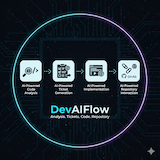
DevAIFlow - Manage AI coding assistant sessions with optional issue tracker integration

Project description
DevAIFlow (daf)




A CLI tool to manage AI coding assistant sessions with optional issue tracker integration.

AI Assistants: Claude Code (fully tested) | GitHub Copilot, Cursor, Windsurf (experimental) Issue Trackers: JIRA (currently supported) | Others (planned)
Note on Support Status:
- Claude Code: Fully tested and production-ready ✅
- Other AI Assistants: Experimental - basic functionality works, full testing in progress ⚠️
- JIRA: Currently the only supported issue tracker ✅
- Other Issue Trackers: Planned for future releases 🔮
Overview
DevAIFlow helps you organize your AI assistant development work into focused sessions. Each session can optionally link to an issue tracker ticket (JIRA currently supported), track time automatically, and maintain context across work sessions. Perfect for managing multiple features, bugs, or experiments without losing context.
The tool integrates seamlessly with GitHub and GitLab to automate PR/MR creation with AI-powered template filling, automatically linking pull requests to JIRA tickets and reducing manual overhead.
The Problem
When working with AI coding assistants on multiple tasks, you quickly encounter these challenges:
- Context Pollution - Mixing conversations from different tickets makes each session less focused and effective
- Lost History - Hard to remember what was discussed for each specific task
- Manual Ticket Updates - Constantly switching between terminal and browser to update tickets
- Time Tracking Gaps - No automatic record of time spent per task
- Branch Management - Manually creating and switching branches for each piece of work
The Solution
DevAIFlow creates a one-to-one mapping between your work and AI assistant sessions:
Issue Tracker → Session → Conversations → AI Assistant
(PROJ-12345)  (backup)  (#1 backend,   (isolated
                         #2 frontend)    .jsonl files)
Each session is an isolated workspace with its own:
- AI assistant conversation history
- Git branch
- Time tracking
- Progress notes
- Optional JIRA link
Named workspaces enable concurrent multi-branch development - work on the same project in different workspaces (e.g., main branch + experimental feature) without conflicts.
Why Use This Tool?
🎯 Stay Focused
- One session per task means your AI assistant has full context for that specific work
- No more "Which ticket was that for?" confusion
- Resume exactly where you left off with complete conversation history
⏱️ Save Time
- Auto-creates git branches from JIRA keys
- Auto-transitions issue tracker tickets (JIRA) (New → In Progress → Done)
- Tracks time automatically when you open/close sessions
- Auto-creates PRs/MRs with AI-filled templates and JIRA linking
- No more manual ticket updates
📤 Enable Collaboration
- Export sessions with full conversation history for team handoffs
- Import teammate's sessions to see exactly what they discussed
- Share session templates for common workflows
🔧 Works Your Way
- JIRA integration is completely optional
- Use for personal experiments without any ticket
- Gradually adopt features as needed
Key Features:
- 🤖 Multi-AI Support - Works with Claude Code, GitHub Copilot, Cursor, Windsurf
- 📂 Multi-Conversation Sessions - Organize related work across multiple repositories
- 🏢 Named Workspaces - Multiple workspaces for concurrent multi-branch development
- 🎫 Optional Issue Tracker - Link issue tracker tickets (JIRA supported), or never (your choice)
- ⏱️ Time Tracking - Automatic tracking with pause/resume
- 🔄 Context Loading - Automatically reads AGENTS.md, CLAUDE.md, and issue tracker tickets
- 🌿 Git Integration - Auto-create branches and manage git workflow
- 🔗 GitHub/GitLab Integration - Automated PR/MR creation with AI-filled templates
- 📝 Progress Notes - Track progress with local-first notes
- 📤 Export/Import - Share sessions or backup your work
- ⚙️ Interactive Configuration - Full-featured TUI for easy configuration management
Quick Start
# Install
pip install .

# Export environment variables for issue tracker (JIRA example)
export JIRA_URL=  # Currently supports JIRA only"https://jira.example.com"
export JIRA_API_TOKEN=<YOUR_JIRA_PAT>

# Initialization
daf init

# Sync JIRA tickets
daf sync

# Open a session for your ticket
daf open PROJ-12345

# Work in your AI assistant...
# Add progress notes
daf note PROJ-12345 "Completed API implementation"

# Complete the session
daf complete PROJ-12345
Alternative: Create sessions without JIRA:
daf new --name "fix-login-bug" --goal "Fix login timeout issue"
daf open fix-login-bug
daf complete fix-login-bug
Workspaces: Organize projects by product or work on same project with different branches:
# Configure workspaces - organize by product
daf workspace add ~/development/product-a          # Auto-derives name: product-a
daf workspace add ~/development/product-b          # Auto-derives name: product-b
daf workspace add primary ~/development --default

# Or organize for concurrent multi-branch work
daf workspace add experiments ~/experiments

# Work on different products
daf new --name PROJ-123 -w product-a --path ~/development/product-a/backend

# Work on experimental branch (no conflict with main workspace!)
daf new --name PROJ-456 -w experiments --path ~/experiments/myproject

# Sessions remember their workspace
daf open PROJ-123  # Prompts to select which workspace if ambiguous
Configuration: Use the interactive TUI for easy configuration:
# Launch the interactive configuration editor
daf config edit

# Or use the alias
daf config tui
The TUI provides:
- 📑 Tabbed interface for all configuration sections
- ✅ Input validation for URLs, paths, and required fields
- 💾 Automatic backup creation before saving
- 👀 Preview mode to review changes before saving
- ⌨️ Full keyboard navigation (Tab, Arrow keys, Ctrl+S to save)
- ❓ Built-in help screen (press
?)
Next Steps: See the Quick Start Guide for a complete walkthrough.
Documentation
New to DevAIFlow? Choose your path:
- Quick Decision (2 min): Read What is DevAIFlow? to see if this tool is right for you
- Quick Start (5 min): Installation → Quick Start → Create your first session
- Complete Guide: Read the documentation sections below in order
📚 Complete Documentation - Full guides, references, and troubleshooting
Quick Links
Core Documentation:
- Installation Guide - Setup instructions and requirements
- Session Management - Understanding sessions and lifecycle
- JIRA Integration - Issue tracker integration (JIRA)
- Command Reference - Complete CLI command documentation
- Configuration - Customizing the tool for your workflow (includes JSON Schema validation)
- Troubleshooting - Common issues and solutions
- Uninstall Guide - Complete uninstallation instructions
- AI Agent Support - Compatibility matrix for different AI assistants
Additional Resources:
- Uninstall Guide - Complete uninstallation instructions
- AI Agent Support - Compatibility matrix for different AI assistants
Validation:
- config.schema.json - JSON Schema for validating config.json (use
daf config validate)
Supported Platforms
DevAIFlow officially supports:
- macOS (Intel and Apple Silicon)
- Linux (Ubuntu, Debian, Fedora, RHEL, etc.)
- Windows 10/11 (see Windows Installation)
All core features work across platforms with automatic platform-specific handling for:
- Signal handling (SIGTERM on Unix, SIGBREAK on Windows)
- File locking (fcntl on Unix, atomic writes on Windows)
- Path separators (automatically handled via pathlib)
- Line endings (CRLF on Windows, LF on Unix)
Requirements
- Python 3.10, 3.11, or 3.12 - For the
daftool (older versions like 3.9 may work but are not officially tested) - AI Assistant CLI - At least one supported AI assistant (Claude Code, GitHub Copilot, Cursor, or Windsurf) must be installed
- Git - For branch management features
- GitHub CLI (
gh) (optional) - Required for creating GitHub PRs and fetching PR templates from private repos - GitLab CLI (
glab) (optional) - Required for creating GitLab MRs and fetching MR templates from private repos - Issue Tracker API Token (optional) - Only required if using issue tracker integration (JIRA currently supported)
See the Installation Guide for detailed setup instructions including issue tracker configuration.
For Other Organizations
DevAIFlow is fully generic and works with any JIRA instance. Configuration is file-based and can be customized for your organization.
-
Quick Setup: Use configuration templates to get started
# Copy templates to your workspace
cp -r /path/to/devaiflow/docs/config-templates/* ~/workspace/myproject/

# Customize for your team
vim ~/workspace/myproject/backends/jira.json      # Set JIRA URL, transitions
vim ~/workspace/myproject/organization.json       # Set project key
vim ~/workspace/myproject/team.json              # Set team workstream

# Commit to git for team sharing
git add *.json backends/
git commit -m "Add DevAIFlow workspace configuration"
-
Interactive Config: Use the TUI for easy configuration management
daf config tui # Launch interactive configuration editor
-
Workspace Configuration (Recommended for teams):
- Place config files in workspace root for team sharing
- Automatic discovery when running
daffrom any subdirectory - Version control your team's JIRA settings in git
- See
docs/config-templates/README.mdfor detailed guide
-
User Configuration (For personal use):
- Run
daf initto configure your JIRA instance - Settings stored in
~/.daf-sessions/directory - Personal preferences only, no team sharing
- Run
-
Copy DAF_AGENTS.md: Copy the
DAF_AGENTS.mdfile to your project roots for automatic daf tool guidance in AI assistant sessions- This file is automatically loaded when opening sessions
- Provides complete command reference and best practices
- Customize JIRA templates to match your organization's standards
Configuration Files:
backends/jira.json- JIRA backend settings (URL, field mappings, transitions)organization.json- Organization-wide settings (project, field aliases)team.json- Team-specific settings (workstream, comment visibility)config.json- User personal preferences
See docs/config-templates/ for complete templates with detailed comments and examples.
Development
For developers working on the DevAIFlow codebase:
# Setup
pip install -e ".[dev]"

# Run unit tests
pytest

# Run with coverage
pytest --cov=devflow --cov-report=html

# Run integration tests (shell-based end-to-end tests)
cd integration-tests
./test_jira_green_path.sh

# Run with mock services (isolated from production)
DAF_MOCK_MODE=1 pytest
DAF_MOCK_MODE=1 daf list
Testing
The project includes two types of tests:
Unit Tests (tests/):
- Python-based tests using pytest
- Test individual functions and classes
- Fast execution with mocks and fixtures
- Run with
pytest
Integration Tests (integration-tests/):
- Shell-based end-to-end workflow tests
- Test complete CLI command workflows
- Run in mock mode for isolation
- See
integration-tests/README.mdfor details
Mock Services for Testing
The tool includes a comprehensive mock services infrastructure for integration testing without affecting production data:
# Enable mock mode
export DAF_MOCK_MODE=1

# All commands now use mock services with isolated data
daf list              # Shows mock sessions only
daf new my-test       # Creates mock session
daf purge-mock-data   # Clear all mock data

# Mock data is stored separately in ~/.daf-sessions/mocks/
Mock services include:
- JIRA: Tickets, comments, transitions, attachments
- GitHub: Pull requests
- GitLab: Merge requests
- Sessions: Completely isolated session index
- Claude Code: Skipped (not launched in mock mode)
Testing With and Without Mock Mode
With Mock Mode (DAF_MOCK_MODE=1):
- ✅ Fast and isolated testing
- ✅ No real JIRA tickets created
- ✅ Claude Code launch is skipped (faster)
- ✅ Perfect for CI/CD pipelines
- ❌ Doesn't test real Claude Code integration
Without Mock Mode (no DAF_MOCK_MODE):
- ✅ Tests real Claude Code integration
- ✅ Tests real JIRA API operations
- ✅ Validates conversation export/import
- ✅ More realistic end-to-end testing
- ⚠️ Creates real JIRA tickets (requires cleanup)
- ⚠️ Requires JIRA credentials and display environment
For collaboration testing, both approaches work:
- Use
DEVAIFLOW_HOMEto simulate multiple developers on one laptop - See
integration-tests/TEST_COLLABORATION_SCENARIO.mdfor detailed step-by-step guides - Automated test available:
test_collaboration_workflow.sh(with mock mode) - Manual testing guide available for no-mock testing (see TEST_COLLABORATION_SCENARIO.md)
See AGENTS.md for complete development guidelines, architecture, and coding standards.
Reporting Issues
Found a bug or have a feature request? Please report it on GitHub:
When reporting bugs, please include:
- Steps to reproduce
- Expected vs actual behavior
- Your environment (OS, Python version, daf version)
- Relevant error messages or logs
For security vulnerabilities, please see SECURITY.md for responsible disclosure guidelines.
Contributing
We welcome contributions! See CONTRIBUTING.md for guidelines on:
- Development setup
- Running tests
- Submitting pull requests
- Code style guidelines
License
Apache License 2.0


Download files
Download the file for your platform. If you're not sure which to choose, learn more about installing packages.
Source Distribution
Built Distribution
Filter files by name, interpreter, ABI, and platform.
If you're not sure about the file name format, learn more about wheel file names.
Copy a direct link to the current filters
File details
Details for the file devaiflow-1.0.1.tar.gz.
File metadata
- Download URL: devaiflow-1.0.1.tar.gz
- Upload date:
- Size: 600.7 kB
- Tags: Source
- Uploaded using Trusted Publishing? No
- Uploaded via: twine/6.2.0 CPython/3.12.11
File hashes
| Algorithm | Hash digest | |
|---|---|---|
| SHA256 |
d59b77252889deca1e000920df779bf16ade758aee1764fee116f8b8322498e5
|
|
| MD5 |
5405f27b06f4f464acdeff51e8ddc69e
|
|
| BLAKE2b-256 |
34ebb62dc820b205fbc0aecf1af018c84983b20bfc53efc87248ebd1b099bef1
|
File details
Details for the file devaiflow-1.0.1-py3-none-any.whl.
File metadata
- Download URL: devaiflow-1.0.1-py3-none-any.whl
- Upload date:
- Size: 716.4 kB
- Tags: Python 3
- Uploaded using Trusted Publishing? No
- Uploaded via: twine/6.2.0 CPython/3.12.11
File hashes
| Algorithm | Hash digest | |
|---|---|---|
| SHA256 |
e2beb8eb337296ac1859290c68d49f8f6c4be811b26c38dde3e07a2a55cce6f9
|
|
| MD5 |
ed2b5be9f9ca42eace899a2d25982dd7
|
|
| BLAKE2b-256 |
47aa4ff9f8b53d75c934899496c0f7db56b08e5ef83318db760994293f5e72bc
|