
A FastMCP server for DevBrain stdio communication.

Project description
DevBrain MCP Server
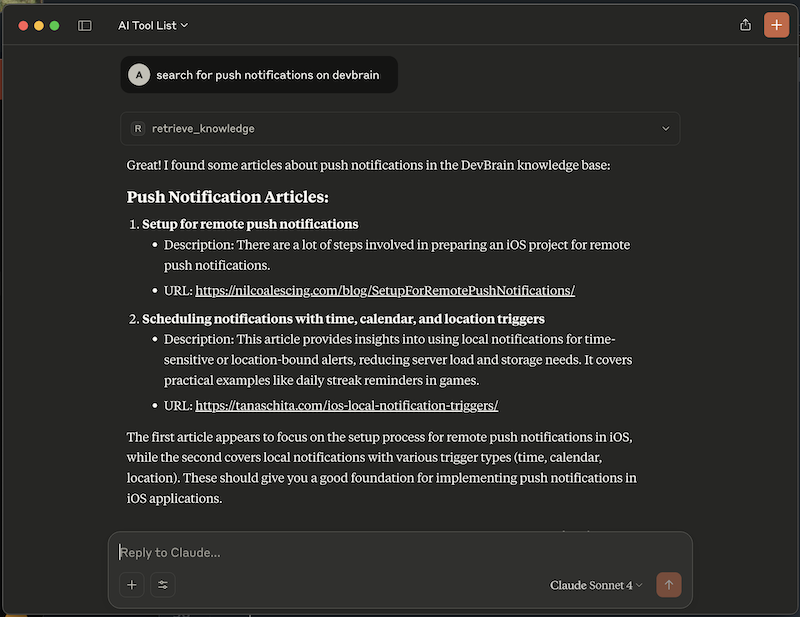
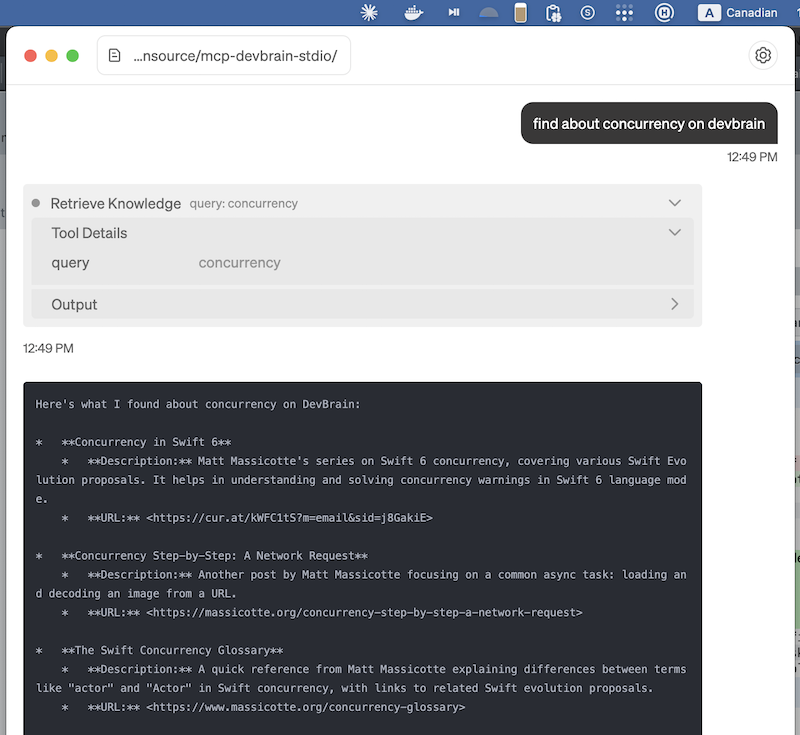
This devbrain MCP server retrieves tech-related information, such as code snippets and links to developer blogs, based on developer questions.
It is like a web-search but tailors only curated knowledge from dev blogs and posts by software developers.
 |
 |
|---|---|
| Claude app | Goose app |
DevBrain returns articles as short description + URL, you can then:
- instruct LLM agent like
ClaudeorGooseto fetch full contents of the articles using provided URLs - instruct LLM to implement a feature based on all or selected articles
Installation and Usage
Via uv or uvx. Install uv and uvx (if not installed):
curl -LsSf https://astral.sh/uv/install.sh | sh
Example command to run MCP server in stdio mode:
uvx --from devbrain devbrain-stdio-server
Claude
To add devbrain to Claude's config, edit the file:
~/Library/Application Support/Claude/claude_desktop_config.json
and insert devbrain to existing mcpServers block like so:
{
  "mcpServers": {
    "devbrain": {
      "command": "uvx",
      "args": [
        "--from",
        "devbrain",
        "devbrain-stdio-server"
      ]
    }
  }
}
Claude is known to fail when working with uv and uvx binaries. See related: https://gist.github.com/gregelin/b90edaef851f86252c88ecc066c93719. If you encounter this error then run these commands in a Terminal:
sudo mkdir -p /usr/local/bin
sudo ln -s ~/.local/bin/uvx /usr/local/bin/uvx
sudo ln -s ~/.local/bin/uv /usr/local/bin/uv
and restart Claude.
Docker
To run via Docker first build an image with build.sh then add a config to Claude like so:
{
  "mcpServers": {
    "devbrain": {
      "command": "docker",
      "args": [
        "run",
        "-i",
        "--rm",
        "mcp-devbrain-stdio:my"
      ]
    }
  }
}
Test command:
docker run -i --rm mcp-devbrain-stdio:my
License
This project is released under the MIT License and is developed by mimeCam as an open-source initiative.
Release history Release notifications | RSS feed


Download files
Download the file for your platform. If you're not sure which to choose, learn more about installing packages.
Source Distribution
Built Distribution
Filter files by name, interpreter, ABI, and platform.
If you're not sure about the file name format, learn more about wheel file names.
Copy a direct link to the current filters
File details
Details for the file devbrain-1.0.8.tar.gz.
File metadata
- Download URL: devbrain-1.0.8.tar.gz
- Upload date:
- Size: 6.1 kB
- Tags: Source
- Uploaded using Trusted Publishing? No
- Uploaded via: uv/0.7.13
File hashes
| Algorithm | Hash digest | |
|---|---|---|
| SHA256 |
f508842c42ca6cd8afbc65729532af033380575b68d2a36e3dbb72a7630295d9
|
|
| MD5 |
590b493cc7e6ceefd7578b9ceef4c958
|
|
| BLAKE2b-256 |
a9d6dbfcc90adb487ae654df5f795324185878950ddeceb5e359e9f7d389ed87
|
File details
Details for the file devbrain-1.0.8-py3-none-any.whl.
File metadata
- Download URL: devbrain-1.0.8-py3-none-any.whl
- Upload date:
- Size: 5.2 kB
- Tags: Python 3
- Uploaded using Trusted Publishing? No
- Uploaded via: uv/0.7.13
File hashes
| Algorithm | Hash digest | |
|---|---|---|
| SHA256 |
1990cf62f29852852f6303b5736dc5814418fa79e9225b2bb30f4a8a831fdd10
|
|
| MD5 |
0b52da7ec69ef89047416d39c59df2cd
|
|
| BLAKE2b-256 |
298b374a2a64261f9d351a25550285d22e63ccc0c03027d119d971f4a4c6a3d3
|






