
🧠 DevCore CLI
DevCore adalah sistem otomatisasi untuk setup, konfigurasi, dan deployment stack WordPress modern melalui Command Line Interface (CLI).
Didesain untuk developer yang ingin mempercepat workflow WordPress Development, mulai dari inisialisasi proyek, konfigurasi environment, hingga sinkronisasi GitHub — semua hanya lewat terminal.
🚀 Fitur Utama
-
⚙️ WordPress Auto Installer & Setup
Buat project WordPress siap-pakai hanya dengan satu perintah. -
🧩 Template Builder
Dukung stack:WordPress + WooCommerce + Elementor. -
💾 Database Handler (SQLite)
Menyimpan metadata project dan konfigurasi CLI dengan aman. -
🔐 Konfigurasi Environment Otomatis
Termasuk rebuild & reset config. -
🔄 Auto Sync ke GitHub
Login GitHub langsung dari CLI. -
🧱 Modular CLI Structure
Setiap perintah terpisah secara modular di direktoricore/.
⚡ Perintah Dasar DevCore
1️⃣ Login GitHub terlebih dahulu
devcore login github
Setup project
devcore wp setup --generate
2️⃣ Membuat template awal
devcore new project --type wordpress --client "New-Commerce-Project" --stack "wordpress+woo"
3️⃣ Build WordPress Project
devcore wp init New-Commerce-Project
Setup WordPress Plugins & Themes
Installs plugins and themes automatically using WP-CLI based on configuration files.
devcore wp init New-Commerce-Project --include-setup
4️⃣ Reset atau Rebuild Konfigurasi
devcore config rebuild
devcore config reset
5️⃣ Menghapus Database Project
del devcore_projects.db
For Laravel Project
with filament :
devcore new project --type laravel --client "Code Sparks" --stack "laravel+vite" --init-git --with-filament --serve
without filament :
devcore new project --type laravel --client "Code Sparks" --stack "laravel+vite" --serve
📁 Struktur Direktori DevCore
dev-core-system/
│
├── core/
│   ├── command_config.py
│   ├── command_new_setup.py
│   ├── db.py
│   ├── env_manager.py
│   └── wp_init.py
│   └── wp_dropdb.py
│   └── github_integration.py
│   └── template_engine.py
│
├── templates/
│   └── .env.example (autogenerate)
│   └── docker-compose.yml (autogenerate)
│   └── README.md (autogenerate)
│
├── .devcore.json
├── devcore_projects.db
├── devcore.py
├── devcore.cmd
├── README.md
└── DOCUMENTATION.md
Lists of commands
| Command | Fungsi | Status |
|---|---|---|
devcore login github |
Login ke GitHub (via core/github_integration.py) |
✅ |
devcore wp setup --generate |
Generate devcore_project.json |
|
| ✅ | ||
devcore wp new project --type wordpress --client "New-Commerce-Project" |
Buat scaffolding baru | ✅ |
devcore wp init New-Commerce-Project |
Buat WP project baru | ✅ |
devcore wp init New-Commerce-Project --include-setup |
Build project + setup plugin & theme | ✅ |
devcore config rebuild / config reset |
Reset config environment | ✅ |
devcore wp dropdb <nama_project> |
Hapus database dan folder | ✅ |
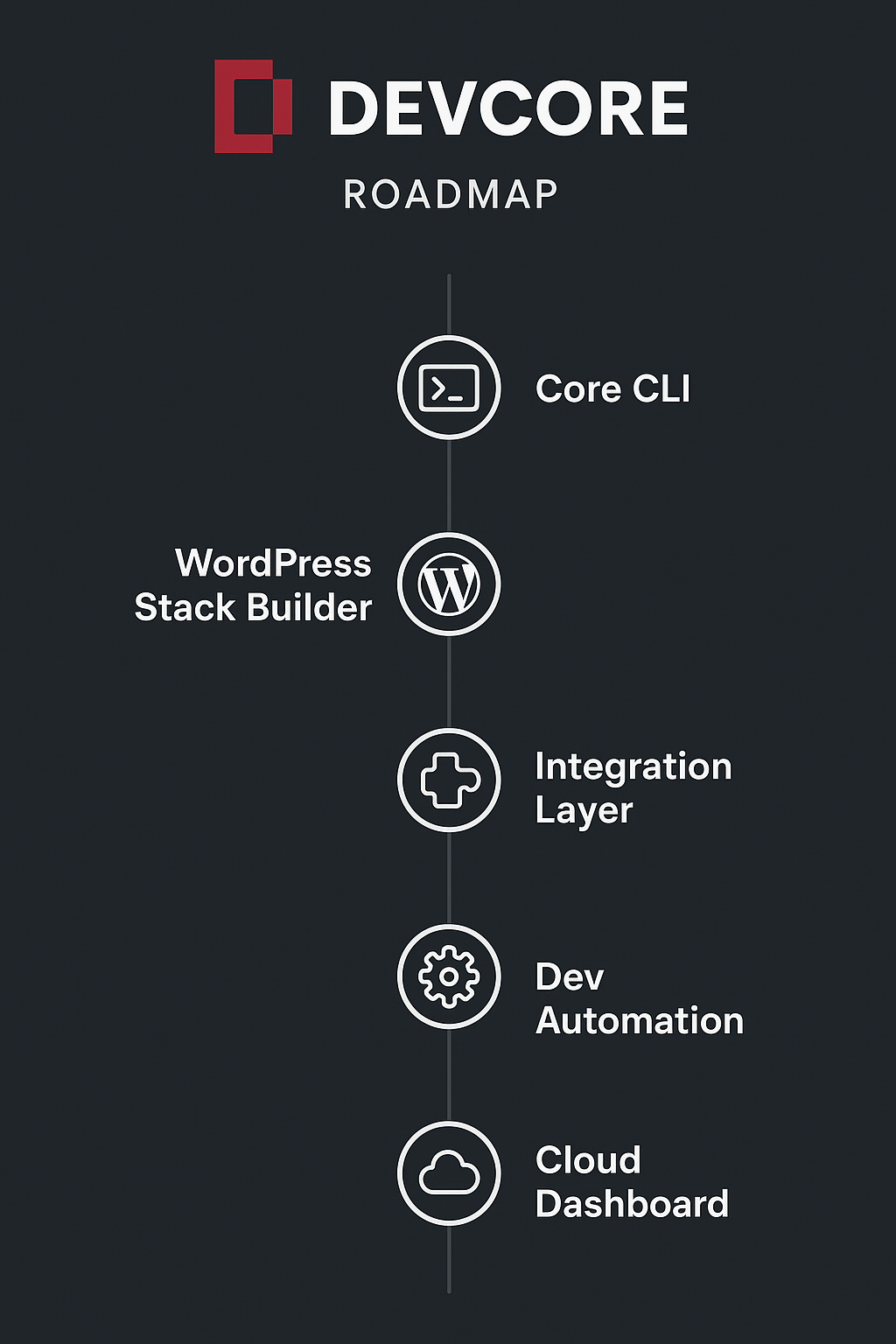
🧭 Roadmap Singkat
| Fase | Deskripsi | Status |
|---|---|---|
| Phase 1 | Core CLI & Config Handler | ✅ Selesai |
| Phase 2 | WordPress Stack Builder | 🚧 In Progress |
| Phase 3 | Integration Layer (GitHub, VPS Deploy) | ⏳ Planned |
| Phase 4 | Automation & Backup | ⏳ Planned |
| Phase 5 | DevCore Cloud Dashboard | 🧩 Research |
📜 Lisensi
MIT License © 2025 — [DevCore Project Team > Puji Ermantopujiermanto@gmail.com]
Notes Error fixed
rm -rf build dist *.egg-info
pip uninstall devcore-cli -y
Rebuild & publish
python -m build
pip install --upgrade build
twine upload dist/*

# 1️⃣ Bersihkan dulu build lama
rm -rf build dist *.egg-info

# 2️⃣ Build ulang package
python setup.py sdist bdist_wheel

# 3️⃣ Install ulang ke environment aktif
pip install --upgrade --force-reinstall dist/devcore_cli-1.0.3-py3-none-any.whl

# 1. Bersihkan build lama
rm -rf build dist *.egg-info

# 2. Build ulang
python -m build

# 3. Upload ke PyPI
twine upload dist/*

# 4. Instal versi terbaru
pip install --no-cache-dir -U devcore-cli
Testing
pip install --no-cache-dir -U devcore-cli
devcore --help
💬 Kontribusi
Pull Request, Issue, dan Feedback selalu terbuka. Silakan buat branch baru sebelum commit ke main.
1 maintainer

Metadata
1 maintainer
Release files for devcore-cli 1.0.9
For a detailed explanation of source distributions (sdists) and built distributions (wheels), please see the package formats documentation.
Source distribution (sdist)
| File | Size | Uploaded | Provenance | Actions |
|---|---|---|---|---|
| devcore_cli-1.0.9.tar.gz | 20.2 kB | Without provenance | Details for devcore_cli-1.0.9.tar.gz |
Built distribution (wheel)
| File | Interpreter | ABI | Platform | Actions Reset |
|---|---|---|---|---|
| devcore_cli-1.0.9-py3-none-any.whl | Python 3 | none | any | Details for devcore_cli-1.0.9-py3-none-any.whl |
Total release size: 42.9 kB
Release files / devcore_cli-1.0.9.tar.gz
| Download URL | devcore_cli-1.0.9.tar.gz |
|---|---|
| Size | 20.2 kB |
| Tags | Source |
|
SHA-256 checksum How to use checksums |
a6714c1336c9d8e1127c1b0f853d0bdd4a5d151df64597778827757d972fde84
|
|
BLAKE2b-256 checksum How to use checksums |
d91d2604f1ab543a682b4ad1194120f30b52907a56180c1d22e3239fc6ef3be9
|
| Upload date | |
|
Uploaded using Trusted Publishing? What is trusted publishing? |
No |
| Uploaded via |
twine/6.2.0 CPython/3.13.9
|
Release files / devcore_cli-1.0.9-py3-none-any.whl
| Download URL | devcore_cli-1.0.9-py3-none-any.whl |
|---|---|
| Size | 22.6 kB |
| Tags | Python 3 |
|
SHA-256 checksum How to use checksums |
f59d1274557293904d3a04185a62317082bba8f9eb33e3992393846ba152ba0e
|
|
BLAKE2b-256 checksum How to use checksums |
c12c30db9b64482ed6c1f637d61de509955fdb0e24ceaf9de5c8c05dd7a40436
|
| Upload date | |
|
Uploaded using Trusted Publishing? What is trusted publishing? |
No |
| Uploaded via |
twine/6.2.0 CPython/3.13.9
|
Security for devcore-cli 1.0.9
Provenance
Provenance describes where a file came from. On PyPI, provenance is shared via attestations, which provide a verifiable record of the build or publishing details. View details, limitations and caveats.
No provenance found
None of the files in this release were uploaded with provenance metadata.
A note on package security
PyPI is a repository for distributing packages, not a service for auditing them. While third-party security researchers and our staff do their best to detect and remove malicious packages, PyPI cannot guarantee the quality, security or suitability of any given package.
To learn more about protecting yourself from malicious actors, visit our package security documentation.














