
Using devlanes? Please consider donating to support my open source work ❤️
Help devlanes grow! Star and share this amazing repository with your friends and co-workers!





devlanes
Sandboxes for your agents. localhost for you.
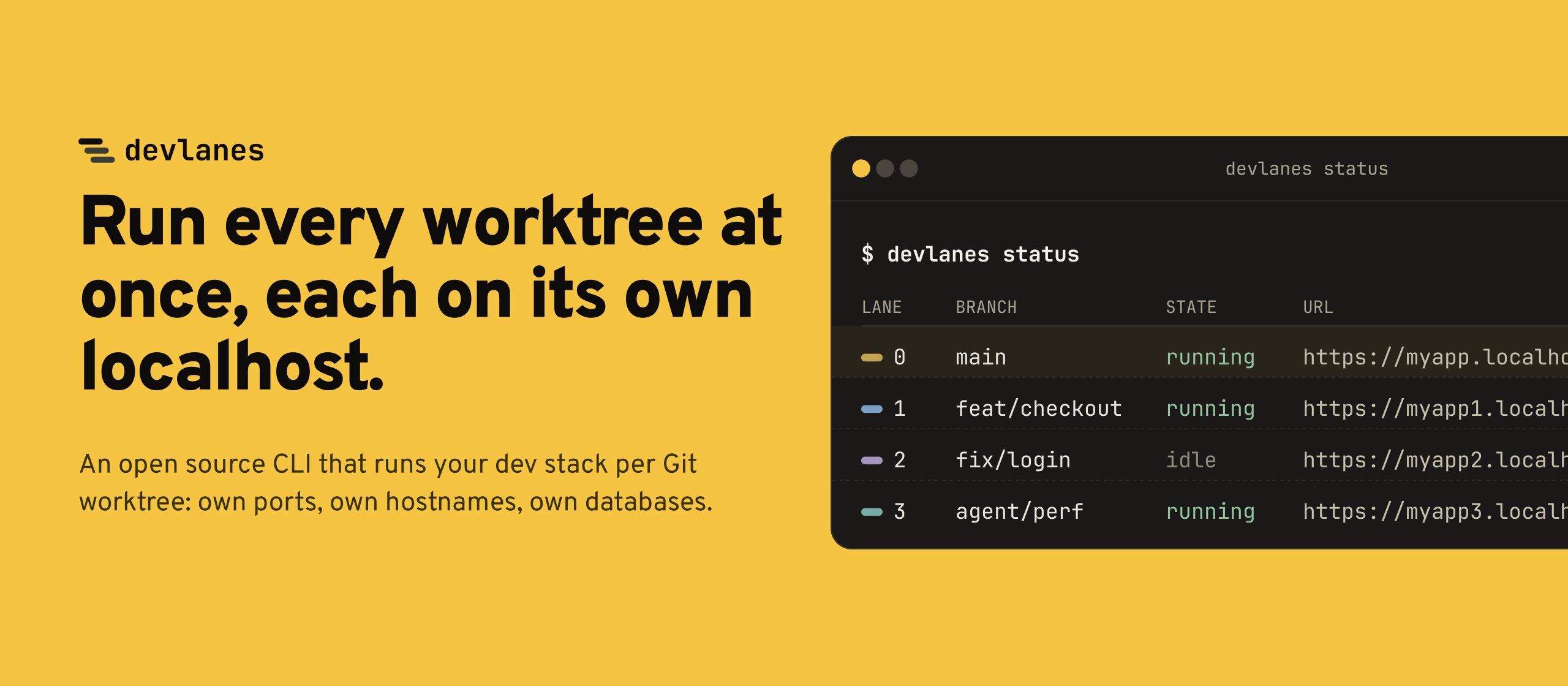
devlanes runs your dev stack once per Git worktree, so you and your coding agents can work on different branches at the same time. Each worktree gets a lane with its own ports, HTTPS hostnames and data. Lanes run on your machine or on a remote one, and open in your browser either way.
It runs on macOS, Linux and Windows 11, and it is in beta.
Why devlanes
- A lane per worktree: the main branch at
myapp.localhost, a feature branch atmyapp1.localhost, each on its own ports. - HTTPS hostnames with certificates your browser trusts, and no port to remember.
- A database per lane: one Postgres container, and a database in it for each lane.
- Coding agents start, test and stop their own lane through a skill or an MCP server, and leave yours alone.
- Remote boxes: run the lanes on a VPS, a container or a codespace, and open them under the same hostnames.
- One daemon runs the processes, so they keep running after you close the terminal. A CLI and a TUI talk to it.
Get started
Paste this into your coding agent:
Install the devlanes skill:
npx skills add devlanes-run/devlanes --skill devlanes

Then install devlanes on this machine, set up everything it needs,
and help me port this project to devlanes from whatever runs it today.
Or install it yourself, with the package manager you already use:
brew install devlanes-run/tap/devlanes
npm install -g devlanes
uv tool install devlanes
Or with the install script, on macOS and Linux:
curl -fsSL https://devlanes.run/install.sh | sh
On Windows 11:
irm https://devlanes.run/install.ps1 | iex
Install devlanes has the steps that follow the install.
You install it once. devlanes then keeps itself up to date in the background, without interrupting your work.
A project in one file
# devlanes.yaml
project: myapp

services:
  api:
    run_script:
      file: api/package.json
      name: dev
    hosts: "api.${{ lane.domain }}"
  web:
    preset: vite
    run_script:
      file: web/package.json
      name: dev
    env:
      VITE_API_URL: "${{ services.api.public_url }}"
    hosts: "${{ lane.domain }}"
devlanes start
In the main worktree this serves myapp.localhost and api.myapp.localhost over HTTPS. In a second worktree the same file serves myapp1.localhost and api.myapp1.localhost, on other ports.
Documentation
The docs start with a tour that follows one project from a single service to lanes on another machine. devlanes --help lists the commands.
The PyPI package
uv tool install devlanes and pipx install devlanes install the command for your user. pip install devlanes installs into the active environment, so the command disappears with that environment.
This package holds the native devlanes binaries; it has no Python code. pip, uv and pipx pick the wheel for your platform: macOS arm64 or x86_64, Linux arm64 or x86_64 with glibc 2.35 or later, Windows 11 x64 or arm64. Other platforms, including Linux with musl, have no wheel.
devlanes daemon install records the path of the installed binary. After installing into a different environment, run it again. Update with devlanes update. On Windows the daemon and the TUI keep a second hard link to the running devlanes.exe, which lets uv and pipx replace it; where they can't make one, devlanes update says to run devlanes daemon stop first.
Contributing
CONTRIBUTING.md covers building, testing and the design notes, and AGENTS.md has the conventions for people and agents working on the code.
Every commit on main that passes CI is published as the next build, so once your pull request is merged you can use it without waiting for a release. On macOS and Linux:
curl -fsSL https://devlanes.run/install.sh | sh -s -- --channel next
On Windows 11:
iex "& {$(irm https://devlanes.run/install.ps1)} -Channel next"
devlanes update then moves a next install to the latest build of main.
mprocs and dekit informed the terminal interaction. pitchfork, process-compose, devenv, Coasts, portless, kache, overmind and Conductor informed the process and worktree workflows.
License
Licensed under the Apache-2.0 License. See LICENSE for more information.
1 maintainer

Metadata
1 maintainer
Release files for devlanes 0.15.0
For a detailed explanation of source distributions (sdists) and built distributions (wheels), please see the package formats documentation.
Built distributions (wheels)
| File | Actions Reset | |||
|---|---|---|---|---|
| devlanes-0.15.0-py3-none-win_arm64.whl | Python 3 | none | Windows ARM64 | Details for devlanes-0.15.0-py3-none-win_arm64.whl |
| devlanes-0.15.0-py3-none-win_amd64.whl | Python 3 | none | Windows x86-64 | Details for devlanes-0.15.0-py3-none-win_amd64.whl |
| devlanes-0.15.0-py3-none-manylinux_2_35_x86_64.whl | Python 3 | none | Linux glibc 2.35+ x86-64 | Details for devlanes-0.15.0-py3-none-manylinux_2_35_x86_64.whl |
| devlanes-0.15.0-py3-none-manylinux_2_35_aarch64.whl | Python 3 | none | Linux glibc 2.35+ ARM64 | Details for devlanes-0.15.0-py3-none-manylinux_2_35_aarch64.whl |
| devlanes-0.15.0-py3-none-macosx_11_0_arm64.whl | Python 3 | none | macOS 11.0+ ARM64 | Details for devlanes-0.15.0-py3-none-macosx_11_0_arm64.whl |
| devlanes-0.15.0-py3-none-macosx_10_12_x86_64.whl | Python 3 | none | macOS 10.12+ x86-64 | Details for devlanes-0.15.0-py3-none-macosx_10_12_x86_64.whl |
Total release size: 134.5 MB
Release files / devlanes-0.15.0-py3-none-win_arm64.whl
| Download URL | devlanes-0.15.0-py3-none-win_arm64.whl |
|---|---|
| Size | 21.7 MB |
| Tags | Python 3 Windows ARM64 |
|
SHA-256 checksum How to use checksums |
58c938f623bc21d13377b282f6024870229823845830acbea4f358984bdafe7e
|
|
BLAKE2b-256 checksum How to use checksums |
a24200fb56272713fbf20f318363cd0a377e787028b551781f7a4aa72607a6db
|
| Upload date | |
|
Uploaded using Trusted Publishing? What is trusted publishing? |
Yes |
| Uploaded via |
twine/7.0.0 CPython/3.13.16
|
Provenance
Provenance describes where a file came from. On PyPI, provenance is shared via attestations, which provide a verifiable record of the build or publishing details. View details, limitations and caveats.


PyPI Publish Attestation
PyPI verified that this artifact, at this checksum, originated from the publisher listed below.
Signed by GitHub Actions, verified by PyPI on Nov 20, 2026.
Transparency logRelease files / devlanes-0.15.0-py3-none-win_amd64.whl
| Download URL | devlanes-0.15.0-py3-none-win_amd64.whl |
|---|---|
| Size | 23.7 MB |
| Tags | Python 3 Windows x86-64 |
|
SHA-256 checksum How to use checksums |
ec93c288db6d79bcbe7da8765ed261c57d303045ec921c153081a8a0f9a71813
|
|
BLAKE2b-256 checksum How to use checksums |
d01928f17e8a62705196b65b6fb342be02c7b5adfaec95dfd6ae517827ced4f4
|
| Upload date | |
|
Uploaded using Trusted Publishing? What is trusted publishing? |
Yes |
| Uploaded via |
twine/7.0.0 CPython/3.13.16
|
Provenance
Provenance describes where a file came from. On PyPI, provenance is shared via attestations, which provide a verifiable record of the build or publishing details. View details, limitations and caveats.
PyPI Publish Attestation
PyPI verified that this artifact, at this checksum, originated from the publisher listed below.
Signed by GitHub Actions, verified by PyPI on Nov 20, 2026.
Transparency logRelease files / devlanes-0.15.0-py3-none-manylinux_2_35_x86_64.whl
| Download URL | devlanes-0.15.0-py3-none-manylinux_2_35_x86_64.whl |
|---|---|
| Size | 23.5 MB |
| Tags | Linux glibc 2.35+ x86-64 Python 3 |
|
SHA-256 checksum How to use checksums |
d9755e03dd524c20f1f66f89a43b57f2f193c4b117fdbf546f083c05c80aeb85
|
|
BLAKE2b-256 checksum How to use checksums |
b46caed133bb30ef46cc1bb055f4f5baea05f1f374033c4ce298ac620b92205f
|
| Upload date | |
|
Uploaded using Trusted Publishing? What is trusted publishing? |
Yes |
| Uploaded via |
twine/7.0.0 CPython/3.13.16
|
Provenance
Provenance describes where a file came from. On PyPI, provenance is shared via attestations, which provide a verifiable record of the build or publishing details. View details, limitations and caveats.
PyPI Publish Attestation
PyPI verified that this artifact, at this checksum, originated from the publisher listed below.
Signed by GitHub Actions, verified by PyPI on Nov 20, 2026.
Transparency logRelease files / devlanes-0.15.0-py3-none-manylinux_2_35_aarch64.whl
| Download URL | devlanes-0.15.0-py3-none-manylinux_2_35_aarch64.whl |
|---|---|
| Size | 21.7 MB |
| Tags | Linux glibc 2.35+ ARM64 Python 3 |
|
SHA-256 checksum How to use checksums |
3fc983e8f96a24accaa87c8c2181f66c10c6f82b4ee16f6468599792cff9ef6e
|
|
BLAKE2b-256 checksum How to use checksums |
a27188888e0a9f6c6d963aacde5db460a599a5f370826f4ce2becf3b2f279de1
|
| Upload date | |
|
Uploaded using Trusted Publishing? What is trusted publishing? |
Yes |
| Uploaded via |
twine/7.0.0 CPython/3.13.16
|
Provenance
Provenance describes where a file came from. On PyPI, provenance is shared via attestations, which provide a verifiable record of the build or publishing details. View details, limitations and caveats.
PyPI Publish Attestation
PyPI verified that this artifact, at this checksum, originated from the publisher listed below.
Signed by GitHub Actions, verified by PyPI on Nov 20, 2026.
Transparency logRelease files / devlanes-0.15.0-py3-none-macosx_11_0_arm64.whl
| Download URL | devlanes-0.15.0-py3-none-macosx_11_0_arm64.whl |
|---|---|
| Size | 21.1 MB |
| Tags | Python 3 macOS 11.0+ ARM64 |
|
SHA-256 checksum How to use checksums |
ca2e28449e70fdb8c504380361154caa5598719412199119ce27c5f9ca1032fd
|
|
BLAKE2b-256 checksum How to use checksums |
5ff1fbacdf0903e63048b87a0636eb8da5807649b407a0b8432cf233a84e9a2b
|
| Upload date | |
|
Uploaded using Trusted Publishing? What is trusted publishing? |
Yes |
| Uploaded via |
twine/7.0.0 CPython/3.13.16
|
Provenance
Provenance describes where a file came from. On PyPI, provenance is shared via attestations, which provide a verifiable record of the build or publishing details. View details, limitations and caveats.
PyPI Publish Attestation
PyPI verified that this artifact, at this checksum, originated from the publisher listed below.
Signed by GitHub Actions, verified by PyPI on Nov 20, 2026.
Transparency logRelease files / devlanes-0.15.0-py3-none-macosx_10_12_x86_64.whl
| Download URL | devlanes-0.15.0-py3-none-macosx_10_12_x86_64.whl |
|---|---|
| Size | 22.7 MB |
| Tags | Python 3 macOS 10.12+ x86-64 |
|
SHA-256 checksum How to use checksums |
a65a1886aaacacd151c96890129ad753f36e33a144cdfcf478c1335232086fdb
|
|
BLAKE2b-256 checksum How to use checksums |
a6786e5eca728e9b5bc9019fb9b0807db9ac109f03b29870b6f18ded83ef88c6
|
| Upload date | |
|
Uploaded using Trusted Publishing? What is trusted publishing? |
Yes |
| Uploaded via |
twine/7.0.0 CPython/3.13.16
|
Provenance
Provenance describes where a file came from. On PyPI, provenance is shared via attestations, which provide a verifiable record of the build or publishing details. View details, limitations and caveats.
PyPI Publish Attestation
PyPI verified that this artifact, at this checksum, originated from the publisher listed below.
Signed by GitHub Actions, verified by PyPI on Nov 20, 2026.
Transparency logSecurity for devlanes 0.15.0
Provenance
Provenance describes where a file came from. On PyPI, provenance is shared via attestations, which provide a verifiable record of the build or publishing details. View details, limitations and caveats.
Full provenance
All 6 files in this release have been uploaded with provenance metadata.
Attestation for devlanes-0.15.0-py3-none-win_arm64.whl
PyPI Publish Attestation
PyPI verified that this artifact, at this checksum, originated from the publisher listed below.
Signed by GitHub Actions, verified by PyPI on Nov 20, 2026.
Transparency logA note on package security
PyPI is a repository for distributing packages, not a service for auditing them. While third-party security researchers and our staff do their best to detect and remove malicious packages, PyPI cannot guarantee the quality, security or suitability of any given package.
To learn more about protecting yourself from malicious actors, visit our package security documentation.














