
DevOps Maturity Assessment




Overview
DevOps Maturity Assessment helps teams turn broad DevOps, DevSecOps, and software supply chain expectations into a score, a gap list, and a shareable badge.
Use it when you want a quick baseline before a platform improvement program, an audit-ready checklist for delivery practices, or a lightweight badge that makes engineering maturity visible in a README.
It provides both a web UI and a CLI, built on the DevOps Maturity Specification — a standardized set of guidelines for DevOps best practices.
User documentation for both interfaces is available at the DevOps Maturity Docs site.
Why teams use it
- Fast baseline: answer a short weighted checklist and get a maturity level in minutes.
- Clear next steps: see category scores and prioritized missing practices instead of a raw pass/fail list.
- Repository-aware AI mode: optionally let an LLM inspect repository metadata, README content, and CI configuration.
- Shareable signal: publish a badge that makes DevOps maturity visible to users, contributors, and stakeholders.
- Portable scoring model: use the same criteria from the CLI, web UI, or a YAML file in automation.
🎥 Demo
Explore how the DevOps Maturity Assessment works in both interfaces:
Features
- Interactive CLI: Perform assessments directly from your terminal.
- AI-Powered Automated Assessment: Let an LLM assess your repository automatically using repository metadata, CI config, and README content — no manual answers required.
- Web Interface: Easy-to-use web app for taking assessments and viewing results.
- Maturity Scoring: Receive a maturity score, level, and badge based on your answers.
- Progress Tracking: View your assessment history to monitor improvement over time.
- Customizable Criteria: Adapt the assessment to fit your organization’s specific needs.
- Open Source: Built with Python and open to community contributions.
Quick Start
Try it in 60 seconds
pip install devops-maturity
dm assess
You will get:
- an overall percentage score
- a maturity level (
WIP,PASSING,BRONZE,SILVER, orGOLD) - per-category scores
- improvement recommendations
- a badge URL you can add to your README
Run the CLI
Install from PyPI and start the interactive assessment:
pip install devops-maturity

# Start the assessment
devops-maturity assess

# Or use the shortcut command
dm assess
[!TIP]
dmis a convenient alias fordevops-maturity, making it quicker to type.
You'll be guided through a series of questions and receive a maturity score, level, and badge. See it in action:

Run from a YAML file
Use devops-maturity.yml when you want a repeatable baseline that can be reviewed in pull requests:
dm config --file devops-maturity.yml
This is useful for CI jobs, internal platform reviews, and recurring maturity checkpoints.
AI-Powered Automated Assessment
Skip the manual questions and let an LLM assess your repository automatically. The tool fetches your file tree, README, and CI/CD configuration files from the repository platform and sends that context to the AI model of your choice.
Supported AI providers: OpenAI, Anthropic, Google Gemini, Ollama (local)
# OpenAI — provider auto-detected from the git remote URL
OPENAI_API_KEY=sk-... devops-maturity assess --auto --ai openai

# Anthropic
ANTHROPIC_API_KEY=... devops-maturity assess --auto --ai anthropic --model claude-3-5-sonnet-20241022

# Google Gemini
GEMINI_API_KEY=... devops-maturity assess --auto --ai gemini

# Ollama (no API key required, runs locally)
devops-maturity assess --auto --ai ollama --model llama3
| Flag | Env var fallback | Default | Notes |
|---|---|---|---|
--auto |
— | — | Enable AI-powered mode |
--ai |
— | — | AI provider: openai, anthropic, gemini, ollama |
--model |
— | Provider default | Model name (e.g. gpt-4o, claude-3-haiku-20240307) |
--provider |
— | Auto-detected | Repo platform: github, gitlab, bitbucket |
--repo-token |
GITHUB_TOKEN / GITLAB_TOKEN / BITBUCKET_TOKEN |
— | Required for private repos |
--ai-key |
OPENAI_API_KEY / ANTHROPIC_API_KEY / GEMINI_API_KEY |
— | AI provider API key |
--ollama-url |
— | http://localhost:11434 |
Ollama server base URL |
[!NOTE] The
--providerflag is auto-detected from theoriginremote URL of the current git repository. For public repositories no--repo-tokenis needed.
[!IMPORTANT] AI mode sends repository context to the selected provider unless you use local Ollama. Use
--repo-tokenonly for private repositories you are allowed to assess.
Launch the Web Interface
To preview the web interface locally:
git clone https://github.com/devops-maturity/devops-maturity.git
cd devops-maturity
pip install nox
nox -s preview
Then visit http://127.0.0.1:8000 in your browser.
Web Interface Preview
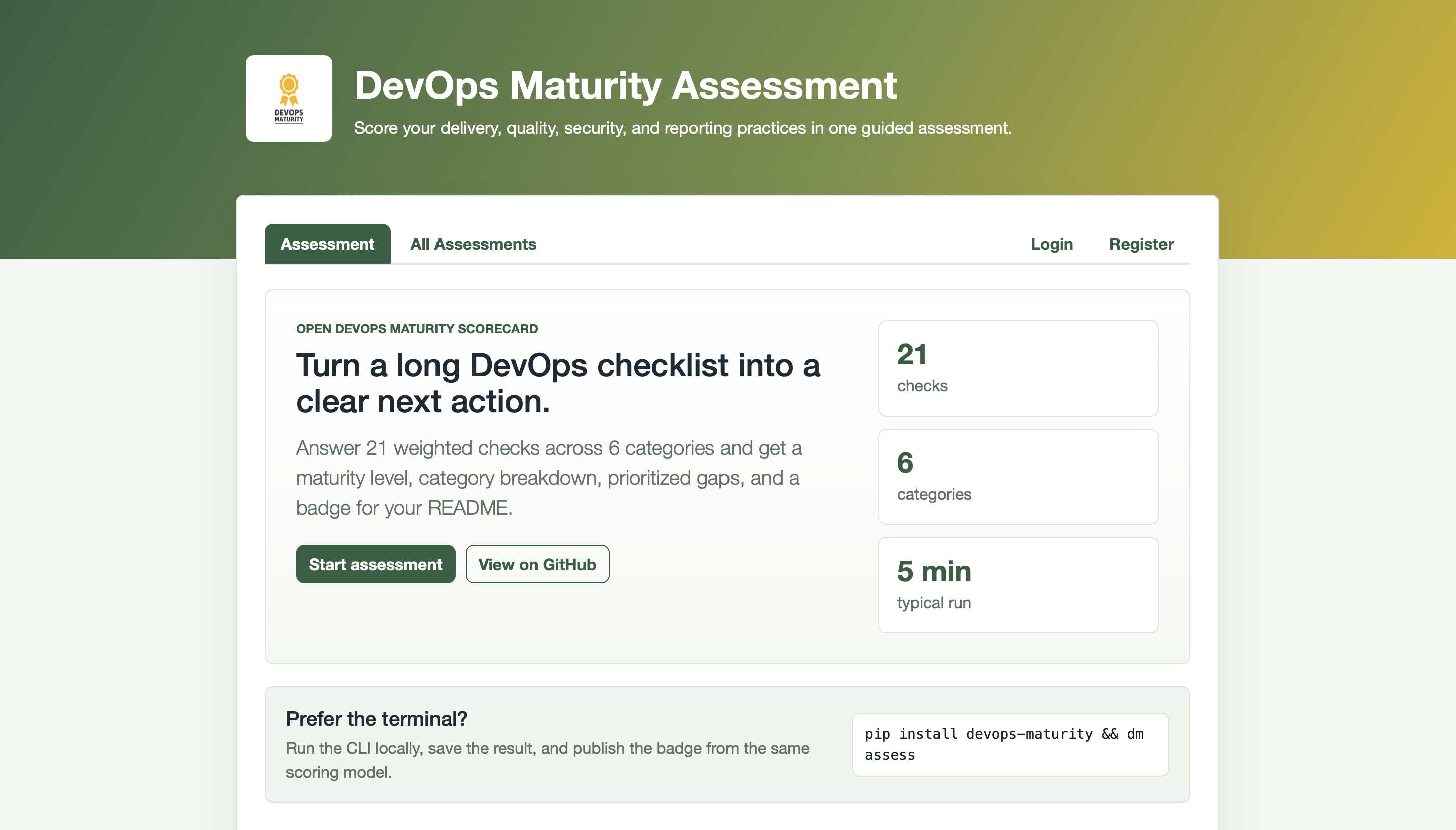
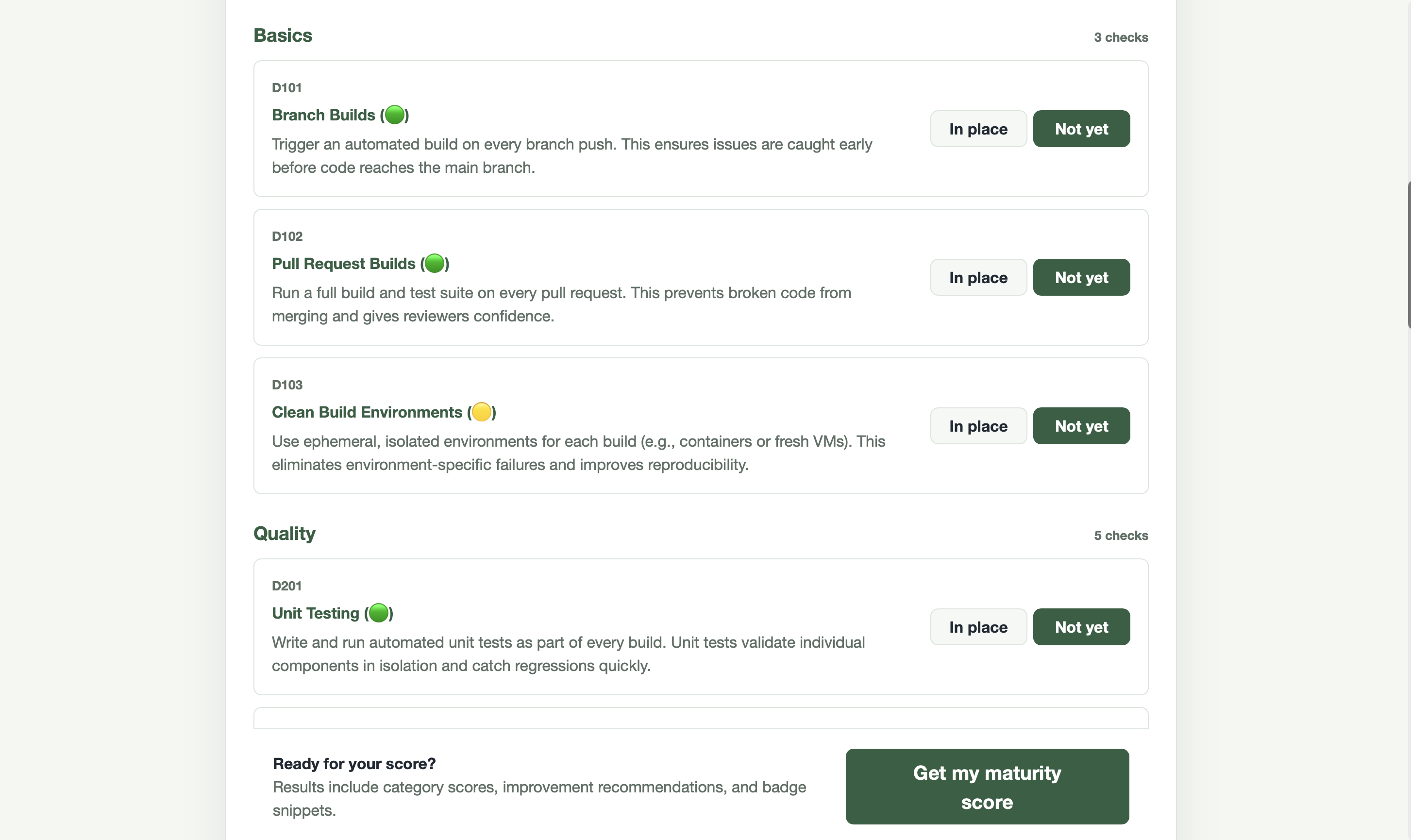
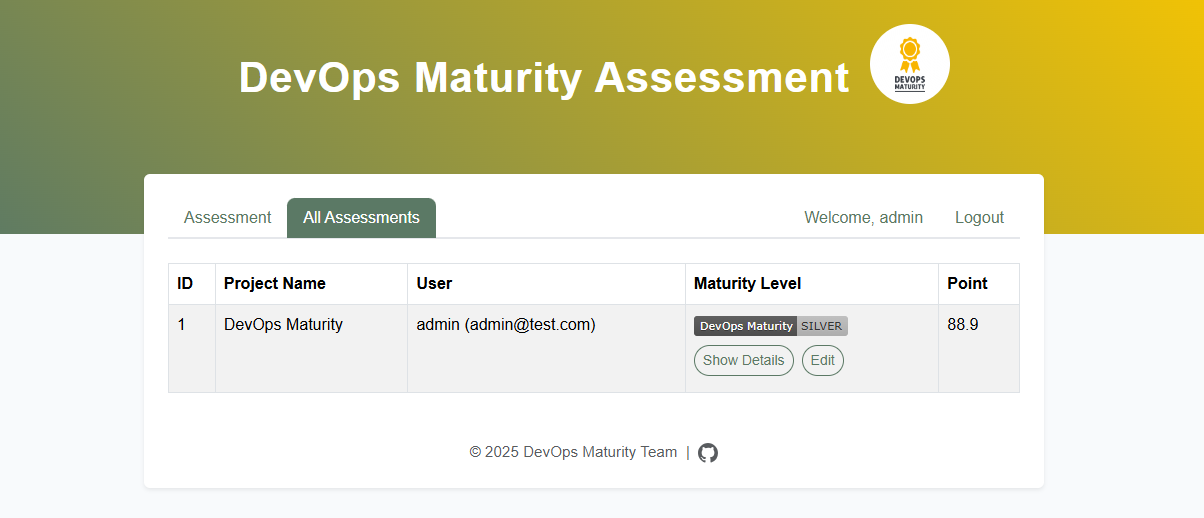
Experience the full web interface workflow:
1. Start Your Assessment
2. View Your Assessment
3. Track Assessment History
Configuration
OAuth Setup (Optional)
To enable Google and GitHub OAuth login for the web interface:
-
Copy the example environment file:
cp .env.example .env
-
For Google OAuth:
- Go to Google Cloud Console
- Create OAuth 2.0 credentials
- Set authorized redirect URI to:
http://localhost:8000/auth/callback/google - Copy the client ID and secret to your
.envfile
-
For GitHub OAuth:
- Go to GitHub Developer Settings
- Create a new OAuth app
- Set authorization callback URL to:
http://localhost:8000/auth/callback/github - Copy the client ID and secret to your
.envfile
If OAuth credentials are not configured, users can still register and login with username/password.
Show Your Support
If you find this tool helpful, please consider giving it a ⭐️ — your support helps others discover and adopt it.
Want to show your project aligns with the DevOps Maturity Specification? Add this badge to your README:
[](https://devops-maturity.github.io/)
Contributing
We welcome contributions from the community! Whether you're fixing bugs, adding features, or improving documentation, your help is appreciated.
- 📖 Read our Contributing Guide for detailed instructions
- 🐛 Report bugs or suggest features via GitHub Issues
- 💬 Join discussions in GitHub Discussions
- 🔒 Security: See our Security Policy for reporting vulnerabilities
- 📋 Governance: Learn about our project governance in GOVERNANCE.md
License
This project is licensed under the Apache License 2.0.
1 maintainer

Metadata
1 maintainer
Release files for devops-maturity 1.1.0
For a detailed explanation of source distributions (sdists) and built distributions (wheels), please see the package formats documentation.
Built distribution (wheel)
| File | Interpreter | ABI | Platform | Actions Reset |
|---|---|---|---|---|
| devops_maturity-1.1.0-py3-none-any.whl | Python 3 | none | any | Details for devops_maturity-1.1.0-py3-none-any.whl |
Release files / devops_maturity-1.1.0-py3-none-any.whl
| Download URL | devops_maturity-1.1.0-py3-none-any.whl |
|---|---|
| Size | 28.8 kB |
| Tags | Python 3 |
|
SHA-256 checksum How to use checksums |
422fc5df99e7a980771656a8a980621b6ea8ca642688551cf187304dadff5ce4
|
|
BLAKE2b-256 checksum How to use checksums |
c9dbcf467d088357e087682b0039138b85c412dbf1de876d18b8497773c329f9
|
| Upload date | |
|
Uploaded using Trusted Publishing? What is trusted publishing? |
No |
| Uploaded via |
twine/6.2.0 CPython/3.14.5
|
Security for devops-maturity 1.1.0
Provenance
Provenance describes where a file came from. On PyPI, provenance is shared via attestations, which provide a verifiable record of the build or publishing details. View details, limitations and caveats.
No provenance found
None of the files in this release were uploaded with provenance metadata.
A note on package security
PyPI is a repository for distributing packages, not a service for auditing them. While third-party security researchers and our staff do their best to detect and remove malicious packages, PyPI cannot guarantee the quality, security or suitability of any given package.
To learn more about protecting yourself from malicious actors, visit our package security documentation.














