
Fast visual 3d diff for STL, OBJ, 3MF, and STEP files

Project description
This Python program provides a simple, fast, and robust way to visually compare 3d files such as STL, OBJ, 3MF, and STEP. The unchanged parts of the objects are shown in gray, while the changed parts are shown in contrasting colors that stand out, illustrated by the following example.
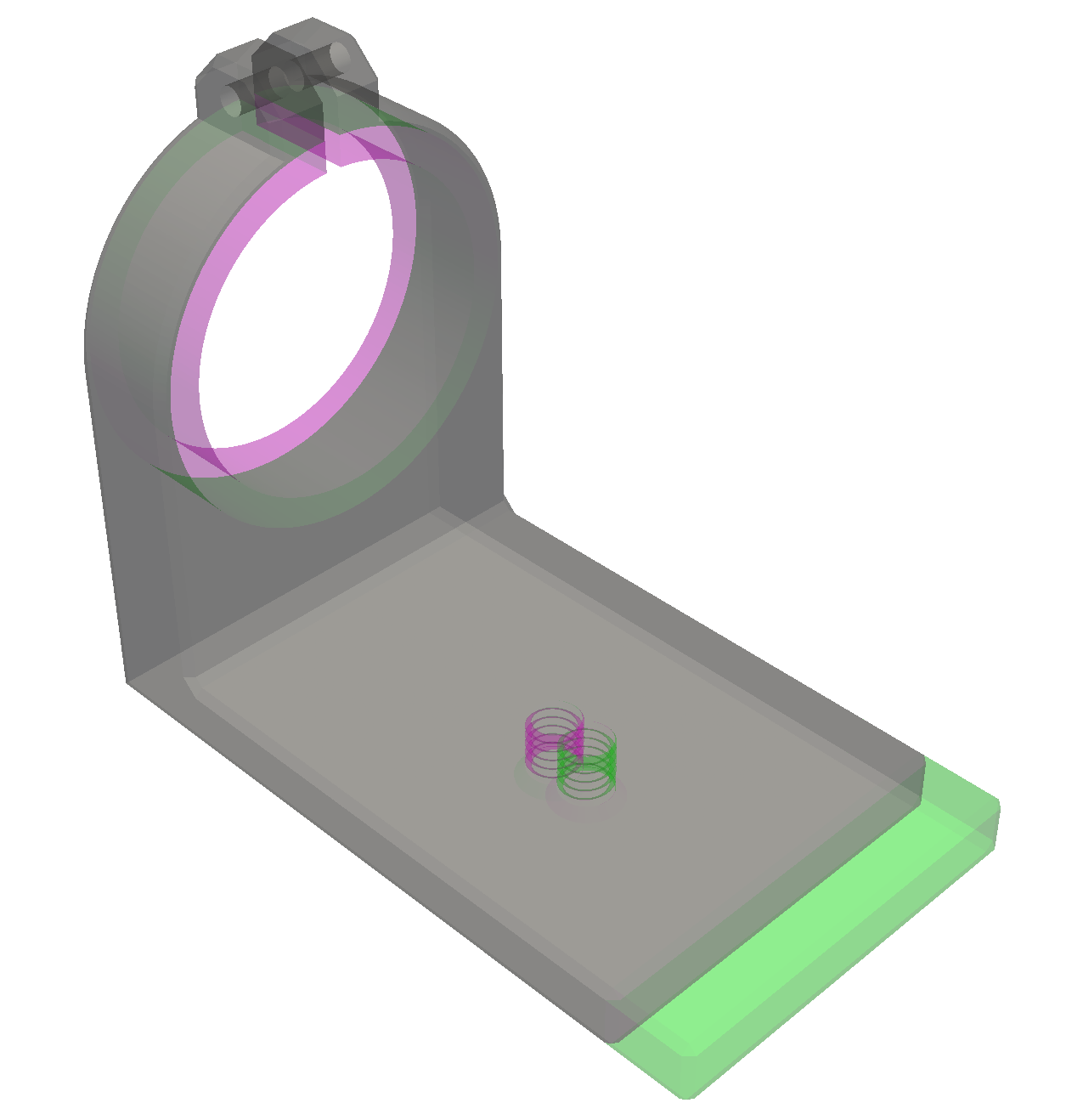
In this example most of the lens clamp is unchanged and is displayed in gray, while the differing parts are displayed in red for one file and green for the other file: in the red file the diameter is smaller, while in the green file the base is longer, and the threaded hole has moved.
Quick start
You will need to have Python installed - see notes in the next section
on installing Python if you don't already have it. Python comes with a
program called pip for installing Python programs at the system
level. To install diff3d run this command:
pip install diff3d
(On some Linux systems you may need to use pipx instead of pip; see
next section.)
Then to test the installation download two test files lens-clamp-A.stla and lens-clamp-B.stl and run the command
diff3d lens-clamp-A.stl lens-clamp-B.stl
The first time you run the diff3d command it may take a little time
to start while it loads and compiles the supporting packages, but
after that the startup time will be very quick.
You can drag the displayed object to rotate it, use the mouse wheel to zoom, and shift-drag to pan.
The second file is optional, in which case the first file will simply be displayed without diffs. This allows the tool to be used as a simple 3d file viewer in addition to its primary function.
Supported platforms, file formats, and object types
I have tested on the following platforms:
-
Windows 11, Python 3.13. Download and install from python.org, and in the installation program be sure to check the the box that says "Add python.exe to PATH" which will make
pipanddiff3davailable from the command line. Then open a command prompt window and typepip install diff3d. -
MacOS, Python 3.13 installed using
brew install python, thenpip install diff3d. -
Linux Mint, Python 3.13 installed using
sudo apt install python pipx, thenpipx install diff3d(instead of usingpip).
Out of the box diff3d supports STL, OBJ, and 3MF files. Support for a
number of additional file types is available by installing meshio,
and support for STEP files can be enabled by installing build123d.
Unlike other tools that do 3d diffs by using 3d boolean operations like intersection and difference, this tool is robust and is not limited to manifold (closed surface) meshes, but can diff anything that can be rendered, including open surfaces, curves, and points.
Color animation
Small areas of difference may be difficult to spot under some circumstances, especially for people with some form of colorblindness. To help highlight areas of difference, you can press the "a" key and the colored areas will flash briefly.
This feature was inspired by the much more sophisticated color animations for enhancing color vision provided by ColorPhi.
Object alignment
In some cases two objects to be compared may be shifted relative to each other in addition to other changes. This is illustrated by example files lens-clamp-A.obj and lens-clamp-C.obj in the images below.
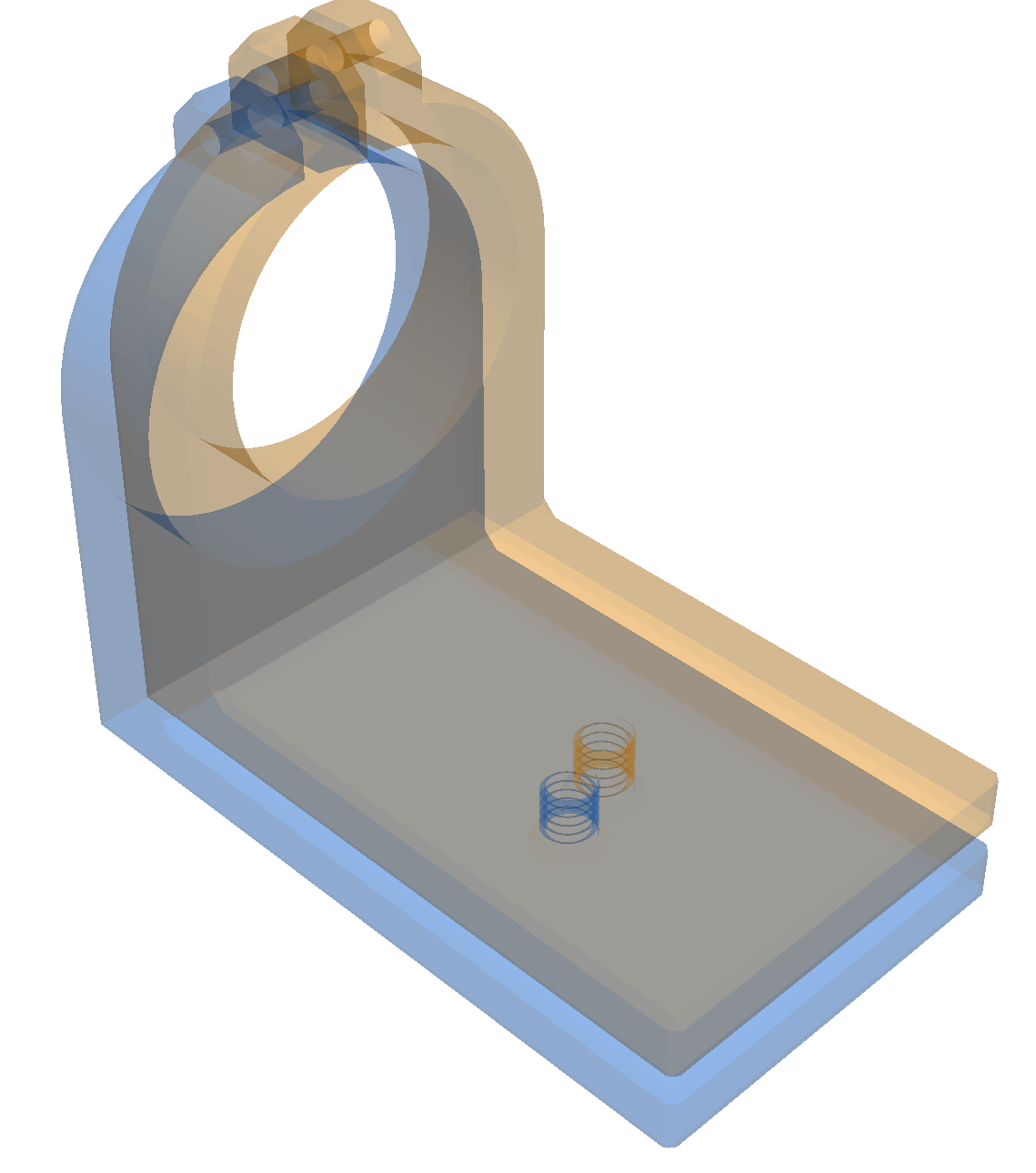
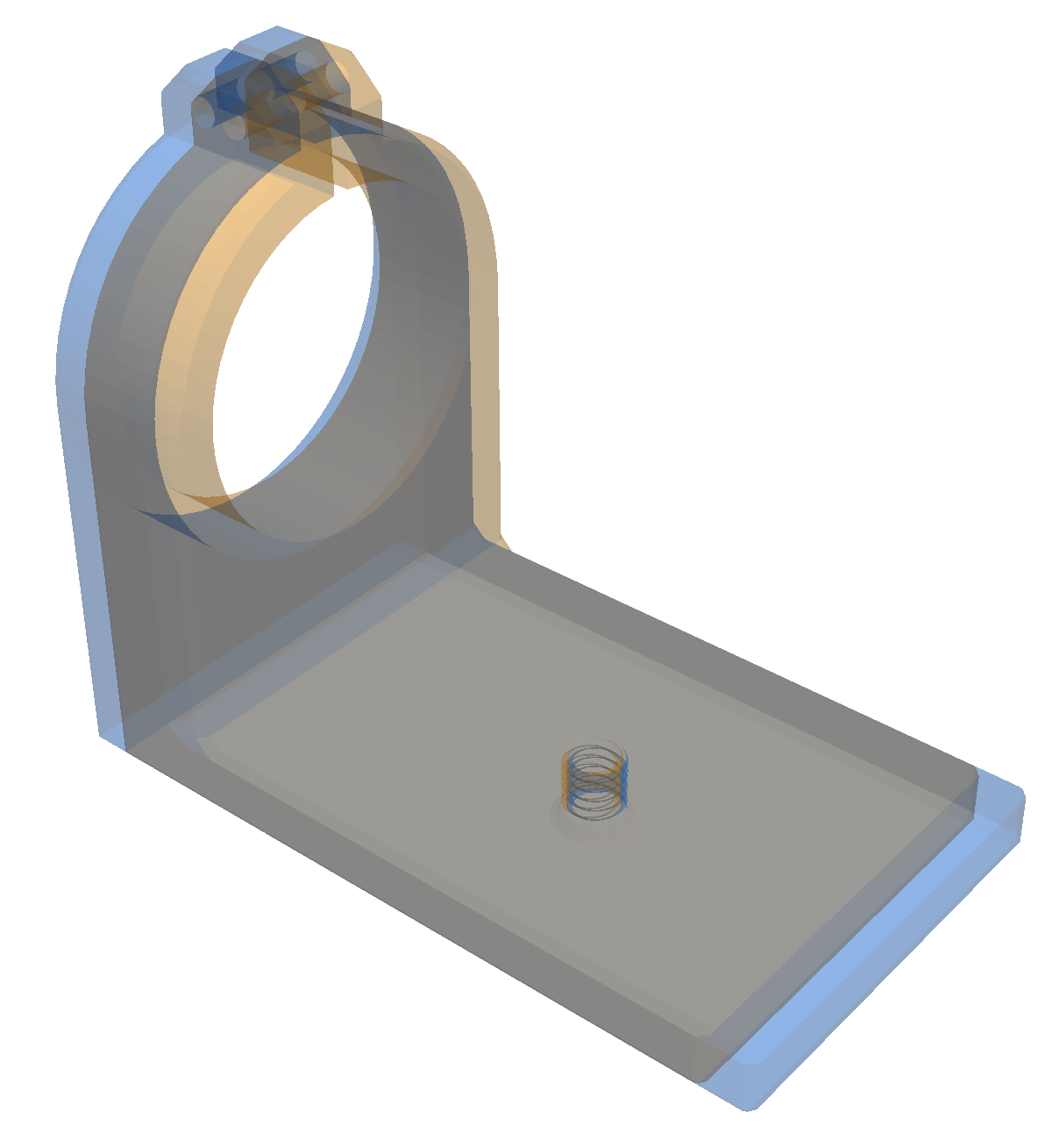
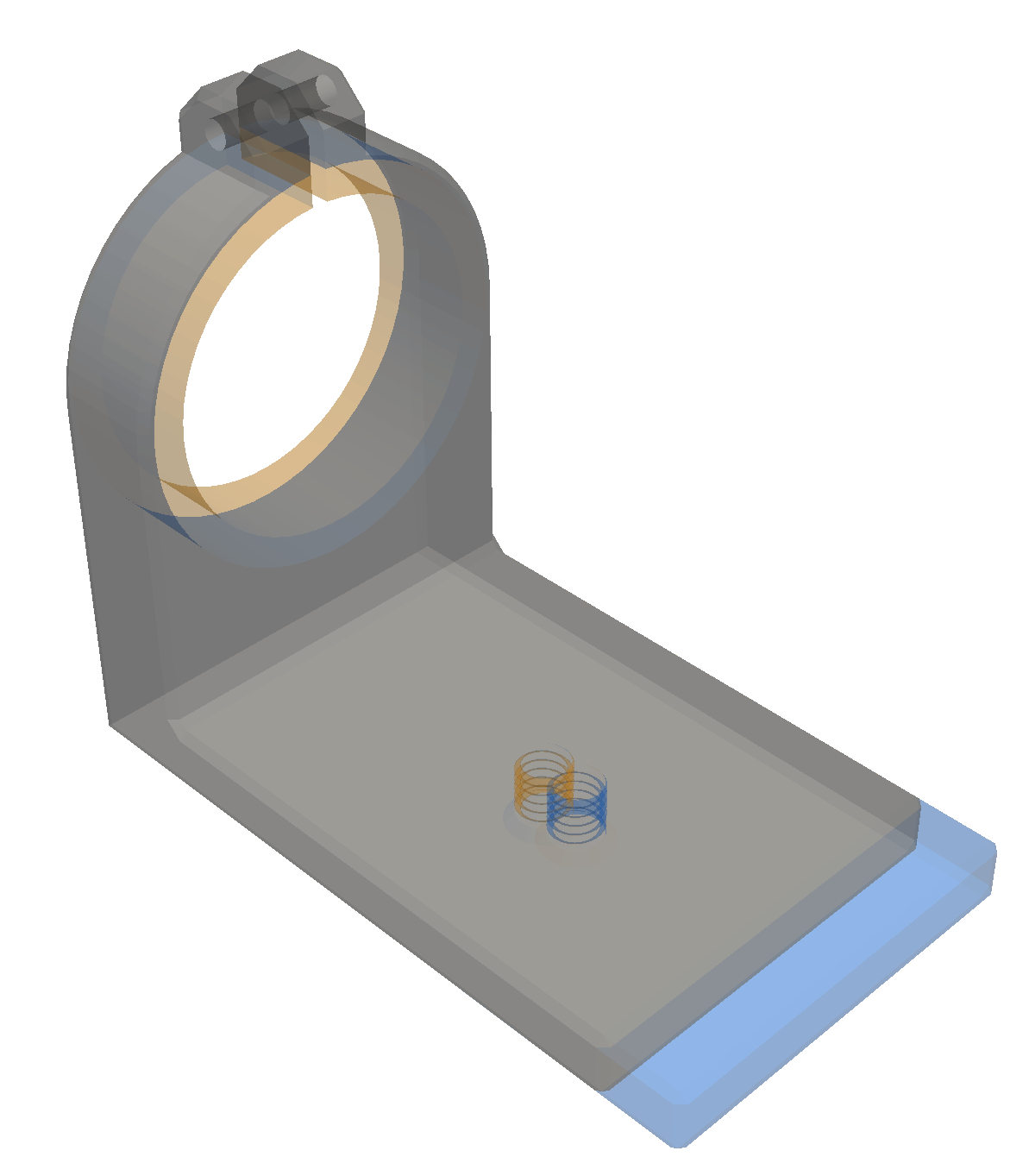
The first image is produced by just comparing the two files as-is without any attempt to align them:
diff3d lens-clamp-A.obj lens-clamp-C.obj
The misalignment obscures the relevant changes.
The second image was produced by aligning the centroids of the two objects. This is better, but it is still difficult to see the interesting changes.
Instead diff3d provides an alignment method that attempts to align
the objects such that major features that they have in common are
aligned, thus displaying a minimal set of differences between the
objects. This is illustrated by the third image above, produced using
the --align flag:
diff3d --align lens-clamp-A.obj lens-clamp-C.obj
This is not the default because it's not always necessary and it may
take a bit of time to do the alignment. The first time you use the
--align option it may take a little time to start while it loads and
compiles the supporting packages, but after that the startup time will
be very quick.
Color schemes
Three color schemes designed to be colorblind-friendly are provided. (This is based on information from https://davidmathlogic.com/colorblind, and I have not verified this. If you have information to add please contact me by opening an issue on github.)
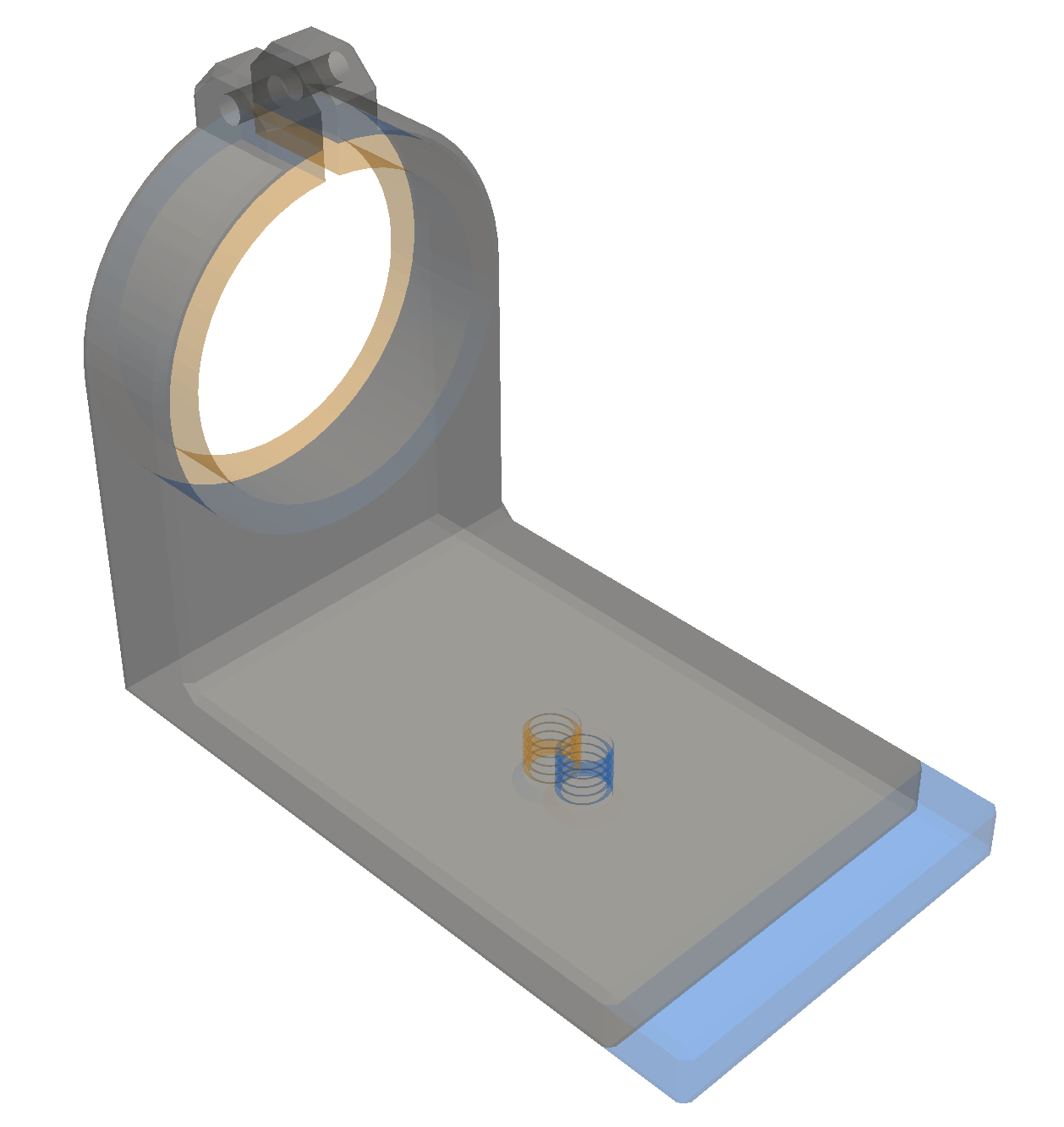
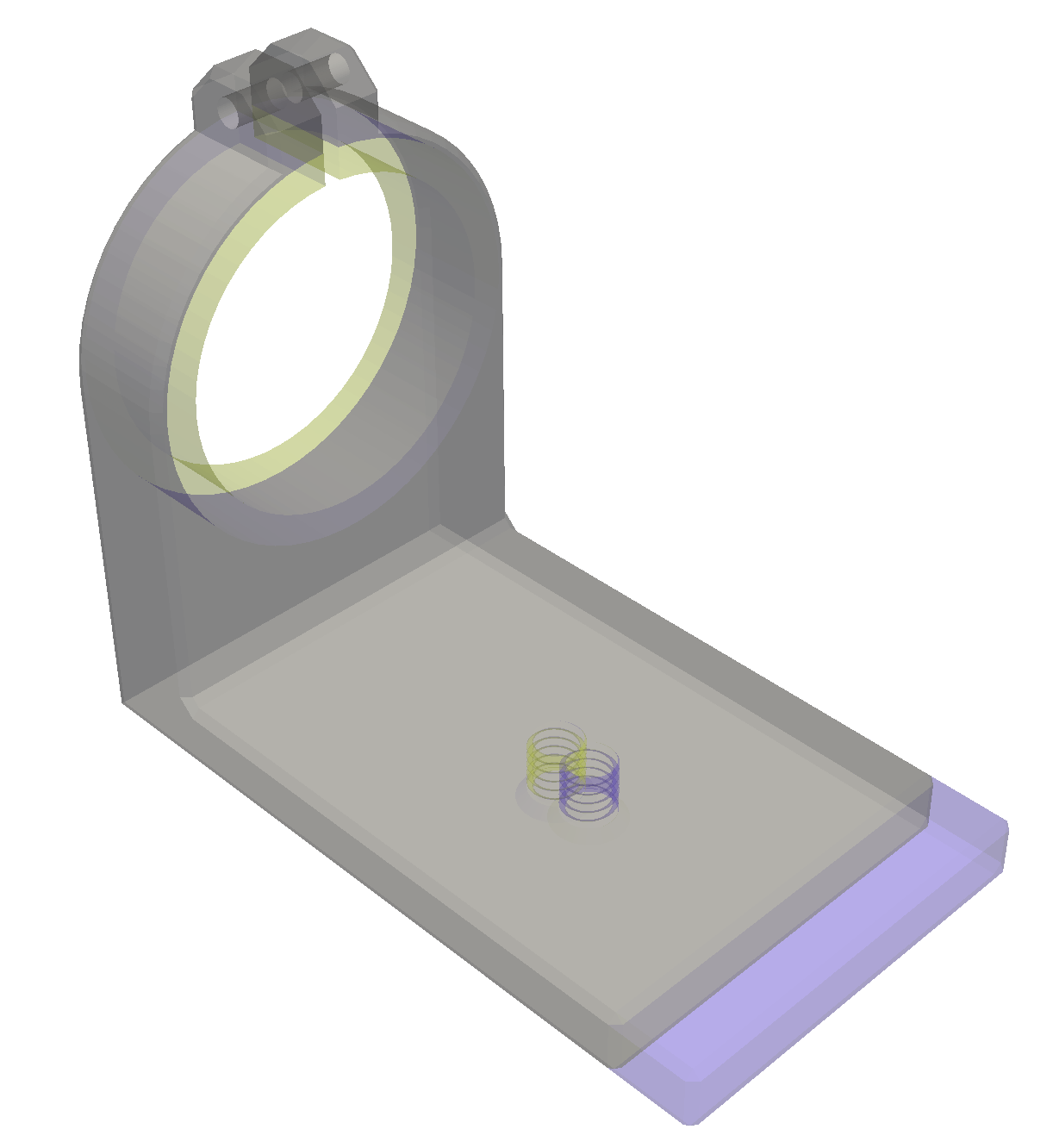
You can choose a scheme using the -s or --scheme option. The
above schemes are named "1", "2", and "3" respectively.
API
The diff3d module provides a simple API if you want to integrate it
into your own program. As this is an early version of the program,
I'll try to maintain the stability of these APIs, but I can't
guarantee it. See the code for details.
-
diff3d.from_filesopens a window displaying the diff between two files -
diff3d.diffopens a window displaying the diff between two pyvista objects. -
If you are using a different mesh or CAD package, if you can obtain point and triangle arrays, you can convert them to pyvista objects using
pyvista.PolyData.from_regular_faces -
You can align two meshes without displaying them using
diff3d.align3d.
Discussions and Issues
If you would like to report an issue, ask a question, or make a suggestion you do so through the Discussions and Issues pages.
Release history Release notifications | RSS feed


Download files
Download the file for your platform. If you're not sure which to choose, learn more about installing packages.
Source Distribution
Built Distribution
Filter files by name, interpreter, ABI, and platform.
If you're not sure about the file name format, learn more about wheel file names.
Copy a direct link to the current filters
File details
Details for the file diff3d-0.3.0.tar.gz.
File metadata
- Download URL: diff3d-0.3.0.tar.gz
- Upload date:
- Size: 2.9 MB
- Tags: Source
- Uploaded using Trusted Publishing? No
- Uploaded via: twine/6.0.1 CPython/3.13.1
File hashes
| Algorithm | Hash digest | |
|---|---|---|
| SHA256 |
39ad369be351ee2905f153a00b0f2955c99017565e3e10e70db73278fcc4ccc3
|
|
| MD5 |
e2c394fae6e23f686a93d8af898e9274
|
|
| BLAKE2b-256 |
315460ef69de68f8d371d704a1384fb93d61004169ce55dcb1302e51f90951b5
|
File details
Details for the file diff3d-0.3.0-py3-none-any.whl.
File metadata
- Download URL: diff3d-0.3.0-py3-none-any.whl
- Upload date:
- Size: 8.4 kB
- Tags: Python 3
- Uploaded using Trusted Publishing? No
- Uploaded via: twine/6.0.1 CPython/3.13.1
File hashes
| Algorithm | Hash digest | |
|---|---|---|
| SHA256 |
28884015e6cf724f72334371b18fb1e7ea85e3167f85c11a3bb2ba5e4b8d44d8
|
|
| MD5 |
4c7d7ade7181fef556544223d763fc6a
|
|
| BLAKE2b-256 |
36096997bc53a016be1895b4537795593368b6166a7ad623afa4f7549ee539a3
|






