
🦖 DINO Explorer 🦖
DINO Explorer is a powerful tool designed to explore and visualize DINOv2 embeddings. Given a list of folders containing images, DINO Explorer extracts their DINO embeddings and creates an interactive visualization using Voxel51.
🚀 Usage
Note: Input folders must be separated by spaces.
- To create a UMAP visualization, use the following command:
diex <folder 1> .. <folder N>
Diex uses UMAP for dimension reduction by default.
- For t-SNE or PCA visualizations, use the
--moption followed bytsneorpca:
diex <folder 1> .. <folder N> --m tsne
- To host the visualization on a specific port, use the
--poption:
diex <folder 1> .. <folder N> --p <port>
- To set a specific GPU device, use the
--doption:
diex <folder 1> .. <folder N> --d <gpu number>
After running the command, go to the add section, select embeddings, choose the brain key: img_viz and voila! You have your visualization.
Tip: For multiple folders, select
Color byastags.
💾 Caching Embeddings
DINO Explorer stores DINO embeddings for all datasets in a .cache directory to allow quick loading in subsequent visualizations. To force regeneration of embeddings, use the --force or --f option.
Note: These embeddings can also be used for other downstream tasks. Load them with
torch.load().
📖 Examples
-
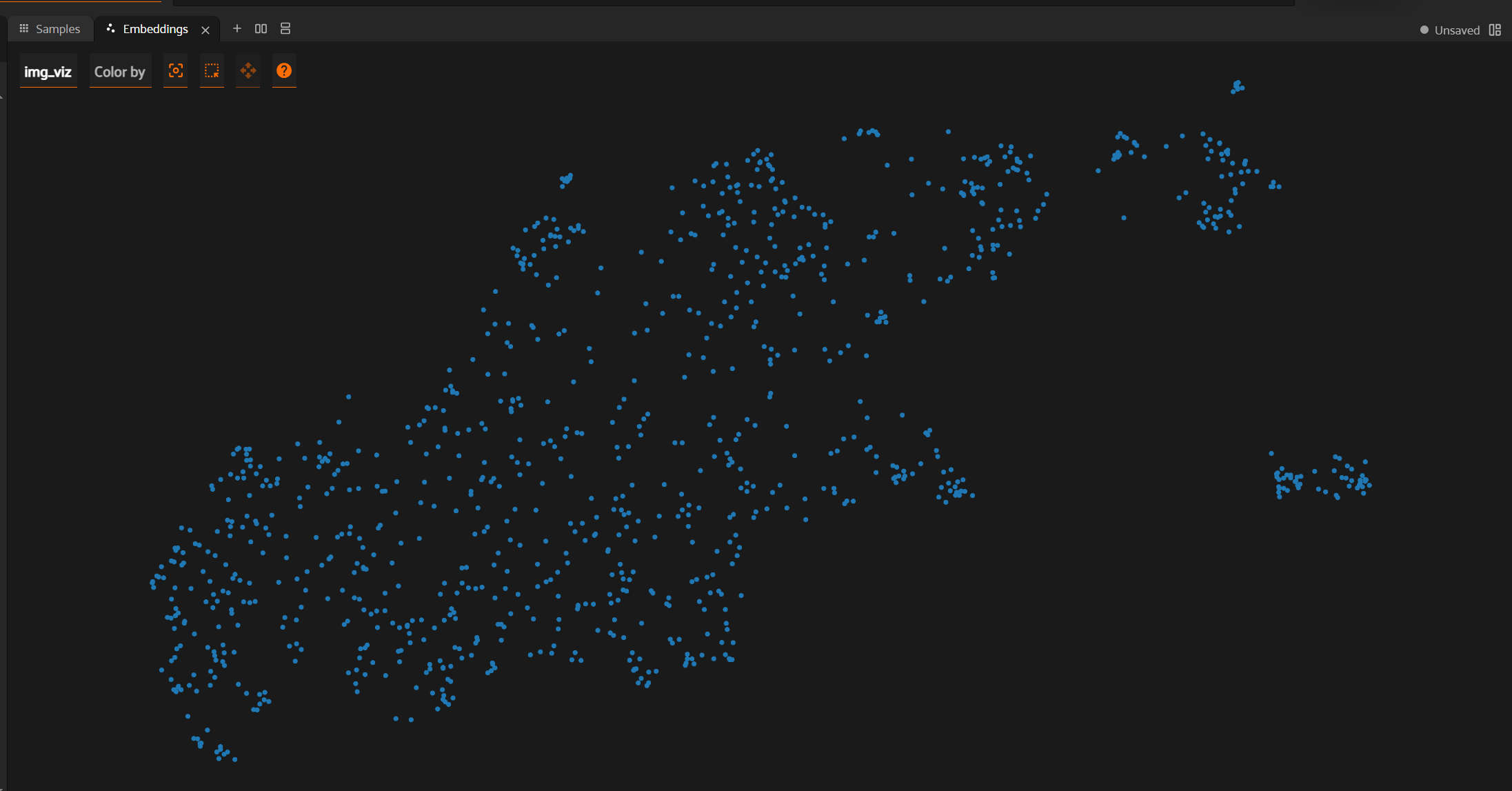
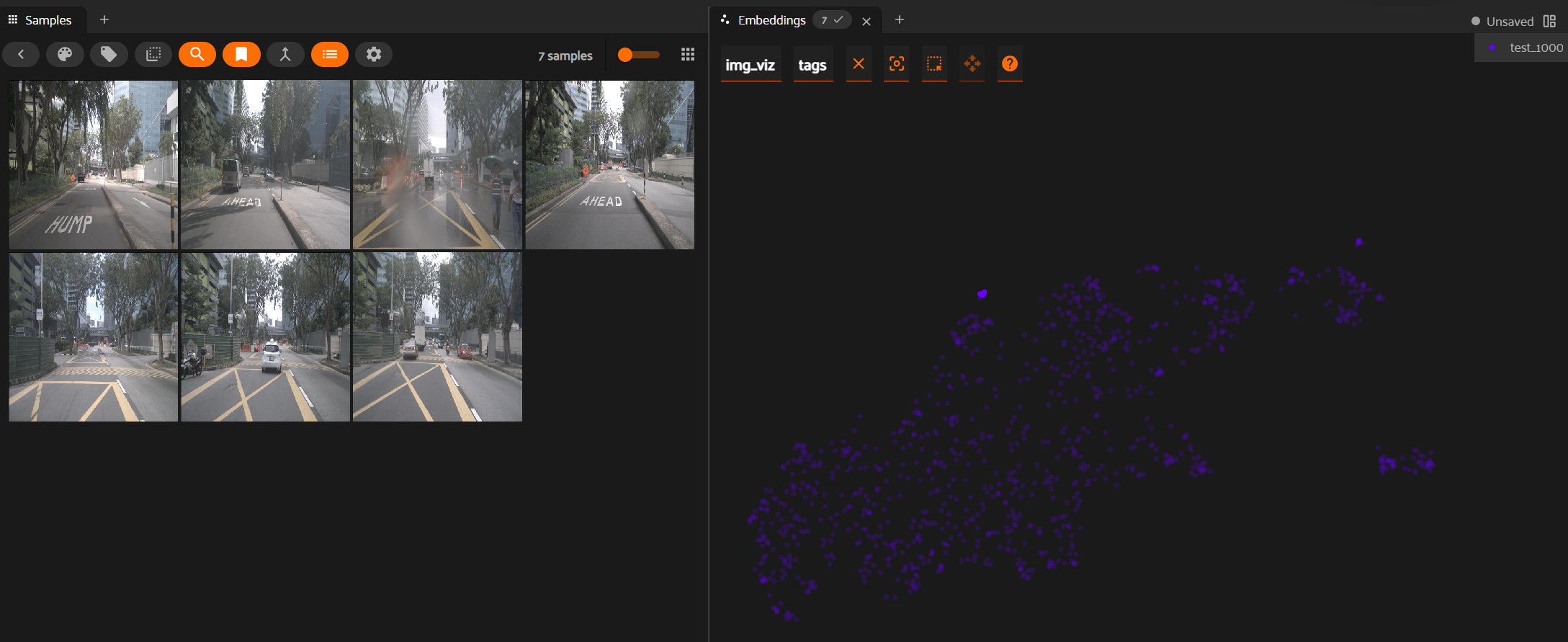
NuImages - A random set of 1000 images from NuImages
diex nuimages_1000A. Embeddings: Interactive 2D visualization of embeddings
B. Embeddings to Image Mapping: Select embeddings to view corresponding images
-
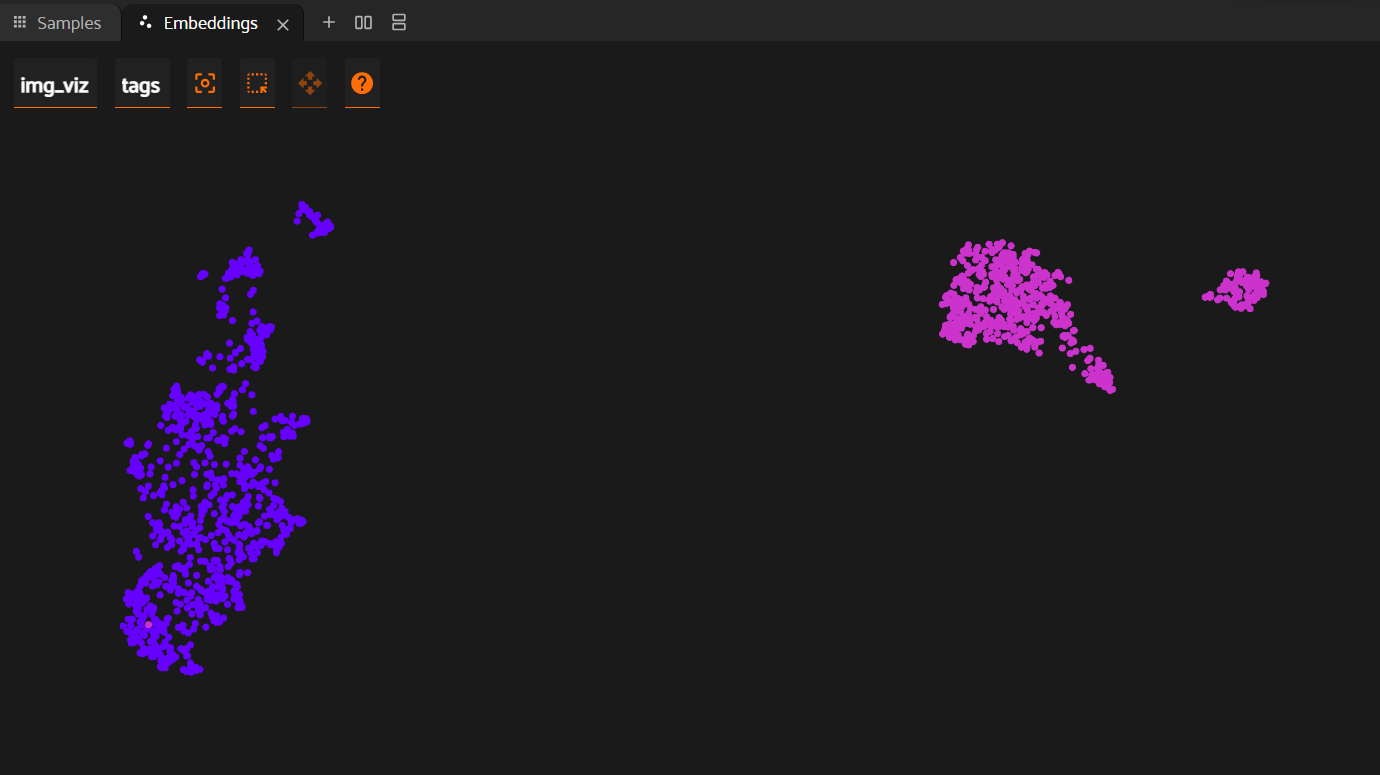
NuImages × CityScapes - A random set of 1000 and 600 images from the datasets.
diex nuimages_1000 cityscapes_1000
Clusters for different datasets, each with a different color.
🙏 Credits
- Model used:
facebook/dinov2-giant - Visualization tool:
Voxel51
For any issues encountered while using DINO Explorer, please open an issue on our GitHub repository. We appreciate your feedback and contributions!
1 maintainer

Metadata
1 maintainer
Release files for dinoexplorer 1.0.1
For a detailed explanation of source distributions (sdists) and built distributions (wheels), please see the package formats documentation.
Source distribution (sdist)
| File | Size | Uploaded | |
|---|---|---|---|
| dinoexplorer-1.0.1.tar.gz | 4.4 kB | Details |
Built distribution (wheel)
| File | Interpreter | ABI | Platform | Reset |
|---|---|---|---|---|
| dinoexplorer-1.0.1-py3-none-any.whl | Python 3 | none | any | Details |
Total release size: 9.4 kB
Release files / dinoexplorer-1.0.1.tar.gz
| Download URL | dinoexplorer-1.0.1.tar.gz |
|---|---|
| Size | 4.4 kB |
| Tags | Source |
|
SHA-256 checksum How to use checksums |
f0e3d964d65643d387f8b82a00cfe8d87e74570e73c178cd697d2f0e7262b843
|
|
BLAKE2b-256 checksum How to use checksums |
2ebfa18dc510c6d3750d136d55a707c64d9e77456ac1543b07d133daadd01640
|
| Upload date | |
|
Uploaded using Trusted Publishing? What is trusted publishing? |
Yes |
| Uploaded via |
twine/5.0.0 CPython/3.12.3
|
Release files / dinoexplorer-1.0.1-py3-none-any.whl
| Download URL | dinoexplorer-1.0.1-py3-none-any.whl |
|---|---|
| Size | 5.0 kB |
| Tags | Python 3 |
|
SHA-256 checksum How to use checksums |
d361411348f901dfc55537313b36c49f611fadf1f9e4a6ba61c5157996166a3e
|
|
BLAKE2b-256 checksum How to use checksums |
71624dc88265ff87c506217f6b0b17ad54679500c83ac50852749f30c992dc80
|
| Upload date | |
|
Uploaded using Trusted Publishing? What is trusted publishing? |
Yes |
| Uploaded via |
twine/5.0.0 CPython/3.12.3
|














