
A view-based paginator library for discord.py 2.0

Project description
discord-ext-pager

A simple view-based paginator library for discord.py 2.0.
Installation
discord-ext-pager is available on PyPI, and as such can be installed using pip.
Usage
Users of Danny's discord-ext-menus will find some familiarity in this library. Provided are the following classes:
- PaginatorView: The view class that manages pagination and navigation.
- PageSource: The base class for sources the paginator view can accept.
- ListPageSource: The base class for formatting a list of items.
- AsyncIteratorPageSource: The base class for formatting an asynchronous iterator of items.
- PageOption:
A subclass of
discord.SelectOptionused for presenting navigation options. - TimeoutAction: An enum for customizing PaginatorView's timeout behaviour.
The PaginatorView can be instantiated and used by itself, but page formatting
is handled by subclassing one of the PageSource base classes.
from typing import Any, List
from discord.ext.pager import ListPageSource, PaginatorView

class EmbedListPageSource(ListPageSource[Any, None, PaginatorView]):
    #                                   ^^^^^^^^^^^^^^^^^^^^^^^^^^
    #            These type parameters denote the page item type,
    #            source type for page options (demonstrated later),
    #            and view type. Only needed for static typing.
    """Takes a list of items and formats it in an embed."""

    def format_page(self, view: PaginatorView, page: List[Any]):
        index = self.current_index * self.page_size
        description = "\n".join(
            f"{i}. {x}"
            for i, x in enumerate(page, start=index + 1)
        )
        return discord.Embed(description=description)

# Anywhere a channel or interaction is available:
fruits = ["🍎 Apple", "🍊 Orange", "🍋 Lemon"]
source = EmbedListPageSource(fruits, page_size=2)
view = PaginatorView(sources=source, timeout=180)
await view.start(interaction)
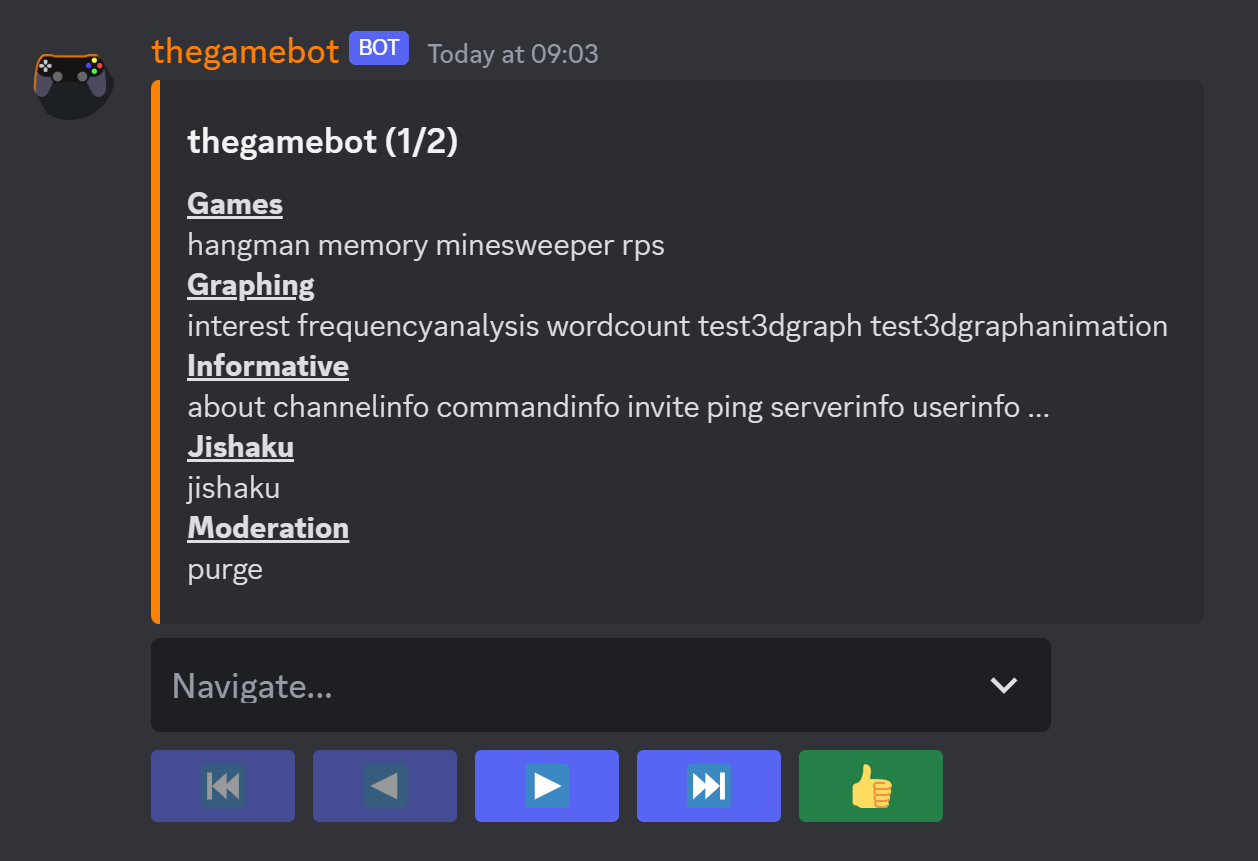
If the navigation select menu is desired, the get_page_options() method
should be overridden to return a list of PageOption objects for the user
to select from:
from typing import List
from discord.ext.pager import ListPageSource, PageOption, PageSource, PaginatorView

class MessageSource(PageSource[str, None, PaginatorView]):
    """A single page for displaying a string."""

    def __init__(self, message: str, *, current_index: int = 0):
        super().__init__(current_index=current_index)
        self.message = message

    def get_page(self, index: int):
        return self.message

    def format_page(self, view: PaginatorView, page: str):
        # If we don't specify both content and embed, either will
        # persist as the user clicks between options
        return {"content": page, "embed": None}

class MessageNavigator(ListPageSource[MessageSource, MessageSource, PaginatorView]):
    """A list of messages for the user to select from."""

    def get_page_options(self, view: PaginatorView, page: List[MessageSource]):
        # PageOption() takes the same arguments as discord.SelectOption,
        # except that source= is also required
        return [PageOption(source=source, label=source.message) for source in page]

    def format_page(self, view: PaginatorView, page: List[MessageSource]):
        description = "\n".join(source.message for source in page)
        embed = discord.Embed(description=description)
        return {"content": None, "embed": embed}

hands = "👈👉👆👇🫵🤞🫰🤘🤙🤛🤜✊👊👋👏🙌"
source = MessageNavigator([MessageSource(s) for s in hands], page_size=5)
view = PaginatorView(sources=source)
await view.start(ctx)
When an option is selected, the PageSource contained within that option
is appended to PaginatorView.sources, causing that source to be displayed.
Another button is automatically provided for users to back out to the last
page source. This can be manually triggered by passing a list of page sources
to the PaginatorView(sources=) argument.
Examples
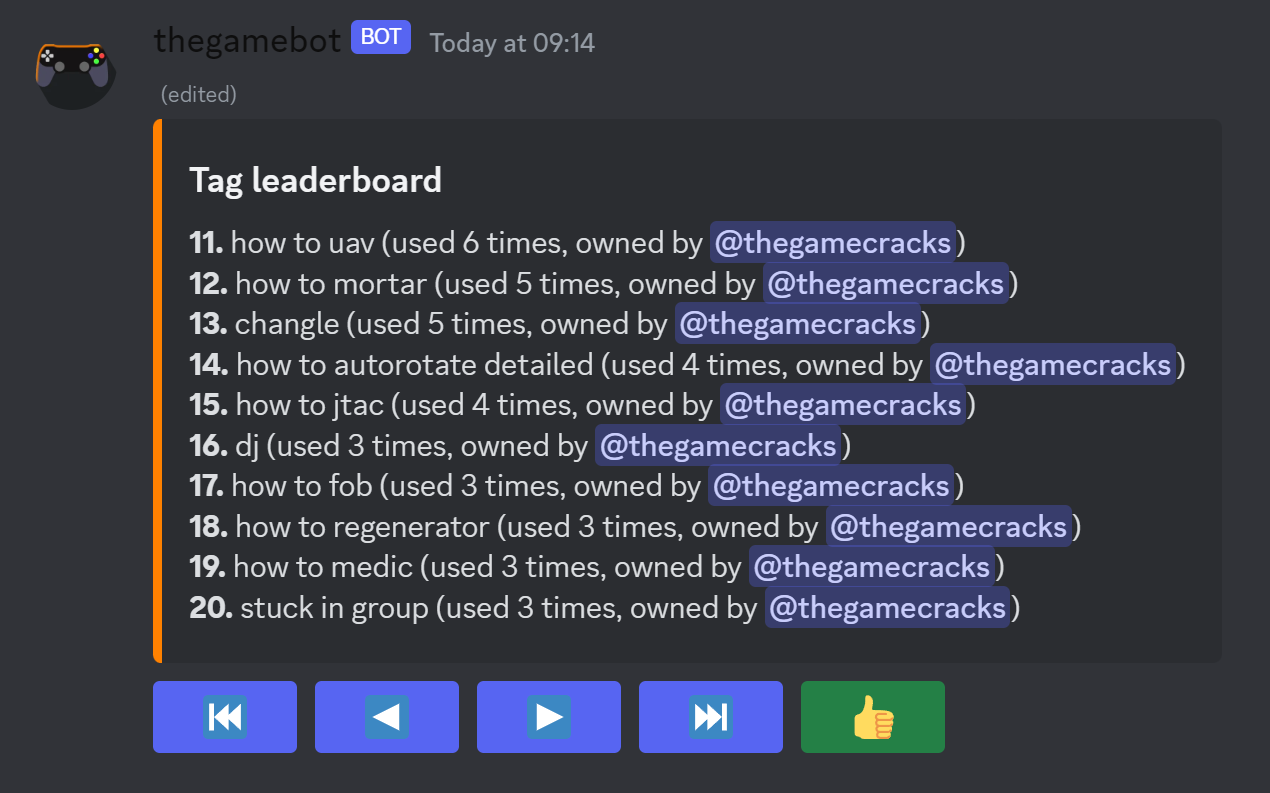
Click on an example below to see its source code:
Release history Release notifications | RSS feed


Download files
Download the file for your platform. If you're not sure which to choose, learn more about installing packages.
Source Distribution
Built Distribution
Filter files by name, interpreter, ABI, and platform.
If you're not sure about the file name format, learn more about wheel file names.
Copy a direct link to the current filters
File details
Details for the file discord-ext-pager-1.0.0.post1.tar.gz.
File metadata
- Download URL: discord-ext-pager-1.0.0.post1.tar.gz
- Upload date:
- Size: 14.2 kB
- Tags: Source
- Uploaded using Trusted Publishing? No
- Uploaded via: twine/4.0.1 CPython/3.11.3
File hashes
| Algorithm | Hash digest | |
|---|---|---|
| SHA256 |
2f075b744ec041308ab94eb8c2fc254f2c575840c9d41d708299a7c3896783da
|
|
| MD5 |
37d08819793d901ef28ec7b6469a94b0
|
|
| BLAKE2b-256 |
457dea81a6338f30abecab260d1f2d223f6177c6eba3d889735e16c05ab2150c
|
File details
Details for the file discord_ext_pager-1.0.0.post1-py3-none-any.whl.
File metadata
- Download URL: discord_ext_pager-1.0.0.post1-py3-none-any.whl
- Upload date:
- Size: 13.1 kB
- Tags: Python 3
- Uploaded using Trusted Publishing? No
- Uploaded via: twine/4.0.1 CPython/3.11.3
File hashes
| Algorithm | Hash digest | |
|---|---|---|
| SHA256 |
85ffa700020176d963edd837e3328e6f1f8d4cefb8fc354393f2c1af14f9c916
|
|
| MD5 |
c03b3645f8ecb053f626914414b51f56
|
|
| BLAKE2b-256 |
772085f4b3caae19ca4ec920db18b00c0fa9189e9af9b9735052b1e88a4ad4a5
|






