
Python Discord Logger
A custom message logger to Discord for Python 3.
This project was inspired from winston-discord-transport for NodeJS
and built using discord-webhook, which offers an easy interface for
constructing and sending messages through a Discord webhook.
If you are looking for a Slack alternative, please check python-slack-logger.






Install
Install via pip: pip install discord-logger
Basic Usage
from discord_logger import DiscordLogger

options = {
    "application_name": "My Server",
    "service_name": "Backend API",
    "service_icon_url": "your icon url",
    "service_environment": "Production",
    "display_hostname": True,
    "default_level": "info",
}

logger = DiscordLogger(webhook_url="your discord webhook url", **options)
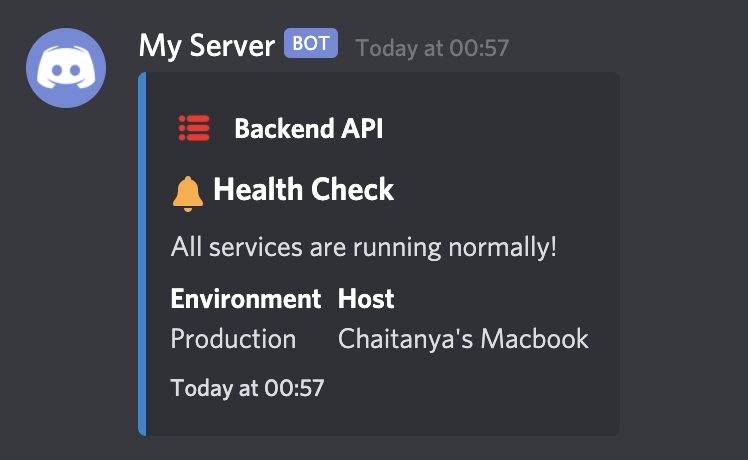
logger.construct(title="Health Check", description="All services are running normally!")

response = logger.send()
Configure various options
There are numerous configurations available to customise the bot.
options = {
    # Application name would replace the webhook name set during creating of the webhook
    # It would appear as the name of the bot
    # If unset, the default value would be "Application"
    "application_name": "My Server",

    # Service name would be the name of the service sending the message to your Discord channel
    # This would usually be the name of the application sending the notification
    # If unset, the default value would be "Status Bot"
    "service_name": "Backend API",

    # Service icon URL is the icon image for your application
    # This field accepts a URL to the icon image
    # If unspecified, the icon wouldn't be set
    # If misconfigured, the icon wouldn't load and a blank space would appear before the service name
    "service_icon_url": "your icon url",

    # Usually services would run in staging and production environments
    # This field is to specify the environment from which the application is reponding for easy identification
    # If unset, this block would not appear in the message
    "service_environment": "Production",

    # An option to specify whether or not to display the hostname in the messages
    # The hostname is set by default, but it could be disabled by specifically setting this to `False`
    "display_hostname": True,

    # The default importance level of the message
    # The left bar color of the message would change depending on this
    # Available options are
    # - default: 2040357
    # - error: 14362664
    # - warn: 16497928
    # - info: 2196944
    # - verbose: 6559689
    # - debug: 2196944
    # - success: 2210373
    # If the `error` field is set during the construction of the message, the `level` is automatically set to `error`
    # If nothing is specified, `default` color would be used
    "default_level": "info",

    # specify proxies to use, default is None
    proxies = {
      'http': 'http://10.10.1.10:3128',
      'https': 'http://10.10.1.10:1080',
    }
}
Emojis inbuilt! 😃
An appropriate emoji is automatically added before the title depending on the level.
Following is the map between level and the emoji added.
- default =
:loudspeaker:📢 - error =
:x:❌ - warn =
:warning:⚠️ - info =
:bell:🔔 - verbose =
:mega:📣 - debug =
:microscope:🔬 - success =
:rocket:🚀
Examples
Set Service Name, Icon and Environment for easy identification
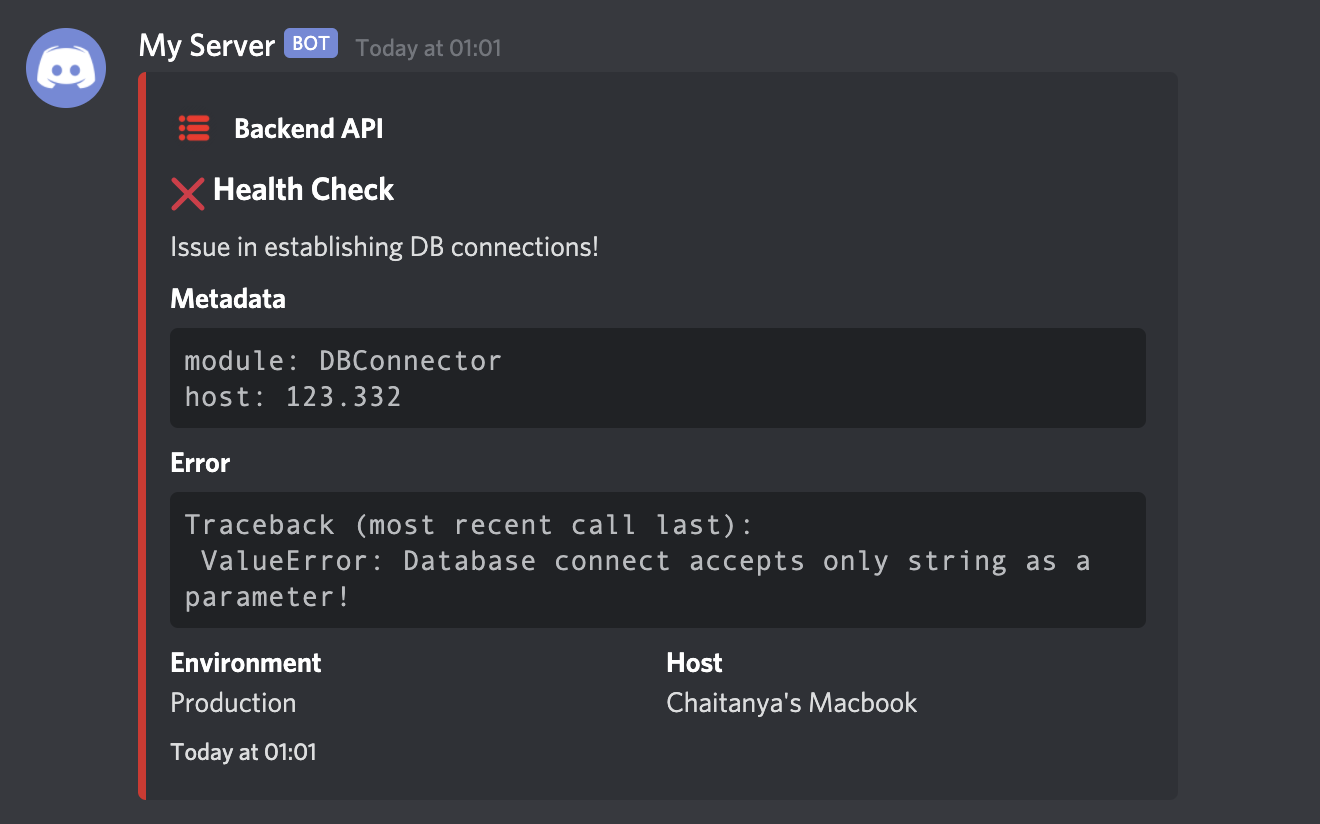
You can configure the log message with service name, icon and environment for easy identification. The Host field which is the hostname of the server is automatically added for every message.
You can even send any meta information like the data in the variables, module names, metrics etc with the metadata field while constructing the message.
These data should be passed as a dictionary.
from discord_logger import DiscordLogger

webhook_url = "your discord webhook url"
options = {
    "application_name": "My Server",
    "service_name": "Backend API",
    "service_icon_url": "your icon url",
    "service_environment": "Production",
    "default_level": "info",
}

logger = DiscordLogger(webhook_url=webhook_url, **options)
logger.construct(
    title="Health Check",
    description="Issue in establishing DB connections!",
    error="Traceback (most recent call last):\n ValueError: Database connect accepts only string as a parameter!",
    metadata={"module": "DBConnector", "host": 123.332},
)

response = logger.send()
Send messages without Hostname
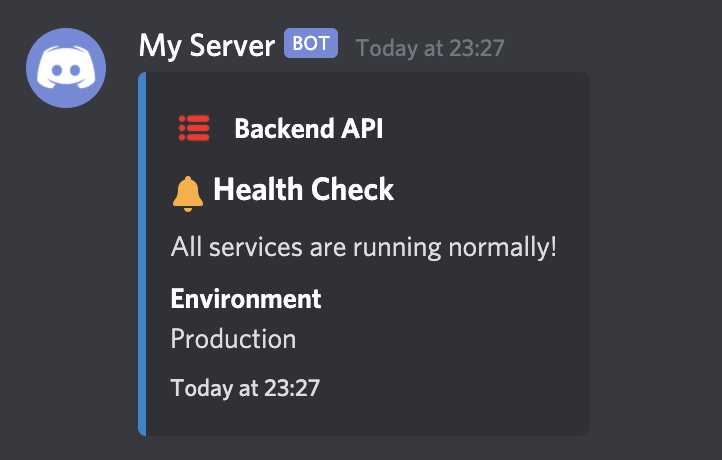
In case you do not want the hostname to be displayed in the message, disable it by setting "display_hostname": False in the options as follows.
from discord_logger import DiscordLogger

webhook_url = "your discord webhook url"
options = {
    "application_name": "My Server",
    "service_name": "Backend API",
    "service_icon_url": "your icon url",
    "service_environment": "Production",
    "default_level": "info",
    "display_hostname": False,
}

logger = DiscordLogger(webhook_url=webhook_url, **options)
logger.construct(title="Health Check", description="All services are running normally!")

response = logger.send()
Send messages with different log-levels
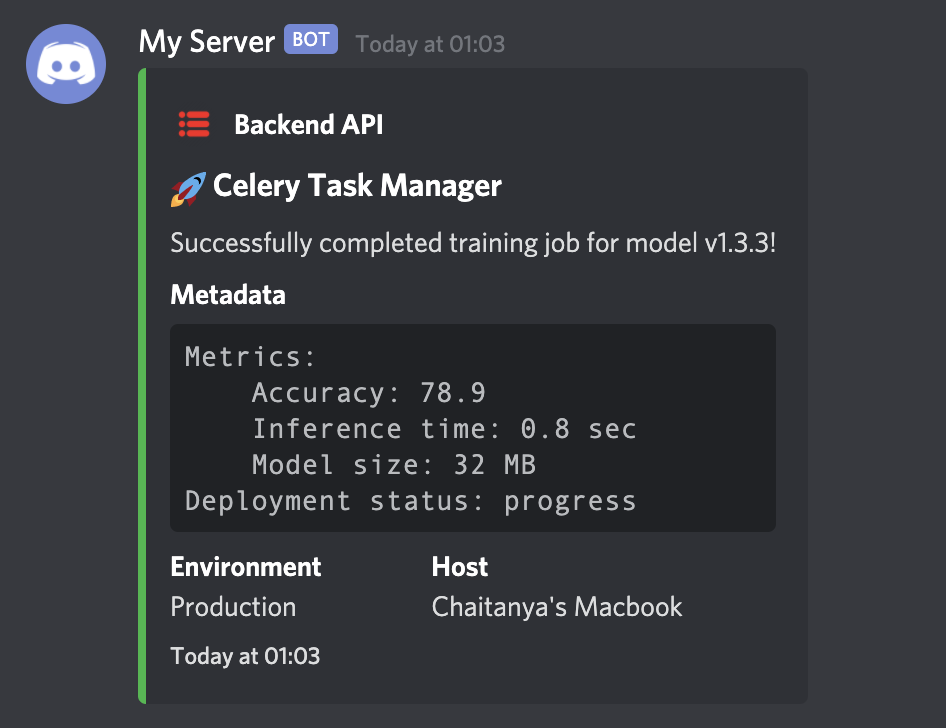
The log-level indicates the importance of the message. It changes the color of the discord message in particular. Currently supported levels are,
errorwarninfoverbosedebugsuccess
The log-level can be set during construction of the message like through the parameter level.
If the parameter isn't provided, it'll be set to the one given in default_level. Any invalid input would be ignored and the log-level would be automatically be set to default.
Any complicated nested dictionary can be passed to the metadata field and the message gets forrmatted accordingly for easy reading.
from discord_logger import DiscordLogger

webhook_url = "your discord webhook url"
options = {
    "application_name": "My Server",
    "service_name": "Backend API",
    "service_icon_url": "your icon url",
    "service_environment": "Production",
    "default_level": "info",
}

logger = DiscordLogger(webhook_url=webhook_url, **options)
logger.construct(
    title="Celery Task Manager",
    description="Successfully completed training job for model v1.3.3!",
    level="success",
    metadata={
        "Metrics": {
            "Accuracy": 78.9,
            "Inference time": "0.8 sec",
            "Model size": "32 MB",
        },
        "Deployment status": "progress",
    },
)

response = logger.send()
Send complete error traceback
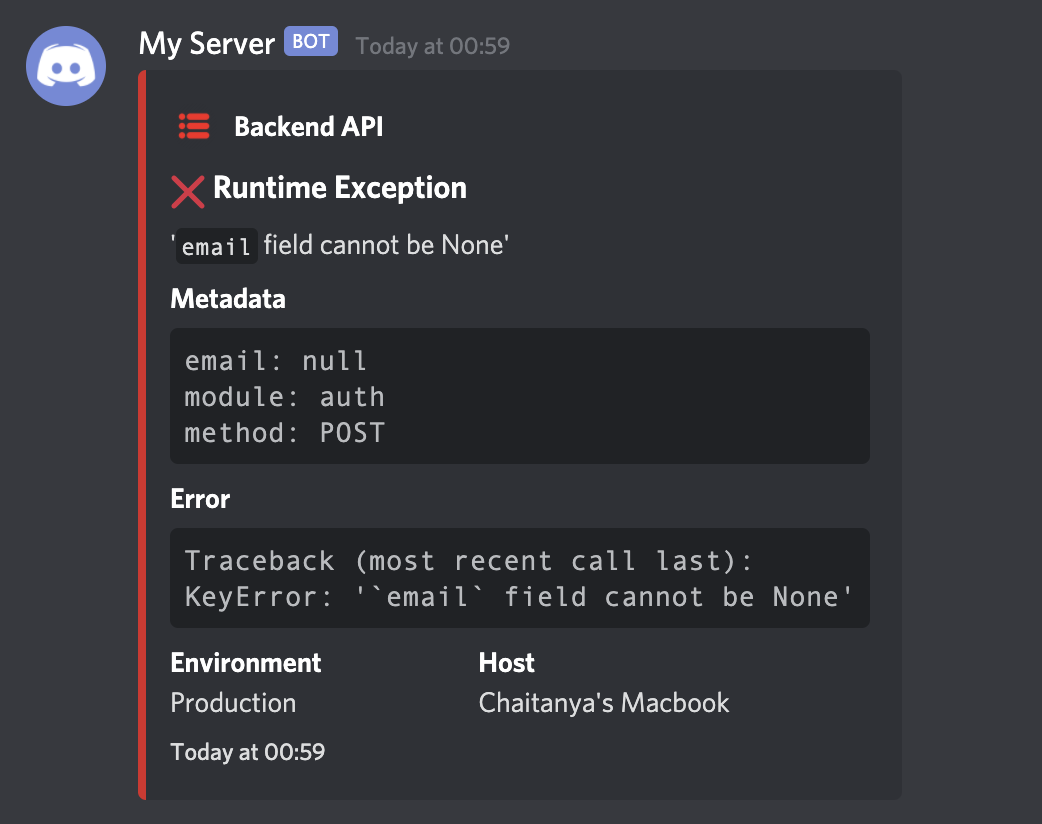
The error field can contain any error message. It will be automatically be formatted in the final message. For example, you can send a complete traceback of an error message to debug faster!
import traceback

from discord_logger import DiscordLogger


def get_traceback(e):
    tb = (
        "Traceback (most recent call last):\n"
        + "".join(traceback.format_list(traceback.extract_tb(e.__traceback__)))
        + type(e).__name__
        + ": "
        + str(e)
    )
    return tb


webhook_url = "your discord webhook url"
options = {
    "application_name": "My Server",
    "service_name": "Backend API",
    "service_icon_url": "your icon url",
    "service_environment": "Production",
    "default_level": "info",
}

err = KeyError("`email` field cannot be None")

logger = DiscordLogger(webhook_url=webhook_url, **options)
logger.construct(
    title="Runtime Exception",
    description=err.__str__(),
    error=get_traceback(err),
    metadata={"email": None, "module": "auth", "method": "POST"},
)

response = logger.send()
1 maintainer

Metadata
1 maintainer
Release files for discord-logger-ng 1.2.4
For a detailed explanation of source distributions (sdists) and built distributions (wheels), please see the package formats documentation.
Source distribution (sdist)
| File | Size | Uploaded | Provenance | |
|---|---|---|---|---|
| discord_logger_ng-1.2.4.tar.gz | 7.6 kB | Without provenance | Details |
Built distribution (wheel)
| File | Interpreter | ABI | Platform | Reset |
|---|---|---|---|---|
| discord_logger_ng-1.2.4-py3-none-any.whl | Python 3 | none | any | Details |
Total release size: 17.3 kB
Release files / discord_logger_ng-1.2.4.tar.gz
| Download URL | discord_logger_ng-1.2.4.tar.gz |
|---|---|
| Size | 7.6 kB |
| Tags | Source |
|
SHA-256 checksum How to use checksums |
9f17f406cf8fbf8c422c574cdbb4c2f036013df837dd41ba02756faf16cf91b5
|
|
BLAKE2b-256 checksum How to use checksums |
4ffa8ec2874ac3e09e9d1dfe0127d9e6190dbf6566a4c2310b41582c1a75dad5
|
| Upload date | |
|
Uploaded using Trusted Publishing? What is trusted publishing? |
No |
| Uploaded via |
twine/5.1.1 CPython/3.10.12
|
Release files / discord_logger_ng-1.2.4-py3-none-any.whl
| Download URL | discord_logger_ng-1.2.4-py3-none-any.whl |
|---|---|
| Size | 9.8 kB |
| Tags | Python 3 |
|
SHA-256 checksum How to use checksums |
5cebd1e29775e80760cb4ccaf31aca59954dd719f56d1c5abf8cb55f50e9db25
|
|
BLAKE2b-256 checksum How to use checksums |
623f35b9499fa4c460464f1d8cbf30f5ef888a9ff1d7813db04a5c1454cf1948
|
| Upload date | |
|
Uploaded using Trusted Publishing? What is trusted publishing? |
No |
| Uploaded via |
twine/5.1.1 CPython/3.10.12
|
Security for discord-logger-ng 1.2.4
Provenance
Provenance describes where a file came from. On PyPI, provenance is shared via attestations, which provide a verifiable record of the build or publishing details. View details, limitations and caveats.
No provenance found
None of the files in this release were uploaded with provenance metadata.
A note on package security
PyPI is a repository for distributing packages, not a service for auditing them. While third-party security researchers and our staff do their best to detect and remove malicious packages, PyPI cannot guarantee the quality, security or suitability of any given package.













