
discordwebhook






discordwebhook is a python library for discord webhook with discord rest api on Python 3.6 and above.
Installation
$ pip install discordwebhook
Usage
basic
from discordwebhook import Discord

discord = Discord(url="<your webhook url>")
discord.post(content="Hello, world.")

basic, username and avatar_url
from discordwebhook import Discord
discord = Discord(url="<your webhook url>")
discord.post(
content="Hello, world.",
username="10mohi6",
avatar_url="https://avatars2.githubusercontent.com/u/38859131?s=460&v=4"
)

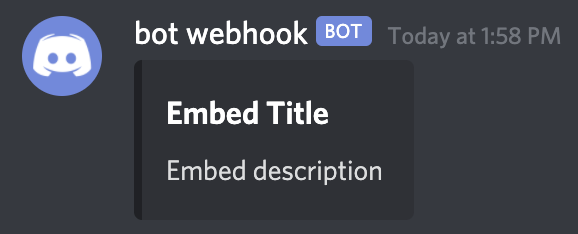
basic embed
from discordwebhook import Discord

discord = Discord(url="<your webhook url>")
discord.post(
    embeds=[{"title": "Embed Title", "description": "Embed description"}],
)
advanced embed
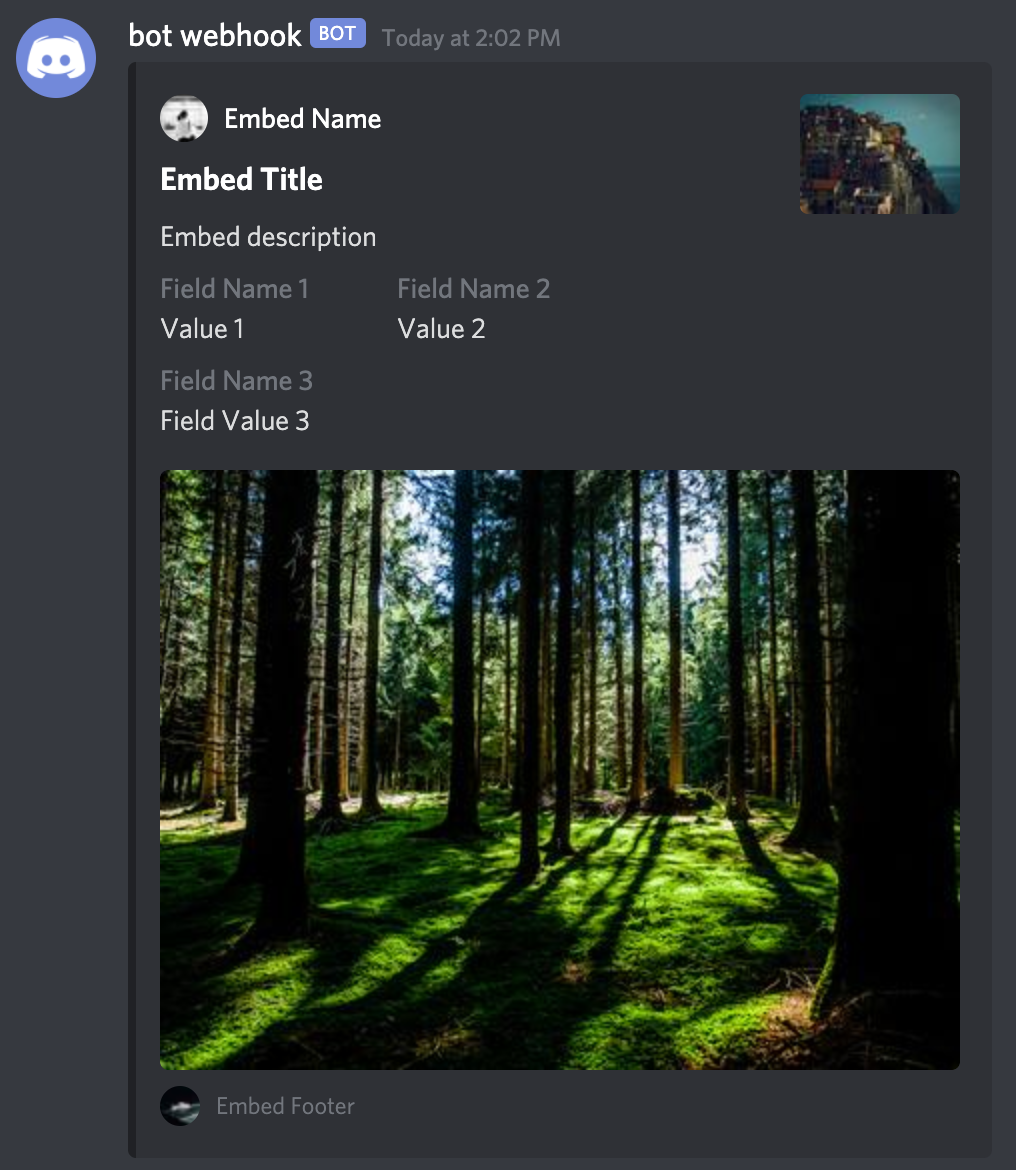
from discordwebhook import Discord

discord = Discord(url="<your webhook url>")
discord.post(
    embeds=[
        {
            "author": {
                "name": "Embed Name",
                "url": "https://github.com/10mohi6/discord-webhook-python",
                "icon_url": "https://picsum.photos/24/24",
            },
            "title": "Embed Title",
            "description": "Embed description",
            "fields": [
                {"name": "Field Name 1", "value": "Value 1", "inline": True},
                {"name": "Field Name 2", "value": "Value 2", "inline": True},
                {"name": "Field Name 3", "value": "Field Value 3"},
            ],
            "thumbnail": {"url": "https://picsum.photos/80/60"},
            "image": {"url": "https://picsum.photos/400/300"},
            "footer": {
                "text": "Embed Footer",
                "icon_url": "https://picsum.photos/20/20",
            },
        }
    ],
)
send file
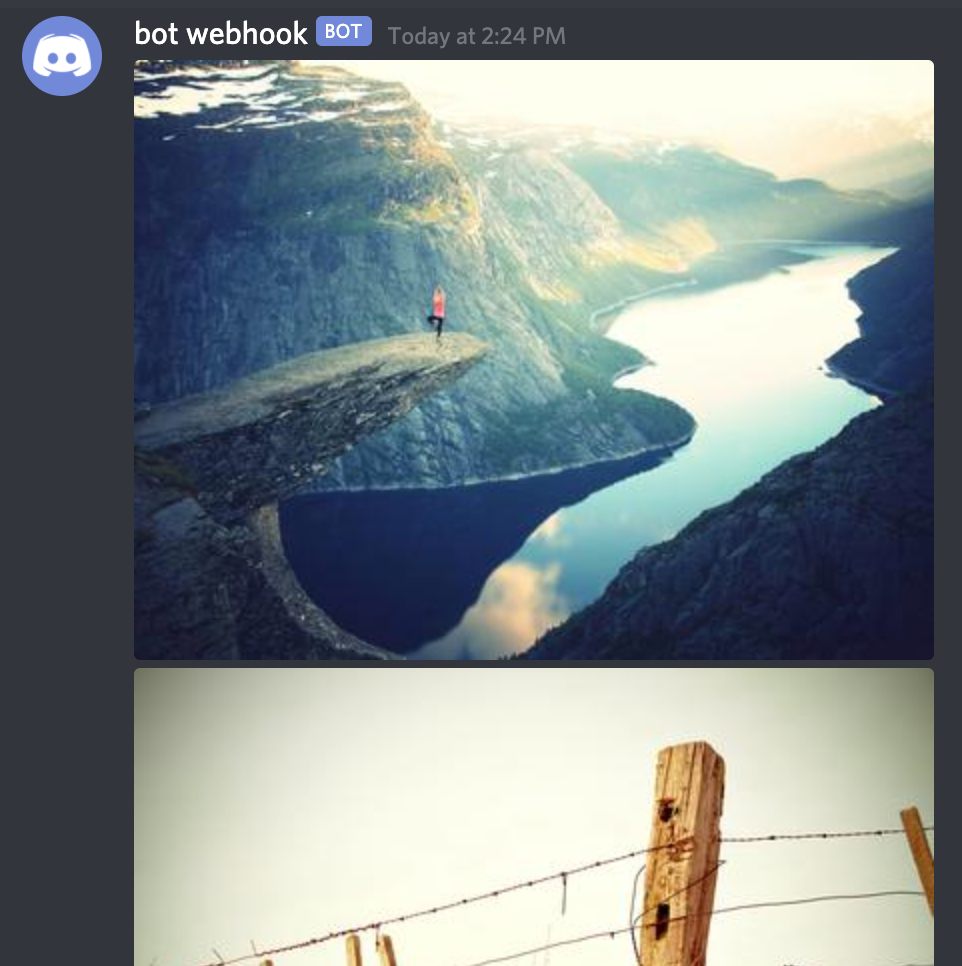
from discordwebhook import Discord

discord = Discord(url="<your webhook url>")
discord.post(
    file={
        "file1": open("tests/file1.jpg", "rb"),
        "file2": open("tests/file2.jpg", "rb"),
    },
)
Getting started
For help getting started with discord webhook, view our online documentation.
Contributing
- Fork it
- Create your feature branch (
git checkout -b my-new-feature) - Commit your changes (
git commit -am 'Add some feature') - Push to the branch (
git push origin my-new-feature) - Create new Pull Request
1 maintainer

Metadata
1 maintainer
Release files for discordwebhook 1.0.3
For a detailed explanation of source distributions (sdists) and built distributions (wheels), please see the package formats documentation.
Source distribution (sdist)
| File | Size | Uploaded | |
|---|---|---|---|
| discordwebhook-1.0.3.tar.gz | 3.7 kB | Details |
Built distribution (wheel)
| File | Interpreter | ABI | Platform | Reset |
|---|---|---|---|---|
| discordwebhook-1.0.3-py3-none-any.whl | Python 3 | none | any | Details |
Total release size: 7.7 kB
Release files / discordwebhook-1.0.3.tar.gz
| Download URL | discordwebhook-1.0.3.tar.gz |
|---|---|
| Size | 3.7 kB |
| Tags | Source |
|
SHA-256 checksum How to use checksums |
b2a89cc322e036c36f694f23a02023e79d6916f5b6be127de2733b7b1f93445c
|
|
BLAKE2b-256 checksum How to use checksums |
15e19a4b4ed4aded1c4dc6e708d8d10dd2a72097f8711f027e4cc76364783d83
|
| Upload date | |
|
Uploaded using Trusted Publishing? What is trusted publishing? |
No |
| Uploaded via |
twine/3.7.1 importlib_metadata/4.8.2 pkginfo/1.8.2 requests/2.26.0 requests-toolbelt/0.9.1 tqdm/4.62.3 CPython/3.10.1
|
Release files / discordwebhook-1.0.3-py3-none-any.whl
| Download URL | discordwebhook-1.0.3-py3-none-any.whl |
|---|---|
| Size | 4.0 kB |
| Tags | Python 3 |
|
SHA-256 checksum How to use checksums |
0dddc400d631c57795cae03939aa37163299d2d7e3361036fa508836326c7ea6
|
|
BLAKE2b-256 checksum How to use checksums |
0055fdf733fc29268d278e6d28daed6e9772d3ba9d01a53f365a568222f6958c
|
| Upload date | |
|
Uploaded using Trusted Publishing? What is trusted publishing? |
No |
| Uploaded via |
twine/3.7.1 importlib_metadata/4.8.2 pkginfo/1.8.2 requests/2.26.0 requests-toolbelt/0.9.1 tqdm/4.62.3 CPython/3.10.1
|














