
Disco Terminal


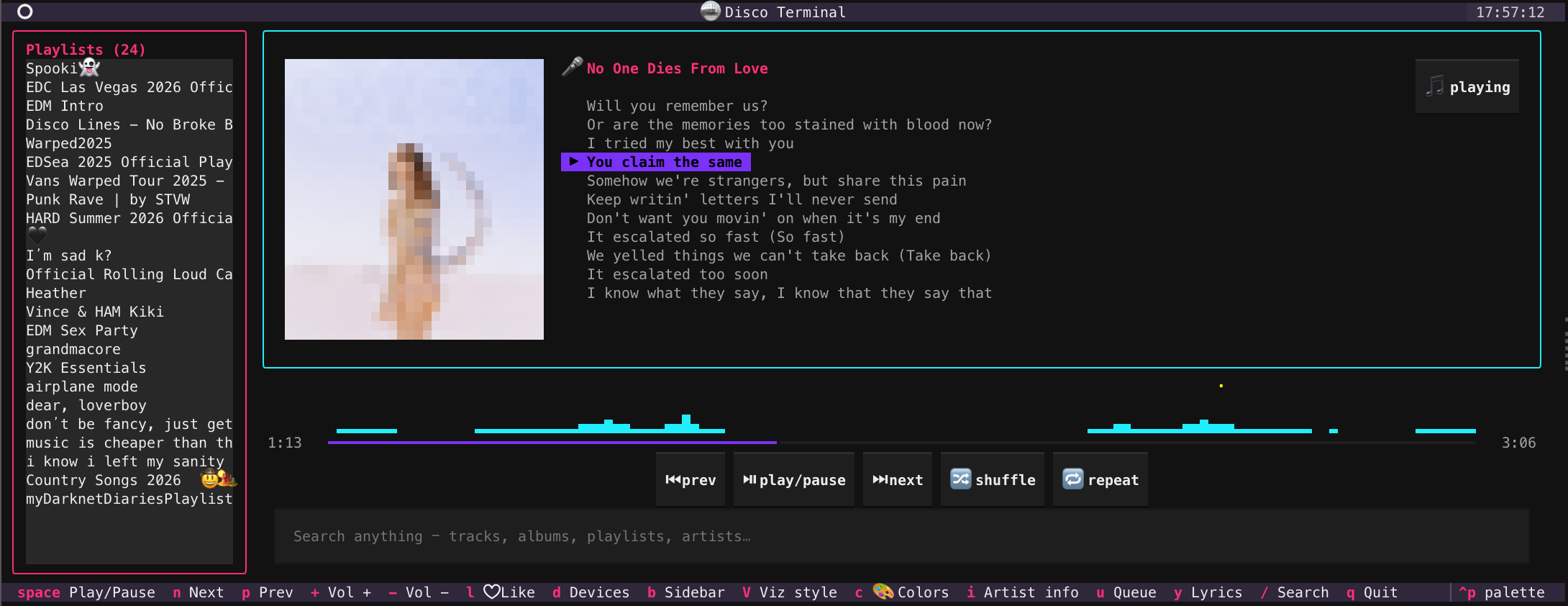
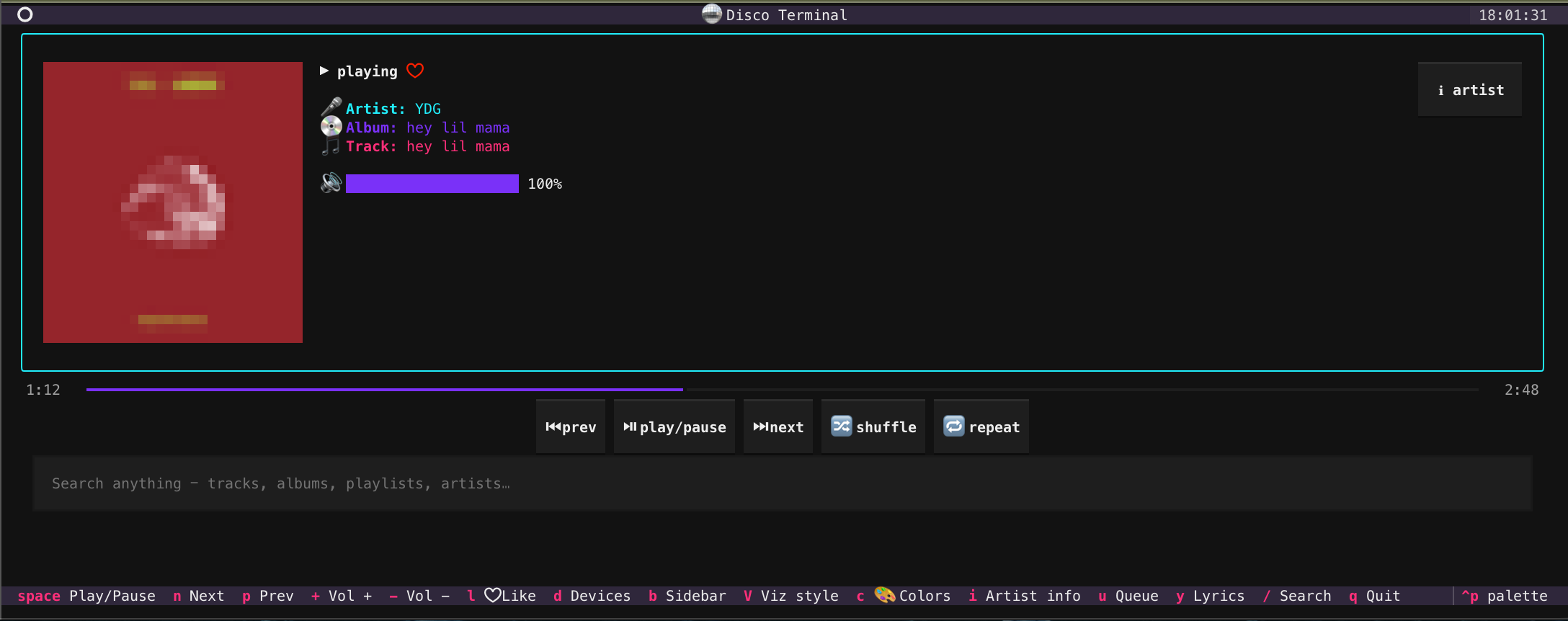
A Spotify client that runs entirely in your terminal. Album art, a real-time cava audio visualizer, full-app color theming, synced lyrics, and playback control — in iTerm2, kitty, or Windows Terminal, without leaving your shell or focusing the Spotify window. Turn your terminal into a disco.
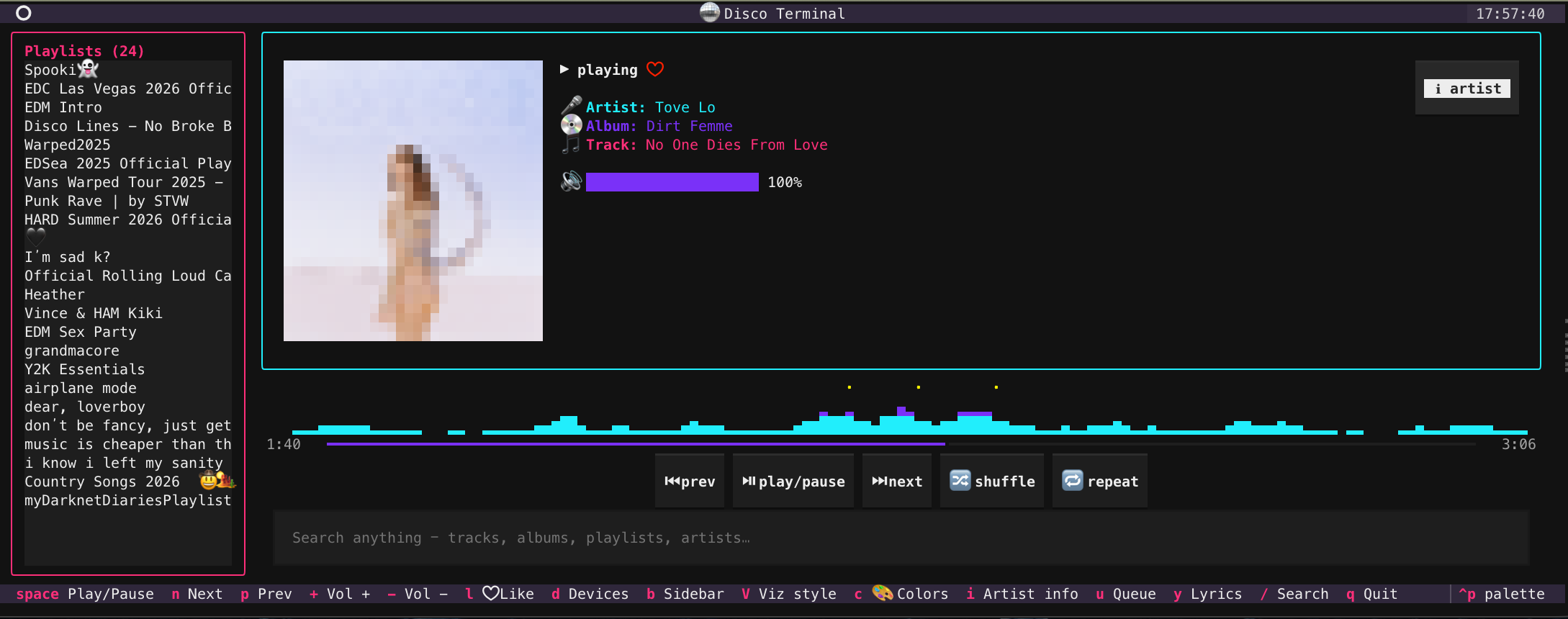
Yes — everything above is a terminal emulator rendering text.
pipx install discoterminal
See it move
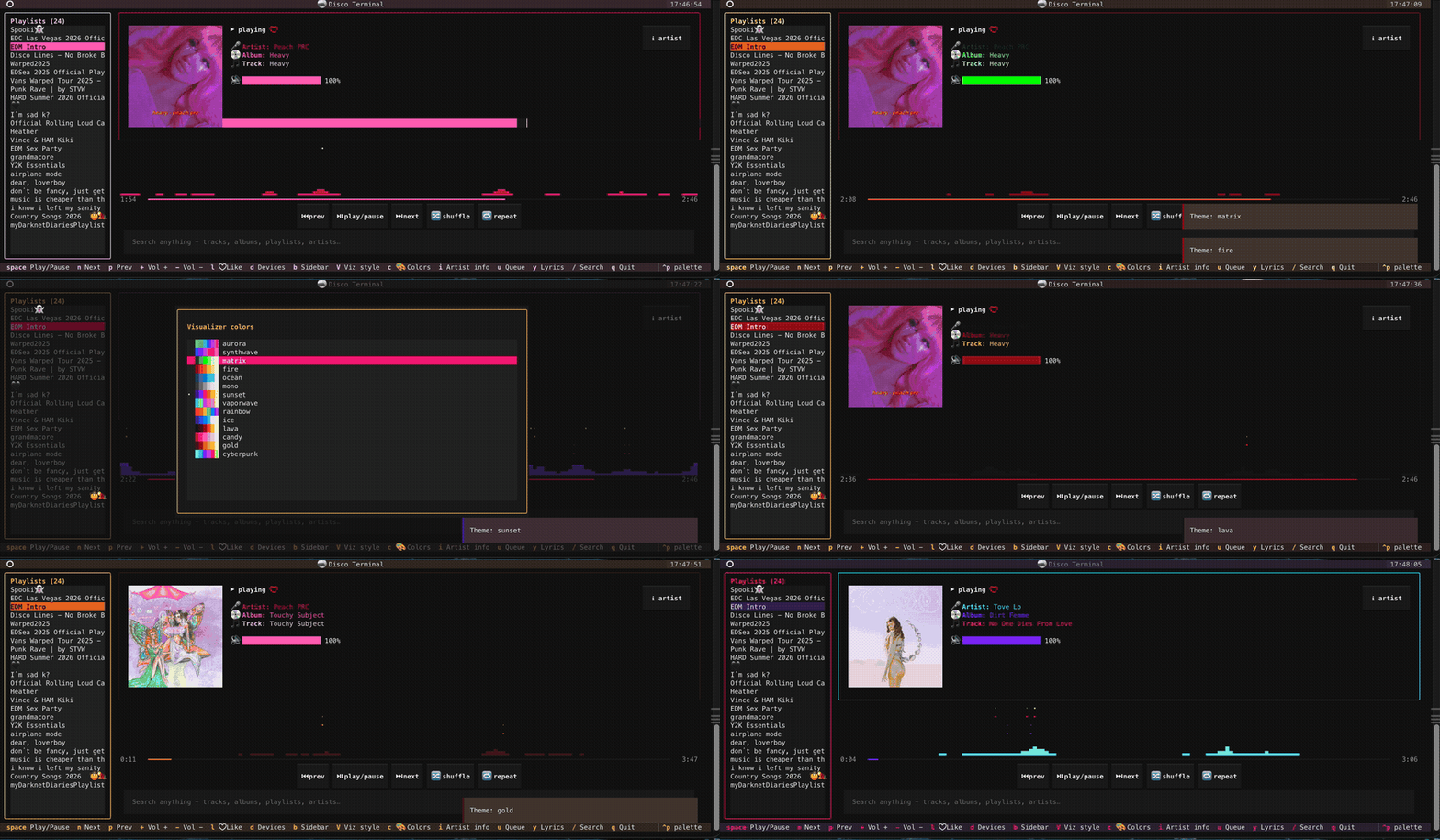
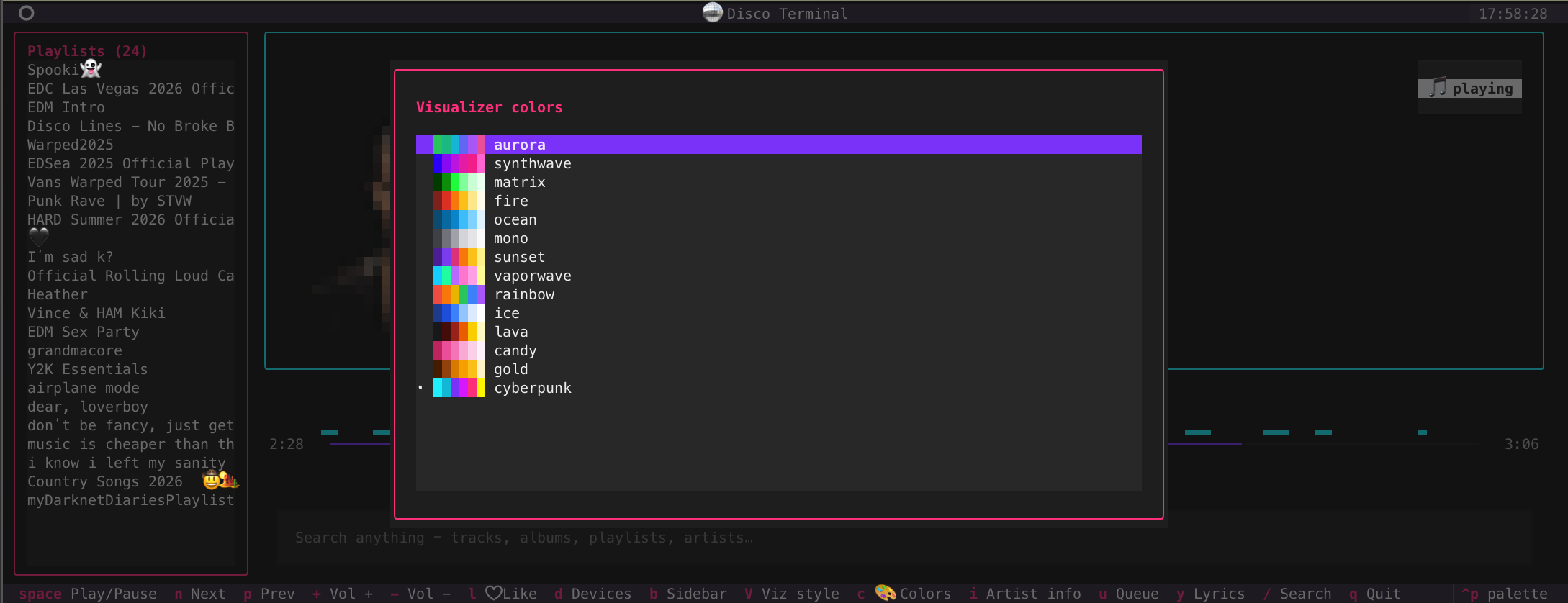
Pick a palette and the whole app rethemes — visualizer, borders, buttons, labels:
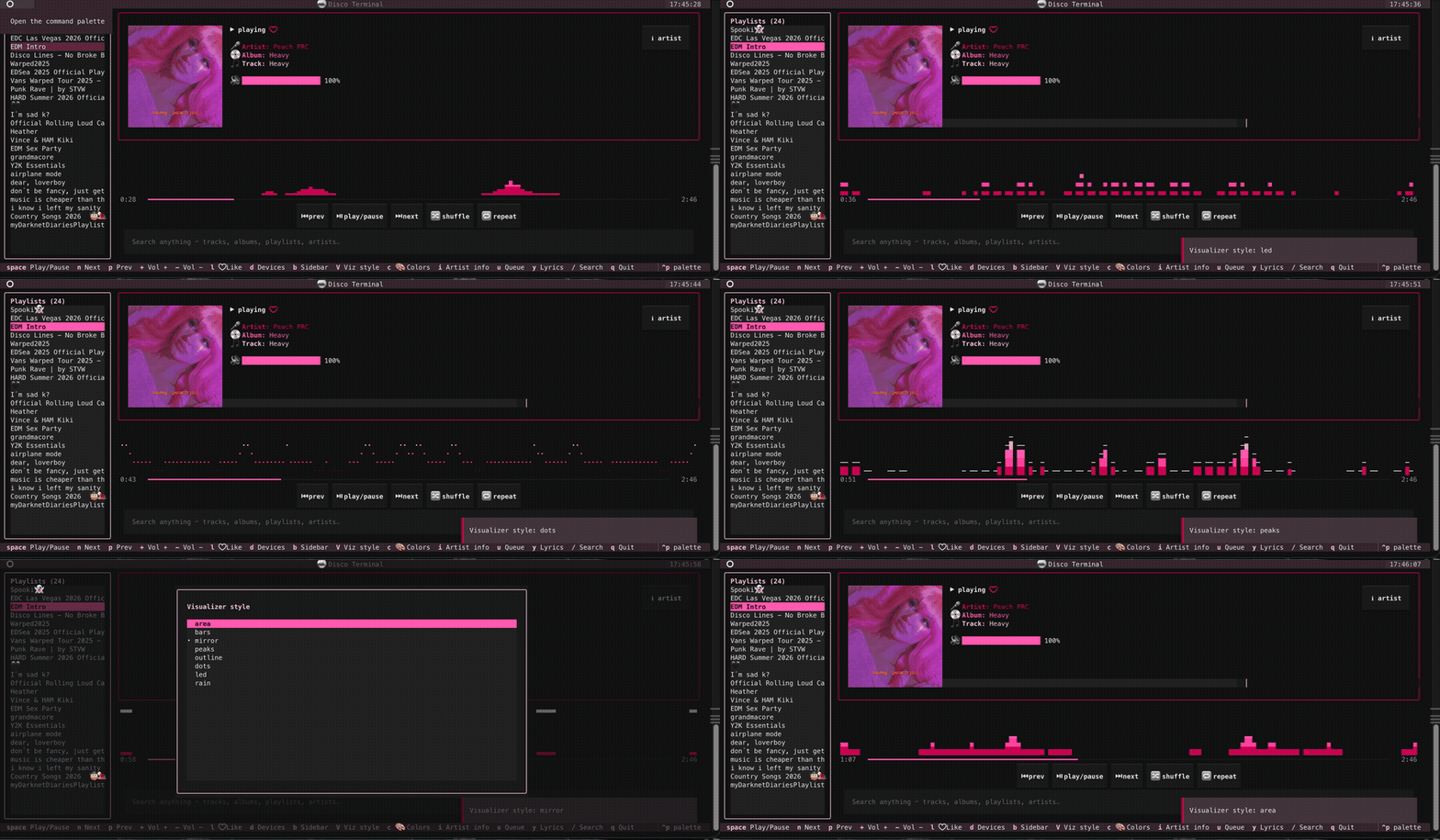
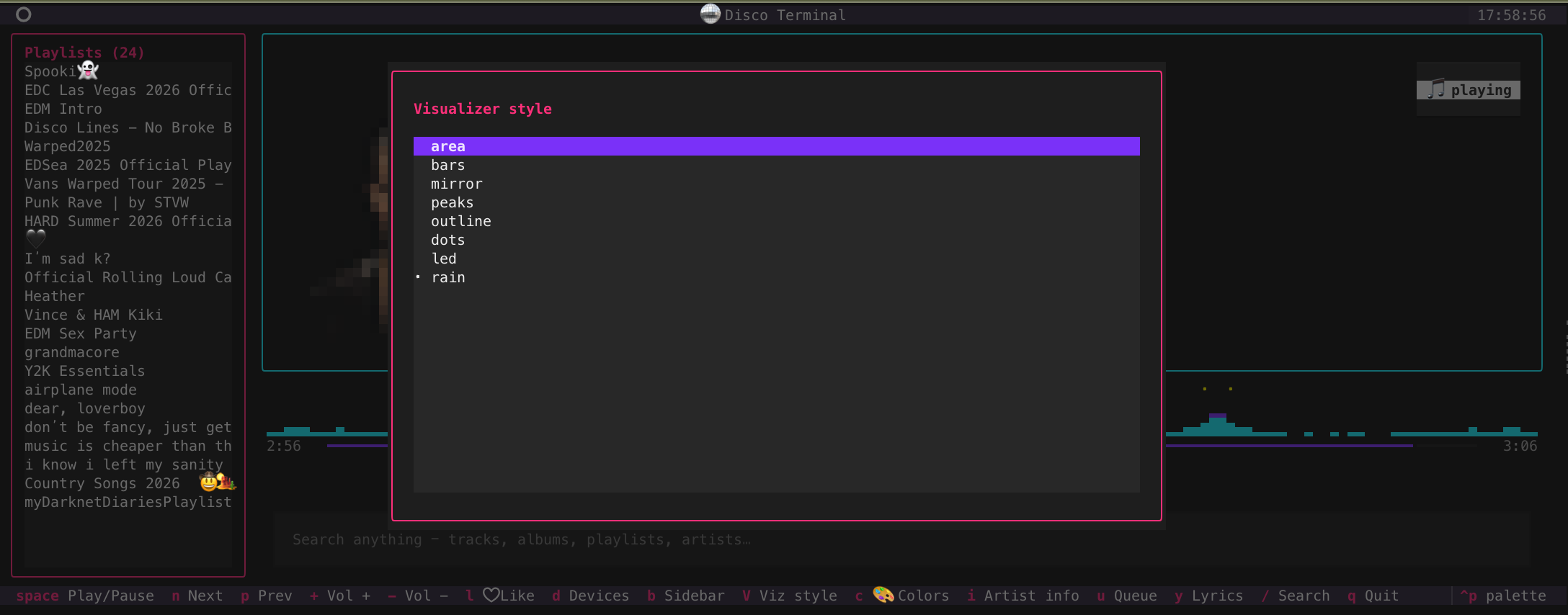
Eight visualizer styles (area, bars, mirror, peaks, outline, dots, led, rain):
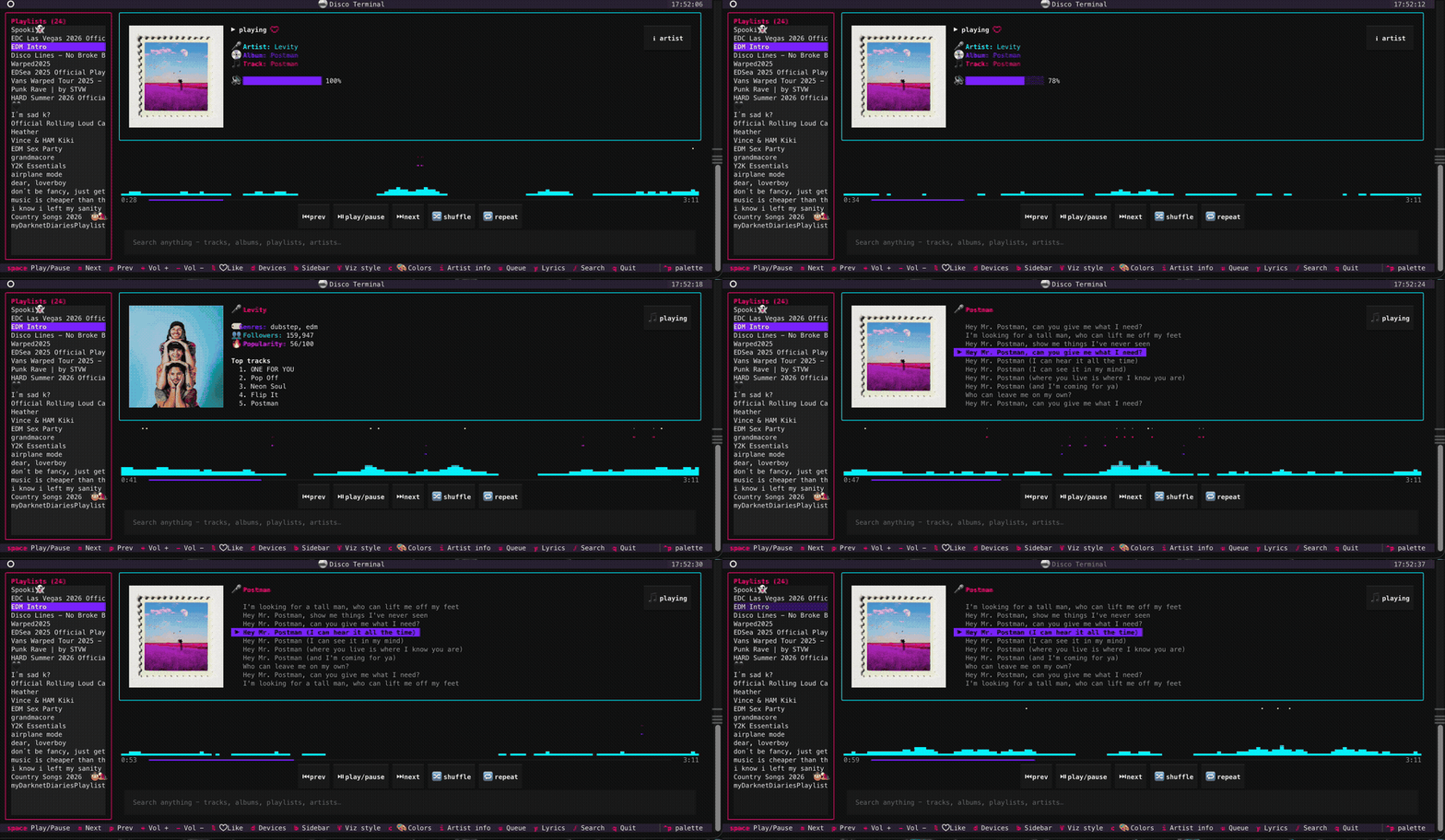
Synced lyrics follow the song, Spotify-style; the card flips between now-playing, artist info, and lyrics:
More demos & screenshots (search, playlists, playback, cards…)
Search anything
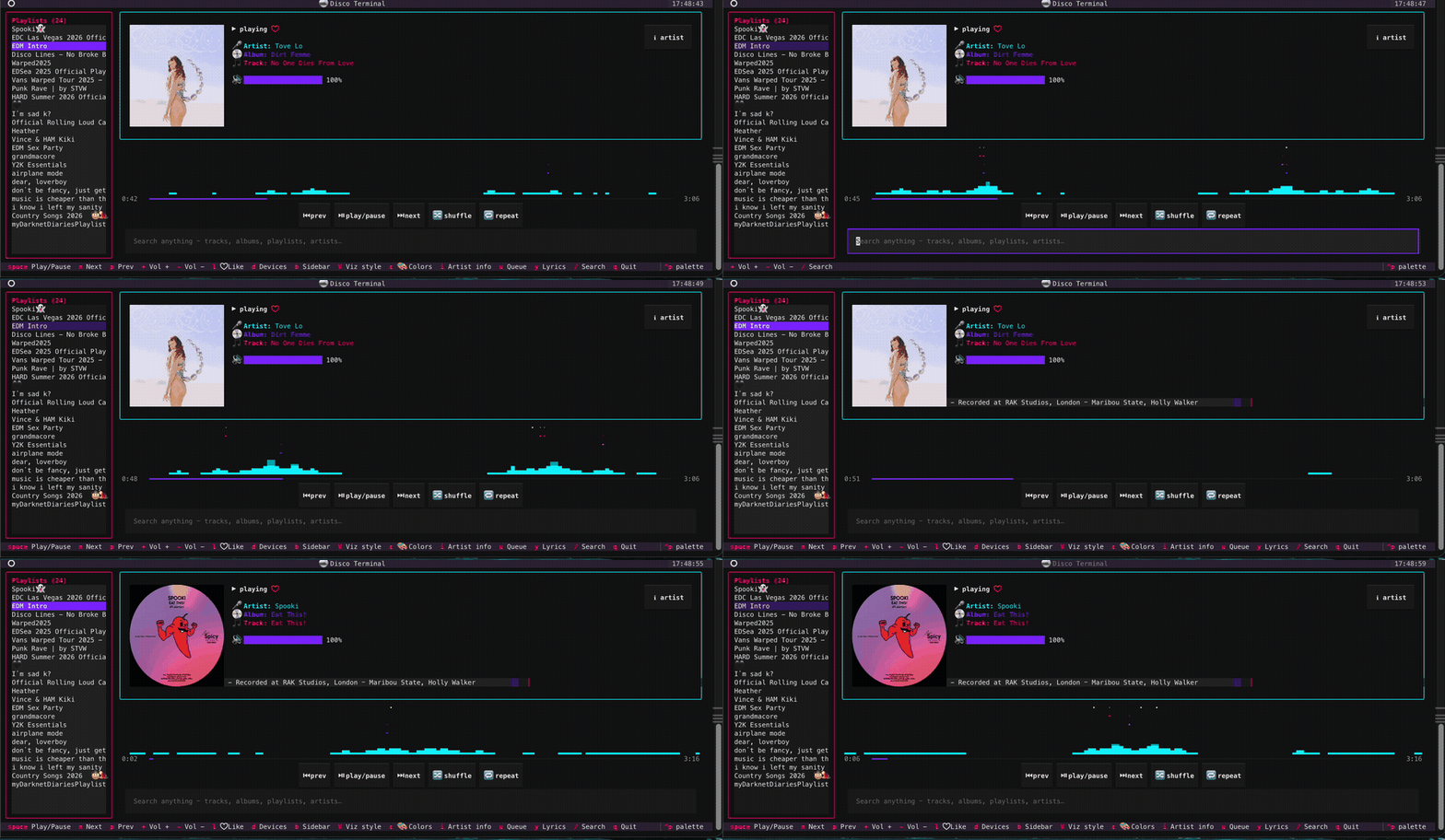
Playlists sidebar
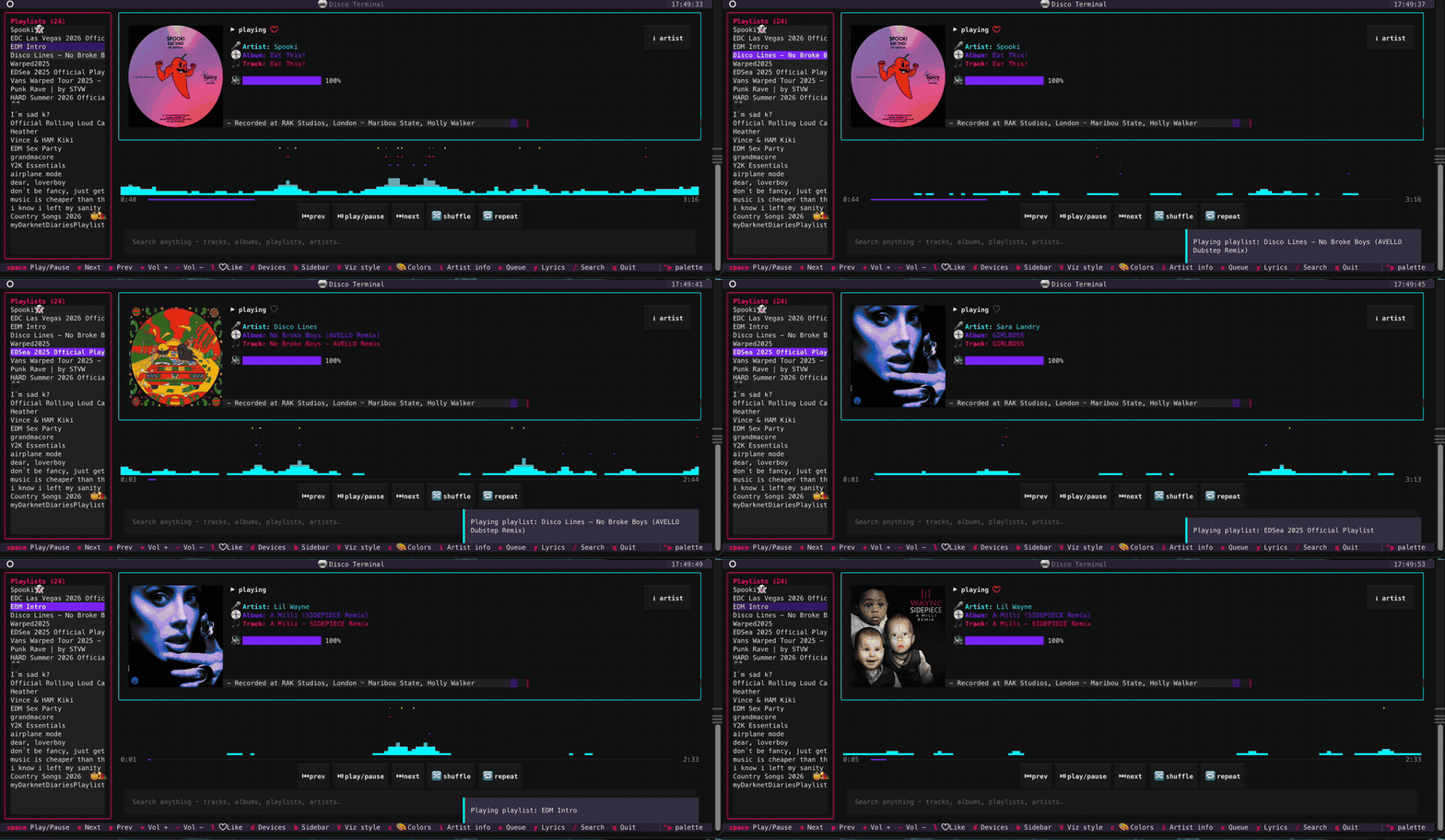
Playback controls
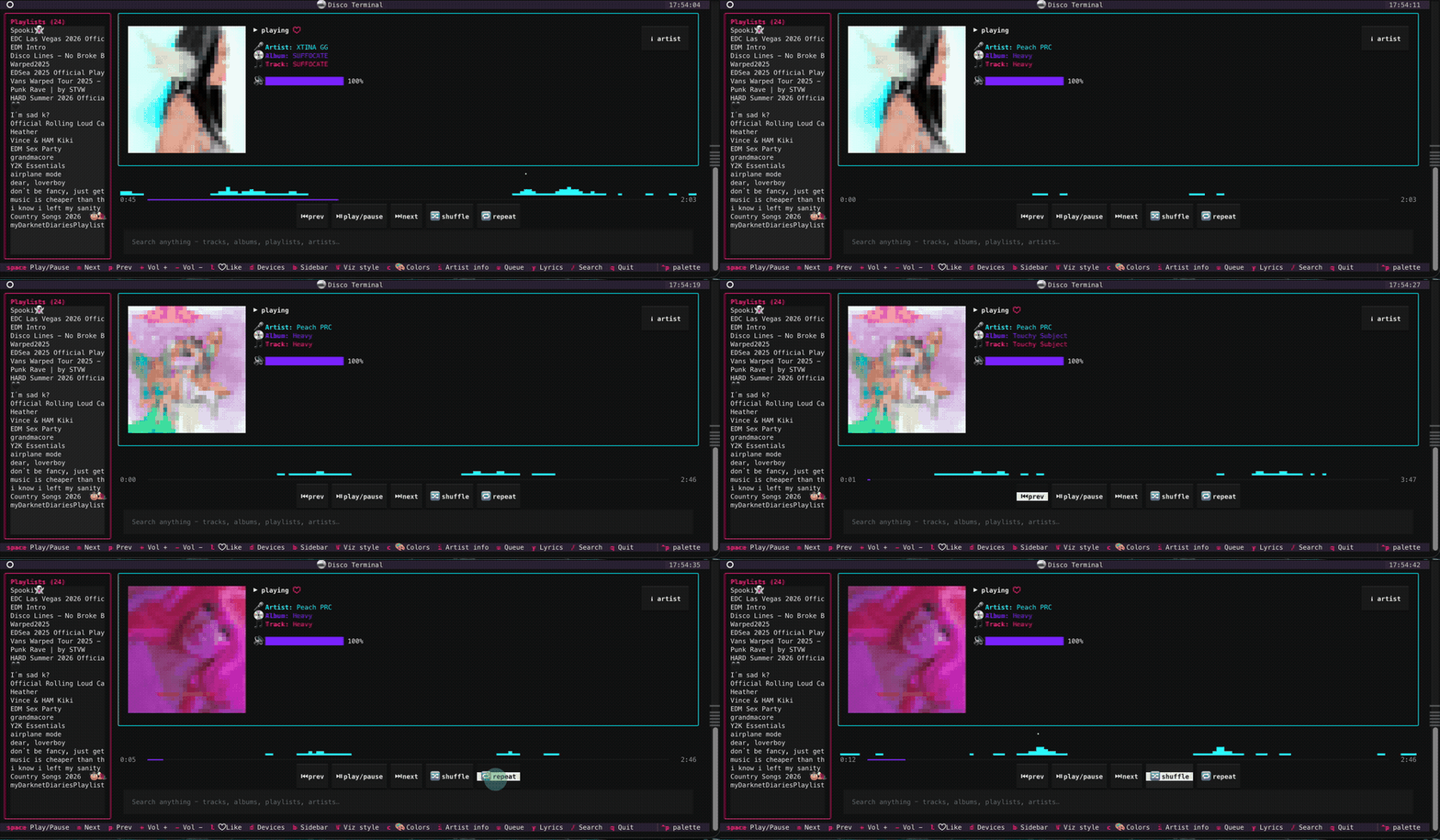
Cards & pickers
 |
 |
 |
 |
 |
 |
Visualizer on / off
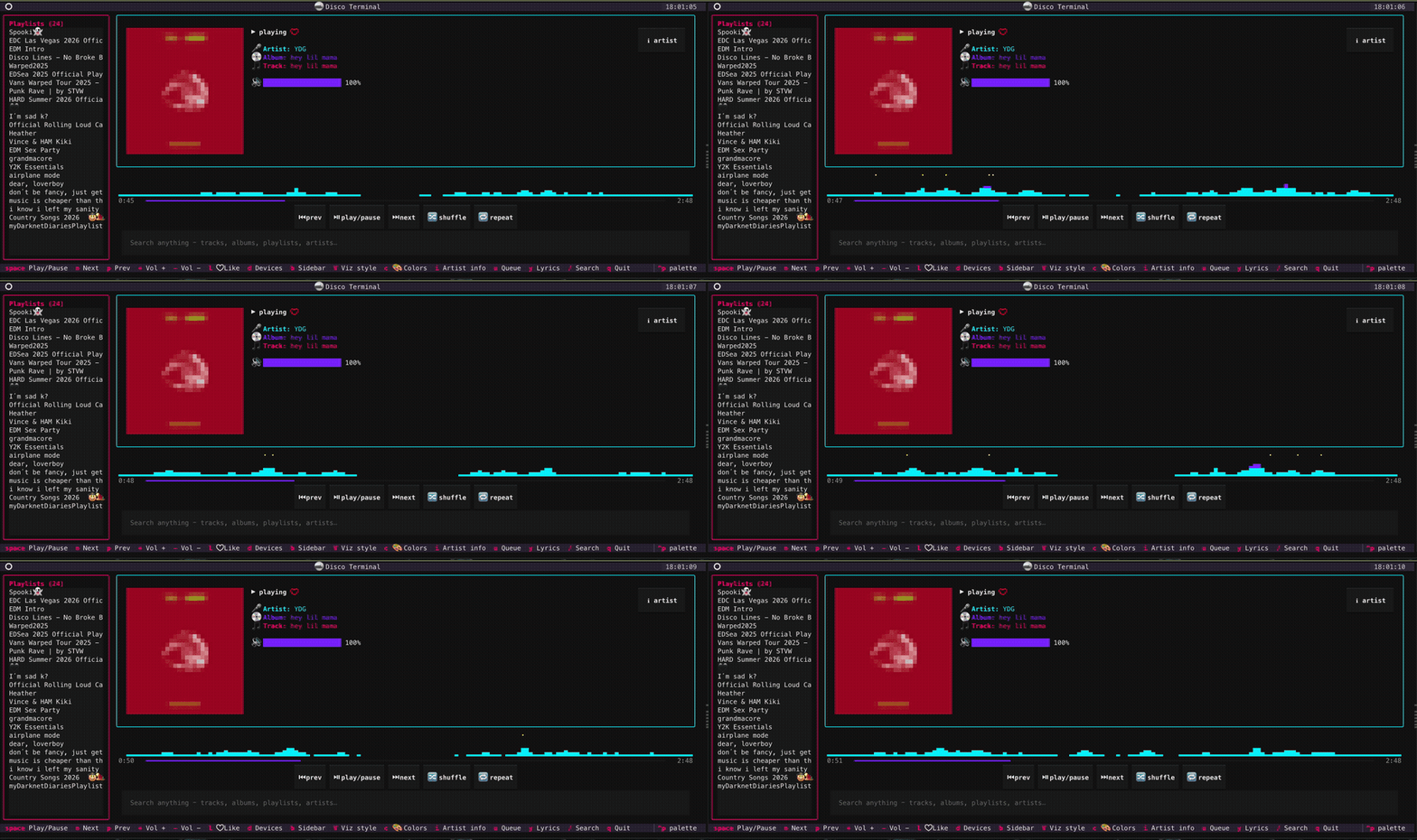
Built with Textual. Playback control picks the best backend for your platform automatically:
| Platform | Local control | Visualizer audio |
|---|---|---|
| macOS | shpotify (AppleScript) | BlackHole loopback (setup script included) |
| Linux | playerctl (MPRIS) | PulseAudio/PipeWire monitor — works out of the box |
| Windows (experimental) | Spotify Web API | cava's native WASAPI loopback |
The Spotify Web API (OAuth PKCE) powers your library, search, devices, queue,
and is the universal control fallback. Override backend selection with
{"backend": "shpotify" | "playerctl" | "webapi"} in config.
Features
- 🎨 Now playing card with album art (sixel/TGP/halfcell), live progress bar, and click-to-seek
- 📊 Audio visualizer — embedded cava, 8 render styles (area, bars, mirror, peaks, outline, dots, led, rain), 14 color palettes
- 🌈 Whole-app theming — pick a palette and every border, button, and label recolors to match
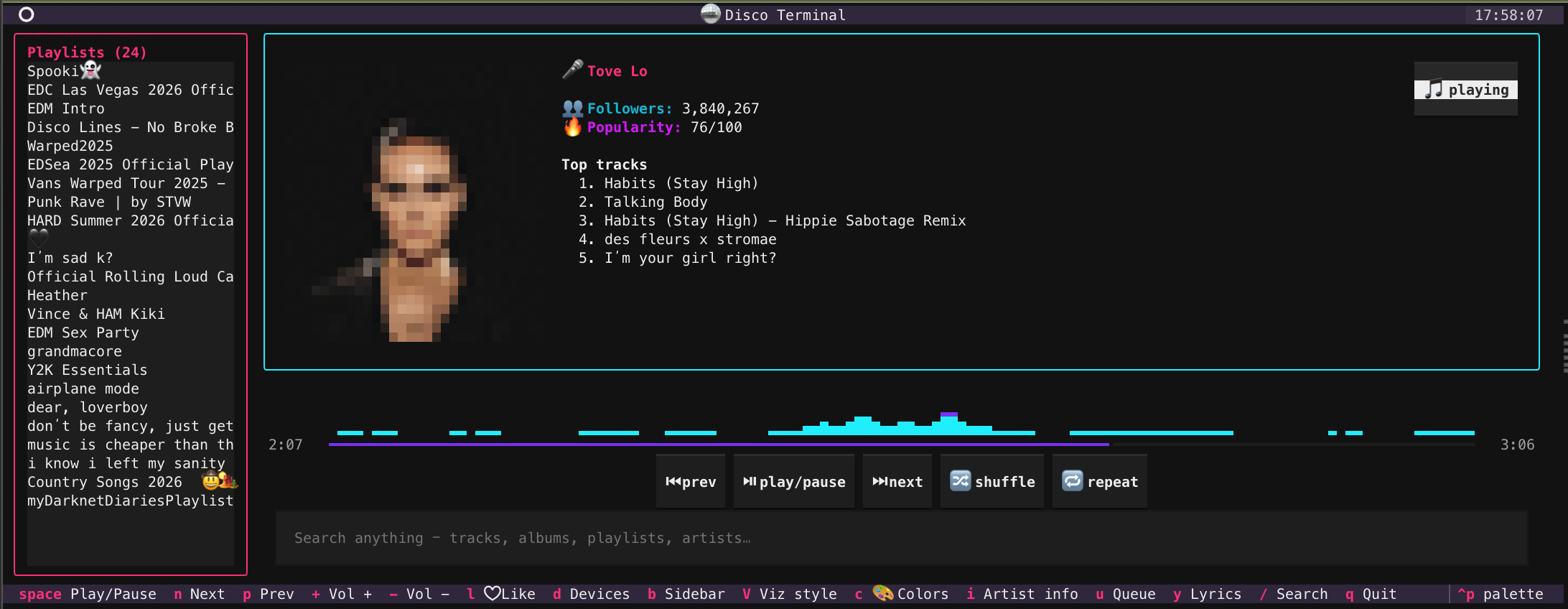
- 🔀 Card flip — artist info (genres, followers, popularity, top tracks) with artist photo
- 📻 Your playlists in a collapsible sidebar, fetched live from your account
- 🔍 Search anything — tracks, albums, playlists, artists — pick from a results modal
- 🎤 Lyrics via lrclib.net (no API key)
- ♥ Like/unlike the current track, ⏭ queue viewer, 📱 device switcher
- 🕺 Rave mode — beat-detected palette strobes across the whole app, or a fullscreen VJ takeover (flash rate capped at 4/sec)
- ⌨️ Everything keyboard-driven; playback via Web API so the Spotify app never steals focus
Install
macOS:
brew install shpotify cava            # local control + visualizer
pipx install discoterminal                 # or: pip install discoterminal
discoterminal
Linux:
sudo apt install playerctl cava       # or your distro's equivalent
pipx install discoterminal
discoterminal
Windows (experimental — testers wanted):
pip install discoterminal                  # control goes through the Web API
discoterminal                              # cava optional; needs a sixel-capable terminal
Requires Python 3.11+ and the Spotify desktop app. The Web API features (playlists, search, queue, lyrics card, artist info) need a Premium account — a Feb 2026 Spotify policy requires Premium for Web-API dev-mode apps. Local playback control via shpotify/playerctl works without Premium.
Spotify API setup (one time)
-
Go to the Spotify developer dashboard and create an app.
- If the Web API checkbox is greyed out on the create form (a known dashboard bug): create the app without it, then Edit the app and add Web API there — it won't be greyed out on edit.
-
Add redirect URI:
http://127.0.0.1:8888/callback -
Copy the Client ID into
~/.config/discoterminal/config.json:{ "client_id": "your-client-id-here" }
(or
export SPOTIPY_CLIENT_ID=...) -
First launch opens a browser to log in once; the token is cached after. No client secret needed — discoterminal uses the PKCE flow.
Visualizer audio setup (macOS only, optional)
Linux and Windows: nothing to do — cava captures system audio natively (PulseAudio/PipeWire monitor, WASAPI loopback).
macOS has no built-in way for apps to hear system output, so cava needs a loopback device:
brew install blackhole-2ch
sudo killall coreaudiod              # load the driver
swift scripts/setup-audio.swift      # create + activate a Multi-Output device
The script builds a "Disco Terminal Multi-Out" device (your speakers + BlackHole) via CoreAudio and switches the system output to it. discoterminal auto-detects BlackHole and points cava at it. Skip all this and the visualizer simply shows a hint instead.
Note: with a Multi-Output device active, macOS volume keys are disabled (aggregate-device limitation). Use discoterminal's
+/-— they control Spotify's own volume.
Turn it off / undo:
swift scripts/setup-audio.swift off      # back to speakers (device kept)
swift scripts/setup-audio.swift remove   # back to speakers + delete the device
Re-running without arguments turns it back on. Or just pick any output in System Settings → Sound.
Automatic mode: once the Multi-Out device exists, discoterminal switches to it
on launch and restores your previous output on quit — you only run the
setup script once, ever. Opt out with {"auto_multiout": false} in
config.json.
Keys
| Key | Action |
|---|---|
space |
Play / pause |
n / p |
Next / previous track |
+ / - |
Volume up / down |
l |
♥ Like / unlike current track |
i |
Flip card: song ↔ artist info |
y |
Lyrics |
u |
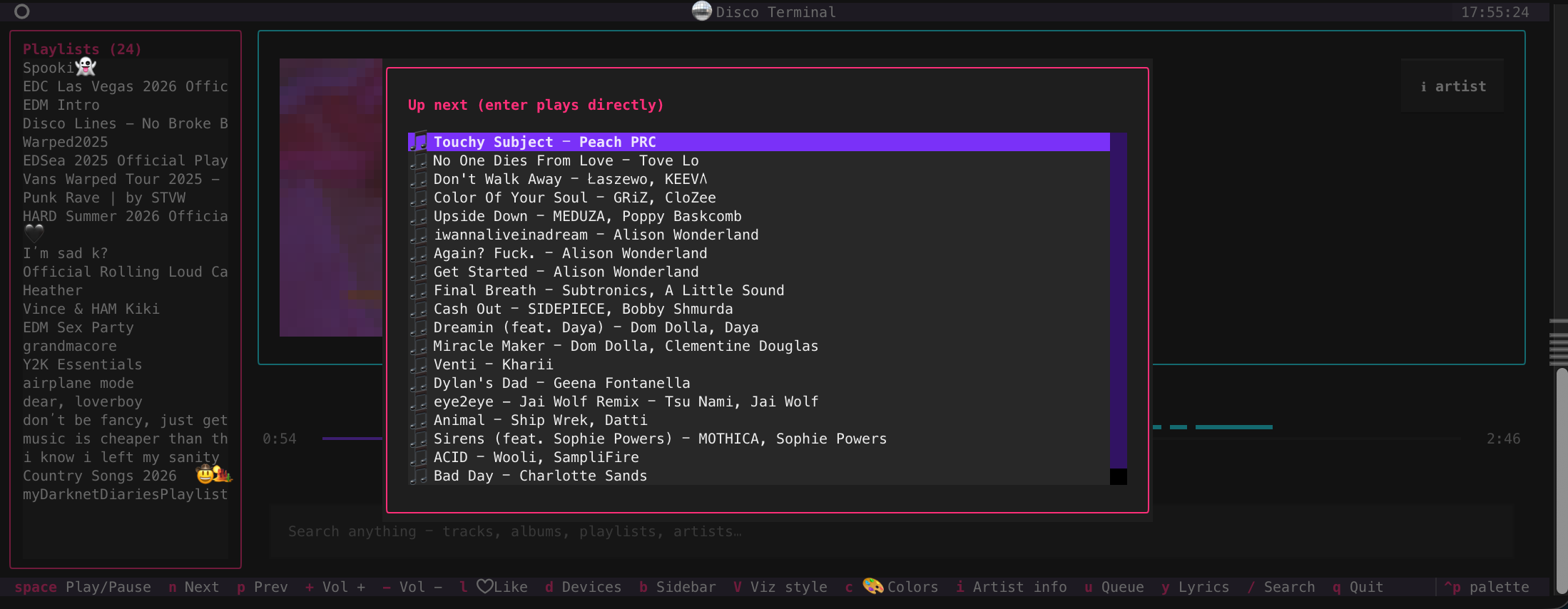
Queue viewer |
d |
Device switcher |
/ |
Search (Enter → results picker) |
b |
Toggle playlist sidebar |
v |
Toggle visualizer |
shift+V |
Visualizer style picker |
c |
Color palette / theme picker |
| click progress bar | Seek |
shift+R |
🕺 Rave mode: beat-strobing palettes → fullscreen VJ takeover |
q |
Quit |
Startup arguments: discoterminal next, discoterminal <playlist name>, discoterminal play artist NF — opens the TUI and runs the action.
Config reference
~/.config/discoterminal/config.json:
| Key | Values | Default |
|---|---|---|
client_id |
Spotify app client ID | — |
visualizer_style |
area bars mirror peaks outline dots led rain |
area |
visualizer_colors |
aurora synthwave matrix fire ocean mono sunset vaporwave rainbow ice lava candy gold cyberpunk |
aurora |
art_renderer |
auto sixel tgp halfcell unicode |
auto |
auto_multiout |
true / false — switch to Multi-Out on launch, restore on quit (macOS) |
true |
backend |
shpotify playerctl webapi — override auto-selection |
auto |
Development
pip install -e ".[dev]"
pytest
ruff check src tests
mypy src
Tests run headless with mocked Spotify backends — no account or audio setup needed. CI covers Linux, macOS, and Windows.
License
MIT
1 maintainer

Metadata
1 maintainer
Release files for discoterminal 0.3.1
For a detailed explanation of source distributions (sdists) and built distributions (wheels), please see the package formats documentation.
Source distribution (sdist)
| File | Size | Uploaded | |
|---|---|---|---|
| discoterminal-0.3.1.tar.gz | 9.9 MB | Details |
Built distribution (wheel)
| File | Interpreter | ABI | Platform | Reset |
|---|---|---|---|---|
| discoterminal-0.3.1-py3-none-any.whl | Python 3 | none | any | Details |
Total release size: 10.0 MB
Release files / discoterminal-0.3.1.tar.gz
| Download URL | discoterminal-0.3.1.tar.gz |
|---|---|
| Size | 9.9 MB |
| Tags | Source |
|
SHA-256 checksum How to use checksums |
f20272e32ed53525295ca158baa1cf065c4a57ff6101177ba20967502fa8feba
|
|
BLAKE2b-256 checksum How to use checksums |
a4c8621105b08a43d3657c8aab5d2498e16cb73f2142011c4170daf219616ce6
|
| Upload date | |
|
Uploaded using Trusted Publishing? What is trusted publishing? |
Yes |
| Uploaded via |
twine/6.1.0 CPython/3.13.12
|
Provenance
Provenance describes where a file came from. On PyPI, provenance is shared via attestations, which provide a verifiable record of the build or publishing details. View details, limitations and caveats.


PyPI Publish Attestation
PyPI verified that this artifact, at this checksum, originated from the publisher listed below.
Signed by GitHub Actions, verified by PyPI on Jul 5, 2026.
Transparency logRelease files / discoterminal-0.3.1-py3-none-any.whl
| Download URL | discoterminal-0.3.1-py3-none-any.whl |
|---|---|
| Size | 36.5 kB |
| Tags | Python 3 |
|
SHA-256 checksum How to use checksums |
04c4301d442584e3e16f0a297dfe139d3cf547c7cb3d9f601d662bc88569acd1
|
|
BLAKE2b-256 checksum How to use checksums |
744358d9948ffdb470ec2a7ff84c254b994547d54e2ee05094a7a87d3e4ffe3d
|
| Upload date | |
|
Uploaded using Trusted Publishing? What is trusted publishing? |
Yes |
| Uploaded via |
twine/6.1.0 CPython/3.13.12
|
Provenance
Provenance describes where a file came from. On PyPI, provenance is shared via attestations, which provide a verifiable record of the build or publishing details. View details, limitations and caveats.
PyPI Publish Attestation
PyPI verified that this artifact, at this checksum, originated from the publisher listed below.
Signed by GitHub Actions, verified by PyPI on Jul 5, 2026.
Transparency log













