
Visualize your disk free space without Windows Explorer

Project description
diskstat

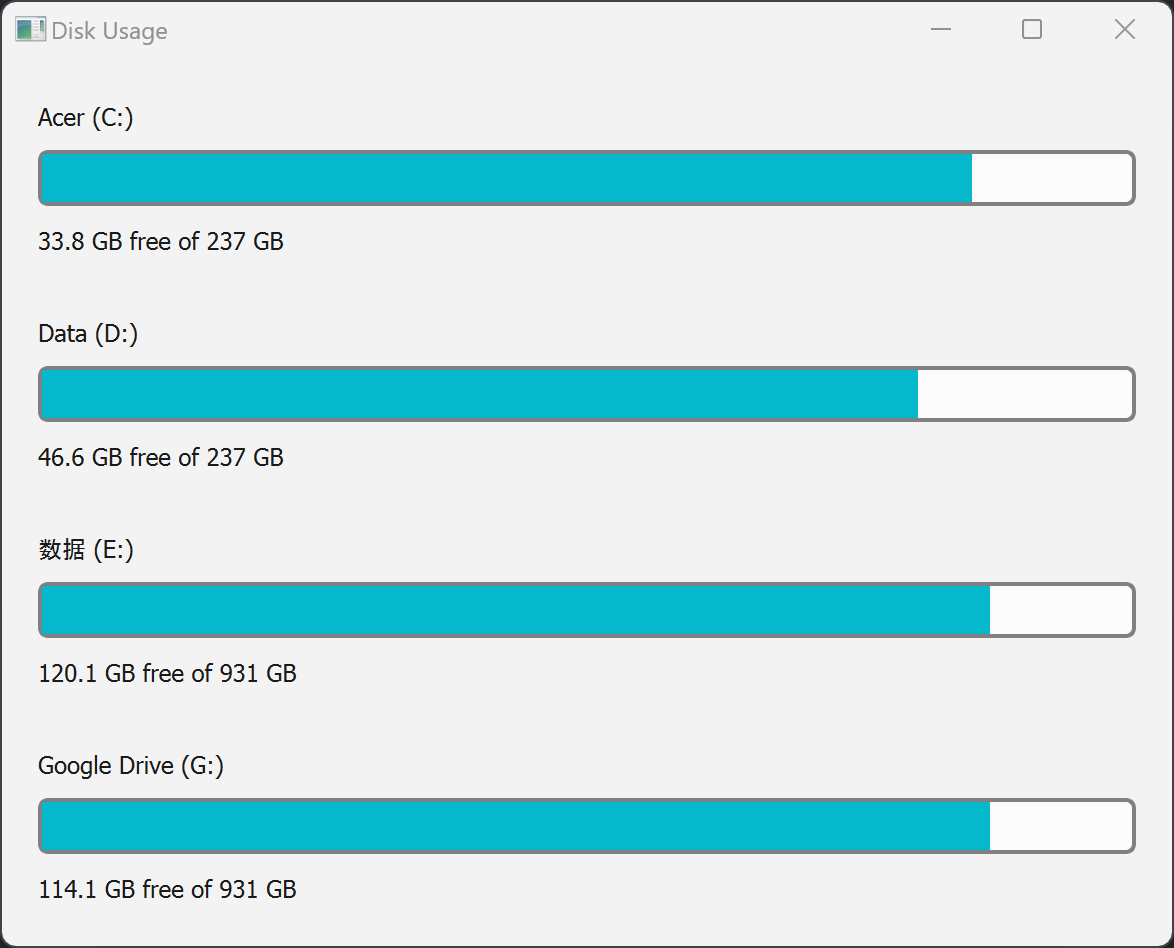
Visualize your disk free space without Windows Explorer.
install
pip install -U diskstat
Options
> diskstat.exe --help
usage: diskstat [-h] [-d] [-o]

options:
  -h, --help     show this help message and exit
  -d, --disable  disable auto start
  -o, --open     open startup folder
for example, if you want to start this with Windows:
diskstat.exe
to disable:
diskstat.exe -d
to launch via command line:
diskstat-launcher.exe
API for testing
show: http://127.0.0.1:12346/show
hide: http://127.0.0.1:12346/hide
stop: http://127.0.0.1:12346/stop, only useful when debugging
Screenshots
Features
Red bar when free space is lower than 10% (Same as Windows Explorer).
Use 'Win+Alt+O' for shortcut key.
Release history Release notifications | RSS feed


Download files
Download the file for your platform. If you're not sure which to choose, learn more about installing packages.
Source Distribution
Built Distribution
Filter files by name, interpreter, ABI, and platform.
If you're not sure about the file name format, learn more about wheel file names.
Copy a direct link to the current filters
File details
Details for the file diskstat-2025.1.13.0.tar.gz.
File metadata
- Download URL: diskstat-2025.1.13.0.tar.gz
- Upload date:
- Size: 33.9 kB
- Tags: Source
- Uploaded using Trusted Publishing? No
- Uploaded via: twine/6.0.1 CPython/3.13.0
File hashes
| Algorithm | Hash digest | |
|---|---|---|
| SHA256 |
88de68ca41df76f126fbde61e3d204a338f068bf40b4eaca9c57b8d62affa647
|
|
| MD5 |
a57016e56fc82b44c7cb44118d4623c2
|
|
| BLAKE2b-256 |
b04898f874adc6f85355156f042e11092d1b7ce30e59136d6b60790895479dda
|
File details
Details for the file diskstat-2025.1.13.0-py3-none-any.whl.
File metadata
- Download URL: diskstat-2025.1.13.0-py3-none-any.whl
- Upload date:
- Size: 34.0 kB
- Tags: Python 3
- Uploaded using Trusted Publishing? No
- Uploaded via: twine/6.0.1 CPython/3.13.0
File hashes
| Algorithm | Hash digest | |
|---|---|---|
| SHA256 |
4522c95cbd9bc03ef4a70819926b234f3b4bff157eefc85970c5e51ed9231681
|
|
| MD5 |
6acc0c065702eec56032d50ccd599f76
|
|
| BLAKE2b-256 |
53f07f99eebed6e956895b09169912685bd8b1d353a11b0ad90a9eb8c32a8504
|






