
DisSysLab — build continuous offices of AI agents in plain English.

Project description
DisSysLab — Build Your Own Office of AI Agents
AI chatbots answer when you ask. DisSysLab runs an office of AI agents that works for you continuously — monitoring sources, filtering, analyzing, and delivering results all the time, until you tell it to stop.
You describe the office in plain English. DisSysLab builds it.
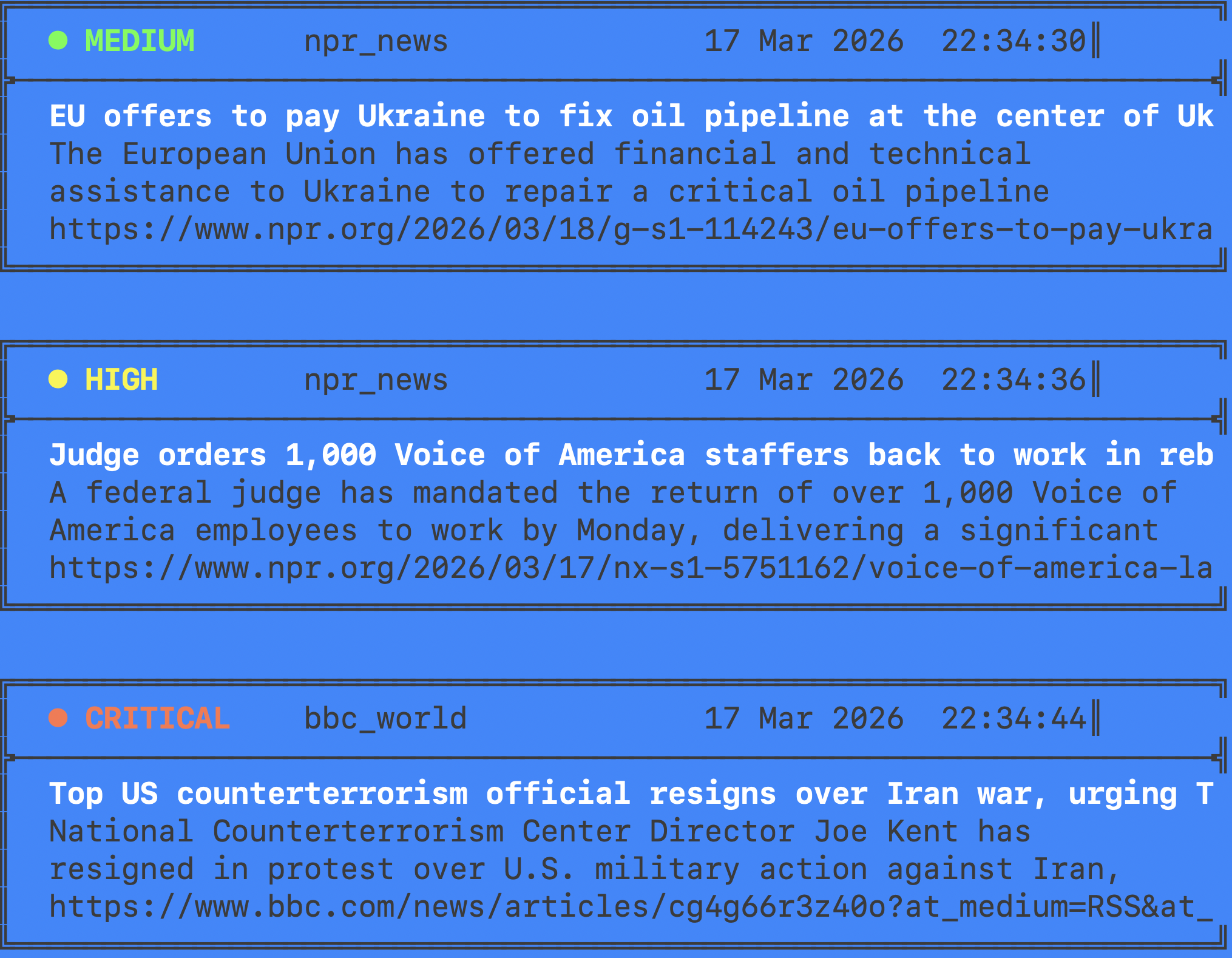
Three steps to a running office
1. Install:
pip install dissyslab
2. Get an Anthropic API key at https://console.anthropic.com and
save it in a .env file. Full setup and troubleshooting in
API_KEY_SETUP.md
— takes about 3 minutes.
3. Run your first office:
dsl init weather_monitor my_weather
cd my_weather
dsl run .
Within a few seconds you'll see a one-sentence weather briefing
streaming to the console. Press Ctrl+C to stop.
dsl list shows every office that ships with DisSysLab. dsl init
copies one of them into a folder you own. From there, edit prompts,
swap sources, rewire agents — the office is yours.
What is an office?
An office is a team of AI agents with roles, connected by an org chart. You write each role in plain English — the same way you'd describe a job to a new hire — and you write the org chart in plain English too.
A single role file looks like this:
# Role: analyst

You are a news analyst who reviews articles and forwards items of
political or economic significance to an editor. Exclude celebrity
gossip, sports, and personal opinions.

If the item is relevant, send to editor.
Otherwise send to discard.
That's an agent. Combine a handful of them with sources and sinks in an org chart, and you have an office that runs continuously.
Offices can contain offices. Each office is a black box — the organization around it only sees what goes in and what comes out. You build organizations of arbitrary complexity one office at a time, reusing offices across different networks.
Learn more
- Full documentation, source, and contributing guide on GitHub
- Visual walk-through in the micro-course
- Every shipped office with
dsl list
Requirements
- Python 3.9 or newer
- An Anthropic API key
License
MIT — see LICENSE on GitHub.
Release history Release notifications | RSS feed


Download files
Download the file for your platform. If you're not sure which to choose, learn more about installing packages.
Source Distribution
Built Distribution
Filter files by name, interpreter, ABI, and platform.
If you're not sure about the file name format, learn more about wheel file names.
Copy a direct link to the current filters
File details
Details for the file dissyslab-1.2.1.tar.gz.
File metadata
- Download URL: dissyslab-1.2.1.tar.gz
- Upload date:
- Size: 177.0 kB
- Tags: Source
- Uploaded using Trusted Publishing? No
- Uploaded via: twine/6.2.0 CPython/3.12.6
File hashes
| Algorithm | Hash digest | |
|---|---|---|
| SHA256 |
8322e6845d05c831d19c93c6e1dae70ec4dae3580b95a4efb39bb73b8a129e39
|
|
| MD5 |
72397f4deb09c387a9c6fbb64f4cea91
|
|
| BLAKE2b-256 |
685aa7642d5d8b7b9b16ec4d571898912da6d4e35c47015402f981d06800bc33
|
File details
Details for the file dissyslab-1.2.1-py3-none-any.whl.
File metadata
- Download URL: dissyslab-1.2.1-py3-none-any.whl
- Upload date:
- Size: 251.8 kB
- Tags: Python 3
- Uploaded using Trusted Publishing? No
- Uploaded via: twine/6.2.0 CPython/3.12.6
File hashes
| Algorithm | Hash digest | |
|---|---|---|
| SHA256 |
c5086ec73a2089a6a169ff7d214c287a03b9493990bc80596c23e203bdf1f00c
|
|
| MD5 |
9deb12b25aa6b3e5f1e35e67fb870fdb
|
|
| BLAKE2b-256 |
f971d6e2aea31d47024a8593f9e8ff0fed04ce258c146728639ae425aea241cc
|






