
This release is a pre-release and may not be stable for production use.
distilling-flask
Personal running data display and analysis app, powered by Flask/Dash/Pandas.

Table of Contents
Introduction
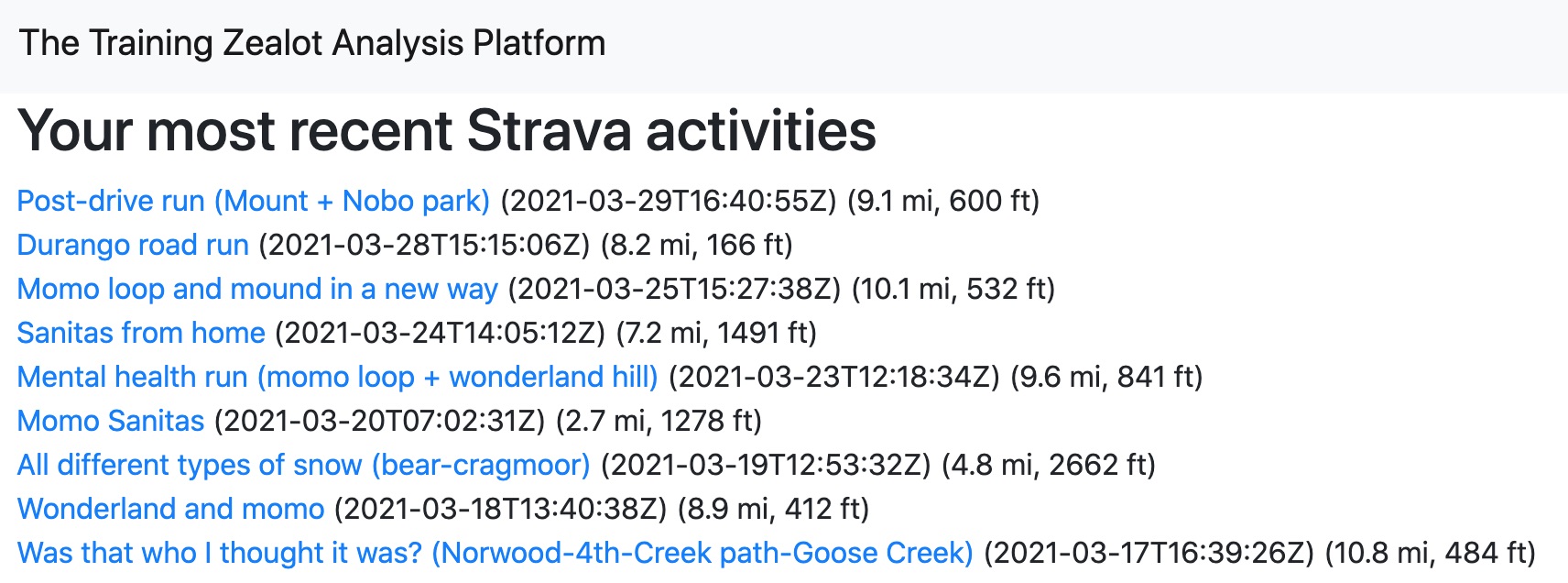
Given a valid client id and client secret for your Strava API app, this app talks to Strava's API and displays running activities in a variety of dashboards using plotly Dash.
I built this app so I could pick apart my raw Strava data, which includes data streams for elevation, grade, and moving/stopped periods. I think Strava presents data in an unrealistically favorable way in its app ecosystem, and I wanted to work with the raw feeds. There is power in looking at the reality of things.
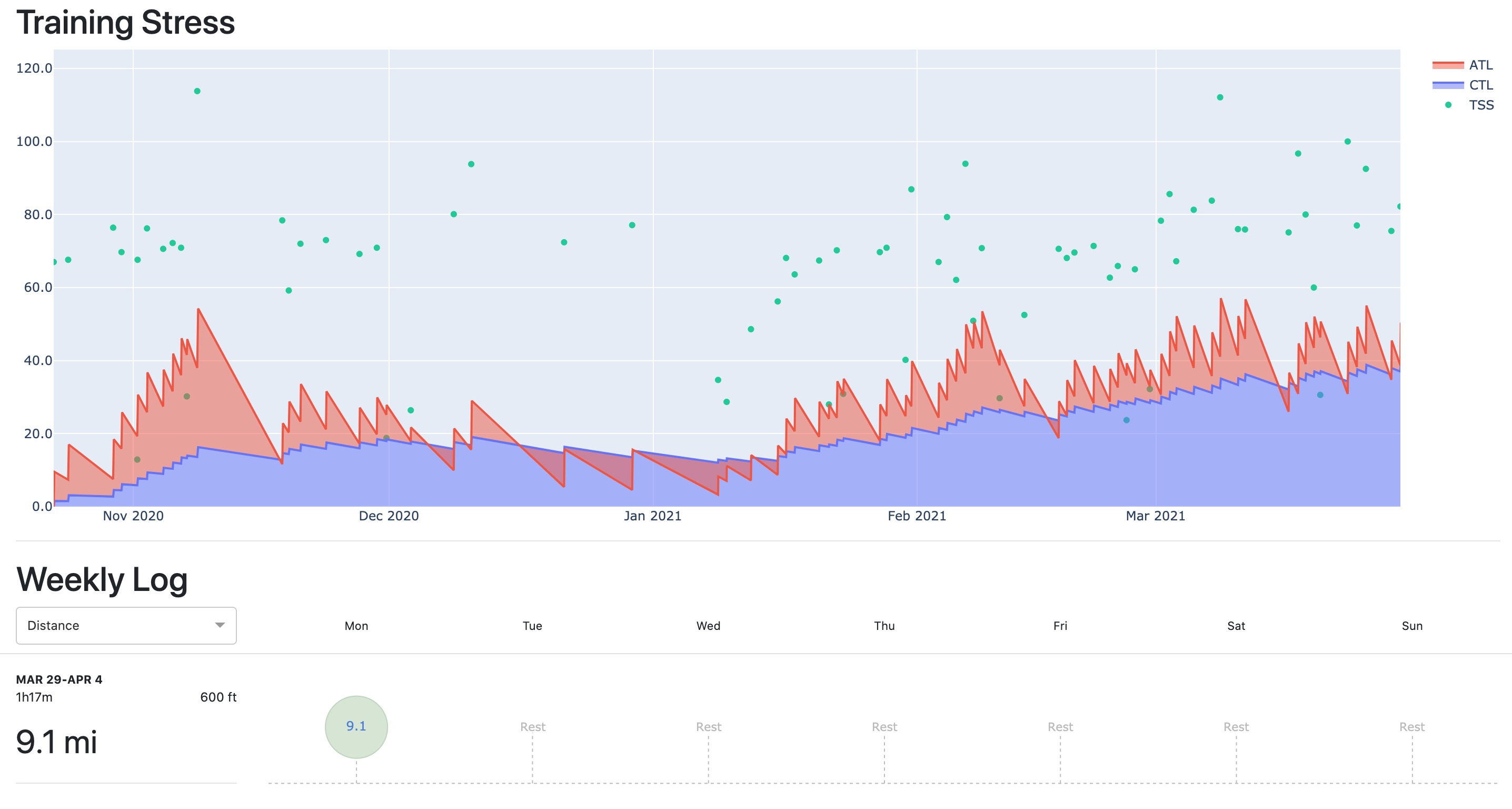
If you have a [ersponal Strava API application, you can view any of your Strava runs in a dashboard powered by Plotly Dash. From there, you can save each run to a database, and view the long-term effects of training in a training log dashboard.
A demo app is available to view on my website.
See the Running the App below to see how everything works.
Dependencies and Installation
Check out the requirements file to see all dependencies.
Python IDE
Clone the repo:
git clone https://github.com/aaron-schroeder/distilling-flask.git
Change into the new directory and start a virtual environment. Then, install the requirements:
pip install -r requirements.txt
You should be able to run the app now. See Examples below for more info.
Docker container
Create an image by running the following command in the same dir as Dockerfile:
docker build -t distillingflask:latest .
Create and start a container from the image with
docker run --name distillingflask  \
    -e MODULE_NAME=application.app  \
    -e VARIABLE_NAME=server  \
    -e STRAVA_CLIENT_ID=<client id>  \
    -e STRAVA_CLIENT_SECRET=<client secret>  \
    -e PASSWORD=<password>  \
    -d  \
    -p 5000:80  \
    --rm  \
    distillingflask:latest
Running the App
Locally
Strava-connected, with your Strava app client id and client secret
This option pretty much gets you the full-blown app running on your local machine. You can now authorize the app to use the data from your Strava account.
To do this, you must:
- Create your own API application on Strava's website
- Within the "My API application"
section of your Strava settings:
- Set the authorization callback domain for your app to
localhost - Copy your app's "client ID" and "client secret" somewhere secure
- Set the authorization callback domain for your app to
To run the app using Flask's CLI:
STRAVA_CLIENT_ID=${STRAVA_CLIENT_ID}  \
STRAVA_CLIENT_SECRET=${STRAVA_CLIENT_SECRET}  \
PASSWORD=super_secret_password  \
flask --app application
Strava-disconnected, allowing a subset of features.
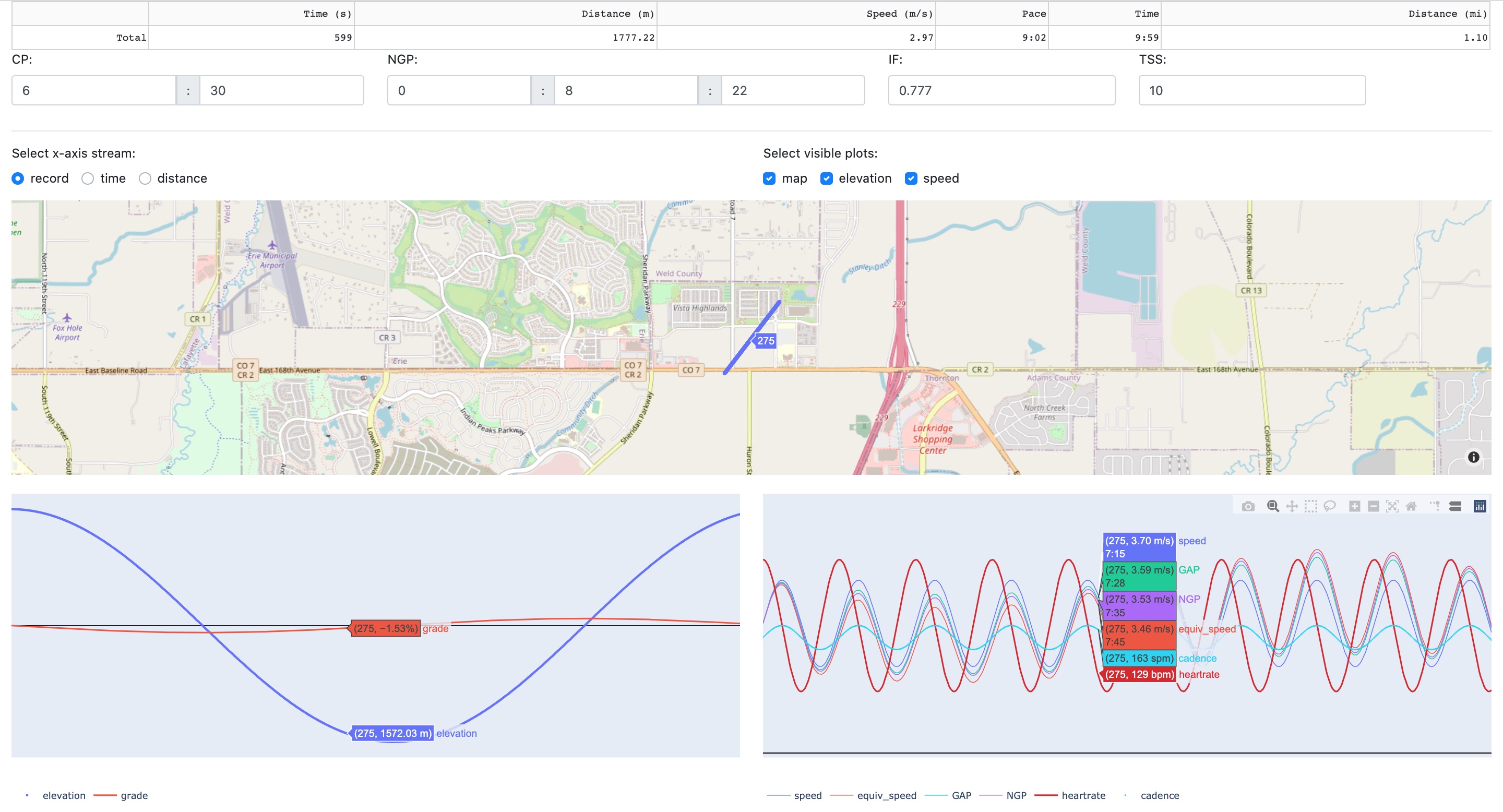
You don't need to set your app up with Strava to access some of its features like the file upload analysis dashboard. The command to run this configuration of the app is simpler.
Flask CLI:
PASSWORD=super_secret_password  \
flask --app 'application:create_app("dummy")'
distilling-flask CLI:
To use df (the distilling-flask CLI), first install the package locally with
pip install -e .
PASSWORD=super_secret_password  \
df rundummy
In a python script:
import os

import application


# Choose the password for this app. Ideally don't use your Strava password.
os.environ['PASSWORD'] = 'super_secret_password'
app = application.create_app()
app.run()
There are a number of optional settings that control the behavior of the
simulated Strava client. They can all be set with environment variables,
a .env file, or (in the case of the distilling-flask CLI) arguments to
the command.
MOCK_STRAVALIB_ACTIVITY_COUNTMOCK_STRAVALIB_SHORT_LIMITMOCK_STRAVALIB_LONG_LIMITMOCK_STRAVALIB_SHORT_USAGEMOCK_STRAVALIB_LONG_USAGE
Filetypes accepted by the upload-to-analyze dashboard:
fitfile (requiresfitparseanddateutil)tcxfile (requiresactivereader)gpxfile (requiresactivereader)csvfile (requires that headers adhere to the naming convention defined by the application)
Production
To create an instance of the app with production-oriented settings, call
create_app(config_name='prod').
Like the development configuration, the production configuration of
defaults to using an on-disk SQLite database, or any database
specified by the DATABASE_URL environment variable
(including in-memory SQLite with the url sqlite://)
The production configuration also allows for the use of a PostgreSQL database
if the right environment variables (starting with POSTGRES_) are set.
SECRET_KEY=random_secret_key  \
STRAVA_CLIENT_ID=00000  \
STRAVA_CLIENT_SECRET=gobbledygoop  \
POSTGRES_DB=db_name  \
POSTGRES_PORT=5432  \
POSTGRES_USER=user  \
POSTGRES_PW=password  \
POSTGRES_URL=dburl.example.com  \
flask --app "application:create_app('prod')"
StreamLabel and custom accessors for pandas objects
Create a DataFrame where each row represents a record, and each column
represents a data stream with a unique (field, source) id.
import pandas as pd
from application.labels import StreamLabel

df = pd.DataFrame.from_dict({
    StreamLabel('time', 'strava'): [0, 1, 2, 3, 4, 5],
    StreamLabel('speed', 'strava'): [3.0, 3.2, 3.4, 3.6, 3.8, 3.6],
    StreamLabel('speed', 'garmin'): [2.9, 3.1, 3.3, 3.5, 3.7, 3.8],
})
Use the custom accessor to work with this specifically-formatted DataFrame.
>>> df.sl.has_source('strava')
True

>>> df.sl.has_source('device')
False

>>> df.sl.source('strava')

   time (strava)  speed (strava)
0              0             3.0
1              1             3.2
2              2             3.4
3              3             3.6
4              4             3.8
5              5             3.6

>>> df.sl.has_fields('speed', 'time')
True

>>> df.sl.field('speed')

   speed (strava)  speed (garmin)
0             3.0             2.9
1             3.2             3.1
2             3.4             3.3
3             3.6             3.5
4             3.8             3.7
5             3.6             3.8

>>> StreamLabel.from_str('speed~new_src')
speed (new_src)
Testing
Functional testing
This requires user-supplied files in the following locations:
client_secrets.jsontests/functional_tests/strava_credentials.json
pip install -r requirements_dev.txt
python -m unittest discover -p test_*.py tests.functional_tests
Unit testing
python -m unittest discover -p test_*.py tests.unit_tests
Project Status
Current Activities
The Flask app is becoming a full-fledged training log. Strava activities can be viewed in a dashboard and saved to a database, and soon uploaded files will be saveable too. The long-term effects of training can be visualized in a training log dashboard, which is still evolving.
Future Work
Coming up, I'd like to set up pipelines that take running activity data from
a variety of sources and filetypes, and displays the time series in a common
interface. To that end, I've created a class to be used as column labels in
pandas.DataFrame. StreamLabel keeps track of both the field name and the
source of data streams. This facilitates a common, recognizable labeling
system for data streams stored in DataFrame columns. I've created custom
accessors for pandas.DataFrame and pandas.Index to work with StreamLabel.
Contact
You can get in touch with me at one of the following places:
- GitHub: github.com/aaron-schroeder
- LinkedIn: linkedin.com/in/aarondschroeder
- Twitter: @trailzealot
- Instagram: @trailzealot
License
This project is licensed under the MIT License. See LICENSE file for details.
1 maintainer

Metadata
1 maintainer
Release files for distilling-flask 0.0.1a1
For a detailed explanation of source distributions (sdists) and built distributions (wheels), please see the package formats documentation.
Source distribution (sdist)
| File | Size | Uploaded | Provenance | Actions |
|---|---|---|---|---|
| distilling_flask-0.0.1a1.tar.gz | 89.6 kB | Without provenance | Details for distilling_flask-0.0.1a1.tar.gz |
Built distribution (wheel)
| File | Interpreter | ABI | Platform | Actions Reset |
|---|---|---|---|---|
| distilling_flask-0.0.1a1-py3-none-any.whl | Python 3 | none | any | Details for distilling_flask-0.0.1a1-py3-none-any.whl |
Total release size: 165.8 kB
Release files / distilling_flask-0.0.1a1.tar.gz
| Download URL | distilling_flask-0.0.1a1.tar.gz |
|---|---|
| Size | 89.6 kB |
| Tags | Source |
|
SHA-256 checksum How to use checksums |
7ce73c001e98e5c49cf974f9669c049cd3979eb621d75305a6e02b55dd28184b
|
|
BLAKE2b-256 checksum How to use checksums |
59c0a838935b9f6bf1b005d6a4202e1f0a577677c6ed753b26713f3678d71f79
|
| Upload date | |
|
Uploaded using Trusted Publishing? What is trusted publishing? |
No |
| Uploaded via |
twine/4.0.2 CPython/3.8.10
|
Release files / distilling_flask-0.0.1a1-py3-none-any.whl
| Download URL | distilling_flask-0.0.1a1-py3-none-any.whl |
|---|---|
| Size | 76.2 kB |
| Tags | Python 3 |
|
SHA-256 checksum How to use checksums |
96270586959bb75e8b52ed863a0ef060a7ed456782d80ebb81695e532041c1b4
|
|
BLAKE2b-256 checksum How to use checksums |
bd89255167e7495c8e359e8b63a67a13007356efa2ee5d5889d75df7aa5e8568
|
| Upload date | |
|
Uploaded using Trusted Publishing? What is trusted publishing? |
No |
| Uploaded via |
twine/4.0.2 CPython/3.8.10
|
Security for distilling-flask 0.0.1a1
Provenance
Provenance describes where a file came from. On PyPI, provenance is shared via attestations, which provide a verifiable record of the build or publishing details. View details, limitations and caveats.
No provenance found
None of the files in this release were uploaded with provenance metadata.
A note on package security
PyPI is a repository for distributing packages, not a service for auditing them. While third-party security researchers and our staff do their best to detect and remove malicious packages, PyPI cannot guarantee the quality, security or suitability of any given package.
To learn more about protecting yourself from malicious actors, visit our package security documentation.













