
A PyQt5-based character and screen manager for Divoom gaming devices.

Project description
Divoom Gaming Gate
What is it?
This is a work in progress designed to allow users to push images to the Divoom Times Gate
It is written in Python and utilizes the PyQt5, Pillow, and requests libraries.
How to install and run
You can install the application using pip/pipx/pip3 or any other Python manager that communicates with PyPI. It will take some time to launch on first launch (pycache is being generated), but after that it will launch normally.
pip install divoom-gaming-gate
or
pipx install divoom-gaming-gate
or
pip3 install divoom-gaming-gate
You may have to ask it to install dependencies like this
pipx install divoom-gaming-gate --include-deps
Then just run it from the command line
divoom-gaming-gate
Screenshots and description
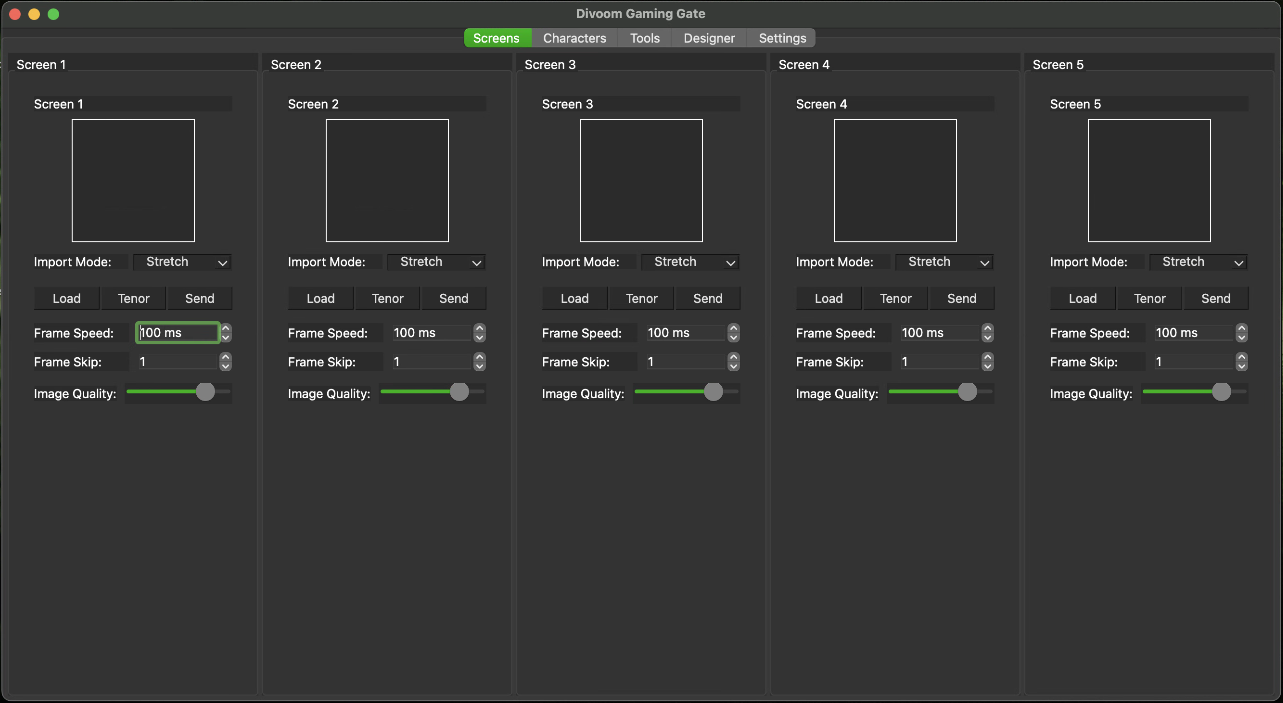
In this screen, you can load any image or animated GIF from either your local machine or Tenor GIF Search. You can skip frames (for sending large GIFs faster) and edit the time between frames. This screen also allows you to change the aspect of the image to Stretch, Fit, or Crop the image for best fit.
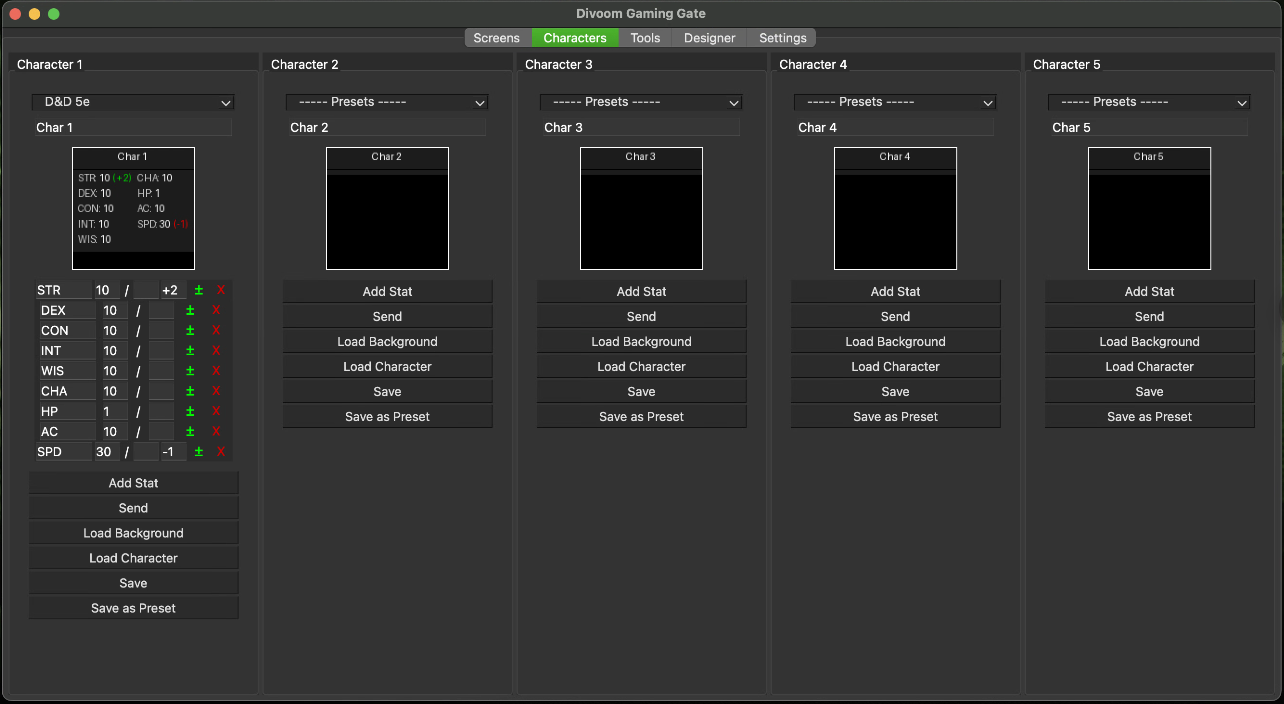
This screen allows you to create character images with backgrounds and character stats. You can use the default system layouts (D&D / Genesys) or roll your own, which you can then save for future use. It allows every stat to be either a single number, an X/Y ,configuration and allows you to add modifiers (like +1 or -2)
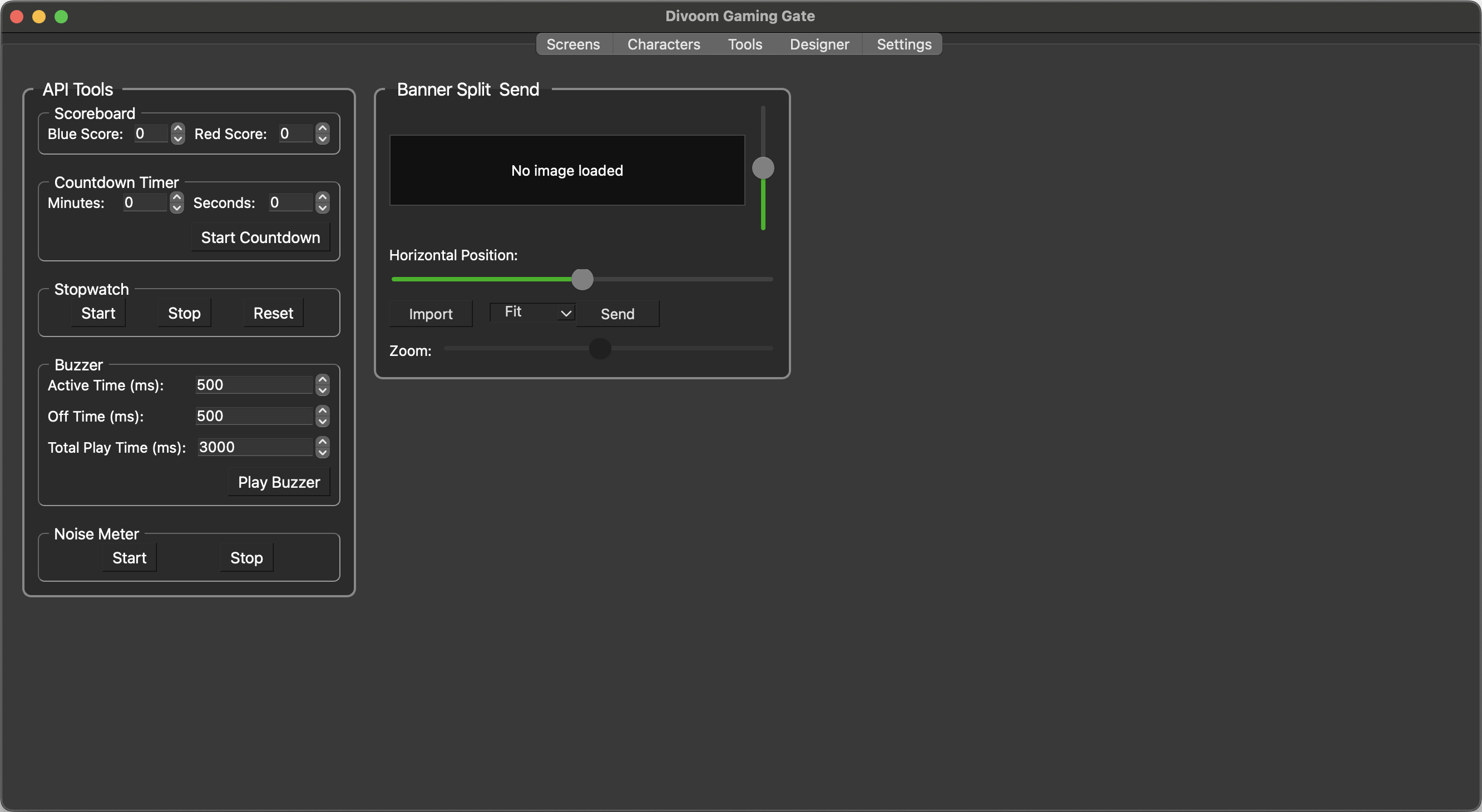
This area is mostly self-explanatory and utilizes some of the built-in tools that are part of the Divoom API
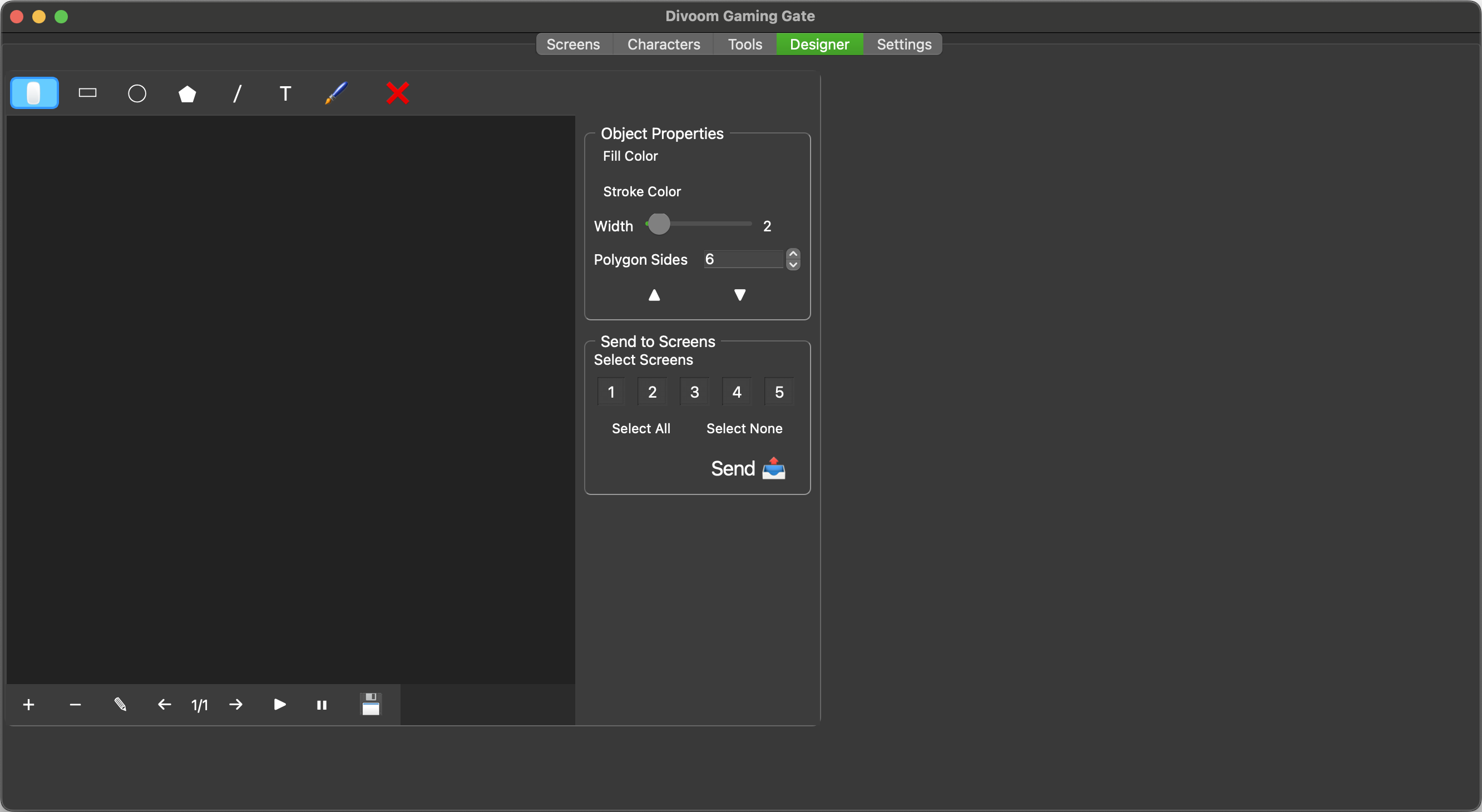
a built in designer that allows you to design new gifs (including animations) and send them to the screens.
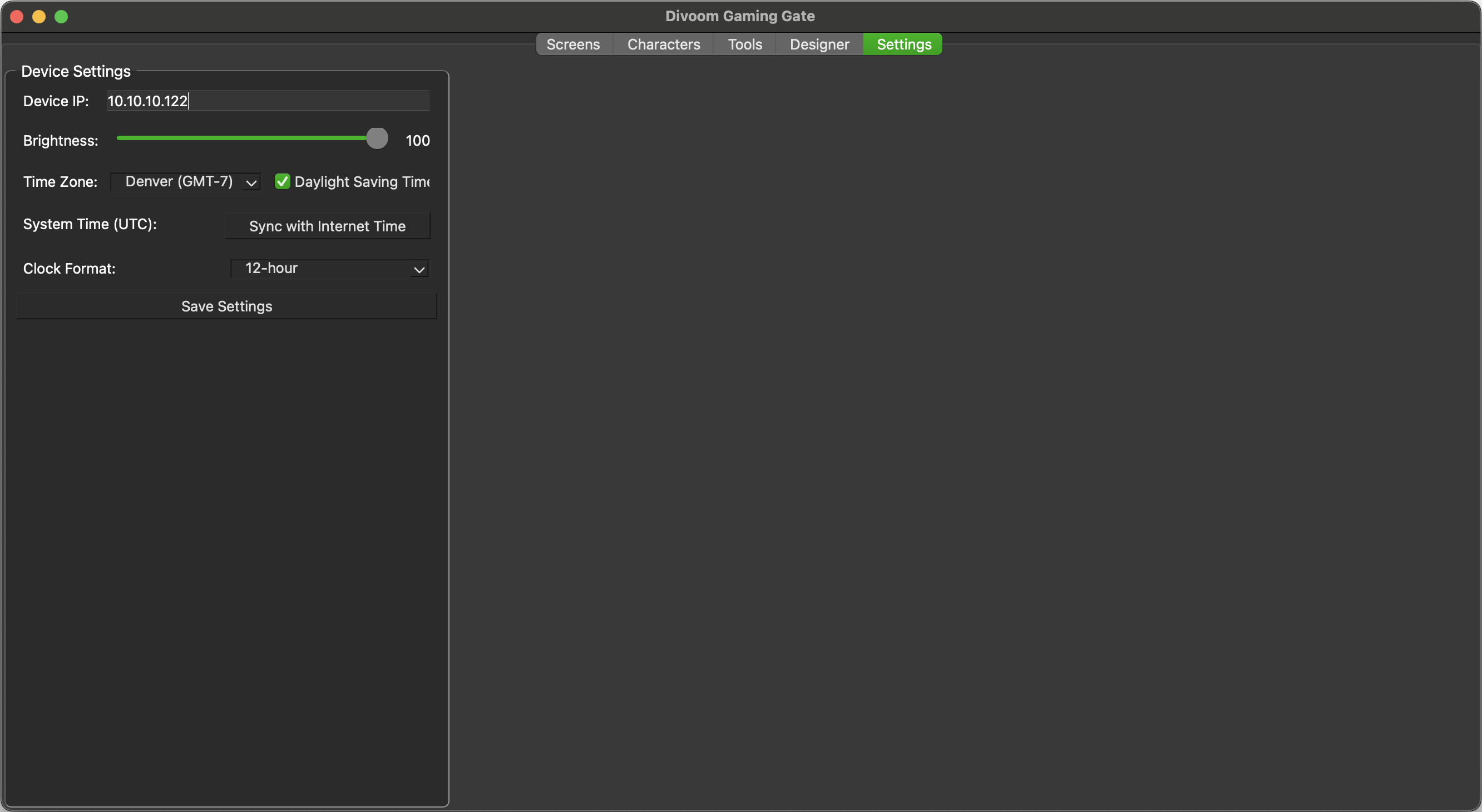
Settings for the clock, brightness, and IP address (An IP is required for the app to work)
Release history Release notifications | RSS feed


Download files
Download the file for your platform. If you're not sure which to choose, learn more about installing packages.
Source Distribution
Built Distribution
Filter files by name, interpreter, ABI, and platform.
If you're not sure about the file name format, learn more about wheel file names.
Copy a direct link to the current filters
File details
Details for the file divoom_gaming_gate-0.2.3.tar.gz.
File metadata
- Download URL: divoom_gaming_gate-0.2.3.tar.gz
- Upload date:
- Size: 221.8 kB
- Tags: Source
- Uploaded using Trusted Publishing? Yes
- Uploaded via: twine/6.1.0 CPython/3.12.9
File hashes
| Algorithm | Hash digest | |
|---|---|---|
| SHA256 |
39b6299fb5e403a5154b6ee0cfbde129a9cd00ddebc0292fbad9981220f942b6
|
|
| MD5 |
6827a094ef8befdca7375cd59ee8d92c
|
|
| BLAKE2b-256 |
e435979bcbb012056cf9087bd7a4e59648a77d3d0faa5fd40bf32247ff613d3a
|
Provenance
The following attestation bundles were made for divoom_gaming_gate-0.2.3.tar.gz:
Publisher:
python-publish.yml on adiastra/divoom-gaming-gate
-
Statement:
-
Statement type:
https://in-toto.io/Statement/v1 -
Predicate type:
https://docs.pypi.org/attestations/publish/v1 -
Subject name:
divoom_gaming_gate-0.2.3.tar.gz -
Subject digest:
39b6299fb5e403a5154b6ee0cfbde129a9cd00ddebc0292fbad9981220f942b6 - Sigstore transparency entry: 248658876
- Sigstore integration time:
-
Permalink:
adiastra/divoom-gaming-gate@ef171a184d260bc22a12d679da3c77def910a3bd -
Branch / Tag:
refs/tags/0.2.3_Packaged - Owner: https://github.com/adiastra
-
Access:
public
-
Token Issuer:
https://token.actions.githubusercontent.com -
Runner Environment:
github-hosted -
Publication workflow:
python-publish.yml@ef171a184d260bc22a12d679da3c77def910a3bd -
Trigger Event:
release
-
Statement type:
File details
Details for the file divoom_gaming_gate-0.2.3-py3-none-any.whl.
File metadata
- Download URL: divoom_gaming_gate-0.2.3-py3-none-any.whl
- Upload date:
- Size: 226.5 kB
- Tags: Python 3
- Uploaded using Trusted Publishing? Yes
- Uploaded via: twine/6.1.0 CPython/3.12.9
File hashes
| Algorithm | Hash digest | |
|---|---|---|
| SHA256 |
b2508c160465fab03eab46ecc772a4aeb45a1195c8e1105d0f8f13e445171adc
|
|
| MD5 |
630165c979b0c9a9c550f5b8b44cc2a7
|
|
| BLAKE2b-256 |
1a146907bce9ac41dcaf6f48cad5092e926093daf03a46b0e49f561865c78596
|
Provenance
The following attestation bundles were made for divoom_gaming_gate-0.2.3-py3-none-any.whl:
Publisher:
python-publish.yml on adiastra/divoom-gaming-gate
-
Statement:
-
Statement type:
https://in-toto.io/Statement/v1 -
Predicate type:
https://docs.pypi.org/attestations/publish/v1 -
Subject name:
divoom_gaming_gate-0.2.3-py3-none-any.whl -
Subject digest:
b2508c160465fab03eab46ecc772a4aeb45a1195c8e1105d0f8f13e445171adc - Sigstore transparency entry: 248658878
- Sigstore integration time:
-
Permalink:
adiastra/divoom-gaming-gate@ef171a184d260bc22a12d679da3c77def910a3bd -
Branch / Tag:
refs/tags/0.2.3_Packaged - Owner: https://github.com/adiastra
-
Access:
public
-
Token Issuer:
https://token.actions.githubusercontent.com -
Runner Environment:
github-hosted -
Publication workflow:
python-publish.yml@ef171a184d260bc22a12d679da3c77def910a3bd -
Trigger Event:
release
-
Statement type:






